
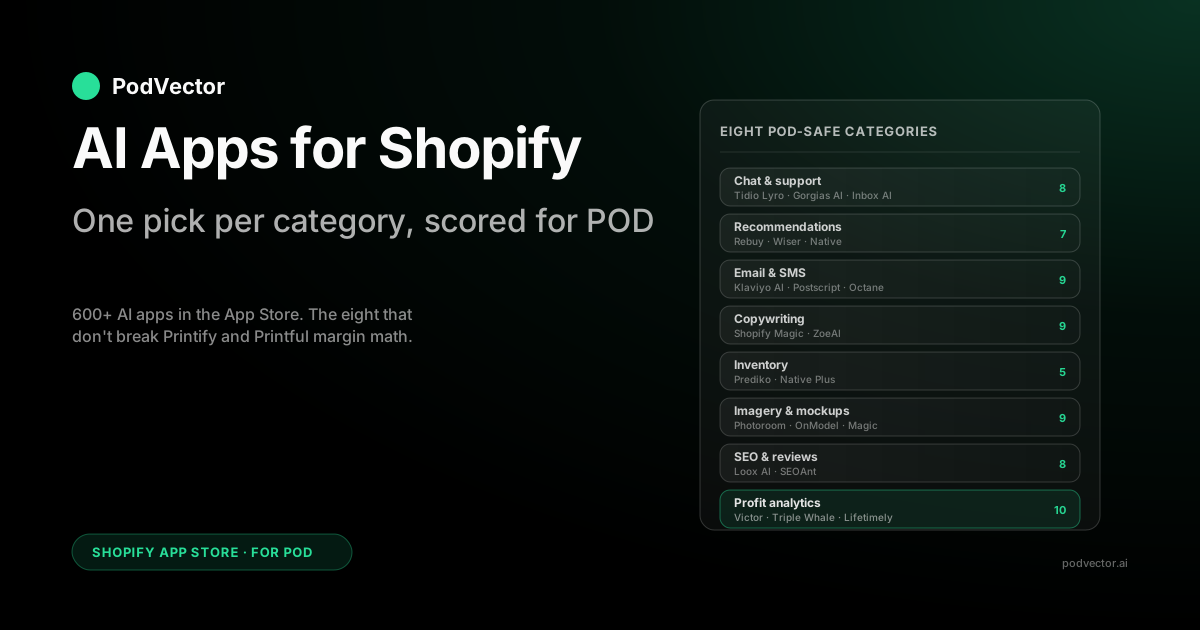
Quick Answer: The best AI apps for a Shopify POD store, one per category, are Tidio Lyro and Gorgias AI for chat and support, Boost AI Search & Filter for storefront search, Rebuy for product recommendations, Klaviyo AI for email and SMS, Shopify Magic for in-admin copy, Photoroom for mockup imagery, Loox AI for review collection, and Victor by PodVector AI for profit analytics — an AI employee that reads your live Printify and Printful margins and proposes Shopify actions (repricing, discounts, collection changes) with your approval. The Shopify App Store carries hundreds of apps tagged "AI" in 2026, and almost none of them know your supplier cost, so pick by category and install exactly one app per category.
The thing the App Store doesn't tell you: "AI app" usually means the app uses AI inside features you'd already pay for, not that it gives you a new agent.
For a POD store, that distinction is the difference between a lean stack that works and an over-subscribed stack that breaks margin math. Pick by category, install one app per category, and never install a second AI app inside a category you've already covered.
What Actually Counts as an "AI App" in 2026
Type "AI" into the Shopify App Store search bar in 2026 and you get hundreds of results. Open the first ten and you'll see three different things being sold under the same label: agents that take action on your store autonomously, generators that produce content on demand, and traditional apps that quietly added an AI feature to their pricing page.
All three are reasonable products. None of them are interchangeable, and a POD operator who treats them as interchangeable ends up with several overlapping subscriptions and a profit dashboard built on incomplete cost data.
The 2026 shift the App Store roundups now lead with is that the center of gravity is moving from generators (apps that produce content when you ask) to agents (apps that take an action on your store and report back). Shopify's own framing — "agentic storefronts" on the shopper side, "campaign autopilot" on the marketing side — is the same move. For a POD operator the agent question is sharper than the generator question, because an agent acting on wrong COGS doesn't just write bad copy, it discounts a SKU below print cost or scales spend on a losing design. That's why the profit category sits last in this list and matters most.
The cleaner way to think about AI apps for Shopify is by the category position they occupy in the merchant's monthly stack. A chatbot app and a copywriting app don't compete with each other — they compete with the other apps in their own category. Most "best AI apps for Shopify" lists collapse this and end up recommending you install one app per AI capability, which is how you get to a bloated stack of recurring subscriptions on a store that hasn't yet diagnosed its real bottleneck.
For print-on-demand specifically, there's a second filter: every app you install needs to handle (or politely ignore) the fact that your cost of goods lives in Printify, Printful, or Gelato — not in Shopify. An AI inventory app that thinks Shopify is the source of truth for stock will tell you to reorder things you don't keep stock of.
An AI pricing app that sees zero COGS in Shopify will recommend price floors you can't survive. The picks below are filtered for this. If you want the broader category primer first, the complete guide to AI tools for POD sellers covers the landscape, and this article goes deep on the Shopify App Store specifically.
Summary Table: One App Per Category, Scored for POD
Each app is scored on three POD-specific axes: POD fit (does it handle variable supplier cost or zero on-hand inventory without a workaround), install cost (the all-in monthly including AI usage fees, not just the headline plan), and uninstall pain (how hard is it to leave when a better option appears, since most AI apps inject CSS and metafields that linger). Scores are out of 10 and weighted toward POD operators on Shopify Basic or Shopify plans.
| Category | Top App Pick | All-in starting cost | POD fit | Uninstall |
|---|---|---|---|---|
| Chat & support | Tidio Lyro | $29/mo | 8 | Clean |
| Recommendations | Rebuy | $99/mo | 7 | Messy |
| Search & discovery | Boost AI Search & Filter | $29/mo | 8 | Clean |
| Email & SMS | Klaviyo AI | Free → $45/mo | 9 | Clean |
| Copywriting | Shopify Magic | Free | 9 | N/A |
| Inventory | Prediko | $119/mo | 5 | Clean |
| Imagery | Photoroom | $7.50/mo | 9 | Clean |
| SEO & reviews | Loox AI | $9.99/mo | 8 | Messy |
| Translation | Shopify Translate & Adapt | Free | 9 | Clean |
| Fraud & security | Shopify Protect / Signifyd | Free → usage | 8 | Clean |
| Profit analytics | Victor by PodVector AI | Free trial | 10 | Clean |
"Uninstall" is the column most lists skip, and it's the one that costs POD operators the most over twelve months. An app that injects script tags into your theme layout will leave behind orphan code after you uninstall it; cleaning it up costs a developer hour or two each time. Our scores account for it.
Chat & Support Apps
This is the largest single AI category in the App Store and the easiest one to over-install. POD support volume scales with order volume, and the majority of tickets are the same three questions: where's my order, what's the return policy, and can I change a size or color before fulfillment.
AI handles all three without escalation if you set it up right. The economics are strong because human agent tickets carry a meaningful per-resolution cost, and AI resolutions come in well under that even at higher pricing tiers.
Tidio Lyro — the default pick under 200 tickets a week
Tidio Lyro ($29/mo on the Lyro AI plan) is the most common pick for POD stores doing under 200 tickets a week. Lyro is Tidio's AI bot trained on ecommerce conversations. The Shopify integration is a one-click app install, the bot reads your help docs and your past replies, and the pricing is flat per month rather than per resolution — predictable for a small store.
Its weakness for POD is also its strength for everyone else: it doesn't know about Printify or Printful natively. Order tracking comes from the Shopify order, which usually has the supplier's tracking number once fulfillment fires, but anything pre-fulfillment ("when will my shirt ship?") needs you to write a Lyro answer that sets the right expectation. Five minutes of setup, then it's automatic.
Gorgias AI — the pick once order-tracking depth matters
Gorgias AI ($10/mo base + per-resolution AI fees) is the helpdesk version of the same job: ticket inbox plus AI responder. The reason it edges out Tidio for stores past 500 tickets a week is how well it pulls in your order and customer details for each ticket.
Gorgias pulls live order data from Shopify, the supplier's tracking number once fulfillment is live, and your help docs into a single context window for the AI to answer from. For POD specifically, that means the answer to "where's my order" is the actual Printify-side tracking link, not a templated response asking the customer to wait.
The per-resolution pricing favors high-volume stores. At under 100 tickets a week the math doesn't work compared to Tidio's flat fee.
Past 500, the depth and the fact that humans can take over a thread mid-conversation start to matter. The full ranking lives in the best AI chatbot for Shopify comparison if you want every contender side by side.
Shopify Inbox AI — the free baseline
Shopify Inbox is the on-site chat widget Shopify ships free with every plan, and it now includes AI-powered reply suggestions for the agent (you, in most cases). It's not autonomous — a human still hits send — but the suggestions cut response time meaningfully if you're a founder doing chat between other tasks.
Use it as the floor before paying for anything else. For more on what it can and can't do, the POD seller's guide to the Shopify AI assistant covers it in depth.
Voice and phone AI — the newest support frontier
The 2026 shift in this category is voice, and it now tops several "best AI tools for Shopify" roundups. AI phone agents answer support calls autonomously, read the Shopify order, and quote tracking the same way a chatbot does — just over the phone.
For most POD stores this is a skip. Print-on-demand support is overwhelmingly chat and email, and the entry-level pricing for voice agents rarely pays back on phone volume alone. Add a voice agent only if you already run a published support line and the call queue is a real cost.
What to install
Under 100 tickets/week: Shopify Inbox AI free. 100–500 tickets/week: Tidio Lyro. Past 500 or where order-tracking depth matters: Gorgias AI. Never install two chat apps at the same time — they fight over the chat widget and confuse the customer.
Product Recommendation Apps
For a stocked DTC store, an AI recommendation app is mostly an AOV play: show a complementary product on cart and lift average order value. For POD it's that plus a margin-protection play, because some of your products print at a much better margin than others and the recommendation engine doesn't know that unless you tell it. A recommendation app showing "frequently bought together" using only purchase history will happily recommend your worst-margin tee on top of your best-margin hoodie.
Rebuy — the depth pick
Rebuy ($99/mo starting plan) is the most-cited recommendation app for Shopify in 2026 because the AI engine handles cart upsells, post-purchase upsells, and on-product recommendations from one config. The reason POD operators pick it over the alternatives is the rules layer: you can constrain recommendations by product tag, so if you tag your high-margin SKUs, Rebuy can prioritize them in the recommendation slot. That's not unique to Rebuy — Wiser does it too — but Rebuy's rules editor is the deepest in the category.
Uninstall is messy. Rebuy injects widgets into your cart drawer and product pages via theme app blocks; removing them after uninstall requires editing the theme. Budget a developer hour for the cleanup if you ever switch.
Wiser — the cheaper alternative
Wiser ($29/mo starting plan) is the same job, smaller surface area. It does product page and cart recommendations with similar AI logic but doesn't go as deep on post-purchase upsells.
For stores with simpler catalog structures doing basic "frequently bought together" recommendations, it's the better-priced pick. At higher revenue volumes, Rebuy's depth starts to pay back.
Shopify-native product recommendations
Shopify's built-in "you may also like" widget runs on Shopify's own ML model and is free with every plan. It's the category baseline — useful for stores that haven't installed anything yet, and it never charges you per impression.
For early-stage POD stores it's enough; once your catalog and order volume grow, the upgrade to Rebuy or Wiser is worth evaluating. The deeper context lives in the POD seller's guide to Shopify AI product recommendations.
What to install
Early-stage store: Shopify-native recommendations free. Mid-size catalog: Wiser. Larger catalog with complex margin tagging needs: Rebuy with margin-tag rules.
Search & Discovery Apps
This is the AI category that climbed the "best AI apps for Shopify" lists fastest in 2026, and it's the one a recommendation app doesn't cover. Recommendations push a product at a passive browser; search answers an active shopper who already typed what they want. For POD that distinction is sharper than for stocked DTC, because POD catalogs sprawl — a store running hundreds of design variants on the same blank has a long tail that the default Shopify search can't surface from a fuzzy query like "funny cat dad shirt." AI semantic search reads intent instead of matching keywords, so the right design comes up even when the shopper's words don't match your product title.
Boost AI Search & Filter — the depth pick
Boost AI Search & Filter ($29/mo starting plan) is the most-cited AI search app in the 2026 App Store category. The AI layer does semantic search (intent matching, not just keyword matching), typo tolerance, and synonym handling, plus a merchandising rules layer that lets you pin or boost specific products in the results. For POD, the rule that matters is the same one that matters in recommendations: you can boost your high-margin SKUs into the top search slots so a fuzzy query lands on the design that prints at the better margin. Uninstall is clean — it runs through theme app blocks Shopify removes on uninstall.
Searchanise — the cheaper alternative
Searchanise (free tier, then from ~$19/mo) does the same core job — instant search, AI-ranked results, filters — with a smaller surface area and a usable free tier for low-SKU stores. For a POD store with a smaller catalog, the free tier covers it; past that, Boost's merchandising depth and margin-boost rules start to pay back.
Shopify Search & Discovery — the free native baseline
Shopify's own Search & Discovery app is free with every plan and now layers semantic understanding onto the native storefront search, plus filters and basic product boosts. It's the category floor: install it before paying for anything, and for a store with a modest design catalog it's often enough. The upgrade to Boost or Searchanise pays back once the catalog is large enough that shoppers fail to find designs the store actually carries.
What to install
Smaller catalog: Shopify Search & Discovery free. Larger catalog or a long tail of niche designs: Boost AI Search & Filter with margin-boost rules, or Searchanise if budget is tight. Never run two storefront search apps at once — they fight over the search bar the same way two chat apps fight over the chat widget.
Marketing, Email & SMS Apps
Email and SMS is where AI app spend gets out of hand fastest. The category attracts dozens of apps that all promise the same outcome: more revenue per send, less manual segmentation, better subject lines. The honest reality in 2026 is that one platform — Klaviyo — is so far ahead on Shopify integration depth that the category-pick decision is mostly which Klaviyo plan to be on, plus whether you need a separate SMS app on top.
Klaviyo AI — the default the entire category lost to
Klaviyo (free up to 250 contacts, then $45/mo at 1K contacts) is the email and SMS platform most Shopify stores end up on by default, and the AI features in 2026 are the strongest in the category. Predictive analytics tag every customer with a predicted lifetime value, churn risk, and next-purchase date; the segment builder uses those tags directly.
Subject-line testing is automated. Send-time optimization is per-recipient. For POD, the integration depth matters because your audience overlaps heavily with seasonal niches — Klaviyo's predictive segmentation for upcoming seasonal drops is operationally trivial to build once you have a real list.
The free tier is generous enough to cover a store under 250 contacts, which is where most newly-launched POD stores sit. Past that, the per-contact pricing scales with your list, which is fair but not cheap. Note: Victor does read your Klaviyo data. With your approval, he can turn flows on or off, build new flows, and schedule campaigns.
Postscript AI — the SMS specialist
Postscript ($25/mo + per-message fees) is the SMS-only specialist most stores add on top of Klaviyo once SMS becomes a meaningful channel. Postscript's AI handles list segmentation, message generation, and reply automation for the two-way SMS flow. For POD specifically, the AI campaign generator that turns a new design drop into a campaign is a real time saver.
Klaviyo also does SMS. Whether to add Postscript is mostly a question of whether SMS is your primary channel or your secondary one. If SMS drives a substantial portion of your marketing-attributed revenue, Postscript pays back. If it's a small slice, stay on Klaviyo SMS and skip the second app.
Octane AI — the quiz-driven personalization angle
Octane AI ($50/mo) is the recommendation-quiz app most cited in the App Store's marketing AI category. It uses AI to build a product-recommendation quiz, then routes the customer's quiz answers to a personalized email flow in Klaviyo.
For POD stores selling to multiple niches (cat owners, sports fans, anniversary gifts), the quiz funnels each customer to the design they'll actually convert on. It's not a fit for single-niche stores — there's nothing to segment.
Shopify Email and Campaign Autopilot — the free native baseline
Shopify Email is free with every plan (you pay only past a threshold of sends per month), and the 2026 App Store roundups now lead with Shopify's own Campaign Autopilot — the native feature that drafts, schedules, and follows up on a campaign from a single prompt inside the admin. For a newly launched POD store it's the floor: it covers basic broadcasts and abandoned-cart flows without a second subscription. The upgrade to Klaviyo pays back the moment you need predictive segmentation or per-recipient send-time optimization.
What to install
Pre-launch or very small list: Shopify Email + Campaign Autopilot free. Universal once email drives revenue: Klaviyo (free or paid). SMS-heavy: add Postscript. Multi-niche store: add Octane AI. The fuller breakdown of every Shopify marketing AI option is in the POD seller's guide to AI marketing for Shopify.
Copywriting & Listing Apps
This is the AI category where the App Store has the most low-quality entries — easily a hundred apps that all wrap a general-purpose AI model's API in a "generate product description" button. Almost none of them are worth installing because Shopify ships the same capability free, and the standalone tools (ChatGPT, Jasper, and the like) outperform the wrapper apps in quality at lower cost.
Shopify Magic — the free pick that beats most apps
Shopify Magic is the suite of AI features built directly into Shopify Admin: product description generation from a few bullet points, FAQ generation from product attributes, email subject lines, image background editing, and store policy drafting. It's free with every Shopify plan, and the output quality matches or exceeds most paid App Store wrapper apps because Shopify's prompts are tuned to ecommerce.
For most POD listings it's good enough as a first draft. The full feature inventory is in the POD seller's guide to Shopify Magic AI features.
ZoeAI — the brand-voice upgrade inside the App Store
ZoeAI ($29/mo) is the most-cited App Store copywriting app that adds something Shopify Magic doesn't — brand voice training. You feed it a few example product descriptions in your voice, and it generates new descriptions consistent with that voice.
For a POD store with a distinctive niche tone (snarky, sentimental, conservative, irreverent), this is genuinely useful at scale. For smaller listing volumes, Magic plus a quick edit is enough; past that, ZoeAI's consistency pays back.
Why most App Store copywriting apps aren't worth installing
The category has dozens of apps with names like "AI Product Description Generator" or "ChatGPT for Shopify." Almost all of them are thin wrappers on a general-purpose AI API charging a monthly fee for what costs less direct from ChatGPT and a copy-paste workflow. The only reasons to install a wrapper app: you want the description-write to happen inside Shopify Admin without leaving (Magic does this free), or you want bulk generation across hundreds of products (Magic now does this too in 2026). The wrapper apps had a window in 2023; that window closed.
What to install
Universal: Shopify Magic free. Distinctive brand voice + high listing volume: add ZoeAI. Skip every "AI product description" wrapper app in the App Store — none of them outperform Magic plus ChatGPT at higher cost.
Inventory & Forecasting Apps
This is the category where POD operators get hurt most often, because the entire category is designed around a model that doesn't apply to POD. AI inventory apps assume you hold stock, are deciding when to reorder, and need to forecast demand to size your next purchase order. POD stores hold no stock, never reorder, and don't need demand forecasts to size purchases — they need them to size ad spend, which is a different question.
Prediko — the inventory app that mostly doesn't apply to you
Prediko ($119/mo starting plan) is the most-cited AI inventory app for Shopify in 2026, and it does what it claims well — for stocked DTC stores. The AI forecasts demand by SKU, calculates reorder points, and integrates with suppliers for purchase orders.
Almost none of which a POD operator needs. If you're running a hybrid model where you hold stock for some SKUs (popular evergreen designs printed in bulk) and POD for the long tail, Prediko handles the stocked half well. For pure POD, it's spending on a feature you can't use.
Shopify-native demand forecasting
Shopify Plus stores get demand forecasting built into the admin in 2026. It's free at that plan tier, accurate enough for most stocked operations, and gets the job done without a separate app. For POD on Shopify Plus, the same caveat applies — the forecast assumes you reorder, which you don't.
What POD actually needs in this category
The POD analog to "inventory forecasting" is winner detection — which designs are accelerating into product-market fit and worth scaling ad spend on, and which are decelerating and should be paused. That's not a "Shopify App Store" job because the data lives across Shopify (orders), Printify or Printful (cost), and your ad platforms (spend). The deeper take on what AI inventory means for a POD store is in AI inventory forecasting Shopify: what it looks like for POD sellers.
What to install
Pure POD: nothing in this category. Hybrid POD + stocked: Prediko for the stocked SKUs. The "AI demand" job for pure POD is handled by a profit analytics tool that knows your supplier costs (covered later).
Imagery & Mockup Apps
Imagery is the highest-leverage AI app category for POD because every new design needs lifestyle mockups, white-background product shots, and increasingly video. The labor cost of doing this manually scales linearly with your design throughput; AI cuts the per-asset time dramatically. The category is also rare in being mostly POD-friendly out of the box — these tools care about images, not your supplier cost.
Photoroom — the all-purpose pick
Photoroom ($7.50/mo Pro plan) is one of the most-cited AI image tools for ecommerce in 2026, and the App Store integration pushes generated images directly into your Shopify product gallery. The core jobs it nails: background removal at scale, lifestyle background generation behind your product, and shadow/lighting normalization across a product line so the whole catalog looks like one shoot. For Printify or Printful mockups, Photoroom takes the supplier-generated mockup and replaces the generic background with a branded scene — instantly more premium than every other store using the same supplier mockup.
OnModel — the apparel pick
OnModel ($29/mo) generates AI on-model imagery from a flat product shot. For apparel POD specifically — tees, hoodies, sweatshirts — this matters because the supplier mockup is usually a flat-lay or a default model that's not your audience.
OnModel lets you generate the same shirt on multiple model demographics matching the niches you sell to. It's POD-specific in a way most App Store apps aren't.
CreatorKit and Minta — the AI video pick
Video is the fastest-rising sub-category inside imagery in 2026, and it's the one most category roundups still miss. CreatorKit (AI Image & Video, free tier then from ~$39/mo) turns a product photo into a short ad-style video clip, and Minta Social Videos (from ~$25/mo) auto-generates and schedules social video from your catalog. For POD the leverage is the same as static mockups but sharper: a paid-social ad with a moving product tends to convert better than a flat shot, and your design throughput is too high to brief a videographer per drop. Both push the rendered video back to Shopify or straight to your ad and social channels. Treat it as an add-on once paid social is a real channel, not a day-one install.
Shopify Magic image editing
Shopify Magic includes free background removal and basic image edits. It's not as deep as Photoroom but for stores doing a modest number of new designs per month it's enough. Free with every Shopify plan, no second subscription. The deeper category cut is in the POD seller's guide to AI image generators that integrate with Shopify.
What to install
Low design throughput: Shopify Magic image editing free. Higher throughput: Photoroom Pro. Apparel-heavy with a need for diverse model imagery: add OnModel. Running paid social at volume: add CreatorKit or Minta for AI video.
SEO & Review Apps
Two distinct sub-categories here, both with AI angles, both worth covering because the SERP for "AI apps for Shopify" treats them as one section. Reviews are the higher-leverage one for POD because social proof lifts conversion meaningfully on every product page. SEO apps are mostly diminishing returns once basic on-page SEO is in place.
Loox AI — the review collection pick
Loox ($9.99/mo starting plan) is the most-installed photo-review app for Shopify, and the AI features in 2026 handle review request timing per customer (predict who will respond, send to them first), automatic translation across markets, and AI-generated review summaries on the product page. For POD, the photo-review angle matters because customer photos of your design on a real shirt are the highest-converting social proof you can show — they look like UGC, they prove the print quality is real, they give the next buyer permission to imagine it on themselves.
Uninstall is messy because Loox stores reviews and photos in its own system; uninstalling without exporting first means losing the reviews. Always export before switching review apps.
SEOAnt — the SEO automation pick
SEOAnt ($29.99/mo) is the most-cited AI SEO app in the App Store category. It auto-generates alt text from product images, audits product pages for SEO issues, and writes meta descriptions in bulk.
The honest take: most of what SEOAnt does is also done by Shopify Magic (alt text, meta descriptions) and the rest (audit) is replicated by free tools. Worth installing if you have hundreds of legacy products without optimized meta data; not worth installing for a fresh store with a small SKU count. The deeper play is in the POD seller's guide to AI SEO for Shopify.
What to install
Universal for any POD store with customer photos: Loox. Stores with hundreds of legacy SKUs to retrofit: add SEOAnt. New stores with a small catalog: skip SEO apps and use Shopify Magic for meta data.
Translation & Localization Apps
Every "best AI apps for Shopify" roundup in 2026 now carries a translation section, and POD is one of the niches where it actually pays. A design with universal appeal — a cat pun, a nurse joke, a fishing slogan — sells in Germany, France, and Japan if the listing speaks the language.
AI translation apps localize your product titles, descriptions, and checkout in minutes instead of a per-word agency bill. The POD-specific catch: machine translation mangles the wordplay your design depends on, so the funny ones still need a human pass.
Shopify Translate & Adapt — the free native pick
Translate & Adapt is Shopify's own localization app, free with every plan, and it now uses AI to auto-translate your whole catalog into the languages you sell in. It writes translations for products, collections, and theme content, then lets you hand-edit any string.
For most POD stores entering one or two extra markets, this is enough — start here before paying for anything. Keep the auto-translation as a draft and fix the pun-dependent listings by hand.
Weglot and LangShop AI — the multi-market upgrades
Weglot (from ~$17/mo) and LangShop AI (from ~$10/mo) are the two most-cited paid translation apps in the category. They go past Shopify's native tool by translating third-party app content, metafields, and URLs, and by serving language-specific SEO so each market gets its own indexable pages.
That last part is the reason to upgrade: if you want to rank in German Google, you need German URLs and meta data, not just translated body copy. For stores serving multiple markets, the paid apps pay back; for one or two markets, Translate & Adapt covers it.
What to install
One or two extra markets: Shopify Translate & Adapt free. Three or more markets where you want per-language SEO: add Weglot or LangShop AI. Single-market English-only store: skip this category entirely.
Fraud & Security Apps
The 2026 "best AI apps for Shopify" roundups now carry a fraud-and-security section, and for POD it's not optional. A chargeback on a stocked DTC order costs you the refund; a chargeback on a fulfilled POD order costs you the refund and the print cost you already paid Printify or Printful.
You lose twice on every fraudulent order that clears fulfillment. That double hit is why AI fraud screening pays back faster for POD than for almost any other Shopify niche.
Shopify Protect and built-in fraud analysis — the free floor
Every Shopify plan ships an AI fraud-risk score on each order (Low / Medium / High) that reads the buyer's signals — mismatched address, risky card, proxy IP — before you fulfill. Shopify Protect layers free chargeback coverage on eligible orders on top of that.
For POD the workflow that matters: hold anything flagged Medium or High until you've eyeballed it, because once the order fires to your supplier the print cost is spent and unrecoverable. Start here before paying for anything.
Signifyd — the chargeback-guarantee pick
Signifyd (usage-based, effectively a small percentage of protected orders) is the most-cited AI fraud app in the 2026 App Store category. Its model scores every order against a cross-merchant network and financially guarantees the ones it approves — if a guaranteed order charges back, Signifyd reimburses it.
For a POD store scaling paid social into cold traffic, that guarantee converts an unpredictable double-loss into a fixed, predictable cost line. NoFraud plays the same role if you want a second quote.
What to install
Every POD store: Shopify's built-in fraud analysis + Shopify Protect free, and always hold Medium/High-risk orders before they hit your supplier. Scaling on cold paid traffic: add Signifyd or NoFraud for guaranteed chargeback coverage. The reason this category matters more for POD is the same one that runs through this whole list — your real cost lives at the supplier, so a bad order costs you more than Shopify's own numbers show.
Profit & Analytics Apps
This is the category every "best AI apps for Shopify" list under-covers, and it's the one that matters most for POD. The reason is simple: every other AI app in your stack is making a recommendation based on what it sees in Shopify, and Shopify doesn't see your true cost of goods. Without a profit analytics layer that pulls supplier-side data, every recommendation downstream — what to scale, what to pause, what to discount, who to retarget — is built on incomplete data.
Understanding your real contribution margin is the foundation for any of these decisions — see how to get contribution margin for the methodology, and Printify t-shirt cost and profit breakdown for a worked supplier-cost example.
Triple Whale — the general DTC analytics pick
Triple Whale ($129/mo starting plan) is the most-cited ecommerce analytics platform with AI features in 2026. It pulls data from Shopify, Meta, Google, TikTok, and Klaviyo into one dashboard with AI-driven attribution and natural-language query.
For DTC stores it's excellent. For POD specifically, the gap is that it accepts the COGS Shopify reports, which for POD products is usually wrong (default zero, or whatever you typed in manually). You can fix this by entering supplier costs by SKU, but that's a manual data entry job that breaks every time you add a new design — and POD stores add new designs constantly.
Lifetimely — the LTV-focused alternative
Lifetimely ($69/mo) is the more affordable analytics pick that focuses on customer LTV and cohort analytics. Same Shopify-COGS limitation as Triple Whale. Better fit for stores that primarily care about cohort behavior and email lifecycle measurement.
Victor by PodVector AI — the POD-native pick
Victor is built specifically for POD operators on Shopify. He reads live data from Shopify, Meta Ads, Google Ads, Printify, and Printful — no manual COGS entry needed, because Victor pulls in your Printify and Printful product costs before you even make a sale. The difference is that Victor doesn't stop at reporting a number. You ask a plain-English question ("which Printify designs are losing money on Meta this week?"), Victor answers with real margins, and then he suggests changes you can make in Shopify — with your approval.
Concretely, the Shopify writes Victor can execute today (all gated on your sign-off) include: repricing a product to a target margin, bulk repricing across your store, setting up a buy-one-get-one discount, creating a free-shipping discount, raising your free-shipping threshold, creating a customer-specific discount, organizing products into a collection, and reverting a price change. Victor reads ad platform data from Meta and Google and proposes moves there — but ad-platform writes such as pausing campaigns or changing budgets are not built yet; the merchant executes those on the ad platform directly. That employee role is what separates Victor from the dashboards above it in this list.
For more on how Shopify automation pairs with live margin data, see Shopify Admin API store modifications and automation. The wider AI-agents-for-Shopify category cut is in the top AI agents for Shopify comparison.
What to install
Pure POD store: Victor for supplier-cost-accurate profit analytics. Hybrid POD + stocked or already on Triple Whale: keep Triple Whale and add Victor for the POD-side margin layer.
The POD Install-Cost Math the App Store Hides
Open the App Store and most apps show a prominent "Free plan available" or "Free 7-day trial" badge. The actual all-in cost emerges only after install, when usage triggers a paid tier the trial obscured. For POD operators on thin margins, knowing the real numbers before install is the difference between a stack that pays back and one that quietly eats your margin.
Per-resolution and per-message fees
Gorgias bills per AI resolution on top of its monthly base. At high ticket volumes with strong AI resolution rates, those per-resolution fees accumulate well above the headline plan price.
Postscript bills per SMS sent. Klaviyo bills per email and per SMS at scale. Each of these is fair pricing for the value, but the headline plan price is always the floor, not the ceiling.
Per-impression and per-conversion fees
Recommendation apps like Rebuy charge a base fee plus a percentage of orders attributed to the recommendation widget. The percentage is often capped, but check before you scale — a lower-tier plan can become significantly more expensive at higher monthly revenue if you don't read the pricing page carefully.
App-store-charged sales tax and currency conversion
Apps charged in USD on a Shopify store billed in another currency get a small but real conversion fee at billing time. For a stack of many apps it adds up to one extra app's worth of cost per month.
The "uninstall residue" tax
Apps that inject theme blocks, script tags, or product-page widgets leave behind orphan code when you uninstall. Cleaning it up costs a developer hour at market rates. Before installing any app that touches your theme, check whether the developer documents a clean uninstall path. The picks above with a "Clean" uninstall score are the safest.
The hidden cost of overlapping AI capabilities
The biggest hidden cost in a POD AI stack is paying for the same AI capability twice. A store that installs a chat AI app, a separate copywriting AI app, and a separate SEO AI app is paying three subscriptions for three generic AI wrappers, when Shopify Magic and Klaviyo cover the meaningful overlap free. Audit your stack quarterly: any app whose primary value is "we have AI inside" is likely duplicating something Shopify or Klaviyo already does.
Three POD App Stacks by Store Stage
The right number of AI apps installed isn't a fixed answer — it's a function of where the store is in its growth curve. Here are three reference stacks that work for the stages most POD operators move through.
Starter stack — early stage
- Shopify Magic for copy and image edits (free)
- Shopify Inbox AI for chat (free)
- Klaviyo free tier for email under 250 contacts (free)
- Loox starter plan for reviews ($9.99/mo)
- Victor by PodVector AI free trial for profit analytics (free)
This stack covers chat, copy, email, reviews, and profit visibility — the entire AI surface that moves revenue at this stage — with one paid app. Add nothing else until you can name the bottleneck a paid tool would solve.
Growth stack — mid-size store
- Shopify Magic for copy and image edits (free)
- Tidio Lyro for chat ($29/mo)
- Klaviyo paid tier for email and SMS (~$45/mo at 1K contacts)
- Wiser for product recommendations ($29/mo)
- Photoroom Pro for imagery ($7.50/mo)
- Loox for reviews ($9.99/mo)
- Victor by PodVector AI for profit analytics (paid tier)
This is the stack that handles scale without any single app being a bottleneck. Resist adding more — if a category isn't on this list, you don't need a separate app for it yet. For context on how checkout performance fits into the revenue picture at this stage, see ecommerce checkout conversion rate optimization.
Scale stack — larger store
- Shopify Magic + ZoeAI for brand-voice listings ($29/mo)
- Gorgias AI for support ($10/mo + per-resolution)
- Klaviyo + Postscript for email/SMS (~$200/mo)
- Rebuy for recommendations with margin tags ($99/mo)
- Photoroom Pro + OnModel for imagery ($37/mo)
- Loox advanced for reviews (~$30/mo)
- Triple Whale + Victor for analytics (~$129/mo + Victor)
At this stage the constraint is decision-making speed, not tool cost. Adding a redundant tool that gives you meaningfully more confidence on a scaling decision is worth it. The only category to keep auditing is "do we still need both Klaviyo and Postscript" — that question's answer drifts as your channel mix shifts. If ad fatigue is becoming a factor as you scale, see how to avoid ad fatigue and what is ad frequency for the diagnosis framework.
FAQs
How many AI apps should a POD Shopify store have installed?
Six to eight at scale, three to four when starting. The most common mistake is installing one app per AI capability instead of one app per merchant category.
A store with a large number of AI subscriptions is almost always paying for overlapping capabilities and would perform the same on a stack half that size. Audit your stack quarterly and uninstall anything whose primary value proposition is "we have AI inside" rather than a unique outcome.
What's the difference between an "AI app" and an "AI agent" on Shopify?
AI app usually means a traditional Shopify App Store app that added AI features (Tidio with Lyro, Klaviyo with predictive analytics, Loox with review summaries). AI agent means software that takes action autonomously across your store, often outside the App Store entirely (Shopify Sidekick is the native one; Victor is the POD-specific one).
Apps tend to be category-specific. Agents tend to span categories. The full breakdown of agents specifically is in AI agents for Shopify: what it looks like for POD sellers.
Are AI shopping agents and "agentic commerce" going to change which apps matter?
Some shoppers now arrive through an AI agent — ChatGPT shopping, Perplexity, or Shopify's own agentic storefront surfacing your products to a buyer who never visits a category page. The practical effect for a POD store is that clean, structured product data (titles, attributes, reviews, accurate availability) matters more, because the agent reads that data to decide whether to surface you at all. The apps that help here are the boring ones already on this list: Shopify Magic and a review app like Loox make your listings legible to an AI shopper.
On the operator side the same trend cuts the other way: as more of the buying journey gets automated, the margin on each automated sale is the number you can least afford to be guessing at. An agent that scales a design because it converted well — without knowing the design prints at a very thin margin — scales a loss. That's the gap a supplier-cost-accurate profit layer like Victor closes, and it's why agentic commerce makes the profit category more important, not less.
Are App Store AI apps worth it if I'm using ChatGPT separately?
For categories where the value is in-Shopify automation (chat answering autonomously, product recommendations updating per visitor, review request timing), yes — ChatGPT can't do those. For categories where the value is content generation (product descriptions, email copy, ad copy), often no — ChatGPT or a comparable assistant direct usually outperforms the App Store wrapper at lower cost. Pick by category.
Which AI apps natively integrate with Printify or Printful?
Native integrations are still rare in 2026. Most App Store apps treat Shopify as the source of truth and never touch your supplier directly.
The exceptions worth knowing: Victor reads Printify and Printful data into a unified analytics layer for true-margin profit reporting (via completed order data); Photoroom can push edited images that originated as Printify mockups back to Shopify product images; Gorgias pulls supplier tracking numbers into ticket replies via the Shopify order. Everything else either ignores supplier data or requires manual entry.
What's the cheapest viable AI app stack for a Shopify POD store?
Free Shopify Magic + free Shopify Inbox AI + Klaviyo free tier (under 250 contacts) + Loox starter + Victor free trial. Total cost: $9.99/mo (Loox). This stack covers listing creation, chat, email, reviews, and profit visibility at near-zero cost. Add paid tools only when you can name the specific hour or dollar a paid tool is saving.
Will installing more AI apps slow down my Shopify store?
Yes, especially apps that inject theme blocks, third-party scripts, or pixel tracking. Each app you install adds a small amount of JavaScript to your store's frontend.
At one or two apps it's invisible; at many apps it's a measurable hit to Largest Contentful Paint, which Google uses for ranking. Audit installed apps quarterly and remove any you're not actively using. The "Clean" uninstall column in the summary table flags which apps remove cleanly.
How do AI apps for Shopify handle GDPR and customer data?
Most AI chat and recommendation apps process customer data through their own servers (and onward to a third-party AI provider) for AI features. Each reputable app has a Data Processing Agreement and lists subprocessors publicly.
For EU customers, check that the app has GDPR DPAs in place before installing. Klaviyo, Tidio, Gorgias, Rebuy, and Loox all do. Wrapper apps from anonymous developers often don't, which is one more reason to skip them.
What about Shopify Sidekick — does it replace AI apps?
Sidekick is Shopify's native conversational assistant inside the admin, free with every plan in 2026. It increasingly takes admin actions on your behalf — creating discount codes, updating product details, generating reports — and Sidekick Pulse now surfaces proactive alerts (a sales dip, a stock issue) before you think to ask.
It doesn't replace the customer-facing AI apps (chat, recommendations, email) because those serve your shoppers, not you. Sidekick is for the operator side of the store. The full breakdown is in the POD seller's guide to Shopify Sidekick AI.
What are the most common mistakes POD sellers make with Shopify AI apps?
Three recur. Installing one app per AI capability instead of one per merchant category, which stacks duplicate subscriptions; trusting AI output without a human pass, which mangles pun-dependent listings and supplier-cost math; and ignoring uninstall residue, which leaves orphan theme code slowing your store.
The POD-specific fourth: letting any app act on the zero or guessed COGS Shopify reports. An app that scales or discounts on wrong margins makes a confident wrong call — which is why the profit layer that knows your real Printify and Printful cost sits under everything else.
Which is better for POD: an all-in-one AI app or several specialized ones?
Several specialized ones, almost always. The "all-in-one AI app" pitch usually means one generic AI wrapper trying to do five categories badly, charging more than the specialized leader in each. The specialized apps (Klaviyo for email, Tidio for chat, Loox for reviews, Victor for profit) each beat any all-in-one pick at their own job, and the integrations between them are mature enough that running several apps doesn't add operational friction.
How does profit visibility connect to funding and cash flow decisions?
Once you have accurate margin data from a tool like Victor, it feeds directly into larger financial decisions: whether to apply for Shopify Capital, how to evaluate whether it makes sense for your store, and how to read your P&L under advertising pressure. See does Shopify Capital check credit and how to get Shopify Capital for the mechanics.
Get the one AI app POD operators always end up needing
Every other AI app in your Shopify stack is making decisions on data Shopify alone can't see. Victor by PodVector AI is the AI employee built specifically for print-on-demand — it reads live Printify and Printful supplier costs through completed order data so the margins are real, then proposes Shopify-side actions on them: repricing products, creating discounts, organizing collections — each with your approval before anything executes. No credit card required. Compare what Victor does today against the rest of the AI category in the best AI tools for Shopify roundup, see how it sits in the broader tools cluster, or browse the AI analytics topic hub for everything else in the category.
Try Victor free