
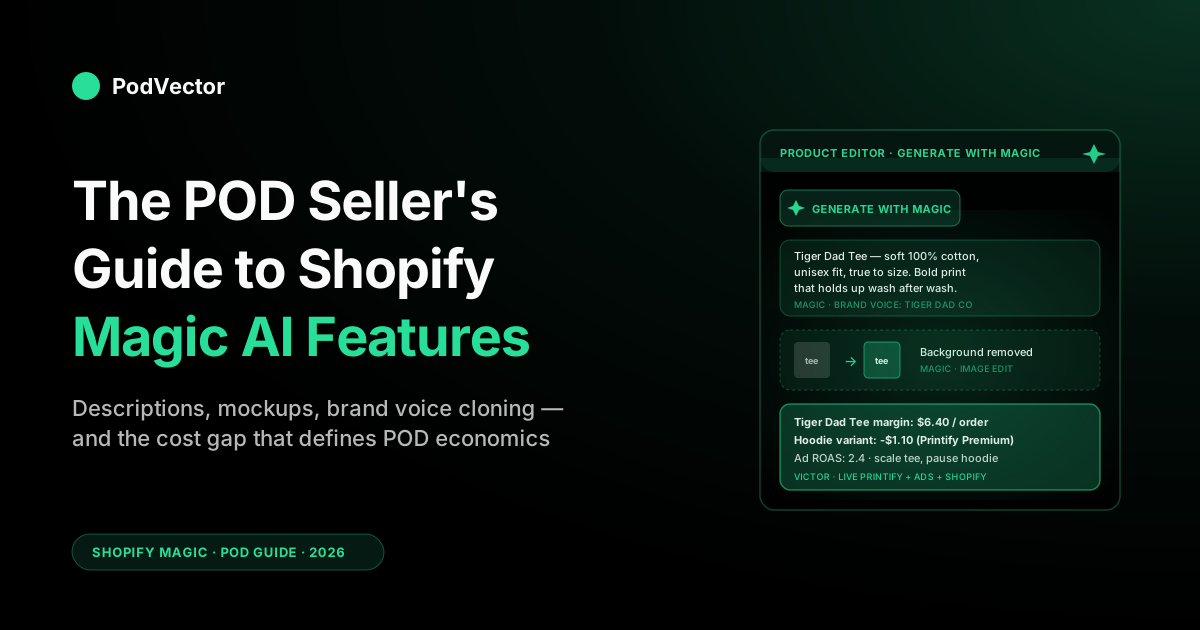
Quick Answer: Shopify Magic is the generative AI layer baked into the Shopify admin — free on every plan in 2026, with no subscription or per-generation fee. The features: product descriptions, email subject lines and body copy, blog posts, image background removal and scene generation, theme and storefront content blocks, Inbox reply suggestions, and brand-voice cloning. The Winter '26 "RenAIssance" release added Agentic Storefronts (selling through ChatGPT and other AI assistants), SimGym, and Tinker on top.
For a print-on-demand store with a wide catalog and one design family across many SKUs, Magic earns its keep on content production: descriptions, mockup cleanup, and email drafts at catalog scale — the kind of grind that otherwise eats hours a week. It can't see your Printify or Printful costs, so it won't make the profit calls — pausing money-losing variants, reallocating ad spend — that a POD-aware operator handles.
What Shopify Magic is in 2026
Shopify Magic is the suite of generative AI features built directly into the Shopify admin. It's not a separate product, not an app you install, and not a paid add-on — it's a "Generate with Magic" button that shows up wherever you'd normally type content into Shopify: the product description editor, the email campaign builder, the blog post composer, the image editor, the theme content blocks, the customer service inbox.
Magic is generative — it produces content. That's the first thing to internalize, because it's also the cleanest line you can draw between Magic and the other half of Shopify's AI surface, which is Sidekick (the conversational assistant that answers questions and takes admin actions).
When you ask "write me a description for this tee," that's Magic. When you ask "what were my top products last week," that's Sidekick. Both ship for free, and they share the same admin shell — but the jobs are different.
The pitch you'll see repeated in reviews is that Magic saves merchants meaningful time on content production each week. The honest version: that ceiling assumes you're running every content surface at volume — hundreds of descriptions, weekly emails, daily inbox replies. A POD store that leans into catalog buildout and launch emails realistically claws back a few hours a week, which is still the best free productivity trade Shopify offers. The harder truth the savings math skips: Magic produces content, and content quality is a different problem from conversion. A well-written description doesn't fix a page that doesn't sell — that's a merchandising and pricing decision, and it's exactly the layer Magic can't see.
For a print-on-demand store, the relevant question isn't "is Magic good?" — it's "which features earn back the time it takes to learn them, given that POD catalogs are wide, design-driven, and built on supplier costs Shopify can't see?" That's what this guide covers, feature by feature, with the POD nuance added on top.
Every Shopify Magic AI feature, grouped by job
Magic spans a handful of distinct content jobs. Here's the full set as of 2026, with the POD lens on each.
Product description generation
The most-used feature, and the one with the clearest POD payoff. From the product editor, click "Generate with Magic," supply a few keywords or a tone hint ("playful," "premium," "minimalist"), and Magic returns a full description with bullet points and feature highlights. You edit, accept, and publish.
For a POD store running 200+ SKUs across a design family — same artwork on tee, hoodie, mug, tote, sticker, poster — this is the difference between a catalog that ships and one that sits half-finished. The descriptions won't win any copywriting awards, but they're better than empty fields, and they hit the SEO floor on long-tail product queries. According to AI Daily Shot's 2026 review, Magic generates descriptions from product attributes, in your brand voice, across your entire catalog — so the output references actual product specs instead of generic filler.
Image editing — background removal and generation
Magic's image tools split into two: removal and generation. Background removal works on uploaded product photos, automatically clipping the subject and replacing the background with white, transparent, or a custom solid color. Background generation goes the other way — describe a scene ("modern kitchen counter," "outdoor cafe table," "rustic wooden desk") and Magic places your product in it.
For POD specifically, removal is where the leverage lives. Supplier mockups from Printify and Printful are usable but visually stale — the same tee on the same model in the same studio lighting across every store.
Stripping the background and re-comping the print on a clean canvas (or onto a generated lifestyle scene) gives you on-brand imagery without a photoshoot. The generation side is more uneven; it can produce convincing scenes for everyday products but tends to drift on niche items where the AI hasn't seen many references.
Email subject lines and body content
Inside Shopify Email, Magic generates subject lines and full body content from a short brief. Describe the campaign — sale type, tone, deadline — and it returns multiple subject line variants plus a campaign body with header, product blocks, and CTA. The subject line ranking is informed by your store's historical open data, not a generic benchmark.
For POD this matters when you're shipping a new design every week or two and don't have time to write a fresh email each launch. Magic's drafts are a starting point, not a finished email — you'll edit the subject and tighten the body — but going from blank canvas to publishable in a fraction of the time it normally takes adds up across a year of weekly drops.
Blog post generation
From the blog editor, Magic drafts full posts from a title and a few keywords. You can give it tone hints, target word count, and a bullet outline; it returns a full draft with an intro, sectioned body, and conclusion. Magic also generates suggested meta titles and descriptions for SEO, and can draft alt text for embedded images.
The honest take: Magic blog drafts are mediocre out of the box — they read like every other AI-generated SEO post in the niche. For a POD store running a content marketing motion, they're a starting point but not the finished good. The feature earns its keep on operational content (FAQ pages, sizing guides, return policy explainers, supplier shipping breakdowns) more than on the kind of brand-building blog posts that actually drive traffic.
Theme and storefront content blocks
In the theme editor, Magic populates content blocks with placeholder copy that's actually relevant to your store. Add a hero block, an FAQ section, or a testimonial carousel, and Magic suggests on-brand copy for each — pulled from your existing product catalog, store description, and previously generated content.
For POD this is most useful when you're spinning up a new collection page or a landing page for a single design. Instead of placeholder Lorem Ipsum or generic stock copy, you get a draft that references your actual products. You'll still rewrite most of it before publishing, but the structural scaffolding is done.
Inbox reply suggestions
Inside Shopify Inbox (the customer service chat tool), Magic surfaces suggested replies to incoming messages, drafted to match the customer's tone and your store's voice. For repetitive questions ("when will my order ship?", "do you have this in XL?", "what's your return policy?"), Magic's suggestions are usually right and one-click sendable.
POD sellers spend a non-trivial amount of time on three categories of message: "where's my order" (production timelines vary by supplier), "does this fit?" (supplier sizing varies), and "can I get this design on a different product?" (catalog navigation). Magic handles the first two well; the third still needs you to know your catalog. Pair the inbox suggestions with a few saved canned responses for the supplier-sizing question and you cut response time meaningfully.
Brand voice cloning
New in 2026: Magic can learn your brand's voice from your old content. Point it at your past blog posts, social media captions, and old product descriptions (it can look at up to roughly 1,000 samples), and the new writing it creates will sound like you automatically. You won't need to write special prompts after you set it up the first time.
This is the feature most likely to surprise you in a positive way. The 2024-vintage AI-content critique — "everything sounds like the same beige LLM" — gets meaningfully better when Magic has a real corpus to mimic.
For POD stores with a developed brand voice (you've been writing your own descriptions and emails for a year), the upgrade is immediate. For new stores with no prior content, the feature does nothing until you've written enough originals for it to learn from.
The lesser-known Magic surfaces
Shopify's official Magic documentation lists several features that don't show up in most "top features" roundups but are worth knowing for a POD store:
- Full theme and logo generation. Beyond content blocks, Magic can generate a complete starter theme from a text prompt and draft a logo from your store name and a style hint. For a POD operator standing up a new niche store, this gets you a coherent first-pass storefront and brand mark in minutes — a baseline to customize, not a finished brand identity.
- App Store review summaries. When you're evaluating a Printify, Printful, or fulfillment app, Magic-generated review summaries condense hundreds of App Store reviews into the recurring praise and complaints, so you skip reading every review before you install.
- Customer segment descriptions. Magic auto-writes plain-language descriptions of the customer segments Shopify builds (e.g. "repeat buyers who purchased in the last 90 days"), which makes the segment list readable at a glance when you're picking an audience for a launch email. It describes the segment in words; it doesn't tell you which segment is actually profitable once Printify costs and ad spend are netted out — that's the operator call, not a Magic one.
What's new in the Winter '26 RenAIssance edition
Shopify's Winter '26 release ("RenAIssance") rebuilt large parts of the Magic surface area. If you tried Magic in 2024 or early 2025 and found it mid, the 2026 version is materially better. Five things changed.
Brand voice cloning (covered above)
The biggest single quality upgrade. Pre-2026 Magic generations were generic; post-2026, with brand voice cloning enabled, they sound like you. Setup is one-time and takes about 15 minutes once you point Magic at your existing content sources.
Agentic Storefronts — selling through AI assistants
This isn't strictly a Magic feature, but it's part of the same Winter '26 release and it interacts with Magic-generated content directly. Agentic Storefronts is a new sales channel that surfaces your Shopify products inside ChatGPT, Perplexity, Microsoft Copilot, and other AI assistants. When a user asks one of those assistants for product recommendations, your products can show up — and Shopify reported orders through this channel climbing sharply through the 2025–2026 rollout.
The catch: the AI assistants pull from your product descriptions, images, and metadata. Stores with rich, well-written content surface better than stores with empty descriptions.
This makes Magic's product description generation suddenly load-bearing — if you skipped writing descriptions because you didn't have time, you also skipped your shot at AI-channel discovery. For POD this is meaningful because the catalog scale problem (hundreds of SKUs) is also exactly the problem Magic solves cheapest.
SimGym — AI A/B testing without real traffic
SimGym uses an AI model trained on shopper behavior to simulate test results before you run them on real visitors. You build two product page variants, hand them to SimGym, and it predicts the lift (or the loss) without burning the traffic to find out. According to PageFly's 2026 review, SimGym launched as a free AI Research Preview app for eligible merchants in March 2026. It's not a replacement for a real A/B test on a high-volume store, but on a low-traffic POD store where you'd never accumulate enough sessions for a real test, it's a useful shortcut.
Tinker — mobile creative generation
Tinker is Shopify's mobile-first AI workspace for generating storefront sections, banners, and image variants. It overlaps with the Magic image tools but it's optimized for the "I'm at a coffee shop on my phone and want to ship a section" use case. For POD operators who run their store from a phone (more common than you'd think), it's a real workflow change.
Sidekick Pulse — proactive recommendations
Winter '26 also pushed Sidekick from reactive to proactive. Sidekick Pulse surfaces unprompted recommendations ("this collection's conversion dropped this week," "these three products are low on a popular variant"), adds multi-step reasoning across admin surfaces, voice control, and the ability to build Shopify Flow automations from a plain-language description. It's a Sidekick upgrade rather than a Magic one — Magic still creates assets, Sidekick still acts — but it changes how the two get triggered, since Pulse can now kick off a Magic generation as part of a suggested next step. The caveat for POD is unchanged: Pulse reasons over the data inside Shopify, so its "what's underperforming" nudges are revenue-side, not margin-side — they can't see Printify cost or ad spend.
Pricing, availability, and limits
Shopify Magic is included free on every Shopify plan as of 2026 — Basic, Shopify, Advanced, Plus, and development stores all get full access to the core feature set. There is no Magic subscription, no per-generation fee, and no token meter that surfaces in the admin.
Usage is rate-limited at the plan level, but Shopify hasn't published hard numbers because the throttles are per-feature and per-day. In practice, a POD store running normal catalog work (a few dozen descriptions a day, a handful of email drafts, a few image edits) will never hit a limit. Heavy programmatic use — running many hundreds of product descriptions in one batch — can rate-limit the bulk operation, in which case the conversational interface still works but you process in waves.
Some of the newer Winter '26 features have plan gates. Brand voice cloning is available on all plans. Tinker and SimGym are available on Advanced and Plus. Agentic Storefronts is rolling out across all plans through 2026. If you're on Basic and a feature is gated, the admin tells you so explicitly rather than failing silently.
Five Magic workflows that actually move a POD store
Here are the patterns we've seen consistently pay back the time it takes to set them up. They're framed as workflows rather than feature demos because the value of Magic for POD is in stacking it into your real catalog and launch motions, not in any single button press.
1. Catalog buildout across a design family
The classic POD scale problem: one design, fifteen products. The "Tiger Dad" design ships as a tee, hoodie, sweatshirt, tote, mug, sticker, poster, phone case — each a separate Shopify product, each needing a description, each needing on-brand imagery. Doing this by hand for every new design is what kills POD operators.
Magic workflow: write the description for the lead product (usually the tee) by hand or with a tight prompt. Use that as your reference.
For each variant product, generate the description with Magic, prefilling the prompt with the design name and a "match the tone of [reference URL]" hint. With brand voice cloning trained on your prior catalog, the variant descriptions land close enough to ship after light edits. A 15-product design family that previously took half a day now takes a fraction of that time.
2. Mockup cleanup at supplier-import time
Printify and Printful both auto-import product mockups when you sync. The mockups are usable but visually inconsistent across suppliers — different lighting, different backgrounds, different model shots. Run each imported mockup through Magic's background removal, replace with a single brand background color (or a generated lifestyle scene that matches your brand), and the catalog reads as one store instead of a stitched-together feed of supplier outputs.
The leverage is on collection pages, where shoppers scan dozens of products at once. Visual consistency at the collection level is one of the cheapest conversion wins in POD, and Magic makes it cheap enough to actually do.
3. Per-launch email drafting from a one-line brief
Build a workflow where every new design ships with a launch email, drafted in Magic from a one-line brief: "[design name], available now, price range for tee through hoodie, casual tone, single CTA to collection page." Magic returns subject line variants and a body. You edit, attach the lead mockup image, schedule, and ship.
If you're running weekly drops and not sending a launch email for each, this is free revenue you're walking past. If you are sending one but it eats a significant chunk of your week, this is that time back. Either way it's the highest-ROI workflow on the list for stores that haven't yet automated their launch motion.
4. Sizing FAQ batches against supplier docs
The "does this fit true to size" question is the highest-volume customer message a POD store gets, and the answer varies by supplier and base product. Use Magic to draft a sizing FAQ block per base product (one for tee, one for hoodie, etc.), seeded from the supplier's official size chart. Embed those FAQ blocks on the relevant product pages or in a sizing guide collection page.
This deflects inbound messages instead of answering them. Even with Magic suggesting inbox replies, the message a customer never has to send is faster than the one you reply to in one click.
5. SEO meta generation for the long tail
Most POD stores have hundreds of products with no meta description, no SEO title override, and stock alt text. None of these individually drives traffic; together they're the long tail that Google indexes and ranks for the specific design + product queries no one else is targeting.
Run Magic's meta generation across the catalog, edit the obvious junk, and ship. The lift won't show up next week — but six months later, indexed long-tail traffic is real, and it's the kind of compounding win that pays off the catalog scale problem POD inherently has.
Where Magic falls short for print-on-demand
Magic is a content tool. That means it sees what's in your Shopify admin: products, customers, prior content, theme code. It does not see anything outside Shopify, which for a POD store is exactly where most of the decision-relevant data lives. Three gaps matter.
Gap 1: Magic doesn't know what anything costs
When Magic drafts a product description, it can reference the price you've set in Shopify. It cannot reference what the product actually costs you — because the cost is computed by Printify or Printful per order, varying by color, size, print location, supplier tier, and shipping zone. Magic also cannot reference your ad spend, because that lives in Meta and Google.
This means Magic-generated copy will sometimes pitch a product in a way that doesn't match its margin reality — promoting a hoodie variant that's actually losing money on the Printify Premium tier, for example. The copy isn't wrong, but the merchandising decision behind it is uninformed.
The fix isn't to change Magic; it's to make sure your decisions about what to promote are coming from a tool that sees the cost layer. If you want to go deeper on the profit-visibility gap in POD, see our guide to starting a print-on-demand business step by step — the margin section covers exactly this.
Gap 2: Brand voice cloning has a cold-start problem
The brand voice feature is excellent — when there's a corpus to learn from. New POD stores with no prior content get nothing from it; the model falls back to the generic AI voice everyone is trying to escape.
The bootstrap is to write 20–30 product descriptions and a few emails by hand first, then turn brand voice cloning on. After that, the flywheel runs.
The implication for new stores: the first month of content is still manual. Magic doesn't help you find your voice; it helps you scale the voice you've already established.
Gap 3: Generated images can drift on niche designs
Background removal is reliable across product types because it's a constrained task. Background generation is less reliable on POD-specific contexts — the AI has seen plenty of "tee on rustic wooden desk" but fewer references for "fly fishing-themed mug in a tackle box" or whatever niche your design lives in. Generations can produce off-brand or weirdly composed scenes that don't ship.
The workaround: use generation for adjacent-to-mainstream contexts (lifestyle scenes that don't depend on niche-specific props) and use removal + brand background color for everything else. The hybrid approach is cheaper to operate than either pure strategy.
None of these gaps are Magic doing its job poorly. Each is a scope decision: Magic is a Shopify content assistant, not a multi-system POD operating layer.
The right pairing is to use Magic for content production and run a POD-aware analytics layer alongside it for cost and decision data. For how AI tools more broadly intersect with your POD operation, see the POD seller's guide to AI for ecommerce news and the POD seller's guide to Shopify AI product recommendations.
Magic vs. Sidekick
The two products overlap enough to confuse merchants, but the split is clean once you see it.
Magic is generative — it creates content. Product descriptions, email subject lines, banner images, blog drafts, theme content blocks, alt text. You hand Magic a prompt and it returns content you place into your store. It's narrowly focused on the production of marketing and merchandising assets.
Sidekick is conversational and operational — it answers questions about your store and takes admin actions. Sidekick will use Magic under the hood when you ask it to write a description, but its primary job is to query your data and execute multi-step admin tasks. Magic is a generation engine; Sidekick is a coworker.
Decision rule: if the job is "produce this asset," reach for Magic. If the job is "answer this question about my store" or "take this action across multiple admin surfaces," reach for Sidekick.
They share the same admin shell, and increasingly they share entry points — but the mental model "Magic creates, Sidekick acts" gets you to the right tool the vast majority of the time. For the broader picture of how these tools fit into a POD stack, see the POD seller's guide to ChatGPT for Shopify stores.
Magic vs. ChatGPT for catalog work
The other natural comparison is ChatGPT or any general-purpose model. The split is also clean: Magic wins when it can use your store's own data and send the result straight into Shopify with one click. ChatGPT wins when you need general thinking that has nothing to do with how your Shopify store is set up.
Magic is better at: anything that needs your real product attributes (color, size, material) referenced accurately, anything that benefits from your trained brand voice, anything that auto-applies to the right field in the admin without copy-paste, anything where speed of "prompt to published" matters more than the absolute quality ceiling of the output.
A general-purpose model is better at: long-form content where the quality ceiling matters more than turnaround time, anything that requires multi-document reasoning across non-Shopify sources, anything where you want a non-Shopify tonal default (Magic's brand voice cloning gets you most of the way, but a general-purpose model's tonal range is higher), strategy and ideation work that doesn't need to ship as a Shopify field.
Many POD operators run both: Magic for the catalog grind (descriptions, emails, alt text, FAQ blocks at scale), a general-purpose model for the deep work (brand positioning, long-form blog posts you actually want to read, customer email replies that need real judgment). Don't ask Magic to write your brand manifesto; don't ask ChatGPT to produce hundreds of product descriptions one at a time. For the full AI-tool comparison for ecommerce, see the POD seller's guide to ChatGPT for Shopify stores and the POD seller's guide to AI image generators that integrate with Shopify.
Getting started in under five minutes
If you haven't actively used Magic yet, the activation is built into the admin — there's nothing to install or upgrade.
- Open any product in your Shopify admin. In the description field, look for the "Generate with Magic" button (a small sparkle icon).
- Click it. Enter a few keywords and a tone hint. Generate.
- Edit the output, accept, save the product. You've used Magic.
- Repeat the same flow in the email composer (Shopify Email), the blog editor, the image editor, and the theme content blocks. Each surface uses the same Magic backend with surface-specific prompts.
- Once you have roughly 30 pieces of your own original content in the store, turn on brand voice cloning from the Magic settings panel. Subsequent generations will inherit your tone.
That's the entire onboarding. From there the highest-payoff next step is to identify the one content surface that's the biggest time sink in your week — usually product descriptions or launch emails — and commit to using Magic for the next two weeks of work in that surface. After two weeks you'll know whether Magic is a multi-hour-per-week win for your store or just a nice-to-have.
Mistakes POD sellers make with Shopify Magic
Shipping Magic output without editing
Magic gets you most of the way there in seconds. The remaining polish is the difference between content that converts and content that's recognizably AI-generated.
Don't skip the edit pass. Even brand-voice-cloned output has tells — repeated sentence structures, hedge phrases, generic CTAs — that a human eye catches in minutes. The first-pass draft is the leverage; the edit is the polish.
Turning on brand voice cloning before you have a voice
Brand voice cloning trained on generic descriptions you also wrote with Magic is brand voice cloning of generic AI content. The model needs original human-written content to ground itself.
New stores: write the first 30 manually, then turn cloning on. Established stores: point it at your prior content, including blog posts and social captions, not just product descriptions.
Treating Magic image generation as a photoshoot replacement
For the products at the bottom of your catalog (low-traffic SKUs, supporting variants), Magic-generated lifestyle images are fine. For your top hero products that drive most of your revenue, real photography or commissioned mockups still clear a higher bar. The cost-benefit isn't "Magic vs. photographer" across the whole catalog — it's "Magic for the long tail, photographer for the heroes."
Using Magic blog drafts as published posts
Magic's blog drafts are the weakest output category. Published as-is, they read like every other AI-SEO blog and rank accordingly (poorly).
Used as scaffolding for a human-edited post — you keep the structure, replace the bland sections with real opinions, add specific examples — they save a meaningful chunk of the writing time. The shortcut isn't to publish; it's to not start from a blank page.
Asking Magic to surface profit insights from descriptions
Magic doesn't see costs and doesn't pretend to. But operators sometimes prompt it as if it does — "write a description that highlights our best margin product" — and Magic will gamely write something.
The output references nothing real about margin; it's a hallucination dressed up as merchandising advice. Use Magic for the writing job; use a separate tool for the margin question. For a deeper look at how POD-aware tools handle the profit layer, see our complete Printify review covering quality, costs, and real margins.
FAQs
Is Shopify Magic free?
Yes. As of 2026, Magic is included free on every Shopify plan, including Basic and development stores.
There's no Magic subscription, no per-generation fee, and no token meter. Some advanced Winter '26 features (Tinker, SimGym) are gated to Advanced and Plus, but the core Magic feature set — descriptions, email content, blog drafts, image edits, brand voice cloning — is universal.
What languages does Shopify Magic support?
Magic supports content generation in English, German, Spanish, French, Italian, Japanese, Brazilian Portuguese, and Simplified Chinese, with the list expanding between Winter and Summer editions. Brand voice cloning works in any supported language as long as your training corpus is in that language. For multilingual stores, run brand voice cloning per language separately — the tone characteristics you want in English don't always map cleanly to the equivalent phrasing in another language.
Can Magic generate descriptions in bulk for hundreds of products?
Yes, but with a caveat. The conversational interface is per-product.
For true bulk operations across a large catalog, you'd typically pair Magic with the Shopify Admin API or use a third-party app that batches the calls. The bulk rate limit kicks in around several hundred sequential generations per day on the Basic plan and scales up by plan tier. For a one-time catalog buildout of 500+ SKUs, plan to spread the work across two or three sessions.
Does Shopify Magic handle Printify or Printful product data?
Magic reads whatever product data Shopify has — including the synced product fields from Printify and Printful (title, description, variants, images). It does not read supplier-side data Shopify doesn't sync, like per-order production cost or shipping cost by zone.
So Magic-generated descriptions will reference your synced product attributes correctly, but won't reference cost or supplier-specific shipping nuance. For a real cost-aware view of your catalog, you need a tool that connects to the supplier data directly. Victor reads Printify and Printful invoice data and joins it to your Shopify catalog — enabling decisions like "which Printify variants are losing money at the current price" — a question Magic isn't built to answer.
What's the difference between Shopify Magic and Sidekick?
Magic generates content (descriptions, emails, blog posts, images, theme blocks). Sidekick is a conversational assistant that answers questions about your store and takes admin actions.
They share the same admin shell. Use Magic when the job is "create this asset." Use Sidekick when the job is "answer this question" or "do this multi-step task." For a broader perspective on AI assistants for POD stores, see the POD seller's guide to ChatGPT for Shopify stores.
Can Magic write SEO-optimized product descriptions?
Magic can include target keywords if you supply them in the prompt, and it auto-generates suggested meta titles and descriptions. The SEO quality is solid for long-tail product queries (the kind of "tiger dad funny tee" specific terms POD stores rank on naturally) and acceptable for mid-tail terms.
For high-competition head terms, you're not ranking on a Magic-generated description regardless of how it's optimized; the ranking factors there are off-page and depend on backlinks and brand authority. Use Magic to clear the long-tail floor cheaply. For a closer look at how POD product pages and ad channels intersect, see Facebook vs. Google Ads for POD sellers.
Does Magic respect my existing brand voice?
Out of the box, Magic uses a generic helpful-assistant tone. Once you turn on brand voice cloning and point it at your existing content (blog posts, prior product descriptions, social captions — up to roughly 1,000 samples), subsequent generations adopt your voice characteristics.
The fidelity scales with the quality and quantity of the training corpus. New stores with no prior content have to bootstrap with manual content first.
Will Shopify train its AI models on my store's content?
Shopify uses your store data to power Magic generations for your store, but does not train the underlying foundation models on your content for use across other merchants' stores. Brand voice cloning trains a per-store voice profile that stays inside your store. Shopify publishes this in their official Magic documentation, which is also a good reference for the latest feature additions between Winter editions.
Can I use Magic to generate marketing copy for non-Shopify channels?
Yes — anything Magic generates is yours to copy out and paste anywhere. Magic doesn't lock its outputs to Shopify-internal use.
Generating ad copy, social captions, press release drafts, or email content for a non-Shopify ESP all work; you're just losing the one-click "save to the right field" benefit when the destination isn't a Shopify surface. For non-Shopify-bound copy work, a general-purpose model often has a higher quality ceiling, so the trade-off depends on whether you want speed or polish.
How does Magic compare to other ecommerce AI content tools?
The competition is split between general-purpose models (ChatGPT and the like) and ecommerce-specific tools (Jasper for marketing, Klaviyo's AI subject lines for email). Magic wins on integration depth — it's the only tool that lives natively in the Shopify admin, uses your store data, and outputs to the right field automatically.
It loses on absolute quality ceiling vs. the general-purpose models, and on category-specific depth vs. the specialized tools (Klaviyo's email AI is more sophisticated for email specifically). For a POD store, Magic is the floor — start here, supplement with the others for jobs where the floor isn't enough. For a side-by-side look at AI image tools specifically, see the POD seller's guide to AI image generators that integrate with Shopify.
Magic writes the content. Victor runs the store.
Shopify Magic is excellent at producing the content layer of a POD store at catalog scale — descriptions, emails, mockups, FAQs, alt text. It can't see your Printify production costs, Printful shipping tiers, or Meta and Google ad spend, which is where POD profit actually lives.
Victor connects to those systems live and proposes profit moves — repricing variants that are losing margin, updating discounts, creating collections — asking for your approval before each action. Pair Magic for the content grind, Victor for the operation.
Try Victor free