
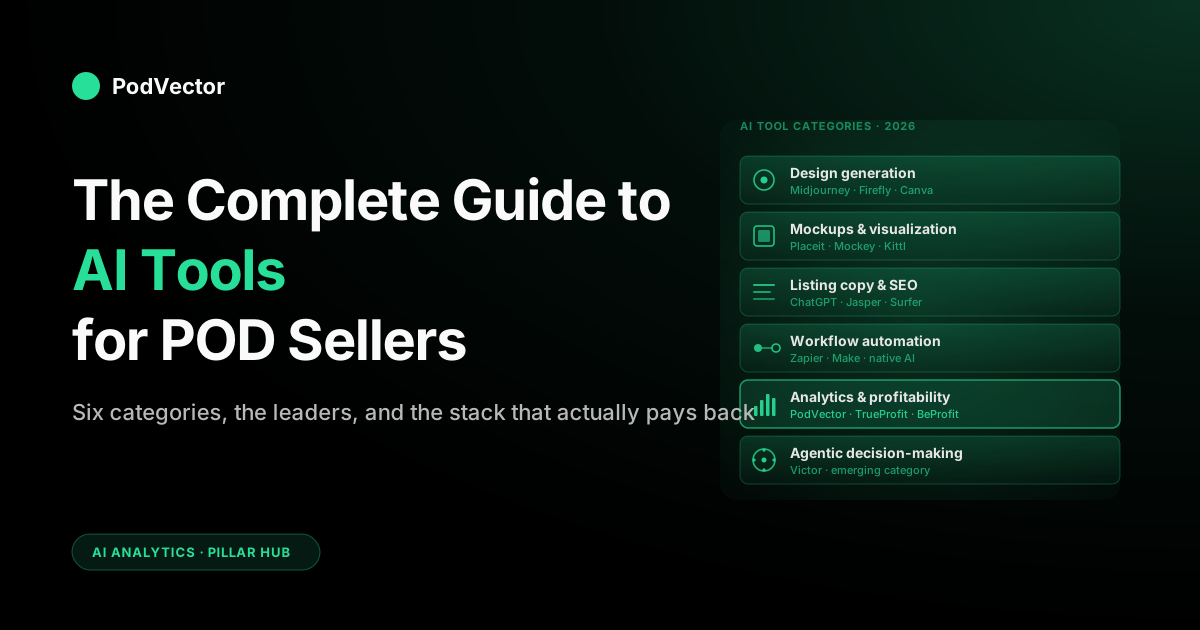
Quick Answer: AI tools for print-on-demand fall into six categories: design generation, mockups, listing copy, workflow automation, profitability analytics, and agentic operators that take action. Most generic roundups only cover the first four — and in 2026 they're also missing a fast-growing seventh niche: AI coloring-page generators built specifically for POD and Amazon KDP sellers.
For POD specifically, the profit and operations layer is where margins are won or lost. The right stack is two or three tools per category — not fifteen subscriptions — anchored by one tool that acts, not just reports.
How AI changed the POD workflow in 2026
Three years ago, running a print-on-demand business meant juggling Photoshop, a spreadsheet, half a dozen fulfillment apps, and a copywriter (or your own slow keyboard) for every listing. Today, every step of that workflow has at least one credible AI tool attached to it — and most have several competing for your $20 a month.
The shift isn't only about volume. AI changed the unit economics of POD.
A solo seller in 2026 can produce dozens of designs in a weekend, generate photoreal mockups for each, write SEO-optimized listings in bulk, automate routing between Printify and Printful by destination, and ask plain-English questions about margin per design — all without hiring anyone. The work that used to require a small team is now an evening of focused execution.
That doesn't mean the playing field is level. The sellers winning in 2026 aren't the ones using the most AI tools — they're the ones using the right four or five together, where each one earns its subscription by removing a measurable bottleneck. The ones losing are paying for fifteen subscriptions and using maybe three of them, while their actual margins disappear because no AI in their stack is watching the supplier-cost line.
One category that's moved from niche to mainstream since 2025: AI coloring-page generators. What was once a manual, labor-intensive niche — hand-traced line art for coloring books — is now a workflow any POD or KDP seller can run at volume with purpose-built tools. We've added a dedicated section below.
This guide is the map. We cover what each category does, the leaders worth considering, what to skip, and — uniquely for POD — how the analytics layer fits into a workflow most generic "best AI tools" lists ignore entirely.
The 6 categories of AI tools for POD sellers
Every AI tool worth a POD seller's attention in 2026 fits into one of six categories. Understanding the categories first prevents the most common mistake: paying for two tools that overlap and missing the category that would have moved the needle.
- Design generation — turning a prompt or a reference into a graphic you can put on a product. Midjourney, Adobe Firefly, ChatGPT image, Leonardo.
- Mockup and visualization — placing your design on a realistic product photo. Placeit, Mockey, Kittl mockups, Printify's built-in.
- Listing copy and SEO — generating titles, bullets, descriptions, alt text, and keyword-optimized variants for Etsy, Shopify, and Amazon Merch. ChatGPT, Jasper, Surfer SEO, niche tools like Alura and EverBee.
- Workflow automation — connecting steps that used to be manual: order routing, file uploads, social posting, return handling. Zapier with AI, Make, native AI in fulfillment platforms.
- Analytics and profitability — answering profit, margin, and ROAS questions across Shopify, Printify/Printful, and ad platforms in one view. PodVector AI, BeProfit, TrueProfit, Lifetimely.
- Agentic decision-making — the newest category: tools that don't just answer questions but take action (reprice products, adjust discounts, flag anomalies, propose ad moves). Still emerging, with PodVector AI's Victor and a handful of horizontal ecommerce agents leading the front.
The first four categories get most of the attention in generic "AI for POD" listicles because they apply to every seller from day one. The last two get less coverage despite being where the money decisions actually live. We'll cover all six, but pay extra attention to the bottom of the list — that's where the differentiation between a profitable POD store and a busy one happens.
Design generation tools
This is the most crowded category and the one most beginners over-invest in. The reality: you need one primary design tool you're fluent in, not a portfolio of subscriptions. Switching tools mid-workflow loses more time than any single tool's edge gains you.
Midjourney
Still the originality leader in 2026. Best for distinctive, stylistically coherent designs — illustrative, painterly, surreal. Strengths: prompt fidelity, aesthetic consistency across a series, niche aesthetics that escape the "AI look." Weaknesses: transparent backgrounds still require post-processing. Pricing: plans start at $10/month.
Use Midjourney when your differentiation is design-led — original art, niche illustration styles, anything where buyers care about uniqueness.
Adobe Firefly
Trained on licensed and public-domain content, which matters if you're concerned about commercial-use questions on POD platforms. Direct integration with Photoshop and Illustrator means you can generate, refine, and export print-ready assets in one tool. Firefly's coloring-page generator (covered in more detail in the next section) is also now a first-class feature, producing clean black-and-white line art suitable for coloring books and KDP publishing.
Strengths: clean commercial licensing, vector workflows, generative fill for compositing. Weaknesses: less stylistic range than Midjourney, requires Adobe subscription. Pricing: included with Creative Cloud or available as a standalone plan.
Use Firefly if you're already in Adobe's ecosystem or if commercial-use clarity matters for your category (corporate clients, branded merch, coloring books).
ChatGPT (GPT image)
The all-rounder. GPT's image generation isn't always the most aesthetically refined output, but it's the easiest to iterate with: you describe what you want, it generates, you describe what to change, it adjusts — all in conversation.
Excellent for fast concept exploration and for sellers who don't want to learn prompt engineering as a separate skill. Pricing: $20/month for ChatGPT Plus.
Best as a generalist tool early in the funnel — concept exploration, draft compositions, text-on-image work where Midjourney still struggles.
Leonardo.ai and Stable Diffusion variants
For sellers who want fine-grained control: custom-trained models, in-painting, ControlNet-style guidance, batch generation. Steeper learning curve, lower per-image cost at volume. Worth it if you're producing a high volume of designs per month and want consistent style across a series. Pricing: free tier; paid plans from $10/month.
Canva (with Magic Studio)
Not the strongest at any single AI capability, but the easiest end-to-end editor for POD sellers who aren't designers. Magic Studio bundles text-to-image, background remove, magic eraser, and brand kit features.
Great for sellers who need to produce listing-ready files (mockups, social posts, ad creative) from one tool. Pricing: free tier; Pro at $14.99/month.
Our recommendation for most sellers: pick Midjourney or Firefly as your generator, and keep Canva for layout and listing-asset work.
AI coloring-page generators for POD
Coloring books are one of the most scalable POD and Amazon KDP niches — low production cost, evergreen demand, printable-on-demand economics — and AI has completely rebuilt the creation workflow. This used to require a skilled illustrator tracing outlines for hours; today there are dedicated tools that turn a text prompt or photo into print-ready line art in seconds.
This category now warrants its own section because the tooling has matured well past "use Midjourney and remove the color." ColorBliss notes the key distinction clearly: general image tools are built for full-color art, not printable line art. Purpose-built coloring-page generators produce cleaner outlines, correct line weights for printing, and — critically for KDP — consistent characters across a multi-page series, which general image tools struggle with.
The market has also expanded significantly: according to RankmyAI's March 2026 rankings, there are now at least 23 ranked AI coloring-page generator tools, reflecting how fast this niche has grown from a curiosity into a real workflow category.
Adobe Firefly (coloring-page mode)
Firefly's dedicated coloring-page generator produces clean, ready-to-color line art from a text description. You can specify bold simple outlines for children's books or intricate botanical and mandala-style detail for adult coloring titles. Because Firefly image models are trained on licensed and public-domain content, the output is commercially usable for published coloring books, POD storefronts, and classroom materials without a separate licensing review. Finished pages export to Adobe Express for PDF layout, making a full KDP-ready interior achievable inside one Creative Cloud workflow.
Best for: sellers already on Creative Cloud who want commercial safety and a full publishing pipeline.
ColorBliss
A purpose-built coloring-page generator tuned specifically for clean black-and-white outlines and print-ready files. ColorBliss handles photo-to-coloring-page conversion, word art, and consistent characters for book series. It exports PNG and PDF at 300 DPI. Commercial licensing is available on the Artist plan and above. Pricing: free to try; paid plans for commercial use.
Best for: POD sellers producing coloring book series who need consistent characters and high-resolution print exports.
Morphic
Morphic lets you describe the scene, pick detail level, and export a print-ready sheet — and its Workflow feature is particularly useful for KDP book creation: you save a page's generation steps as a one-click Workflow and rerun it for every theme, keeping a whole activity book at one consistent line weight and style. It also lets you dial line weight for audience — bolder outlines for young children, finer for adults. Pricing: free tier available; paid plans for higher volume and commercial use.
Best for: activity-book makers and KDP sellers who need style consistency across many pages without rebuilding prompts from scratch each time.
Colorify AI
A free web tool with a large active user base that converts uploaded images or text prompts into line art using advanced contour analysis. Colorify AI exports in PNG or PDF. Worth noting: it's free, and users working on Amazon listings and coloring-book channels have reported it cuts manual line-art preparation time significantly. Check commercial terms before listing, as free-tier rights vary.
Best for: sellers who want to test the coloring-book niche without upfront cost before committing to a paid workflow.
iColoring AI
Upload a photo or type a text prompt and get a coloring page in seconds — no watermarks on downloads, multiple style options (Classic, Cartoon, Pencil Sketch). iColoring AI is free and requires no sign-up. Useful for sellers who want a fast no-commitment tool for rapid iteration. Sellers creating custom books for online marketplaces have noted it "significantly improves workflow and helps bring new designs to life much faster." Free tier is unusually accessible.
Best for: quick concept testing and low-volume personal use before committing to a paid workflow.
StarryAI
StarryAI's coloring-page generator supports bulk creation — you can generate many pages in a batch in minutes rather than one at a time. StarryAI grants full ownership rights on generated images, including for commercial projects and printing. Supports text prompts and photo uploads.
Best for: POD sellers who need to produce a large number of pages quickly and want explicit commercial ownership language without upgrading to a paid tier.
Coloring Book Engine
A desktop tool aimed specifically at professional coloring-book creators and KDP publishers. Supports local workflows for designing pages, generating assets, and making promo videos, with export options tailored for Amazon KDP. Better fit for sellers treating coloring books as a core product line rather than an occasional add-on.
Best for: high-volume KDP self-publishers running coloring books as a primary channel.
What to watch for: commercial licensing
The most important variable in this category isn't output quality — it's commercial rights. Before publishing any AI coloring page to Etsy, Shopify, or Amazon KDP, verify the tool's commercial licensing terms. Firefly and ColorBliss (Artist plan+) are explicit about commercial use. StarryAI states full ownership including commercial projects. For other tools — including Colorify AI's free tier — check terms of service before listing for sale. GenColor AI, for instance, notes that commercial use requires checking their terms or contacting support separately from personal use. Always confirm before listing.
Remember that Etsy requires disclosure of AI-assisted designs as of its 2024 policy update.
For the margin math on coloring-book POD products, our Printify discount code breakdown shows how to reduce your per-unit supplier costs, which matters especially in a low-ASP category like coloring books.
Mockup and product visualization tools
Every POD listing needs mockups, and the difference between flat product photos and well-styled lifestyle mockups can meaningfully move your conversion rate. AI mockup tools collapse what used to be a costly per-listing photo shoot into a monthly subscription.
Placeit by Envato
The de facto standard for POD mockups. Massive template library across t-shirts, hoodies, mugs, posters, accessories.
AI-assisted background swap and color matching are recent adds. Strengths: enormous selection, consistent quality, branded mockups (model demographics, room aesthetics) you can match to your niche audience.
Weaknesses: rendering quality is mid; templates can feel generic if every seller in your niche uses them. Pricing: $14.95/month unlimited.
Mockey
Cheaper Placeit alternative with a faster web UI. Smaller library but covers the essentials and includes AI background generation. Free tier is unusually generous. Pricing: free; Pro $9.99/month.
Kittl mockups
Kittl pivoted aggressively into AI in 2024–2025; their mockup library is now competitive with Placeit and the editor lets you compose mockups with AI-generated backgrounds in one tool. Worth a look if you also use Kittl for design. Pricing: $10–$24/month.
Printify and Printful native mockups
Both fulfillment platforms have invested in native AI mockups. Printify's tools are usable and free with your account; Printful's are slicker but require a Pro tier. The trade-off is that platform-native mockups are visually consistent with thousands of other sellers using the same tools — fine for utility, less good for differentiation.
For a detailed look at what Printful ships and when, see our guide on Printful shipping times, costs, and what to expect.
For POD sellers, our take: use Placeit or Mockey for the bulk of your listing mockups, and use the platform-native tools as a fallback. Spend the saved time on the next category — listing copy — which has more conversion leverage than yet another mockup variant.
Listing copy and SEO tools
This is where many POD sellers leave the most money on the table. A great design with a generic title gets buried; the same design with a keyword-rich, intent-matched listing converts and ranks. AI made bulk listing optimization not just possible but cheap.
ChatGPT (with custom GPTs)
For most sellers, a well-prompted ChatGPT workflow beats a dedicated listing tool. Build a custom GPT that knows your brand voice, your top keywords, and your target marketplace's character limits, and you can generate many listing variants in a session. Pricing: $20/month.
Jasper
Jasper still leads on tone consistency and team workflows. Templates for product descriptions, ad copy, and SEO long-form content. More expensive than ChatGPT, justified mainly if you have a team writing on-brand at volume. Pricing: from $39/month.
Surfer SEO
For SEO-driven content (your blog, your store's category pages), Surfer's content score and keyword brief workflow remains the operator's choice. Particularly valuable if you're doing programmatic SEO at the listing level. Pricing: $99/month.
Alura, EverBee, and marketplace-native tools
Etsy and Amazon Merch sellers have a parallel ecosystem of marketplace-specific AI tools: Alura for Etsy keyword research and listing optimization, EverBee for Etsy analytics and listing AI, Helium 10 for Amazon. These plug into marketplace data your generic AI tool can't see and are worth their cost if your business lives on those channels.
The conversion math here is simple: even a modest lift in listing CTR or conversion is worth more than a tool subscription almost immediately. Don't skip this category to save $20.
Workflow automation tools
Once you have designs, mockups, and copy, the next bottleneck is the operational glue: uploading files, syncing inventory across stores, routing orders to the right supplier, posting to social, handling returns. This is where AI-augmented automation pays back fastest because every task you remove returns hours per week, every week.
Zapier (with AI by Zapier)
Zapier added native AI steps that let you build conditional logic, summarization, and classification into automations without writing code. For POD sellers, common high-leverage zaps include: new Shopify order → classify by SKU → route to lowest-cost supplier → notify in Slack. Pricing: free tier; paid from $19.99/month.
Make (formerly Integromat)
More powerful than Zapier for complex multi-step flows; visual editor; better pricing at volume. Steeper learning curve. Strong fit for sellers running high order volumes who need conditional fulfillment routing or multi-store inventory sync. Pricing: free tier; paid from $9/month.
Native AI in fulfillment platforms
Printify, Printful, Gelato, and several smaller suppliers have shipped AI-powered features for routing optimization, design suggestions, and order handling. These are worth using when they remove a manual step you're currently doing — but don't switch fulfillment platforms for the AI features. Pick fulfillment based on product range, quality, and pricing; treat the AI as a bonus.
To understand how Printify's membership tiers affect your base costs and margins, see our Printify Premium membership full breakdown.
Social posting AI
Buffer, Later, and Hootsuite all have AI caption and scheduling features now. For POD sellers who treat Instagram/TikTok as a primary acquisition channel, the time saved on captioning and post scheduling is real. For sellers running paid ads as primary acquisition, this category is optional.
Analytics and profitability tools
This is the category that separates a working POD business from a busy one — and it's the category most "best AI tools for POD" listicles skip entirely. The reason: most generic AI tool lists are written by content sites that monetize through design-tool affiliate links. Analytics tools have lower affiliate payouts, so they get less coverage. That's a sourcing bias, not a relevance signal.
For POD specifically, analytics is where AI delivers the highest dollar return per subscription. An analytics tool that catches a margin leak on your top SKU can save more revenue in a quarter than a year of design tools. Both matter; only one moves the bottom line directly.
What POD analytics actually needs to do
Generic ecommerce analytics tools (Triple Whale, Polar Analytics, the Shopify dashboard) were built for brands with fixed COGS. They assume one wholesale cost per SKU, one fulfillment cost, one shipping rate.
POD breaks all of those assumptions. Your fulfillment cost varies by product, by supplier, by destination, by print method. Your shipping cost is computed per order. A standard analytics tool either ignores those costs or applies an average — and an average margin number is the same as no margin number when you're trying to decide which design to scale.
POD-aware analytics has to:
- Read itemized supplier costs per order from Printify, Printful, Gelato, etc. — not estimates.
- Layer ad cost (Meta, Google) onto orders by attribution.
- Compute true ROAS — revenue minus COGS divided by ad spend, not the platform's gross ROAS number.
- Roll up profit by design, by product type, by supplier, by destination.
- Flag anomalies (margin compression, supplier price changes, returning customer cohorts).
For the deeper background, see our POD seller's guide to Shopify AI. And for the margin mechanics behind individual products, our Bella Canvas 3001 Printify price breakdown shows exactly how supplier costs flow into your per-unit margin.
PodVector AI
Built specifically for POD — and built to act, not just report. Victor (PodVector AI's AI employee) looks at your real store sales, ad spend, and Printify and Printful costs together, so he's working from the same numbers you'd trust to make a call.
Victor reads Shopify, Meta Ads, Google Ads, Printify, and Printful. On the action side, he executes Shopify writes with your approval: repricing products to a target margin, setting up buy-one-get-one discounts, creating free-shipping or customer-specific discounts, raising the free-shipping threshold, organizing collections, scheduling or delaying Klaviyo email flows and campaigns, and pausing or activating Meta campaigns. He reads your ad surfaces and proposes moves, but ad-platform writes — changing budgets, editing bids, modifying audiences — stay with you. Every material action is gated behind your approval — Victor proposes, you approve or reject, he executes. His proactive surface is a Weekly Health Report that analyzes the prior week; everything else is query-driven.
For Shopify sellers running Meta ads, see how Victor fits into a broader paid social strategy in our guide on Facebook Ads for ecommerce promotions: strategy for print-on-demand.
Direct support for multi-supplier fulfillment cost reconciliation, design-level margin, and true ROAS. Pricing: free during the current beta; paid tiers in development.
TrueProfit, BeProfit, Lifetimely
The dashboard generation of profit-tracking apps. All three give you a Shopify-installable view of profit per order with COGS subtracted. None are POD-native — you'll typically be entering supplier cost as a static product-level number, which is workable for low-SKU stores but breaks down at scale. AI features are mostly summarization and anomaly highlighting layered on top.
Triple Whale, Polar, Northbeam
Enterprise ecommerce analytics with strong attribution modeling. Excellent if you're a large-scale Shopify brand. Overkill — and not POD-aware — for most print-on-demand sellers at earlier stages. Worth knowing about; rarely worth subscribing to until you're well past your first million in revenue.
The recommendation for 2026: pick one POD-aware analytics tool early. The longer you operate without itemized profit visibility, the more decisions you make on incomplete information — and in POD, the wrong decision repeated for a quarter (scaling an unprofitable design, running ads against a margin-negative SKU) compounds fast.
AI agents: where the stack is heading
The transition underway in 2026 is from AI as a tool you ask to AI as an agent that acts. The first wave (covered above) generates designs, writes copy, computes profit. The second wave does the next step on your behalf — reprices products when margin compresses, flags supplier price changes, surfaces ad-spend anomalies for you to act on, adjusts Shopify-side settings.
The four levels of an "AI analytics" tool — and why most stall at level two
Every serious AI-analytics guide published in 2026 now sorts tools onto the same ladder. It's worth knowing, because vendor copy blurs the rungs on purpose.
- Answer questions. You ask, it replies. A chatbot on your data.
- Show what changed. It surfaces the metric that moved.
- Explain why it changed. It decomposes the move into ranked causes — which design, which supplier, which destination.
- Act before you ask. It monitors and takes the next step — repricing, adjusting thresholds, rerouting — with your approval.
Most tools marketed as "AI analytics" stop at level two. They are dashboards with a chat box. The credible 2026 platform comparisons call it "agent washing" when vendors relabel a level-one chatbot as an "agent." The test is simple — ask what the tool did last week, not what it showed.
A chatbot on your warehouse is not an employee
This is the line every 2026 analytics roundup keeps returning to, and it maps cleanly onto POD. Bolting a generic AI copilot onto your store data gets you fast answers with no governed cost definitions and — critically — no hands. It can tell you a hoodie design is bleeding margin. It cannot update the pricing behind it.
For a POD operator, the gap between "tells me" and "fixes it" is the whole game. The supplier cost that needs reconciling, the listing that needs repricing, the discount that needs adjusting — those are actions, not answers. The tool worth anchoring your stack on is the one that closes that loop, not the one with the slickest reply.
For the ad-side equivalent — knowing when to act on Google Ads data and how to get attribution right from the start — see our guide on how to link Google Ads to Shopify step by step.
Today, full hands-off POD operation is still aspirational — no off-the-shelf product runs end-to-end with zero human in the loop, and you shouldn't want one that does. The credible 2026 stack is a level-four operator with approval gates. What exists right now:
- PodVector AI's Victor — answers questions from your live store data (Shopify, Meta Ads, Google Ads, Printify, Printful) and executes Shopify-side actions with your approval: repricing, discounts, collection management, shipping settings, Klaviyo flow scheduling, and surfacing Meta campaign moves for you to action. He reads ad platforms and proposes moves; ad-side writes stay with you. His proactive surface is a Weekly Health Report; everything else is query-driven. See what PodVector AI does for POD sellers for the full capability breakdown.
- Horizontal ecommerce agents — Shopify Magic and several startups building general "store assistant" agents. Useful for FAQs and basic operational tasks; less specialized for POD's specific cost and supplier complexity.
- Custom agents on AI APIs — sellers with technical chops are building their own. Powerful but maintenance-heavy; rarely worth it unless your store is unusual.
The practical advice for 2026: use agentic tools for what they actually do today (answer questions from live data, surface anomalies, execute approved Shopify actions), and don't pay for promised future features. The category is evolving fast enough that the leader in 2027 may not be the leader today.
How to choose your AI stack
The right number of AI tool subscriptions for a POD seller in 2026 is between four and seven. Fewer and you're missing categories with real leverage; more and you're paying for redundant capability you don't use. The selection framework that works:
Step 1: Pick one tool per category, not three
For each of the six categories above, pick one primary tool. Resist the urge to "try all the leaders." Switching tools mid-workflow is more expensive than any single tool's edge. The exception is design generation, where a backup (e.g., Midjourney + Canva) for different jobs is genuinely useful.
Step 2: Skip categories that don't match your stage
If you're under 100 orders/month, you don't need workflow automation yet — manual is fine, the data isn't enough to optimize. If you're early-stage, a POD-native analytics tool is more than enough. Match the stack to the stage; upgrade as you scale.
Step 3: Run an AI-spend review every quarter
Audit subscriptions every three months. For each: what specific decision or task did this tool drive in the last 30 days? If the answer is "not much," cancel. The category leader changes; your needs change; locked-in subscriptions accumulate.
Step 4: Measure what AI returns, not what AI costs
The right comparison isn't "$20/month for ChatGPT vs. $50/month for Jasper." It's "which tool drove a measurable improvement in your output (designs created, listings optimized, hours saved)?" In POD, the analytics tool category often returns multiples of its cost in caught margin leaks; the design tool category returns indirectly through faster output. Both legitimate; different math.
Three example stacks by seller stage
To make this concrete, here's what a healthy AI stack looks like at three common POD seller stages.
Beginner — under 50 orders/month, learning the model
- Design: Canva (free or Pro at $14.99/month) — broadest capability for the lowest learning curve.
- Mockups: Printify or Printful native (free with account) — sufficient until you're scaling.
- Listing copy: ChatGPT ($20/month) — one tool covers descriptions, alt text, ad copy.
- Automation: Skip until you have repeatable workflows worth automating.
- Analytics: Shopify built-in + a free profit-tracking tier — start measuring early.
- Agents: Skip.
Total: ~$35/month. Skip everything else until volume justifies it.
Operator — 200–2,000 orders/month, a real business
- Design: Midjourney (from $10/month) + Canva Pro ($14.99/month).
- Mockups: Placeit ($14.95/month).
- Listing copy: ChatGPT ($20/month) with a custom GPT for your brand voice.
- Automation: Zapier or Make ($19.99–$49/month) for order routing and inventory sync.
- Analytics: A POD-aware analytics tool (PodVector AI free during beta).
- Agents: Use whatever your analytics tool's agent layer offers; skip standalone agent tools.
Total: ~$80–$120/month. Returns multiples of that in saved time and caught margin if used consistently.
Scaled — $1M+ revenue, multi-channel
- Design: Midjourney + Adobe Creative Cloud + Kittl or Leonardo for batch.
- Mockups: Placeit + custom photo shoots for hero products.
- Listing copy: Jasper or Surfer SEO for team workflow + ChatGPT for fast iteration.
- Automation: Make for complex flows, Zapier for simple ones, native fulfillment AI.
- Analytics: POD-aware tool + possibly a layered attribution platform (Triple Whale or Northbeam) if ad spend is large enough to justify it.
- Agents: Early adoption of whatever's most mature in your analytics layer; experiment with custom agents for your unique workflows.
Total: $300–$800/month. At this scale the question is which tools to consolidate, not which to add.
Common mistakes POD sellers make with AI tools
Stacking three tools per category
The pull to "have everything" is real. The cost is hidden — switching contexts between tools steals more time than any single tool's marginal advantage saves. Pick one per category and commit for at least a quarter before switching.
Buying tools for promised future features
"AI agents that run your whole store" is the dominant marketing promise of 2026. The reality is that agent capability is uneven and changing fast. Pay for what works today; revisit annually.
Ignoring the analytics layer
The single most common mistake. A seller with great designs, optimized listings, and no profit visibility is running a creative project, not a business. The analytics tool you'd describe as "boring" is usually the one with the highest ROI in the stack.
Treating AI design as set-and-forget
AI-generated designs that worked six months ago may now be visually saturated in your category — too many sellers using the same tools converge on the same aesthetic. Original style, even if AI-assisted, still differentiates. Pure AI output without taste tends to flatten over time. This is especially true in coloring books, where many KDP sellers are now running identical Midjourney-generated templates — an opportunity for anyone willing to use purpose-built tools and add editorial judgment.
Not auditing AI spend
Every quarter, list every subscription, what it cost, and what specific outcome it drove. Cancel anything that can't pass that test. The math is harder than it sounds — most sellers underestimate their actual AI subscription totals significantly.
Publishing AI coloring pages without checking commercial licensing
A newer mistake as the coloring-book POD niche has grown: assuming that because a tool generates line art, it also grants commercial rights for resale. Some free-tier tools don't — and publishing to Amazon KDP or Etsy without the right license creates account risk. Always confirm commercial terms before listing. As GenColor AI notes in their terms, personal use and commercial use are treated differently and commercial authorization requires separate confirmation.
Skipping attribution setup for Google Ads
Sellers connecting Google Ads to Shopify without proper ValueTrack token configuration end up with NULL attribution on the store side — meaning your profit-on-ad-spend numbers for Google traffic are silently wrong. Fix this before you scale. Our step-by-step guide to linking Google Ads to Shopify walks through the correct setup.
FAQs
What's the single most useful AI tool for a new POD seller?
For most beginners, Canva with Magic Studio is the highest-leverage single tool. It covers basic design generation, mockup creation, listing-asset production, and social posts in one interface — meaning fewer tools to learn before you can ship product.
ChatGPT is a close second for listing copy. The order matters: you can't sell without product, so design tooling comes first.
What are the best AI tools for creating coloring pages for POD or KDP?
The strongest options in 2026 for POD-ready coloring pages are Adobe Firefly (best commercial licensing and full Creative Cloud publishing pipeline), ColorBliss (purpose-built for clean print-ready line art and consistent character series), Morphic (best for whole-book style consistency via its Workflow feature), and Coloring Book Engine (purpose-built for high-volume KDP workflows with export options tailored to Amazon KDP). For bulk creation with explicit commercial ownership, StarryAI grants full ownership rights on generated images. For quick free iteration, iColoring AI is fast and watermark-free. The deciding variable is commercial licensing: confirm your chosen tool grants rights to sell before listing anywhere.
Are AI-generated designs allowed on Etsy, Shopify, and Amazon Merch?
Etsy requires AI-assisted designs to be disclosed in your listings as of its 2024 policy. Shopify has no platform-level restriction. Amazon Merch has historically been strict about AI content and tightened enforcement in 2024–2025; check current Amazon policy before scaling. The safer route in any case is AI as a starting point with human refinement, not fully generated output.
Do I need separate AI tools for design and mockups, or does one cover both?
Canva covers both at decent quality. For higher-quality mockups, Placeit is purpose-built and worth its $14.95/month even alongside Canva. The combination of one design tool plus one mockup tool is the standard stack — single-tool approaches usually give up too much on one side.
How much should a POD seller realistically spend on AI tools per month?
Beginners: roughly $20–$50. Operators (200–2,000 orders/month): roughly $80–$150. Scaled businesses: roughly $300–$800. Past those ranges, you're likely paying for redundant capability. Under those ranges, you're likely missing categories with real leverage.
What's the difference between AI tools and AI agents for POD?
An AI tool helps you do a task faster — generating an image, writing a description, computing a profit number. An AI agent takes the next step on your behalf — repricing a product because margin dropped below threshold, adjusting a discount, reorganizing a collection based on performance data.
In 2026, most of the AI you'll use is still tool-shaped; the agent category is real but emerging. PodVector AI's Victor is covered in depth at the PodVector AI strategy overview.
Can AI tools replace a designer or copywriter?
For most POD sellers, AI replaces the hire that wouldn't have happened anyway — the designer or copywriter you couldn't afford at $50–$100/hour. Where AI doesn't yet replace humans is in taste, brand voice consistency at scale, and the editorial judgment of what to ship and what to cut. The model in 2026 isn't "AI vs. humans" but "AI plus operator," with the operator's taste being the durable edge.
Which AI tool is best for print-on-demand profit tracking?
For tools built specifically for POD, PodVector AI handles itemized Printify and Printful cost reconciliation natively and adds an AI employee (Victor) who can act on those insights — repricing, adjusting discounts, reorganizing collections — with your approval. For dashboard-style profit tracking with broader Shopify-app reach, TrueProfit, BeProfit, and Lifetimely are widely used — though none are POD-native, so cost handling is less precise.
Are there free AI tools that work for POD?
Yes, several. Canva's free tier handles design and basic mockups. Mockey has a generous free tier for mockups. ChatGPT's free version covers listing copy for low volumes. Stable Diffusion (self-hosted) is free if you have the technical setup. iColoring AI offers free watermark-free coloring-page generation with no sign-up required. Colorify AI is also fully free for image-to-line-art conversion. Most paid tools have meaningful free tiers worth using before subscribing.
How do AI tools fit into a fully-automated POD store?
A "fully automated" POD store in 2026 is a marketing claim, not a reality — but the components are converging. The realistic stack: AI design tools generate variants, automation platforms publish to your stores and route orders, analytics tools surface what's profitable, and you (the operator) make the scale-or-cut decisions with an agent that can execute your approved Shopify-side actions.
The agent layer that closes that final loop is where the category is heading; today, expect to stay in the decision seat on ad platforms and fulfillment-side writes.
Should I switch fulfillment platforms for better AI features?
No. Fulfillment platforms (Printify, Printful, Gelato) compete on product range, quality, base cost, and shipping economics. AI features are a tiebreaker, not a deciding factor. Switching fulfillment is operationally expensive — new product variants, new mockups, new SKU mappings — and rarely pays back through AI features alone. See our Printify Premium breakdown to understand how membership tier savings compare to platform-switching costs.
Hand the next step to an employee, not a dashboard
The highest-ROI AI category for POD isn't the one that shows you a chart. It's the one that acts on it.
Victor, PodVector AI's AI employee, runs on your live store and supplier data — itemized Printify and Printful costs reconciled, true ROAS computed — then does the next step with your approval: repricing products to a target margin, adjusting discounts, reorganizing collections, and surfacing exactly which ad moves to make. Each action waits for your go-ahead. And stop leaving the fix on a dashboard.
Try Victor free