
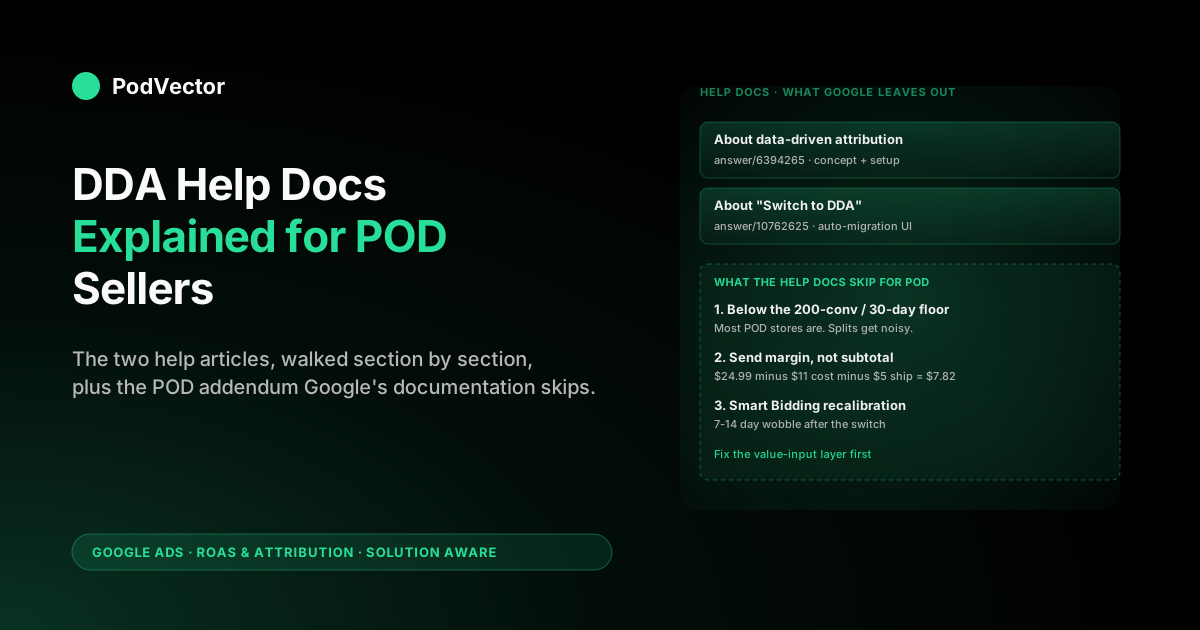
Quick Answer: Google's data-driven attribution (DDA) help docs tell you DDA is the default model, that it splits credit across the path using machine learning, and that 200 conversions plus 2,000 ad interactions in a 30-day window is the recommended data floor. What the help docs don't tell a print-on-demand seller is what to do when you're below that floor (most POD stores are), how to feed the model contribution-margin instead of raw subtotal so Smart Bidding optimises toward profit, and which legacy rule-based models still work as fallbacks. This guide walks through the official Google Ads Help articles section by section and then adds the POD-specific decisions Google's documentation skips — so you can actually act on what the help center says, not just read it.
Which Google Ads help doc you actually need
If you searched "Google Ads data-driven attribution help" and landed on the support center, you'll have seen at least two articles that look almost interchangeable: About data-driven attribution and About "Switch to DDA" (data-driven attribution). They overlap, but they serve different jobs.
The first article is the conceptual reference: what DDA is, what data it needs, the benefits Google attributes to it (the "6% average conversion lift" stat Google cites in its DDA announcement rather than in the help doc itself), and how to manually set it on a conversion action. The second is operational: it documents the auto-migration program that Google ran from late 2023 through mid-2024 to move eligible accounts off rule-based models, and explains the "Switch to DDA" tab in the Goals → Attribution section of the UI.
If you're trying to understand whether your account already moved, you want the second article. If you're trying to understand why DDA exists at all, you want the first.
For a POD operator, the practical reading order is reversed: open the "Switch to DDA" doc first to confirm where your account stands today, then open the conceptual doc to decide whether the default the system gave you is the right one for a sub-$10K-monthly print-on-demand store. This piece walks both, in that order, with the POD-specific decisions added in. For the upstream context — how attribution sits inside the broader measurement stack — see the complete guide to Google Ads ROAS and attribution for POD.
What the help center says DDA is — and what it skips
The official definition, paraphrased from the help doc: data-driven attribution uses machine learning to compare paths that converted with paths that didn't, identifies which interactions actually shifted the probability of a sale, and assigns fractional credit to each touch instead of awarding 100% to the last click. The model runs across Search (including Shopping), YouTube, Display, and Demand Gen interactions, and is account-specific — it trains on your data, not Google's global average.
The help doc is technically accurate but operationally thin. Three things it doesn't say that matter for POD:
- DDA reports conversions and conversion value, not profit. The model can only redistribute credit across whatever conversion-value number you're sending it. If that number is the order subtotal, DDA is optimising toward subtotal, which on a $24.99 t-shirt with $11 of Printify cost is not the same number as the dollar that actually lands in your bank account. The help center never frames this — but it's the single biggest reason POD operators see DDA "working" in the dashboard while their margin shrinks.
- DDA doesn't fix bad conversion tracking. If your conversion action is firing on add-to-cart instead of purchase, DDA will distribute credit across paths that didn't actually buy anything. Garbage in, fractional garbage out.
- DDA's "lift" is mostly redistribution. Google's quoted 6% average conversion lift after switching to DDA is a real number, but most of what shows up in the report is conversions previously attributed to last-click branded search getting reassigned to upper-funnel YouTube and Display touches earlier in the path. Total credit is roughly conserved; what changes is which campaigns look responsible.
None of this contradicts the help doc — it's just the layer of context the help center leaves out because it has to apply to every advertiser. Print-on-demand needs the addendum because POD's margin structure makes the value-input question more consequential than it is for most categories. For a deeper look at the model's mechanics, see Google Ads data-driven attribution explained for POD sellers.
How DDA works according to the help docs
The help center describes DDA as a model that "calculates the actual contribution of each ad interaction across the conversion path." That's a one-line summary of a Shapley-value-style calculation: for each touch in a converting path, the model estimates how much that touch increased the probability the user would convert, holding other touches constant. Touches that consistently appear in converting paths get credit; touches that appear equally often in non-converting paths get less.
The example Google uses in the help doc is a four-touch path — generic keyword click, branded keyword click, video view, shopping click — and shows DDA assigning fractional credits like 0.34, 0.21, 0.11, 0.34 instead of the all-or-nothing split last-click would produce. The model is doing the same thing for your account every day, just on the actual paths your customers walked.
The translation for a POD store: if you're running Performance Max or Demand Gen alongside Search, DDA is what makes those upper-funnel campaigns look like they contributed anything. Under last-click, a branded search keyword the customer typed because they saw a YouTube ad five days earlier gets 100% of the credit; under DDA, the YouTube view gets a meaningful share.
The reported numbers in your campaign columns shift accordingly. For a side-by-side breakdown of the rule-based legacy models DDA replaced, see Google Ads attribution models explained for POD sellers.
The 200/2,000 data threshold and the POD reality
The help doc states the recommended data thresholds for DDA: at least 200 conversions and 2,000 ad interactions in supported networks within a 30-day period. Below that, the model still runs (Google removed the hard eligibility floor in October 2021 and now lets every conversion action use DDA from day one), but its credit splits get noisier and less reliable.
The help center frames this as a recommendation, not a warning. For a POD operator, it's the single most consequential number in the doc.
Run the rough math: at a $25 average order value, 200 conversions per 30 days means $5,000 in monthly Google Ads-attributed revenue. At a 3x ROAS target that's $1,650 in monthly Google Ads spend just to clear the data floor. A typical scaling POD store running $500–1,200 per month is at 40–100 conversions in a 30-day window, which puts them well below the threshold.
What the help center won't tell you: when you're below the floor, DDA still reports credit splits, but those splits are heavily smoothed toward last-click priors. The model doesn't have enough non-converting paths to learn the marginal contribution of each touch, so it falls back to weighting closer touches more. In practice, a sub-floor account running DDA gets credit splits that look 70-80% similar to last-click — meaning you've technically migrated, but the operational difference is muted.
The right play below the floor is one of three:
- Stay on DDA but treat the per-campaign credit splits with skepticism for the first 60-90 days while data accumulates.
- Switch back to last-click temporarily until you cross 150-200 conversions in 30 days, which gives you a stable single-touch baseline to compare DDA against later.
- Consolidate conversion actions. If you have separate conversion actions for purchases on different funnels, combining them can push you over the floor faster — but only if they share enough commonality that the model can learn coherent patterns.
A fourth lever the help docs mention only in passing: turn on Enhanced Conversions for leads/web. It hashes first-party data (email, phone) from your Shopify checkout and sends it alongside the conversion, recovering sales that cookie loss and cross-device gaps would otherwise drop from the dataset entirely. For a sub-floor POD account, every recovered conversion is one more path DDA can learn from — it won't single-handedly clear the 200 floor, but it tightens the model's inputs and is the measurement upgrade Google now pushes hardest, especially after it wound down the Privacy Sandbox initiative in late 2025.
For a step-by-step on the auto-default behaviour, see data-driven attribution default Google Ads help explained for POD sellers.
"Switch to DDA": the auto-migration help doc
The second help center article — the one titled About "Switch to DDA" — documents the migration program Google ran between late 2023 and mid-2024 to move every eligible conversion action from a rule-based model to DDA. The doc describes a "Switch to DDA" tab inside Goals → Attribution that shows you which of your conversion actions were eligible, which were auto-migrated, and which were not eligible (and why).
Three states the help doc enumerates:
- Auto-switched. Google migrated the conversion action from last-click (or another rule-based model) to DDA, with at least 30 days advance notice via email.
- Eligible, not yet switched. The action meets the data threshold but Google hasn't migrated it yet — usually because you opted out of the auto-switch or your account is in a wave that hasn't run.
- Not eligible. Below the data floor, or the conversion action is paused/inactive.
For most POD accounts that have been running for more than six months, every eligible Purchase conversion action has already been auto-switched. The help doc is essentially a historical record of what happened to your account in 2024, plus the UI you'd use if you wanted to manually move a still-eligible action that hadn't been auto-switched. If you want a fuller walk-through of the auto-switch behaviour, see about data-driven attribution Google Ads help explained for POD sellers.
Setting DDA on a conversion action (with screenshots in the help doc)
The help doc's setup section gives a six-click path. The current 2026 UI uses these labels:
- Goals icon in the left navigation.
- Conversions dropdown → Summary.
- In the conversions table, click the conversion action you want to edit (typically your Purchase action).
- Click Edit settings.
- Open the Attribution model dropdown.
- Select Data-driven, then Save.
Two things the help doc doesn't flag:
- The change isn't retroactive in reporting. Switching to DDA changes how future conversions are credited. Historical reports keep whatever attribution model was in place when those conversions originally fired, so the day-of-switch creates a visible discontinuity in any campaign's attributed conversions if you're looking at a date range that spans the change.
- Smart Bidding takes 7-14 days to recalibrate. tROAS and Maximize Conversions strategies use DDA's credit weights as their training signal. After a switch, the bidder's reported conversions and target ROAS can wobble for one to two weeks while the model adjusts to the new credit distribution. Expect daily ROAS noise during that window, not a structural change.
One setting the help doc treats on a separate page but you should set in the same sitting: the conversion window. Right alongside the attribution model, Google Ads exposes a click-through window (1, 7, 14, 30, 60, or 90 days; default 30) and a view-through window (1–30 days; default 1). DDA can only distribute credit across touches that fall inside that window, so a POD store with a long consideration cycle — gift, seasonal, and high-ticket niches especially — should widen the click window before trusting DDA's upper-funnel credit, or it will systematically miss the YouTube and Display touches that happened earlier than the default 30 days. For how to pick that number for your store, see the Google Ads attribution window guide for POD sellers.
What the help docs don't say about Smart Bidding
The help center documents DDA in isolation: model definition, eligibility, setup. What it doesn't make explicit is how DDA changes Smart Bidding behaviour, which is the main reason most accounts care about the model in the first place.
Under last-click, a tROAS strategy bids based on each campaign's last-click conversions and last-click conversion value. Branded search and remarketing look outsized; YouTube and Display look anaemic. Smart Bidding allocates spend accordingly, often starving the upper funnel of budget because its single-touch reported ROAS is below target.
Under DDA, the same Smart Bidding strategies receive fractional conversion credits. A YouTube view that contributed 0.18 of a conversion now shows up in the bidder's training data as 0.18 conversions, instead of 0.
The bidder learns that YouTube views are correlated with downstream sales and bids more aggressively on similar audiences. Spend redistributes toward upper-funnel placements without you doing anything to budget allocations.
This is the actual point of DDA from an operator's perspective: the model exists primarily to feed Smart Bidding a richer signal so it can allocate budget smarter. The reporting columns are a side effect. For a deeper view of how the bid signal flows back through the funnel, see Google Ads attribution explained for POD sellers.
The conversion-value layer the help docs assume but don't explain
Every example in the Google Ads help articles uses "conversion value" as if it's a settled number — the order total, presumably — but the help center never specifies what value to send. For most ecommerce platforms the default is the order subtotal, which is the line-item price of what the customer bought. For POD, that number is the worst possible signal to optimise toward.
A concrete example. A $24.99 t-shirt sold via Shopify with Printify fulfilment:
- Order subtotal (default conversion value): $24.99
- Printify base cost: -$11.20
- Print provider shipping: -$4.95
- Shopify Payments fee (2.9% + $0.30): -$1.02
- Contribution margin (the number you actually keep): $7.82
If you send the $24.99 number to Google Ads, DDA is doing its math correctly — it's just doing it on a number that isn't yours to spend. Smart Bidding scales the campaign by trying to maximise the $24.99-shaped pile, and you pay 30-40% of every additional conversion in cost of goods that the bidder doesn't see. A 3x reported ROAS on raw subtotal can easily be 1.0-1.2x on margin, which is break-even at best.
The fix the help docs don't describe is sending margin-as-conversion-value via offline conversion adjustments or a server-side tag that subtracts COGS and fulfilment from the subtotal before the conversion event leaves your store. Once you do that, DDA's credit splits and Smart Bidding's optimisation are working off the actual profit number, not the gross.
This is one of the workflows Victor handles automatically — pulling Printify and Printful cost feeds, computing margin per order, and posting margin-as-value back to Google Ads — but the principle stands whether you build it yourself or use a tool. For a fuller treatment, see the complete guide to Meta Ads ROAS and attribution for POD, which covers the same margin-input pattern in a Meta context.
Troubleshooting when DDA isn't available or working
The help center's troubleshooting coverage is light. The most common failure modes a POD seller hits, with the practical fix:
- "Data-driven" is greyed out in the attribution model dropdown. Almost always because the conversion action is paused or hasn't fired in 30+ days. Reactivate the action, fire a few test conversions, and the option re-enables.
- DDA is set, but reported conversions per campaign look identical to last-click. You're below the data floor (under 200 conversions in 30 days), so the model is smoothing toward last-click priors. Wait for data to accumulate or temporarily revert.
- Conversions in the report are decimals like 1.34 or 0.65. This is correct. DDA assigns fractional credit to each touch in a path. A campaign showing "1.34" means it contributed credit to two paths that summed to 1.34 conversions worth of contribution.
- Smart Bidding tROAS is missing target after a DDA switch. Expected for 7-14 days while the bidder recalibrates. If it persists past two weeks, the issue is usually the conversion value (subtotal vs margin) or a tracking break, not DDA itself.
- The "Switch to DDA" tab shows your action as "Not eligible." Check whether the action is firing on the right event (purchase, not add-to-cart) and whether the 30-day conversion volume is above zero. POD stores running heavy promos sometimes have purchase events firing inconsistently if the post-purchase page redirects too fast for the gtag to load.
Last-click as the documented fallback
The help center explicitly mentions last-click as a still-supported model alongside DDA, while noting that the other rule-based models (first click, linear, time decay, position-based) were retired across 2023 and can no longer be selected for any conversion action. If you're below the DDA data floor and want a single-touch baseline, last-click is the documented fallback you can revert to without breaking anything.
The case for reverting to last-click temporarily, as a POD operator under 100 conversions/month:
- Single-touch attribution gives you an unambiguous number to compare against once DDA has enough data.
- Smart Bidding still works under last-click — it just has a noisier per-campaign signal.
- You can revert to DDA at any time once data accumulates; nothing is permanent.
The case against reverting:
- Default DDA is what new accounts and new conversion actions are getting — staying on it gets you to a representative model faster.
- If your campaigns include any upper-funnel placements (YouTube, Demand Gen, PMax), last-click systematically underweights them and Smart Bidding will defund them.
- You'll have to switch again later anyway, so the temporary revert costs you a second recalibration window.
For most POD operators above 100 conversions per 30 days with any non-Search campaigns running, the answer is to leave DDA on and fix the value-input layer (margin instead of subtotal) instead of reverting. For sub-100 single-channel Search-only accounts, last-click is a reasonable temporary baseline. For the broader Smart Bidding-meets-attribution playbook, see the complete Google Ads playbook for print-on-demand sellers.
FAQs
Where is the official Google Ads data-driven attribution help page?
The conceptual help article is at support.google.com/google-ads/answer/6394265 ("About data-driven attribution"). The auto-migration help article is at support.google.com/google-ads/answer/10762625 ("About 'Switch to DDA'"). Both are kept current by Google; bookmark the first one for definitions and the second for the migration UI.
Does the Google Ads help page tell me whether DDA is on for my account?
Indirectly, via the "Switch to DDA" tab the help doc references. To check directly: Goals → Conversions → Summary, click your purchase conversion action, and look at the "Attribution model" field in Edit settings. It will say either "Data-driven" or one of the legacy models. If it says Data-driven, the model is on for that conversion action.
What's the data threshold the help docs mention?
200 conversions and 2,000 ad interactions in supported networks within 30 days. Below that, DDA still runs but with degraded accuracy because the model has fewer paths to learn from. There's no hard floor that disables DDA — Google removed the eligibility minimum in October 2021 — but the recommended threshold is what you should aim for before trusting the credit splits as decision inputs.
Do the help docs explain how to send margin instead of subtotal as conversion value?
No. The help center treats conversion value as a parameter you set, but never recommends margin-based reporting. For POD, sending order subtotal as conversion value lets DDA optimise toward gross revenue while you pay 30-40% of every order in COGS and fulfilment that the bidder doesn't see. The fix is offline conversion adjustments or a server-side tag that posts a margin-adjusted value to Google Ads.
Does the Google Ads help center cover what to do below the 200-conversion floor?
Not really. The doc says the threshold is recommended, not required, but doesn't address how to operate DDA in a data-sparse account. The practical answers are: stay on DDA and accept noisy splits for the first 60-90 days, revert to last-click temporarily, or consolidate conversion actions to clear the floor faster.
What's the difference between "Switch to DDA" and just changing the attribution model?
"Switch to DDA" is Google's auto-migration program — the system moved eligible accounts off rule-based models between late 2023 and mid-2024, with email notification. Manually changing the attribution model in conversion settings is the same operational outcome (your action is now on DDA) but initiated by you instead of Google. Both routes land in the same place.
Does DDA work with Performance Max?
Yes — and PMax campaigns benefit more than most because their multi-channel placements (Search, Shopping, YouTube, Display, Discover) span the kind of multi-touch path DDA was built to credit. Under last-click, PMax often looks worse than Search alone because the path frequently ends on a non-PMax branded click; under DDA, PMax receives credit for the upstream touches and reports closer to its real contribution.
Does the attribution model setting affect my conversion window?
They're separate settings that sit next to each other in the same conversion action. The attribution model (DDA) decides how credit is split across the touches in a path; the conversion window decides which touches are eligible to receive any credit at all. A click that happened outside your click-through window — default 30 days — is invisible to DDA regardless of how the model is set. For POD stores with longer consideration cycles, widening the window before trusting DDA's multi-touch credit matters as much as the model choice itself.
How long after switching to DDA should I trust the numbers?
Give it 30 days for the reporting columns to stabilise and 7-14 days specifically for Smart Bidding strategies to recalibrate after the change. If you're below the data floor (under 200 conversions in 30 days), give it 60-90 days before treating per-campaign credit splits as decision-grade signal.
Make DDA optimise toward profit, not gross revenue
The Google Ads help docs explain how DDA splits credit, but they assume your conversion value is the order subtotal. For a POD store, that means Smart Bidding is scaling toward a number that includes 30-40% you'll pay back in Printify fees and shipping. Victor pulls live data from your Shopify orders, Printify and Printful cost feeds, and Google Ads spend, computes per-order contribution margin, and posts margin-as-value back to Google Ads via offline conversion adjustments — so DDA learns from the dollar that actually lands in your bank account. Ask Victor "What's my true ROAS after COGS by campaign?" and he'll answer from your live data instead of a CSV.
Try Victor free