
Quick Answer: Google's data-driven attribution (DDA) documentation lives at the help-center page About data-driven attribution (answer/6394265). DDA is now the default attribution model for all new conversion actions in Google Ads — and as of the 2023–24 rule-based model sunset, last click is the only remaining alternative. The model uses machine learning to assign fractional credit across every eligible touchpoint (Search, Shopping, YouTube, Display, Demand Gen, and Performance Max) based on each touch's measured contribution to conversion probability, and feeds those credit weights directly into Smart Bidding. For a print-on-demand store, the documentation explains how Google distributes credit; it does not explain whether that credit reflects actual margin after Printify or Printful supplier cost, fulfillment fees, payment fees, and refunds — that gap is what the rest of this page covers.
Where Google's DDA documentation actually lives
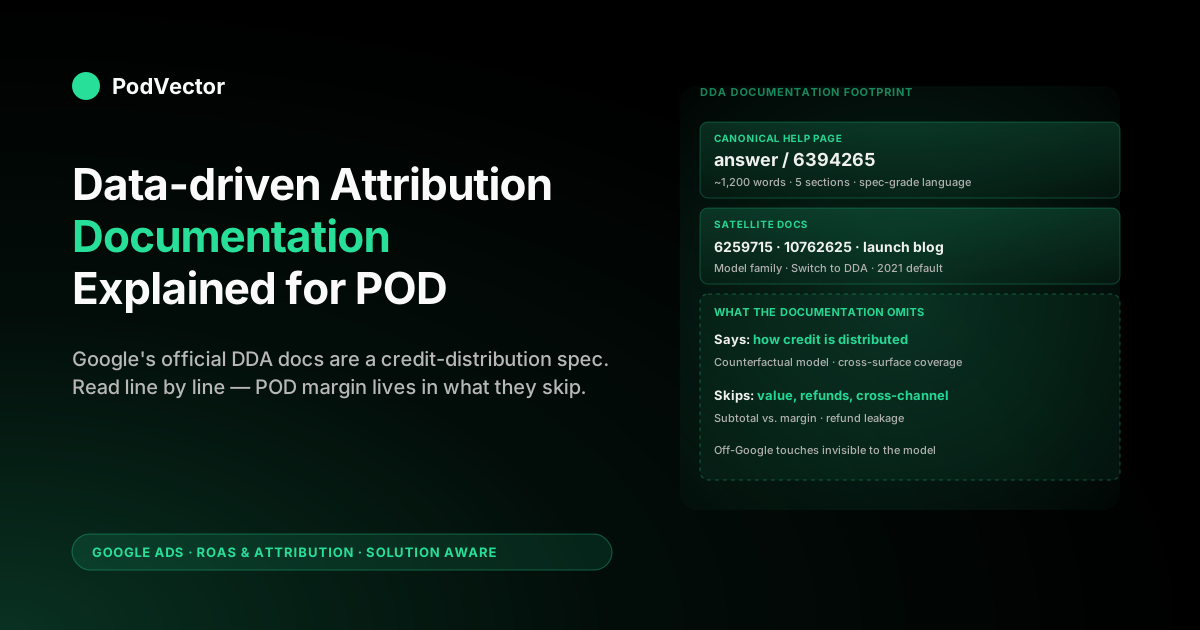
The canonical DDA documentation is the help-center page About data-driven attribution. It runs roughly 1,200 words across five sections — an opening definition, Benefits, How it works, Data requirements, and How to set up data-driven attribution for your conversions. Two satellite pages complete the picture: About attribution models places DDA inside the broader (and now mostly retired) attribution-model family, and About 'Switch to DDA' describes the auto-migration program that pushed older accounts onto the model.
That's the documentation Google maintains as authoritative. Everything else — the 2021 launch blog post, the Google Ads API reference for the AttributionModel enum, the developer release notes — is supplementary and operationally narrower.
Most POD operators only need the main help-center page; the satellites matter only if you're switching from a legacy rule-based model or writing automation against the API.
The model definition, decoded
The opening line of the documentation says DDA "gives credit for conversions based on how people engage with your various ads and decide to become your customers." Read literally that's vague; read as a spec it encodes three commitments that matter. First, the unit being credited is an engagement — clicks across Search, Shopping, Display, and Demand Gen, plus engaged views and clicks on YouTube.
Impressions alone never get credit. Second, the credit is given at the conversion-action level, not the account level — every conversion action you've configured is modeled separately, so a Purchase action and a Lead action can show different campaign-level credit distributions on the same account. Third, the credit is fractional and sums to one across the path — DDA never gives the whole credit to one touchpoint unless that touchpoint was the only one.
The second documented commitment is data scope. The model uses "data from your account" — meaning your own conversion paths, not an industry benchmark. That account-specific framing is the key contrast with the rule-based models the documentation explicitly retired. For background on the rule-based model family DDA replaced, see Google Ads attribution models explained for POD sellers.
The 2026 attribution model landscape: two models remain
The wider attribution-model context is essential for reading the documentation in 2026. According to Mavlers' 2025 guide to Google Ads attribution models, Google simplified its attribution offering in 2023–24: where there were once six models — last-click, first-click, linear, time-decay, position-based, and data-driven — today only two remain supported in Google Ads conversion settings. DDA is the default; last click is the only manual alternative. The others were deprecated, and according to Mavlers, any conversions that used them were automatically switched over to DDA.
The practical consequence for a POD operator reading the documentation today is that there is no longer a meaningful choice to deliberate over. If your conversion actions were created after October 2021, they've been on DDA from day one. If they were created before then on a rule-based model, they were auto-migrated. The documentation's setup section still describes a dropdown, but for the vast majority of active Google Ads accounts running Shopping, Search, or Performance Max in 2026, that dropdown is already set.
A second structural change worth tracking: according to ALM Corp's 2026 guide to attribution modeling in Google Ads, Google formally ended its Privacy Sandbox initiative in October 2025 after six years of development, following low adoption and regulatory pressure. Third-party cookies continue to exist in Chrome, but the broader ecosystem is moving toward first-party data, server-side tracking, and modeled conversions — which raises the stakes for how cleanly your conversion tagging is implemented. That context is covered in the Enhanced Conversions section below.
The four documented benefits, with POD context
The Benefits section in the documentation lists four outcomes the model is supposed to produce. They're written for general advertisers, not POD operators, so each one needs the POD overlay applied to mean anything practical.
- Identifies the keywords, ads, and campaigns that have the greatest impact on your business goals. For a POD store, the practical consequence is that branded-search clicks (the closing touch on most POD paths) lose some credit to upstream prospecting touches — Shopping, Performance Max, and YouTube engaged views that started the path. Last click would have given the brand keyword all of the credit; DDA splits it. That redistribution shifts which keywords look profitable on a credit-weighted basis.
- Uses your account's data, not an industry benchmark. For low-volume POD stores under the recommended data thresholds, this is partially true and partially aspirational. The 2023–2024 documentation update removed the old 300-conversion / 3,000-interaction floor that previously gated DDA, but accounts under the recommended thresholds run a hybrid — partial account-specific weights, partial borrowed weights from Google's broader model — until enough path data accumulates.
- Adapts as your business and customer journeys change. Documented as a benefit; experienced as drift. The model is recomputed regularly from fresh path data, which means a campaign earning a meaningful share of credit one month can earn a noticeably smaller share the next month without any structural change in performance. POD operators new to DDA often misread this drift as a regression.
- Removes guesswork from picking an attribution model. True at the choice-of-model level — last click is now the only manual alternative, and the broader rule-based family was sunset in late 2023. False at the configuration level, because the model still requires a correct conversion-window setting and a correct conversion-value field to behave like the documentation implies.
How the documentation describes the credit calculation
The How it works section explains the credit math through a single extended example: a tour-company customer searches for "Bike tour New York," sees an ad, then later searches for "Bike tour Brooklyn waterfront" and converts. Last click would credit the second keyword for the full conversion. DDA splits credit because the data shows the first search increased the probability that the second search would convert.
The documented mechanic underneath that example is a counterfactual one. For each touchpoint on a converted user's path, the model asks: how much did this touchpoint shift the probability of the eventual conversion compared with the same path without that touchpoint? The probability shift, normalized so credits across the path sum to one, becomes the touchpoint's credit. The documentation calls this an analysis of "patterns among ad interactions that lead to conversions" — that's the marketing-friendly phrasing of a Shapley-value-style counterfactual model. The model needs both converted and non-converted path data to identify what mattered; that's why the data requirements exist at all.
Three implementation details the documentation hints at without spelling out are worth internalizing for a POD operator. First, the model runs across surfaces — a YouTube engaged view earlier in the path can take credit away from a Search click that closed. Second, the model is rebuilt regularly, so credit weights drift continuously as your path data shifts. Third, the model's outputs feed Smart Bidding, not just reports — the bidder sees credit-weighted conversion value when valuing each auction. Coverage of how those weights flow into bidding lives in Google Ads data-driven attribution overview explained for POD sellers.
The documented data requirements after the 2023–2024 floor change
The Data requirements section is the part of the documentation most likely to be read out of date. The current text recommends "at least 200 conversions and 2,000 ad interactions in supported networks within a 30-day period" for the most accurate modeling, but explicitly notes the model still runs below those thresholds. That language replaced an earlier (pre-2024) version that hard-gated the model at 300 conversions and 3,000 interactions and listed "ineligible" as a possible status.
The practical consequence of the 2023–2024 floor change is the single most important documented update for low-volume POD operators. A POD store doing fewer than 200 conversions a month — which covers the majority of POD stores — can now run DDA without hitting an eligibility wall, because Google's broader model fills in for the account-specific weights until your data accumulates. The interface and the bidder-feeding signal both work; the campaign-level credit weights you see in reports are noisier and shift more between recomputations than they would on a higher-volume account.
The full mechanics of the auto-migration are documented separately on the Switch to DDA page; see switch to data-driven attribution Google Ads help explained for POD sellers for the POD-specific migration walk-through.
The documented setup path, step by step
The setup section is six clicks, and the documentation describes them as: Goals → Conversions → Summary → click into the conversion action you want to update → Edit settings → Attribution model dropdown → choose Data-driven → Save. For accounts created in October 2021 or later, the dropdown is already on Data-driven for every new conversion action and there's nothing to set up. For older accounts, or for conversion actions created before the default switch, the dropdown still has to be flipped manually unless the action was caught by the auto-migration program.
Two settings on the same Edit settings page sit alongside the model and matter for whether DDA behaves like the documentation implies. The conversion-window setting (1, 7, 14, 30, 60, or 90 days for click-through; 1, 3, 7, or none for engaged-view) decides which touchpoints are eligible for credit at all. The conversion-value field decides what dollar amount flows into the credited touchpoint. The documentation does not connect the dots between those two settings and the model, but operationally the model only produces honest output when the window is sized to your real decision cycle and the value field carries margin instead of subtotal. The window mechanics are covered in Google Ads default attribution window explained for POD sellers; the value-field gap is the center of the post-COGS reconciliation problem and is covered below.
The documented surface coverage
The documentation says DDA "looks at all the interactions — including clicks and video engagements — on your Search (including Shopping), YouTube, Display, and Demand Gen ads." That list is operationally complete for the surfaces a POD seller is most likely running, with one notable absence: Performance Max is not listed by name in the current help text but is fully covered — PMax campaigns inherit the conversion action's attribution model, and DDA distributes credit across all PMax sub-asset-groups. For a POD store running Shopping, Search, and PMax — the most common configuration — DDA is allocating credit across the full surface footprint the moment it's enabled.
The documentation's framing of "video engagements" deserves attention. On YouTube, an engaged view (a watch lasting at least 10 seconds, or to the end if the ad is shorter) qualifies for credit; an unengaged impression does not. Engaged-view conversions have their own conversion window setting (1, 3, 7, or none). For most POD accounts, the right move is to either leave engaged-view credit at the default 3 days or disable it entirely — a longer engaged-view window adds noise to the model's training without materially changing how POD purchases actually happen. Detail on the cross-surface implications is in Google Ads attribution window explained for POD sellers.
Enhanced Conversions and first-party data in 2026
The DDA documentation does not discuss Enhanced Conversions, but in 2026 the two are practically inseparable for any POD store that wants clean attribution data. According to ALM Corp's 2026 guide, Google formally ended its Privacy Sandbox initiative in October 2025; third-party cookies persist in Chrome, but the broader industry trend toward privacy-first measurement remains intact. That means signal loss from ad blockers, browser privacy settings, and consent refusals is a real ongoing constraint — not a future risk.
Enhanced Conversions addresses this by sending hashed first-party signals (email address, phone, name, address) from your Shopify thank-you page back to Google, allowing Google to match conversions to signed-in users even when the standard cookie chain is broken. According to ALM Corp, advertisers should invest in Enhanced Conversions, server-side tagging, and first-party data strategies to maintain attribution fidelity regardless of the cookie landscape. For POD operators on Shopify, the minimum viable step is enabling Enhanced Conversions in the Google tag settings and confirming that the Shopify Google & YouTube sales channel is passing the required fields.
Why does this matter for DDA specifically? DDA's credit weights are only as accurate as the conversion signal it receives. A Shopify store with broken or incomplete tagging — missing Google Ads ValueTrack tokens, no Enhanced Conversions, and a click-through window misaligned with real purchase cycles — can produce DDA-reported ROAS that looks healthy while the underlying data is silently incomplete. Correct tagging is a prerequisite for the model to behave like the documentation implies. This connects directly to the checkout and conversion funnel decisions covered in ecommerce checkout conversion rate optimization.
What the documentation deliberately omits
Three substantial topics the DDA documentation does not cover, and any POD operator reading the doc as a complete spec will misread the model.
Conversion-value quality. The documentation describes how DDA distributes credit but never describes what conversion value Google receives. That value comes from your conversion-action configuration — typically the order subtotal sent by Shopify. On a POD order with a Printify supplier cost, fulfillment fee, payment fee, and a shipping subsidy baked in, the subtotal Google receives can be substantially larger than actual margin. DDA distributes the subtotal honestly across credited touchpoints; the dollar amount itself is not what the seller actually earned. The documentation never raises this gap because it's not a Google Ads problem — it's a how-you-configure-conversion-actions problem the doc treats as out of scope. For a deeper look at how contribution margin works in this context, see how to get contribution margin.
Refund and cancellation handling. The documentation does not mention that DDA-credited conversions remain credited even after the underlying order refunds or cancels. Google Ads only sees a refund if you explicitly upload a conversion adjustment (a separate API or manual upload that subtracts value from a previously reported conversion). Almost no POD store sends them, which means orders that refund or cancel stay inside DDA-reported revenue indefinitely. The Conversions documentation references conversion adjustments separately; the DDA documentation does not connect that mechanism back to the model's reported revenue.
Cross-channel attribution. The documentation is explicit about which surfaces are inside scope (Search, Shopping, YouTube, Display, Demand Gen) and silent about what happens to a journey that starts on Meta, TikTok, or organic and finishes on a Google Ads click. DDA cannot see those upstream touches; the click that lands the user inside Google Ads measurement is where the model's path begins. For a POD store running Meta and Google in parallel, the DDA-credited revenue Google reports counts only the touches Google can see. Coverage in Google Ads attribution email organic integration explained for POD sellers walks through the cross-channel blind spot. Understanding ad fatigue and frequency across those parallel channels also affects how much of the path DDA can actually observe — see how to avoid ad fatigue and what is ad frequency for the cross-channel context.
Reading the documentation as a POD operator
The documentation is a credit-distribution spec, not an attribution outcome spec. That distinction is the single most useful frame for reading it.
Everything the doc claims about DDA is a claim about how Google distributes the conversion value it received among the touchpoints it observed. None of it is a claim about whether the conversion value matches your real margin, whether the conversion happened across only Google surfaces, or whether the conversion eventually refunded.
Read with that frame, the documentation answers exactly the questions it should: what counts as a touchpoint (clicks plus engaged views on the listed surfaces), how credit is divided (counterfactual contribution to conversion probability), what data is used (your account's converted and non-converted paths, supplemented by Google's broader model when account-specific data is thin), and how to turn it on (six clicks through the Conversions UI). It does not answer whether the resulting ROAS reflects what your POD store actually earned.
That second question is where the documented model and the operator's reality diverge, and where the rest of the work happens. Coverage of how the model fits into the wider Google Ads playbook for POD is in the complete Google Ads playbook for print-on-demand sellers; the topic-level overview lives at Google Ads for POD sellers.
Where the documentation stops and POD margin reality starts
The DDA documentation ends at credit distribution. The POD operator's job starts at margin.
A campaign that DDA credits with conversion value across a set of orders has done its job correctly within its own scope — it has distributed subtotal revenue across the touchpoints Google observed, weighted by each touchpoint's measured contribution to the conversion probability. What the documentation cannot account for is the Printify or Printful supplier cost on each order, the fulfillment fee, the Shopify payment fee, and any refund haircut — all of which sit outside Google Ads entirely. The gap between DDA-credited ROAS and post-COGS ROAS is the operative number for a POD operator deciding whether to scale a campaign. See Printify t-shirt cost and profit breakdown for a worked example of how those cost layers interact with reported ad revenue.
The reconciliation between DDA-credited revenue from Google Ads and actual margin from Shopify and Printify or Printful is work most POD operators do in spreadsheets, weekly or monthly. It works once you build it. It also drifts out of date faster than ad-account decisions get made, which is why the agentic-data layer exists.
PodVector AI's Victor agent connects Google Ads, Shopify, Printify, and Printful to a unified live data warehouse and answers natural-language questions against the underlying joined data. Ask what DDA-credited revenue looks like net of Printify supplier cost for a specific campaign, and Victor returns the margin-adjusted number against the same DDA-credited paths Google reports. The credit math the documentation describes is honest; Victor closes the gap to the margin number that decides whether a POD campaign is profitable. For a fuller picture of how cash flow and profitability layer onto ad attribution decisions, see how to get Shopify Capital — ad ROAS is one of the signals Shopify uses when evaluating offers.
FAQs
Where is the official DDA documentation?
The canonical page is Google Ads help center answer 6394265, "About data-driven attribution." It runs about 1,200 words and covers the model definition, benefits, how it works, data requirements, and setup. Two satellite pages — "About attribution models" (answer 6259715) and "About 'Switch to DDA'" (answer 10762625) — cover the broader model family and the auto-migration program respectively.
How many attribution models does Google Ads support in 2026?
As of 2026, Google Ads supports two attribution models for web conversion actions: data-driven attribution (the default) and last click. According to Mavlers' 2025 guide to Google Ads attribution models, the other four rule-based models — first-click, linear, time-decay, and position-based — were deprecated in 2023–24, and any conversions using them were automatically migrated to DDA. There is no longer a meaningful model-selection decision for most POD accounts.
Does the documented 200-conversion / 2,000-interaction recommendation block low-volume accounts?
No, not since the 2023–2024 update. The documentation now recommends those numbers for "the most accurate modeling" but explicitly notes the model still runs below the threshold, with Google's broader model filling in for account-specific weights until enough path data accumulates. POD stores with fewer monthly conversions than the recommendation run the hybrid version of the model — the interface and Smart Bidding feed still function.
Does the documentation cover Performance Max?
The current text doesn't list PMax by name in the supported-surfaces sentence, but PMax campaigns inherit the conversion action's attribution model and DDA fully covers them in practice. The omission is a documentation lag, not a behavioral one.
Does the documentation explain the conversion-window setting?
Only by reference. The DDA documentation mentions that the model distributes credit across qualifying touchpoints, but the conversion window itself is documented separately on the conversion-action setup page. The two settings interact closely — DDA's credit allocation only covers touchpoints inside the configured window — and most POD accounts benefit from reviewing whether the click-through default is aligned to their real purchase decision cycle.
Does the documentation cover refund handling?
No. DDA-credited conversions remain credited regardless of whether the order refunds or cancels later. The conversion-adjustment mechanism that subtracts refunded value from previously reported conversions is documented separately and is not connected to DDA in the help center. Almost no POD store implements it, which means refund leakage stays inside DDA-reported revenue indefinitely.
What changed with Enhanced Conversions and why does it matter for DDA in 2026?
According to ALM Corp's 2026 guide to attribution modeling in Google Ads, Google ended the Privacy Sandbox initiative in October 2025, and the broader industry is moving toward first-party data and server-side tracking to maintain measurement fidelity. For a POD store, this means Enhanced Conversions — which sends hashed customer signals from your Shopify checkout back to Google — is now the primary mechanism for recovering conversions that would otherwise be lost to ad blockers, browser restrictions, or consent refusals. DDA's credit weights are only as accurate as the conversion signal it receives; incomplete tagging produces silently wrong attribution. Enabling Enhanced Conversions through the Google tag is the minimum viable step.
How often does Google update the DDA documentation?
The page itself updates rarely — the most material recent change was the 2023–2024 update that softened the data-requirements language from a hard threshold to a recommendation, and the ongoing removal of the deprecated rule-based models from the UI. Surface coverage and setup-path text update when the underlying UI changes.
Does the DDA documentation tell me whether DDA is right for my POD account?
No. It describes how the model works and how to enable it. The decision about whether DDA produces a useful number for your POD store depends on factors the documentation does not cover — whether your conversion-value field carries margin or subtotal, whether your conversion window matches your decision cycle, whether Enhanced Conversions is implemented, and whether your buyer journey crosses non-Google surfaces. Those are operator decisions the documentation treats as out of scope.
Read DDA documentation alongside your real margin
Google's data-driven attribution documentation describes how credit gets distributed across the touchpoints Google can see. It does not describe how that credit translates into actual POD margin after Printify or Printful supplier cost, fulfillment, payment fees, and refunds. PodVector AI's Victor agent connects your Google Ads, Shopify, Printify, and Printful accounts to a unified live data warehouse and answers margin-adjusted ROAS questions against the same DDA-credited paths Google reports. You read the documentation; Victor reconciles the documented credit with the dollars you actually keep.
Try Victor free