
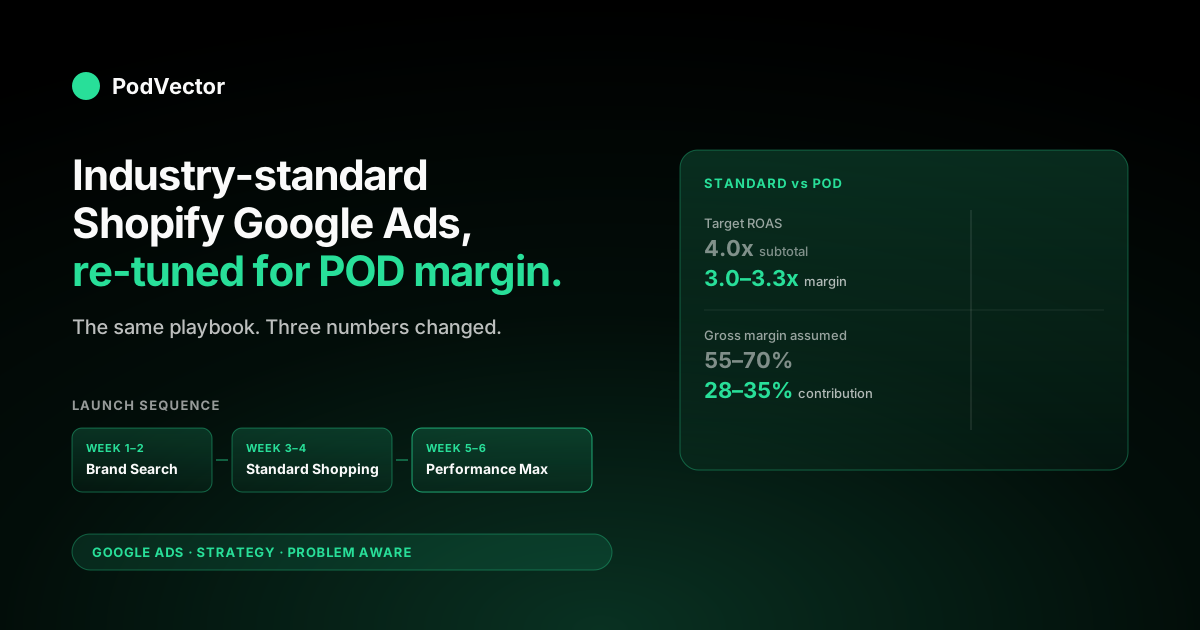
Quick Answer: The industry-standard Google Ads campaign for Shopify is well-documented: install the Google & YouTube channel, run a brand-defense Search campaign, layer Standard Shopping or Performance Max for non-brand demand, target a 4x ROAS, and let Smart Bidding optimize. That standard is built around stores carrying owned inventory at 55–70% gross margin.
For Shopify stores running Printify or Printful, contribution margin sits at 28–35% — so the same 4x ROAS target loses money, and Smart Bidding optimizes against an inflated value Shopify ships to Google by default. The POD-correct version of the standard playbook keeps the structure and changes three numbers: conversion value (margin, not subtotal), ROAS target (3.0x–3.3x against margin instead of 4x against revenue), and the campaign launch order (brand → Standard Shopping → PMax, with two weeks of conversion data between each step).
What "industry standard" actually means for a Shopify Google Ads campaign
Search "industry standard Google Ads campaign Shopify" and you land on three flavors of the same article: Shopify's official setup guide, Shopify's Shopping ads best-practices piece, and Shopify's roundup of Google Ads types. They agree on the playbook because it works — for a particular kind of store. The standard is built on five assumptions:
- The store carries owned or wholesale inventory with 55–70% gross margin.
- SKU count is in the dozens or low hundreds, with stable variants.
- Shopify's reported revenue equals (or closely tracks) the merchant's profit.
- Conversion value sent to Google equals order subtotal.
- A 4x ROAS target leaves a healthy contribution margin after ad cost.
None of those are true for a POD store. Margin sits at 28–35% after Printify or Printful supplier base price, blank, print fee, payment processing, and shipping subsidy.
SKU count balloons because every design ships in 60–120 variants (size × color × product type). Revenue is not profit — the gap is supplier cost, which Shopify never tells Google. And a 4x ROAS at 30% margin is barely break-even after ad cost.
The fix is not throwing out the standard playbook — it's recognizing which parts are universal (the campaign structure, the launch order, the tag installation) and which parts need POD-specific overrides (conversion value, ROAS target, feed curation). This article walks the standard playbook step by step and flags the POD modification at each step. For the broader strategy view, the cluster pillar at the complete Google Ads playbook for print-on-demand sellers covers the same ground for non-Shopify stacks.
The standard stack and where each piece fits
Every Shopify Google Ads guide describes some subset of the same five-component stack. Knowing which component owns which job is the difference between a debuggable campaign and a black box that loses money for a month before anyone notices:
| Component | Standard role | POD-specific override |
|---|---|---|
| Google & YouTube Sales Channel | OAuth bridge, tag install, feed sync | Default conversion value is subtotal — must be overridden |
| Google Merchant Center | Product feed host, disapproval surface | Curate feed to ship-able variants only; flat-rate shipping override |
| Google Ads | Campaign engine, bidding, reporting | ROAS target set against margin, not Shopify revenue |
| Shopify Customer Events / Web Pixel | Default ships order subtotal as conversion value | Inject margin-based value via Customer Events code |
| GA4 (linked to Ads) | Cross-session attribution backstop | Same value problem; configure ecommerce events to push margin |
The standard playbook treats this stack as plug-and-play. For a Shopify POD store, the channel app gets you to a working tag in five minutes — and that tag will misreport conversion value forever unless you make one explicit override.
Most stores discover this six weeks in, after Smart Bidding has spent thousands optimizing toward inflated revenue. The detailed override path lives in the complete guide to Google Ads + Shopify integration for POD.
The standard campaign structure (and the POD modification)
The industry-standard Shopify Google Ads campaign structure is three concurrent campaigns plus brand defense:
- Brand-defense Search. Bids on your store name, product name, and "[brand] discount" / "[brand] reviews" variants. Cheap clicks, high intent, prevents competitors from buying your name.
- Standard Shopping (Search Network). Product-feed-driven, runs on commercial-intent queries. Lower volume than PMax but cleaner data.
- Performance Max. Goal-based, multi-surface (Search, Shopping, Display, YouTube, Discover, Gmail, Maps). Highest volume, lowest transparency.
- Dynamic Remarketing. Re-engages cart-abandoners and product-page visitors with feed-driven Display ads.
That structure is right for POD too — the POD modification is in the order you launch them and the budget split between them. The standard playbook turns all four on at once and lets Smart Bidding sort it out. POD stores that do that watch PMax cannibalize brand-defense traffic at higher CPC, then watch Display credit eat conversion attribution from non-Display intent.
The POD-modified launch order:
- Week 1–2: Brand-defense Search only. Goal: build a clean conversion-data baseline (15–30 conversions minimum) before Smart Bidding has anything to learn from.
- Week 3–4: Add Standard Shopping with manual CPC bidding. Goal: identify which products and queries actually convert at margin-acceptable CAC.
- Week 5–6: Layer Performance Max with brand exclusions and a margin-aware target ROAS. Goal: scale the queries Standard Shopping found, with Smart Bidding now trained on real margin data.
- Week 7+: Add Dynamic Remarketing once site traffic crosses 1,000 sessions/day.
This is slower than the standard playbook prescribes — the Shopify guides suggest "launch and learn" — and it's deliberately slower because the cost of training Smart Bidding on the wrong number is two months of misallocated spend. The detailed campaign mix discussion sits in best practices for Shopify Google Ads compared.
Industry-standard benchmarks vs POD reality
Most published Shopify Google Ads benchmarks come from cross-vertical aggregations. They're directionally useful and numerically misleading for POD. Here's the gap, with the numbers that actually matter for a POD store:
| Metric | Industry standard (Shopify, all categories) | POD reality (apparel-heavy) |
|---|---|---|
| Average CPC (Shopping) | $0.46–$1.20 | $0.85–$2.10 |
| Average CPC (Search) | $1.00–$2.50 | $1.50–$4.20 |
| Conversion rate (paid) | 2.0–2.8% | 1.2–2.0% |
| Average order value | $60–$95 | $28–$48 |
| Target ROAS | 4.0x | 3.0–3.3x against margin (≈ 9–11x against revenue) |
| Customer acquisition cost | $15–$30 | $8–$14 (apparel benchmarks) |
| Gross margin assumed | 55–70% | 28–35% |
The CPC and conversion-rate gaps are structural to POD's category. Apparel is one of Google's most competitive verticals — the auction is crowded with brands, fast-fashion retailers, and other POD sellers — so CPC runs higher than the cross-category mean. Conversion rate runs lower because POD's product mix is design-led and discovery-driven, which means more browsers and fewer immediate buyers than functional categories like home goods.
The ROAS gap is the one that matters financially. A 4x ROAS at 30% margin nets $0.20 per dollar spent before fixed costs.
The same 4x at 65% margin nets $1.60. Same campaign, same Google Ads dashboard, completely different business outcome. The fix is targeting against margin: a 3.0x ROAS where "value" is contribution margin (revenue minus supplier base price) is structurally healthier than a 4x ROAS against subtotal. Shopify's standard reports won't show you this number — you have to inject it. Shopify Google Ads performance benchmarks for POD goes deeper on the metric mapping.
The standard bidding strategy and why POD breaks it
The standard advice is: launch with Maximize Conversions for two weeks to build conversion volume, switch to Target ROAS at 4x once you have 30+ conversions in 30 days. That advice is correct mechanically — Smart Bidding does need conversion volume to train, and Target ROAS is the right end state. The problem is what "value" means in Smart Bidding's optimization function.
By default, Shopify ships order subtotal as conversion value. Smart Bidding sees a $34 hoodie order and optimizes to acquire more $34 conversions.
But your contribution on that hoodie is $11, not $34. So Smart Bidding will happily bid up to $30 to acquire a $34 conversion and call it a 1.13x ROAS — which the algorithm thinks is far below the 4x target, so it bids harder. You're losing $19 per conversion and Google's reporting still shows you below target.
The two ways to fix this:
- Override conversion value at the source. Edit Shopify's Customer Events code to send (subtotal − estimated supplier cost) as the value. Practically, that's one Liquid lookup against a per-product cost field plus arithmetic in the conversion event. Trade-off: estimates won't be exact, but they're close enough for Smart Bidding to converge on the right answer.
- Import offline conversion adjustments. Let Shopify ship subtotal as the live value, then upload a CSV of conversion adjustments to Google Ads weekly that restates each conversion's value to the realized margin. Trade-off: 7-day lag means Smart Bidding optimizes on stale data, but the math is exact.
Most POD stores end up doing both — front-of-funnel margin estimates in Customer Events, plus weekly offline adjustments to true up the historical data. The conversion-tracking setup in Shopify Google Ads tracking strategy for POD walks through both flows.
Conversion tracking: the line that separates a working campaign from a leaking one
Standard Shopify Google Ads guides treat conversion tracking as a setup checkbox: install the channel app, the tag fires, you're done. For a POD store, conversion tracking is where 80% of the campaign's success is decided. Three things have to be right:
- Conversion value reflects margin. Covered above. Without this, Smart Bidding optimizes the wrong objective.
- Enhanced conversions are enabled. Hashed email and phone are sent with every conversion. Lifts attributed conversions 8–14% in apparel because iOS ITP eats a meaningful share of last-click data without it. The toggle is in the Shopify Google & YouTube channel app, easy to miss.
- Cross-domain attribution is configured. Many POD stores use a custom domain for the storefront and a sub-domain or different domain for an ad-served landing page (especially for cold-traffic UGC ads). The Google Ads tag has to fire on both with the same client ID, or the ad-page → checkout journey is split into two unattributed sessions.
The first two are standard advice that POD stores skip more often than they should. The third is POD-specific because it's tied to how POD stores typically structure their funnels. The conversion-setup detail lives in set up Google Ads conversions on Shopify for POD.
The standard product feed setup, applied to POD catalogs
Industry standard for the Shopify-to-Merchant-Center feed is "let the channel app auto-import everything." That advice is fine for a 50-SKU homewares store. For a POD store with 30 designs × 4 product types × 6 colors × 5 sizes = 3,600 variants, auto-import produces a feed where most variants:
- Lack high-quality lifestyle imagery (many POD platforms ship a flat mockup as the primary image).
- Have inflated sizes that don't run well on Shopping ads (some color/size combos are slow movers regardless of ad spend).
- Disapprove for missing GTIN or unclear variant attributes.
- Compete with each other in the same auction, splitting click history across variants.
The POD-modified feed approach: curate down to one or two "hero" variants per design (typically the most popular size/color combo for the most popular product type), let Shopping ads run on those, and let other variants sell once a customer is in the funnel. Practically, that's a Shopify product tag plus a feed rule in Merchant Center: "exclude products tagged 'pod-feed-hidden'." The mechanics, including which fields to override at the variant level, sit in Shopify Google Merchant Center strategy for POD.
The launch sequence the standard playbook gets wrong for POD
The Shopify-published guides almost universally suggest "turn on Performance Max early — Smart Bidding will optimize." For a POD store with day-zero conversion data and a misconfigured value layer, that's the worst possible launch order. PMax with no first-party data:
- Spends the first 7–14 days in "exploration" mode, throwing impressions across YouTube, Display, and Discover surfaces that have weak intent for POD apparel.
- Bids view-through Display credit (a customer saw an ad, didn't click, bought a week later) at a high attribution weight, even when those view-throughs aren't causal.
- Cannibalizes brand-defense queries at higher CPC than a dedicated brand campaign would.
- Trains its model on whatever conversion value it sees — which, for a Shopify POD default install, is wrong.
The POD-correct launch sequence flips this: brand-defense Search first to build clean conversion data, then Standard Shopping with manual CPC to identify which products convert, then Performance Max with brand exclusions and a margin-aware target. Each step adds two weeks, so the full ramp is six weeks instead of one — but the model trained on real margin data scales sustainably, while the impatient ramp routinely hits a wall at month two when the cumulative ROAS gap shows up in the bank account.
Measurement cadence: weekly, monthly, quarterly
The standard cadence for a Shopify Google Ads campaign is "check the Google Ads dashboard daily, optimize weekly." That's right for surface-level metrics (CPC, CTR, impressions). For the metrics that determine whether the campaign makes money — margin-adjusted ROAS, contribution margin per channel, payback period by acquisition cohort — the cadence is different:
- Weekly: CTR, CPC, impressions, conversion volume, search-term report scrub. Quick filters, kill bad placements, add negative keywords.
- Monthly: Margin-adjusted ROAS by campaign, conversion-value-vs-actual reconciliation (compare Google's reported revenue to Shopify's, then back out POD supplier cost, then back out shipping subsidy). Adjust target ROAS up or down based on the gap.
- Quarterly: Customer LTV by acquisition cohort, payback period, hero-product feed curation review. The metrics that justify whether you should scale spend at all.
The monthly reconciliation is where most POD Shopify stores realize their reporting is wrong — and it's where Victor, the agentic AI employee inside PodVector AI, was built to live. Victor connects to Shopify, Printify or Printful, and Google Ads via your warehouse, and answers margin-aware questions like "which campaigns lost money last month after supplier cost?" without you stitching exports together. Today that's a question-answering surface; Victor also pauses the campaigns he flags — with your approval.
What to skip from the "industry standard" advice
Not every line of the standard Shopify Google Ads playbook applies to POD. The skip list:
- "Set a 4x ROAS target." 4x against subtotal at 30% margin loses money. Use 3.0–3.3x against margin instead, which is roughly 9–11x against subtotal.
- "Run Performance Max from day one." Not until you have clean conversion data with margin-correct values. Two weeks of brand-defense Search first.
- "Auto-import the entire product feed." Curate to hero variants. POD's variant explosion will destroy your feed quality score.
- "Trust the channel app's default conversion value." Override it before spending a dollar. Subtotal is the wrong number for POD bidding.
- "Optimize weekly against ROAS." Optimize weekly against CTR and search terms. Reconcile margin-adjusted ROAS monthly. The lag between dashboard ROAS and realized margin is what bites POD stores.
The rest of the standard playbook — campaign structure, brand defense, enhanced conversions, GA4 linkage, search-term scrubbing — applies as written. The POD modifications cluster narrowly around the value layer and the launch cadence. Get those two right, and the standard advice carries the rest.
FAQs
What is the industry-standard ROAS target for a Shopify Google Ads campaign?
4x is the cross-category Shopify standard. For POD specifically, 4x against subtotal is barely break-even at 30% margin — the POD-correct target is 3.0–3.3x against contribution margin, which translates to roughly 9–11x against subtotal. The number Smart Bidding optimizes to should be the margin number, not subtotal, which means overriding the default conversion value Shopify ships to Google.
Should I run Performance Max or Standard Shopping for a Shopify POD store?
Both, but in sequence. Standard Shopping first because it produces cleaner conversion data and gives you product-level visibility. Once you have two to four weeks of margin-correct conversion data, layer Performance Max with brand exclusions to scale. Running PMax alone from day one is the most common cause of expensive Smart Bidding mistraining in POD accounts.
How much does an industry-standard Shopify Google Ads campaign cost?
The Shopify guides quote $1,000–$10,000/month as a typical SMB range, with cross-category CPC of $0.46–$1.20 for Shopping and $1.00–$2.50 for Search. POD apparel runs higher — $0.85–$2.10 Shopping, $1.50–$4.20 Search — because the auction is competitive. A reasonable POD starting budget is $20–$50/day for the first month while you build conversion data, scaling once Smart Bidding has trained on margin-correct values.
How is "industry standard" defined for a Shopify Google Ads campaign?
Most Shopify-published benchmarks aggregate across all verticals on the platform. They're directionally useful but numerically misleading for POD because POD's margin profile and AOV are well below the cross-category mean. The "standard" should be read as "what works for a typical Shopify store" — the modifications in this guide cover what changes when the store is POD specifically.
Can I use the standard Shopify channel app for Google Ads, or do I need a third-party tool?
The standard channel app handles tag installation, feed sync, and OAuth correctly. It doesn't handle conversion-value override, feed curation for POD variant explosion, or margin-aware ROAS targeting.
You can do all three inside Shopify (Customer Events code, Shopify product tags, Merchant Center supplemental feeds) without a third-party tool — but you do need to do them. The channel app gets you to a working tag in five minutes; the override work is what makes the campaign profitable.
How do I track which campaigns are actually profitable for my POD store?
Reconcile monthly: pull Google Ads spend by campaign, pull Shopify orders by UTM source, subtract POD supplier base price (Printify or Printful API or order-export CSV), subtract shipping subsidy, subtract payment processing. The result is contribution margin by campaign. Tools like Victor automate this reconciliation by querying Shopify, Printify, and Google Ads data through a warehouse layer — Victor also pauses unprofitable campaigns — with your approval.
Stop optimizing toward the wrong number
The industry-standard Shopify Google Ads playbook works — once you've made the margin override. Victor connects Shopify, Printify or Printful, and Google Ads through a warehouse and answers "which campaigns made money after supplier cost?" without you stitching CSVs together. Built for POD sellers running margin-aware Google Ads.
Try Victor free