
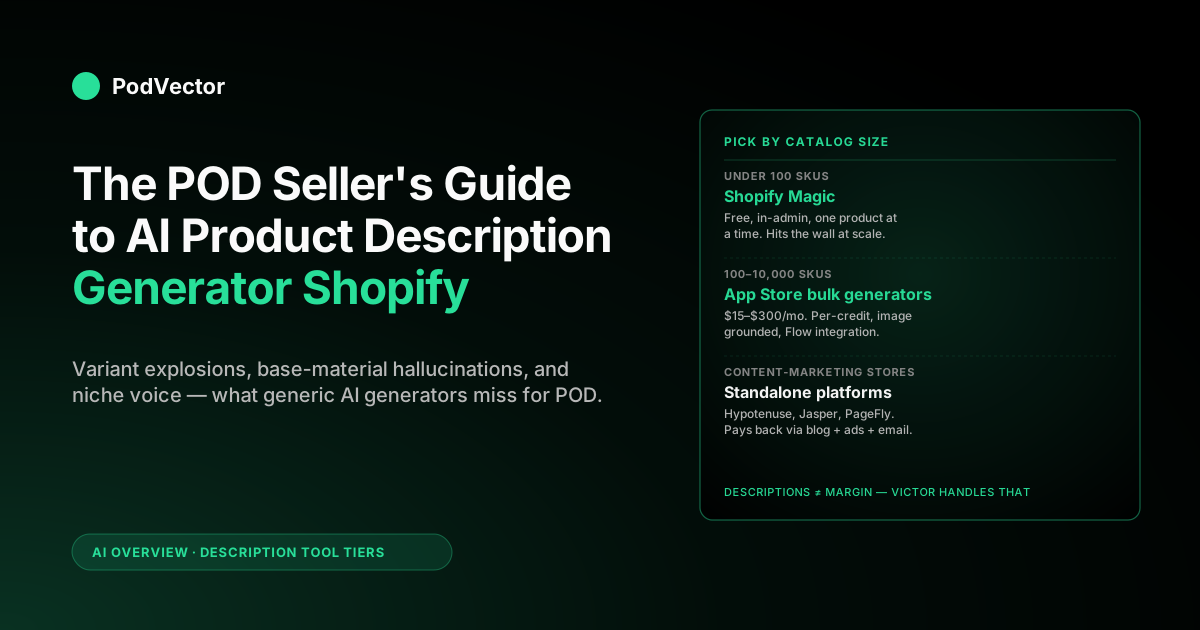
Quick Answer: For a print-on-demand Shopify store, the best AI product description generator depends on catalog size. Under roughly 100 SKUs, use the free native option (Shopify Magic). For a real catalog with a steady design pipeline, install a bulk Shopify App Store generator (ChatGPT AI Product Description by Profitonium, Avada AI, Tako, or Squirai).
Step up to a standalone platform (Hypotenuse, Describely, Jasper) only if you run blog and ad content alongside descriptions. A generator takes a title, a few attributes, and sometimes an image, then writes the body copy and meta tags for the product page.
The traps that matter for POD are variant explosion and base-material accuracy — generic tools get both wrong. This guide covers what each tool does for a POD catalog, and where descriptions actually sit in what's losing you money on each order.
What an AI product description generator on Shopify actually does
An AI product description generator is a tool — native to Shopify, in the app store, or third-party — that takes some structured input (title, keywords, product type, image, sometimes a tone setting) and outputs the body copy that goes in the product description field, plus often the meta title, meta description, alt text, and tags. The category exists because writing descriptions for a thousand-SKU catalog by hand is the most boring multi-week job in ecommerce, and large language models have made it good enough to ship in a single click.
According to Describely, a Shopify store with 500 products needs 500 product descriptions, 500 product titles, 500 meta descriptions, and 500 sets of keywords — that's 2,000 individual content fields before a single new product is added. The 2026 baseline is that any reasonable generator can produce a description that reads like a human wrote it, hits a few SEO keywords, and doesn't embarrass the store. The differences across tools are no longer about whether the output is fluent — they're about workflow scale (one product at a time vs thousands), grounding (does it use your real product data or guess from the title), and how they handle variants, languages, and image-derived attributes. For a POD operator those three differences are where most of the actual value sits.
What the generator writes, specifically
- Long-form body description. The words that fill the main description field on the product page. This is what shoppers read after the price. According to ListingRVA AI, descriptions in the range of 300–500 words give Google enough content to index effectively; short descriptions under roughly 100 words don't.
- Meta title and meta description. The page title and snippet that Google uses in search results. AI generators usually default to a generic SEO template; the good ones let you override per category.
- Bullet feature list. A short list at the top of the description — combed cotton, double-needle stitching, true-to-size fit. Conversion-focused stores put these above the fold.
- Image alt text. Description of each product image for accessibility and image search. Often skipped by humans, easy for AI.
- Tags and product type. Used by Shopify for filtering and by some apps for collection-building. AI can populate these from the description.
A high-end generator does all five from one input. A cheap one does only the body copy and leaves you to fill the rest by hand, which on a thousand-SKU POD catalog is most of the work the AI was supposed to remove.
What's new in 2026: structured data and AI Overviews
The most important shift since 2025 is that AI answer engines and Google's AI Overviews lean heavily on JSON-LD product schema — the machine-readable block that surfaces price, availability, and material specs — rather than prose alone. According to ListingRVA AI, Shopify product pages increasingly need to be optimized for AI-powered search surfaces, not just traditional blue-link rankings. Generators that emit clean structured data alongside prose now have a meaningful SEO advantage over those that write body copy only.
Why POD catalogs break generic AI generators
Most AI product description generators are built for retail catalogs where one SKU equals one physical product with one fixed description. Print-on-demand violates that assumption in four directions, and a generator that doesn't account for them produces output that's worse than a competent intern writing by hand.
The variant explosion
A single POD design typically lives across several product types (tee, hoodie, mug, sticker, tote), each available in multiple colors and sizes. That's a single design potentially generating dozens or hundreds of SKUs.
A generic generator that writes "this navy blue t-shirt features…" repeats the same paragraph for the hoodie, the mug, and the tote, with the wrong material and the wrong fit description for each. The first thing to check on any tool is whether it accepts product type per variant or only per parent product.
The base material problem
Bella+Canvas 3001 fits very differently from a Gildan 5000, and a Gildan 64000 hoodie is a totally different garment from an Independent Trading Co SS4500. POD shoppers ask about fit, fabric weight, and shrinkage — and they ask in the description, the reviews, and pre-purchase chat. A generator that doesn't know which base the design is printed on writes one generic "soft, comfortable, durable" paragraph that customers correctly read as "this seller doesn't know what they're selling." Tools that pull live data from Printify or Printful via integration solve this; tools that only see the Shopify product title don't.
Niche-driven voice
POD catalogs are usually clustered around niches — dog breeds, occupational humor, sports fan bases, regional pride. A nurse-themed coffee mug and a metalhead-themed tee need totally different voices, and the AI's default tone (safe, vaguely upbeat ecommerce voice) flattens both.
The generators worth paying for let you set tone per collection or per design family. The ones that don't end up writing the same paragraph in five different niches.
Constant new releases
A retail brand adds a few SKUs a quarter. A POD operator running a steady design pipeline drops many new designs a week. Any generator that requires significant manual setup per product is a non-starter at that volume — the workflow has to be drop-in-bulk-and-publish, ideally hooked into Shopify Flow or the design publishing pipeline so the generator runs automatically when a new product appears.
Shopify Magic — the native option
Shopify's Magic-branded AI is the most obvious starting point because it's free, it's already in your admin, and it doesn't require installing anything. According to aiflowreview.com, Shopify Magic is built into the Shopify admin, free with a Shopify plan, and faster than opening a separate app — making it the easiest starting point for newer merchants. For a POD store with a small catalog and patience, it's a defensible default.
What Shopify Magic does well
- Zero setup. The generator is a button on the product page next to the description field. Click it, get a draft, edit, publish.
- Free with any paid Shopify plan. No usage caps that matter for an operator generating one product at a time.
- Tone presets. Persuasive, expert, supportive, playful — pick one before generation. Better than the no-tone-control alternatives.
- Multiple language support. Useful if you sell internationally; the output is acceptable in the major European languages.
Where Magic falls short for POD
- One product at a time. No bulk generation. For a large catalog you click the button hundreds of times. This is the single most disqualifying limit.
- Doesn't see Printify or Printful base data. The generator reads what's in the Shopify product fields, not the supplier-side fabric, fit, and weight data. You can paste those details in as keywords, but you have to do that work per product.
- Doesn't handle the variant explosion automatically. One description per parent product; no per-variant differentiation.
- SEO surface is shallow. According to ListingRVA AI, Shopify Magic produces "fairly generic copy with limited SEO optimization." For meta tags and structured data you're back to manual entry or another tool.
Shopify Magic is the right answer for a sub-100-SKU POD store testing the niche, or for filling in descriptions on hero products that deserve human polish. It's not the right answer for a serious bulk catalog. The POD Seller's Guide to Generative AI for Retail and Ecommerce covers the broader generative-AI surface beyond just descriptions.
Bulk app-store generators
The middle of the market — and where most POD operators land — is the Shopify App Store category of dedicated bulk description generators. The main players in 2026 are ChatGPT AI Product Description (by Profitonium), Avada AI Product Description (SEO On AI), Tako SEO Description AI, Squirai AI Product Descriptor, AI Product Descriptions Writer (StoreYa), and a long tail of smaller apps. They all do roughly the same thing: connect to your store, let you select products in bulk, generate descriptions in batches, and write back to the product fields.
The 2026 shift in this tier is model choice. The leading apps no longer hard-wire a single LLM — Profitonium's tool, for example, lets you pick from multiple models per job. For POD copy the model rarely changes the outcome much; the workflow features below matter far more than which model badge the app advertises.
What the bulk apps add over Magic
- True bulk generation. Select hundreds of products, hit generate, come back to a queue. The single biggest reason to leave Magic.
- Image-aware generation. Most read the product image with vision models and pull attributes (color, design subject, style) into the description automatically. Useful when your design files are the most informative input you have.
- Per-collection templates. Set a tone and structure once for a collection like "Funny Nurse Mugs" and generate many descriptions with that template applied.
- Web search grounding. Some, including Profitonium's tool, search the web for product specs (Bella+Canvas 3001 fit notes, Gildan 5000 fabric weight) and pull them into the output. Closes the base-material gap that breaks Magic.
- Bulk meta tags and alt text. Most generate the SEO surface alongside the body, in one pass.
- Structured data (JSON-LD). The better apps now emit product schema markup — the JSON-LD block that lets Google and AI answer engines parse price, availability, and specs. This is what gets your products quoted in AI Overviews and rich snippets, not just ranked in blue links.
- Collection descriptions too. Several apps generate collection-page copy in the same pass as product copy. For POD that means your niche landing pages get real descriptions instead of empty headers — a quiet SEO win most stores skip.
- Multilingual at volume. Translate-and-localize many descriptions into 30+ languages in one job.
What to actually evaluate in a bulk app
- Pricing model. Most bulk apps price per credit, where one credit is one description. Free tiers are typically modest; paid tiers scale up significantly for large catalogs. For a catalog with a few hundred SKUs refreshed quarterly, a low-double-digit monthly spend is realistic.
- Variant handling. Does the app generate one description per parent product or one per variant? For POD, per-parent is usually correct (the design is the product) but with variant-specific bullet points (this fits true to size on the tee, runs large on the hoodie).
- Edit-and-regenerate workflow. Bulk-generated descriptions still need spot-checking. The good apps let you edit a master template and regenerate the affected products; the bad ones make you delete and re-run from scratch.
- Shopify Flow integration. The dream is "new product created → AI generates description automatically." Flow integration makes that one trigger; without it you're running the bulk job manually after each design drop.
- Brand voice persistence. Some apps train on your existing approved descriptions to match voice; others use a single generic LLM call. The trained ones produce noticeably more consistent output for niche-driven catalogs.
- Structured-data output. Check whether the app writes JSON-LD product schema, not just prose. As shoppers increasingly find products through AI answer engines rather than blue links, the machine-readable spec block is what gets your design surfaced — and the cheapest apps still skip it.
- "Built for Shopify" badge and recent reviews. The top-ranked apps now carry Shopify's "Built for Shopify" certification, which gates on admin embedding, performance, and review quality. It's a fast filter for which apps are maintained versus abandoned. Pair it with the recent-review count — a well-reviewed app with hundreds of ratings is a safer install than a newer one with few, and this category churns fast enough that a badge earned two years ago means little without fresh reviews behind it.
The opinionated take: for a POD operator with a real catalog and a steady design pipeline, a bulk app from the Shopify App Store is the right default. Profitonium's ChatGPT AI Product Description carries the "Built for Shopify" badge and, per the Shopify App Store listing, holds a 4.9 rating from 473 reviews — the most-reviewed option in this niche at the time of writing. Tako and Squirai are reasonable competitors with different tone defaults. Read recent reviews before installing — this category churns fast.
Standalone platforms (Hypotenuse, Describely, Jasper)
Above the Shopify App Store there's a tier of standalone AI content platforms — Hypotenuse, Describely, PageFly, Jasper, Copy.ai — that integrate with Shopify but aren't installed as Shopify apps. They're aimed at brands running content beyond just product descriptions (blog posts, ad copy, email) and want one workspace for all of it.
What they do that the app-store tools don't
- Workspace for non-product content too. Blog posts, ad headlines, email subject lines, landing-page copy. If you're already producing content marketing for SEO, having one tool for everything is genuinely useful.
- Stronger brand-voice training. The standalone platforms invest more in voice modeling because their customers are usually content marketers, not just ecommerce operators.
- Better SEO surface. Built-in keyword research, SERP analysis, content briefs. If your description strategy is keyword-driven, these tools have the surrounding workflow.
- Multi-channel distribution. Generate once, push to Shopify and other marketplaces in different formats. Useful if you're listing the same designs across channels.
The trade-off for POD
The cost is meaningfully higher than a Shopify App Store bulk generator, and the workflow is heavier — you're operating in the standalone tool's UI, not in your Shopify admin. For a POD operator whose only AI need is product descriptions, that's overkill. For a POD operator running blog content, ad copy, and email alongside descriptions, it can be a consolidation win. The POD Seller's Guide to Generative AI for Retail and Ecommerce covers the broader generative-AI surface beyond descriptions.
The platforms worth a look
- Hypotenuse. Strong Shopify integration with bulk generation, brand voice training, and image-to-description. The closest standalone competitor to the bulk app-store tools, with a heavier workflow but better content management.
- Describely. Purpose-built for ecommerce at scale — bulk generation, SEO fields, and a free tier to test on a slice of the catalog before committing. Describely's own guide notes its workflow can scale to generating over a thousand complete descriptions per week. Aimed squarely at large product libraries.
- PageFly. Free tier is genuinely usable for one-off descriptions; the paid tier ties into PageFly's page builder, which matters more if you're building custom landing pages alongside descriptions.
- Jasper. Mature brand-voice tooling and the deepest content marketing surface. According to smartaiforbiz.com, Jasper is considered "the gold standard for ecommerce copy" in its category. Pricier than the alternatives; right pick if you're running an actual content team.
- Copy.ai. Workflow-oriented — chains templates together. Useful if you have a set process (description → meta → blog → ad) and want to automate the full chain.
Using ChatGPT directly
The do-it-yourself path is to skip the integrations and use ChatGPT or another general-purpose LLM directly. You paste in a product title and a few attributes; the model writes the description; you copy it back into Shopify. For an operator who already pays for ChatGPT Plus and runs a small catalog, this can be the cheapest workable workflow.
The same goes for the free web-based generators that show up when you search this category — ConvertMate, Writecream, and similar single-field tools. They're a faster front end than raw ChatGPT for one-off descriptions, but they share the same ceiling: no bulk, no Shopify write-back, no base-material grounding. Fine for a handful of hero products; useless at catalog scale.
What you give up
- The bulk workflow. No native bulk; you'd build your own with the API, which is a real engineering project.
- Direct Shopify integration. No write-back to product fields; you copy and paste, which scales badly past a few dozen products.
- Image grounding. ChatGPT and similar chatbots can read images, but you have to upload one at a time. The dedicated tools batch this.
- SEO surface. No automatic meta tags, alt text, or tag generation; you'd prompt for each individually.
What you keep
- Full prompt control. You write exactly the prompt you want, including base material specs, brand voice notes, niche conventions. The bulk apps abstract this; the LLM gives it back to you.
- Cost predictability. A fixed monthly subscription, no per-credit metering. For a small catalog, often the cheapest option.
- Cross-tool flexibility. The same chat session can write your description, then your ad copy, then a follow-up email. The bulk apps are description-only.
For a POD store with a small catalog and a willingness to copy-paste, raw ChatGPT is fine. For anything larger, the productivity loss versus a Shopify App Store generator is too steep. The exception is if you're already building custom internal tooling with the API; in that case you skip the description category entirely and bake it into your own pipeline.
How a POD seller should choose
The decision tree, made specific:
- Under 100 SKUs, descriptions are a one-off. Use Shopify Magic. Free, in-admin, good enough. Reserve the operator hours for picking better designs.
- 100–1,000 SKUs, steady design pipeline. Install a bulk app from the Shopify App Store (Profitonium's ChatGPT AI Product Description is the safe default; Tako and Squirai are alternates). Spend an hour on tone templates per niche; let the bulk job do the rest.
- 1,000+ SKUs or multilingual. Same bulk app tier, with a paid plan that fits your monthly description volume. Wire it into Shopify Flow so new products auto-generate.
- Running content marketing alongside descriptions. Step up to a standalone platform (Hypotenuse, Jasper). The cost differential pays back via the unified workflow.
- Engineering-capable, custom pipeline. Skip the category, hit a general-purpose LLM API directly inside your existing Shopify automation. Most operators don't qualify; the ones who do already know it.
The honest meta-rule: descriptions are the lowest-leverage AI deployment in your stack. They matter, they should be done well, but they don't move the needle the way pricing, supplier choice, ad attribution, and product-mix decisions do. Pick the cheapest tool that hits acceptable quality at your catalog size, and put the time you save into the harder questions.
A repeatable workflow for POD descriptions
Whichever tool you pick, the workflow that survives repeated design drops looks roughly the same.
1. Build a tone template per niche
Spend one hour, once per niche, writing a sample description in the voice you want. "Funny Nurse Mugs" gets one template; "Vintage Motorcycle Tees" gets another. Most bulk tools let you save these as templates per collection. The output quality across the niche then locks in.
2. Standardize your base material specs
Maintain a single document with the fit, fabric weight, and shrinkage notes for every Printify or Printful base you use. When the AI generator is grounded in this — either by template injection or by integration that pulls supplier data — the descriptions stop hallucinating fabric details. The document is also reusable for shopper-side chat training. See Printify Premium Monthly Cost: Full Breakdown for POD Sellers for cost context when deciding which bases to standardize on, and Printful vs Printify: Differences — Which Is Best for POD Sellers for a supplier-level comparison.
3. Batch-generate per design drop
When a new design lands, generate descriptions for all variants in one batch (parent products only — variants share a description in the vast majority of POD cases). Spot-check a portion of the output before publishing; reject and regenerate any that miss the niche voice. The first batch sets a quality bar; subsequent batches inherit the corrections via the tone template.
4. Spot-check meta tags separately
The body description is the easy part. The meta title and meta description are what Google shows in search results and what determines whether anyone clicks through. Even if the AI tool generates them in bulk, manually review the meta for your top products — the SEO uplift on those is bigger than getting the body copy perfect on the long tail. According to ListingRVA AI, placing the primary keyword in the first sentence and keeping descriptions at adequate length are the two factors Google weighs most when indexing product pages.
5. Monitor what's converting
Descriptions that read fluently aren't necessarily descriptions that convert. Use Shopify's product analytics to compare conversion rate by description template. The template that converts best becomes the prompt seed for the next generation. Without measurement, every description tweak is guessing.
Beyond descriptions: where the real margin leak sits
One uncomfortable truth about AI product description generators: they are the most-marketed and lowest-impact AI investment in a POD stack. A perfect description on a money-losing design doesn't make the design profitable. A great description on the wrong supplier doesn't fix the per-unit cost gap. The margin leak in a POD store almost always lives in supplier choice, ad attribution, and product mix — not in copy.
The reason the description category is so loud is that it's the easiest AI feature to demo. The generator writes a paragraph; the demo lands; the deal closes.
The harder AI products — the ones that read your live Shopify, Printify or Printful, and ad-platform data and tell you which designs are eating your margin — don't demo as cleanly because the value only shows up when wired to your real data. But that's where the dollars actually move.
Victor — the AI employee from PodVector AI — connects to your Shopify store, Meta Ads, Google Ads, Printify, Printful, and Klaviyo. He looks at all of that together, so he can tell you the real profit on each product. He suggests the next move to grow your profit, shows you exactly what he wants to change, and only makes the change after you say yes. He can reprice products, bulk-adjust margins, pause a losing Meta campaign, set up discount flows, and more — you approve or reject each one. That's the AI employee that pays back fastest for a POD store.
See PodVector AI's POD strategy overview for the full picture of how Victor fits into a POD operation, and The POD Seller's Guide to Generative AI for Retail and Ecommerce for the broader generative-AI landscape. The descriptions still need writing — but they're a small monthly line item, not the strategic AI bet.
Mistakes POD sellers make
1. Treating description AI as the AI investment
Spending months evaluating description tools while the actual margin leak — losing campaigns, mispriced products, supplier waste — runs unaddressed. Pick a description tool in an afternoon and move on.
2. Skipping the niche tone templates
Running every collection through the default AI tone produces uniformly mediocre copy that flattens the niches. Ten minutes per collection on a tone template fixes most of this; nobody does it.
3. Letting the AI guess the base material
If the generator doesn't know whether you're selling a Bella+Canvas 3001 or a Gildan 5000, it writes generic "soft, premium" copy that customers correctly distrust. Either feed the base specs into every generation or pick a tool that integrates with Printify or Printful directly. See Custom Heavyweight T-Shirts: Print-on-Demand for POD Sellers for the kind of base-material detail that separates good descriptions from generic ones.
4. Generating once and never iterating
The first batch of AI descriptions are a baseline, not a final state. Stores that re-generate based on what's converting outperform stores that publish once and forget. Tie this back to product-page conversion data; otherwise you're optimizing prose nobody is measuring.
5. Ignoring meta tags
The body description converts; the meta title and meta description determine whether anyone arrives in the first place. Generators that handle both in one pass are worth their price; generators that only do body copy leave the SEO surface half-built.
6. Paying for content workflows you don't need
Standalone platforms (Jasper, Copy.ai) at a premium monthly price for a single-product-description use case are overkill. The cost only pays back if you're using the surrounding content workflow. For description-only POD operators, the Shopify App Store tier is the right slot.
7. Ignoring structured data output
In 2026 it's not enough to generate fluent prose. According to ListingRVA AI, AI Overviews and AI-powered search surfaces increasingly surface products via JSON-LD schema rather than matching keyword text. A generator that skips structured data output leaves your products invisible to machine readers — even if the copy itself is excellent.
FAQs
Is Shopify Magic free for AI product descriptions?
Yes, Shopify Magic is included with any paid Shopify plan. According to aiflowreview.com, it's "built into Shopify admin, free with a Shopify plan, and faster than opening a separate app." The limits — no bulk generation, no per-variant differentiation, no Printify or Printful base data — start mattering as your catalog grows. The POD Seller's Guide to Generative AI for Retail and Ecommerce covers the broader AI tooling landscape.
Will Google penalize AI-generated product descriptions?
Google's stated position in 2026 is that content quality matters, not how it was created. AI-generated descriptions that are accurate, useful, and unique to your store are not penalized.
AI-generated descriptions that are duplicate across thousands of stores (because everyone is using the same prompt against the same base data) effectively are penalized — not by an explicit AI rule, but because Google demotes duplicate content. The fix is the niche tone templates and image-grounding that differentiate your output from the generic AI baseline.
Can the AI generator pull data from Printify or Printful?
Some tools do, some don't. The bulk apps that include "web search" or vendor integrations can pull base material specs (fit, fabric, weight) from Printify or Printful product pages and bake them into descriptions. Shopify Magic and the cheapest app-store tools cannot — they only see the Shopify product fields. For variant-heavy POD catalogs the integration is worth paying extra for. See Printful vs Printify: Which Is Best for POD Sellers for a full breakdown of what each supplier's data looks like.
How much should a POD store budget for AI descriptions?
For Shopify Magic, nothing (included with your plan). For a Shopify App Store bulk generator, budget varies by catalog size and refresh frequency — most apps offer a free tier for small volumes and paid tiers that scale with usage. For a standalone platform like Hypotenuse or Jasper, costs are higher and are only justified if you're running content marketing alongside descriptions.
Should I generate one description per variant or one per parent product?
For most POD cases, one per parent product. The design is the product; the variants share substance and differ only in size, color, and base.
The exception is when a single design is published across visibly different bases (a tee, a sweatshirt, a mug) where each base needs a fit and material paragraph of its own. Most generators handle this with conditional sections in the template.
Does AI handle multilingual product descriptions well?
Surprisingly well in 2026. The bulk app-store generators handle the major European languages at near-native quality, and Asian languages at acceptable-with-review quality.
The trap is cultural — AI translates the words but not the niche conventions, so a "metalhead" tee description that lands in English may need real localization in Japanese. Spot-check your top products per language; trust the long tail to the AI.
Can I use AI descriptions on Etsy and Amazon too?
Yes, with caveats. Etsy's algorithm rewards keyword density in tags and titles more than long descriptions, so the value of a long AI description is lower there. Amazon's product detail pages allow long descriptions and bullet points, both of which AI handles well — but Amazon's policies require accuracy, and AI hallucinations on product specs (fabric content, dimensions, country of origin) are an ASIN-takedown risk. The standalone platforms with multi-channel publishing (Hypotenuse, Jasper) handle the format differences automatically; the Shopify-only apps don't.
Do AI descriptions help me show up in AI search and Google's AI Overviews?
Indirectly, and only if the tool writes structured data. According to ListingRVA AI, AI Overviews and AI-powered search increasingly surface products via JSON-LD schema rather than prose matching alone. A generator that emits clean schema markup helps your products get quoted in AI answer surfaces. The descriptions themselves matter too — accurate, specific copy gives the answer engine something to summarize — but a fluent paragraph with no schema behind it is less visible to machine readers. Pick a tool that writes both, and keep the base-material specs accurate so the schema isn't quoting hallucinated fabric.
How does Google Shopping factor into product description strategy?
Google Shopping pulls product data from your Shopify feed, which means accurate titles, descriptions, and structured attributes directly affect which Shopping queries your products appear for. Well-structured AI descriptions that include material, fit, and category specifics improve feed quality and match rate. See Benefits of Google Shopping Ads for Ecommerce: Strategy for Print-on-Demand for how Shopping fits into a POD ad strategy, and Google Ads Pixel Shopify Setup Guide for POD Sellers for the tracking setup that makes Shopping performance measurable.
What's the difference between an AI description generator and an AI copywriter?
Marketing label, mostly. "Generator" implies template-driven and bulk; "copywriter" implies more brand-voice training and a single-piece focus. The underlying tech is the same LLM stack. For POD bulk catalogs, a "generator" is what you want; for hero-product landing pages and brand campaigns, a "copywriter" tool fits better.
The AI that moves POD margin, not just description copy
Description tools are useful, cheap, and not where your margin leak lives. Victor is the AI employee PodVector AI ships for print-on-demand sellers on Shopify — he reads your live Shopify, Meta Ads, Google Ads, Printify, Printful, and Klaviyo data, proposes the next profit move, and executes it on Shopify only after you approve. Pick a description tool in an afternoon; hand the harder ops to Victor.
Try Victor free