
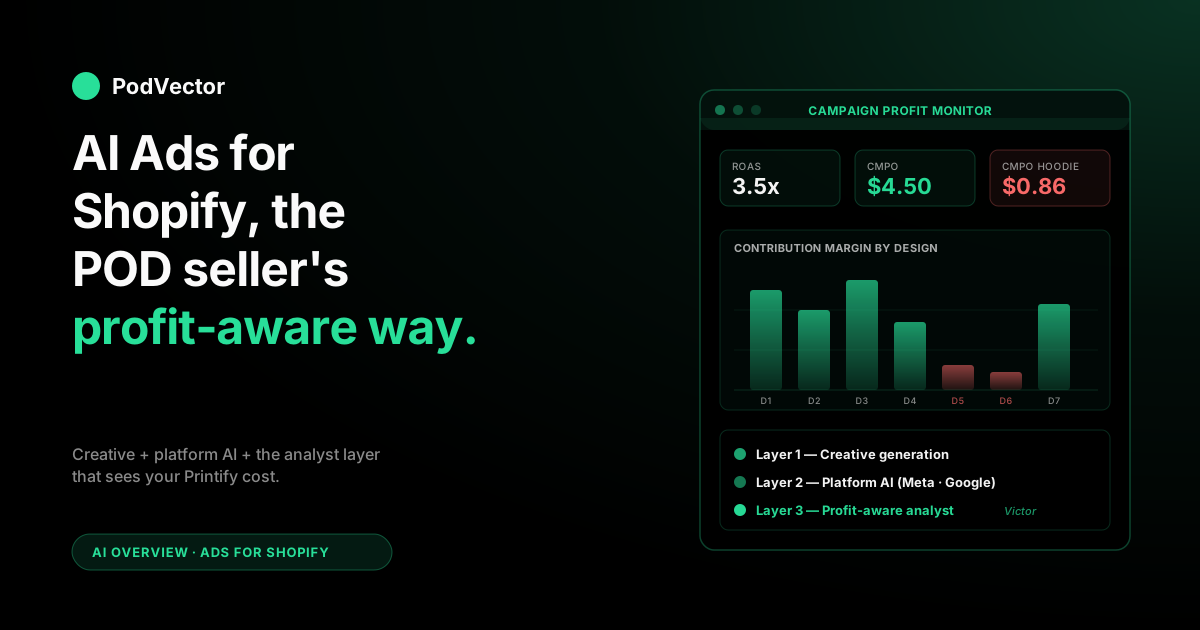
Quick Answer: "AI ads for Shopify" means three jobs for a print-on-demand store: creative generation (turning a design file into Meta- and Google-ready ad variants), in-platform optimization (Advantage+, Performance Max, smart bidding), and a profit-aware AI employee that acts on what the ad platforms can't see — your real per-order margin after Printify base, royalty, and shipping.
The first two are well-served by tools like AdScale, Adwisely, and Meta's own AI. The third layer is where most POD stores leak: the algorithms chase ROAS, and ROAS doesn't see supplier cost.
This guide breaks down all three layers with the POD-specific decisions, the setup checklist, the KPIs that matter at thin margins, and how to stop AI from scaling a campaign that's quietly unprofitable.
What "AI ads for Shopify" actually means for POD
If you read the top three articles ranking for "AI ads for Shopify," you'll see a familiar pattern: a generic ecommerce framing where "the product" has a single fixed cost, the AI's job is to find more buyers at a target ROAS, and the headline metric is "X% increase in conversions." That framing works fine if you're selling a candle with a known $4 unit cost. It collapses for a print-on-demand store, because your unit cost isn't fixed — it changes per blueprint, per color variant, per print provider, and even per shipping zone.
For a POD seller, "AI ads for Shopify" actually means three layered jobs, and the third one is what separates a profitable AI ad operation from a loud one:
- Creative generation — turning a design file into ad-ready static images, carousels, and video creatives sized for Meta, Google, and TikTok placements. AI shrinks creative cost from $200 a shoot to $2 a variant.
- In-platform AI optimization — Meta's Advantage+, Google's Performance Max, smart bidding, and audience expansion. The platform's own AI picks who sees the ad, when, and at what bid.
- Profit-aware analytics — closing the loop between the ad spend, the order, and the real margin once your Printify or Printful supplier cost, design royalty, and shipping are subtracted. ROAS lies on POD; profit-per-order doesn't.
Most ranking content covers layers 1 and 2 well. The layer 3 conversation barely exists outside POD-native communities, even though it's the layer where POD stores quietly lose money.
A 3.5x ROAS campaign on a hoodie with a $24 retail price, $14 Printify base, $3 design royalty, and $4 shipping leaves $0.86 per order — and Meta's algorithm has no idea. It just sees "conversion" and scales spend. This guide is built around that gap.
For the broader picture of how ads fit into the AI stack for a POD store, see the AI overview cluster and the parent AI analytics topic hub.
The three layers of AI in Shopify ads
Every Shopify ad operation has three places where AI plugs in. A useful AI ad stack solves all three; most stores buy tools for layer 1 or 2 and run layer 3 with intuition.
| Layer | Job | Who owns it | Where AI helps |
|---|---|---|---|
| Creative | Produce ad variants from a design file or product page | You + a creative tool | Generating dozens of static, carousel, and video variants per design |
| Platform | Decide who sees what, at what bid, in what placement | Meta, Google, TikTok | Audience expansion, smart bidding, Advantage+ / PMax automation |
| Operator | Act on which spend drove profit (not just revenue) — pause, reallocate, with approval | Almost nobody | Tying ad spend to real per-order margin including supplier and royalty cost, then acting on it |
A typical POD store running $5K–$20K monthly ad spend will spend $30–$200 on creative tools, $0 on platform AI (it's bundled), and somewhere between nothing and a small fortune on analytics depending on whether they've got a real data layer or are squinting at the Meta dashboard and the Shopify reports side by side. The AI employee layer is where the leverage lives in 2026 — the creative and platform layers have largely converged across competitors, while the profit-aware AI employee layer is still mostly DIY.
Layer 1 — AI creative generation
The creative-generation layer is where most POD-store owners first meet AI ads. The job is straightforward: take a design or a product page and produce static, carousel, and short-form video creatives at all the platform sizes Meta, Google, and TikTok need, plus a few experimental variants for testing.
What the tools actually do
Modern AI creative tools fall into three buckets:
- Product-to-ad converters — you point them at a Shopify product URL and they produce ready-to-publish ads. AdCreative.ai, AdStellar, and Quickads sit here. Best for stores with a normal product page (good photography, clean copy).
- Catalog-driven dynamic creative — they sync to your Shopify catalog and rotate creative automatically based on what's in stock and what's trending. Re:nable and AdScale are examples. Best when you have hundreds of SKUs and don't want to babysit individual ads.
- Predictive creative scoring — they don't just produce creative, they score concepts before you launch them, using historical performance patterns. Pencil and Marpipe are the most-cited. Best for stores already spending $10K+ a month and trying to avoid expensive creative misses.
For a POD store, the bucket that fits best changes with catalog size. Under 30 active designs, a product-to-ad converter and a free Canva subscription will cover you.
Past 100 designs, the catalog-driven tools start earning their keep, because manually producing a creative set per design becomes the bottleneck. Past 300 designs and $20K monthly spend, predictive scoring becomes worth its $200–$500 monthly cost because a single avoided creative miss covers the subscription for a year.
The POD-specific creative trap
The trap most POD sellers fall into with AI creative tools is that they generate ads that look like ads — clean product shots on white backgrounds with lifestyle staging — when the platform algorithms reward ads that feel like organic content. A Meta ad that looks like an Instagram Reel from a regular person almost always outperforms a polished AI-generated still on a feed placement. AI creative tools default to the polished look; you'll usually want to override that toward UGC-style video, raw mockup grids, and "designer's notebook" shots.
The companion read here is the POD seller's guide to AI for ecommerce images — it covers the upstream creative pipeline (mockups and lifestyle shots) that feeds into ad creative.
Layer 2 — In-platform AI optimization
Layer 2 is the AI Meta, Google, and TikTok run on their own platforms. You don't buy it; it ships when you launch a campaign. Your job is to know which mode to use, what data to feed it, and where the algorithms make decisions you wouldn't.
Meta Advantage+ and Advantage+ Shopping Campaigns
Meta's Advantage+ Shopping Campaigns (ASC) are the default starting point for most POD stores in 2026. You give Meta a creative pool, a daily budget, and a conversion goal, and the system handles audiences, placements, and bidding. Two things to know:
- Audience expansion is on by default. ASC will deprioritize your "saved audiences" in favor of broader algorithmic targeting once it has enough conversion data — usually after 50 conversions in a 7-day window. For a POD store with seasonal designs, this can break things: the algorithm trained on Christmas converters won't behave well on a Mother's Day creative pool.
- Existing-customer caps matter. ASC lets you cap the percent of budget spent on existing customers (default is no cap). For a POD store with low repeat-purchase rate, no cap is usually fine. For a store with a strong returning-buyer base, capping at 30% prevents the algorithm from chasing easy wins on people who would have come back anyway.
Google Performance Max
Performance Max (PMax) is Google's equivalent — one campaign that spans Search, Shopping, YouTube, Display, and Discover. For Shopify stores it generally needs:
- A clean Shopify-to-Google Merchant Center feed (Shopify's native Google channel handles this).
- Asset groups organized by theme (one per design family or product category), not one giant catch-all.
- Conversion goals set to actual purchases with values, not "all conversions" — otherwise PMax happily optimizes toward newsletter signups.
PMax has historically been black-boxy about which placement drove which conversion. The 2025 reporting updates added asset-level reporting, which finally lets you see whether the Shopping placement or the YouTube placement is doing the work. Use it.
The bidding modes that fit POD
Meta and Google both offer "Maximize Conversions" (volume-driven) and "Target ROAS" (efficiency-driven). For POD stores, target ROAS is almost always the right choice once you have ~30 conversions in the system, because thin margins mean a 2x ROAS and a 4x ROAS are not equivalent on profit even if the volume looks similar. Set the target conservatively (start at 3–4x for apparel, 4–5x for hard goods) and let the algorithm scale spend up over weeks, not days.
Layer 3 — The profit-aware AI employee layer
This is the layer the SERP barely touches, and it's where POD stores live or die. Here's the problem stated plainly:
Meta and Google optimize toward orders. Orders ≠ profit. A campaign that hits a 3.5x ROAS on a hoodie with $14 Printify base, $3 royalty, $4 shipping, and a $24 retail price is producing $0.86 of contribution margin per order.
A campaign at a 2.8x ROAS on a t-shirt with a $9 base, $2 royalty, $3.50 shipping, and a $19 retail price is producing $4.50 of contribution margin per order. The algorithm sees the first as "winning" and scales spend toward it. The second one — your real winner — gets starved.
The platform algorithms can't fix this because they don't see your cost data. They see the order value Shopify reports, not what landed in your bank account. The fix is upstream: build the AI employee layer that sees ad spend, order revenue, supplier cost, royalty cost, and shipping cost in one query, and use that to direct your campaign budgets, your ROAS targets, and your kill decisions.
What that looks like in practice for a POD store:
- Per-design profit-per-order, not per-store ROAS. Some designs are profitable at 2.5x ROAS, others lose money at 4x. Knowing which is which is a data join across Shopify orders, Printify or Printful API cost data, and Meta/Google ad spend.
- Per-channel contribution margin, not blended ROAS. Meta might pull 3.2x at $8 contribution per order; Google might pull 4.1x at $3 contribution. The "better" channel is rarely the one with the higher ROAS.
- Per-blueprint refund signal. A creative that converts well on a hoodie with known fit issues and a 12% refund rate is worth less than the Meta dashboard says. AI ads tools never see refunds; you have to bring them in.
- Per-region shipping math. A campaign converting heavily in regions where Printify's shipping is high (Australia, EU outside Germany) bleeds margin invisibly. Per-region contribution margin is the only way to see it.
This is what we built Victor for. Victor brings your Shopify, Printify, Printful, Meta, and Google numbers together so he can see the real profit on every order. Then he acts on it — pausing the campaigns bleeding margin and shifting budget toward the designs with the best per-order contribution, each move under your approval.
Victor is your AI employee, not a dashboard. Ask him "which Meta campaign drove the highest contribution margin per order this week, after Printify base and royalty?" and he answers from your live data — then does something about it.
For more on the analytics layer specifically, see the complete guide to AI analytics for print-on-demand and AI powered ecommerce analytics for POD sellers.
Tool comparison for POD sellers
| Tool | Layer | Best for | Starting price | POD fit |
|---|---|---|---|---|
| Meta Advantage+ Shopping | 2 (platform) | Default Meta campaign for stores at any size | Free (built-in) | Strong |
| Google Performance Max | 2 (platform) | Default Google campaign once Merchant Center is set up | Free (built-in) | Strong |
| AdScale | 1 + 2 | Mid-size stores wanting cross-platform creative + bid automation | $199/mo | Good |
| Adwisely | 1 + 2 | Shopify-native managed Meta/Google with agentic features | $99/mo | Good |
| Pencil | 1 | $10K+/mo stores wanting predictive creative scoring | $249/mo | Good for big catalogs |
| AdCreative.ai | 1 | Volume creative generation across formats | $39/mo | Good for early stores |
| Re:nable | 1 | Dynamic product ads synced to Shopify | $49/mo | Good for large catalogs |
| PodVector AI (Victor) | 3 (operator) | Profit-aware AI employee across Shopify + Printify + ad spend — proposes ad pauses and reallocations; executes Shopify-side moves with approval | Free beta | Built for POD |
The point of the table isn't "pick one." A working POD ad stack in 2026 usually combines a layer 1 creative tool (or just Canva + a video editor for stores under 50 designs), the platform AI on Meta and Google for layer 2, and a layer 3 AI employee that sees cost data the platforms can't.
The cold-start ad plan for a new POD store
If you've just connected Shopify to Meta and Google for the first time, here's the plan that works in 2026:
- Week 1 — pixel hygiene. Install Meta Pixel via Shopify's native integration, enable Conversions API (CAPI) using Shopify's first-party tracking, set up Google Tag and the Google Merchant Center feed. Don't run ads yet. Verify events are firing in Events Manager and Tag Assistant.
- Week 2 — first creative pool. Pick your top 3 designs by organic interest (search trends, social engagement, or gut-feel if you have no signal). Generate 6–8 creative variants per design across UGC-style video, mockup grid, and lifestyle shots. Total: 18–24 creatives.
- Week 3 — launch ASC and PMax. Launch one Meta ASC campaign with all creatives in one campaign-level pool, daily budget $30–$50. Launch one Google PMax campaign with one asset group per design. Bid mode: Maximize Conversions (you don't have a ROAS history yet).
- Week 4 — first read. By the end of week 4, you should have ~30–60 conversions across both platforms. Switch to Target ROAS bidding (start at 3x). Pause the bottom-performing creatives. Add 4–6 fresh variants based on what's winning.
- Week 5–8 — layer 3 setup. Now's the moment to bring in profit-aware analytics. Connect your Printify or Printful account so you can see your real costs (or use Victor, who sets this up in a few clicks). Recompute "winners" using contribution margin, not ROAS. Expect at least 1–2 of your "winning" campaigns to flip to losers, and 1–2 of your "average" campaigns to flip to winners. Reallocate budget accordingly.
- Month 3 onward — scale with discipline. Increase daily budgets in 20% steps weekly, not big jumps. Refresh creative every 2–3 weeks. Run a monthly profit audit, not a weekly ROAS audit, and let it drive the budget conversation.
This is the boring playbook. It works. The exciting playbooks ("scale a $5/day campaign to $5K/day in two weeks") usually involve the algorithm finding profitable orders by accident on a single hot design, then breaking violently when you try to scale them.
Setup checklist: Shopify + Meta + Google
Before any AI ad tool can do useful work, the data plumbing has to be right. The checklist:
- Meta Pixel installed via Shopify's native Meta channel (not via a custom theme snippet). The native channel handles iOS 14.5+ tracking and CAPI automatically.
- Conversions API enabled and verified. CAPI is non-optional in 2026. Every event your pixel fires should also fire server-side. Match quality should be ≥ 7/10 in Events Manager.
- Aggregated Event Measurement priorities set with Purchase as priority 1, Initiate Checkout as 2, Add to Cart as 3.
- Google Merchant Center feed live with no disapproved products. Use Shopify's Google channel; manual XML feeds are unnecessary in 2026.
- Google Tag and Enhanced Conversions enabled via Shopify's native integration. Same logic as CAPI — first-party identity matching matters more every quarter.
- Customer match lists exported to Meta (Custom Audiences) and Google (Customer Match) for retargeting and exclusion. Refresh weekly.
- UTM parameters on every ad URL using Shopify's UTM convention (utm_source, utm_medium, utm_campaign at minimum). Without UTMs, your layer 3 analyst can't attribute orders to channels reliably.
- Printify or Printful API connected to your analytics layer so per-SKU supplier cost flows in alongside order data. Without this, you have no path to layer 3.
If you're new to the broader Shopify AI ecosystem, the POD seller's guide to Shopify AI and the POD seller's guide to AI for Shopify map the surrounding tools that complement an ad stack.
The KPIs that matter at POD margins
POD margins force a different KPI stack than the one most "AI ads for Shopify" content recommends. The list:
- Contribution margin per order (CMPO) — order revenue minus Printify/Printful base, design royalty, shipping, payment processing, and ad cost. This is the only number that tells you whether the campaign is making money.
- CMPO by design — the per-design version of the above. Some designs are scaling-grade; others should be paused or dropped from active ad rotation.
- Profit-on-ad-spend (POAS), not ROAS — same idea, expressed as a ratio. POAS of 1.0 means break-even on contribution; below that, you're paying customers to take products from you.
- 30-day refund rate by ad campaign — campaigns that pull lots of impulse buyers tend to have higher refund rates. A campaign with 4x ROAS and a 14% refund rate may be worse than one with 3x and a 4% refund rate.
- Customer acquisition cost (CAC) vs gross margin per first order — for stores with a real returning-customer rate, CAC can exceed first-order margin and still be fine. For most POD stores, the first order has to clear CAC plus some buffer.
- New-customer share — the percent of attributed orders going to first-time buyers. Meta and Google will happily optimize toward existing customers if you let them; this metric keeps that honest.
Watch these weekly. The "ROAS up 12%" celebrations on most ad-tool dashboards mean nothing without CMPO context. For more on the broader analytics conversation, see the POD seller's guide to AI optimization for ecommerce.
Mistakes to avoid
- Optimizing for ROAS without seeing supplier cost. The single most expensive mistake POD stores make in 2026. The fix is layer 3 — you can't make profit decisions on revenue numbers.
- Shipping AI-generated creative without overrides. The default polish on AI creative tools loses to scrappy UGC-style content on Meta's feed. Always test 2–3 deliberately rough variants alongside the polished output.
- Letting ASC blend new and existing customers. If you have a returning-customer base, set the existing-customer cap. Meta's algorithm has every incentive to chase easy attributed wins on people who would have purchased anyway.
- Running PMax without asset groups. One giant catch-all PMax campaign hides which design family is driving conversions. One asset group per design family or product category is the minimum.
- Scaling weekly without margin context. Doubling a campaign from $200/day to $400/day on the back of a 4x ROAS week is how POD stores find the order volume that breaks Printify's production SLA and tank their margin in the same week.
- Skipping CAPI. iOS tracking loss compounds every quarter without server-side events. CAPI (and Google Enhanced Conversions) are not optional.
- Treating refund signal as a finance problem. Refunds are an ad-quality problem too. A campaign that drives high refunds is teaching the algorithm to find more refund-prone buyers. Filter for it.
- Buying layer-1 creative tools before layer-3 analytics is in place. A faster firehose of creative variants without a profit-aware loop just helps you lose money more efficiently.
FAQs
Can Shopify run ads automatically without Meta or Google?
Not really. Shopify Magic, Shopify Audiences, and the Shopify Marketing app help you launch and optimize campaigns, but the actual delivery still goes through Meta, Google, TikTok, or another ad network. Shopify's role in 2026 is the data and orchestration layer; the impressions still come from the platforms. There's no "Shopify Ads Network" running its own auction.
What's the smallest budget AI ads for Shopify make sense at?
Realistically $30–$50/day across Meta and Google combined. Below that, the platform AI struggles to exit the learning phase (you need ~30 conversions in a 7-day window to leave learning), and you can't run a creative test that hits statistical confidence in any reasonable time. POD stores below $30/day spend should focus on organic content (TikTok, Instagram Reels, Pinterest) and saving up to a budget that exits learning.
Will Meta's Advantage+ work for a brand-new Shopify store with no purchase history?
Yes, but slowly. ASC needs ~50 conversions in a rolling 7-day window to exit learning. A new store will run hot for the first 2–4 weeks while it accumulates that data. Plan for the first month to be "buying signal" rather than "buying revenue." Don't make scaling decisions until you've cleared learning.
Should I use AI creative tools or hire a freelancer?
Both, in 2026. Use an AI creative tool for the high-volume variant work (every design × every placement size × 4–8 creative concepts).
Hire a human freelancer monthly for 2–3 hero creatives per top-selling design. The AI tool floor is good enough; the human ceiling is still meaningfully higher on hero content. Most POD stores find the right split is 80% AI, 20% human, with the human work going on the highest-spend campaigns.
What's the difference between AI ads and AI agents for Shopify ads?
"AI ads" is the broad bucket — anything where AI helps with creative, audience, bids, or analytics. "AI agents" is a narrower term referring to systems that take actions on your behalf, not just recommendations. A bidding tool that suggests changing your ROAS target is AI; a bidding tool that pauses a campaign overnight when CMPO drops below threshold is an agent. The agent layer is still emerging in 2026 — Adwisely and a few others sit closest to true agentic behavior, while most "AI ad tools" are recommendation engines wearing agent branding. Adwisely's writeup on the distinction is a useful external reference.
Do I need server-side tracking (CAPI) for AI ads to work well?
Yes. iOS 14.5+ broke pixel-only tracking, and the gap has widened every year. Without CAPI on Meta and Enhanced Conversions on Google, your event volume and match quality will be 30–60% lower than they should be, and the AI optimization layer will train on a degraded signal. Shopify's native Meta and Google channels both ship CAPI/Enhanced Conversions out of the box; turn them on and verify match quality in Events Manager.
How do AI ads handle seasonal POD designs (holiday, novelty, event-driven)?
They struggle. The platform AI optimizes against the patterns it's already seen; a brand-new Halloween design has no history, so for the first 1–2 weeks the algorithm is essentially guessing. Two practical responses: launch seasonal campaigns 4–6 weeks before the demand window so they have time to exit learning before peak; and keep a "seasonal evergreen" creative pool — proven holiday designs from prior years — that gets reactivated each year so the algorithm has a head start.
What's the right ROAS target for a POD store running AI ads?
Start at 3x for apparel and 4x for hard goods, then adjust based on contribution margin per order. Apparel with thin margins ($1–$3 contribution per order) usually needs ROAS at 3.5–4x to stay profitable.
Hard goods with healthier margins ($5–$15 per order) can scale at lower ROAS targets. The right answer is computed from your supplier cost data, not chosen from a benchmark blog post.
Can Victor or other AI employee tools manage ad campaigns directly?
Yes — that's the point of an operator. Victor pauses underperformers, reallocates budget toward higher-CMPO designs, and alerts on margin breaks, all under your approval rather than as an autonomous bidder.
You can still just ask him "which campaign had the best CMPO this week?" or "which design is unprofitable on Meta but profitable on Google?" and get an answer from your live data. Most POD stores in 2026 run operator-and-human-in-the-loop, not full autonomy, and that's the right setup until the trust layer matures.
How quickly should I expect AI ads to outperform my manual campaigns?
Two to four weeks for ASC and PMax to clear learning, another two to four weeks before they reliably outperform a moderately-skilled manual operator. Past 8 weeks of data, AI optimization typically beats manual on volume and ROAS.
Where manual still wins is in the strategic layer — knowing when to kill a campaign, when to push into a new audience, when to stop scaling. AI handles tactics; the strategic layer is still humans, and increasingly an AI employee feeding humans the right inputs and acting on the decision with approval.
Stop optimizing toward orders that lose money
Meta and Google can't see your Printify base cost, your design royalty, or your shipping math — so their "winning" campaigns are sometimes the ones quietly bleeding your margin. PodVector AI's Victor brings your Shopify orders, Printify and Printful supplier costs, and Meta and Google ad spend together, so questions like "which campaign drove the highest contribution margin per order this week?" get a real answer in seconds. Victor is your AI employee — he pauses unprofitable campaigns and reallocates budget under your approval.
Try Victor free