
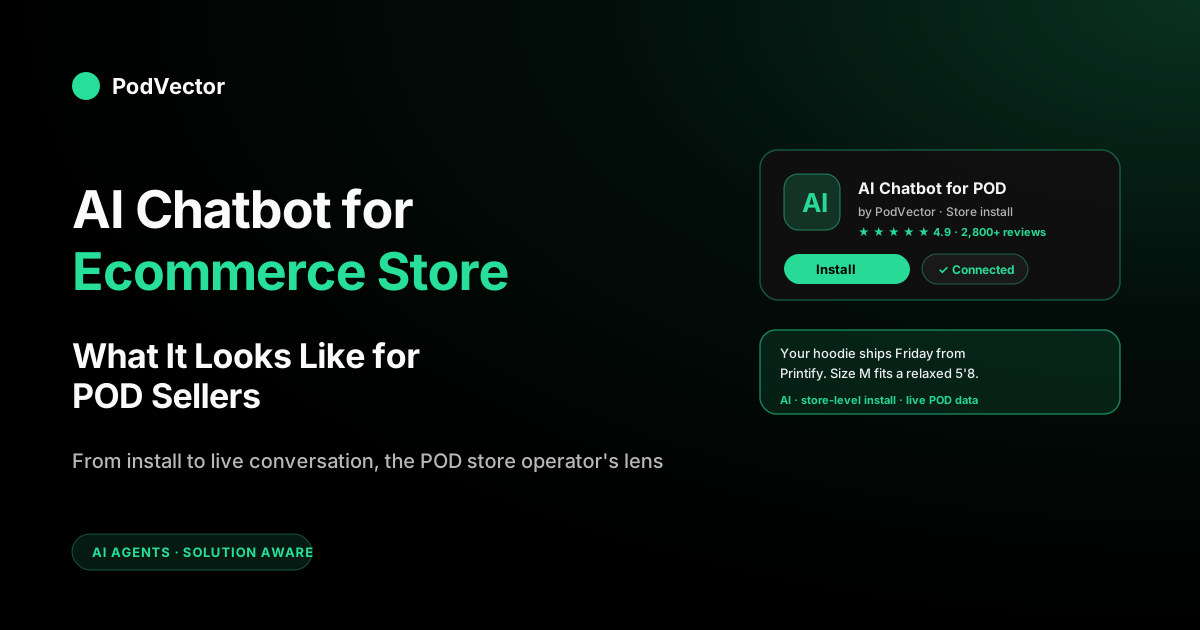
Quick Answer: An AI chatbot for an ecommerce store is a store-level install — a Shopify app, a WooCommerce plugin, a BigCommerce app — that plugs a conversational AI agent into your storefront, your order data, and your support tooling in one move. The 2026 version doesn't just chat, it acts: it tracks orders, recommends variants, applies bounded discounts, and files claims. The word that matters is store: the chatbot inherits your catalog, your policies, and your brand tone automatically, and the same config serves the storefront widget, WhatsApp, Instagram DMs, and email without you re-wiring each channel. For print-on-demand sellers, the install is easy; what's hard is feeding the bot the POD-specific data — variant size charts, Printify/Printful production times, per-SKU margin ceilings — that a generic out-of-the-box install doesn't know about.
What is an AI chatbot for an ecommerce store?
An AI chatbot for an ecommerce store is an app you add to your store platform — Shopify, WooCommerce, BigCommerce, Wix, Squarespace. Once you turn it on, it can see your store's own information. "Store" is the key word here. This is different from a basic chat tool you build yourself, or a bot that only works on one channel, like Messenger or WhatsApp. A store-level chatbot connects to your real catalog, orders, customers, policies, and brand the moment you approve it.
The reason this matters: the chatbot is only as good as the data it can read. A store-level install gets full read access to product variants, inventory flags, shipping rules, discount codes, customer histories, and draft orders without anyone writing glue code.
The operator side — you — configures tone, training documents, escalation rules, and product recommendations. Then the same configuration serves the bot wherever it shows up: the storefront widget, the post-purchase page, the Instagram DM, the email cart-recovery flow. That channel-portability is the core value of the store-level approach.
The three parts of a store-level chatbot install
- The app layer. The thing you install from the app store. It authenticates against the platform, pulls a live feed of catalog and order data, and writes back conversation logs, tags, and workflow triggers.
- The AI layer. A large language model under the hood — the vendor selects and updates the model; this is largely abstracted away from you. This is what reads the shopper's question, retrieves relevant context, and composes a reply.
- The control panel. The admin UI you use to train the bot on your store. Knowledge base documents, tone of voice, which products to push, when to escalate, what discounts the bot can offer. This is where most of the operator work happens.
If you're choosing between this model and a general-purpose chatbot builder (Botpress, Voiceflow), the trade-off is control vs speed. Store-level installs are faster to launch because the majority of the integration work is done for you; general-purpose builders give you more flexibility but require engineering time. For most POD operators running a single store, the store-level install is the right default.
Store vs website vs channel: why the qualifier matters
The "AI chatbot for" search phrases get blurred together, but the qualifier changes the answer more than most operators realize.
- Chatbot for an ecommerce website: the deployment surface is the public storefront — the floating bubble on the product page, the cart-abandonment slide-in. See AI Chatbot for Ecommerce Website for the widget-and-page-context lens.
- Chatbot for an ecommerce store: the install perspective. You're looking at the app listing, reading the permissions, deciding whether to grant it write access to orders. The questions are about the integration surface, the data sync, the multi-surface deployment.
- Chatbot for a channel (Shopify, Facebook Messenger, WhatsApp): the chatbot is scoped to a single commerce or messaging platform. See AI Chatbot for Shopify for the channel-specific version.
A POD store operator will usually end up with one tool that spans all three, but how you evaluate the tool depends on which lens you start with. This article is the store lens: you're the merchant, you're about to install something, and you want to know what happens after you click Install.
How AI changed store-level chatbots
Three years ago the store-level chatbot category looked different. Shopify's App Store had dozens of "chat" apps, most of them rule-based — decision trees you wrote out by hand, keyword matching, scripted responses. They deflected almost nothing. Merchants installed them, got frustrated, uninstalled them.
The LLM shift collapsed that category into something closer to an always-on junior support rep. Three technical changes drove it.
Models got cheap enough that a busy Shopify store can run a high volume of AI conversations a month for a fraction of what enterprise support costs. Retrieval-augmented generation (RAG) made it trivial to ground the bot's answers in your real store data — your exact return policy, your exact shipping zones, this exact customer's last order. And tool-use protocols (function calling, model context protocols, agent development kits) let the bot actually take actions: apply a discount, start a refund, change a shipping address, draft a replacement order.
The result is a different product than 2022. A shopper asks "where's my order" and the bot pulls the tracking number, reads the carrier status, and replies with a specific date — not a canned "check your confirmation email" response.
The headline shift is that the leaders now take actions (apply a discount, file a claim, draft a replacement) rather than just answering. Vendors including Tidio, Gorgias, Zipchat, and Octane AI consistently report high autonomous-resolution rates across their ecommerce customer bases, and the category-wide direction has moved store-level AI chatbots from cost centers to revenue contributors over 2024–2026. For the broader context across all POD AI tooling, see The Complete Guide to AI Tools for POD Sellers.
What makes a POD store different
A POD store looks like any other Shopify or Woo store from the outside. Under the hood, the data model is different in ways the default chatbot configuration doesn't account for:
- No owned inventory. Your product records in Shopify don't have stock counts in the traditional sense. Default chatbot flows that check "in stock" return useless answers. The bot needs to know that for POD, "in stock" means "the supplier can produce it" — and that's a function of the base product's current availability at Printify or Printful.
- Two shipping clocks. POD has a production clock (supplier-side) and a shipping clock (carrier-side). Generic bots quote a single window. A POD-aware bot reads production time from the fulfillment API, adds shipping time by zone, and quotes the real end-to-end range.
- Variant complexity. Apparel POD stores routinely have products with many variants (size × color × base). A generic recommendation engine picks variants poorly because it treats them as independent SKUs. A POD-aware bot knows which variants share the same base product and can reason about them together.
- Returns aren't really returns. POD orders are produced to order, so the supplier doesn't take most of them back. The policy most stores run is "replacements for misprints, store credit for sizing mistakes, no cash refunds." Your chatbot needs to be configured for this three-way routing, not the binary refund/no-refund flow that comes default.
- Margins are thin. A POD tee might have a small absolute margin after the base cost, the ad cost, and the transaction fee. A chatbot that offers a large discount to save the cart can eat most of your margin. You need the bot to know your per-SKU margin and cap the discount appropriately.
None of these are deal-breakers for store-level chatbots — they're configuration problems. But every out-of-the-box install gets them wrong until you fix them. For the cost side of the margin math, see the complete guide to Printify costs and fees and Printful costs and fees. For how to think about discount thresholds without destroying margin, see how to raise prices without losing customers.
The install path: Shopify, Woo, BigCommerce, Wix
Store-level chatbot installs differ by platform in ways that matter operationally. Here's what changes when you click Install on each.
Shopify
The richest ecosystem by far. Tidio, Gorgias AI Agent, Octane AI, Rep AI, and Zipchat all have first-class Shopify apps that install in a few clicks.
The install reads your catalog, orders, customers, and (if you authorize it) draft-order creation. Post-install, the chatbot injects its widget script via Shopify's App Embed — you don't edit theme code.
For POD stores, Shopify is the default because the Printify and Printful apps are already connected and your chatbot vendor can read the same fulfillment metadata. See AI Chatbot for Shopify for the Shopify-specific deep-dive. For how AI tooling more broadly fits a Shopify POD operation, see AI for Shopify Print on Demand.
WooCommerce
The install is a WordPress plugin rather than an app. Permission model is cruder — most plugins want broad database read access rather than scoped OAuth.
For POD on Woo (usually Printify + Printful via their WooCommerce plugins), fewer chatbot vendors have POD-aware configurations out of the box, so expect more manual setup on the data side. Tidio, Kommunicate, and Chatfuel all have Woo plugins; quality of AI features varies more than on the Shopify side.
BigCommerce
App-based, cleaner permission model than Woo but fewer vendors. Gorgias, Kayako, and a handful of others cover it. POD on BigCommerce is relatively rare — most POD operators are on Shopify or Woo — so POD-specific chatbot configurations are thinner. You may need to do more manual knowledge-base work to teach the bot about print production nuances.
Wix and Squarespace
Platform-native chat features are mediocre; third-party AI chatbot apps are limited compared to Shopify. If you're running a serious POD operation on Wix or Squarespace, the chatbot question is usually a prompt to migrate to Shopify — the chatbot ecosystem is downstream of the commerce platform choice, not independent of it.
Configuring your store-level chatbot
The install is the easy part. What makes or breaks the chatbot is the configuration work you do in the control panel after install. The steps, roughly in order of impact:
- Load your knowledge base. Every store-level chatbot has a Knowledge Base or Training Documents section. At minimum: your shipping policy, return/replacement policy, sizing FAQ, care instructions, print-quality expectations. Paste real text from your store's policy pages rather than a generic "we ship worldwide" summary.
- Set brand tone. Most vendors give you a tone selector (formal / friendly / playful / direct). Pick one that matches your storefront copy. Inconsistency between your ads, site copy, and chatbot voice costs trust.
- Configure POD-specific rules. This is where default installs fall short. Add rules like "if asked about shipping, reference production time from Printify/Printful, then add shipping days by zone." "If asked about returns on personalized items, offer replacement for misprints, store credit for sizing, no cash refund." "Never offer a discount beyond a set margin threshold without escalation."
- Load your product data with variant detail. Some vendors auto-sync just the product title and description. Force the sync to include variant options, size charts, and material composition — otherwise the bot gives vague answers to specific questions.
- Set the escalation path. When the bot's confidence drops below threshold, where does the conversation go? To Gorgias? To Front? To a specific human's inbox? Configure this first, because bots without a good escalation path drive more complaints than no bot at all.
- Preview and test. Every vendor has a sandbox. Test the top questions your support inbox gets — "where's my order," "what size am I," "will this fit under a jacket," "can I get a refund," "the print is cracked" — and iterate until the answers are right.
Budget at least a week of operator attention for this configuration work, even if the install itself took five minutes. Stores that skip the configuration step and run on defaults get low chatbot CSAT scores and end up uninstalling within a quarter.
Use cases that move POD store revenue
The chatbot use cases with the highest reported ROI for POD operators, ordered by typical revenue impact.
1. Variant confusion resolution
POD products have more variants than typical DTC — three colors times five sizes times two bases gets you to 30 SKUs for one design. Shoppers freeze on the variant picker.
A chatbot that can explain "the black runs darker in heather, the navy is the true dark option, and the Bella+Canvas base is slimmer than Gildan" closes a meaningful fraction of those frozen sessions and lifts conversion on hesitating sessions.
2. Sizing recommendations
Apparel is the core POD category and sizing is a top cart-abandonment driver. A chatbot that takes "I'm 5'8 and 160lb" and returns "Bella+Canvas runs slim — go L if you want room, M if you want fitted" recovers carts that would otherwise bounce. Size-chart accuracy is the limiting factor: the bot needs per-base size charts loaded in its knowledge base.
3. Shipping ETA on demand
"When will it arrive?" is a top pre-purchase question for POD because the production time makes the answer non-obvious. A bot that reads live Printify or Printful production estimates for the specific variant, adds the ship-to zone, and quotes a specific date range outperforms a generic "5–10 business days" response on both conversion and CSAT.
4. Order status and tracking
The single highest-volume question any store gets. POD's longer fulfillment window means POD stores get more of them. A chatbot wired into Shopify orders and Printify/Printful tracking resolves the large majority of these without a human — this alone often pays for the chatbot subscription.
5. Misprint claims
POD-specific. A shopper sends a photo of a cracked print or wrong color.
A good store chatbot recognizes the issue type, collects the order number and a photo, files the replacement claim with the POD supplier, and sends a confirmation — all without a human reviewing. This is where generic ecommerce chatbots fall short: they don't have a Printify or Printful claims API integration built in. POD-aware configurations do.
6. Upsell to higher-margin variants
A shopper adds a tee. Your hoodie has higher absolute margin.
A margin-aware bot can suggest "same artwork on a hoodie, similar style, a bit warmer for fall" at the right moment. Requires per-SKU margin data, which most stores don't have cleanly maintained — this is where upstream tooling like profit tracking for Shopify POD stores pays off.
7. Cart recovery with bounded discounts
A standard play with a POD twist: the bot needs to know the per-SKU margin before it offers a discount. Default flat-discount flows can destroy POD margins on low-markup SKUs. Configure the cap per product, not flat across the store. For the pricing strategy behind this, see how to raise prices without losing customers.
8. Multilingual and cross-channel coverage
Not revenue-ranked because the lift depends on your traffic mix, but increasingly table stakes: the 2026 store-level bots (Zipchat, Tidio Lyro, Octane) auto-detect and reply in 90+ languages and answer the same shopper on the storefront widget, WhatsApp, Instagram DMs, and email from one config. For POD stores selling internationally — a large share, since POD has no inventory to localize — a bot that handles a German sizing question or a Spanish "where's my order" without a translation step recovers carts that a single-language inbox loses. Confirm two things at vendor selection: that the language detection is automatic (not a per-locale setup tax) and that your POD knowledge base — size charts, production times — carries across languages rather than living only in English.
Multi-store operators: what changes
A material slice of POD operators run more than one store — a general design-focused store plus two or three niche sub-brands. Store-level chatbots handle multi-store in one of three ways, and the approach matters.
- Per-store instance, per-store pricing. Each store installs the app separately and has its own config. Most vendors work this way. Clean separation, duplicated configuration effort, linear pricing.
- Per-store instance, agency pricing. Some vendors (Gorgias, Zendesk on the upper tier) offer agency/consolidated billing across stores. Worth negotiating if you're running three or more stores.
- Shared knowledge base across stores. Rare. A few newer vendors let you maintain one policy library and one size-chart library across brand instances. Useful if all your stores run the same POD supplier and similar products.
The tax on multi-store chatbot ops is the configuration duplication. If your stores share most of the same POD suppliers and product categories, look hard for a shared-knowledge-base vendor — the operational savings compound. If your brands are genuinely different (audience, product category, tone), per-store instances are correct.
Customer chatbot vs AI employee: don't confuse them
Two AI tools sit on top of a POD store and they get conflated on buying committees. They're not interchangeable.
A customer chatbot talks to your shoppers. It installs at the store level, lives on the storefront and in support channels, and its job is to convert browsers into buyers and deflect tickets. The platforms here are Tidio, Gorgias AI Agent, Rep AI, Octane AI, Intercom Fin, Zipchat.
An AI employee talks to the merchant — you. It works behind the scenes in your store, and its job is to answer business questions like "which campaigns lost money last week" or "which SKUs are eating my margin after ad spend" — and then make the fix once you approve it. The platforms here are Victor, Triple Whale Moby, Polar, and similar agents. PodVector AI's Victor is built just for print-on-demand sellers. He sees your Printify and Printful costs together with your Shopify orders and your Meta and Google ad spend, so he can tell you where you're really losing money. He suggests the next move to make more profit, and with your approval he can make the change — repricing products, creating discounts, or updating collections in Shopify, or adjusting campaigns in Google Ads, Meta Ads, and Klaviyo.
A healthy POD stack runs both. A store-level chatbot handles shoppers; an AI employee handles your business questions and executes back-office changes.
They're complementary, not substitutes, and the operator who confuses them — buying a customer chatbot and expecting it to answer profitability questions, or vice versa — ends up dissatisfied with both. For the agent-side view, see AI Agents for Ecommerce and Agentic AI for Ecommerce.
How to measure if it's working
The metrics that matter for a store-level chatbot, in priority order:
- Session-level conversion lift. Sessions that talked to the bot vs sessions that didn't, holding traffic source constant. The only metric that answers "did this move revenue." Target meaningful lift within 60 days.
- Ticket deflection rate. Percent of conversations resolved without human escalation. Top performers hit strong deflection rates. Below half usually means the knowledge base is too thin.
- AOV lift on chatted sessions. Personalized in-chat recommendations should drive AOV up. If your bot isn't upselling, this is zero and you're leaving money on the table.
- CSAT post-conversation. The single one-tap rating after the conversation closes. Below 4.0/5.0 means the bot is frustrating shoppers, regardless of what the deflection rate says.
- Escalation quality. When the bot does hand off, does the human get full context? Conversations where the human has to ask the shopper to repeat themselves are worse than no bot at all.
What not to optimize for: total chat volume. A chatbot that pops up aggressively drives that number up without actually helping. Resolution rate × CSAT is the real signal. For the adjacent analytics discipline, see AI for Ecommerce Analytics.
Common store-owner mistakes
- Installing without configuring. The default install gives you a generic chatbot. It will deflect nothing until you load your knowledge base, set your tone, and configure the POD-specific rules. Budget a week of operator time for the setup.
- No margin-aware discount cap. The default cart-recovery flow offers a flat percentage off. On a POD tee with thin margin that can erase your profit. Set per-SKU discount ceilings — see how to raise prices without losing customers for the underlying pricing logic.
- Treating the bot as a gatekeeper. Bots designed to keep customers away from humans drive CSAT into the floor. The bot's job is to resolve, not to block.
- Bad escalation path. When the bot fails, the handoff needs full conversation context. Dumping the shopper back to "how can I help you?" is worse than no bot. Configure the escalation carefully — this is the single highest-leverage setting.
- Running one install across three different brands without re-training. Multi-store operators often copy a config from one brand to another without adjusting tone or product specifics. Shoppers notice when the bot sounds off-brand. Re-train per store.
- Buying the chatbot and expecting it to answer business questions. Customer chatbots don't tell you which SKUs are profitable. That's an AI employee's job. Track the two separately.
FAQs
How much does an AI chatbot for an ecommerce store cost?
Entry-level plans start low for basic AI features on low-volume stores. Mid-market — where most serious POD stores land — typically covers full AI features, deep platform integration, and a substantial number of AI conversations per month. Enterprise plans with custom integrations and SLAs sit at the top end. Budget appropriately for the tier that matches your ticket volume and revenue level; underspending usually means under-configuring.
Can I install more than one chatbot on the same store?
Technically yes, practically no. Two chatbot widgets stacking on the same storefront confuses shoppers and at least one of them will be broken from CSS conflicts. Pick one. If you're evaluating two vendors, run them in sequence (one for two weeks, the other for two weeks) rather than in parallel.
Does the chatbot need access to my Printify or Printful account?
Indirectly, yes. The chatbot vendor doesn't usually connect to Printify/Printful directly — it reads through the Shopify (or Woo, etc.) fulfillment records, which already have the Printify/Printful data synced.
If your Printify/Printful integration is healthy, your chatbot inherits the right data automatically. If it's broken — misconfigured, stale syncs — your chatbot inherits broken data and gives wrong answers.
Will the chatbot replace my customer-support team?
No. It will deflect the majority of routine tickets — order status, sizing, shipping ETA, simple replacements — and free your team to handle the cases that need judgment. Teams that try to fully replace humans with bots hit a trust cliff within 90 days.
How long from install to a chatbot I'd actually let talk to my customers?
For a well-run mid-market vendor on Shopify with a real configuration effort: one to two weeks to launch, four to eight weeks to tune. The first week is install, knowledge-base load, and tone setup. Weeks two through four are watching real conversations, correcting errors, and refining the escalation rules. Week four onward is marginal improvement.
What's the difference between an AI chatbot and an AI agent for my store?
A chatbot is conversational-first and lives on the shopper side. An AI agent has tools and goals — it takes actions on the merchant's behalf, like running analyses, repricing SKUs, creating discounts, or pulling reports.
Modern store chatbots are increasingly agentic (the line is blurring). For POD specifically, the customer-facing chatbot and the AI employee are still distinct categories — you want both, for different reasons.
Should I pick the chatbot before or after the POD supplier?
After. The POD supplier choice (Printify vs Printful vs direct) locks in your fulfillment data shape, which the chatbot has to consume. Picking the chatbot first means you might buy a vendor with no good integration for your future supplier. For a side-by-side on supplier economics, see Printify Pop-Up Store vs Etsy.
Does the chatbot help with my profit analysis or unit economics?
Customer chatbots don't. They're pointed at shoppers, not your P&L.
For profit analysis and unit economics — "which SKU lost money after fulfillment and ad spend last week" — you want an AI employee built on your data. Victor is the POD-specific one: it reads live Printify/Printful costs alongside Shopify and ad-platform data, proposes actions like repricing your worst-margin SKUs to a target margin, and executes those changes in Shopify with your approval. For the cash-flow side of the picture, see cash flow forecast advantages and disadvantages.
Installed the customer chatbot. Now get one for your merchant questions.
A store-level chatbot handles your shoppers. Victor handles the questions you ask about your store — "which SKUs lost money last week after Printify costs and Meta spend?" — using your synced data, then makes the fix once you approve it. Built for POD sellers running Shopify + Printify/Printful + Meta/Google Ads.
Try Victor free