
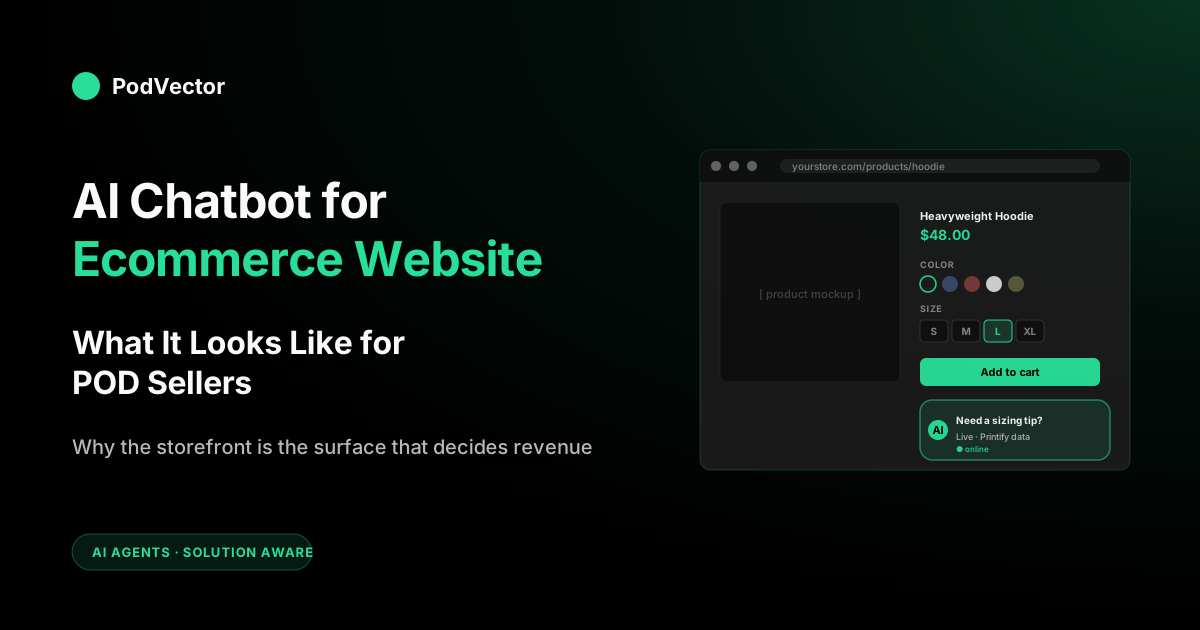
Quick Answer: An AI chatbot for an ecommerce website is a conversational widget embedded directly in your storefront pages — product, collection, cart, checkout — that uses live store data to answer shopper questions in real time and, increasingly, to act on them.
For print-on-demand sellers, the website is where most of the friction lives: variant grids that confuse, mockups that don't match expectations, shipping ETAs that depend on a supplier's queue.
The chatbots that convert on POD websites are the ones whose page-context triggers, widget behavior, and data integrations are tuned for the storefront — not bolted on as a generic floating bubble.
What is an AI chatbot for an ecommerce website?
An AI chatbot for an ecommerce website is a conversational widget embedded in your storefront — usually a floating bubble in the bottom-right corner, sometimes a slide-in panel, occasionally an inline assistant on the product page — powered by a large language model that has access to your catalog, orders, policies, and customer history. The "website" qualifier matters: the same chatbot vendor's product behaves differently when deployed on a website vs inside Messenger, WhatsApp, or a native app. The website is the surface where your shopper is making a purchase decision in real time, which is both the highest-stakes channel and the one with the strictest UX constraints.
The category sits at the intersection of three older tools: live chat (the human conversation surface), the help desk (the ticket-management backend), and product search (the catalog query layer). Modern AI chatbots fold all three into a single widget that lives inside the website code — which is why getting the website integration right matters more than the model choice underneath. A great model with bad widget placement converts worse than an okay model with a triggered prompt at the moment a shopper hesitates.
Rule-based, AI, and agentic: three generations in one category
The "chatbot" label now covers three very different tools, and the gap matters when you're buying.
- Rule-based. Decision-tree bots that follow scripted if-this-then-that flows. Cheap and predictable, but brittle — they break the moment a shopper phrases a question the script didn't anticipate.
- AI / LLM-powered. The 2026 default. A large language model reads the shopper's actual words, pulls live store data, and answers in natural language. This is what most vendors mean by "AI chatbot" today.
- Agentic. The newest tier — bots that don't just answer but act: applying a discount, building a cart, kicking off a return. Vendors like Rep AI now market themselves as "agentic commerce" platforms rather than chat widgets.
For a POD storefront, AI-powered is the floor and agentic is where the category is heading. A rule-based bot can't handle the sizing, variant, and shipping-ETA questions that make up most POD shopper friction.
What "embedded in the website" actually means technically
- Script tag. A vendor's JavaScript snippet loaded in your theme — typically asynchronously to avoid blocking page render.
- App proxy or app embed. On Shopify, this lets the chatbot read store data through the Shopify Admin API without you exposing secrets in the frontend.
- Real-time updates. The chatbot keeps track of things like cart changes, new orders, and refund requests as they happen, so it can respond right away.
- Custom blocks. Some vendors offer Shopify 2.0 sections you drop into a product page directly, instead of a floating bubble.
How the vendor implements these four things determines how the chatbot will feel on your site — fast or sluggish, contextual or generic, branded or off-brand. The vendor's website-side implementation is more important than which underlying LLM they're using.
Why "the website" matters as the deployment surface
A chatbot inside Instagram or Messenger is talking to people who haven't decided yet whether to visit your store. A chatbot on the website is talking to people who have already arrived — they have intent, they're looking at a product, and they're seconds away from either converting or bouncing. The opportunity cost of getting the website chatbot wrong is much higher than getting the social-channel chatbot wrong, because every conversation on the website happens at the bottom of the funnel.
The constraints are also different. A Messenger conversation can take minutes; a website shopper expects a sub-five-second reply or they're gone.
A Messenger thread persists across days; a website session might last 90 seconds. And the website's brand experience has to be consistent — a chatbot that pops up with off-brand colors, intrusive triggers, or slow load times damages trust in a way that a generic Messenger bot never could.
The high-converting POD storefronts treat the chatbot as part of the website UI, not as a third-party widget bolted on. That means matching the brand's typography, respecting the page's interaction patterns, and integrating with the same data the rest of the site uses. BigCommerce's overview of ecommerce chatbots covers the broader category; everything in this guide is specifically about the website surface and what changes when the store is print-on-demand.
The friction points unique to POD websites
Generic ecommerce website chatbots assume a few things that don't hold for print-on-demand:
- Variant grids do too much work. A typical POD product page has a t-shirt rendered in 8 colors and 6 sizes. The variant grid is the most-clicked element on the page, and it's where shoppers freeze. A bot that can answer "which color matches the example photo" or "is the size chart for women or unisex" recovers most of those frozen sessions.
- Mockup images don't match what arrives. POD mockups are computer-generated; the actual print is hand-applied to a real garment. The gap is real, and shoppers notice. A bot that can show real customer photos, explain DTG vs DTF print quality on that specific blank, or set expectations about color drift outperforms one that just says "looks great."
- Shipping windows aren't on the page. Most POD storefronts list a generic "ships in 3–7 days" because they can't render a per-SKU production estimate at scale. A chatbot that pulls the live Printify or Printful production queue for that exact variant and quotes a real ship-by date converts hesitating shoppers at a much higher rate than the generic copy ever did. For current Printful shipping times and costs, see Printful shipping rates for t-shirts (USA).
- The size chart is a wall of numbers. Bella+Canvas, Gildan, Next Level, and AS Colour all size differently. The website's static size chart is correct but unhelpful at the moment of decision. A bot that answers "I'm 5'10" 175lb, what size in this hoodie" turns the size chart from a footnote into a closer.
- Returns aren't really returns. POD orders mostly aren't restockable. A bot that knows the difference between a print defect (replace, no return) and buyer's remorse (refund or store credit) routes correctly and avoids the "we don't accept returns" wall that drives bad reviews.
None of these are website problems in the abstract — they're website problems specifically because the website is where shoppers form expectations that POD's underlying production model can't always meet without explanation. The chatbot is the explanation layer. For the broader strategy context, see print-on-demand Shopify store examples and is print-on-demand dropshipping?
Widget behavior that actually converts
The widget is the most visible and most-tweaked piece of any ecommerce website chatbot. Five behaviors separate the converting widgets from the annoying ones:
1. Open on intent, not on schedule
Auto-opening after 5 seconds is the lazy default and the highest-friction option. Auto-opening on a hesitation signal — 30 seconds of inactivity on a product page, mouse-out toward the back button, scroll past the variant grid without an add-to-cart click — converts at a meaningfully higher rate than the time-based trigger. The conversion lift comes from talking to people who actually need help, not from talking at everyone.
2. Match the brand, not the vendor
Most chatbot vendors ship with a default purple-and-white palette that screams "third-party widget." The POD stores that get the most chatbot revenue are the ones that have spent two hours customizing the bubble color, the bot avatar, the typography, and the welcome message to read as a native part of the storefront. This is a one-time setup that pays back in trust, which compounds.
3. Open inline on the product page when relevant
For high-consideration products (custom apparel, framed prints, anything with a personalization step), the highest-converting placement is an inline assistant near the variant selector — not a floating bubble. The shopper doesn't have to "decide to ask"; the help is already there. Vendors that support Shopify 2.0 sections or custom blocks let you do this; vendors that only support floating bubbles can't.
4. Answer in the brand's voice
A chatbot that opens with "How may I assist you today?" reads as 2018 enterprise. A POD bot that opens with "Hey — questions about sizing, shipping, or which design works best on the hoodie?" reads as 2026 DTC. The system prompt the vendor exposes for tone-tuning is one of the highest-leverage settings; it's worth spending an afternoon on.
5. Hand off to a human without losing context
The worst chatbot UX is the one where the bot fails, the customer types "human," and the next message is "Hi! How can I help you today?" — making the customer repeat themselves. Every modern vendor handles this in their docs; not every vendor's default config does. Test the handoff manually before launch.
Page-context triggers: PDP vs cart vs checkout
Where the chatbot lives on your site changes what it should know and how it should behave. Treating the chatbot as a single widget that says the same thing on every page is the most common implementation mistake.
Product detail page (PDP)
The highest-leverage placement. The bot should know the exact SKU the shopper is viewing, the current variant selection, the live production estimate from Printify or Printful, the size chart for that base, and the brand's voice rules.
Trigger on hesitation signals (scroll past variants without clicking add-to-cart, mouse-out, 30s of inactivity). Goal: convert the session.
Collection / category pages
Lower intent. The shopper is browsing, not deciding. The bot's job is more discovery-flavored: "Looking for a gift?" or "Want me to filter by something specific?" Trigger more cautiously — collection-page interruptions feel intrusive. Goal: route to the right PDP.
Cart page
The bot should know the cart contents, the running subtotal, and the shipping options. The most common conversation here is some version of "will this arrive by my birthday?" — the bot pulls production estimates for each line item and answers honestly.
This is the cart-abandonment recovery surface. Trigger on prolonged dwell (cart open >60s without checkout) or on remove-from-cart events. Goal: complete the purchase before the shopper leaves.
Checkout page
On Shopify, the checkout page is largely off-limits to third-party widgets unless you're on Shopify Plus with checkout extensibility. The bot here is usually limited to the order summary or thank-you page. The few vendors that get into checkout proper can answer "is my discount applied" or "why's shipping that high" — high-leverage, but very vendor-restricted.
Order status / thank-you / account page
Post-purchase. The bot should pivot from "convert this person" to "set expectations and reduce inbound tickets." Common conversations: "where's my order," "when will it ship," "can I change the address." The bot connected to your Printify/Printful tracking resolves these without a human touching them.
Liquid vs headless: implementation differences
How the chatbot integrates depends on whether your store runs on a Liquid theme (the standard Shopify setup) or a headless frontend (Hydrogen, Next.js, Remix, custom React).
On a Liquid theme, most chatbot vendors offer a one-click install via the Shopify App Store. The vendor injects their script tag into your theme, and the widget appears. Customization happens in the vendor's dashboard. This works for the vast majority of POD merchants because most run on standard or lightly-customized Liquid themes (Dawn, Sense, Refresh, Impulse).
On a headless frontend, you have to load the chatbot script yourself, usually as a React component or a script tag in your root layout. You also have to forward the right context to the chatbot — the current product, the cart state, the customer ID — because the vendor's auto-detection logic was built for the Liquid DOM and won't work on a custom frontend. This adds a few days of integration work but gives you total control over when and where the widget renders.
For POD merchants on a typical Shopify theme, this is a non-issue: pick a vendor, install the app, configure in the dashboard. For POD merchants who've gone headless for performance reasons, choose a vendor with a documented headless integration path — Tidio, Gorgias, and Intercom all have one; some smaller vendors don't.
Site performance: the silent conversion killer
A chatbot that loads a heavy JavaScript bundle on first paint costs you Core Web Vitals scores, which Google penalizes in search rankings, which costs you organic traffic. The chain is direct and measurable. POD stores already operate on thin margins; you can't afford to trade SEO traffic for a marginal conversion lift.
The performance checklist when evaluating a chatbot vendor for your website:
- Async loading. The script tag must include
asyncordeferso it doesn't block first paint. - Lazy widget render. The actual chat UI shouldn't render until the user hovers, scrolls, or 3+ seconds have passed. The bubble icon can render immediately; the heavy bundle should not.
- Bundle size disclosed. Ask the vendor for their bundle size. Anything over 200KB gzipped is too much. The best vendors come in well under that.
- Image optimization. Bot avatars, brand logos, and emoji should all be SVG or WebP. PNGs in 2026 are a vendor red flag.
- Third-party domains minimized. Each new third-party domain adds a DNS lookup. Vendors with one CDN domain are faster than vendors that pull from three.
Run Lighthouse on your storefront before installing the chatbot, then again after. If your LCP score drops by more than 0.3 seconds, the vendor's implementation is too heavy and you should either negotiate optimizations or switch.
Customer chatbot vs AI employee: don't confuse them
Two AI tools sit on top of a POD business and they get conflated constantly. They're not the same thing.
A customer chatbot talks to your shoppers on your website. It lives on the storefront. Its job is to convert browsers into buyers and resolve tickets. The platforms in this space — Tidio, Gorgias AI Agent, Intercom Fin, Octane AI, Tolstoy — are built for conversational customer-facing UX in a website widget.
An AI employee talks to the merchant. It lives in your back office, not on your website. Its job is to answer business questions like "which campaigns lost money last week" or "which SKUs are eating my margin." As PodVector AI's companion articles note, platforms like Victor, Triple Whale Moby, and Polar "aren't customer-facing chatbot platforms — they're merchant-facing AI employees that answer your business questions using your real data." PodVector AI's Victor is built just for POD sellers: he knows your Printify and Printful costs for every product and matches them against your ad spend, so he can tell you the real profit on each item. Then he suggests the next move — like repricing a product that's losing money, or changing your free-shipping cutoff — and makes the change in Shopify once you approve it.
You probably want both. They're not substitutes. The website chatbot drives revenue from the front-end customer surface; the AI employee drives margin from the back-end merchant surface. For more on the customer-side variant deployed on Shopify specifically, see AI chatbot for Shopify ecommerce store: what it looks like for POD sellers. For the broader AI context, see the POD seller's guide to AI for ecommerce products.
How to measure if it's working
The metrics that matter for a website chatbot, in priority order:
- Conversion lift on engaged sessions. Sessions that interacted with the chatbot vs sessions that didn't, holding traffic source constant. If the lift is minimal within the first 60 days, the trigger logic or data integration is weak.
- Resolution rate. Percent of conversations that ended without escalation to a human. Top performers handle the large majority without escalation. Below half means the bot isn't connected to the information it needs.
- Time to resolve. Median seconds from first message to resolution. Bots should handle routine questions far faster than humans. The gap is your operating leverage.
- Lighthouse impact. The drop in your LCP, CLS, and INP scores after installing the widget. If LCP drops more than 0.3s, the SEO cost is eating your conversion lift.
- Post-conversation CSAT. The single one-tap rating after the chat ends. A low score means the bot is frustrating people, regardless of what the deflection rate says.
What not to optimize for: total conversation volume. A chatbot can drive that number up by being chatty and not actually resolving anything. Resolution rate × CSAT × conversion lift is the real signal.
Common mistakes POD website owners make
- Installing before the data is clean. The chatbot will be only as good as the information it can access. If your product catalog doesn't have variant-level descriptions, current size charts, and a working Printify/Printful integration, the bot will make things up or refuse to answer. Fix that information first.
- Picking the cheapest vendor. Entry-level tiers usually mean thin AI features and a heavy bundle. Mid-market tiers usually mean a real LLM, real integrations, and a tested website widget. Consult each vendor's current public pricing page before deciding — costs shift frequently.
- Auto-opening on every page load. Single fastest way to train shoppers to instinctively close the chat without reading it. Trigger on hesitation, not on entry.
- Ignoring the performance hit. An LCP regression costs measurable SEO and conversion. Negotiate optimizations or pick a leaner vendor.
- Skipping brand customization. The default vendor styling reads as a third-party widget. Spend the two hours; the trust you gain compounds.
- Conflating customer-chatbot ROI with AI employee ROI. They're different tools, different buyers, different ROI math. Track them separately.
FAQs
Does an AI chatbot actually drive sales on a POD website?
Yes, but the ROI shape is different from generic DTC. POD website chatbots win mostly through pre-purchase variant, sizing, and shipping-ETA assistance — not through post-purchase support. The lift is meaningful when the bot has live access to your Printify/Printful data; it's negligible when it's just a generic LLM with no integration.
Can I add an AI chatbot to a Shopify website without a developer?
For most vendors, yes. Tidio, Gorgias, Intercom, and Octane AI all ship as Shopify apps that install in one click and configure in the vendor's dashboard. You don't need to touch your theme code. For headless storefronts (Hydrogen, custom Next.js), you'll need a developer to drop the script in and forward the cart and product context.
Will the chatbot slow down my website?
It can if you pick the wrong vendor. Look for async script loading, lazy widget render, and a disclosed bundle size under 200KB gzipped. Run Lighthouse before and after install; if LCP drops more than 0.3 seconds, the implementation is too heavy.
Where on the website should the chatbot live?
Floating bubble in the bottom-right corner is the standard. For high-consideration POD products (custom apparel, framed prints), an inline assistant near the variant selector on the product page converts at a higher rate. Some vendors support both; if yours doesn't, the bubble is a safe default.
How long does it take to deploy an AI chatbot on a POD website?
For a turnkey vendor on a standard Shopify theme: 1–2 weeks to launch with default flows, 4–6 weeks to tune for your catalog. For a headless storefront: add 1–2 weeks of integration. For a custom build: expect several months at minimum. The data work — keeping size charts current, mapping Printify/Printful production times, defining discount ceilings — never really ends.
What does an AI chatbot for an ecommerce website cost?
Pricing varies widely across vendors and changes frequently — always check the vendor's current pricing page before budgeting. Entry-level tiers typically offer limited AI features; mid-market tiers unlock full LLM-powered chat with deep Shopify integration; enterprise tiers add custom integrations, a dedicated CSM, and SLAs. For a current side-by-side, see our best AI chatbot for ecommerce website comparison.
Which chatbot tier fits my store size?
A useful rule of thumb from PodVector AI's AI chat tools guide: stores under a lower MRR threshold do well starting with Tidio's free tier and upgrading only after measuring actual deflection; stores in the mid-range MRR band often fit Gorgias AI, especially if the team already uses Gorgias for human tickets; larger stores typically move to per-resolution pricing models like Intercom Fin. Always validate against current vendor pricing and your own ticket volume.
Does an AI chatbot replace the need for an AI employee agent like Victor?
No. They solve different problems. A website chatbot talks to your customers; an AI employee answers your business questions. You probably want both. Victor is built for the operator side — POD-specific profit and attribution against live Printify/Printful + Shopify + Meta/Google Ads data, with the ability to execute approved Shopify changes like repricing margin-negative SKUs or creating discount rules. The website chatbot doesn't know which campaigns are profitable; Victor does.
Your website chatbot handles your shoppers. Victor handles your business questions.
A great AI chatbot on your website converts browsers into buyers. Victor turns your data into answers — "which SKUs lost money last week after fulfillment and ad costs?" — by pulling together your Shopify, Printify, Printful, Meta Ads, Google Ads, and Klaviyo data in one place. Built for POD sellers who advertise on Meta and Google and fulfill through Printify and/or Printful.
Try Victor free