
Quick Answer: An AI chatbot for Shopify is a conversational layer — Shopify Inbox + Magic, Tidio, Gorgias AI Agent, Richpanel, SmartBot, Chatty, Re:amaze, and dozens of others on the App Store — that uses a large language model to answer shopper questions, track orders, and resolve tickets in real time, without code configuration on the basic flows. The 2026 versions are agentic: they handle FAQs, order status, cart recovery, and in some cases refund execution without a human in the loop.
For a print-on-demand store, the right pick is not the one with the prettiest demo or the longest feature list. It is the one that reads your Printify or Printful data alongside your Shopify catalog, understands per-base sizing and production times, and can escalate a misprint claim without waking up a human. Everything else is storefront theater.
What an AI chatbot for Shopify actually is
An AI chatbot for Shopify is a conversational layer installed on your storefront that uses a large language model — the same class of model behind modern generative AI tools — to read shopper questions, pull live data from the Shopify Admin API, and reply in real time. Most apps also extend into Messenger, Instagram, WhatsApp, and email, so the same bot handles the conversation wherever it starts.
The better ones read third-party data too: your fulfillment supplier, your reviews tool, your shipping tracking. That last part is where POD stores either win or lose.
Three capabilities separate modern AI chatbots from the rule-based bots they replaced:
- Intent understanding. The bot recognizes that "when will my hoodie get here?" and "where is order 10234" are the same question and both need the tracking flow, not the product catalog.
- Grounded answers. It refuses to hallucinate. If it doesn't have the data, it escalates or asks for the order number rather than making up a shipping date.
- Tool use. It can actually do things — complete a draft order, apply a discount, file a replacement claim — rather than just writing about them.
The generic guides sort these apps into four buckets, and it's worth knowing which one you're buying. Rule-based bots follow a decision tree and break the moment a shopper phrases a question off-script. Conversational AI uses NLP to read intent but still answers from a fixed knowledge base. Hybrid live chat pairs an AI first responder with human handoff. And agentic, LLM-grounded bots — the 2026 default — read live store and supplier data, then take action directly, like updating orders or recovering carts. According to cloudtech.com, in 2026 the better tools can track orders in real time, execute refunds, recover abandoned carts, and guide undecided shoppers to a purchase without a human agent. For a POD store, only this last category clears the bar; the first three quote stale shipping windows the moment a shopper asks about a Printify base.
The Shopify App Store lists over 300 chat and support apps and most of them now claim AI. For a POD seller picking one in 2026, most of those are noise. The shortlist that matters is maybe eight apps deep.
One data point worth anchoring to: according to cloudtech.com, citing a Gorgias analysis of over 16,000 ecommerce brands, average ticket resolution takes 18.6 hours — and only 15% of interactions are resolved through automation today. That gap is the ROI case for a well-configured chatbot.
The six criteria that matter for POD
Generic Shopify chatbot comparisons — the ones that dominate the SERP — weight features the same way regardless of store type. That's wrong for POD, where the economics and the operational edge cases diverge from a standard DTC store. These are the six criteria worth weighting heavily when you evaluate an AI chatbot for a print-on-demand Shopify store.
1. Live Printify or Printful integration
Non-negotiable. A Shopify AI chatbot that only reads Shopify data will quote shipping windows from your storefront settings instead of the actual production ETA for that specific base provider. For the share of your tickets that are variations on "when will it arrive" or "where is my order," it will be directionally wrong more than half the time. Ask every vendor in your demo to walk you through the Printify/Printful data pull, not just the Shopify integration. Many will get quiet.
2. Variant-aware product reasoning
POD apparel catalogs commonly mix Bella+Canvas, Gildan, AS Colour, Comfort Colors, and Next Level on the same store. Each fits differently. A chatbot that answers "what size" by quoting a single size chart for the store — instead of reading the base on the variant the shopper is looking at — costs you conversions. Ask the vendor to demo the sizing flow against your actual product page, not their canned demo store.
3. Margin-aware cart recovery
Cart-recovery flows that offer a discount code without knowing your per-SKU margin will quietly destroy profit on POD products, where margins before ads can be thin. The chatbot needs a discount ceiling it won't breach — ideally per-SKU, at minimum per-collection. If the vendor can't show you exactly where that rule lives in the admin, don't buy it.
4. Misprint/replacement workflow automation
POD returns are different. Buyer's remorse is store credit at best; misprints are a replacement claim filed with Printify or Printful. A good chatbot distinguishes the two — usually by asking for a photo — and files the claim via the supplier API. A great chatbot doesn't wake up a human for the obvious cases.
5. Shopify Admin API scopes, configured correctly
Ask to see the scope list. The bot needs read on products, orders, customers, inventory, and discounts, and write on draft orders if you want the cart-completion flow. Apps that ask for fewer scopes are limited in what they can actually do; apps that ask for dramatically more (like full storefront write) are over-privileged. Good apps are tight.
6. Human handoff with context
The bot will fail at the conversations that matter most. The portion it escalates are almost always the high-value ones. According to proprofschat.com, the best chatbots hand off to a human agent with the full conversation context when a query goes beyond their scope — dropping the shopper back to "how can I help you?" with no transcript is worse than no bot at all. The better apps route to Gorgias, Front, Zendesk, or your shared inbox with the full conversation included.
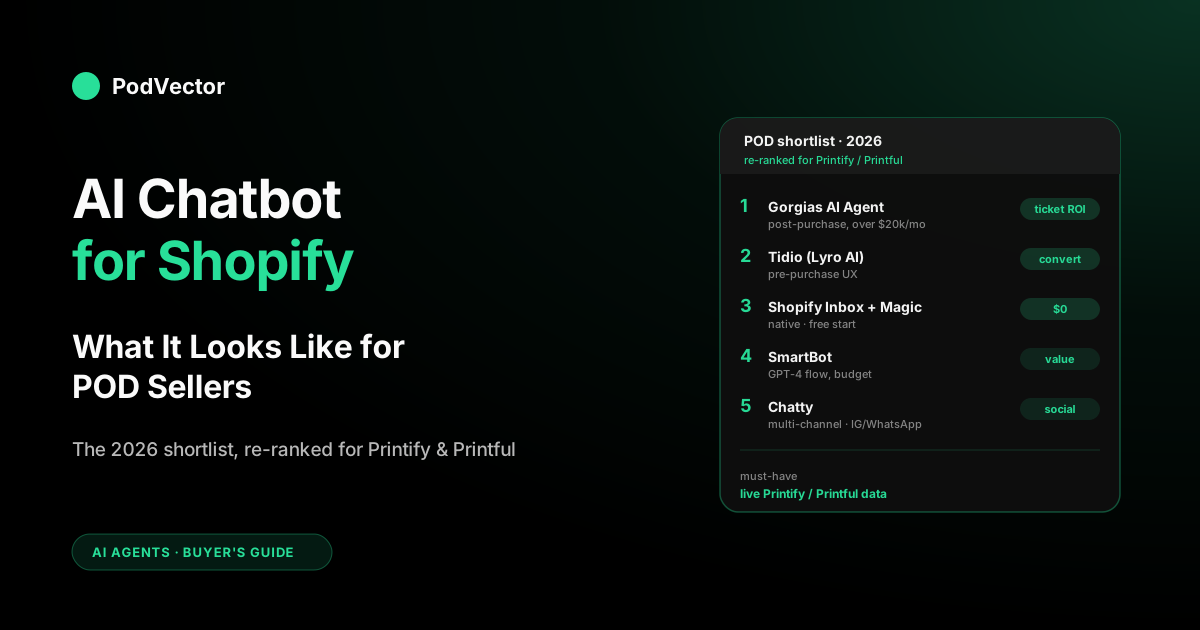
The 2026 shortlist, ranked for POD sellers
Not the general Shopify shortlist. This is the shortlist re-ranked specifically for print-on-demand stores running Shopify + Printify or Printful + paid traffic. Most of these also appear in the generic roundups — the order is different because POD's priorities are different.
1. Gorgias AI Agent — best for stores with serious ticket volume
The serious pick. Gorgias is already the default helpdesk for mid-market Shopify, and its AI Agent layer handles deflection with ticket-workflow integration most competitors can't match. Printify and Printful integrate via pre-built apps; your team configures macros for the misprint flow. Pricing scales with ticket volume and resolved-by-AI tickets are metered separately, so expect a real line item. Worth it once you're past significant monthly ticket load. According to cloudtech.com, citing Gorgias's own data, WISMO ("Where Is My Order") queries alone account for an average of 18% of incoming support requests — and automation can deflect up to a third of repetitive, low-impact tickets. That is the starting ROI case for Gorgias at scale.
2. Tidio (Lyro AI) — best pre-purchase UX
Tidio's Lyro AI is the strongest conversational pre-purchase experience in the mid-tier. According to lowcode.agency, Tidio is an AI chatbot with native Shopify integration that handles order status queries, product questions, and basic returns without human intervention, with live chat handoff activating when the AI cannot resolve a query. Onboarding is faster than Gorgias, and the free tier is genuinely usable. Weakness for POD: Printify and Printful awareness relies on how you wire your product metafields at setup. Out of the box, Tidio treats your catalog as generic Shopify, which undersells it on a POD catalog with mixed bases.
3. Shopify Inbox + Shopify Magic — best free start
The native option. Free, installed by default, good at FAQ answers grounded in your store content, order-status lookups, and suggested replies for human agents. No Printify or Printful awareness at all — that's the hard ceiling. If you're under $10k/month with a narrow catalog, this will cover you for the first six to twelve months. Past that, you'll feel the limits.
4. Richpanel — best for autonomous post-purchase resolution
A name that has moved up the rankings in 2026 and deserves attention from POD sellers with post-purchase-heavy support queues. According to cloudtech.com, Richpanel combines a full ecommerce helpdesk with an autonomous AI agent handling refunds, order tracking, subscription changes, and cancellations — and publishes a formal 30-day resolution rate guarantee. The catch: the deepest functionality kicks in when the entire Richpanel platform is adopted rather than layering the AI on top of another helpdesk. For POD, you'll still need to manually configure the misprint replacement flow.
5. SmartBot — best conversational flow on a budget
Aggressive on AI positioning, with a product that genuinely leans on modern LLMs for shopper conversations. The default product-recommendation flow is strong. Weaknesses: support workflows are shallower than Gorgias, and POD-specific data wiring depends on how much you invest in custom training content. Good fit for a growth-stage store that values conversational UX over ticket workflows.
6. Chatty AI Chatbot & Live Chat — best multi-channel
Chatty earned its reputation by being reliable across Instagram, WhatsApp, Messenger, and Shopify chat without extra per-channel configuration. If your audience discovers you on social and comes to Shopify to buy, Chatty keeps the conversation continuous. AI tier is competent but not category-leading. Good for brand-led POD stores where the conversation starts on social.
7. Jotform AI Chatbot — best free tier for custom orders
Unusual pick, but real. Jotform's AI got meaningfully better in 2025, and its form-native architecture is a fit for POD stores that take bulk orders, custom art uploads, or quote requests. The free tier is the most generous on this list. Not built ecommerce-first, so expect more configuration work than with a Shopify-native app.
8. Re:amaze AI — best helpdesk + chatbot combo under Gorgias
Re:amaze has been the Shopify helpdesk for smaller stores for years. According to amio.io, Re:amaze is a solid choice if you want one inbox for all your channels — email, chat, Instagram, or Messenger — with built-in Shopify integration and automatic bots for FAQs and order tracking. Its AI layer is largely rule-based rather than fully LLM-native, so don't expect sophisticated conversational reasoning. A reasonable choice if you want Gorgias-adjacent workflows at a lower price point, with Printify and Printful connected via Zapier or direct API.
9. Flyweight, Zipchat AI, VanChat, Wizybot, BestChat — capable for small stores
The second-tier group, and a crowded one in 2026. Flyweight has climbed to the top of the App Store charts and the generic "best Shopify chatbot" roundups — a Built-for-Shopify-certified, store-trained AI agent that auto-trains on your content with a sub-30-minute setup — but like the rest of this tier it treats your catalog as generic Shopify until you wire it up. The same goes for the newer names you'll see ranked alongside it: Willdesk, Juphy, Moose, and the MIT AI Sales Bot. All capable, all lean on modern LLMs, all reasonably priced. None of them have a sharp POD edge, but for a store doing under $10k/month that has outgrown Shopify Inbox, any of these will serve for a year. Expect to manually wire Printify or Printful metafields.
For more context on the broader AI agent landscape, see our POD seller's guide to ChatGPT for Shopify stores and the POD seller's guide to AI for ecommerce news. For a straight product recommendation angle, our guide to Shopify AI product recommendations covers how the recommendation layer fits alongside a chatbot. And the independent Shopify Inbox AI announcement from Shopify's own blog is worth skimming if you want their own framing on Magic.
Shopify native vs third-party apps
The first real decision is whether to start with what Shopify ships and outgrow it, or install an app on day one.
Shopify Inbox + Shopify Magic (native)
Included with every Shopify plan. No integration fees. Handles FAQ-style pre-purchase questions, order status lookups, product recommendations, and AI-suggested replies for human agents. Shopify Magic reads your store content — products, policies, FAQ pages — and grounds the answers there. What it doesn't do: Printify or Printful data, misprint claim submission, margin-aware discounting, or the kind of workflow automation you'd build in Gorgias.
For stores under $10k/month with a tight catalog and low ticket volume, native is not a compromise. It's the right answer. You'll feel the ceiling when your ticket queue gets long enough that a human can't keep up, or when shoppers start asking POD-specific questions the native bot can't ground an answer in.
Third-party apps (paid)
The App Store is where the real feature depth lives. Trade-offs: installation time, monthly cost, and the learning curve for your team. In exchange you get Printify and Printful awareness, per-SKU margin rules, automated misprint workflows, deep ticket routing, and an admin UI that lets a non-engineer configure the escalation logic.
The practical rule: until your ticket volume or your pre-purchase conversion hesitations start visibly costing you money, don't move off native. Once they do, the math flips fast.
No-code setup: what it actually means in 2026
Every chatbot vendor in 2026 claims "no code required." That claim is true for the out-of-the-box flows — FAQ deflection, order status lookup, basic cart recovery — and false for anything POD-specific.
Here is what actually requires no code on most apps in this shortlist:
- Connecting to Shopify via the App Store OAuth flow (one click).
- Training the bot on your store's product pages, policy pages, and FAQ content.
- Enabling order-status lookup via the Shopify Admin API.
- Setting up FAQ deflection using your help center content.
- Configuring human handoff routing to your shared inbox.
Here is what will require either custom configuration or a developer hour or two on most apps:
- Pulling live Printify or Printful production-time data into chatbot responses.
- Wiring variant-level base-provider metadata for sizing answers.
- Building the misprint photo-capture flow and connecting it to Printify/Printful's claim endpoint.
- Setting per-SKU or per-collection margin-aware discount ceilings.
According to voiceflow.com, pre-built templates with flows for FAQs, order tracking, and product help give you a running start — but fetching live order status and product data still requires connecting to Shopify's APIs, even if the tooling abstracts the code away. The no-code label is accurate for initial deployment; it is marketing for a fully tuned POD-specific setup. Budget realistically: two to four weeks of part-time operator time to go from install to a properly tuned POD chatbot.
If you are earlier in your print-on-demand journey and want to understand the broader operational stack before committing to a chatbot tool, our step-by-step guide to starting a print-on-demand business covers the full foundation.
Pricing: what you'll actually pay
The published pricing on App Store listings is the floor, not the number you'll settle at. Real ranges for POD operators running Shopify + Printify/Printful stores in 2026:
- Under $10k/month in store revenue: $0 (Shopify Inbox + Magic) is usually enough. If you pay, it's in the range of entry-tier plans for Tidio or Jotform. According to lowcode.agency, most Shopify merchants start on Tidio's free tier, testing capability on real support volume before committing to paid plans.
- $10k–$50k/month: Mid-tier paid plans for Tidio's Lyro AI tier, a Chatty plan, or a Re:amaze seat. This is the band where chatbot ROI is most sensitive to fit — the wrong pick can feel indistinguishable from paying nothing.
- $50k–$500k/month: Gorgias AI Agent metered on resolved tickets, plus a pre-purchase chatbot layer (Tidio or SmartBot) for the storefront widget. Most operators at this scale run two chatbots — one for pre-purchase, one for post-purchase tickets.
- Over $500k/month: Enterprise Gorgias or Richpanel with custom integrations to your PIM, reviews system, and logistics stack. Most POD brands at this scale also invest in custom AI training on their own historical tickets.
None of these ranges include the internal time to tune the bot, keep size charts current, or map Printify/Printful metafields. Budget two weeks of part-time operator time for setup and ongoing tuning equivalent to roughly half a day a month after launch. Resolved-by-AI tickets are often metered separately on Gorgias and Richpanel, so model the unit economics before committing to either.
How to install one without breaking your catalog
Most AI chatbot failures on Shopify are installation failures, not model failures. Six steps, in order:
- Clean the catalog first. The bot reads your product titles, descriptions, variant names, metafields, and policy pages. Broken or inconsistent data becomes broken or inconsistent answers. Spend a day on the catalog before you install anything.
- Connect Shopify Admin API with the right scopes. Products, orders, customers, inventory, discounts read; draft orders write if you want cart recovery. Nothing wider, nothing narrower.
- Wire Printify or Printful next. Production time per variant, claim-submission endpoint for misprints, base-provider metadata for sizing. If the app doesn't natively support your fulfillment supplier, stop and pick a different app. For context on how Printify's cost and margin data flows through your operation, see our complete Printify review covering quality, costs, and real margins.
- Load policies as source documents. Returns, exchanges, misprint handling, shipping windows, discount rules. The bot's grounding depends on these being current.
- Set margin-aware discount ceilings. Per-SKU or per-collection. Never let the bot offer a code that breaks your floor.
- Dry-run in staging. Shopify's development-store feature is built for this. Run 20 realistic conversations — pre-purchase, sizing, order status, misprint, refund request — before flipping the widget on production.
Budget two weeks from kickoff to live. Four to six weeks to tune for a real POD catalog with Printify or Printful wiring and margin-aware cart recovery.
Customer chatbot vs AI employee agent
This is the distinction that gets conflated more than anything else in the AI agent conversation, and it costs merchants money when they buy the wrong category.
A customer chatbot talks to your shoppers. It lives on your Shopify storefront. Its job is to convert hesitating browsers and to resolve post-purchase tickets. Every app in the shortlist above is in this category — Gorgias, Tidio, SmartBot, Shopify Inbox. They are buy-side tools, measured on conversion lift and ticket deflection.
An AI employee agent talks to you. It lives in your back office. Its job is to answer your business questions in plain English — "which Printify SKUs lost margin last week after ads and fulfillment?" — from live data. Shopify's own Sidekick is the native entry in this category; PodVector AI's Victor is built just for POD sellers. He sees your Shopify, Meta Ads, Google Ads, Printify, and Printful data together, so he can answer you in plain English. Beyond answering questions, Victor can also take approved actions in your store: repricing products to a target margin, creating or updating discounts, building collections, and adjusting free-shipping thresholds — all with your sign-off before anything runs.
Most serious POD operators end up needing both. A customer chatbot for the storefront and ticket queue. An AI employee for the weekly "what happened and what should I do next" conversation with your business. They solve different problems and neither replaces the other.
For a deeper look at how AI tooling layers together for POD sellers, see our POD seller's guide to ChatGPT for Shopify stores and our guide to Shopify AI product recommendations. For the ad-side context — where your chatbot's cart-recovery flows meet your paid traffic — our Facebook vs Google Ads comparison for POD sellers is a useful companion read.
Measuring ROI honestly
Vendors publish optimistic case studies. Deflection rates and conversion lifts at top-performing installs are real, but every vendor's best case is also their front page. Track your own deployment against these five metrics, in priority order:
- Conversion lift on chatbot-engaged sessions. Compare sessions that talked to the bot against those that didn't, controlling for traffic source. A real install produces measurable lift within 60 days. Under that means the pre-purchase flow is weak.
- Ticket deflection rate. Percent of inbound conversations resolved without human escalation. Below 50% at the six-month mark usually means Victor isn't properly connected to your Printify or Printful account. According to cloudtech.com, citing Gorgias data, automation can deflect up to a third of repetitive, low-impact tickets — treat that as a realistic floor, not a ceiling.
- AOV lift on engaged sessions. Personalized recommendations should lift average order value measurably. Below target means the product-recommendation engine isn't reading your margin or catalog data correctly.
- Median resolution time. Sub-30 seconds for routine questions (order status, sizing, shipping ETA). Humans take minutes. The gap is the operating leverage.
- Post-conversation CSAT. One-tap rating. Below 4.0/5.0 means the bot is frustrating people regardless of deflection rate.
What not to optimize for: total conversation count. A bot that's chatty without resolving anything drives this number up and does nothing for your P&L. Resolution rate × CSAT is the real signal. According to textyess.com, the best AI chatbots attribute placed orders and conversion rates directly to conversations — without that attribution, proving ROI becomes guesswork.
For context on what your margin floor actually should be before you set chatbot discount ceilings, our POD seller's guide to print-on-demand mugs walks through the margin math on a real product category, and the guide to AI image generators that integrate with Shopify covers the creative side of the catalog that your chatbot ultimately has to explain to shoppers.
Buying mistakes that cost POD operators money
- Picking on feature list length. The longest feature matrix is rarely the best POD fit. Gorgias and Tidio have narrower feature lists than some smaller apps and outperform them on POD-specific workloads.
- Skipping the Printify/Printful question in the demo. Vendors will show you a beautiful Shopify integration and call it done. Ask explicitly: how does your app read live Printify or Printful data, and can you show me the variant-level production-time pull?
- Buying before cleaning the catalog. Broken product titles and inconsistent variant names become broken and inconsistent bot answers. Fix the catalog, then install.
- Ignoring margin-aware discount ceilings. The fastest way to destroy the ROI of a Shopify chatbot on a POD store is to let it offer a discount code on a product where that discount eliminates your margin.
- Assuming "no code" means no configuration. As covered above, no-code setup is real for generic flows. POD-specific wiring — Printify/Printful data, misprint workflows, variant-level sizing — requires meaningful configuration time regardless of how the vendor markets the onboarding.
- Buying a customer chatbot to answer merchant questions. Customer chatbots are optimized for shopper conversations, not business analysis. Asking Tidio "which campaigns lost money last week" will return polite nonsense. For that, you want an AI employee agent.
- Treating the bot as pure deflection. Bots designed to keep customers away from humans tank CSAT inside a quarter. The bot's job is to resolve, not to gate.
- Forgetting the handoff. When the bot escalates, the human needs the full conversation. Apps that drop context on escalation are worse than not having a bot.
FAQs
Does Shopify have an AI chatbot built in?
Yes. Shopify Inbox is the free messaging app and Shopify Magic is the AI layer. Together they handle FAQ-style questions grounded in your store content, order status lookups, and AI-suggested responses for human agents. Good enough for stores under $10k/month. No native Printify or Printful awareness, which is where POD stores usually outgrow it.
What's the best AI chatbot for a Shopify POD store in 2026?
Depends on stage. Under $10k/month: Shopify Inbox + Magic. $10–50k/month: Tidio with Lyro AI, or Chatty for multi-channel. At higher volumes: Gorgias AI Agent for post-purchase tickets, plus Tidio or SmartBot for the storefront widget — and consider Richpanel if autonomous post-purchase resolution is your primary need. At every stage, demand Printify or Printful integration proof during the demo.
How much does an AI chatbot for Shopify cost in 2026?
Free on the native path. Entry-tier paid plans start around $29–$30/month for apps like Tidio. Mid-market POD stores typically land in a higher range. Enterprise scale runs higher still. Resolved-by-AI tickets are often metered separately on Gorgias and Richpanel, so model the unit economics before committing.
Do AI chatbots for Shopify really work without coding?
For generic flows — FAQ deflection, order status, basic cart recovery — yes, genuinely no code. For POD-specific flows — Printify/Printful production time, variant-level sizing, misprint claims — expect meaningful configuration work even when the vendor calls it no-code. Plan for two to four weeks of operator time to tune a POD-specific setup properly.
Can I just use ChatGPT directly on Shopify?
Technically yes, using Shopify's own tools and a commercial AI service. Practically no, not without real engineering — you'd still need to connect your store and supplier data, build a way to pull it in live, write the code that recovers abandoned carts, connect to Printify and Printful, and set up a way for a human to step in. Most merchants install an app instead of building.
How long does it take to deploy an AI chatbot on Shopify?
Shopify Inbox + Magic: under an hour. Third-party app with default flows: one to two weeks. Full tuning for a POD catalog with Printify or Printful integration, margin-aware discounts, and misprint workflows: four to six weeks. Custom-built from scratch: eight to sixteen weeks minimum and usually not worth it versus buying.
Will an AI chatbot replace my customer support team?
It will deflect a meaningful share of routine tickets — order status, sizing, shipping ETA, simple replacements. Your humans get freed for the remainder that need judgment: escalated complaints, VIP customers, unusual edge cases. According to proprofschat.com, teams that try to fully replace humans usually see CSAT drop. The bot's job is to deflect the routine and escalate the rest with full context intact.
Does an AI chatbot replace the need for an AI employee agent?
No. Different tools solve different problems. A chatbot talks to your shoppers. An AI employee talks to you about your business. Shopify Sidekick is Shopify's attempt at the AI employee category but it's not built just for POD sellers. Victor is built just for POD sellers — he sees your Shopify, Meta Ads, Google Ads, Printify, and Printful data together, proposes the next profit move, and takes approved actions in your store like repricing and creating discounts.
You're picking the storefront chatbot. Get the back-office one too.
The right Shopify AI chatbot handles your shoppers. Victor handles the questions you ask about your business — "which Printify SKUs lost margin last week after ads?" — and answers using your real, up-to-date store data. Purpose-built for POD sellers running Shopify + Printify or Printful + Meta/Google Ads. He reads, proposes, and takes approved store actions — repricing, discounts, collections — so you act on data, not guesswork.
Try Victor free