
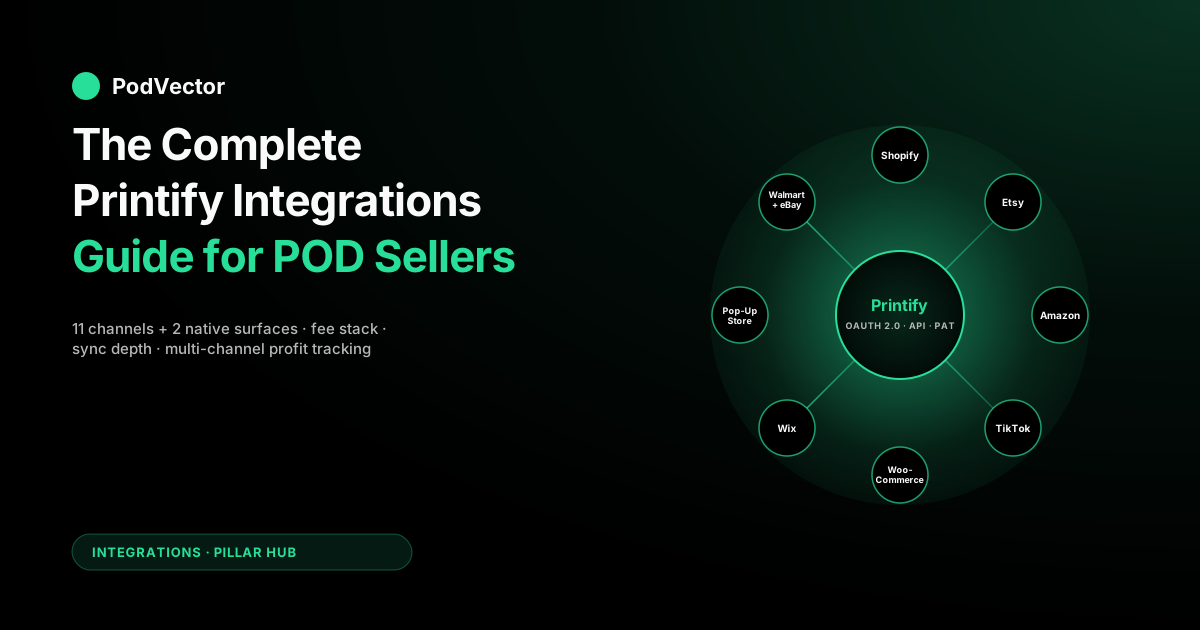
Quick Answer: Printify ships official integrations with 11 external sales channels — Shopify, Etsy, eBay, Amazon (US), TikTok Shop (US), WooCommerce, Wix, Squarespace, BigCommerce, PrestaShop, and Walmart Marketplace — plus two native surfaces: the Printify Pop-Up Store (free storefront at yourname.printify.me) and the Printify API (OAuth 2.0 for multi-account platforms, Personal Access Token for single accounts). Every integration pulls from the same provider network at the same base cost — the provider that prints your Bella+Canvas 3001 doesn't know or care whether the order came from Shopify, Etsy, or TikTok Shop. The real integration decision is which channel-fee × customer-acquisition × sync-depth combination fits your traffic source.
Shopify gets the deepest two-way sync (products, variants, inventory, orders, tracking, refunds, webhooks) and charges a flat $39/month (Basic) plus payment processing — no per-sale referral fee. Etsy syncs orders in and tracking out but layers on its own fee stack: according to Printify's own Etsy fee guide, US sellers pay a $0.20 listing fee, a 6.5% transaction fee on the total order including shipping, and a 3% + $0.25 payment processing fee per order.
TikTok Shop charges a flat 6% referral fee on most product categories (apparel included), which covers both the marketplace commission and payment processing for US sellers — according to Printify's TikTok Shop integration guide. Amazon enforces approval gating and a 15% referral fee on most categories. WooCommerce gives full data ownership at the cost of hosting the stack yourself.
The trap every multi-channel Printify seller hits: Printify shows you gross order cost at the channel level, but none of the integrations reconcile channel revenue against base cost + shipping + ad spend + processor fees in one view — which is why per-SKU, per-channel margin answers usually live in a spreadsheet or a live data warehouse, not in Printify itself.
The Printify integration stack: every official channel
Printify's marketing page lists its integrations as a wall of platform logos organized by "marketplaces," "eCommerce stores," and "Printify native." That's useful shelf-arrangement for a landing page and almost useless for making a decision. The version of the list that actually helps a POD seller choose groups the integrations by where the buyer comes from, who owns the customer relationship, and how deep the data sync runs — because those three axes govern every downstream decision about margin, ads, and reporting.
| Category | Integrations (official, 2026) | Audience source | Storefront work |
|---|---|---|---|
| Hosted storefront | Shopify, Wix, Squarespace, BigCommerce | You drive traffic | Low–Medium |
| Self-hosted / open-source | WooCommerce (WordPress), PrestaShop | You drive traffic | High (you host and maintain) |
| Marketplace | Etsy, Amazon (US only), eBay, TikTok Shop (US), Walmart Marketplace | Marketplace owns it | Low (listings only) |
| Printify-native | Printify Pop-Up Store, Printify API (OAuth 2.0 and PAT) | You drive traffic (Pop-Up) or full control (API) | Near-zero (Pop-Up) or full (API) |
Two structural facts matter before you pick any of these. First, every integration pulls from the same Printify provider network at the same base cost. The provider that prints your Bella+Canvas 3001 doesn't know or care whether the order came from Shopify, Etsy, or the Pop-Up Store. Base cost, shipping, and production time are a function of provider × SKU, not of the integration.
This means the integration choice is purely a question of where your buyers come from and what channel fees you're willing to pay. Second, the integrations are not feature-equivalent. Shopify gets near-full two-way sync. Etsy syncs orders in and tracking out. Amazon sits behind an approval wall. According to Printify's own TikTok Shop guide, TikTok Shop has matured through 2025–2026 and is now production-grade for sellers running TikTok-native content motions. You're picking both a traffic source and an automation depth at the same time.
For the one-line read on Printify itself before going deeper, the parent piece is the complete Printify guide: what it is and how it works. The cost-side context — base prices, plan tiers, Premium discounts, the February 2026 price bump — is in the complete guide to Printify costs, fees, and discounts.
The cross-supplier view is in Printify alternatives: the complete comparison for POD sellers. Printify's own canonical integrations list lives at printify.com/integrations. The parallel pillar for the other major POD supplier is the complete guide to Printful integrations.
How a Printify integration actually works end to end
Every official Printify integration, regardless of platform, follows the same six-step lifecycle. Understanding the lifecycle is what lets you debug a stuck sync in ten minutes versus a three-day support ticket. It also explains why "the integration went down" usually means one specific step broke, not the whole pipe.
- Connection. You authenticate Printify to your sales channel. On Shopify this is the Printify app from the Shopify App Store; on Etsy/Amazon/eBay/TikTok Shop it's OAuth; on WooCommerce it's an API key pair; on Wix/Squarespace/BigCommerce it's a managed-app install. The handshake creates a scoped token that Printify uses to call the channel's API on your behalf. The Free plan allows up to 5 connected stores; Premium up to 10; Enterprise unlimited.
- Product publish. You design a product in Printify's Product Creator, pick a provider, set retail price, and hit publish. Printify pushes the product — title, description, variants (size/color), mockup images, retail price, SKUs — into the channel. On Shopify this takes seconds. On Etsy the listing appears immediately in your Etsy shop manager. On Amazon, the product enters Amazon's approval queue before going live.
- Order capture. Customer buys on your channel. The channel fires a webhook (or Printify polls, depending on integration) to Printify with order details: SKU, variant, shipping address, retail paid. Printify matches the SKU to your internal Printify product, looks up the assigned provider, and creates a fulfillment request.
- Production routing. Printify sends the fulfillment request to the assigned provider. If you've configured auto-approve (default), the order goes straight into production. If you set manual approval, the order sits in your Printify Orders tab waiting for you to click "Submit." Most sellers run auto-approve; manual approval is for high-AOV or print-heavy SKUs where QA matters.
- Payment reconciliation. At the moment of fulfillment, Printify charges your payment method (credit card, PayPal, or prepaid Printify wallet) for base cost + shipping + any Printify fees. Your customer already paid the retail price on the channel. The channel later pays out to your bank on its own cadence (Shopify daily, Etsy biweekly, Amazon biweekly, TikTok Shop weekly). The gross margin is retail minus Printify's charge; the net margin needs channel fees, ad spend, processor fees, and refunds subtracted — and none of that lives in Printify.
- Tracking and closeout. Provider ships, generates a tracking number, pushes it back to Printify, which pushes it to the channel, which emails the customer. On Shopify, Etsy, and Walmart the fulfilled status flows back too. On some marketplaces (notably TikTok Shop) you may need to manually mark fulfilled in the channel dashboard if Printify's push misses.
Step 5 is where most POD sellers' margin visibility breaks. Printify's Orders tab shows the charge side (what you paid). The channel's dashboard shows the revenue side (what the customer paid, before or after channel fees depending on where you look). Ad spend lives in Meta Ads Manager and Google Ads. Processor fees live in Stripe or PayPal. Refunds live partly in the channel and partly in Printify (if you re-submit the order). Stitching those five sources back together per SKU per channel is the reason most multi-channel Printify stores can't answer "what's my real margin on this mug in Etsy versus TikTok Shop this week?" without an hour of spreadsheet work.
Storefront integrations: Shopify, Wix, Squarespace, BigCommerce
Hosted storefront builders are the "you own the audience" bucket. You pay a platform fee, drive every visitor yourself via ads or SEO, and keep full control of checkout, pricing, discounts, and brand. The Printify integration differences between them are mostly a function of sync depth.
Shopify — the deepest integration
Shopify is the deepest and most mature Printify integration. Two-way sync covers products, variants, inventory state, orders, refunds, tracking, fulfilled status, and webhooks for real-time events. The Shopify Printify app is installed from the Shopify App Store in about two minutes. Once connected, you design in Printify and publish to Shopify; orders flow from Shopify to Printify; tracking flows back to Shopify and out to the customer. This is the integration Printify's own engineering invests the most in — it's the one that shows up first in Printify's help docs and the one with the fewest edge-case breakages.
According to PodVector AI's Printify cost breakdown, Shopify Basic is $39/month in 2026, with payment processing at 2.9% + $0.30 via Shopify Payments and no per-sale marketplace commission — cheap relative to Etsy or Amazon at scale, but you're responsible for 100% of traffic. See the best print-on-demand apps for Shopify for how Printify stacks up against Printful, Gelato, Teelaunch, and the other supplier-side plugins on this same Shopify base.
Because Shopify is the channel where paid acquisition scales best, sellers running Meta and Google Ads should understand how post-purchase mechanics compound margin — see how to increase AOV with AI and CRO techniques for POD stores for the tactics that move average order value without requiring more ad spend.
Wix — mid-depth, good for design-first brands
Wix's Printify integration syncs products, orders, and tracking. Inventory state and refund flags are partial — you may have to manually reconcile a refunded order in both places. The storefront experience is visual-editor-first, which is a fit for sellers whose brand depends on unique page layouts and a non-generic look. Traffic assumption is identical to Shopify: you drive 100% of it.
Squarespace — mid-depth, aesthetic-first
Similar to Wix in integration depth — products, orders, and tracking sync; refunds and inventory are partial. Squarespace's Printify integration has matured through 2024–2025 and is now stable enough for steady-state operation, though Shopify still wins on sync depth and debugging tools. The pick rationale is usually brand-aesthetic control and a preference for Squarespace's editorial templates.
BigCommerce — solid integration, B2B-adjacent
BigCommerce has the fewest Printify sellers but is the strongest of the four on headless and B2B capability. Two-way sync is near-parity with Shopify for products, variants, and orders. The pick rationale is typically a seller who has already scaled past Shopify's plan tiers or who has B2B wholesale channels that BigCommerce supports more naturally than Shopify does without a plugin stack.
Marketplace integrations: Etsy, Amazon, eBay, TikTok Shop, Walmart
Marketplaces are the opposite bucket. You get access to a pre-built buyer base that's actively searching. You pay platform fees (typically much higher than storefront-platform fees, because the marketplace is doing the customer acquisition). You sacrifice brand ownership and checkout control. You live or die by the marketplace's search algorithm and review system.
Etsy — the largest Printify marketplace channel
Etsy is the most widely used Printify integration for new sellers because it's the only channel in the list where you can open shop with zero audience and make sales within weeks, assuming your niche and SEO are competent. The integration syncs orders from Etsy to Printify and tracking back to Etsy. Inventory state and refund flags are more manual than on Shopify.
Printify's own Etsy fee guide breaks down the 2026 fee stack for US sellers: a $0.20 listing fee (four-month window), a 6.5% transaction fee on the total sale amount including shipping, and a payment processing fee of 3% + $0.25 per order. Etsy's Offsite Ads program can add a further referral fee on top — check your Etsy seller dashboard for whether you're opted in and at what rate.
Because Etsy handles its own buyer email and restricts direct remarketing, the best retention lever is a post-purchase email sequence in a tool like Klaviyo that captures buyers who also visit your Shopify store — see how to set up a Klaviyo browse-abandonment flow for the exact setup.
Amazon (US) — highest friction, highest ceiling
Amazon's Printify integration is US-only and requires an approved Amazon Professional Seller account. According to PodVector AI's per-channel fee breakdown, the Professional Seller plan is $39.99/month and Amazon charges a 15% referral fee on most categories. The integration syncs orders and tracking, but listing approval goes through Amazon's own queue — most new listings sit for 24–72 hours before going live, and Amazon enforces strict catalog requirements (GTINs or brand-registry exemption, approved image ratios, specific bullet-point conventions). Amazon does not own a meaningful search-intent advantage for generic POD apparel (Etsy does), but it wins on branded searches and for niches where the buyer already knows the product category. Treat Amazon as a channel to add once Etsy or Shopify has proven the SKU, not as a starting channel.
eBay — the quiet workhorse
eBay's Printify integration is straightforward: orders sync in, tracking syncs out. According to Platform Fee Calculator's 2026 breakdown, eBay's standard final value fee for most US categories is 13.35% of the total amount the buyer pays (item + shipping), plus a $0.40 flat fee per order, with payment processing bundled in and no separate charge. Sellers get up to 250 free fixed-price listings per month. eBay underperforms Etsy and Amazon on new-seller organic reach but overperforms on niche-collector and vintage-adjacent items. It's rarely a first channel and often a fifth.
TikTok Shop (US) — creator-driven upside, now with a published fee rate
TikTok Shop is one of Printify's faster-growing integrations for US merchants. It connects your Printify catalog to a TikTok storefront that's natively discoverable inside the TikTok app and supports the creator-affiliate model where TikTok creators can promote your products for a commission you set.
The fee structure is now clear and materially lower than Amazon or Etsy. According to Printify's TikTok Shop fee guide, TikTok charges a referral fee of 6% of the product price for most categories — apparel and home décor fall here — while select jewelry items carry a 5% rate. According to TikAdSuite's 2026 breakdown, for US sellers the 6% referral fee is a single unified charge that covers both the marketplace commission and payment processing — there is no separate per-transaction processing fee. There is no monthly subscription and no listing fee. New sellers may qualify for a reduced introductory rate during their first 90 days; always verify current rates in your TikTok Seller Center, as promotional windows expire without notice.
The trade-off: traffic is almost entirely creator-content-dependent. If your content stops, sales stop. Affiliate commissions you offer creators are seller-set and optional — but according to OneCart's 2026 TikTok Shop fee guide, if you layer a 15% affiliate commission on top of the base referral fee, your total platform cost on a given order jumps substantially. Model the full fee stack before committing catalog to TikTok Shop.
Walmart Marketplace — growing, high-barrier
Walmart Marketplace's Printify integration is the highest-barrier and smallest-seller-base of the marketplace bucket. Walmart approves sellers on a case-by-case basis; expect a multi-week application cycle. Once in, referral fees vary by category and are generally lower than Amazon's 15%. Walmart's buyer base skews mainstream and value-conscious, which can mismatch trend-driven or design-forward POD niches. Pick Walmart once you've proven the product on a lower-barrier channel and want a flywheel channel with less competition than Amazon.
Open-source integrations: WooCommerce and PrestaShop
Open-source channels give you full data ownership — you can query every order, every fee, every refund directly from your own database — at the cost of hosting the stack yourself. WooCommerce runs on WordPress; PrestaShop is a PHP eCommerce CMS popular in Europe. Both integrate with Printify via an official plugin plus an API key.
WooCommerce — full control, hosting overhead
Printify's WooCommerce plugin installs as a WordPress plugin, authenticates with your Printify account via an API token, and handles product sync, order sync, and tracking push-back. Sync depth is comparable to Wix and Squarespace — products, orders, and tracking are two-way; inventory and refunds are partial. The real cost isn't the plugin (free) or Printify (same base cost as everywhere else) — it's hosting, caching, security, plugin compatibility, and the ongoing WordPress maintenance you eat as a tax. Pick WooCommerce only when you have either (a) engineering hours you're willing to spend on WordPress or (b) an existing WordPress content operation that already justifies the stack.
PrestaShop — EU-focused, niche
PrestaShop's Printify integration is functional but used by a small fraction of Printify sellers, mostly EU-based brands that already run PrestaShop for other reasons. Sync mirrors WooCommerce at a slightly shallower depth. Pick PrestaShop only if it's already your stack; don't adopt it to sell POD.
Printify-native surfaces: Pop-Up Store and the API
Printify Pop-Up Store — the free no-code storefront
The Printify Pop-Up Store is a free built-in storefront hosted at yourname.printify.me. Setup is under five minutes: pick a theme, add products, share the link. Payment processing is handled by Printify (Stripe under the hood), so you don't need a separate processor account. There's no monthly fee and no product-count limit.
The Pop-Up Store is not a serious full-brand storefront — customization is limited, there's no email capture, no discount code engine, no abandoned cart recovery — but it's the right tool for three use cases: testing a product before committing to a full Shopify build, running a link-in-bio sales page for a social-media-driven brand, or handling a one-off drop where a full storefront is overkill. Many Printify sellers launch on the Pop-Up Store, validate the product, and migrate to Shopify once orders are consistent. For a deeper look at the Pop-Up Store's feature set and custom-domain options, see how the Printify Pop-Up Store works and setting up a custom domain on your Printify Pop-Up Store.
Printify API — OAuth 2.0 and Personal Access Tokens
Printify's public API is the "anything custom" escape hatch. Two auth modes: Personal Access Token (PAT) for managing a single Printify account (use case: a solo seller who wants to script product bulk-creation or custom reporting) and OAuth 2.0 for platforms managing multiple merchant accounts (use case: a SaaS product that connects to many Printify shops on behalf of its users). The API exposes catalog browsing, product CRUD, order submission, shipping cost calculation, and webhooks for order state changes. Full reference at developers.printify.com.
The API is the integration point for anyone building custom reporting, margin-tracking, or multi-shop orchestration on top of Printify. It's also the surface that tools reading Printify data — like analytics layers that need Printify order-cost context — connect through. Note that Printify API access is read-only for cost and order data ingestion purposes; write actions against Printify are not yet universally available through third-party tooling.
The per-channel fee stack you have to model
The single biggest mistake new multi-channel Printify sellers make is comparing channels on base cost alone. Every channel sells the same product from the same provider at the same Printify base cost — so base cost is constant across channels and irrelevant to the comparison. The thing that actually differs by channel is the fee stack between retail paid and your net profit.
Here is the 2026 fee structure per major channel, sourced from each platform's current documentation:
| Channel | Platform fee | Transaction / referral fee | Source |
|---|---|---|---|
| Shopify | $39/mo (Basic) | 2.9% + $0.30 (Shopify Payments); no per-sale referral fee | PodVector AI Printify cost breakdown, 2026 |
| Etsy | $0.20 listing | 6.5% transaction + 3% + $0.25 payment processing (US) | Printify Etsy fee guide, 2026 |
| Amazon (US) | $39.99/mo (Pro Seller) | 15% referral fee on most categories | PodVector AI Printify cost breakdown, 2026 |
| eBay | $0 (up to 250 free listings/mo) | 13.35% final value fee (item + shipping) + $0.40/order; payment processing bundled | Platform Fee Calculator, 2026 |
| TikTok Shop (US) | None | 6% referral fee (most categories, incl. apparel); 5% for select jewelry; covers payment processing — no separate processing charge | Printify TikTok Shop fee guide, 2026 |
| Walmart | None | Referral fee varies by category; generally lower than Amazon's 15% | Walmart Marketplace seller documentation |
| WooCommerce | Hosting (varies) | 2.9% + $0.30 (Stripe, or your chosen processor) | Stripe pricing documentation |
| Printify Pop-Up Store | None | Baked-in processing rate (Stripe-backed) | Printify Pop-Up Store documentation |
Two things stand out from that table. First, the fee spread from cheapest (Shopify/WooCommerce at roughly processor rate only) to priciest (Amazon at 15% referral plus subscription) is a substantial margin difference on every order — one that dwarfs most base-cost optimizations you could extract from provider shopping. Second, TikTok Shop's 6% all-in rate for US sellers makes it structurally cheaper per sale than Etsy or Amazon at standard rates, though creator affiliate commissions (which you set and are optional) can significantly increase total platform cost if you use them. Third, the "right" channel is never the one with the lowest fees — it's the one where the fees + acquisition cost delivers the best CAC-to-LTV ratio. A low Shopify fee is meaningless if you can't get traffic; a higher Etsy fee pays for itself if Etsy's organic search delivers buyers for free.
This is the correct frame: integration fees are the floor on your channel economics, but CAC is the thing you actually compete on. Understanding your net profit margin per channel is the starting point — see net profit margin benchmarks for POD sellers to know what a healthy target looks like before you pick your channel mix.
Sync depth: what flows, what doesn't, per integration
Sync depth maps directly to operational load. A deep integration auto-handles refunds, inventory, and tracking without your intervention. A shallow integration means you manually reconcile orders between Printify and the channel every week. Below is the 2026 sync matrix across the most-used integrations.
| Capability | Shopify | Etsy | Amazon | TikTok Shop | Wix/Squarespace | WooCommerce |
|---|---|---|---|---|---|---|
| Product publish (Printify → channel) | Yes (auto) | Yes (auto) | Yes (approval queue) | Yes (auto) | Yes (auto) | Yes (auto) |
| Variant sync (size/color) | Yes | Yes | Partial | Yes | Yes | Yes |
| Order capture (channel → Printify) | Yes (webhook) | Yes (poll + webhook) | Yes (poll) | Yes (webhook) | Yes (webhook) | Yes (webhook) |
| Tracking push (Printify → channel) | Yes (auto) | Yes (auto) | Yes (auto) | Partial (sometimes manual) | Yes | Yes |
| Fulfilled status push | Yes | Yes | Yes | Partial | Yes | Yes |
| Refund / cancellation sync | Yes | Partial | Partial | Manual | Partial | Partial |
| Inventory state sync | Yes | Partial | Partial | Partial | Partial | Partial |
| Real-time webhooks | Yes | Yes | Poll-based | Yes | Yes | Yes |
The "Partial" and "Manual" cells are the places you'll feel operational drag. For example: a customer cancels on TikTok Shop after Printify has already started production. TikTok Shop marks the order cancelled; Printify does not automatically pick that up; you eat the base cost unless you manually cancel in Printify within the production window. The operational response is either (a) accept the leakage as a cost of doing business on TikTok Shop, (b) run manual daily reconciliation, or (c) instrument a webhook bridge yourself via the Printify API. Most sellers pick option (a) for small channels and option (b) as volume grows.
Sync gaps also affect checkout completion analytics. When orders fall through a partial sync, your channel-reported conversion rate diverges from your actual fulfilled-order rate — see average checkout completion rate benchmarks for ecommerce to understand what healthy rates look like and how to identify when a sync gap is inflating or deflating your numbers.
Provider routing and how it interacts with your channel choice
This is the uniquely-Printify angle that Printful's integrations discussion doesn't have. Printful owns its own production, so an integration equals a channel. Printify is a marketplace, and every SKU in your Printify catalog is assigned to a specific third-party provider (Monster Digital, SwiftPOD, Duplium, MWW, District Photo, etc.). When an order comes in from any channel, Printify routes it to the assigned provider.
Three practical implications.
Shipping time is a function of provider, not channel. A customer ordering from your Etsy shop and a customer ordering from your TikTok Shop for the same SKU get the same shipping time — because the same provider prints both. The channel doesn't change the fulfillment speed. What changes fulfillment speed is which provider you picked during product setup and where that provider's warehouse is relative to the customer.
Channel expectations differ. Etsy buyers tolerate longer delivery windows on custom items. Amazon buyers expect rapid delivery. TikTok Shop buyers increasingly expect fast turnaround. If your assigned provider ships in seven-plus business days from an overseas facility, that may be acceptable for Etsy and disqualifying for Amazon. Running one SKU across multiple channels means you have to pick providers whose production and shipping SLA clears the tightest channel's expectation — which usually means US-based providers for any catalog that includes Amazon.
Provider re-routing can silently change your cost. If your assigned provider runs out of a specific variant, Printify re-routes to a backup provider. The backup may have a different base cost and shipping rate, which means the order you thought cost a certain amount may arrive at a higher charge. Across channels with thin margins (Amazon, Etsy), those re-route cost bumps add up. The only defense is to assign two providers manually or to monitor re-routes via the API and flag them against your margin targets. For the provider-selection math, see the complete guide to Printify's most profitable products.
For a direct comparison of what provider routing costs you versus Printful's in-house production model, see how much Printful charges for shipping — understanding both cost structures is necessary before you decide which fulfiller to assign to which channel.
Running Printify across two or more channels
The strongest Printify stores run multiple channels concurrently because each channel's fee profile and audience profile fits a different piece of the funnel. A representative multi-channel stack in 2026 looks like this:
- Etsy for organic discovery of design-forward niches (benefit: free acquisition from Etsy's search; cost: its layered fee stack per order).
- Shopify for paid-acquisition brand storefront (cost: subscription + processor + ad spend; benefit: full brand control and remarketing lists).
- TikTok Shop for creator-driven growth on trending SKUs (benefit: viral-content upside and a low all-in referral rate; cost: creator-dependency and affiliate commission if you activate the affiliate program).
- Amazon added once a SKU has proven on Shopify or Etsy (benefit: branded-search buyers who already know the product; cost: Amazon's 15% referral fee per order).
Running multi-channel introduces four operational problems. First, inventory state fragmentation: Printify's inventory (per-provider variant availability) doesn't map cleanly to the per-channel inventory each platform expects. You tell each channel "unlimited" inventory, and you gamble on provider stock. Second, listing proliferation: the same product in Shopify, Etsy, TikTok Shop, and Amazon has four slightly different title/description requirements (Amazon is strictest, Etsy is loosest). Third, margin invisibility: you can't easily answer "which channel made me the most money net of ads and fees this month?" from any one dashboard. Fourth, refund double-counting: a customer who cancels on the channel may or may not cancel in Printify cleanly — you manually reconcile.
The tools that help with each: inventory — stick to high-stock-depth providers (Monster Digital, SwiftPOD, district suppliers) per SKU; listings — maintain a product-ops doc with per-channel title templates; margin — either a spreadsheet that pulls from Printify + channel + ads + Stripe weekly, or Victor from PodVector AI, who checks your Printify, Shopify, and Meta Ads/Google Ads numbers for you and lets you ask margin questions in plain English; refunds — a daily ten-minute reconciliation routine until you build tooling.
Multi-channel Shopify sellers should also audit whether their dropshipping sourcing decisions interact cleanly with Printify fulfillment — see can I dropship from Etsy to Shopify for a nuanced look at the channel-mixing edge cases that trip up multi-channel operators.
Common Printify integration breakdowns and how to fix
Every Printify seller running for more than three months eats one of these. Each is a single specific lifecycle-step failure.
- "Products published to Shopify but not showing." Step 2 (product publish) succeeded in Printify but the Shopify publish is stuck in draft mode. Fix: in Shopify, go to Products → All products → filter by Printify vendor → bulk-set status to Active.
- "Order on Etsy but not in Printify." Step 3 (order capture) missed. Usually an Etsy OAuth token expired or Printify's Etsy app lost permissions after an Etsy policy update. Fix: in Printify, go to My Stores → Etsy → Reconnect. The missed orders usually backfill automatically within one sync cycle.
- "Provider auto-approved an order I wanted to edit." Step 4 (production routing) ran before you could intervene. Fix: toggle your Printify production setting to manual approval, which holds orders for 24 hours before routing.
- "Charged twice on the same order." Step 5 (payment reconciliation) re-fired because of a webhook retry. Fix: contact Printify support — they refund these cleanly. Prevention: use a prepaid Printify wallet rather than a raw credit card, which caps the exposure.
- "Customer says tracking number doesn't work." Step 6 (tracking push) pushed a tracking number that the carrier hasn't activated yet. Fix: wait 24–48 hours. If still dead after 72 hours, the provider mis-scanned — contact Printify support with the order ID.
- "TikTok Shop order shipped but not marked fulfilled." Step 6's fulfilled status push didn't propagate to TikTok Shop. Fix: manually mark the order fulfilled in the TikTok Shop seller center for now. Printify is actively working on closing this gap.
- "Provider re-route raised my cost and killed my margin." Printify switched to a backup provider mid-SKU. Fix: in Printify, assign a second preferred provider manually on the affected product; monitor the Orders tab for provider changes that weren't your choice.
Tracking profit accurately across Printify integrations
Every Printify integration exposes the same data gap: Printify knows your base cost + shipping + Printify fees at the moment of fulfillment; the channel knows your retail revenue minus channel fees at the moment of payout; neither knows your ad spend, processor fees, or refunds. The true net margin needs all five sources reconciled per order.
Three approaches sellers use to bridge the gap.
Spreadsheet. Weekly manual pull of Printify orders, channel payouts, ad-account reports, and Stripe statements into a Google Sheet with SUMIF formulas. Works for up to a few hundred orders a month. Breaks above that — the manual work starts consuming several hours a week and the error rate compounds. For a structured approach to managing your books on this stack, see the ecommerce small business bookkeeping guide.
Third-party profit tracker. Apps like BeProfit, TrueProfit, and Lifetimely connect to your Shopify or WooCommerce store plus ad accounts and calculate per-SKU net margin. Most don't natively understand Printify's base cost structure (they treat cost as a flat field the seller types in once), which means base-cost changes from provider re-routes get missed. For the full comparison of these tools, see the best POD profit-tracking apps compared and the best Shopify apps to track profitability in POD.
An AI employee who sees everything in one place. This is how PodVector AI's Victor works: he connects to Printify, Printful, your Shopify store, and your ad platforms (Meta Ads, Google Ads), so he can see your orders, costs, and ad spend together. Ask him plain questions — "what's my net margin on my top five SKUs this week, net of Meta Ads and refunds?" — and he'll answer, then suggest the next move to boost profit, like repricing your worst-margin SKUs to a target margin or raising your free-shipping threshold. He shows you the change as a card with his reasoning, and nothing happens until you approve it. Once you say yes, he makes the change for you. This works whether you're running a handful of orders a month or thousands. Read more about what Victor does in practice at the PodVector AI strategy overview, then try Victor free to see how it reads your Printify and Shopify data in one place.
If you're investing in paid acquisition across your Shopify channels, the CRO techniques for POD stores guide covers the highest-ROI margin moves available to Shopify-based POD sellers, and increasing AOV with AI covers how to grow average order value before you add channels.
The Printify integration decision matrix
A one-screen map for picking your first Printify integration (or your next).
| If your situation is… | Start with | Why |
|---|---|---|
| New seller, no audience, can't run ads yet | Etsy | Free acquisition from Etsy's search; its layered fee stack is the price of borrowed traffic |
| Can drive paid traffic (Meta/Google Ads) | Shopify | Lowest fee stack at scale; full brand control; best sync depth for scaling |
| Already have content engine on TikTok | TikTok Shop | Creator affiliate flywheel; 6% all-in referral rate; in-app native checkout |
| Want to validate a product before committing to a store | Printify Pop-Up Store | Free, five-minute setup, Stripe-backed checkout; no monthly fee |
| Already on WordPress for content/SEO | WooCommerce | Data ownership; same-session cross-sell with blog traffic |
| Proven product, ready to expand to branded search | Amazon (US) | Branded-search buyer intent; 15% referral fee is the price of Amazon's audience |
| Building a platform/SaaS on top of Printify | Printify API (OAuth 2.0) | Multi-merchant token management; full catalog and order control |
| Running three or more channels concurrently | All of the above + a live data layer | Channel-level margin answers break without real reconciliation across all sources |
FAQs
How many stores can I connect to one Printify account?
The Free plan allows up to 5 connected stores; Premium raises the cap to 10; Enterprise is unlimited. Most single-brand sellers never hit the Free-plan limit. Multi-brand operators and agencies running Printify across client accounts typically jump to Premium for the store-count headroom plus the base-cost discount — see is Printify Premium worth it for the break-even math.
Do Printify integrations cost extra?
No. Every official integration is free to use on every Printify plan. The costs are downstream — platform fees (Shopify $39/mo Basic, Amazon $39.99/mo Pro Seller per PodVector AI's 2026 cost breakdown), transaction fees per channel, and whatever traffic you're paying to drive to the channel. Printify itself charges nothing for the connection.
Can I sell the same product on Shopify, Etsy, and TikTok Shop from one Printify account?
Yes. You create the product once in Printify, then publish it to each connected store. Printify maintains a single source of truth for the product (design, variants, provider assignment, base cost) and pushes channel-specific listings. Orders from any channel route back to the same provider with the same base cost. The practical considerations are title and description differences per channel (Amazon is strictest, Etsy is loosest) and that you may want slightly different retail prices per channel to offset different fee structures.
Does Printify integrate with Shopify Plus?
Yes. The Shopify Printify app works identically on Shopify Plus accounts — no additional configuration required. Plus-specific features (Scripts, Launchpad, B2B) are unaffected by the Printify integration and can operate alongside Printify-sourced products without conflict.
Does Printify support multi-currency?
Printify itself charges you in USD (or EUR for EU-based accounts) regardless of the channel's currency. The channel handles the retail-side currency — Shopify Markets, Etsy's regional pricing, Amazon's marketplace currency — and converts to the payout currency on its own cadence. The forex gap between the customer's paid amount and your USD cost settlement is a small but real margin leak worth monitoring at scale.
Can I use Printify with a headless commerce stack?
Yes, via the Printify API. You'd use Printify as the fulfillment backend and build your own headless storefront (Shopify Hydrogen, Next.js Commerce, custom stack) on top. The API exposes catalog, orders, shipping, and webhooks. This is uncommon for solo sellers and standard for SaaS platforms built on Printify.
Is there a Printify Squarespace Commerce integration?
Yes, the Squarespace integration supports Squarespace Commerce plans. Product sync, order sync, and tracking push are supported. Refund and inventory state syncs are partial. The integration matured through 2024–2025 and is stable for steady-state operation.
Can I switch a product's channel from Etsy to Shopify without recreating it in Printify?
Yes. In Printify, a product is platform-agnostic — the mockups, variants, provider, and design file live once. Publishing to a new channel is a couple of clicks on an existing product. You'll still need to re-enter channel-specific title, description, and tags in each channel's listing, since those are channel-optimized copy rather than Printify data.
Does Printify integrate with Walmart Marketplace?
Yes, Walmart Marketplace is an official Printify integration, but Walmart's seller-approval process is the bottleneck — expect a multi-week application cycle. Once approved, the integration behaves like the other marketplace integrations: orders sync in, tracking syncs out, listing approval goes through Walmart's queue.
What's the difference between Printify Pop-Up Store and Printful Quick Stores?
Both are free, zero-code storefronts hosted by the POD platform. The functional feature sets are close — product pages, checkout, tracking. The main difference is that Printify Pop-Up Store uses Printify's provider network (so your base costs and provider options are whatever you'd get on any Printify channel), while Printful Quick Stores uses Printful's in-house production. If you're deciding between the two storefront options, the choice is downstream of the bigger question of Printify vs. Printful on cost, quality, and catalog — see the Printify costs guide and the Printful costs guide.
Do I need to disconnect my store if I cancel Printify Premium?
No. Downgrading from Premium to Free keeps your connected stores active. You lose the base-cost discount and the extra store slots (cap drops from 10 to 5), but the integrations themselves don't disconnect. If you're over the Free-plan store cap when you downgrade, Printify asks you to pick which stores to keep active.
What is the TikTok Shop referral fee for POD sellers in 2026?
According to Printify's TikTok Shop fee guide, TikTok charges a 6% referral fee on most product categories in the US, including apparel and home décor. Select jewelry items carry a 5% rate. For US sellers, this single fee covers both the marketplace commission and payment processing — there is no separate per-transaction charge. New sellers may qualify for a reduced introductory rate during their first 90 days; verify current rates in your TikTok Seller Center.
How does Printify's API interact with third-party analytics tools?
Printify's public API exposes catalog, order, and shipping data via OAuth 2.0 (multi-merchant) or Personal Access Token (single account). Third-party analytics tools that read Printify data — including live data warehouse products — connect through this API. Access for data-ingestion purposes is read-only; write actions (order submission, product CRUD) require separate API scopes and are typically used by platforms managing orders programmatically, not by analytics tools.
See your Printify channels' real margin in one view
Every Printify integration has the same gap: Printify knows your base cost, the channel knows the retail price, but nothing adds in your ad spend, refunds, or processing fees for you. PodVector AI's Victor is an AI employee who looks at your Printify, Shopify, Meta Ads, and Google Ads numbers together — then answers margin questions in plain English and suggests the next move to boost profit. You approve or reject each move; once approved, he makes the change for you, like repricing your worst-margin SKUs or raising your free-shipping threshold. Ask "what's my net margin on Bella+Canvas tees this week, net of ads and refunds?" and get the answer without a spreadsheet.
Try Victor free