
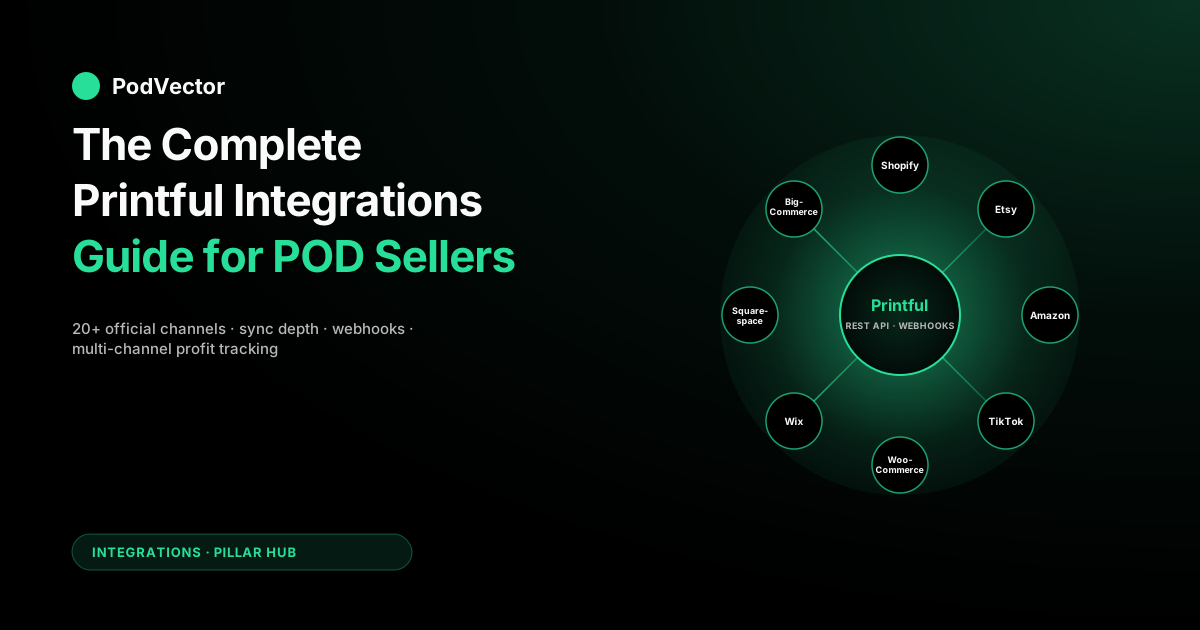
Quick Answer: Printful supports 20+ official integrations across four categories: storefront builders (Shopify, Wix, Squarespace, BigCommerce, Webflow, Ecwid, PrestaShop, Magento), open-source/self-host (WooCommerce, WordPress), marketplaces (Etsy, Amazon, eBay, TikTok Shop, Wayfair), and Printful's own no-code Quick Stores. For most POD sellers the right pick is not "the best integration" but the cheapest customer-acquisition channel paired with the lowest-friction storefront: Etsy when you can't drive traffic yourself, Shopify when you can, TikTok Shop when your content already converts, WooCommerce only when you have engineering hours to spend.
Every integration costs you the same Printful base price — the differences that matter are platform fees (Etsy's transaction + processing stack, Amazon's tiered referral fee, Shopify's monthly subscription, TikTok Shop's commission), what data syncs back (orders, costs, refunds, tracking — most sync orders, none sync the full margin), and whether the integration supports Printful's webhook system for real-time profit tracking. The hidden trap: every Printful integration syncs the order, but none reconcile retail revenue against Printful base cost + ad spend + processor fees in one view, which is why most multi-channel POD stores can't tell you their per-SKU margin without a custom data layer or a third-party tool.
The Printful integration stack: every official channel
Printful's published integration list looks like a wall of platform logos in their marketing. The useful version of the list groups those platforms by what they actually do for a POD seller: where the buyer transacts, who owns the audience, and how much storefront work falls on you. Four buckets cover the entire stack.
| Category | Integrations (official) | Audience source | Storefront work |
|---|---|---|---|
| Hosted storefront | Shopify, Wix, Squarespace, BigCommerce, Ecwid, Webflow, Square Online | You drive traffic | Low–Medium (drag-and-drop) |
| Self-hosted / open-source | WooCommerce (WordPress), PrestaShop, Magento (Adobe Commerce) | You drive traffic | High (you host and maintain) |
| Marketplace | Etsy, Amazon (Custom & Merch), eBay, TikTok Shop, Wayfair, Storenvy | Marketplace owns it | Low (listings only) |
| Printful-native | Quick Stores (Printful's no-code storefront), Printful API, embed widgets | You drive traffic | Near-zero (Quick Stores) or full (API) |
Two facts about this list change how a POD seller should read it. First, every integration on every line uses the same Printful base price. Picking Etsy over Shopify does not get you a different cost per t-shirt — the supplier-side economics are identical. The integration choice is purely a question of where your buyers come from and what platform fees you're willing to pay to access them. Second, the integrations are not feature-equivalent. Shopify gets the deepest sync (products, variants, inventory state, orders, refunds, tracking, fulfilled status, webhooks). Etsy syncs orders one-way.
Amazon syncs orders but with the heaviest manual catalog setup. The integration depth maps directly to how much of your operations you can automate versus run by hand.
For a one-line read on Printful itself before going further, the parent piece is the complete Printful guide for POD sellers. The cost-side context — base prices, plan tiers, branding fees — is in the complete guide to Printful costs and fees.
For the cross-supplier view see Printful alternatives: the complete comparison and the parallel piece on Printify integrations at the complete guide to Printify integrations for POD sellers. Printful's own canonical list lives at printful.com/integrations.
How a Printful integration actually works under the hood
Every Printful integration, regardless of platform, follows the same five-step lifecycle. Understanding that lifecycle is the difference between debugging a sync failure in five minutes and spending three days in a support thread.
- OAuth handshake. You install the Printful app or connector inside the storefront. Printful gets read/write API access scoped to your store account.
- Catalog push. You design products inside Printful (or use Printful's design tool inside the storefront). Printful pushes the listing — title, description, mockups, variants, retail price you set — into the storefront's product catalog.
- Order capture. Buyer checks out on the storefront. Storefront posts an order webhook to Printful (or Printful polls; varies by integration).
- Fulfillment. Printful charges your billing method for the base cost + shipping, prints, packs, ships from the nearest facility, and returns a tracking number.
- Status sync-back. Printful pushes the tracking number and "fulfilled" status back to the storefront. The storefront notifies the buyer.
That's the happy path. Three places where the lifecycle fails predictably. Catalog drift — you edit a product on the Printful side but the storefront doesn't pick up the change because the integration only pushes on initial creation; this hits Etsy and Amazon hardest. Order-attribute mismatch — the storefront accepted an address Printful's validator rejects (PO box, missing apartment number, restricted country); the order pauses until you intervene. Cost-data gap — the storefront knows the retail price the buyer paid but never sees the Printful base cost or shipping charge, so any margin reporting you do inside the storefront is structurally incomplete. The third one is the architectural problem this entire pillar exists to address; everything in the profit tracking section follows from it.
Best integrations if you're starting from scratch
By "starting from scratch" we mean: no existing audience, no marketing budget over $500/month, no engineering hours, fewer than 50 cumulative orders. The decision space narrows to four options, and the decision is mostly about how much friction you can absorb on day one.
Shopify (the default for paid-traffic POD)
The most mature Printful integration by a wide margin. Two-way sync on products, variants, inventory, orders, fulfillment status, refunds, and tracking.
Webhook support is native, which is why Shopify is the integration most third-party POD analytics tools support first. Cost is $29/month for the Shopify Basic plan, plus transaction fees (lower with Shopify Payments).
Right pick if you intend to run paid social (Meta, TikTok) and need a fast, conversion-tested checkout. The full integration walkthrough is in the complete guide to Meta Ads + Shopify integration for POD and the complete guide to Google Ads + Shopify integration for POD.
Etsy (the default for organic-search POD)
Free to install. Etsy's audience is the asset — tens of millions of active buyers searching for handmade-looking, gift-able product daily.
Printful syncs orders one-way (Etsy → Printful) and pushes tracking back. The trade is Etsy's fee stack: a per-listing fee, a transaction fee, payment processing, plus an optional Offsite Ads fee on referral sales. Right pick if you can write Etsy-native titles and tags and have any creative differentiation in your designs.
Printful Quick Stores (the zero-friction option)
Printful's own hosted storefront, launched in June 2024. Free.
No subscription, no domain required (uses a printful.me subdomain by default), no integration to set up. Catalog limited to Printful's products.
You get a checkout, basic store branding, and that's it. Right pick if you're validating a single design or a niche before committing to Shopify, or running an influencer drop with a 30-day shelf life. Quick Stores is structurally a landing page, not a brand, which is fine if that's the use case.
Wix or Squarespace (the design-first option)
Both have official Printful apps. Both target the user who wants storefront control over visual brand without the developer-tier configuration of Shopify.
Sync depth is lighter than Shopify (orders sync, refunds and inventory state are partial). Right pick when the brand depends on a strong visual landing page that needs full design control, and order volume will stay under ~200/month for the next year.
Best integrations if you sell on marketplaces
Marketplaces are the Printful integrations where most sellers end up after realizing how hard self-driven traffic actually is. The audience is real, the friction is high, and the rules change without notice. Three marketplace integrations are worth considering on day one.
Etsy (covered above; primary marketplace integration)
Already detailed under "starting from scratch" but worth re-stating in marketplace context: Etsy is the only major marketplace where the audience reliably converts on Printful product as a primary search match. Amazon and eBay reward price; Etsy rewards design.
Amazon Custom and Amazon Merch on Demand
Two distinct Amazon paths and they are not the same product. Amazon Custom is the Printful-fulfilled path: you list, Printful prints, you ship under your own seller account. Margins are the tightest of any marketplace because Amazon's referral fee structure for apparel is tiered — according to Eightx's 2025–2026 rate table, clothing is charged at 5% up to $15, 10% from $15–$20, and 17% above $20 — on top of the monthly Professional seller plan. Amazon Merch on Demand is Amazon's own POD service — Printful is not involved.
Printful's Amazon integration only handles the Custom path. Right pick if you have brand authority and operational maturity to manage Amazon's strict listing requirements; wrong pick for a first POD store.
TikTok Shop
The fastest-growing marketplace integration in Printful's catalog and the one with the steepest learning curve. Printful pushes products into TikTok Shop's catalog; TikTok pushes orders to Printful; tracking comes back.
The conversion mechanic is content, not search — your TikTok organic and paid content drives buyers into the Shop tab and they buy on impulse from the in-app product card. Commission and transaction fees apply; check TikTok Shop's current seller fee schedule as rates have been adjusted as the platform grows. Right pick if you (or a creator partner) already produce content that converts; effectively useless without that input.
eBay
Available, supported, rarely the right pick for net-new POD. eBay's auction-and-buyer-protection model fits collectibles and resale better than custom apparel. Worth listing because Printful supports it, not because most POD operators should pick it.
Best integrations if you're advanced or scaling
"Advanced" here means you have engineering capacity (in-house or contracted), an existing technical stack, and order volumes above ~500/month where automation savings actually pay back the build cost. Two integrations dominate this tier.
WooCommerce (the customization-maximalist pick)
Printful's WooCommerce integration is the only one that gives you the storefront source code. WordPress + WooCommerce is free; you pay for hosting, theme, and any premium plugins.
You get full control over the checkout, the data layer, the customer email flow, the analytics integration, and (importantly) the per-order cost-of-goods data because you own the database. Right pick when the data architecture matters — you intend to do margin analysis at the SKU level or run multi-supplier inventory routing — and you have or can hire WordPress/PHP capability. Wrong pick if your team can't independently fix a broken checkout at 11pm on a Saturday.
Custom storefront via Printful API
Headless. You build the storefront — Next.js, SvelteKit, whatever — and call Printful's REST API directly for catalog, mockups, order creation, and fulfillment status.
Webhook subscriptions push order events back to your stack in real time. Right pick when you have a brand that needs storefront UX outside what Shopify themes can deliver, when you're routing orders across multiple suppliers based on cost or ship-zone, or when your data team has specific requirements no off-the-shelf integration meets. Detailed in the API and webhooks section below.
BigCommerce (the enterprise-feature alternative to Shopify)
Printful's BigCommerce integration matches Shopify's depth on the basics. BigCommerce's structural advantage is no-fee transactions on third-party payment gateways and built-in B2B features. Worth evaluating only if you have specific enterprise requirements (multi-storefront from one back-end, native B2B catalog) that Shopify Plus would otherwise force you to.
The Printful API and webhooks: when to build custom
The Printful API is a REST API returning JSON. Authentication is OAuth 2.0 (private store tokens for single-store apps; full OAuth flow for public apps). The endpoints map cleanly to the integration lifecycle: /products for catalog, /sync for variant management, /orders for order creation and status, /shipping/rates for live shipping quotes, /webhooks for event subscriptions.
Webhooks are the line that decides whether the API is worth using at all. Printful supports the following events:
package_shipped— fired when a tracking number is generatedpackage_returned— fired on return to senderorder_failed— fired when Printful can't fulfill (address invalid, item out of stock)order_canceled— fired on cancellationorder_put_hold— fired when an order is paused for revieworder_remove_hold— fired when the hold is clearedproduct_synced— fired when a sync product is created/updatedproduct_updated— fired on catalog change Printful's sideorder_refunded— fired on refund processedstock_updated— fired on inventory change for a base SKU
The combination that matters for profit tracking is order_failed, order_refunded, and the matched package_shipped with the order detail payload — those three give you the actual base cost, shipping cost, and final disposition of every order, in real time, without polling. Storefront-side data alone never gives you these numbers; the Printful webhook stream is the only complete source.
The decision threshold for building custom on the API is roughly 1,000 orders/month or a multi-supplier setup. Below that, the Shopify integration plus a third-party tool is cheaper than custom development. Above that, the per-order operational savings from custom routing and exact-cost ingestion typically clear an engineering investment of 80–120 hours within a quarter.
The integration cost stack you have to model
Every Printful integration adds a fee layer on top of the Printful base cost. Modeling this correctly is the difference between a product that generates real margin and one that barely breaks even. The headline integration fees, current as of August 2026:
| Integration | Monthly fee | Per-transaction fee | Listing fee | Other recurring |
|---|---|---|---|---|
| Shopify Basic | $29 | Transaction fee (lower with Shopify Payments) or surcharge on third-party gateway | None | Apps (varies) |
| Etsy | $0 | Transaction fee + payment processing per order | Per-listing fee (multi-month renewal) | Optional Offsite Ads fee on referral sales |
| Amazon Custom | $39.99 Pro plan | Tiered referral fee (apparel: 5% / 10% / 17% by price point per Eightx 2025–2026) + variable closing | None | Optional FBA fees if used |
| TikTok Shop | $0 | Commission + transaction fee + payment processing (check current TikTok Shop seller fee schedule) | None | Optional ad spend (TikTok Ads) |
| WooCommerce | $0 plugin | Payment-processor fees only | None | Hosting + plugins (varies) |
| Wix Business | Varies by plan | Transaction fee via Wix Payments | None | Apps (varies) |
| Squarespace Commerce | Varies by plan | Transaction fee (Stripe) | None | None mandatory |
| BigCommerce Standard | $39 | Transaction fee (BigCommerce default gateway) | None | Apps (varies) |
| Quick Stores | $0 | Transaction fee via Printful's payment processor | None | None |
| eBay | $0 or store subscription | Final value fee + payment processing | Per-listing above free threshold | Promoted Listings (varies) |
Two structural notes. Marketplaces front-load fees on transactions, storefronts front-load on subscriptions. A store doing a moderate number of orders per month can net more on Shopify than on Etsy once Etsy's full fee stack is accounted; a store doing very few orders per month nets more on Etsy because an unrecovered Shopify subscription is the larger drag. The crossover point depends on your average order value. Ad spend is the largest line for any storefront integration. The integration fees above are a fraction of revenue; a paid-traffic POD store can spend substantially more on Meta or Google ads than on any platform fee. Understanding the true cost of ads is essential — see variable costs in Facebook Ads for POD and why platform ROAS overstates profit for the full picture.
The integration choice is real but second-order to the customer-acquisition strategy. The full ad-cost picture lives in the complete Meta Ads playbook for POD and the complete Google Ads playbook for POD.
What syncs back to your store — and what doesn't
The integration's depth determines what data ends up in your storefront database. This matters because anything that doesn't sync back has to be reconciled by hand, by spreadsheet, or by a third-party tracker — there is no way to fix it inside the storefront after the fact.
| Data field | Shopify | WooCommerce | Etsy | Amazon | TikTok |
|---|---|---|---|---|---|
| Order placed → Printful | Auto | Auto | Auto | Auto | Auto |
| Tracking number → store | Auto | Auto | Auto | Auto | Auto |
| Printful base cost on order | No (API only) | No (API only) | No | No | No |
| Shipping cost charged by Printful | No (API only) | No (API only) | No | No | No |
| Refund (Printful → store) | Auto | Manual | Manual | Manual | Manual |
| Inventory state (base SKU) | Auto | Plugin-dependent | No | No | No |
| Mockup updates | Auto | Auto | Manual relist | Manual relist | Manual relist |
The row that matters most is the third one: Printful base cost. None of the integrations push the actual per-order base cost back into the storefront.
Shopify and WooCommerce can pull it via the Printful API but do not by default. This is the structural reason POD profit tracking is hard: the storefront knows what the buyer paid; Printful knows what the order cost; the two sources have to be joined, and the joining is your responsibility, not the integration's. For a deeper look at why margin calculations break across integrations, see the formula to add margin to cost in ecommerce.
Running Printful across two or more channels
Most POD stores end up multi-channel within 12 months — typically Shopify + Etsy, or Shopify + TikTok Shop. Multi-channel introduces three operational problems Printful's integration model doesn't fully solve.
Catalog drift. The same product exists on two channels with two retail prices, two sets of mockups, two SKU naming schemes, and two listing states. Printful's "sync product" lets one base SKU back multiple storefront listings, but the storefront-side catalog (titles, descriptions, prices) is independent per channel and you have to maintain it. Tools like Printful's bulk-edit help; nothing fully solves it.
Inventory race conditions. For Printful this is mostly moot — POD is print-to-order, no real inventory — but for any non-POD products you sell alongside (samples, branded merch, dropshipped extras), the multi-channel inventory is your problem and the integration won't reconcile it.
Order-flow visibility. The single biggest pain. An order placed on Etsy lands in Printful's order list with an Etsy reference number; an order from Shopify lands with a Shopify reference.
Printful's dashboard shows them all together but the storefront-side dashboards each show only their own. There is no native channel-level P&L view in Printful that breaks down "I made $X on Etsy this week, $Y on Shopify, $Z on TikTok, and here's the per-channel margin." Building it is on you, either via a spreadsheet, a third-party app, or an AI agent layer that pulls Printful's API directly. See the profit tracking section below.
Common Printful integration breakdowns and how to fix
Five failure modes account for the vast majority of integration support tickets. Knowing the pattern saves a day each time.
"Order paused — billing method failed"
Your card on file declined when Printful tried to charge for the order's base cost + shipping. Printful holds the order for 24 hours, then cancels.
Fix: update billing method in Printful Dashboard → Billing; the order auto-resumes if you fix it within the hold window. Prevent: keep two billing methods on file; set up the low-balance alert on your card if it's a debit card.
"Address invalid — Printful rejected"
USPS / shipping-carrier address validation rejected the buyer's address. Common cause: missing apartment number, PO Box on a SKU that ships UPS only, military APO/FPO format.
Fix: edit the order address in the Printful dashboard; auto-resume on save. Prevent: enable Shopify's address validator on checkout (Shopify only); for marketplaces, add an "address tips" line to your listing description.
"Sync product missing — product disappeared from storefront"
Most common on Shopify when you delete a product on the Printful side without deleting the matching sync. Storefront product becomes a stub with no Printful backing. Fix: in Shopify, delete the orphaned product; in Printful, recreate the sync. Prevent: always edit-and-resync, never delete-and-recreate.
"Tracking number not pushing back to Etsy"
Etsy's API throttles. Printful retries on a backoff schedule. Usually self-resolves within 24 hours. If still missing after 48 hours, manually push tracking via Printful's "resend tracking" button on the order detail.
"Webhook deliveries failing"
Your endpoint returned a non-2xx status; Printful retries with backoff and gives up after 24 hours. Fix: check the webhook log in Printful Dashboard → Stores → API. Common cause: your endpoint timed out (Printful expects a response in <5 seconds; do work async). Prevent: respond to the webhook immediately, queue the actual processing.
Tracking profit accurately across Printful integrations
The integration architecture above produces a structural data gap. Storefront knows revenue. Printful knows cost. Ad platforms know spend. Payment processor knows fees. None of the four sources joins the others natively. Multi-channel makes the gap worse — three storefronts × four data sources = twelve disjoint exports to reconcile every month.
Three architectures address it, in increasing sophistication.
Spreadsheet reconciliation. Monthly export from each source, VLOOKUP on order ID, sum the columns. Works at a low order volume per channel.
Breaks at multi-channel scale because the order-ID schemas differ across platforms and a single refund can take weeks to fully resolve across all four sources. The labor is real — most operators spend several hours per month here, and it's the first task that gets dropped when the store gets busy.
Third-party POD profit tracker. Tools that subscribe to Shopify and Printful webhooks, ingest the cost data the integrations don't expose, and produce per-order, per-SKU margin reports. Reasonable middle ground. Compared in best POD profit tracking apps compared and best Shopify apps to track profitability in POD.
An AI employee who sees it all. Victor, PodVector AI's AI employee, connects to Printful, Shopify, Meta Ads and Google Ads. He sees your supplier costs, your sales and your ad spend side by side, so you don't have to dig through spreadsheets. Ask him "What was my net margin on Bella+Canvas tees last week, after all ads and refunds?" and he'll tell you. With your approval, he can reprice underperforming SKUs, adjust your free-shipping threshold, and bulk-update prices to hit a target margin.
Victor reads Printful data but writes only to Shopify (Printful writes are externally blocked at the app-registration level). For the profit-side mechanics that make the margin picture complete, see sales-to-stock ratio for POD, customer retention rate benchmarks, and add-to-cart rate benchmarks. For the architectural overview see the complete guide to AI analytics for POD and the complete guide to AI agents for ecommerce analytics.
The Printful integration decision matrix
The summarized decision logic, written as a flowchart in prose because that's how it actually gets used.
- If you have any audience already (email list, social following, existing storefront) → Shopify. Highest sync depth, deepest tooling support, lowest operational risk.
- If you have no audience but design talent → Etsy. The marketplace audience is the asset; rent it.
- If you have creator content that converts (or a partner who does) → TikTok Shop. The integration is mature enough now; the conversion mechanic does the work.
- If you're validating a single design or running a 30-day drop → Quick Stores. Free, instant, disposable.
- If you have brand authority and operational maturity → add Amazon Custom as a second channel, not first.
- If you have engineering hours and care about data architecture → WooCommerce or custom on the API. Don't do this until volume justifies it.
- If you've outgrown Shopify's pricing on transaction volume → BigCommerce for the no-fee gateway terms.
The only universally wrong moves: paying for Wix or Squarespace because the storefront looks pretty when you have no traffic strategy; building custom on the API at low order volume; running Etsy and Shopify simultaneously without a profit-tracking layer that joins them. If you're scaling ads alongside any of these integrations, also see how to identify ad fatigue and how to increase AOV with product add-ons — both compound the margin gains you get from a clean integration setup.
FAQs
Does Printful charge a fee to use any of its integrations?
No. Every official Printful integration is free to install and use. Printful makes its money on the per-order base cost + shipping; the integration itself is part of the platform. The fees you encounter are storefront fees (Shopify subscription, Wix subscription) or marketplace fees (Etsy transaction, Amazon referral), not Printful fees.
Can I run Printful with more than one storefront at the same time?
Yes. Printful supports unlimited stores per account.
You can run Shopify + Etsy + TikTok Shop simultaneously from one Printful login. Each store appears as a separate entry under Stores in your Printful dashboard with its own integration credentials and order list. The catch is reconciliation across them — Printful does not provide a unified channel-level P&L view, only a unified order list.
Which Printful integration syncs the most data back to my store?
Shopify, by a clear margin. Two-way sync covers products, variants, inventory state (where applicable), orders, fulfillment status, refunds, and tracking numbers. WooCommerce is structurally capable of the same depth but requires plugin and configuration work to match Shopify's out-of-box behavior. Etsy, Amazon, eBay, and TikTok Shop sync orders one-way only.
Does Printful's integration include the per-order cost in the data sync?
No. None of the official storefront integrations push Printful's per-order base cost or shipping cost back into the storefront database. To get that data you have to query the Printful API directly (the /orders/{id} endpoint returns the full cost breakdown) or subscribe to the package_shipped webhook, which includes the cost line items. Most third-party profit-tracking tools do exactly this in the background.
Can I use Printful with a custom-built storefront (no Shopify, no WooCommerce)?
Yes — through the Printful API. The API supports product catalog, mockup generation, order creation, shipping rate quotes, and webhook subscriptions.
Authentication is OAuth 2.0; rate limits are generous (120 requests/minute on the standard plan). This is the right path if you're building headless commerce or if your storefront stack is something Printful doesn't have an official integration for.
What happens to a Printful order if my storefront integration breaks mid-sale?
Depends on which leg of the lifecycle breaks. If the storefront fails to push the order to Printful, the order sits in the storefront only and Printful never sees it (you'll spot the missing Printful order in reconciliation).
If Printful fails to push tracking back to the storefront, the order ships normally but the customer doesn't get the storefront's automated shipped-notification email. The buyer-facing risk is the second case; Printful retries the tracking push on a backoff schedule for 24 hours and most are recovered automatically.
Is the Printful Etsy integration the same as the Etsy + Printify integration?
Functionally similar — both push orders one-way and sync tracking back — but the underlying cost stack differs because Printful's base prices, branding fees, and shipping zones are different from Printify's. The integration shape is the same, the unit economics are not. For the supplier-side comparison see Printful alternatives: the complete comparison.
Should I switch from Etsy to Shopify just to get a deeper Printful integration?
Not on integration depth alone. The integration depth pays back when you have analytics needs the Etsy data layer can't serve, when you need a custom checkout, or when you're running paid-traffic acquisition that Etsy's marketplace can't support.
If you're getting consistent organic traffic on Etsy and your only complaint is "Etsy fees feel high," the Shopify migration won't pay back — Shopify's monthly subscription plus ad spend will exceed the Etsy fees on most volume profiles. Migrate when you have a paid-traffic strategy ready, not before.
Does Printful have a Webflow integration?
Yes — Webflow is one of the supported storefront integrations. Sync depth is closer to Wix/Squarespace than Shopify (orders sync, refunds and inventory state are partial). Right pick if your brand depends on Webflow's design control and your order volume stays under ~150/month.
Does Printful integrate with Square Online or Squarespace Commerce?
Both are supported. Square Online integration is a newer addition with one-way order sync and tracking push-back. Squarespace Commerce integration is more mature with two-way sync on products and orders but partial coverage on refunds and inventory state. Either is acceptable for a low-volume storefront where the visual editor matters more than analytics depth.
What is Amazon's referral fee for apparel sold through Printful's Amazon integration?
Amazon uses a tiered structure for the Clothing and Accessories category. According to Eightx's 2025–2026 rate table (cross-referenced against Amazon Seller Central's published fee schedule), clothing is charged at 5% for items priced up to $15, 10% for items priced $15–$20, and 17% for items priced above $20. These rates have been frozen through 2026. Always verify the current rate card on Amazon Seller Central before pricing your listings, as Amazon updates fees periodically.
See Printful integration data joined to your real margin in one view
The gap between Printful's order list and your storefront's sales is why most POD sellers can't tell you their per-SKU margin without an hour of spreadsheet work. Victor, PodVector AI's AI employee, reads Printful, Shopify, Meta Ads, and Google Ads together, so he always knows your true costs and your true sales. With your approval, he can reprice low-margin SKUs or adjust your free-shipping threshold. Ask "what's my net margin on Bella+Canvas tees this week, net of ads and refunds?" and get a straight answer, not a dashboard to dig through.
Try Victor free