
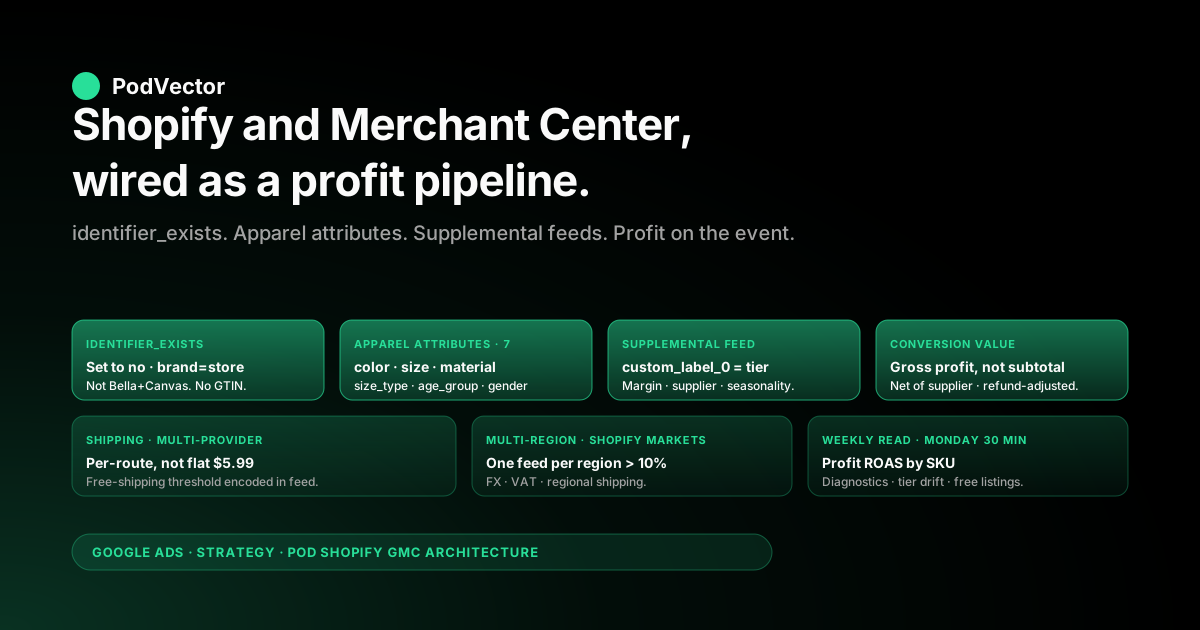
Quick Answer: The standard Shopify-and-Google-Merchant-Center setup advice — install the Google & YouTube channel, sync the catalog, fix any disapprovals, watch the Shopping ads start spending — is written for an inventory-holding ecommerce brand with stable product identifiers (GTINs from manufacturers), 50–65% gross margin, and warehouse-managed shipping. A Printify or Printful Shopify store has none of that.
POD products are made-to-order custom designs with no GTIN, supplier-locked costs that the Shopify-GMC sync never sees, fulfillment shipping rates that depend on which print provider routes the order, and 16–65% margin spreads inside one catalog. Treating Shopify-and-GMC as a one-way product push means the feed is feature-complete and structurally wrong: identifier_exists set incorrectly disapproves the catalog, supplier cost never reaches the bidder so Shopping ads scale toward the lowest-margin SKUs, and the "successful sync" hides which products are actually profitable to advertise. This guide walks the Shopify-and-GMC architecture as a two-way profit pipeline rather than a one-way product push: feed configuration tuned for POD attributes, supplemental feeds carrying margin tiers and supplier costs, the Shopify-side data plumbing that puts gross profit into the conversion event, and the operating loop that reads profit ROAS by SKU during the week the ads run rather than after the month closes.
Why Shopify-and-Merchant-Center is an architecture problem for POD, not a setup problem
The genuinely useful guides to connecting Shopify and Google Merchant Center — the EasyApps walkthrough, Shopify's own primer, the Becker Marketing setup post — describe the Google & YouTube channel install, the domain verification, the catalog sync, and the disapproval triage. All of that is correct mechanics. None of it is enough for a print-on-demand store, because the implicit business model behind those guides is an inventory-holding ecommerce brand whose product catalog has stable manufacturer identifiers, predictable margins, warehouse-fulfilled shipping, and a single product cost that lives inside Shopify's cost_per_item field.
A Printify or Printful POD store violates each of those assumptions:
- No GTIN exists for a custom design. A blank Bella+Canvas 3001 tee has a GTIN; "your design printed on a Bella+Canvas 3001 tee" does not — it's a derivative product the print provider manufactures on demand. Setting
identifier_existsincorrectly is the single most common cause of bulk disapprovals on POD feeds, and it stems from the Shopify-side product setup, not from anything you do inside Merchant Center. - Supplier cost lives outside Shopify and outside Merchant Center. Printify charges per-line-item supplier cost that depends on the print provider routed for that order, the variant chosen, the print location count, and the customer's shipping country. Printful's costs depend on technique (DTG vs embroidery vs sublimation), garment, and decoration position. None of that information is inside Shopify's product data, and the Google & YouTube channel's product sync has no field to push it. Result: Merchant Center sees price, your storefront sees revenue, and gross profit is invisible to both.
- Margin spreads from 16% to 65% within one catalog. A 12oz mug at $19.99 retail with $7 supplier cost runs 65% gross margin; a premium fleece hoodie at $54 retail with $42 supplier cost runs 22%. The Shopping bidder, working from price alone, sees both as $19.99 and $54 of "value" and routes spend toward whichever gets the most clicks. With profit data missing, the bidder regularly scales toward the lowest-margin SKUs, then reports record revenue and quietly destroys gross profit.
- Shipping cost depends on which print provider fulfills. Most POD operators pick the cheapest print provider per order via Printify's routing or Printful's region-based fulfillment. The shipping cost for the same product can be $4.50, $6.75, or $9.20 depending on which Texas, Latvia, or California facility prints. Shopify's calculated shipping rates rarely capture this without provider-specific configuration; Merchant Center's
shippingattribute or account-level shipping settings need to be modeled against the actual fulfillment paths, not against a single "Standard Shipping $5.99" rate that's wrong half the time.
The fix is to stop treating Shopify-and-GMC as a one-way product push and start treating it as the data layer underneath a profit-aware ad operation. The product feed pushes the catalog up; the conversion event sends gross profit back down; supplemental feeds carry the margin tier and supplier cost that the standard product feed has no field for; the operating loop reads profit ROAS by SKU during the week the ads run, not from a Sunday-night spreadsheet.
This guide walks each layer of that architecture. For the broader frame, the topic hub is Google Ads for POD, the cluster hub is the Google Ads strategy cluster, and the pillar is the complete Google Ads playbook for print-on-demand sellers.
The Google & YouTube channel: what it actually syncs and what it leaves behind
The Google & YouTube sales channel app — installed from Shopify Admin → Sales channels → Google & YouTube — is the path most Shopify stores use to populate Merchant Center. It works. It also has well-defined limits that operators discover when their feed disapproves, when bid signals diverge from storefront reality, or when they try to scale into a second region.
What the channel syncs automatically:
- Product title, description, and product type from the Shopify product
- Variant-level price, availability, and image
- Variant SKU as the Merchant Center
id - Shopify product images mapped to the Merchant Center
image_linkandadditional_image_link - Inventory and price changes propagate to Merchant Center within minutes (typically 5–15) when the storefront updates
What the channel does not sync, even though Merchant Center expects it for apparel and accessories:
color,size,material,pattern,age_group, andgender— Shopify variant options can be mapped to these but the mapping is manual and easy to skip on a 200-SKU catalogidentifier_existsdefaults toyes, which causes disapprovals on the entire POD catalog because Merchant Center then expects a GTIN that doesn't exist for custom-printed product- Cost of goods sold (Shopify's
cost_per_itemon the variant) is not pushed to Merchant Center — and even if it were, Shopify's stored cost is usually the original Printify/Printful estimate from product creation, not the live cost reflecting current supplier pricing - Shipping configuration — the channel can rely on Shopify shipping rates or Merchant Center account-level rates, but the two need to match closely or you get "Mismatch between price and shipping cost in landing page and feed" disapprovals
- Tax configuration for US states is mostly handled by Shopify's tax engine but Merchant Center occasionally requires manual override for states where you've enabled marketplace facilitator collection
The pattern that catches operators: the Google & YouTube app reports "Synced" with a green checkmark, the Merchant Center diagnostics tab shows zero errors, and Shopping ads start serving — but 30–40% of the catalog is silently disapproved or limited because of attribute gaps, and the bidder is making allocation decisions on incomplete data. The only reliable way to surface what's missing is to open Merchant Center → Products → All products and filter by Status: Disapproved, Limited, Pending rather than trusting the channel-side "Synced" indicator. The companion piece on the complete guide to Google Ads + Shopify integration for POD walks the broader integration; this guide focuses on the Merchant Center side.
Identifiers for POD: identifier_exists, GTIN, MPN, brand
Identifier configuration is where 60–70% of new POD feeds get bulk-disapproved. The error message "Missing value: gtin" or "Missing value: mpn" appears against most of the catalog because Shopify's defaults assume a manufacturer-identifier model that POD doesn't fit.
Set identifier_exists to no for custom-printed product. This is the field that tells Merchant Center "this is a custom or one-of-a-kind product that doesn't have a manufacturer-assigned GTIN." Once set, the GTIN and MPN requirements relax and the SKU passes attribute validation. The Google & YouTube channel does not set this by default; you set it as a Shopify product metafield (namespace mm-google-shopping, key custom_product, value TRUE) or as a global rule in Merchant Center → Settings → Feeds → Feed rules. The metafield approach is more granular (per-product control); the feed-rule approach is less work for a 100% POD catalog.
Brand still has to be populated. Even with identifier_exists set to no, the brand attribute is required. For POD, brand is your store name, not the blank manufacturer (Bella+Canvas, Gildan, AS Colour).
Setting brand to "Bella+Canvas" looks correct technically and triggers a disapproval against your store as a brand impersonation. Set it to your store name in Shopify → Products → Vendor field, or globally in Merchant Center feed rules.
MPN is optional but useful when populated. If you do have MPNs from the print provider — Printful exposes a variant_id per product variant that functions as an MPN, Printify exposes a similar identifier — populating mpn with that value gives Merchant Center an additional matching key for organic Shopping (free listings) and for product knowledge graph deduplication. Not required, helpful if available.
GTIN should not be populated at all for derivative POD product. Don't borrow the blank-garment GTIN from the supplier datasheet. Merchant Center's GTIN validation will accept the value but the validation against Google's product catalog database will eventually flag the discrepancy because the GTIN refers to a blank garment, not your printed design.
The right answer is no GTIN, identifier_exists = no, brand = your store name. The full disapproval-recovery walkthrough lives in Shopify Google Merchant Center strategy.
The seven feed attributes Shopify ships empty for POD
Shopify's variant model and Merchant Center's attribute model don't align cleanly for apparel. Seven attributes that Merchant Center expects for the apparel and accessories taxonomy ship empty from Shopify by default and need explicit population, either through the Google & YouTube channel's attribute mapping or through metafield rules.
color — required for all apparel. Shopify variant option named "Color" maps automatically if you toggle the mapping in the channel; if your variant option is named "Colour," "Shade," or anything else, it doesn't map and you get disapprovals. Standardize on "Color" as the variant option label across the catalog.
size — required for apparel. Same mapping logic as color. Use canonical sizes (S, M, L, XL, XXL) rather than custom labels (Small, Medium) for cleaner Shopping query matching.
size_type and size_system — recommended for apparel and almost always missing. Set size_type to regular (other options: petite, plus, maternity, tall) and size_system to US, EU, or UK as applicable. Without these, your size attributes don't normalize against shopper size filters.
material — required for apparel. POD garments are typically blends (60% cotton / 40% polyester for Bella+Canvas 3001 CVC). Pull this from the print provider's product datasheet and populate as a metafield or a per-product Shopify field surfaced through the channel's mapping.
age_group — required. adult for adult apparel, infant / toddler / kids / newborn as appropriate. Default missing on Shopify product setup; set globally as a feed rule if your catalog is single-target-age.
gender — required for apparel. male, female, or unisex. POD apparel is overwhelmingly unisex for tee-and-hoodie catalogs; set as a feed rule unless you have a women's-cut or men's-cut subset.
pattern — recommended. POD design name often functions as the pattern descriptor ("vintage typography", "abstract geometric", "minimalist line art"). Helps Shopping match against descriptive queries. Optional but underutilized.
Each missing attribute is its own disapproval reason and Merchant Center surfaces them per-SKU. Fixing one attribute clears the disapproval on every SKU that needed it.
The fix order matters: identifiers and brand first (gets the catalog approved at all), then color/size/material (gets the catalog into the right Shopping search categories), then size_type/size_system/age_group/gender (gets the catalog matched against the right shopper filters). Working through the seven in order typically takes 60–90 minutes for an established Shopify catalog.
Supplemental feeds: where margin tier and supplier cost actually live
The primary feed (synced from the Google & YouTube channel) covers what Merchant Center demands. It does not cover what the Google Ads bidder needs to make profit-aware decisions. Supplemental feeds — uploaded as Google Sheets, fetched from a URL, or pushed via the Content API — fill that gap with the operator-defined data the bidder uses to scale toward profit rather than toward revenue.
The supplemental feed POD operators benefit most from is a margin-tier feed:
id— must match the SKU in the primary feedcustom_label_0— margin tier (tier-a-high,tier-b-mid,tier-c-thin,tier-d-loss)custom_label_1— supplier (printify,printful,gelato) for routing visibilitycustom_label_2— design family or collection identifier for product-group structuringcustom_label_3— gross margin percentage as a stringified number, useful for slicing in reportscustom_label_4— seasonality flag (evergreen,seasonal-q4,seasonal-summer) for calendar-based bidding
Once the supplemental feed is uploaded and merged with the primary feed, the custom labels become available in Google Ads → Performance Max → product groups (or in Shopping campaigns → product groups). Build product groups segmented by custom_label_0, set tier-A bids 1.5–2x higher than tier-C, and exclude tier-D entirely. The bidder now scales toward your highest-margin product without you needing to touch Smart Bidding's tROAS configuration.
The mechanics for uploading: Merchant Center → Products → Feeds → Add supplemental feed. Source can be Google Sheets (the easiest path; one row per SKU, headers matching feed attributes); a URL fetched daily from your own infrastructure; or the Content API for fully automated push. For a Shopify operator running a Google Sheet that's hand-maintained from Printify/Printful exports, weekly upload is sufficient; for high-velocity catalogs with frequent supplier-cost changes, daily fetch from a URL or Content API push is preferable.
The operating reality: the supplemental feed has to stay current. If a Tier-A SKU's supplier cost rises and the SKU drops to Tier-B economics, but the supplemental feed still labels it Tier-A, the bidder keeps scaling toward it at the higher bid and the campaign quietly burns gross margin until the next manual reconciliation. This is one of the failure modes Shopify Google Ads tracking issues covers in more depth — the data is structurally correct on the day you upload it and structurally wrong six weeks later.
Shipping configuration when Printify and Printful split the catalog
Most established POD operators run more than one print provider. Printify routes through dozens of providers (Monster Digital in CA, Drop Ship NJ in NJ, Print Geek in CA, etc.); Printful runs from Charlotte NC, Tijuana MX, Birmingham UK, and Riga LV.
Shipping rates and lead times vary by route. The Shopify-and-GMC shipping configuration question becomes: how do you describe your real shipping economics to Merchant Center accurately enough to avoid "Inaccurate shipping cost" disapprovals?
Three configurations work, in order of accuracy and effort:
1. Single flat rate per region (lowest accuracy, lowest effort). Set Shopify shipping to a flat rate per region — $5.99 US Standard, $14.99 International — and let Merchant Center inherit those rates from Shopify or set the same flat rate in Merchant Center → Settings → Shipping and returns.
Works if your average shipping cost across all suppliers is close enough to the flat rate that the worst case (e.g. a hoodie shipping from Printify's CA provider to ME) doesn't blow the rate by more than $2. Below that threshold, Google's QA crawler doesn't flag the discrepancy. Above it, you start collecting "Mismatch between shipping cost in landing page and feed" disapprovals.
2. Carrier-calculated shipping per provider (medium accuracy, medium effort). Configure Shopify shipping zones and rates to mirror Printify's and Printful's actual rates per product type.
Apparel shipping from Printify averages $4.85–6.25 first item domestic; embroidery from Printful averages $4.99 first item domestic. Build separate Shopify shipping zones for each rate band, assign products to zones via product weight or shipping profile, and let Shopify pass calculated rates to Merchant Center. Higher accuracy but two-hour configuration and ongoing maintenance whenever supplier rates change.
3. Per-line-item shipping in the feed (highest accuracy, highest effort). Use Merchant Center's shipping feed attribute to specify per-SKU shipping cost.
Requires either a daily-updated supplemental feed with the actual shipping cost per SKU (pulled from your Printify/Printful API integration) or a custom feed-generation pipeline. Highest fidelity to actual fulfillment economics; most maintenance overhead. Worth it for catalogs above ~500 SKUs where rate inaccuracy is materially affecting Smart Bidding's allocation.
The rule that catches POD operators: Google's Merchant Center QA crawls the storefront and validates the displayed shipping cost against the feed's shipping cost. If the storefront shows "Free shipping over $50" and the feed declares a $5.99 shipping rate without acknowledging the threshold, the catalog gets flagged.
Free-shipping thresholds need to be encoded in the Merchant Center shipping settings as a separate rate (e.g., "$5.99 if order < $50, $0 if order ≥ $50") not just visible on the storefront. The companion piece on connecting Google Merchant Center to Shopify covers the install-and-verify mechanics in detail.
Multi-currency and multi-region: when one feed isn't enough
A single Shopify store selling globally with Shopify Markets enabled can serve product to UK, EU, AU, and CA shoppers in their local currency, with the Google & YouTube channel pushing one feed. That works for low-volume international expansion. Once any non-US region produces more than ~10% of revenue, the single-feed approach starts losing performance to a multi-feed setup.
Why one feed doesn't scale well across regions:
- Currency conversion happens at the storefront layer at click time, not at the feed level — Shopping ads in /uk show GBP prices that may not match exactly what Shopify charges at checkout (FX-rate timing differences cause "Mismatch between price in landing page and feed" disapprovals)
- VAT and tax handling differs by region — UK VAT inclusive pricing, EU country-by-country VAT, AU GST inclusive pricing — and the single feed can't carry region-specific tax-inclusive prices cleanly
- Shipping rates differ dramatically by region and the single shipping configuration becomes too coarse
- Product approval rules differ by region — what's approved in /us may be rejected in /uk for compliance reasons (e.g., character names protected differently in different jurisdictions)
The multi-feed setup: one primary feed per region, each with region-appropriate currency, tax-inclusive pricing where required, and region-specific shipping rates. Configure in Merchant Center → Products → Feeds → Add primary feed → select target country and language. The Google & YouTube channel can be configured to push different feed variants per region by setting up Shopify Markets correctly first, then mapping each Market to a Merchant Center feed.
The decision rule: stay with the single feed until international revenue is sustained above 10% of total. Above that threshold, the disapproval rate, FX-mismatch rate, and shipping-mismatch rate from a single feed costs more than the multi-feed setup effort. The Google Ads Shopify strategy piece walks the regional expansion question more broadly.
The conversion loop: putting profit back into the bidder
The product feed is the upward push from Shopify to Merchant Center. The conversion loop is the downward push from Shopify back to Google Ads: when an order completes, what value does the bidder learn from? Most Shopify-to-Google-Ads setups send order subtotal as the conversion value, which is wrong for POD because it ignores supplier cost.
The right configuration sends gross profit per line item as the conversion value:
order revenue= sum of line item prices net of any discountsupplier cost= sum of line item Printify/Printful supplier cost net of any volume tier discount, plus per-line-item shipping costconversion_value= order revenue − supplier cost − supplier shipping − transaction fees
The implementation has three plausible paths:
1. Native Shopify conversion event with cost_per_item subtraction. If Shopify's cost_per_item is kept current with Printify/Printful supplier costs (manually updated or via the supplier app's sync feature), the Google & YouTube channel's enhanced conversion setup can send (price − cost_per_item) × quantity as the per-line-item value. Sufficient for static-cost catalogs; brittle for dynamic-cost catalogs where supplier prices change weekly.
2. Server-side conversion event from Shopify webhook. Shopify fires an orders/create webhook on every order.
A backend listener fetches the actual supplier cost from Printify's or Printful's order API (which returns the real charged cost, not the estimate from product creation), computes gross profit, and posts the conversion event to Google Ads via the Conversion Adjustments API. Most accurate; requires backend infrastructure.
3. Daily reconciliation via Conversion Adjustments API. Send the order at order subtotal as conversion value initially (so the bidder gets a same-day signal), then post a Conversion Adjustment 24 hours later with the corrected gross-profit value once the supplier cost is known.
Lets you start with a real-time signal and converge to the right value within a day. Used by most operators who want accuracy without the backend complexity.
The reason this matters: the Smart Bidding algorithm allocates spend toward whichever SKUs and queries produce the highest reported conversion value per click. If conversion value is order subtotal, the bidder scales toward the most expensive products (premium hoodies at $54), which are also typically the lowest-margin POD products (22% gross margin on a $54 hoodie is $11.88 of profit; a $19.99 mug at 65% margin is $12.99 of profit on a much smaller ad-spend basis).
Sending profit instead of revenue inverts that allocation toward the products that actually print money. The pillar piece the complete Google Ads playbook for print-on-demand sellers walks the broader conversion-event configuration.
Operating cadence: the weekly read that catches drift early
The architecture is set; the data flows; ads serve. The weekly operating loop that keeps the system honest is a 30-minute Monday-morning review against four reports.
1. Merchant Center Diagnostics → Item issues. Filter to SKUs that flipped from Approved to Limited or Disapproved in the last 7 days.
The most common drifts: an attribute regression after a Shopify product edit (color metafield got cleared); a price-mismatch from a Shopify automatic discount that's not reflected in the feed; an image dropping below the 800×800 minimum after a designer crop. Catching these on Monday means a 24–48 hour fix window before the next week of ad spend; catching them on a quarterly audit means weeks of impression loss.
2. Google Ads Performance Max → Insights → Asset group performance, segmented by custom_label_0. Tier-A spend share should hold roughly steady week to week.
If Tier-C spend share is climbing, the bidder is drifting toward thin margin — usually because conversion value sent to the bidder doesn't reflect supplier cost, or because the supplemental feed's tier labels are stale. Re-check the conversion event configuration and re-upload the supplemental feed with current cost data.
3. Merchant Center Performance → Free product listings click share. Free listings (organic Shopping) should produce 30–50% of total Shopping clicks for a well-configured POD catalog.
Below 30%, the catalog is likely missing attributes that organic Shopping ranking uses (size_type, age_group, material) — even if the paid feed is approved, the organic side has stricter quality bars. Walk back through the seven-attributes section to fill gaps.
4. Profit ROAS by SKU, last 7 days. The read this guide exists for.
Order revenue from Shopify, minus Printify/Printful supplier cost, minus ad spend on that SKU, divided by ad spend. Top 10 by profit ROAS should match the Tier-A SKUs in the supplemental feed — if they don't, the tier labels are stale and need updating.
Bottom 10 should be Tier-D candidates for exclusion. Without this read, the campaign optimizes against the wrong objective and drift compounds week over week.
The first three reports live inside Merchant Center and Google Ads; the operator can pull them in a browser. The fourth — profit ROAS by SKU — requires joining Shopify, Printify or Printful, and Google Ads data.
Most operators build it as a Looker Studio dashboard over your warehouse, with a daily ETL pipeline. The build takes 2–4 weeks the first time and ongoing maintenance whenever a supplier API changes.
Five Shopify-GMC integration mistakes that cost POD operators the most
Each of these is a specific failure pattern we see repeatedly when auditing POD Shopify-GMC integrations.
1. identifier_exists left at the default yes. The single largest cause of bulk disapprovals on POD feeds. Symptom: 60–80% of the catalog disapproved with "Missing value: gtin." Fix: set identifier_exists to no as a feed rule in Merchant Center, or as a metafield (mm-google-shopping namespace, custom_product key, value TRUE) per product.
2. Brand set to the blank-garment manufacturer. Setting brand to "Bella+Canvas" or "Gildan" looks correct technically — it is the literal manufacturer of the blank — but functions as brand impersonation under Merchant Center policy. Symptom: targeted disapproval with policy reason "Misrepresentation of the merchant." Fix: set brand to your store name, either via Shopify's Vendor field or via Merchant Center feed rule.
3. Conversion value still set to order subtotal. The bidder optimizes for revenue and the storefront pays the difference between revenue and profit.
Symptom: PMax keeps allocating spend toward the lowest-margin SKUs (premium hoodies), reported revenue ROAS looks fine, gross-profit-after-supplier-cost is flat or negative. Fix: reconfigure the conversion event to send line-item gross profit; takes 24–48 hours for Smart Bidding to recalibrate.
4. Free-shipping threshold visible on storefront but missing from feed. "Free shipping over $50" displayed in the cart but not declared as a tiered rate in Merchant Center → Settings → Shipping and returns.
Symptom: account-level shipping disapproval after Google's QA crawler tests the storefront. Fix: encode the threshold as a separate Merchant Center shipping rate, not just a storefront banner.
5. Supplemental margin-tier feed never updated after the first upload. Custom_label_0 reflects the SKU margins on the day the feed was created and grows stale as supplier costs shift.
Symptom: tier-A bids running on what's now tier-B economics, gross profit declines while reported metrics look stable. Fix: weekly or monthly supplemental feed re-upload sourced from current supplier costs; for high-velocity catalogs, automate via the Content API.
FAQs
Do I need a Google Merchant Center account separate from my Google Ads account to run Shopping ads on a Shopify POD store?
Yes. Merchant Center holds the product catalog; Google Ads runs the campaigns. The two are linked but distinct. The Google & YouTube channel sets up both during install if you don't have them, then links them automatically. Don't try to run Shopping ads from Google Ads alone — it requires a Merchant Center account with a feed.
Can I use a third-party feed app instead of the Google & YouTube channel?
Yes, and several offer better attribute mapping for apparel than the native channel — DataFeedWatch, Simprosys, Feed for Google Shopping, and Adwisely Feeds are common alternatives. The tradeoff is monthly subscription cost ($20–60/month for most plans) versus richer attribute control. For a starting POD catalog under 100 SKUs, the native channel is usually adequate; for catalogs above 500 SKUs or with multi-region requirements, a third-party app pays back its cost within a quarter through fewer disapprovals and better attribute coverage.
How long does it take for Shopify product updates to propagate to Merchant Center?
Price and inventory changes typically propagate within 5–15 minutes via the Google & YouTube channel's near-real-time sync. Product additions, attribute updates, and image changes can take 30 minutes to several hours.
New products go through Merchant Center's approval queue (typically 24–72 hours) before they're eligible to serve in Shopping ads. If you're launching a new collection, push the products to Merchant Center 3–4 days before the planned campaign launch date to absorb the approval lag.
What happens if my Shopify supplier cost (cost_per_item) is wrong — do I get penalized by Merchant Center?
Merchant Center doesn't see Shopify's cost_per_item field at all and doesn't validate against supplier cost. The penalty is on your campaign profitability, not your Merchant Center account standing.
The Google Ads bidder will optimize against whatever conversion value you send. If the conversion value uses an outdated cost_per_item, the bidder allocates spend against an outdated margin assumption and the campaign quietly drifts away from profit. Keep cost_per_item current via your Printify/Printful sync, or send the conversion value from a server-side webhook that fetches current supplier cost at order time.
Should I include Tier-D (loss-making) SKUs in the Merchant Center feed at all?
Two acceptable answers depending on your goals. Include them but exclude from paid Shopping campaigns via product group exclusion — the SKUs still show in free product listings and organic Shopping search, which doesn't cost you anything per click.
This is useful if the Tier-D SKUs serve a portfolio role (a complete brand catalog signals legitimacy) even though they don't make money on paid traffic. Or exclude them from the feed entirely via Shopify's "Available on Google & YouTube" toggle on the product, which means they're invisible in Shopping but still listed on your storefront. Choose based on whether you want the SEO/portfolio benefit of free listings outweighing the operational complexity of managing a tiered exclusion.
How do I handle multi-variant products where some variants are profitable and some aren't?
Product-group structuring at the variant level. Performance Max product groups can be split by item ID, so one variant of the same product can be tier-A and bid aggressively while another variant of the same product is tier-D and excluded.
The supplemental feed's custom_label_0 needs to be variant-level (different per SKU within the same product), not product-level. Configure custom_label_0 in the supplemental feed by SKU, then build product groups in PMax that segment on that label, then set bids or exclusions per tier.
What's the right setup for a Shopify store running both Printify and Printful?
Two practical options. Single feed with custom_label_1 set to the supplier (printify, printful) for visibility — useful if the same Shopify variant SKU is fulfilled by either supplier depending on routing rules.
Or separate feeds per supplier — useful if you have distinct shipping rates per supplier and want clean separation in Merchant Center diagnostics. The single-feed-with-supplier-label approach is simpler operationally; the separate-feeds approach is cleaner for shipping configuration. Most operators we see settle on the single-feed approach for catalogs under 1,000 SKUs.
How does Shopify Markets affect my Merchant Center setup if I'm just selling US?
If you're US-only, Shopify Markets defaults are correct and you don't need to change anything — the Google & YouTube channel pushes your single US feed to a Merchant Center account targeting United States. Once you enable a second Market (UK, CA, EU), the channel can push a separate feed per Market if you configure the Markets correctly first.
The setup-then-add-Market sequence matters: enable Markets in Shopify, then re-configure the channel to map Markets to feeds, rather than enabling Markets after the channel is already pushing a single global feed. The second sequence works but creates more cleanup work.
Reading whether your Shopify-and-Merchant-Center pipeline made profit this week, by SKU.
Once your Shopify-and-GMC architecture is configured the way this guide walks — identifier_exists set correctly, the seven apparel attributes populated, supplemental feeds carrying margin tier and supplier cost, the conversion event sending gross profit instead of order subtotal — the question every Monday morning is which SKUs made money on profit ROAS net of supplier cost and refunds last week, which to scale into the next week, which to exclude from the feed. Victor connects Shopify, Printify, Printful, and Google Ads into one live data warehouse view and answers in seconds. Live margin per SKU, profit ROAS by campaign by day, refund-adjusted, supplier-cost current. No spreadsheet, no Looker build, no Sunday-night reconciliation. Victor answers your questions and acts on them — with your approval.