
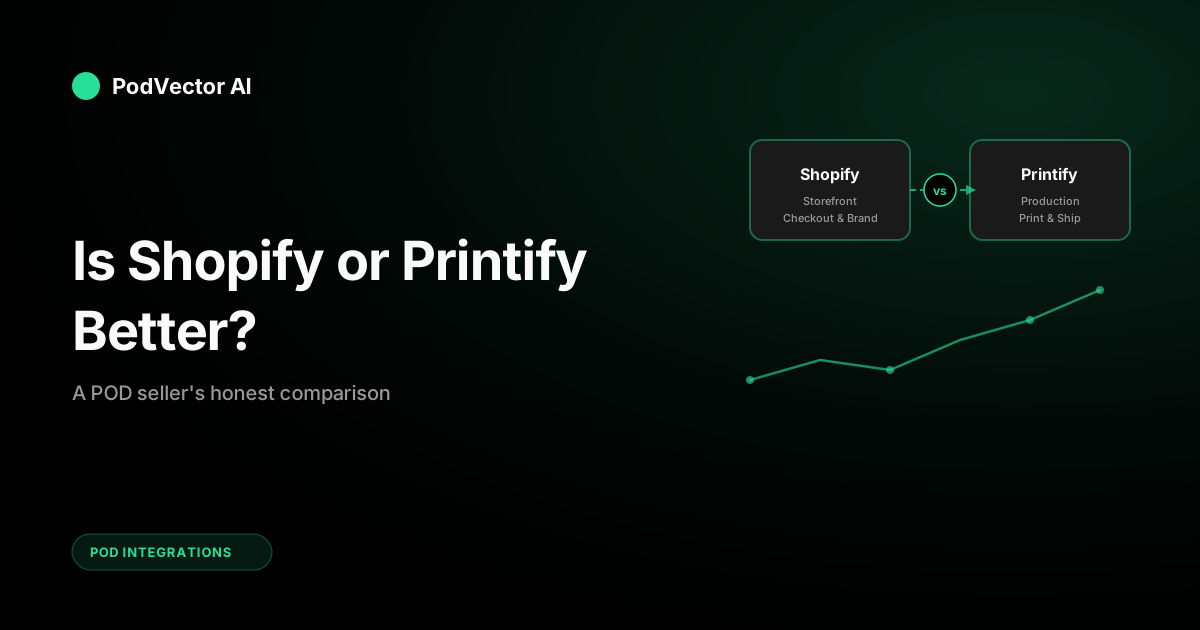
Quick Answer: Shopify and Printify aren't competitors — they do different jobs. Shopify is your storefront (checkout, branding, marketing). Printify is your production line (printing, packing, shipping). Most serious POD sellers use both together.
The real question isn't which is "better." It's whether you need both from day one, and what the true combined cost looks like once you factor in operational overhead beyond subscription fees.
Shopify vs Printify: The Key Difference
Shopify is an ecommerce platform. You build your store there — product pages, checkout, customer accounts, email marketing, discount codes. It handles everything the buyer sees and touches.
Printify is a print-on-demand production network. You design products there, choose a print provider, and Printify routes each order to the printer who fulfills and ships it. The buyer never interacts with Printify directly.
Think of it this way: Shopify is the restaurant (menu, ambiance, service). Printify is the kitchen (ingredients, cooking, plating). You can run a restaurant without building your own kitchen — that's what connecting the two does.
What Is Shopify?
Shopify is a hosted ecommerce platform used by over 4 million stores worldwide. You get a domain, storefront templates, checkout system, payment processing, and marketing tools — all managed from one dashboard. No coding required, though developers can customize everything via Liquid templates and the Shopify API.
For POD sellers specifically, Shopify provides the branded storefront your customers land on. You control the experience: custom pages, product descriptions, upsells, and post-purchase flows. Critically, you own the customer relationship — their email, purchase history, and behavior data. That's what lets you run retargeting ads and email marketing.
Shopify also handles the unsexy-but-critical stuff: PCI compliance (credit card security), SSL certificates, uptime, mobile responsiveness, and checkout optimization. You'd spend months building this yourself on WooCommerce or a custom stack.
Key Shopify features for POD
- Drag-and-drop store builder with 100+ themes
- Built-in payment processing (Shopify Payments, PayPal)
- Multichannel selling: Facebook, Instagram, TikTok, Google Shopping, Amazon
- 8,000+ apps for marketing, analytics, and operations
- Abandoned cart recovery and email marketing
- Custom domain and SSL certificate included
What Is Printify?
Printify is a print-on-demand marketplace that connects you to 90+ print providers globally. You upload designs, pick products (t-shirts, mugs, phone cases, home decor), and choose which provider prints them. When a customer orders, the provider handles production and shipping.
Printify itself doesn't print anything. It's the middleman connecting your store to the printers — and that's actually the value. You get access to hundreds of products without negotiating with individual suppliers. For a deeper look at setup, see our Printify Shopify app setup guide.
Key Printify features for POD
- 900+ customizable products across 90+ print providers
- Free mockup generator with multiple angles
- Automatic order routing to selected providers
- Provider comparison: price, production time, shipping speed, ratings
- Built-in design editor (basic) and Canva/Photoshop upload support
- Pop-Up Store (free standalone storefront, limited customization)
Pricing Breakdown
This is where most comparisons get confusing — because Shopify and Printify charge for completely different things. One is a platform fee (Shopify). The other is a production fee (Printify). Comparing them side-by-side on "price" is like comparing your rent to your grocery bill.
Shopify pricing
Shopify charges a monthly subscription for your store platform:
- Basic: $39/month — everything a new store needs
- Shopify: $105/month — better reporting, lower transaction fees
- Advanced: $399/month — advanced analytics, cheapest payment rates
On top of the subscription, you pay transaction fees (2.9% + 30¢ per sale on Basic with Shopify Payments). Use a third-party gateway instead, and Shopify adds an extra 2% surcharge. Most sellers stick with Shopify Payments to avoid this.
You'll also pay for premium apps and themes. Most POD sellers spend $20–$80/month on apps like Klaviyo (email), PageFly (landing pages), or review collection tools. Budget for this — the "free" Shopify App Store has a lot of paid apps.
Printify pricing
Printify charges per product (the base cost from the print provider), plus an optional subscription for discounts:
- Free: $0/month — up to 5 stores, unlimited designs, standard pricing
- Premium: $29/month — up to 20% off all product base costs
- Enterprise: Custom pricing — dedicated account manager, custom API
The per-item base cost varies by product and provider. A standard Bella+Canvas 3001 t-shirt typically runs $8–$13 depending on the provider. A premium all-over-print hoodie can hit $30+. Shipping adds $4–$8 domestically.
The Premium plan pays for itself once you're selling roughly 20+ items per month (the 20% discount easily covers the $29 subscription at that volume).
Real combined cost example
A typical POD seller running both platforms pays roughly:
- Shopify Basic: $39/month
- Printify Premium: $29/month
- Custom domain: $14/year (~$1.17/month)
- Shopify apps (email, reviews): ~$30/month
- Transaction fees: ~3% of revenue
- Product base cost: $8–$13 per item (paid only when you sell)
That's about $100/month in fixed costs before you sell a single item. At 50 sales/month with a $25 average selling price, your gross revenue is $1,250. After base costs ($500), fees ($37), and subscriptions ($100), you're at $613 gross profit — roughly 49% margin before ad spend.
It's a workable margin, but tight once you layer in advertising. The detailed breakdown at Style Factory Productions covers the pricing tiers in more depth if you want to compare every plan level.
Store Building and Branding
Shopify dominates here. Full stop.
You get a complete drag-and-drop website builder, mobile-optimized themes, custom CSS access, and a checkout flow that converts. Your store looks professional from day one, and you own the customer relationship — email addresses, purchase history, retargeting audiences.
Printify's Pop-Up Store is a bare-bones alternative. It gives you a simple product page with your branding, but no custom domain, limited design options, and minimal marketing tools. Think of it as a business card, not a store. Our Printify-Shopify integration guide covers the setup in detail.
Verdict: If you're serious about building a brand (not just testing a design), you need Shopify or an equivalent full-featured storefront.
Product Catalog and Fulfillment
Printify dominates here. Also full stop.
Shopify doesn't make or ship products. It's a platform, not a supplier. You can sell anything on Shopify (digital goods, physical products you buy wholesale, handmade items), but for print-on-demand specifically, you need a production partner.
Printify gives you access to 900+ products across categories: apparel, accessories, home decor, stationery, bags, phone cases, and more. Each product has multiple print providers with different base costs, shipping speeds, and quality ratings. For related product tools, see our guide to Printify tools and mockups.
When an order comes in, Printify automatically routes it to your selected provider. They print, pack, and ship directly to your customer with your branding (if you've set up custom labels or packing slips).
Verdict: For POD production and fulfillment, Printify is the answer. Shopify doesn't compete in this space — it partners with services like Printify to fill it.
Integrations and Ecosystem
Both platforms have strong integration ecosystems, but in different directions.
Shopify connects to everything a store needs: email marketing (Klaviyo, Mailchimp), analytics (Google Analytics, Triple Whale), advertising (Meta, Google, TikTok), accounting (Xero, QuickBooks), and 8,000+ other apps via the Shopify App Store.
Printify connects to the storefronts where you sell: Shopify, Etsy, eBay, WooCommerce, Wix, Squarespace, and its own Pop-Up Store. It also has an API for custom integrations. Check the Printify-Shopify integration setup guide for technical details.
The important distinction: Shopify integrates with marketing and operations tools. Printify integrates with sales channels. Together, they cover the full stack. You can also explore the full range of options in our Printify integrations hub.
Using Shopify and Printify Together
This is the setup most successful POD sellers land on. Here's how the workflow looks day-to-day:
- Design products in Printify's mockup generator or upload from Canva/Photoshop
- Publish listings directly to your Shopify store (one click from Printify's dashboard)
- Sell through Shopify — customer sees your brand, your domain, your checkout
- Fulfill automatically via Printify — when an order hits Shopify, Printify picks it up and routes to the provider
- Ship directly to the customer from the print provider (your branding on the packing slip if configured)
How the integration works technically
Printify's Shopify app creates a direct API connection between the two platforms. Products you create in Printify get pushed to Shopify with all images, variants (sizes, colors), and descriptions intact.
When a customer places an order on your Shopify store, the order data flows to Printify automatically. Printify sends it to your selected print provider, who produces and ships it. Tracking numbers flow back from provider → Printify → Shopify → customer notification email.
For more on Printify shipping logistics, see our dedicated guide.
Where the friction shows up
The integration is mostly seamless at low volume. But once you're processing 50+ orders per day across multiple designs and providers, the cracks appear:
- Provider delays don't always surface in Shopify — you need to check Printify separately
- Product variants sometimes desync after edits (requiring manual fixes)
- Bulk pricing changes on Printify don't auto-update Shopify retail prices
- Multi-provider orders split into separate shipments, confusing customers
None of these are dealbreakers. But they add up to operational overhead that pure subscription costs don't capture.
Hidden Costs Most Comparisons Miss
Every "Shopify vs Printify" article covers subscription fees. Almost none cover the operational overhead that eats into your margins after month one. Here's what actually costs you money and time.
Time spent on order management
When a provider has a delay, you get a support ticket from the customer — not from Printify. You're the one replying, issuing refunds, or explaining timelines.
At 100+ orders/month, expect 3–5 hours per week on customer service alone. At 300+ orders, it's a part-time employee's worth of work — or you're paying for a VA.
Provider quality variance
Not all Printify providers deliver the same quality. A t-shirt from Provider A might print darker than Provider B. Colors shift, sizing runs different, and fabric weight varies between facilities.
When you switch providers (for cost or speed), you risk returns. Testing and comparing providers is an ongoing cost that doesn't show up on any invoice. Budget for ordering samples ($15–$30 each) from 2–3 providers before committing each new product to your catalog.
Ad platform coordination
Running Meta and Google Ads for your Shopify store means tracking ROAS (return on ad spend) per product, per campaign, per audience. Printify can tell you production cost. Shopify can tell you revenue. But neither gives you profit per SKU factoring in ad spend, returns, and provider fees.
You need a separate system for true profit tracking — a spreadsheet at minimum, or a dedicated analytics tool. Without it, you're flying blind on which products actually make money after all costs are factored in.
Listing maintenance
Seasonal designs, trending topics, A/B testing product photos — keeping your Shopify listings optimized is ongoing work. Multiply that by every Printify product in your catalog and you've got a part-time job just in catalog management.
Titles, descriptions, tags, and images all need periodic updates. Dead designs need pruning. Winning designs need variants. Most sellers with 100+ active SKUs spend 5–8 hours weekly just on catalog hygiene.
Refund and reprint logistics
Print quality issues happen. Misprints, shipping damage, wrong sizes — these trigger refund requests that you handle through Shopify, while coordinating reprints through Printify. The process involves multiple dashboards, email threads, and a 5–10 day resolution cycle that frustrates customers.
At scale, refund management alone can eat 2–3% of revenue if you're not systematic about provider selection and quality control.
Bottom line: The ~$100/month subscription cost is the floor, not the ceiling. Factor in 10–20 hours per week of operational work, or budget for automation tools that handle it for you.
When to Choose One vs Both
Use Printify alone (with Pop-Up Store) if:
- You're testing whether POD is right for you and want zero upfront cost
- You have a few designs to validate before investing in a full store
- You're primarily selling on Etsy or eBay and don't need a branded storefront yet
- You want to prove concept before committing $39+/month to Shopify
Limitation: Printify's Pop-Up Store won't get you far. No custom domain, limited SEO, no email marketing, no retargeting pixels. It's a landing page, not a business. Graduate to Shopify once you have proven sellers.
Use Shopify alone (without Printify) if:
- You sell non-POD products (wholesale inventory, handmade, digital downloads)
- You already have a production partner, local printer, or fulfillment warehouse
- You're using a Printify competitor (Printful, Gooten, SPOD, Gelato) instead
- You dropship non-custom products via other suppliers
Note: Shopify works with every major POD service, not just Printify. If Printful's quality or Gelato's European shipping network fits better, Shopify connects to those just as easily.
Use both together if:
- You're building a branded POD store you plan to scale past $5K/month revenue
- You want full control over customer experience + automated fulfillment
- You're running paid ads (Meta, Google, TikTok) and need conversion-optimized product pages
- You want multichannel selling (social, search, marketplace) managed from one hub
- You need professional analytics: conversion rates, average order value, customer lifetime value
For most readers asking "is Shopify or Printify better?" — the answer is both. They fill different gaps. The question worth asking instead: how do you manage the operational load once both are running at scale? Browse more on this topic in our Printify resource hub.
FAQs
Can I use Printify without Shopify?
Yes. Printify connects to Etsy, eBay, WooCommerce, Wix, and Squarespace — or you can use Printify's free Pop-Up Store. Shopify is the most popular pairing, but not required.
Is Printify really free?
The Free plan costs $0/month and gives you unlimited product designs. You only pay when someone buys — the product base cost plus shipping. The Premium plan ($29/month) gives you up to 20% off those base costs, which matters at volume.
Do I need the Shopify Basic plan or can I use Starter?
Shopify Starter ($5/month) only gives you product links and a simple checkout — no full online store. For a real branded storefront with product pages, collections, and a blog, you need at least Basic ($39/month).
How long does it take to set up Shopify + Printify?
You can have a functional store live within a weekend. Installing the Printify app on Shopify takes minutes. The real time investment is in product design, store branding, and writing product descriptions that convert.
Which is better for profit margins?
Neither platform determines your margins alone. Your profit depends on: product base cost (Printify's provider), your retail price (set in Shopify), ad spend to acquire the customer, and return rate. A typical healthy margin on POD apparel is 30–50% before ad costs.
Can I switch print providers later?
Yes. Printify lets you swap providers per product at any time. Test two providers on the same design to compare quality and speed before committing your catalog. Just update the listing in Printify and it syncs to Shopify automatically.
What happens if a Printify provider is out of stock?
If your selected provider can't fulfill an item, Printify notifies you and the order goes on hold. You can manually reroute it to another provider, but the customer is already waiting. Proactive sellers set up backup providers for their best-selling products to avoid this bottleneck. Check provider ratings and production capacity before committing high-volume designs.
Can I sell on Etsy and Shopify at the same time with Printify?
Yes. Printify connects to multiple sales channels simultaneously. You can publish the same product to your Shopify store, Etsy shop, and eBay listing. Orders from all channels route through Printify to the same provider. The main challenge is keeping inventory presentation consistent across platforms and managing channel-specific pricing strategies.
Is Printful better than Printify for Shopify stores?
They serve the same purpose but differ in structure. Printify is a marketplace of 90+ providers (more price options, variable quality). Printful prints in-house (more consistent quality, fewer price options). If lowest cost matters most, Printify usually wins. If quality consistency matters most, Printful has an edge. Both integrate with Shopify equally well.
Let Victor Handle the Shopify + Printify Juggle
Running both platforms means coordinating orders, tracking margins per SKU, and keeping ads profitable across Meta and Google. Victor is an AI employee that manages your Shopify catalog, Printify fulfillment, and ad campaigns — taking action with your approval so you focus on design, not dashboards.
Try Victor free