
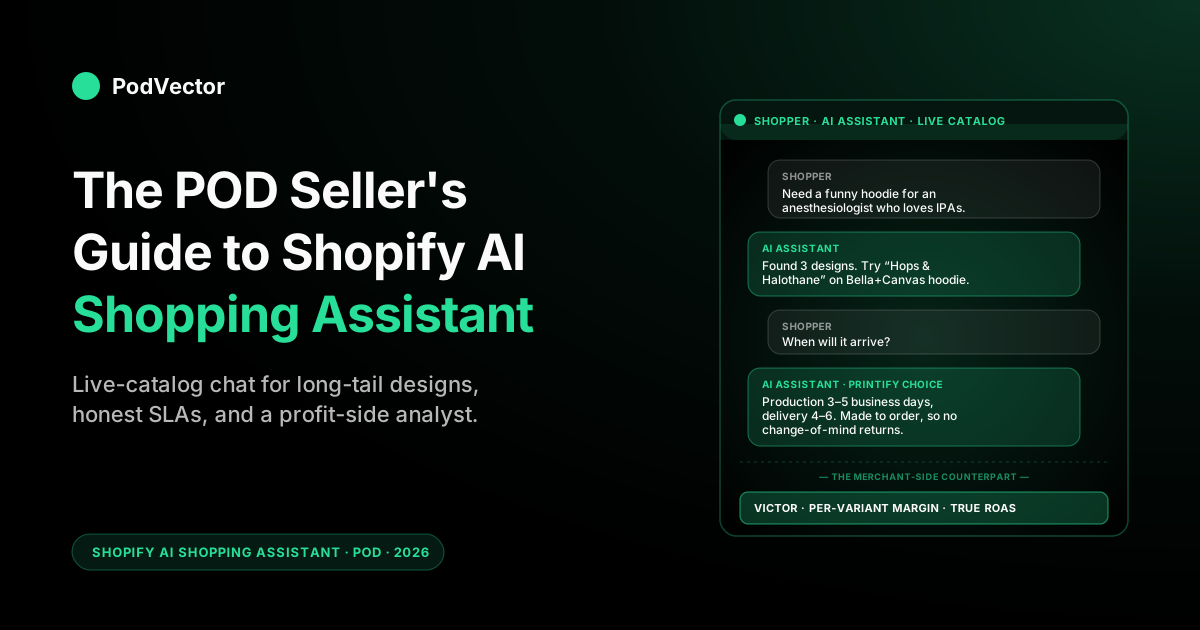
Quick Answer: A Shopify AI shopping assistant is a conversational AI that talks to your shoppers — recommending products, answering pre-purchase questions, handling sizing and shipping objections, and routing buyers from "browsing" to "checked out" without a human in the loop. It comes in three flavors in 2026: third-party storefront chat apps you install (Manifest, AskTimmy, Tidio, ShopAI, iAdvize, Gorgias AI, dozens more), Shopify's own Shop app shopping assistant, and the agentic surfaces (ChatGPT, Copilot, Google AI Mode, and Google's AI app) that query Shopify's public Catalog.
For a print-on-demand store, the value is bigger than for DTC — you have hundreds of long-tail designs that conversational queries can match in ways keyword search never could — but the failure modes are also POD-specific: assistants that promise 3-day shipping when Printify takes 9, or that can't tell a Bella+Canvas tee from a Gildan one. Pick an assistant that pulls from your live catalog (not a static Q&A bank) and one that knows your fulfillment SLAs by supplier. The shopper-side AI handles conversion; for the merchant-side question of what was actually profitable, you need a separate AI employee that sees Printify, Printful, Shopify, and ad spend together.
What a Shopify AI shopping assistant actually is in 2026
"Shopify AI shopping assistant" is a category, not a product. It refers to any AI that talks to your shoppers — pre-purchase, in-cart, or post-purchase — using natural language rather than menu trees, and that can pull product, inventory, or order data from your Shopify store to answer specifically.
The point isn't to deflect support tickets the way a 2018-era chatbot did. The point is to sell more by closing the gap between "I'm browsing" and "I'm checking out" without making the shopper read 14 product pages or wait for a human reply.
Three things have happened in the last 18 months that pushed the category from "nice on-site widget" to "infrastructure":
LLMs got good enough to follow context. A shopper can say "actually, make it the long-sleeve version in heather grey, size large" three messages into a conversation, and the assistant tracks every prior choice. That wasn't reliable in 2023.
Shopify made the catalog query-able by external AI. Through the Storefront MCP layer and the public Catalog, ChatGPT, Microsoft Copilot, and Google AI Mode can now consult Shopify product data when shoppers ask them for recommendations. Per Shopify's data, orders driven by AI surfaces grew roughly 15× from January 2025 to January 2026.
Conversion lift became measurable. McKinsey's recent retail data points to a ~20% conversion-rate uplift after stores deploy generative-AI shopping assistants on storefronts that previously had only static search and menu navigation. That's not universal — small stores with already-clean product pages see less — but the directional shift is real, and the tooling is now within reach of every Shopify plan.
For a POD operator, that combination matters more than it does for most ecommerce categories. The next sections explain why.
Shopping assistant vs traditional chatbot vs agentic storefront
The three terms get used interchangeably and they shouldn't be. They describe three distinct things, and the right one for your store depends on what you're trying to fix.
Traditional chatbot (the 2019 surface)
A scripted bot driven by a decision tree. "What's your order number? → Tracking link." Useful for FAQs and order status. Useless for "I need a hoodie that screams nurses-finally-got-a-day-off." Most still in production are Tidio's older flows, Zendesk's pre-AI bot, and the dozens of free Shopify App Store widgets built around 2018-era NLP. A chatbot is reactive, narrow, and breaks the moment a shopper phrases something off-script.
AI shopping assistant (the storefront chat surface)
An LLM-powered conversational agent that lives on your storefront — usually as a chat widget, sometimes as a search bar replacement. It pulls from your live product catalog, answers pre-purchase questions, makes recommendations across SKUs, and can complete a checkout inside the chat for shoppers who don't want to leave.
This is what most current "Shopify AI shopping assistant" apps are: Manifest AI, AskTimmy, ShopAI Assistant, iAdvize, RVS Personal Assistant, the AI sales agents inside Tidio's and Gorgias's newer plans. Goal: lift on-site conversion. Reach: limited to people already on your site.
Agentic storefront (the off-site surface)
The AI shopping happens off your site — inside ChatGPT, Copilot, or Google AI Mode — and Shopify's public Catalog feeds product data to those external AIs. A shopper asks ChatGPT "I need a funny hoodie for an anesthesiologist who loves IPAs," ChatGPT queries Shopify's Catalog, finds your product, and presents it with a checkout link that completes inside the chat.
You don't operate the assistant; the structure of your product data determines whether you appear in the answer. We covered this layer in depth in the POD seller's guide to Shopify AI Assistant.
For most POD stores, all three surfaces matter, but they require different work. The traditional chatbot is mostly a sunk cost you can replace.
The storefront shopping assistant needs an install decision and a product-catalog audit. The agentic-storefront layer needs catalog hygiene — descriptions, tags, structured data — and that's a SEO/AEO project, not a chat install. The rest of this guide focuses on the storefront shopping assistant, since that's the one POD operators actually buy and turn on.
Why POD stores are an unusual case for shopping assistants
Generic ecommerce coverage of AI shopping assistants assumes a store with 50–200 SKUs, each photographed three times, with margin and lead time the merchant controls directly. Print-on-demand is a different shape. The shopping assistant has to handle that shape, or it'll quietly hurt conversion and refund rate.
You have a long tail nobody else has
A typical POD store carries 50–500 unique designs, each available across 3–8 base products and 4–12 color variants — call it 1,000–10,000 SKUs. Most of those SKUs target an interest so specific that nobody types it into Google: "Bernese mountain dog mom mug with a paw print and the dog's first name in cursive." Keyword search has nothing to grab onto.
A conversational shopping assistant has everything to grab onto, because the shopper said exactly what they want. This is the upside story for POD on AI shopping assistants — and it's the reason a working assistant typically lifts your long-tail conversion rate more than your hero-product conversion rate.
You don't control fulfillment
If the assistant tells a shopper "your hoodie will arrive in 5 business days" and Printify's actual production-plus-shipping window is 9, you've created a chargeback. POD shopping assistants need to know fulfillment SLAs by supplier and by base product, not as a single store-wide promise. This is the single most common failure mode of generic AI assistants installed on POD stores: they were designed for inventory-on-hand merchants, and they answer shipping questions accordingly.
Sizing varies wildly across base products
Bella+Canvas runs slim. Gildan runs boxy.
ComfortColors runs short. A shopper asking "I'm 5'10", normally a medium, what should I get?" needs an answer that knows which base product the design they're looking at uses.
Generic assistants don't. They quote a single size chart from your store settings and get it wrong half the time.
Returns are not a free option
Most printed-on-demand items aren't returnable for refund — they were made to order, and Printify and Printful won't take them back. A shopping assistant that promises "you can return any item within 30 days" creates support nightmares. Returns conversation has to be honest about the fact that defects and misprints are covered, but buyer's remorse on a custom mug isn't.
None of this is a reason to skip installing a shopping assistant. It's a reason to pick one that can be configured around POD's actual shape, and to spend the first week of install fixing its defaults. For the broader pattern of how AI tooling for POD differs from generic-ecommerce AI, see the POD seller's guide to AI for ecommerce and the POD seller's guide to AI for Shopify.
Five things a Shopify AI shopping assistant has to do well for POD
If you're shortlisting apps, these are the five capabilities to actually verify on a demo, not check off from a marketing page. Most assistants will claim all five; very few will pass all five when you push.
1. Live catalog awareness, not a static knowledge base
Cheaper apps copy your store's information once a week and save it as a snapshot. The assistant only answers using that old snapshot, so it can go stale fast.
The problem: POD stores ship new designs constantly. Tuesday's drop is invisible to a Wednesday shopper if the assistant re-syncs Sunday.
Insist on apps that pull from your live Shopify Storefront API for product, inventory, and pricing queries. Manifest, ShopAI, and the newer enterprise tier of Tidio do this; many cheaper widgets do not.
2. Per-supplier fulfillment SLAs
You should be able to tell the assistant: "Items fulfilled by Printify Choice ship in 3–5 business days plus 4–6 days delivery. Items fulfilled by Printful ship in 2–5 business days plus 2–7 days delivery.
AOP items add 2 business days to production." When a shopper asks "when will my order arrive," the assistant should look at the cart, identify the supplier per line item, and quote honestly. If the assistant can only quote a single store-wide SLA, it'll mislead shoppers on roughly half your catalog.
3. Design-led product discovery
The differentiated shopping moment in POD is conversational design search — "I want something for a math teacher who's also a dad" — and the right answer is to surface designs whose tags and descriptions match the intent, then show the shopper which base products and color variants those designs are available on. Most apps default to traditional product search and miss this.
The other half of design-led discovery is visual search — letting a shopper upload or screenshot an image and asking the assistant to find the closest design. This is the capability every current top guide now leads with, and it maps unusually well to POD: a shopper who saw a meme, a niche reference, or a competitor's tee can drop the image in and land on your version. The Shop app added native visual search in 2026, and AskTimmy's photo-search and Klevu's multimodal mode are the App Store options closest to it. Look for apps with explicit "design-first," "collection-first," or image-upload recommendation modes. The broader chatbot category — including which specific apps are built for high-SKU stores — gets compared in best AI chatbot for Shopify (compared).
4. Sizing recommendations that know the base product
The assistant should look at the product page the shopper is on, identify the base product family (Bella 3001, Gildan 18000, ComfortColors 1717, Independent Trading SS4500, etc.), and use the size chart for that product when answering sizing questions. This is plumbing work — you'll need to add the base-product SKU prefix to your tags or metafields so the assistant can read it — but it's the difference between a 1.2% return rate and a 4% one. Apps that wire to your Shopify metafields handle this cleanly; apps that only read your collection structure don't.
5. Honest returns conversation
You want the assistant to say, in plain language, that print-on-demand items are made to order so they can't be returned for a change of mind, but defects and printing errors are covered with a free reprint or refund. You also want it to handle the size-exchange request the way you actually handle it: "We can offer 30% off a re-purchase in the correct size — we can't take the original back since it was custom-made." Generic assistants won't say any of that out of the box. You'll need to write the policy into the assistant's training corpus or system prompt, and test it with a few real-feeling exchange requests before going live.
The Shopify-shipped vs third-party stack
The shopping-assistant landscape on Shopify has split into two layers. Both matter; they don't replace each other.
Shopify-shipped: Shop app + Agentic Storefronts + Sidekick
Shopify's own AI surface for shoppers lives in the Shop app and in the Agentic Storefronts layer that exposes your products to ChatGPT, Copilot, and Google AI Mode. You don't install these — you opt in by enabling Shop Channel and keeping your catalog data clean. There's no LLM chat widget on your storefront from Shopify directly; for that, you go to the App Store. (Sidekick is the merchant-facing assistant inside the Shopify admin, not a customer-facing one — covered in the POD seller's guide to Shopify Sidekick AI.)
Before you pay for anything, turn on Shopify's free Search & Discovery app. It's not conversational, but it gives you AI-assisted product recommendations, synonym handling, and filtered search on the storefront — the baseline a high-SKU POD store should have running regardless of which paid assistant you add on top. Treat it as the floor, not the ceiling.
Third-party storefront chat apps
This is where most "Shopify AI shopping assistant" apps live. Roughly grouped by what they're built for:
- Sales-first conversational AI (Manifest AI, ShopAI Assistant, iAdvize Copilot, RVS Personal Assistant): designed primarily to drive on-site conversion, with recommendation and consultative-selling flows. Manifest in particular has been adopted aggressively by Shopify Plus stores in 2025–26.
- AI search + product Q&A (AskTimmy, Searchspring's newer AI mode, Klevu AI): focus on replacing the on-site search bar with a conversational interface, with product recommendations layered on. Useful for high-SKU stores where the search bar is the primary discovery surface.
- Helpdesk-first AI (Gorgias AI Agent, Tidio's Lyro, Zendesk's AI agent, Re:amaze): built around customer support deflection first, sales recommendations second. Often the right pick if you already pay for the underlying helpdesk.
- GPT-wrapper widgets (Selli, Manifest's free tier, dozens of
$15/moapps): light-touch ChatGPT-on-your-store apps. Cheap, easy to install, often disappointing on POD-specific edge cases. Fine for testing the category before committing to a paid tool.
If you're picking your first one, the rough heuristic is: under $30K monthly revenue, a GPT-wrapper widget is enough to learn what shoppers actually ask. Above $30K and growing, switch to a sales-first or helpdesk-first paid tool wired to your live catalog and your real shipping SLAs. For a comparison of the closest related category — AI chatbots versus shopping assistants, which overlap meaningfully — see best AI chatbot for ecommerce (compared) and the deeper POD-specific treatment in AI chatbot for Shopify: what it looks like for POD sellers.
A 30-day install checklist for a POD store
Most stores get this wrong by treating install as "click install in the App Store, paste the chat snippet, done." That gets you a generic assistant that misleads shoppers. Here's the actual sequence that produces an assistant worth keeping.
Week 1 — catalog hygiene. Audit every product description for length, accuracy, and the single thing it most needs: a clear statement of what the design is, who it's for, and which base product it's printed on. Add the base-product SKU and the supplier (Printify Choice / Printful / AOP / etc.) to product metafields if they're not already there.
Tag each product with the design intent (interest, persona, occasion). This is also the work that makes Agentic Storefronts surface your products in ChatGPT and Google AI Mode — see the POD seller's guide to AI optimization for ecommerce.
Week 2 — pick and install. Pick one paid tool, install it, and connect every data source it asks for: products, inventory, orders, shipping settings, your help docs. Skip the temptation to "try three at once" — you can't actually evaluate any of them in parallel; shoppers will hit different bots and your conversion data won't be interpretable.
Week 3 — train and tune. Write a system prompt or training doc that contains: your real shipping SLAs by supplier, your real returns policy with the POD-specific carve-outs, your sizing notes by base product, and 10–20 example conversations that demonstrate the tone you want (and the tone you don't). Test it with 30 realistic shopper questions you've heard before — if it gets more than 3 wrong, rewrite the training doc, don't ship.
Week 4 — measure and iterate. Ship to 50% of traffic via A/B test if your tool supports it (Shopify's native A/B layer or the app's own toggle). Watch conversion rate, average order value, contact-rate (chat sessions per session), and refund rate over 14 days.
If conversion is up >5% and refunds didn't move, ship to 100%. If refunds moved up, your assistant is over-promising — go back to step 3.
The blind spot every shopper-facing assistant shares
Every shopping assistant in the App Store is built for the same purpose: convert shoppers. None of them know what your fulfillment cost was on the order they just helped close, or what your blended ROAS is on the ad that brought the shopper in. They can't, structurally — they're plugged into Shopify, not Printify, Printful, Meta Ads, or Google Ads.
That's fine for the shopper-side problem. It is not fine for the merchant-side question every POD operator asks at week's end: which products were actually profitable, and which ad campaigns broke even after supplier costs? A storefront shopping assistant can't answer that. The data isn't in front of it.
This is the gap PodVector AI's Victor sits in. Victor is the merchant-facing AI employee — the assistant you talk to, not your shoppers — that pulls Shopify orders, Printify and Printful supplier costs, and ad spend from Meta and Google into a reconciled view, then answers margin and ROAS questions in chat.
Where the storefront shopping assistant covers conversion, Victor covers the question of whether the converted order was actually profitable. They're complementary tools for different jobs. The agentic-roadmap version is that Victor answers the questions, and over the next year takes the actions — pausing campaigns whose true ROAS broke even, flagging variants whose margin compressed when a supplier raised prices.
For the broader pattern of how AI analytics for POD differs from off-the-shelf Shopify analytics tooling, see the complete guide to AI analytics for print-on-demand and the POD seller's guide to AI for ecommerce business.
For broader context on how these tools fit into the cluster of Shopify and ecommerce AI surfaces, see the AI Overview cluster hub; for the wider AI analytics topic across all clusters, the AI Analytics topic hub. For external context on how shopping-assistant categories are evolving across the ecosystem more broadly, Shopify's own AI personal shopper guide and eesel's Shopify shopping-assistant guide are the two reference pieces worth reading alongside this one.
FAQs
What's the difference between a Shopify AI shopping assistant and a Shopify AI chatbot?
A chatbot is a scripted decision-tree bot — useful for FAQs, useless for selling. A shopping assistant is an LLM-powered conversational agent that pulls from your live product catalog, makes recommendations, and can complete a checkout inside the chat.
The categories overlap, but the "shopping assistant" label implies it can actually help close a sale, not just answer pre-written questions. Most apps in the App Store now sell themselves as both.
Will a shopping assistant work on a Shopify Basic plan?
Yes — most third-party shopping assistants work on every Shopify plan, including Basic. The constraint isn't your Shopify tier, it's the app's pricing.
Many start at $15–30/mo for low-volume stores and scale by conversation count or AI message count. Manifest, AskTimmy, Tidio, and ShopAI all have Basic-compatible tiers. Shopify's own Sidekick and the Shop app surface work on all plans automatically.
Do I need to install a shopping assistant if I'm already opted into Agentic Storefronts?
They do different jobs. Agentic Storefronts brings shoppers from external AI surfaces (ChatGPT, Copilot, Google AI Mode) to your products.
A storefront shopping assistant helps shoppers who are already on your site convert. If you only have Agentic Storefronts, you're winning discovery but losing on-site conversion to the shoppers who arrived through traditional channels (paid ads, organic search, social). Most POD stores want both layers.
Will an AI shopping assistant hurt my conversion rate?
It can, in two specific scenarios. First: if the assistant promises shipping or returns terms you can't actually deliver, your refund rate goes up and your reviews tank.
Fix: write the real SLAs into the training corpus before launch. Second: if the assistant is annoying — pops up immediately, blocks the cart button, asks pre-purchase questions on a $9 product — you lose mobile conversion fast. Fix: configure trigger rules to fire only on product pages and only after 30+ seconds of dwell, and disable the popup on mobile checkout.
How do I pick between Manifest, AskTimmy, ShopAI, Tidio, and the rest?
Test by store size. Under $10K/mo: install one of the free or $15-tier widgets, learn what shoppers actually ask, then upgrade. $10K–100K/mo: pick a sales-first paid tool (Manifest, ShopAI, iAdvize) and wire it to your live catalog and supplier SLAs. Above $100K/mo: pick a tool that integrates with your existing helpdesk (Gorgias AI Agent if you're on Gorgias, Tidio's Lyro if you're on Tidio) so you have a single source of truth for shopper conversations across pre- and post-purchase.
Can a shopping assistant tell me which products are profitable?
No. It can tell you which products convert when shoppers chat about them, but it has no view of your supplier cost (Printify, Printful) or your ad spend (Meta, Google). For per-product margin and per-campaign true ROAS, you need a separate merchant-facing tool — see the complete guide to AI analytics for print-on-demand for that side of the stack, and the conversation about Victor below.
Get the merchant-side AI to match your shopper-side AI
A storefront shopping assistant tells your shoppers which product to buy. Victor — PodVector AI's AI employee — tells you which products were actually profitable after Printify and Printful supplier costs, which ad campaigns broke even after fees, and where margin moved this week without you noticing. He connects to Shopify, Printify, Printful, Meta Ads, and Google Ads, pulls it all together, and answers your questions in chat. With your approval, he can also make changes in your store and your ad accounts to fix what he finds.
Try Victor free