
Quick Answer: AI inventory management for Shopify is a category dominated by tools — Prediko, Assisty, Forthcast, Rewize, Stock Perfect — that forecast SKU demand and trigger reorders against warehouse stock, and that have now announced autonomous "inventory agents" (Prediko's Pia, in its "coming soon" rollout as of mid-2026) to write the purchase orders for you. For a print-on-demand store, that whole loop is the wrong loop: you have no warehouse, no reorder point, no stockout risk on the units themselves.
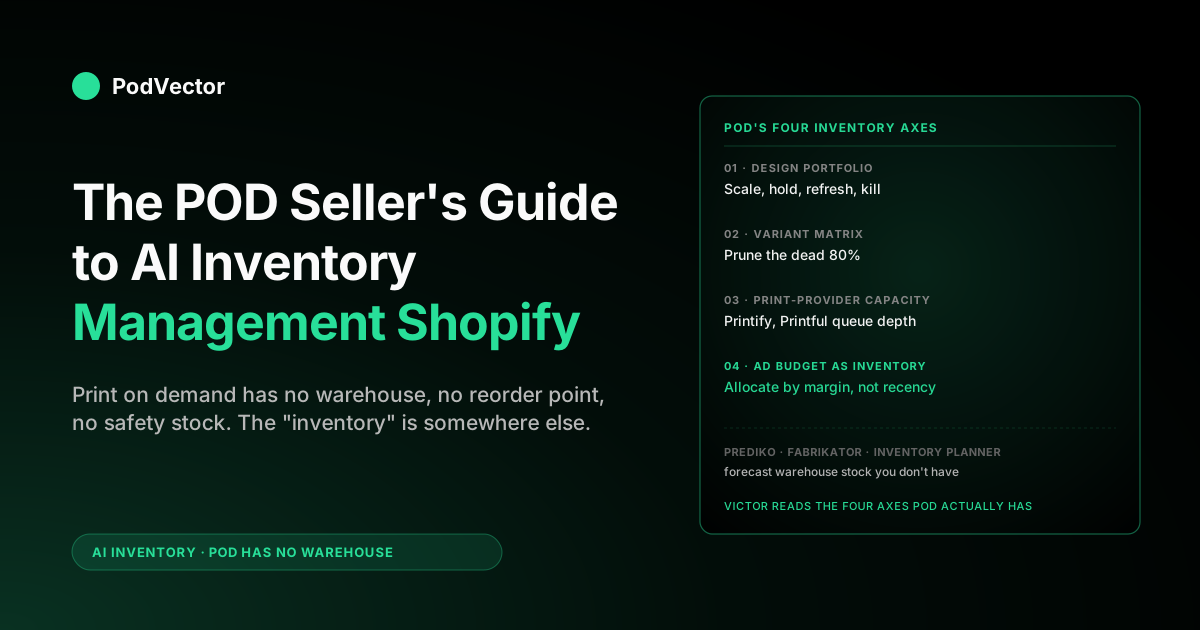
What you actually need is a four-axis view that tracks design-portfolio performance, the variant matrix (which size and color combinations carry their own weight), Printify and Printful production capacity, and the ad budget that functionally is your inventory. Most "AI inventory management" guides for Shopify don't separate POD from physical stock. This one does.
Why "AI inventory management for Shopify" looks different for POD
The phrase "AI inventory management for Shopify" almost always refers to a specific stack: an app that connects to your Shopify admin, ingests sales history at the SKU level, runs a demand-forecasting model, and writes back reorder recommendations and purchase orders. That stack is mature, widely adopted, and well documented — Prediko's 2026 guide alone walks seven core use cases, from demand forecasting to replenishment automation. The whole loop assumes one thing: you own physical stock that depletes when you sell, and you have a supplier you reorder from before it runs out.
That assumption breaks for print on demand. A Printify or Printful seller has zero finished-goods inventory.
Every order spawns its own production run. There's no "stock" to forecast against, no reorder point to optimize, no safety-stock buffer that the AI is trying to right-size. The classic AI inventory app on a pure POD store has nothing to do — and the apps that do still install often end up forecasting blank-product purchases on the seller's behalf, which the seller never makes because Printify is doing it for them.
That doesn't mean POD sellers don't have an inventory problem. They do. It just lives somewhere else: in the design portfolio, the variant matrix, the print-provider's queue, and the ad budget. The Complete Guide to AI Analytics for Print-on-Demand covers the broader analytics architecture; this post is specifically about the inventory-shaped slice of that problem and how 2026's AI tools handle (or don't handle) it.
Who this guide is for
POD sellers running 50–5,000 SKUs through Shopify with Printify or Printful as the production back end. If you also stock physical product (e.g., you POD some shirts and bulk-print your evergreen bestseller), the second half of this guide applies as-is to the bulk-print SKUs and you'll want one of the traditional apps for that subset.
What AI inventory management actually does on Shopify
Strip away the marketing and "AI inventory management" on Shopify is doing five things, in order:
- Pulling clean sales history at the SKU and variant level, often with a 24-month back-window.
- Running a demand-forecasting model — usually some mix of time-series (Prophet, ARIMA), gradient-boosted trees (XGBoost), or a transformer for richer feature input.
- Adjusting for seasonality, promotions, and lifecycle (new product, mature, decline) so the forecast isn't just last-year-plus-growth.
- Recommending reorders against a target stock cover (e.g., maintain 60 days of forward sell-through) with supplier lead time baked in.
- Writing the purchase order back to the supplier, ERP, or 3PL — increasingly via Shopify Flow or a direct integration.
For a physical-stock Shopify store, all five steps add real value. The forecast cuts stockouts, the reorder logic frees cash, the auto-PO eliminates a weekly manual pass through a spreadsheet.
Studies cited across the category converge on real ROI: McKinsey figures that the app vendors lean on put AI-driven forecasting at a 20–50% reduction in forecast error and up to a 65% cut in lost sales from stockouts, and Prediko's published Healf case study claims a 75× return inside six months. Real numbers, real value — for a store that holds stock.
The catch for a POD seller: steps 4 and 5 don't apply, step 1 is still useful but for a different purpose, and step 2's forecast — instead of feeding a reorder — should feed a portfolio decision (scale this design, kill that one, refresh this niche). The same data, a different decision.
The four axes a POD store actually has to manage
If "inventory" in a physical-stock store is one number per SKU (units on hand), "inventory" in a POD store is four separate things, none of which are units on hand. A real POD inventory dashboard tracks all four. Most apps track none.
Axis 1 — The design portfolio
The design portfolio is the closest POD analogue to a stock list. Each published design is an "item" with its own sales velocity, margin profile, and lifecycle stage.
The decision a forecasting model should drive isn't "reorder," it's scale, hold, refresh, or kill. A design selling 30 units a week at 28% margin should get more ad budget; a design selling 2 units a week at 4% margin after returns should be unpublished. Most POD shops have hundreds of designs and no systematic process for these decisions, so they accumulate dead weight that fragments the catalog and dilutes ad performance.
Axis 2 — The variant matrix
Every POD design ships in a variant matrix: typically 5–7 sizes × 3–10 colors × 1–4 product types (tee, hoodie, mug, sticker). For a single design that's anywhere from 15 to 280 individual variants, and the distribution is severely uneven.
In most stores, 70–80% of revenue concentrates in 20% of the variants. The other 80% of variants are catalog noise — they exist on the product page, they pull SKU count up, they make navigation worse. AI inventory management for a POD store includes pruning the variant matrix down to the variants that actually sell, which most apps don't even surface as a question.
Axis 3 — Print-provider capacity
Printify and Printful aren't infinite. Production lead times stretch from a 2–4 day baseline to 7–14 days during Black Friday and the December peak.
When that happens, a design that sells 100 units a day in October might cap at 40 units a day in December because the provider's print queue is the bottleneck. A real POD inventory model treats provider capacity as a constraint and routes orders accordingly — Printify Premium for the high-volume designs, alternate print providers for niche ones, in-house bulk print for the few SKUs that justify it. None of the mainstream Shopify inventory apps know about Printify or Printful's queue state.
Axis 4 — Ad budget as inventory
The least obvious axis but often the most important: in POD, ad spend behaves like inventory. You have a fixed daily budget, that budget can only "stock" a certain number of designs at a meaningful CPM, and over-allocating to a cold design starves a hot one.
The forecasting question shifts from "how many units of SKU X should we have on hand" to "how should we allocate $400/day across 12 active designs to maximize 30-day contribution margin." That's an inventory-allocation problem in everything but name. Generic Shopify inventory apps don't touch it; ad-platform tools like Meta's Advantage+ touch part of it but don't see Printify cost. The POD Seller's Guide to AI Marketing for Shopify goes deeper on the marketing side of this overlap.
The traditional AI inventory apps for Shopify, ranked for POD applicability
Here's the honest scoring for the major AI inventory apps on the Shopify App Store, applied to a pure POD workflow. Ranked by POD usefulness, not general quality.
Prediko ($49/mo and up)
What it does well: SKU-level demand forecasting with a 12-month horizon, automated reorder alerts, purchase-order generation, multi-warehouse allocation, and 70+ integrations — its model is trained on 25M+ SKUs across 15+ industries. Top of class for physical-stock DTC brands, and now the first incumbent to announce an autonomous inventory agent (Pia, listed "coming soon" on Prediko's own site as of mid-2026).
POD applicability: Limited. The forecast is correct; the recommended action (reorder against safety stock) doesn't apply. Some POD sellers use Prediko's forecast as a portfolio-velocity signal and ignore the PO logic, which works but is paying $49 for one of five features.
Fabrikator ($99–$350/mo)
What it does well: Multi-warehouse, backorder automation, supplier integrations, more granular cost modeling than Prediko.
POD applicability: Almost nil for pure POD. Built for sellers managing real warehouses with multiple suppliers and complex lead-time matrices. If you've graduated to a hybrid POD-plus-bulk-print model with 100+ bulk SKUs, Fabrikator's the right tool for that subset.
Inventory Planner by Sage ($249/mo)
What it does well: Multi-channel (Shopify + Amazon + others), 200+ integrations, deep open-to-buy planning, financial integration with QuickBooks/Xero.
POD applicability: Same as Fabrikator — built for sellers with real stock across channels. The pricing alone rules it out for most POD shops, and the multi-channel features are wasted when production is on-demand from a single Printify or Printful account.
Assisty ($29/mo)
What it does well: Replenishment forecasts, supplier scoring, sell-through analysis. Cheaper baseline than Prediko, fewer enterprise features.
POD applicability: Same shape problem as Prediko but at a more forgiving price point. If you're testing whether a forecast-grade demand signal helps your portfolio decisions, Assisty is the cheapest way to find out before reaching for a POD-native AI employee tool.
Stocky (free with Shopify POS)
What it does well: Basic forecasting, low-stock alerts, free with Shopify POS Pro.
POD applicability: None. Built for retail POS inventory. Listed only because some "AI inventory" articles include it; ignore for POD.
Monocle ($99/mo)
What it does well: Data-analytics-leaning rather than reorder-leaning. Surfaces inventory trends as analytics rather than action items.
POD applicability: Closer to useful than the reorder-first apps because the framing is analytical, but still missing the design-portfolio and variant-matrix dimensions that matter for POD.
The 2026 newcomers — Forthcast, Rewize, Stock Perfect, Inventory Mate
What they do well: A wave of newer App Store entrants now ranks alongside the incumbents, all variations on the same theme — SKU-level demand forecasting, low-stock and reorder alerts, automated PO generation, cheaper entry pricing. Forthcast and Rewize lead on forecasting; Stock Perfect (SP AI Inventory Management) and Inventory Mate lean on PO automation.
POD applicability: Same shape problem as the incumbents, just newer and cheaper. They forecast stock you don't hold and write reorders you'll never place. For a hybrid store, any of them works on the bulk-print subset; for pure POD, the price point is lower but the misfit is identical.
Why most of those apps misfit a pure POD store
Three structural reasons the mainstream Shopify inventory apps misfit POD, even when they integrate cleanly:
1. The output of their model is the wrong action. A reorder recommendation is meaningless when there's nothing to reorder. The model is generating a forecast that should drive a portfolio decision — but the app's UI is wired to drive a procurement decision, so the right answer never reaches the right surface.
2. They don't see Printify or Printful cost. POD margin is a function of the print provider's variable cost on every sale.
Printify's cost on an Anvil 980 changes; Printful's cost on a Bella+Canvas 3001 changes; both differ by region. Without that real-time cost layer, the inventory app's "profitable" SKUs aren't reliably profitable. AI Analytics Platforms for Shopify: What It Looks Like for POD Sellers covers the cost-reconciliation architecture, but most generic apps just don't ingest it.
3. They don't see ad spend. The biggest single cost on a POD sale, often 40–60% of the order, is the ad that drove it. An inventory app forecasting demand without seeing the ad-spend layer is forecasting last quarter's marketing as if it were free, which biases every portfolio decision toward whatever was most heavily promoted, regardless of whether that promotion broke even.
For a hybrid store with bulk-print SKUs, those three misfits don't matter for the bulk subset, and Prediko or Fabrikator works fine on that subset. For a pure POD store, the misfit is total enough that the app generates more confusion than insight.
The operator-side approach: portfolio analytics over stock forecasting
The right framing for "AI inventory management" on a POD Shopify store isn't a stock-forecasting app — it's an operator that runs the portfolio: an agent that reads the same Shopify, Printify, and ad-platform data, then takes the action that the data implies — unpublishing dead designs, pruning dead variants, and reallocating ad budget toward the winners — with your approval at each material step instead of a purchase order at the end.
That's the category Victor lives in. Victor looks at your live Shopify orders together with your Printify and Printful costs and your Meta and Google ad spend, and then acts on it: he shows you that design X made a 28% margin over the last 30 days and isn't getting enough ad budget, suggests moving $60/day from two cold designs to it, and — once you approve — makes the change in your Meta and Google accounts. He flags the 40 variants of design Y that never sold in 90 days and unpublishes them with your okay. He catches Printify products running behind on production time and, with your approval, moves new orders to another supplier. Those are inventory decisions in everything but name, and none of them have a clean answer in Prediko, Forthcast, or Inventory Planner because those tools don't pull in this data at all — and acting on ads and listings isn't something a reorder app does at all.
The operator approach also flips the action layer. Instead of "you should reorder 240 units of SKU X by Friday," the output is "design X is in the top decile of contribution margin and underweight in your ad allocation — moving 15% of budget from cold designs Y and Z would lift week-over-week contribution by an estimated $1,800; approve and I'll move it." That's actionable in the way a POD seller actually runs the business. The POD Seller's Guide to AI Recommendation Engine for Ecommerce walks the recommendation-side mechanics if you want the deeper read.
How AI inventory management works inside a Shopify POD workflow
The data flow for a POD-aware AI inventory setup is conceptually simple even if the plumbing is involved. Three layers:
What Victor connects to
- Shopify orders, line items, refunds — Victor pulls in every order, every line item and every refund straight from Shopify, so he always has your full sales picture, not just a snapshot from one app.
- Printify or Printful production cost per order — pulled per order via their respective APIs. This is the layer the generic Shopify inventory apps skip.
- Meta, Google, Pinterest, TikTok ad spend at the campaign or ideally ad-set level — joined back to Shopify orders via UTM or post-view modeling.
- Print-provider lead times — Victor keeps an eye on how fast Printify and Printful are making your orders, so he can warn you if production is running slow. Most tools don't bother, but Victor does.
The model layer
For POD, the model layer is doing two jobs at once: (1) classic SKU-level demand forecasting, useful for surfacing portfolio velocity rankings and seasonal patterns; (2) margin attribution per SKU per day with ad spend joined in. The first job is where Prediko-style apps live; the second is where the POD-specific value is and where most stacks don't reach.
The right modelling stance for most POD shops is conservative on (1) and aggressive on (2). Forecast accuracy at the variant level is hard with the long tail of low-velocity SKUs and almost-always going to underperform a simple last-30-days trend; margin reconciliation at the variant level is mostly an arithmetic problem and rewards investment.
The decision layer
The decision layer is where the operator-side framing diverges most from the procurement-app framing. Outputs your decision layer should produce:
- Designs to scale (top decile by 30-day contribution margin, holding or growing in velocity)
- Designs to refresh (top decile by margin but flat or declining velocity — candidates for new variants, new mockups, new Pinterest pins)
- Designs to kill (bottom decile by 90-day contribution margin, flat velocity)
- Variants to prune (variants with zero sales over 90 days, or variants whose Printify cost has drifted such that they can no longer clear margin at the listed price)
- Ad reallocation deltas (how much budget should move from cold to hot designs)
- Provider-routing alerts (designs whose Printify lead time has stretched past your Shopify shipping promise)
None of those outputs are "reorder N units." All of them are inventory decisions in the POD sense.
A POD-specific five-step setup
If you're starting fresh, here's the sequencing that works for most POD shops in 2026:
Step 1 — Audit your data
Pull six months of Shopify orders, your Printify or Printful costs, and your ad spend by campaign. Put it all in one spreadsheet, organized by product and date. Two-thirds of POD shops can't actually do this in under a day, which tells you that you have a data problem before you have an AI problem. The POD Seller's Guide to AI Shopify walks the broader data-prep story.
Step 2 — Compute true contribution margin per SKU
Subtract Printify/Printful cost, Shopify fees (2.9% + 30¢), payment-processor cuts, ad spend (allocated by SKU), and an estimate of returns and customer-service labor. The number that comes out is the only one your "inventory" model should be optimizing. Most POD shops have never computed this number even quarterly; doing it for the first time is usually more valuable than any AI tool you bolt on afterward.
Step 3 — Pick the right tool tier
If you've decided you have a real bulk-print subset (more than 50 SKUs at meaningful volume), install Prediko or Assisty just for that subset. For the POD subset, the right tool is an employee-side analytics agent — Victor or a generic LLM wired to your warehouse — that can read the table from step 2 and answer ad-hoc portfolio questions.
Step 4 — Establish a weekly review cadence
Block 30 minutes weekly for a portfolio review against the table from step 2 plus the operator-AI's outputs. Decide which designs to scale, refresh, kill; which variants to prune; which ad budgets to shift. The cadence is more important than the tool; even a perfect AI inventory system doesn't help a shop that touches the portfolio twice a year.
Step 5 — Layer in agentic execution gradually
The roadmap, not the day-one ask: as the agentic-AI category matures (and Victor's roadmap explicitly moves this direction), the weekly review becomes auto-execution. Designs in the bottom decile auto-unpublish; ad budgets auto-rebalance toward the top decile; lead-time alerts auto-switch print providers. We're not all the way there in 2026; the data and modelling are. The Complete Guide to AI Agents for Ecommerce Analytics covers the agentic-execution roadmap in detail.
KPIs that matter for POD "inventory"
For a physical-stock store, the KPIs are stockout rate, inventory turnover, days of cover, fill rate. For a POD store, those don't exist or are trivially zero. The right KPIs are:
- Catalog contribution-margin concentration. What share of contribution margin is the top decile of designs producing? If it's 60%+, the long tail is dragging you down and prune-mode is the right portfolio mode.
- Variant active rate. Of every variant published across the catalog, what share has produced any sale in the last 90 days? Below 30% is the threshold where matrix pruning starts to lift conversion at the product-page level.
- Cold-start time-to-decision. When a new design is published, how many days until you have enough data to keep, refresh, or kill it? Top POD shops are at 21 days; most are at "never, the design just sits there."
- Production-lead-time exposure. Share of orders shipping outside your Shopify shipping promise window because Printify or Printful queue depth stretched. Spikes during Q4; should be 0% in Q1–Q3.
- Ad-budget allocation skew. Correlation between a design's contribution-margin rank and its ad-spend rank. Should be high (top designs get top spend); often it's near zero or negative because ad spend got allocated by recency, not margin.
You can't get these numbers from a generic Shopify inventory app. Victor can work them all out because he already has your orders, costs and ad spend together in one place. The POD Seller's Guide to AI Optimization for Shopify walks through how Victor turns these numbers into ranked actions.
Mistakes POD sellers make with inventory AI
Buying the wrong category of tool first
The most common mistake: a POD seller searches "AI inventory management Shopify," lands on a Prediko or Fabrikator review, installs it, configures the integration over a weekend, and then a month later realizes the reorder logic doesn't apply to them. The tool isn't bad.
It's just the wrong tool. The right first move for a POD shop is the data-and-margin work in step 2 above, not an app install.
Forecasting at the wrong level
POD sellers who do install a forecasting app sometimes forecast at the variant level, where the data is sparse and the forecast is noisy. Forecasting at the design level (aggregating variants) is more useful because the design is the unit of decision; variants get pruned, designs get scaled.
Ignoring the variant matrix
A typical POD store ships every design in 30+ variants and never prunes. Six months in, the catalog has thousands of variants, most of which never sold and some of which can't even produce margin at the listed price (because Printify cost drifted). The cleanup work is unglamorous; the impact on conversion and on the AI's signal-to-noise is large.
Not joining ad spend
"AI inventory management" without ad spend joined to the SKU is forecasting against half the cost. POD shops that skip this end up scaling designs that look profitable on Shopify-only data and aren't, once the ad cost is back-allocated.
Treating AI as the decision-maker
The AI's job in 2026 is to surface the ranked decisions; the seller's job is to make them. Sellers who try to fully automate "kill / scale" before they trust the inputs end up with catalog churn that hurts the brand.
The right cadence for the next 18 months is AI-suggests, human-decides, with a small set of pre-authorized rules (auto-unpublish anything zero-sale for 180 days, etc.) automated. The agentic future where the AI executes is on the roadmap; in 2026 it's not the default.
From AI inventory tools to agentic POD operations
The interesting trajectory for AI inventory management on Shopify isn't a better Prediko. It's the agentic shift, where the analytics layer doesn't just answer "which designs are in the bottom decile" but actually unpublishes them, pauses their ads, and reallocates the freed budget.
The incumbents see it too. Prediko has announced Pia, an "inventory agent" (in its "coming soon" rollout as of mid-2026) built to run the forecast-to-PO loop autonomously — generating purchase orders, updating forecasts, and launching new products — rather than just recommending. It's a clear signal that the whole category is collapsing the gap between analysis and action in 2026. Shopify itself is moving the same way — Sidekick on the admin side, Shopify Flow as the action layer, the broader agentic-commerce category Shopify covers in its 2026 outlook. The difference is what each agent acts on: Pia and Sidekick act on stock and admin tasks; Victor acts on the levers a POD store actually pulls — unpublishing designs, pruning variants, pausing campaigns, switching providers, reallocating ad spend — each behind an approval gate.
For a POD seller deciding what to install in 2026, the practical move is to pick a tool built for where things are headed, not just today's dashboards. That means a tool that pulls together your Shopify, Printify, Printful and ad data so you can use it however you need, not one that locks it away in a closed app. The "AI inventory" decision in 2026 is partly a 2027 decision in disguise. The POD Seller's Guide to AI Automated Shopify Store covers the broader automation story and where the limits currently are.
FAQs
Does Shopify have built-in AI inventory management?
Shopify has basic stock-level features and Shopify POS Stocky for retail forecasting, plus Shopify Flow for workflow automation and Sidekick for natural-language admin queries. None of those are full AI inventory management in the Prediko sense — for that you go to the App Store. For POD specifically, none of Shopify's built-ins address the design-portfolio or ad-budget axes that matter most.
Which AI inventory app is best for a Shopify Printify store?
If you're pure POD with no bulk-print SKUs, the honest answer is none of the mainstream apps fully fit. The closest fit among traditional apps is Assisty for its analytics framing and lower price point, but the higher-ROI move is an employee-side analytics agent that handles design-portfolio decisions and reads Printify cost natively. If you have a hybrid model with 50+ bulk-print SKUs alongside POD, Prediko on the bulk subset and an operator-side agent on the POD subset is the cleanest split.
How much does AI inventory management for Shopify cost?
The traditional apps range from $29/month (Assisty) to $350/month (Fabrikator's higher tier). For a POD shop, factor in that you may be paying for features that don't apply. Operator-side analytics agents range more widely depending on whether you're using a SaaS like PodVector AI or wiring a generic LLM to your own warehouse via MCP; the SaaS path is typically $50–200/month for a small POD operator.
Is AI inventory management worth it for a small POD store?
For a POD store under $5K/month in revenue, the data-and-margin work (step 2 above) is worth it; the tool layer often isn't yet, because the data volume doesn't yet outrun a weekly spreadsheet. Above $20K/month, the tool layer pays for itself quickly because the time you'd spend reviewing 200 designs by hand is more expensive than the subscription. The threshold is somewhere in the $5–20K range and depends mostly on how many active designs you have, not on revenue alone.
How is AI inventory management different from AI demand forecasting?
Demand forecasting is one piece of inventory management. Inventory management also includes reorder logic, safety-stock optimization, multi-location allocation, and supplier integration. For POD, where the reorder and safety-stock pieces don't apply, the difference collapses — "AI inventory management" effectively becomes "AI demand forecasting plus portfolio decisioning."
Can I just use ChatGPT for AI inventory management?
You can, with caveats. ChatGPT can read a CSV export of your Shopify orders, Printify cost, and ad spend, and produce useful portfolio analyses on demand.
The friction is that you're re-uploading the data every time and the model has no continuity between sessions. The next-step setup is wiring ChatGPT (or another LLM) to your warehouse via MCP so the data is queryable in place; that's effectively what a purpose-built operator-side agent like Victor does, with the additional layer of POD-specific reasoning baked in. The POD Seller's Guide to ChatGPT for Shopify walks the ChatGPT-direct path.
What about AI inventory management for Etsy POD or Amazon Merch?
Most of the framing in this guide — four axes, design-portfolio decisions, ad-budget-as-inventory — applies to Etsy and Amazon Merch sellers too, because both are also pure on-demand from the seller's side. The tooling differs (Etsy's data export is poorer than Shopify's; Amazon Merch is essentially a closed system with limited API access), but the operator-side framing is the same.
Will Victor replace Prediko for my Shopify store?
Not exactly — they're solving different problems. Prediko is for forecasting and reordering physical stock.
Victor is for portfolio, margin, and decision questions on POD-shaped catalogs. If you have both physical stock and POD, you'd reasonably run both. If you have only POD, Prediko isn't really doing work that maps to your operations and Victor is. More articles in the AI Overview cluster cover the broader operator-AI category, and the AI Analytics topic hub covers the analytics-side framing across other ecommerce surfaces.
Run inventory the way a POD store actually works
Forecasting reorders against warehouse stock isn't your problem. Scaling the designs that clear margin after Printify cost and ad spend, pruning the variants that are catalog dead weight, and moving ad budget toward the winners this week — that's your problem. Victor reads your live Shopify, Printify, Printful, and ad-platform data and then runs those moves for you — unpublishing, repricing, reallocating spend across Meta and Google — with your approval before each one.
Try Victor free