
Quick Answer: "AI for print on demand" now covers four distinct jobs: design generation, mockup automation, listing and SEO copy, and operator-side business intelligence. Most 2026 guides only describe the first three — the loud, easy-to-demo half. The quieter half is operator AI: an agent that reads live Shopify, Printify, Printful, Meta Ads, and Google Ads data and tells you which of your designs are actually profitable after supplier cost and ad spend. For an intermediate-to-advanced POD store on Shopify, both halves matter — but the order in which you adopt them changes your result more than which specific tools you pick.
How AI is changing print on demand in 2026
Print on demand in 2026 looks almost nothing like print on demand in 2022. The unit economics haven't changed — Printify and Printful still take their cut, Shopify still takes its transaction fee, Meta still wants its share — but the inputs have.
Generating a publishable design used to mean an hour in Photoshop or money to a freelancer. Today the same output is two minutes in Midjourney or DALL-E. Generating a clean, on-model product mockup used to require Placeit credits and a careful Photoshop pass. Now Smartmockups, Mockey, and Placeit's own AI tools turn one design into dozens of mockups in minutes.
That collapse in production cost is real, and every roundup on the first page of Google walks you through it. What those roundups miss: as creation cost falls, the bottleneck shifts to selection. When you can publish 200 designs a week instead of 5, the new question isn't "can I generate something on-trend." It's "which of these 200 will actually print, sell, and clear margin after Printify cost, ad spend, and Shopify fees?" Generic AI generators don't answer that. Operator-side AI does, and it's where 2026 is quietly diverging from 2024.
The Complete Guide to AI Analytics for Print-on-Demand covers the analytics architecture that makes this possible.
What "AI for print on demand" actually means now
If you searched "AI for print on demand" eighteen months ago, you almost certainly meant generative image models. Today the same phrase covers four distinct things: text-to-image generators, mockup automation, listing and copy automation, and operator-side analytics agents. A POD seller who treats them as one category buys whichever tool ranks first in their search results, ignores the rest, and reports back six months later that "AI didn't really move the needle." A seller who separates the four categories and decides which one to install first usually finds at least one of them genuinely transformative.
There is also a fifth use case that the newest 2026 roundups are beginning to cover: AI-assisted niche research and trend spotting. We cover that separately below because it belongs in the workflow before design generation, not alongside it.
The two AI stacks POD sellers confuse
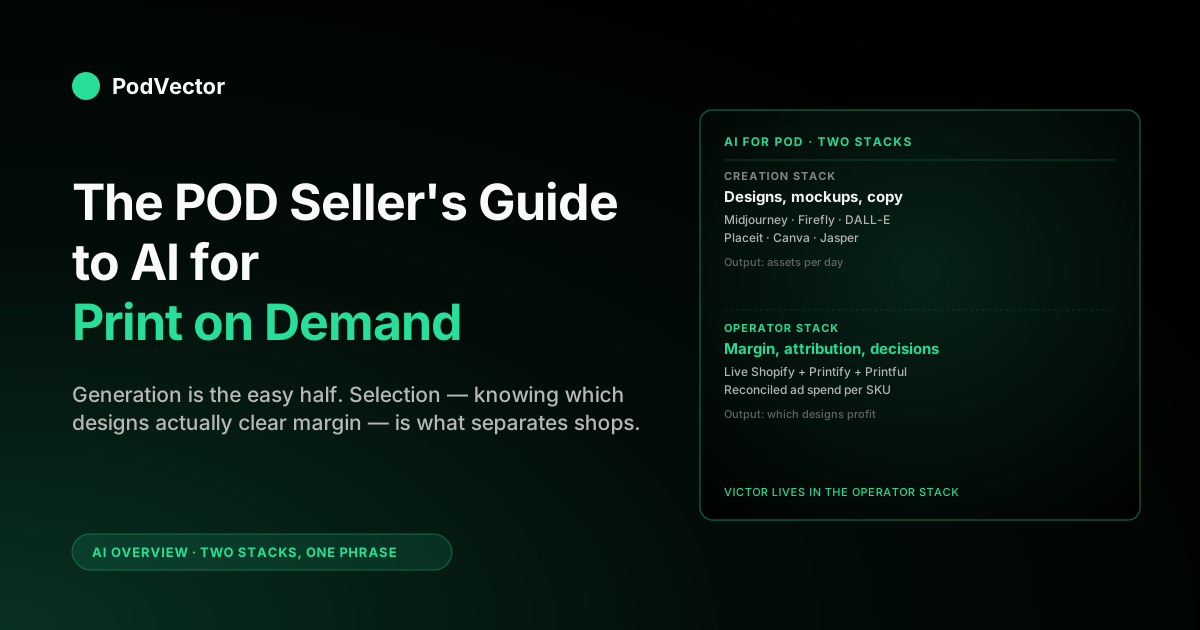
The cleanest way to think about AI for print on demand in 2026 is to split the entire space into two stacks: the creation stack and the operator stack. They look similar from the outside — both are "AI for POD" — but they live in different parts of the workflow, are bought by different parts of your brain, and have different success metrics.
Creation stack at a glance
- Surface: sits on your desk. You open it, type a prompt, get an asset.
- Inputs: your taste, your prompt, sometimes a reference image.
- Output: a design file, a mockup, a product description, a Pinterest pin.
- Success metric: assets per day, cost per asset, time-to-publish.
- Examples: Midjourney, DALL-E, Adobe Firefly, Canva Magic Studio, Leonardo, Kittl, Ideogram, Placeit, Smartmockups, Jasper, Surfer SEO.
Operator stack at a glance
- Surface: sits behind your store. You ask it a business question, get a structured answer — and it can execute approved actions on Shopify.
- Inputs: live data from Shopify, Printify, Printful, Meta Ads, Google Ads, Klaviyo.
- Output: "design A made $4,200 last week at 31% margin; design B made $1,800 at 6% margin once you back out ad spend." Or a proposal to reprice, adjust discounts, or raise your free-shipping threshold — which it then executes after you approve.
- Success metric: margin, cash conversion, decisions per week that actually changed because of the answer.
- Examples: Victor (PodVector AI), Shopify Sidekick on the admin side, generic LLMs wired to your warehouse.
Most existing roundups cover only the creation stack because that's where the loud, easy demos live. The operator stack is harder to demo in 30 seconds — you need real data plumbed in to show the value — so it tends to get a single bullet at the bottom of "honorable mentions." That's a content-marketing artifact, not a reflection of which stack moves more revenue. The POD Seller's Guide to AI Assistant for Ecommerce walks the same two-stack split from the assistant angle.
AI for niche research and trend spotting
This is the use case that 2024 guides mostly skipped and 2026 guides are beginning to lead with — and for good reason. AI-assisted niche research belongs at the front of the workflow, before you generate a single design, because the cost of going after a wrong niche is weeks of production time, not just a bad prompt.
The core idea: rather than guessing which micro-niche to target, you use AI tools to surface demand signals faster than manual browsing allows. According to Printify's analysis, AI-driven analysis is pushing micro-niches to center stage — helping sellers spot demand early and avoid overcrowded categories. The practical workflow that now appears across the top-ranking 2026 guides looks like this:
- Trend signal gathering. Use ChatGPT, Claude, or a dedicated tool like EverBee or Insight Agent to generate a longlist of micro-niche hypotheses — specific enough to feel like they were made for one person. According to Merch Titans, listings targeting hyper-specific audiences consistently outperform broad-niche equivalents on conversion.
- Marketplace validation. Cross-reference your hypothesis against Etsy "Most Recent" sort (designs with sales in the last 90 days), Google Trends, and Pinterest search volume. AI generates the hypotheses; marketplace data validates them. Insight Agent's guidance is clear: AI should support marketplace validation, not replace it.
- Design brief, not prompt. Once a niche validates, brief your generator with the validated niche context — audience, aesthetics, color palette — rather than a generic prompt. This is the step most sellers skip, which is why so many AI-generated catalogs look the same.
The tools in this layer — EverBee, Insight Agent, even a well-structured ChatGPT session — are cheap and fast. The lift is in decision quality, not design volume. Add this step before Stage 3 in the sequencing playbook below.
Design generation: the loud half of the stack
Design generation is the half of AI for POD that the entire internet has already covered. It's worth a quick pass for completeness, because picking the wrong generator wastes weeks. If you've already settled on a generator and are happy with it, skip to mockups or operator AI.
The generators worth a POD seller's time in 2026
- Midjourney v7. Best aesthetic for trend-driven niches — animals, vintage, cottagecore, retro Americana. The v7 web app is now first-class; Discord-only history is gone. Print resolution at v7's high-quality setting clears 6,000 px on the long edge, which is enough for everything Printify and Printful sell except oversized wall art. The downside: vector output isn't native, so for tee designs that need clean edges you'll route through a Vectorizer.AI pass.
- DALL-E (via ChatGPT or API). The pragmatic generator. Prompt adherence is the strongest of the major models, which matters when you're working from a niche brief like "matching dad-and-baby pirate Halloween tee design." Resolution caps lower than Midjourney, so it's a brainstorming tool more than a final-output tool for most niches. Bundled into ChatGPT Plus if you already pay for one.
- Adobe Firefly. The legally cleanest generator. Trained on Adobe Stock and licensed content, with the indemnification that matters for sellers worried about IP exposure (more on that in the copyright section). Plugs into Illustrator and Photoshop, which makes it the right pick if your workflow is already Adobe-native. Image quality has caught up; in 2024 it was visibly behind Midjourney, in 2026 it's roughly at parity for most POD use cases.
- Ideogram. The text specialist. Generating designs that include readable words — a quote tee, a slogan hoodie — is still the hardest job for image models, and Ideogram is the current best-in-class answer for that specific problem. According to WearView's 2026 guide, Ideogram, Kittl, Canva, and Adobe Express are strong picks for generating artwork across product types.
- Leonardo / Flux. The third tier you choose for a specific reason — Leonardo for fine-grained model control, Flux for open-source self-hosting. Don't pay for both. Pick one that addresses a specific gap in your primary generator.
Where Canva fits
Canva isn't a competing generator; it's the assembly bench. You use Midjourney or Firefly for the underlying art, then Canva (or Kittl, which is built specifically for POD) for layout, type pairing, mockup composition, and Pinterest pin generation. Canva's Magic Studio bundles Magic Resize, Background Remover, and Magic Edit — all of which are fine, none of which are best-in-class, but together they're enough that most POD sellers don't need anything else after initial generation.
Supplier-native and all-in-one AI generators
Two newer options sit alongside the standalone generators, and most 2026 roundups now lead with them. The first is supplier-native generation: Printify's built-in AI Image Generator (OpenAI-powered, free at 15 images per day, 13 preset styles, auto-upscaled to print resolution) and Gelato's and Printful's equivalents let you generate art and drop it onto a product without leaving the dashboard. They won't match Midjourney's aesthetic, but for a fast first niche test they remove every step between idea and live listing.
The second is all-in-one creation autopilot — tools like Wondr AI that take a single text prompt and run the whole chain: generate the design, write the description, build the mockup, and publish the product to your store. They're genuinely fast and a reasonable on-ramp for a brand-new shop. The catch: they optimize for output volume, not selection. The faster you publish, the more you need the operator stack to tell you which of those auto-published products are actually clearing margin.
The cost reality of design generation
For a POD shop publishing 10–30 designs a week, the entire creation-side AI bill should land around $50–80/month — a primary generator tier plus Canva Pro. If your AI design bill is over $200/month, you've stacked tools that overlap.
The roundups encourage stacking because each tool pays affiliate. Don't.
Mockup AI: where most POD shops first feel the lift
If you've never used AI for POD before and you want to feel the lift in week one, mockup automation is the place to start. A finished design without a clean mockup converts at a fraction of the rate a finished design with three good mockups does — especially on channels like Meta and Pinterest where visual context carries the sale.
Mockup work used to mean either Placeit credits or a Photoshop pass with a smart-object template. AI mockup tools collapse that work to seconds and add a per-design output volume that wasn't possible before.
The mockup tools to evaluate
- Placeit (Envato). The veteran. Library is enormous (60,000+ templates), the AI additions in 2025–2026 mostly automate the "drag your design onto every Bella+Canvas tee in our catalog" workflow. The right pick if you want depth of templates and proven render quality.
- Smartmockups (Canva). Lighter library, integrated into Canva, fast for batch generation. Right pick if you're already a Canva user and want one-click rather than a separate subscription.
- WearView. A newer entry focused on on-model apparel photography. According to WearView's own 2026 guide, it only needs your product image plus a short description of the model and setting — making it a strong fit for fashion and apparel POD specifically, though less suited for non-wearable products like mugs or posters.
- Mockey. Free tier is genuinely usable. Smaller library, weaker render quality on dark garments, but the price point makes it the right pick for a brand-new shop testing whether it likes mockup automation at all.
- Printify and Printful's built-in mockup generators. Free, fast, and good enough for most listings. Most sellers don't need a third-party mockup tool until they're publishing at volume, doing on-model lifestyle shots, or running ads where stock supplier mockups underperform.
The volume math on mockups
Twelve mockups per product is the number where most listings start to peak in conversion — three flat-lay, three on-model, three lifestyle, three back/detail. Manually, that's a half-day of work per design. With Placeit or Smartmockups, it's about ten minutes. Multiply across a large catalog and the time savings is significant — the lift everyone feels first.
Listings, copy, and SEO automation
The third creation-side category is the listing layer — product titles, descriptions, bullet points, alt text, Pinterest pins, blog posts. AI here doesn't write better copy than a careful human, but it writes adequate copy at a fraction of the speed and cost, which is the right trade for the long tail of a POD catalog.
- ChatGPT or Claude for product descriptions. A simple template — "write a 100-word product description for this design, include these three keywords, voice is X" — outputs perfectly serviceable Etsy or Shopify copy. Don't pay for a wrapper if a general LLM does it.
- Jasper or Copy.ai. Worth it if you need brand-voice consistency across a team. For a solo seller, the wrappers usually aren't worth the upcharge.
- Surfer SEO or NeuronWriter. Useful if you write blog content for the store. For listing copy alone, overkill.
- Shopify Magic. Free, integrated, generates product titles and descriptions in the admin. The first place to try before paying for anything else. The POD Seller's Guide to Shopify Magic AI Features covers what it does and doesn't do.
One point the top-ranking 2026 guides now emphasize: listing SEO compounds. The lift from copy automation feels small in week one. In month six, the organic traffic effect is visible. Prioritize keyword consistency across titles and descriptions from the start, even before you have enough traffic to measure the result.
Operator-side AI: the half nobody covers
Now the half the roundups skip. Once your creation stack is humming and you're publishing 30 designs a week instead of 3, you have a new problem: most of those designs aren't profitable, and your existing tools don't tell you which ones.
Shopify reports show revenue. They don't show margin after Printify cost (which Shopify never sees as itemized line items), ad spend (which lives in Meta Ads Manager and Google Ads, not Shopify), or supplier swap economics (Printify vs. Printful for the same SKU at different volumes).
That gap is what operator-side AI fills. A representative question an operator-side AI answers:
- "What was my real margin on the new Halloween collection last week, after Printify cost and the Meta spend that drove its traffic?"
- "Which 15 designs in the catalog are losing money once I include attributed ad spend?"
- "Should I switch this SKU from Printify to Printful given the per-unit cost gap and the shipping reliability difference?"
- "My Meta ROAS dropped this week — was it the campaign, the audience, or the underlying creative?"
None of those are answerable by a Midjourney prompt or a Placeit batch render. None are well-served by Shopify's native reports. That's why a second AI stack exists.
How Victor (PodVector AI) works
Victor is PodVector AI's AI employee. He reads live data from Shopify, Meta Ads, Google Ads, Printify, Printful, and Klaviyo, so he can answer your business questions in plain English. That's work he does for you — and it's genuinely useful on its own.
What makes Victor an operator rather than a dashboard is the execution layer. With your approval, Victor can reprice products (single or bulk) to a target margin, create or update discounts including buy-one-get-one, free-shipping, and customer-specific offers, create Shopify collections, and raise or set a free-shipping threshold. These are Shopify-side writes; Victor reads ad platforms and proposes moves on them, but the merchant executes those changes. Printify and Printful are read-only. Victor never acts without explicit human approval.
A few things to know: Victor can tell you the margin on a product with zero sales, because he pulls your Printify, Printful, and Gelato costs before you sell anything. For Google Ads, you need your tracking links set up correctly, or your profit numbers for that channel will be incomplete. And today, Victor sends you a Weekly Health Report every Monday. The rest of the time, he answers when you ask him a question. See our guide on Meta CAPI vs. Pixel duplicate events for how small tracking mistakes can throw off your numbers.
What operator-side AI does that creation AI can't
- Itemizes Printify and Printful costs per order. Generic ecommerce reporting tools see a $24 sale; they don't know that a portion went to Printify and a portion to Meta. Operator AI, wired to your supplier's data, sees the full P&L per order. See also: How to Improve COGS for the levers this unlocks.
- Reconciles ad spend back to product. Meta and Google attribute at the campaign level. Operator AI can attribute spend down to the SKU it drove — the only number that matters when you're deciding what to scale. Our article on Meta modeled conversions covers how that attribution data is constructed.
- Surfaces designs that are eating margin. The 80/20 inside a POD catalog is stark — the top tier of designs typically carries the entire profit, and a meaningful slice of the bottom loses money outright once ad spend is attributed. Operator AI flags the losers first.
- Executes approved changes on Shopify. Rather than showing you a dashboard and leaving you to act, Victor can reprice, update discounts, or set thresholds after you confirm. That closes the loop from insight to action without context-switching to another tool.
For a deeper walk on what to look for in this category, see AI Analytics Platforms for Shopify: What It Looks Like for POD Sellers. For understanding the drop-ship fee economics that operator AI needs to model correctly, that article is a useful companion read.
The POD-specific problems generic AI tools ignore
One reason the generic AI-for-ecommerce roundups miss the mark for POD sellers is that POD breaks four assumptions that off-the-shelf tools default to. If you've ever bought a tool that "works for ecommerce" and felt it didn't quite fit, this is usually why.
- You don't hold inventory. Generic ecommerce tools assume "in stock" is a binary you control. For a POD seller it's a function of the supplier — Printify base availability, Printful's regional fulfillment, sometimes a specific blank's color drop. AI tools that ignore this can confidently misinform shoppers.
- Cost is itemized per order, not per SKU. Printify and Printful charge per order, not per inventory cycle. Generic margin tools that compute COGS as "wholesale price" miss the fulfillment fee, the shipping pass-through, and the per-base variation. POD-aware operator AI handles this; generic AI doesn't.
- Shipping windows are supplier-specific and fragile. One Printify provider might ship in 3 days, another in 8, depending on the base and the print location. AI assistants that quote a single window for the whole catalog are wrong half the time.
- Catalog churn is constant. POD shops add many designs a week. Generic ecommerce AI tools assume a stable catalog and a periodic refresh. POD's velocity breaks the cadence.
- Attribution gaps are structural. Because no inventory is held and orders route through a third-party supplier, the data handoff between Shopify, Printify/Printful, and your ad platforms creates gaps that generic analytics tools don't surface. The modeled conversions gap on Meta is a specific example that hits POD stores hard.
None of these are unfixable. They're the reason POD-specific tooling exists, and why a POD seller using only generic AI roundup picks usually leaves money on the table.
A sequencing playbook for a real POD store
Pick the order, not just the tools. The order in which you adopt AI for POD usually matters more than which exact tools you pick, because each layer's ROI depends on the layer below it. Here's the sequence that works for most POD shops in 2026:
Stage 1 — Mockup automation (week 1–2)
Lowest cost, fastest visible lift, hardest to argue with. Subscribe to Placeit or use Smartmockups via Canva Pro. Run every existing listing through the new mockup process. The visual improvement is immediate and measurable in early click-through data.
Stage 2 — Listing copy automation (week 2–3)
Run every product description through Shopify Magic or a ChatGPT/Claude template. Standardize voice. Update titles for keyword consistency. This is housekeeping; the lift is in long-tail organic search, which compounds slowly but persistently.
Stage 3 — Niche research and validation (week 3–4)
Before scaling design output, validate your next niche with AI-assisted research. Use ChatGPT or a dedicated tool to generate micro-niche hypotheses, then cross-reference against Etsy recent-sort data and Google Trends. This step is cheap and saves weeks of misdirected production. Per Insight Agent's framework, use AI to shortlist niches and buyer personas, then validate with actual marketplace signals before you commit design time.
Stage 4 — Design generation (week 4–7)
Now you're ready to scale design output against validated niches. Pick one generator (Midjourney for aesthetics, Firefly for legal cleanliness, Ideogram for text-heavy designs). Build a weekly prompt library grounded in your niche briefs. Best AI Art Generator for Print on Demand (Compared) goes deeper on the generator pick.
Stage 5 — Operator-side AI (week 5 onward)
Once you're publishing at volume, install operator-side analytics. This is the layer that tells you which of your new designs are actually working and which are eating margin. Without this layer, scaling design generation is gambling. With it, scaling is a feedback loop.
Victor (PodVector AI) is built specifically for this stage — connecting Shopify, Meta Ads, Google Ads, Printify, Printful, and Klaviyo into a single live warehouse and proposing margin-improving actions for you to approve. The POD Seller's Guide to Shopify AI covers the Shopify-native side of the operator stack. For understanding how a P&L-level view changes decisions, our e-commerce business intelligence best practices article is a useful read alongside.
Stage 6 — Customer-facing AI (week 10+)
Last because it's the smallest lever for most POD stores. A shopper-side chatbot can deflect support tickets and lift AOV, but only after the five stages above are mature. Skip this if you're early-stage — your traffic isn't dense enough to make a chatbot pay for itself yet. AI Chatbot for Shopify: What It Looks Like for POD Sellers covers what's worth installing when you're ready.
AI art and copyright in 2026
The legal landscape for AI-generated POD designs has clarified meaningfully in the last 18 months, and most of the older roundups have stale information. The current state, in plain terms:
- Pure AI-generated designs are not copyrightable in the U.S. The U.S. Copyright Office's position, reaffirmed multiple times through 2025, is that work without sufficient human authorship doesn't get registration. For POD this matters less than people fear — registration isn't necessary to sell, and the practical IP risk for most POD sellers isn't infringement of their own designs (rare) but accidental infringement of someone else's.
- Adobe Firefly's indemnification is real. Adobe explicitly indemnifies enterprise users against IP claims arising from Firefly output, because the training data is licensed. Midjourney and DALL-E offer narrower or no indemnification. For a high-volume POD seller, this is the legal argument for paying for Firefly even if Midjourney's aesthetics are stronger.
- Trademark and brand likeness rules haven't changed. An AI-generated design that includes a famous character, a recognizable brand logo, or a celebrity likeness is just as infringing as a Photoshopped one. AI doesn't launder IP exposure.
- Marketplace rules vary and have updated. Etsy and Amazon both have AI-disclosure requirements that get enforced unevenly. Redbubble and Teepublic have stricter trademark policing than they had two years ago. Read the current TOS for any platform you publish on; the rules updated through 2024–2025 and most older guides reflect the pre-update state.
The single piece of practical advice: keep prompts and source files for every published design, treat Firefly as the default if legal risk worries you, and don't generate designs that include trademarks, logos, or recognizable celebrity faces, no matter how clean the model output looks.
From AI tools to agentic POD operations
The category shift quietly underway in 2026 is from AI tools (you operate them) to AI agents (they operate workflows on your behalf, with your approval). For POD this means the leading edge isn't a better image generator; it's an agent that reads your live store data, identifies a design trending, proposes a repricing or collection update, and executes it the moment you approve — without the click work.
Victor is currently in what you'd call Stage A of this arc: he reads live data across Shopify, Meta, Google, Printify, Printful, and Klaviyo, proposes structured actions, and executes Shopify-side writes after you confirm. Stage B — proactively monitoring and proposing without a query to trigger it — is limited today to the Weekly Health Report. Victor doesn't monitor around the clock; everything else is query-driven. Cross-session memory is also not built yet, so each chat starts fresh.
The write surface today covers repricing, discounts (including BOGO, free-shipping, and customer-specific), collection creation, and free-shipping threshold management — all Shopify-side, all with approval. Ad-platform writes (pausing Meta campaigns, changing Google Ads bids) are not built; Victor reads those platforms and surfaces recommendations, but executing changes there remains with the merchant. Broader automation is expanding.
For a POD seller, the question isn't whether agentic POD operations are coming. The question is whether your current data architecture would let an agent execute against it when the time comes. Stores running on disconnected tools (manual exports, dashboard screenshots) aren't agent-ready. Stores with live, structured data — what Victor requires to function — are. Agentic AI for Ecommerce: What It Looks Like for POD Sellers covers the architectural decisions that determine whether you'll be ready.
Mistakes POD sellers make adopting AI
- Buying the loudest tool first. The roundups push design generation because affiliate revenue lives there. For most existing POD shops, mockup automation moves the needle faster in the first 30 days.
- Skipping niche validation before scaling design output. Publishing 200 AI-generated designs into an unvalidated niche creates a bloated catalog, not a profitable one. Spend a day on niche research first.
- Stacking overlapping creation tools. Midjourney + Canva + Kittl + Photoroom + Leonardo is $200/month of overlapping coverage. Pick a primary generator and a primary assembly tool. Stop there.
- Skipping the operator stack entirely. Scaling design output without margin visibility is gambling at high frequency. Add operator AI early enough that the feedback loop catches losers before they compound.
- Treating "AI-generated" as a marketing claim. Customers don't care that it's AI; they care that it looks good and ships on time. Don't lead with the AI angle in product copy.
- Forgetting that catalog SEO compounds. Listing copy automation feels small in week one. In month six it's the reason organic traffic has grown. Don't skip it because the lift isn't immediate.
- Ignoring the legal layer. Trademark exposure on AI-generated designs has burned visible POD sellers. Practical insurance: use Firefly for anything you'll publish at volume, and never prompt with brand or celebrity references.
FAQs
Is AI art legal to sell on print on demand sites?
Yes, with caveats. The U.S. Copyright Office doesn't recognize pure AI output as copyrightable, which limits your ability to enforce against copycats but doesn't restrict your right to sell. Trademark law still applies — designs containing logos, brand names, or celebrity likenesses are infringing regardless of how they were made. Marketplace TOS varies; Etsy, Amazon, Redbubble, and Teepublic each updated their AI policies through 2024–2025, and you should read the current version of whichever platform you're publishing on.
Which AI generator is best for print on demand specifically?
For most POD niches, Midjourney v7 has the strongest aesthetic output. For legal cleanliness at volume, Adobe Firefly is the safer pick because of its training-data licensing and indemnification. For prompt adherence on specific briefs, DALL-E. For designs that include readable text — quote tees, slogan hoodies — Ideogram is the current best-in-class. Pick one as primary, not all four.
Does Printify or Printful have a built-in AI generator?
Yes. Printify's AI Image Generator is OpenAI-powered, free at 15 images per day, ships 13 preset styles, and auto-upscales output to print resolution inside the Product Creator — no separate subscription. Printful and Gelato have their own dashboard generators too. They won't match Midjourney's aesthetic, but for testing a niche fast they're the cheapest on-ramp, and they're the right first stop before paying for a standalone generator.
How much should AI tools cost a small POD shop?
Under $100/month is realistic for the creation stack: a primary generator, Canva Pro, and a mockup tool. Add operator-side AI when you're past $5K/month in revenue and the margin question starts to matter. Check our comparison of Shopify profit analytics apps and BeProfit alternatives for context on what the analytics layer typically costs and what to look for.
Can I use AI to generate Printify and Printful designs at scale?
Yes. The constraint isn't generation speed, it's selection. You can publish hundreds of AI-generated designs in a week. The harder question is which ones, and which of the published ones are actually clearing margin once Printify cost and ad spend are accounted for. That's the operator-side AI problem, and it's why scaling generation without analytics is a recipe for a bloated, unprofitable catalog.
How do I use AI for niche research in POD?
The workflow that now appears across the top-ranking 2026 guides: use ChatGPT, Claude, or a dedicated tool like EverBee or Insight Agent to generate micro-niche hypotheses, then validate each one against Etsy recent-sort data, Google Trends, and Pinterest search volume before you generate a single design. Per Insight Agent's guidance, AI should support marketplace validation, not replace it. The niche research step is cheap (often free) and saves weeks of misdirected production time.
Will AI replace POD designers entirely?
It hasn't and probably won't. What AI replaces is the production work — tracing, vectorizing, building mockup variations, writing product descriptions. What it doesn't replace is taste, niche knowledge, and the judgment of which trends are worth chasing. The successful POD operations in 2026 are running leaner design workflows that produce more output by leaning on AI for production while keeping humans on direction.
What's the difference between AI for print on demand and AI for ecommerce in general?
Most "AI for ecommerce" tools assume held inventory, stable shipping windows, and a slow-moving catalog — three assumptions POD breaks. POD-specific AI tooling handles itemized supplier costs (Printify and Printful as line items, not wholesale), supplier-specific shipping windows, and high catalog churn. The POD Seller's Guide to AI for Ecommerce walks through the broader picture.
How do I know if my POD store is "agent-ready"?
The single test: is your Shopify, Printify or Printful, and ad-platform data accessible to a single system that can read all three live? If yes, you're ready for agentic operations the moment you want them. If your weekly numbers come from manual CSV exports and a spreadsheet, you're not — and that's the work to prioritize before the agentic wave lands fully.
Stop guessing which AI-generated designs are profitable
Generation is the easy half. Selection — knowing which designs actually clear margin after Printify cost, ad spend, and Shopify fees — is what separates the POD shops that scale from the ones that bloat. Victor reads your live Shopify, Printify, Printful, Meta Ads, Google Ads, and Klaviyo data, answers margin and attribution questions in plain English, and executes approved changes — repricing, discounts, collections, free-shipping thresholds — directly in Shopify.
Try Victor free