
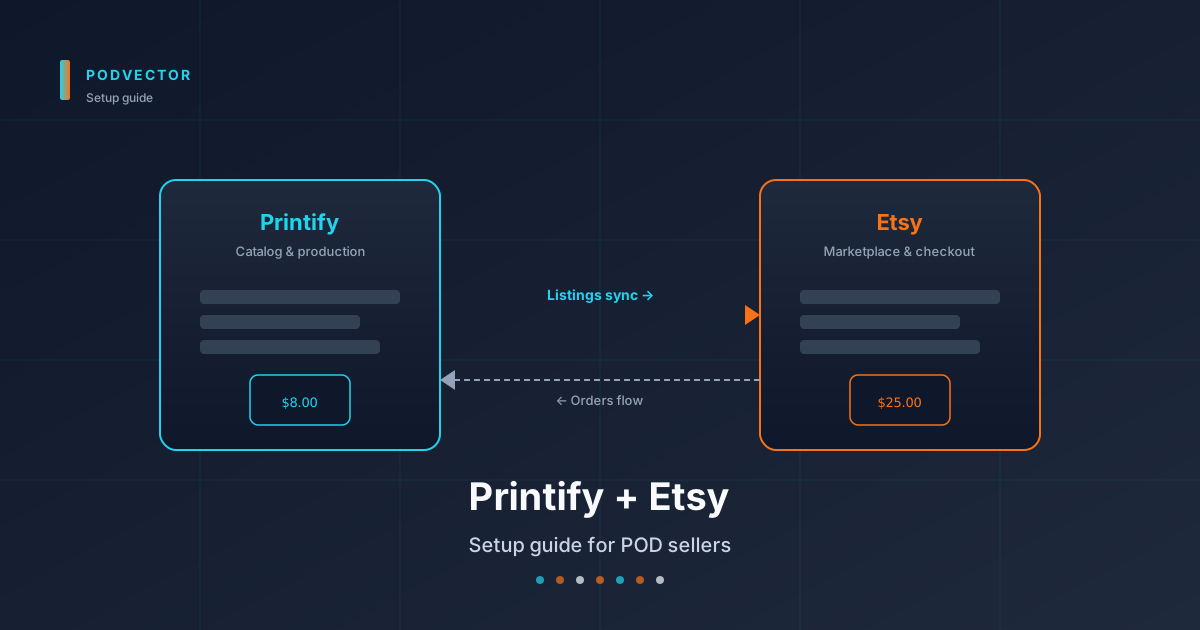
Quick Answer: Connect Printify with Etsy by opening an Etsy shop, declaring Printify as a production partner inside Etsy, adding Etsy as a sales channel inside Printify, and approving the OAuth handshake. The integration is one-way: design and price in Printify, and Etsy hosts the listing, the buyer traffic, and the checkout.
The 20-minute wiring is the easy part. The hard part starts after the first sale, when Etsy's listing fees, transaction fees, offsite-ad commissions, and Printify production costs all hit different reports and your gross margin stops matching your gut.
Before You Start: Accounts and Fees
Etsy doesn't gate the Printify integration behind a paid tier. Both platforms are free to sign up. What you pay is per-listing and per-sale, and the math matters for margin.
Etsy's standard fees per sale, as of 2026:
- Listing fee: $0.20 per listing, renews every 4 months or after each sale
- Transaction fee: 6.5% of the item price plus shipping
- Payment processing: roughly 3% + $0.25 in the US (varies by country)
- Offsite Ads: 12% or 15% commission on sales Etsy attributes to its own ad network, mandatory once you cross $10K/year in revenue
Printify adds production cost per item plus shipping. The free Printify tier works for setup; Printify Premium ($20/month) lowers production costs by ~20% but isn't required to wire the integration.
Net of fees, a $25 t-shirt sold on Etsy with a $8 Printify cost and $5 shipping typically clears $4–6 of gross margin before ad spend. Knowing the fee stack before you set retail prices is the difference between profitable scaling and selling at a loss for six months.
If you're still comparing platforms before committing, see our roundup of stores like Printify and our Tapstitch vs Printify comparison — both cover trade-offs you'll be locked into once Etsy listings start renewing.
Step 1: Open Your Etsy Shop
Go to etsy.com/sell and click Get started. Sign in with an existing Etsy buyer account or create a new one. Etsy will walk you through shop preferences first: language, country, currency, and shop name.
Shop name is permanent without a support request, so don't pick it lazily. Stick to 4–20 characters, no spaces, no numbers if you can avoid them. Etsy will check availability as you type.
Etsy will then ask you to add a first listing before letting you finish setup. You can use a placeholder product here — you'll replace it with a Printify-pushed listing once the connection is live. Use a generic title, a stock image, a $1 price, and zero quantity. This unlocks the rest of onboarding.
Etsy referral: 40 free listings
Open Etsy through a referral link from any existing seller and you get 40 free listings — $8 of credit, enough to launch your first 40 SKUs with no listing-fee drag. Most POD bloggers and YouTubers include their referral link in their content. Worth using before you pay your first $0.20.
Step 2: Verify Identity, Bank, and Tax Info
Etsy holds payouts until you complete identity, bank, and tax verification. Skipping this step means you'll make sales but won't see the cash for weeks.
In Shop Manager → Finances → Payment settings, add:
- Legal name and date of birth (matched to your ID)
- Bank account or debit card for deposits
- SSN or EIN (US) / tax number (rest of world)
- Photo ID upload — driver's license, passport, or national ID
- Selfie verification through Etsy's mobile flow
The selfie check is automated and usually clears within 24 hours. If Etsy flags your shop, payouts pause until you reply to their email with additional documentation. New POD shops get flagged more than average because the catalog often goes from zero to dozens of listings overnight, which trips Etsy's risk scoring.
Common verification trap
If your IP location, ID country, and bank country don't all match, Etsy may suspend the shop before you publish a single product. Use a VPN-free connection from your actual country during signup, and use a bank account in the same country as the ID you upload.
Step 3: Declare Printify as a Production Partner
Etsy requires you to disclose any external production partner before listing products they help make. This is non-optional — undisclosed production gets the listing pulled and, eventually, the shop suspended.
Open Shop Manager → Settings → Production partners. Click Add a new production partner.
Fill in:
- Partner name: Printify
- Location: United States (or wherever your selected Printify provider is)
- About your partner: short description like "Printify is a print-on-demand platform that fulfills orders through a network of print providers."
- Your involvement: describe your role — design, product selection, retail pricing. The honest version is "I design the artwork and Printify prints and ships." Etsy accepts that.
Save the partner. You'll be able to attach this declaration to each listing later.
Step 4: Set Up Your Printify Account
If you don't already have a Printify account, sign up at printify.com. The free tier works fine for setup. You can upgrade to Premium later if production costs justify the $20/month fee — usually around 20+ sales per month.
Once you're in, skip the product creation prompts. You can wire the integration first and then create your first product through the connection — fewer steps and no orphan products to clean up.
If you're running parallel stores on other platforms, Printify lets you manage them all under one account. The same source product can publish to Etsy, Shopify, Squarespace, and others. Each store is a separate sales channel with its own pricing and provider selection. See our Printify Squarespace setup guide if Squarespace is next on your list.
Step 5: Connect Printify to Etsy
In Printify, click the store dropdown in the top-left and select Manage my stores. Click Add new store and pick Etsy from the platform list.
Name the store something obvious like "YourBrandEtsy" — Printify shows this internally, not on Etsy itself, so pick a name that helps you tell stores apart if you're running multiple.
Printify redirects you to Etsy's OAuth screen. Log into the Etsy account that owns the shop you set up in Step 1. Etsy shows the permissions Printify is requesting: read shop data, create and update listings, fulfill orders. Click Allow access.
You'll be redirected back to Printify with a "Etsy store connected" confirmation. The connection is now live.
What the connection actually does
The OAuth handshake gives Printify permission to push listings into your Etsy shop and receive order notifications back. It's one-way for product data: Printify is the source of truth, Etsy is the storefront.
Orders flow the other direction. When a customer buys on Etsy, the order is forwarded to Printify, production starts, and you pay Printify's production cost. The price difference, minus Etsy's fees, is your gross margin.
Worth comparing to other Printify connections you might run in parallel — our Printify TikTok Shop setup guide and Printify TikTok Shop integration guide cover the same OAuth pattern with different storefront quirks.
Step 6: Create and Publish Your First Product
In Printify, click Catalog. T-shirts and hoodies are the highest-volume POD categories on Etsy — start there for the cleanest test of the integration.
Pick a print provider. Each provider shows production cost, location, shipping time, and review scores. For a US-targeted Etsy shop, prioritize US-based providers (Monster Digital, Swiftpod, Marco Fine Arts) to keep shipping under a week. Etsy buyers expect fast delivery and tag late shipments in reviews.
Click Start designing. Upload your artwork, position it on the mockup, and adjust placement. Printify generates the listing mockups automatically once you save.
On the pricing screen, set your retail price. Printify shows per-unit profit at each price point — but the number it shows doesn't subtract Etsy fees. Bake the fee stack into your retail price manually: take Printify's profit number, subtract roughly 9.5% of your retail price (transaction + payment processing) and another ~12% if you expect Offsite Ads attribution, and the result is your real gross margin.
Click Save product, then Publish. Choose your connected Etsy store as the destination. Printify pushes the listing — title, description, variants, mockups, price, tags — directly into Etsy.
Etsy-specific listing fields to set in Printify
Before you publish, Printify exposes a few Etsy-only fields in the publish dialog:
- Tags: Etsy allows up to 13 tags per listing. Use all 13. Tags drive Etsy search.
- Categories: Pick the most specific category. Generic categories rank worse.
- Production partners: Select the Printify partner you added in Step 3. If this field is empty, Etsy rejects the publish.
- Personalization: Optional. Turn this on only if you've configured personalization fields in Printify too.
Hide the listing as a draft on first publish. Review it on Etsy before activating — once it goes live, the $0.20 listing fee starts and edits to the photos or variants reset Etsy's freshness score.
Step 7: Verify the Listing on Etsy
Open Etsy in a new tab and navigate to Shop Manager → Listings. The pushed listing should appear as a draft within a minute or two.
Open the draft listing and confirm:
- Mockup images load at full resolution
- All variants are listed (sizes, colors) and selectable
- Retail price matches what you set in Printify
- Description renders without HTML escapes or markdown leaks
- Production partner is attached
- Tags and category are populated
Activate the listing when you're ready. Run a test order through your own checkout — use a real card, let it route to Printify, then cancel from the Printify dashboard before production starts. Test orders are the cheapest insurance against finding out at scale that something in the order pipe is misrouting.
Editing Rules: Where Changes Must Happen
Once a product is connected, edit it only in Printify. Don't edit it in Etsy.
Edit the title, price, description, or variants directly in Etsy and the change holds locally — until Printify pushes any update, at which point your Etsy edits get overwritten. The sync is one-way and authoritative from the Printify side.
Three exceptions Etsy owns and Printify won't touch:
- Etsy-specific SEO fields — alt text on images, the "renew sold out" toggle, and listing-level shipping profiles
- Listing tags after the initial publish — Etsy lets you A/B test tags by editing them mid-flight; Printify doesn't override these on routine updates
- Personalization fields if you set them only on the Etsy side
Discontinuing a product
To pull a product from sale, unpublish it from Printify — don't deactivate it on Etsy. Deactivating from Etsy stops new sales but the Printify record stays linked, which can break order routing if a stale link gets clicked from a saved-search email or favorites list.
What to Track Once You're Live
Most setup guides stop at "you've published your first listing." That's the easy part. The hard part is figuring out, three weeks in, whether the integration is actually making you money — and Etsy makes that genuinely hard to see.
Here's what the Printify + Etsy stack doesn't show you in one place:
- True profit per listing. Etsy shows revenue and its own fee total. Printify shows production cost. Neither subtracts Offsite Ads commission, payment processing variance by region, refund losses, or sales tax remitted on the seller's behalf.
- Customer acquisition cost. If you're running Etsy Offsite Ads (mandatory above $10K/year) plus your own Meta or Pinterest ads, ad spend lives in three different dashboards. ROAS by listing requires manual joining.
- Listing renewal economics. A $0.20 listing fee that renews every 4 months drains your margin on slow-mover SKUs. Which designs should you let expire? Etsy's stats don't tell you in those terms.
- Tag and keyword performance. Etsy's search analytics show impressions and clicks but not gross margin per keyword. Which tag combinations actually convert into profitable orders?
POD operators usually end up gluing this together in a spreadsheet for the first few months, then either burning out or hiring an analyst. Neither is great.
The alternative is a live data warehouse — your Etsy orders, Printify production costs, Offsite Ads commission, your Meta and Pinterest ad spend, and refunds all unified in one place — that an AI employee can query and act on. PodVector's Victor is built for this: he sits on top of that unified warehouse, runs your Meta and Pinterest ads, reallocates spend when a listing's contribution margin dips, retires slow-mover SKUs before the next $0.20 renewal, and asks for your approval before each material action. Pick whichever warehouse vendor you prefer (Snowflake, Redshift, Databricks, or equivalent) — the value is the operator on top, not the storage layer.
You don't need this on day one. You will need something like it by month three, when you're juggling 80 listings across three providers and Etsy's offsite ads are quietly eating 15% of your top sellers.
Common Setup Issues
OAuth handshake fails or hangs
Usually a browser issue. Disable ad blockers and tracker-prevention extensions on the Etsy and Printify tabs, then retry. Safari's Intelligent Tracking Prevention blocks the redirect roughly a third of the time — switch to Chrome or Firefox if Safari hangs at the "redirecting back to Printify" step.
"Production partner is required" error on publish
Etsy is rejecting the listing because the Printify production partner isn't attached. Go back to Shop Manager → Settings → Production partners and confirm Printify is listed. Then in Printify's publish dialog, select Printify as the partner before pushing.
Listings publish to Etsy as drafts and stay drafts
By design — Printify's default is to publish as drafts so you can review before going live. Activate manually in Etsy. To change the default, set Auto-activate in Printify's store settings, but you'll skip the review step and may push misformatted listings into a $0.20 fee.
Etsy shop suspended right after first publishes
New POD shops trigger Etsy risk scoring when listing volume jumps from zero to dozens overnight. Reply to Etsy's suspension email with: a brief shop overview, your production partner declaration, and confirmation that the artwork is your original work. Most reinstatements happen within 48 hours.
Shipping cost showing wrong on Etsy listing
Printify pushes shipping calculated from the provider's profile. Etsy shipping profiles override it. Check Shop Manager → Settings → Shipping for a stale shipping profile applied to your listings, and edit either the Printify provider settings or the Etsy shipping profile so they match.
FAQs
Is the Printify with Etsy integration free?
Yes. Printify charges nothing for the integration. You pay Etsy's listing fee ($0.20 per listing, renewing every 4 months or after each sale), Etsy's transaction fee (6.5%), payment processing (~3% + $0.25 in the US), Printify production costs (only when an order ships), and Offsite Ads commission (12–15%) once Etsy attributes a sale to its own ad network.
How long does setup take?
30–45 minutes if you're opening a fresh Etsy shop. Most of that is Etsy's identity and bank verification. The Printify connection itself takes under two minutes once your Etsy shop is live and verified.
Why does Etsy require declaring Printify as a production partner?
Etsy's marketplace policy requires sellers to disclose external production for handmade-category items. Print-on-demand qualifies. Failing to declare can get individual listings removed or the whole shop suspended. The declaration is a one-time setup step and doesn't show up in customer-facing listing fields.
Can I sell on Etsy and Shopify with the same Printify catalog?
Yes. Each store is a separate sales channel in Printify. You publish the same source product to multiple channels. Inventory isn't an issue because POD doesn't carry inventory — each order triggers its own production.
What happens if Etsy Offsite Ads attributes a sale to itself?
Etsy takes a 12% commission (15% if your shop's annual revenue is under $10K and you opted in voluntarily) on top of the standard 6.5% transaction fee. Sellers above $10K/year can't opt out. Bake the worst case into your retail price — assume every sale is an Offsite Ads sale until you have 90 days of data to size the real attribution rate.
Can I edit a published listing's price in Etsy?
You can, but it may not stick. Printify is the source of truth. Any push from Printify (image update, variant change, description edit) overwrites Etsy-side price edits. Always change price in Printify.
What happens to orders during a Printify outage?
Etsy still accepts the order and charges the customer. The order queues in Printify's system and starts production once Printify recovers. You'll see a delay in the "production started" status but the Etsy customer experience is unaffected.
Can I import existing Etsy listings into Printify?
No. The sync is one-way from Printify to Etsy. Listings created in Etsy stay Etsy-managed. To turn them into POD products, recreate them in Printify and republish — the original Etsy listing has to be deactivated to avoid duplicate-content penalties from Etsy search.
Does Printify handle returns and refunds on Etsy orders?
Printify handles production-defect refunds (misprint, damaged in transit). Customer-side returns — wrong size, change of mind — are your responsibility. Most POD operators don't accept those because the item can't be resold. Set return policy expectations in your Etsy listing description and Shop Policies.
For deeper coverage of the broader Printify ecosystem and how integrations stack up, browse the Printify topic hub or the Printify integrations cluster. Etsy's own walkthrough is at Printify's Etsy integration page if you want the vendor-side perspective.
Let Victor run your Printify + Etsy ops
Once the integration is live, the real work starts: tags, ads, margin math, listing renewals, refund triage. Victor is an AI employee built for POD sellers. He runs your Meta and Pinterest ads, updates your Etsy catalog, and reallocates spend across Printify SKUs based on live margin data after Offsite Ads — asking for your approval before each material action.
Stop gluing Etsy, Printify, and ad-platform reports together in a spreadsheet. And hand the operations off.
Try Victor free