
Quick Answer: ROAS in Meta Ads is Return on Ad Spend — the dollars of attributed revenue Meta credits to every dollar you put through the platform. The formula is simple: conversion value ÷ ad spend.
Meta actually reports four flavors of it (Purchase ROAS, Website Purchase ROAS, Mobile App Purchase ROAS, and Direct Purchase ROAS), and the number you see depends on attribution window, conversion event, and pixel hygiene.
For a print-on-demand store, the reported number is the start of the conversation, not the end. After Printify or Printful supplier cost, shipping, and fees, your true ROAS is usually a full point lower than what Ads Manager shows.
What ROAS means in Meta Ads
ROAS stands for Return on Ad Spend. Inside Meta Ads, it answers one question: for every dollar you spent, how many dollars of conversion value did Meta credit back to you?
It's the headline efficiency metric on every campaign, ad set, and ad row in Ads Manager. A 3.5x ROAS means Meta attributed $3.50 of revenue to every $1 of spend.
The catch — and the reason this article exists — is that "credited" and "earned" are different words. Meta's number is calculated from conversions its pixel could match back to a click or view inside an attribution window. That's not the same as bank-account revenue, and it's nowhere near contribution margin.
The Meta Ads ROAS formula in plain English
The math is one line:
ROAS = total conversion value ÷ total amount spent
Both inputs come from the campaign you're looking at. "Conversion value" is the sum of purchase values Meta tracked through your pixel and Conversions API for the selected attribution window. "Amount spent" is what Meta charged you in the same period.
Worked example. You spent $400 on a campaign last week. The pixel reported eleven purchases totaling $1,420 in revenue. Your reported ROAS for that campaign is $1,420 ÷ $400 = 3.55x.
That's the surface number. Everything below this section is about why the surface number doesn't match what your Stripe deposit, your Printify invoice, or your accountant tells you about the same week.
The four ROAS metrics inside Ads Manager
Meta doesn't show one ROAS column — it shows several, and they measure different things. If you're benchmarking against the wrong one, the rest of your math is broken before you start.
1. Purchase ROAS
The blended top-line metric. Sums conversion value from every Purchase event Meta attributed to the ad — website, in-app, and direct (Shop / Marketplace) — and divides by spend.
This is the column most operators glance at. It's also the most likely to mislead, because it averages high-quality (your own pixel) and low-quality (cross-platform deduped) conversions in the same number.
2. Website Purchase ROAS
Conversion value from website Purchase events only — captured by your pixel and the Conversions API on the storefront — divided by spend. For most POD stores running Shopify, WooCommerce, or a custom store, this is the row that actually matters.
It excludes Shop, Marketplace, and Messenger checkouts. If you don't sell through those surfaces, Website Purchase ROAS and Purchase ROAS will be nearly identical. If you do, they'll diverge.
3. Mobile App Purchase ROAS
Conversion value from in-app purchase events tied to your installed-app SDK, divided by spend. POD stores rarely have their own native app, so this column usually reads zero. If it doesn't, you're either selling through a partner app or Meta is misclassifying events.
4. Direct Purchase ROAS (Shops / Marketplace / Messenger)
Specific to checkouts that complete on Meta's surfaces. If you've enabled Facebook or Instagram Shops with native checkout, this row captures those orders. The conversion value is fully owned by Meta — no pixel needed.
Most POD operators don't run native checkout because Printify and Printful sync to Shopify and Etsy, not to Shops. If that's you, this row is informational at best.
One practical rule: build your reporting on Website Purchase ROAS, not Purchase ROAS. It's narrower, more honest, and the one your storefront analytics will actually match.
How Meta actually calculates the number
The formula is one line. The mechanics behind it have three knobs that change what number you see.
The attribution window
Meta credits a conversion to an ad if the user clicked or viewed the ad within a defined window before purchasing. As of January 2026, the available windows are:
- 1-day click — strictest. Only conversions within 24 hours of a click count.
- 7-day click — current default. The standard window for Advantage+ Shopping and most manual campaigns.
- 1-day view — paired with a click window. Adds users who saw the ad but didn't click, then purchased within 24 hours.
The 7-day view and 28-day view windows that older guides reference were retired by Meta in early 2026. Switching from 7-day click to 1-day click typically shaves 15%–25% off reported ROAS — same business, different default.
The conversion event
ROAS is computed against the optimization event you chose for the campaign. If you optimized for "Add to Cart," the ROAS column still pulls Purchase events for the report, but the algorithm was bidding for Add to Cart — not purchases — and your numbers will look chaotic.
For POD revenue accountability, optimize for Purchase. Always. Optimizing for upper-funnel events to "feed" the algorithm sounds clever but it almost never produces a cleaner ROAS read.
Pixel and Conversions API hygiene
If your pixel double-fires, every purchase counts twice and ROAS doubles. If it under-fires (script blocked, iOS opt-outs, broken theme), conversions go missing and ROAS sinks. The Conversions API (CAPI) sends server-side events that Meta deduplicates against the browser pixel using event IDs.
Properly deduplicated CAPI typically recovers 8%–25% of attribution lost to client-side blocking. If your CAPI events aren't deduped, you're double-counting; if they aren't sending at all, you're underreporting. Either way, the ROAS number is wrong.
Reported ROAS vs true ROAS
Here's the part nobody in the SERP top three says cleanly enough.
Reported ROAS uses the cart total as the conversion value. True ROAS uses contribution margin — what's left after the supplier ships the product.
For a POD t-shirt order:
- Order revenue (cart total): $30
- Printify or Printful all-in cost (blank + print + shipping): $14
- Payment + platform fees: $1.50
- Ad spend: $9
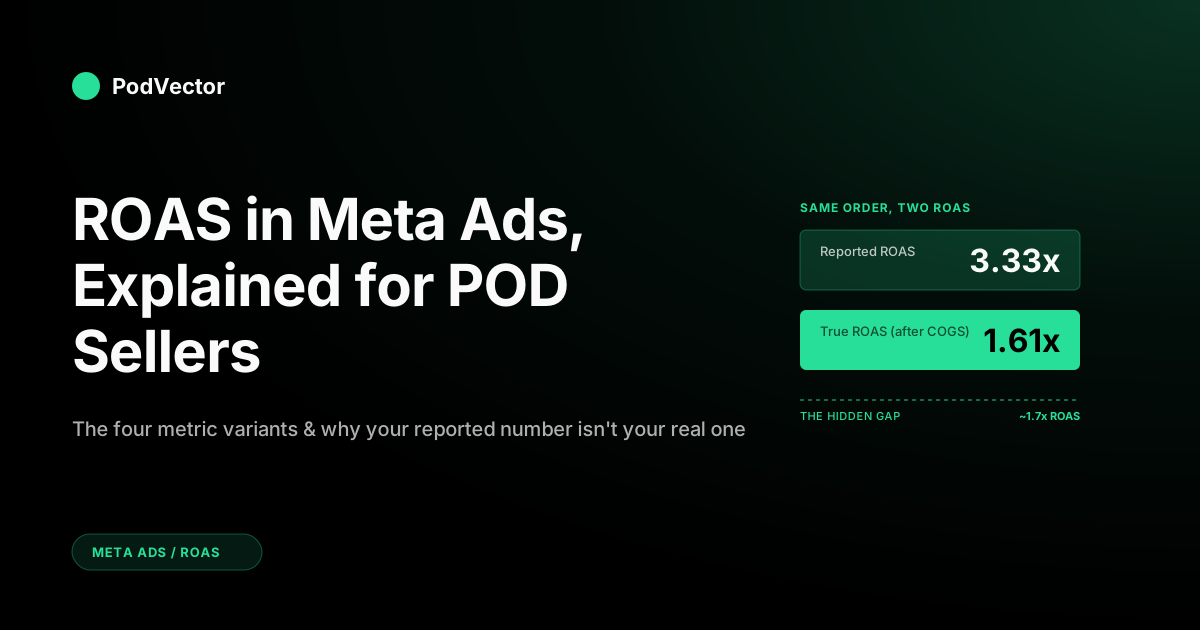
- Reported ROAS: $30 ÷ $9 = 3.33x
- Contribution margin: $30 − $14 − $1.50 = $14.50
- True ROAS: $14.50 ÷ $9 = 1.61x
The reported number is over double the true number. Same order, same spend, same campaign — and only one of those tells you whether you kept the dollar.
This is why scaling on reported ROAS is the most expensive habit in POD. We unpack the fix — pushing margin through CAPI as your Purchase value — in best practices for Meta Ads higher ROAS.
Why public ROAS guidance breaks for POD
Read any general ROAS guide and you'll see "a 4:1 ratio is healthy" repeated like gospel. That number was lifted from older DTC playbooks where gross margin sat at 60%–70%. POD economics don't work that way.
A typical print-on-demand t-shirt at $24.99 with a Printify Generic Brand blank and US shipping costs the seller around $13 all-in. After Shopify or Etsy fees and payment processing, post-fulfillment margin lands between 28% and 36%. Hoodies, all-over-print, and sublimation drop that to 20%–28%.
Plug those margins into the breakeven formula:
Breakeven ROAS = 1 ÷ post-fulfillment margin
- 30% margin → 3.33x breakeven
- 25% margin → 4.00x breakeven
- 20% margin → 5.00x breakeven
Now compare that to the 2.79x–3.61x ecom averages most benchmark posts cite. A POD store hitting "average" is, in margin terms, losing money. The supplier and the platform get paid before you do.
For the deeper dive into 2026 numbers and how apparel sub-niches sort against them, see average ROAS for Meta Ads explained for POD sellers.
Calculating after-COGS ROAS for a POD store
The math is mechanical once you have the inputs. The hard part is getting the inputs out of five disconnected systems.
Inputs you need
- Order revenue per campaign. From Shopify or Etsy, attributed to the Meta campaign that brought the click. UTMs, your storefront analytics, or a server-side feed.
- Supplier cost per order. From your Printify or Printful invoices. Include the blank, the print, and shipping. Catalog prices won't do — use the actual fulfilled cost, which can run 5%–10% higher after upgrades and zone surcharges.
- Payment and platform fees. Stripe, Shopify Payments, PayPal, Etsy transaction fee. Roughly 3%–6% of revenue depending on the stack.
- Refunds and chargebacks. Apparel POD typically refunds 2%–5%. Subtract the refund value from revenue and add back the supplier cost only if the supplier credited it.
- Ad spend. From Meta. Easy.
The formula
True ROAS = (revenue − supplier cost − fees − refunds) ÷ ad spend
Run it per campaign, per week, weighted by the SKU mix the campaign actually drove. Two campaigns at the same reported ROAS can have a 0.6x gap on true ROAS because one happened to push hoodies and the other pushed t-shirts.
Where most stores get stuck
The formula is fine. The data plumbing is the problem. Meta's spend lives in Ads Manager. Revenue lives in Shopify. Supplier cost lives in Printify. Fees live in Stripe. Refunds live in two of those plus a spreadsheet.
Stitching it together by hand each week is the work that quietly never gets done — which is why most POD stores scale on reported ROAS until something breaks.
The right fix is a unified data warehouse where all five sources land in one place and a single query joins them. We cover the architecture in the complete guide to Meta Ads ROAS and attribution for POD.
What "good" looks like for POD Meta Ads ROAS
"Good" is a function of your margin, not the industry average. Use this table as a starting point, then anchor against your own breakeven.
| Stage | Reported ROAS — okay | Reported ROAS — good | Reported ROAS — great |
|---|---|---|---|
| Cold prospecting | 2.0x–2.8x | 2.8x–3.5x | > 3.5x |
| Warm / engaged | 3.0x–4.0x | 4.0x–5.5x | > 5.5x |
| Retargeting (cart / site) | 5.0x–7.0x | 7.0x–10.0x | > 10.0x |
| Advantage+ Shopping (blended) | 3.5x–4.5x | 4.5x–5.5x | > 5.5x |
Two important reads on this table. First, retargeting numbers always look enormous because the audience would have converted anyway — incremental ROAS on retargeting is closer to 1.5x once you back out organic intent. Second, Advantage+ blends prospecting and retargeting inside one campaign, so the headline can mask weak cold-traffic performance.
For a deeper read on what actually counts as good per POD niche, see what is a good ROAS on Meta Ads.
Common reasons your reported ROAS is inaccurate
Before you decide a campaign is dead or a winner, rule out the boring causes.
Pixel double-firing
The pixel installed via Shopify's native integration plus a manual snippet in your theme means two events per purchase. Reported ROAS doubles. Symptom: ROAS that looks too good to be true and a Shopify revenue figure roughly half the Meta-attributed one.
CAPI not deduplicating
Server-side events without proper event IDs (eventID on the pixel must match event_id on the API) get counted alongside browser events instead of replacing them. Same effect as double-firing, milder.
Attribution window mismatch
You're comparing this month's ROAS at 1-day click against last month's at 7-day click. The drop isn't real — it's just a narrower window. Lock the window before benchmarking.
Conversion value mapping wrong
Your pixel sends a fixed value (say, $25) on every purchase regardless of cart total. Reported ROAS is now untethered from real revenue. Fix the dynamic value parameter in the Purchase event.
iOS opt-out underreporting
Roughly 75%–85% of iOS users opt out of tracking. Meta uses modeled conversions to fill the gap, but on stores without CAPI, modeling is thin and reported ROAS underprints. CAPI plus deterministic IDs (hashed email, phone) recovers most of it.
Refunds not subtracted
Reported ROAS doesn't subtract refunds. A campaign that drove a high-refund-rate SKU looks better in Ads Manager than it deserves. Pull refund data from Shopify and apply it manually.
How to actually improve POD Meta Ads ROAS
Most "boost your ROAS" lists are creative tips. Useful, but they're step three. Steps one and two are about measuring the right number and feeding the algorithm the right signal.
- Switch your reporting to Website Purchase ROAS, 7-day click only. Stop comparing across attribution windows. Stop benchmarking against blended Purchase ROAS that includes Shop checkouts you don't have.
- Send margin, not revenue, through CAPI as your Purchase value. Meta will then optimize for profitable orders rather than high-cart-total orders. Same algorithm, different goal.
- Compute breakeven ROAS per SKU and benchmark against that, not against the industry average. A 2.6x reported ROAS on a 38% margin t-shirt is profitable; a 3.2x reported ROAS on a 22% margin hoodie isn't.
- Refresh creative on a 7–14 day cadence. POD ad fatigue hits faster than general DTC because the products themselves are visually similar. Three to five new creatives weekly holds reported ROAS above niche average.
- Audit pixel and CAPI hygiene quarterly. Use Meta's Pixel Helper and Events Manager test events. Fix double-fires, broken value mapping, and missing event IDs before they corrupt a quarter of decisions.
- Cut what's below true breakeven, scale what's above. Reported ROAS from Ads Manager is the trigger for the question, not the answer. The answer needs revenue, supplier cost, fees, and refunds joined in one view.
For the step-by-step on point six, see how to increase ROAS on Meta Ads and how to boost ROAS on Meta Ads 2026 best practices.
Stop scaling on a number that hides your supplier cost
Ads Manager shows reported ROAS. Your bank account shows the truth. The gap, for most POD stores, is a full point — and growing every month you don't see it.
Victor is the AI employee built for POD. It connects Meta Ads, Shopify, and Printify or Printful into a single source of truth, then answers questions like "which Meta campaigns are unprofitable after COGS this week?" in seconds. No SQL, no spreadsheet rebuild — just true ROAS, every campaign, every day.
Try Victor freeFAQs
What does ROAS mean in Meta Ads?
ROAS stands for Return on Ad Spend. In Meta Ads it's the conversion value Meta attributed to a campaign divided by the campaign's spend, calculated within the selected attribution window.
What's the difference between Purchase ROAS and Website Purchase ROAS?
Purchase ROAS sums website, in-app, and direct (Shop / Marketplace) purchase value. Website Purchase ROAS is just the website portion. For POD stores selling through Shopify or Etsy, Website Purchase ROAS is the more honest read because Shop checkouts are usually irrelevant.
How is Meta Ads ROAS calculated?
Total conversion value divided by total ad spend, where conversion value comes from Purchase events Meta attributed within the chosen window (1-day click, 7-day click, or 1-day view as of 2026). The 7-day view and 28-day windows were retired in early 2026.
Why is my Meta Ads ROAS different from Shopify revenue?
Three usual reasons: pixel double-fires, attribution window mismatch (Meta credits a wider window than your storefront), and modeled conversions for iOS opt-outs that haven't actually occurred yet. Run a 7-day-click-only filter and compare again — the gap usually narrows by 60%–80%.
Is a 3x ROAS good on Meta Ads for a POD store?
Not usually. A 3x reported ROAS at a 30% post-fulfillment margin is roughly breakeven on ad spend alone. For clean profitability after fees, refunds, and overhead, most POD stores need 3.7x–4.5x reported. The benchmark depends on your margin, not the industry average.
Does Advantage+ Shopping have higher ROAS than manual campaigns?
In 2026 data, Advantage+ Shopping campaigns post about 22% higher reported ROAS than manual setups — roughly 4.52x versus 3.70x on average. The caveat: Advantage+ blends prospecting and retargeting inside one campaign, so the headline can mask weak cold-traffic performance. Look at the placement and audience breakdown before scaling.
How do I calculate my POD Meta Ads ROAS after Printify or Printful costs?
True ROAS = (revenue − supplier cost − fees − refunds) ÷ ad spend, computed per campaign and weighted by the SKU mix the campaign drove. Use actual fulfilled invoices from Printify or Printful, not catalog prices. Most POD stores find their realised cost runs 5%–10% above catalog after shipping zones and upgrades.
What attribution window should I use for POD Meta Ads ROAS?
7-day click for default reporting, with 1-day click pulled as a stricter cross-check. Don't mix windows when comparing periods — a 7-day click number from January and a 1-day click number from February will look like a collapse even when nothing changed.
Related reading
- The complete guide to Meta Ads ROAS and attribution for POD
- Average ROAS for Meta Ads explained for POD sellers
- What is a good ROAS on Meta Ads?
- How to increase ROAS on Meta Ads (step-by-step)
- How to boost ROAS on Meta Ads 2026 best practices
- Best practices for Meta Ads higher ROAS
- Meta Ads — ROAS & Attribution cluster
- The complete Meta Ads playbook for print-on-demand sellers
- Meta Ads topic hub
- Meta Business Help Center: Website Purchase ROAS