
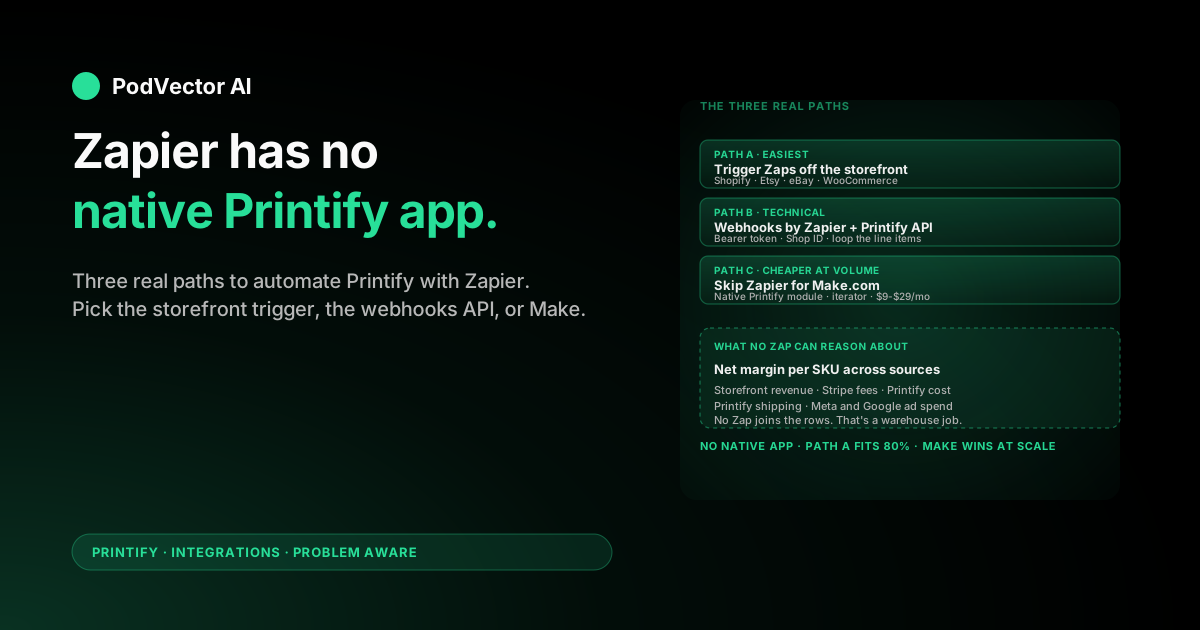
Quick Answer: Zapier does not have a native Printify app. If you search Zapier's app directory, Printify simply isn't listed — only Printful is.
You have three real paths. Trigger your Zaps off the storefront Printify pushes orders into (Shopify, Etsy, eBay, WooCommerce — all of which have native Zapier apps). Use Zapier's generic Webhooks app against Printify's REST API. Or skip Zapier and use Make.com, which handles Printify's nested JSON more gracefully.
Most POD sellers want order-notification Zaps, customer-update emails, or a sales log in Google Sheets. All three are doable. None of them surface margin, and Zapier task pricing scales linearly with order volume — so build the automations you need, then plan for the data problem they don't solve.
The honest reality: Zapier has no native Printify app
Search Zapier's app directory for "Printify" and you'll find nothing. Search for "Printful" and you'll find a fully maintained app with triggers, actions, and 1,300+ supported connections. The two services look similar from a marketing page but they integrate differently inside Zapier.
Printify's own integrations page lists Etsy, TikTok Shop, eBay, Amazon, Shopify, Squarespace, Wix, WooCommerce, Big Cartel, PrestaShop, and BigCommerce. Zapier is not on that list. There's also a custom API for developers, which is what every workaround in this guide ultimately leans on.
This isn't a temporary gap. Printify has gone years without shipping a native Zapier app, and the community threads on Zapier's own forum end with users either rolling their own webhook integrations or moving to Make.com (formerly Integromat), which does have native Printify support.
So the first move is to stop searching for an app that doesn't exist and decide which of the three real paths fits your workflow.
Why this matters for POD operations
Most "Zapier and Printify" searches come from POD sellers trying to solve one of four problems:
- Get a Slack or SMS alert when a new sale comes in.
- Send a personalized post-purchase email outside their storefront's default flow.
- Log every sale to a Google Sheet for reconciliation.
- Sync customer data into a CRM like HubSpot, Klaviyo, or Mailchimp.
For all four, the actual data source you need is your storefront, not Printify. The buyer's order, email address, total paid, shipping address, and SKU all originate on Shopify, Etsy, eBay, or WooCommerce. Printify's role is to fulfill that order — it doesn't hold the buyer's email and it doesn't know what the buyer paid you.
That single fact unlocks Path A, which is the right answer for most sellers. The other two paths exist for cases where you specifically need data Printify owns (production status, shipping carrier, tracking number, production cost) and your storefront isn't passing it cleanly.
Path A: trigger Zaps from your storefront instead
If you sell on Shopify, Etsy, eBay, or WooCommerce, all four have native Zapier apps with rich triggers. You don't need Printify in the Zap at all — you build the automation against the storefront and let Printify do its job in the background.
This is the right path for ~80% of "Zapier Printify" use cases. It takes 5–10 minutes per Zap and skips every webhook headache.
Setup with Shopify as the trigger
- In Zapier, click Create Zap.
- Trigger app: Shopify. Trigger event: New Order (fires on order creation) or New Paid Order (fires after payment, which is what you usually want).
- Connect your Shopify store via OAuth. Zapier will ask for your
.myshopify.comsubdomain. - Test the trigger — Zapier pulls your most recent order so you can map fields.
- Add an action step: Gmail "Send Email," Slack "Send Channel Message," Google Sheets "Create Spreadsheet Row," Klaviyo "Subscribe Profile," whatever you need.
- Map the Shopify fields into the action — buyer email, order ID, total, line items, etc. — and hit Publish.
That's it. Printify still produces and ships the order normally. You just gained a Zap that fires on every new sale without ever talking to Printify directly.
Setup with Etsy as the trigger
Etsy's Zapier app exposes New Order and New Shipment triggers. Same flow as Shopify — pick the trigger, OAuth-connect your Etsy shop, pick an action. The Etsy trigger fires the moment a buyer places an order, which is before Printify even sees it. Our Etsy-to-Printify connection guide covers the storefront side; the Zap sits on top of it.
Setup with eBay or Amazon as the trigger
eBay has a native Zapier app with New Order and similar triggers. Amazon's situation is more constrained — Amazon's Seller Central API is gated and the native Zapier app supports a smaller trigger set. If you're on Amazon, see our Amazon-Printify setup guide for the storefront connect, then layer Zapier on top if and only if you need an automation the native Amazon tools don't already cover.
Setup with WooCommerce as the trigger
WooCommerce has a free Zapier extension (you install it from your WordPress admin) that exposes New Order, New Customer, and several other triggers. Same OAuth + map + publish flow.
What Path A doesn't give you
Path A fires Zaps on storefront events. It does not give you Printify production status, tracking-number updates after the print provider ships, or production cost per order. For those, you need Path B or to wait for the storefront to receive the tracking update from Printify (which usually arrives 12–48 hours after "Production complete" and triggers a separate "Order Shipped" event in Shopify/Etsy/etc.).
Path B: connect Printify to Zapier via webhooks and the API
When you genuinely need Printify-side data — order cost, production status, line-item production details, shop-level analytics — and your storefront isn't surfacing it, you build the integration yourself using Zapier's generic Webhooks by Zapier app against Printify's REST API.
This path is technical. It requires reading API documentation, handling bearer-token authorization, and (the part that broke the user in the Zapier community thread) parsing nested JSON line items. Plan for 1–2 hours per workflow, not 5 minutes.
Step 1: generate a Printify API token
- Log in to printify.com.
- Go to My Account → Connections.
- Click Create new Personal Access Token.
- Give it a name (e.g., "Zapier production") and pick the scopes — at minimum shops.read, orders.read, and any others you need (products.read, webhooks.write).
- Copy the token immediately. Printify shows it once. Store it in a password manager.
Step 2: find your Shop ID
Every Printify API call needs a Shop ID. From a terminal or any HTTP client, hit:
GET https://api.printify.com/v1/shops.json
Authorization: Bearer YOUR_TOKEN_HERE
The response lists every connected store with its id and the storefront title. Grab the ID for the shop you want to automate against.
Step 3: pick a trigger pattern
You have two realistic options for "fire a Zap when Printify does X":
- Printify webhooks (push): Printify can call a URL you provide whenever an order status changes. You register the webhook via API, point it at a Zapier "Catch Hook" URL, and Zapier fires on each event.
- Zapier scheduled polling (pull): Run a "Schedule by Zapier" trigger every hour or every 15 minutes, then use Webhooks "GET" to query Printify orders since the last run. Less elegant but easier to debug.
Webhooks are the right answer for production. Polling is the right answer for prototyping or for events that don't have a webhook.
Step 4: build the webhook-receiver Zap
- In Zapier, create a new Zap. Trigger app: Webhooks by Zapier. Trigger event: Catch Hook.
- Zapier shows you a custom URL like
https://hooks.zapier.com/hooks/catch/123456/abcdef/. Copy it. - From your terminal, register the webhook with Printify:
POST https://api.printify.com/v1/shops/{SHOP_ID}/webhooks.json Authorization: Bearer YOUR_TOKEN Content-Type: application/json { "topic": "order:updated", "url": "https://hooks.zapier.com/hooks/catch/123456/abcdef/" } - Printify will start posting to that URL every time an order updates. In Zapier, hit Test trigger — Zapier will wait for the first real event so it can sample the payload.
- Place a test order on the connected store, let Printify pick it up, and watch Zapier capture the payload.
- Add downstream actions: filter on
status == "fulfilled", then send a Slack message with the tracking number; or write the order to a Google Sheet withorder.id,total_price, andline_items[0].cost.
Step 5: handle the nested-JSON problem
Printify orders contain a line_items array. Zapier's default mapping pulls one item per Zap run unless you explicitly loop. Two patterns work:
- Use Looping by Zapier: add a "Loop From Line Items" step, point it at the array, and every downstream action runs once per line item.
- Use Code by Zapier: a 10-line JavaScript snippet that flattens the array into separate fields you can map. Faster execution, but you're now maintaining code inside Zapier.
If you hit a wall here, the Zapier community thread on Printify line items ends with users moving to Make.com. That's Path C.
Step 6: add fallback handling
Printify webhooks can fail silently — Printify retries a few times then gives up. Build a Zapier path that monitors for missing events:
- A nightly scheduled Zap that queries Printify for all orders updated in the last 24 hours.
- Compares against a Google Sheet of webhook-received events.
- Sends a Slack alert if the counts don't match.
This catches the orders the webhook missed before a customer support ticket finds them for you.
Path C: skip Zapier for Make.com
Make.com (formerly Integromat) has a native Printify module with read and write actions, plus an iterator that handles nested arrays cleanly. The Zapier community thread on Printify integration ends with the user saying: "Just use Make. I've set up a Scenario using an HTTP module, 2 iterators...and it works like a charm. And it took me about 30 minutes to set up."
That's not a coincidence. Make is built for the iteration patterns Printify's API forces on you. Where Zapier charges per task and treats nested arrays as a hurdle, Make charges per operation and treats nested arrays as a primitive.
For a POD seller doing 100 orders a day, Make's free tier (1,000 operations/month) won't be enough but the $9-and-up paid tiers cover the volume more cheaply than Zapier's Professional plan ($19.99/mo for 2,000 tasks at writing).
If you're already deep in the Zapier ecosystem and don't want to learn a second platform, stay with Path A or B. If you're starting fresh and the workflow is Printify-heavy, Make is usually the better tool.
Common POD automations and which path fits each
| Use case | Best path | Why |
|---|---|---|
| Slack alert on new sale | Path A | Storefront trigger fires faster than waiting for Printify |
| Post-purchase email outside storefront defaults | Path A | Buyer email comes from storefront, not Printify |
| Google Sheet log of every sale | Path A | Revenue and SKU live on storefront side |
| Klaviyo/Mailchimp/HubSpot CRM sync | Path A | Customer data is storefront-side |
| Production-status alerts ("order shipped from Texas printer") | Path B or C | Printify owns production state |
| Production-cost logging per order | Path B or C | Cost is in Printify's order JSON, not the storefront |
| Bulk product publish across Printify and a custom catalog | Path C | Make handles iteration better than Zapier |
| Anything where Printify owns the data and the volume is <100 orders/day | Path B | Webhooks work, just plan for the JSON loop |
If you're not sure which path you need, start with Path A. It's the cheapest, the fastest to build, and it covers the majority of real automations sellers actually run.
What Zapier actually costs at POD order volume
Zapier prices on tasks, not Zaps. Every action step in every run counts as one task. A 3-step Zap that fires on every order costs 3 tasks per order.
At writing, Zapier's plans break down like this:
- Free: 100 tasks/month. Roughly 33 orders/month at a 3-step Zap. Useful for prototyping only.
- Starter ($19.99/mo): 750 tasks/month. About 250 orders at a 3-step Zap.
- Professional ($49/mo): 2,000 tasks/month. About 666 orders at a 3-step Zap. Premium app access, multi-step Zaps, Looping by Zapier.
- Team ($69+/mo): 2,000+ tasks/month, shared accounts.
A POD seller running 50 orders/day with two 3-step Zaps (sale alert + Sheet log) burns 9,000 tasks/month. That's the Company plan or higher — call it $100+/mo just for Zapier.
Make.com's equivalent volume runs $9–29/month. For high-volume sellers, the cost gap is real. For sub-50-orders/day stores, Zapier's UX is worth the premium.
What you still can't automate this way
Zapier (and Make) connect events to actions. They don't reason across sources. The things that matter most to POD margin live in the gap they can't fill:
- Net margin per SKU after fees and shipping. Your storefront has revenue. Stripe or PayPal has fees. Printify has production cost and shipping cost. Meta and Google have ad spend. A Zap can write all of those into a Google Sheet, but it can't tell you which SKU lost money last month — that requires joining the rows, which is a database job.
- Ad spend reallocation. A Zap can pause a Meta campaign on a trigger, but deciding which campaign to pause based on margin (not ROAS) needs the margin calc above to even exist.
- Listing operations. Adjusting Printify product titles, descriptions, mockups, or pricing in response to performance data is a decision, not a trigger. Zapier can push the update once you've made the decision; it can't decide for you.
- Sync error recovery. A Zap can alert you when a Printify webhook fails. It can't diagnose why production stalled or how to unstick it.
This is the gap where the operator-versus-automator distinction matters. A Zap is a wire from A to B. A POD operation needs decisions across A, B, C, D, and E, then actions taken on the result.
Running the business after the automations are live
Once your Zaps are firing, the day-to-day work splits into three jobs that automation alone doesn't cover.
Zap monitoring. Zaps can fail silently — a Slack channel renamed, a Google Sheet column deleted, a Printify token rotated. Zapier emails you when a Zap errors, but the email lands in the same inbox as your customer support tickets and ad platform notifications. Build a habit (or a meta-Zap) that surfaces Zapier errors above the noise.
For volume sellers, also build the fallback monitor described in Path B — a nightly check that compares webhook-received order counts against API-queried order counts and pages you if they diverge.
Margin tracking across sources. Your storefront has revenue. Stripe or PayPal has fees. Printify has production and shipping cost. Meta and Google have ad spend. No single Zap shows net margin per SKU, per day, per ad campaign. The default fallback is a Sunday-night spreadsheet that reconciles five sources by hand.
The next-step answer is to dump every source into a unified data warehouse — Snowflake, Redshift, BigQuery, Databricks, or equivalent — and query margin there. Even then, somebody still has to ask the right questions and act on the answers.
Listing and ad operations. Top-converting variants need more ad spend. Slow movers need to be paused or repriced. New designs need storefront listings, Printify mockups, and ad creative across two or three platforms. This is the work that pays the rent, and it's the work that gets skipped when the operator spends Sundays reconciling spreadsheets.
An AI employee like Victor reads every source — storefront, Printify, Meta, Google — into one live data warehouse, watches for sync and webhook errors, and with your approval reallocates ad spend, pauses unprofitable variants, and updates Printify and storefront listings. You stay in control; Victor does the operational busywork the Zaps can't reason about.
Troubleshooting common integration issues
I can't find Printify in Zapier's app directory
There is no native Printify app. Search returns nothing because the app doesn't exist. Use Path A (storefront-trigger), Path B (webhooks + the generic Webhooks by Zapier app), or Path C (Make.com).
The Printify webhook fires but Zapier doesn't catch it
Three usual causes. The Zapier Catch Hook URL is wrong (copy it again from the Zap, including the trailing slash). The Printify webhook was registered against the wrong shop ID (re-query /v1/shops.json). Or Printify's retry already exhausted and the webhook is in a failed state — re-register it.
The payload arrives but the line-item fields are empty in Zapier
You're hitting the nested-JSON issue. Either add Looping by Zapier with "Loop From Line Items" or write a Code by Zapier step that flattens the array. If neither works inside your budget, switch to Make.com — its iterator handles this natively.
My token works in Postman but Zapier returns 401
The Authorization header needs to read exactly Bearer YOUR_TOKEN with the literal word "Bearer" and a space. Zapier's Webhooks UI sometimes strips the "Bearer " prefix when you save — double-check the saved value in the Zap editor's Headers field.
Polling Zaps are eating my task quota
Every poll counts as a task on most Zapier plans. A Zap that polls every 15 minutes runs ~2,880 times a month before it does anything. Switch to webhooks for high-frequency triggers, or move polling Zaps to Make.com where polling is cheaper.
My storefront-triggered Zap fires twice per order
You probably have both New Order and New Paid Order enabled. Pick one. New Paid Order is usually the right trigger because it only fires after payment clears — orders that fail capture never reach Printify anyway.
I want Printify production status in my CRM
Build Path B: a webhook on order:updated from Printify into Zapier, then map the status field into your CRM's update-record action. Common Printify statuses include pending, in-production, fulfilled, canceled, on-hold.
FAQs
Does Printify have a native Zapier app?
No. Searching Zapier's app directory for "Printify" returns no results. Printful (a different company) does have a native Zapier app, which is the source of much of the confusion. For Printify, you trigger Zaps off your storefront, use Zapier's generic Webhooks app against Printify's API, or use Make.com instead.
What's the easiest way to get a Slack alert when I make a Printify sale?
Use Path A. If your store is Shopify, set up a Zap with the Shopify "New Paid Order" trigger and a Slack "Send Channel Message" action. Five minutes of work, no Printify involvement needed. Same pattern for Etsy, eBay, and WooCommerce.
Can Zapier sync Printify order tracking to my customer email?
Most storefronts already do this without Zapier. Shopify, Etsy, and WooCommerce all push tracking numbers from Printify to the buyer automatically once Printify marks the order shipped. If yours doesn't, build a Path B Zap that catches Printify's order:shipped webhook and sends a Gmail message with the tracking URL.
Is Make.com really better than Zapier for Printify?
For Printify-heavy workflows with nested line items, yes. Make has a native Printify module, an iterator that handles arrays cleanly, and per-operation pricing that's cheaper at POD volume. If your workflows are 90% storefront-triggered and 10% Printify, Zapier's UX advantage usually wins.
Can I use Zapier to push new Printify products to my store?
Not easily. Printify's own integration already pushes products to connected storefronts (Shopify, Etsy, etc.) — duplicating that with a Zap creates conflicts. The legitimate use case is pushing a Printify product to a system Printify doesn't natively integrate with (e.g., a custom catalog, a marketplace not in Printify's list), which means Path B or C.
How much does a typical POD Zapier setup cost?
At 30 orders/day with two 3-step Zaps, you'll burn roughly 5,400 tasks/month — the Professional plan at $49/mo. At 100 orders/day, you're past Professional and into Team or Company territory ($69–$103+/mo). Make.com at the same volume runs $9–29/mo, which is why high-volume sellers tend to migrate.
What's a Printify webhook?
A webhook is a URL Printify calls whenever something changes (new order, status update, shipment, cancellation). You register the URL via Printify's API, then your endpoint (Zapier Catch Hook, Make scenario, custom server) receives a JSON payload every time the event fires. It's how Printify pushes data out without you polling.
Can I rate-limit a Zap that's firing too often?
Yes. Add a Delay by Zapier step or a Digest by Zapier step that batches events. Useful when you want one summary Slack message at the end of each day instead of 50 individual pings.
Does the Printify API have rate limits?
Yes. Printify's API caps at 600 requests per minute, with stricter limits on certain endpoints (mockup generation, product publishing). Polling Zaps that hit Printify every minute can exhaust the quota — webhooks avoid this entirely because Printify pushes to you.
What if I outgrow Zapier entirely?
Sellers running 500+ orders/day usually end up writing a small custom integration (Node.js or Python on a single VM, or serverless on AWS Lambda / Cloudflare Workers). At that volume, the maintenance cost of a custom integration is lower than the recurring Zapier or Make bill, and you gain full control over error handling and data structure.
Related reading
For the broader Printify integration set, see our Printify integrations hub and the Printify topic page. The storefront-side connect guides Path A leans on are Etsy to Printify, Printify to TikTok Shop, and Printify to Amazon. If you're weighing Printify Premium for the per-order discount that affects your automation math, see what Printify Premium actually buys you and the complete guide to Printify costs, fees, and discounts. External references that informed this guide include the Printify integrations page, the Zapier community thread on Printify API order costs, and the Make.com Printify integrations page.
Let Victor run the ops Zapier can't reason about
You wired up your storefront-trigger Zaps. Maybe you built a webhook receiver for Printify production status. Now you have revenue in your storefront, fees in Stripe, production and shipping in Printify, ad spend in Meta and Google, and a Google Sheet that grows but doesn't decide.
Victor is an AI employee built for POD sellers. He reads every source into one live data warehouse, answers questions in plain English ("which Printify SKUs lost money after fees and shipping last month?"), and — with your approval — reallocates ad spend, pauses unprofitable variants, updates Printify listings, and adjusts storefront pricing. Zaps fire. Victor decides.
Stop reconciling five dashboards every Sunday.
Try Victor free