
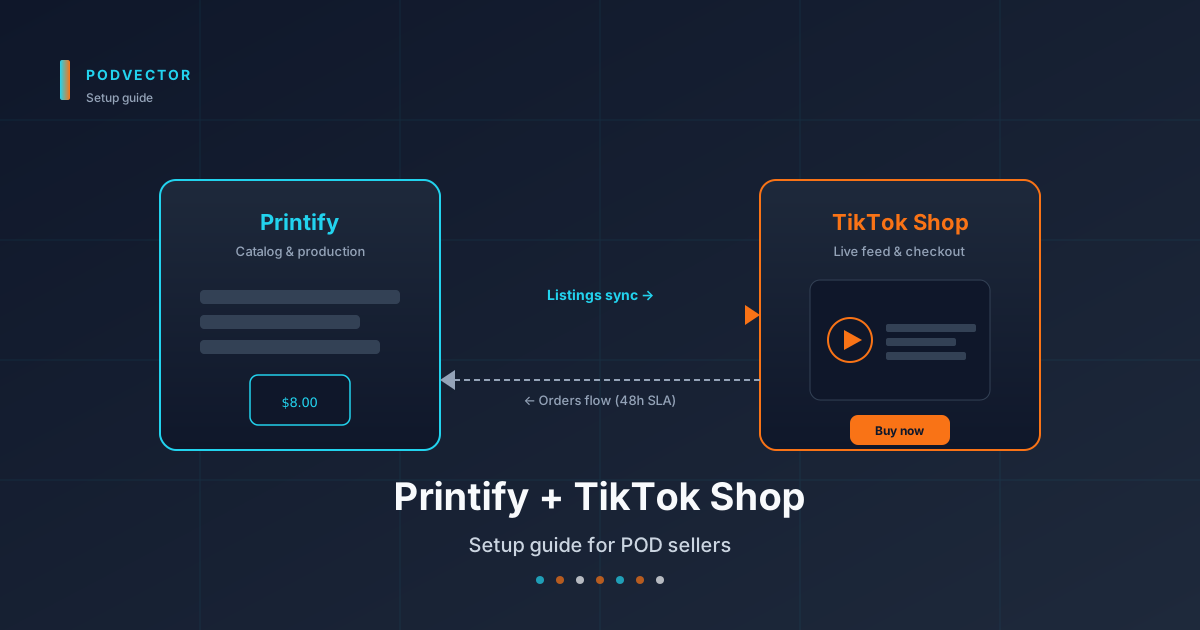
Quick Answer: Connecting Printify to TikTok Shop takes about 30 minutes once your seller account is approved. The integration itself is a one-click OAuth flow from inside Printify.
The slow parts are the prerequisites: a US-based TikTok Seller Center account, identity verification, tax info submitted, and the "Seller shipping" toggle flipped. Skip any of those and your products won't publish — even if the integration looks connected.
Once live, you have 48 hours to mark each order shipped. That deadline is the single biggest operational difference from Etsy or Shopify, and Printify routes orders to print providers that can hit it — as long as you build with TikTok-ready products.
Before you start: what TikTok Shop requires
The TikTok Shop + Printify integration is US-only at the time of writing. You need a US address, a US tax ID (SSN or EIN), and a US bank account for payouts.
If you're outside the US, the official path is the Printify TikTok Shop guide for non-US workarounds — usually a Shopify-based bridge, not a direct integration.
You also need a real product idea before you start. TikTok Shop's algorithm punishes generic listings hard. Have your niche, your top three designs, and your hero product picked before you touch the integration.
If you're still picking a storefront platform, the Shopify + Printify setup guide is the cleanest fallback and the one most non-US sellers route through.
Step 1: Create a TikTok Shop seller account
Go to seller-us.tiktok.com and click Sign up. Use the same email you use for Printify — it makes the OAuth flow cleaner later.
TikTok will ask for business type. If you're a sole proprietor selling under your own name, pick Individual. If you have an LLC or S-corp, pick Business and have your EIN ready.
Upload your ID. TikTok runs identity verification (KYC) before they let you list anything. This takes anywhere from 30 minutes to 2 business days. Don't move on to the next steps until you see Approved on your dashboard.
Once approved, you'll land in TikTok Seller Center. The left nav is where everything lives. Bookmark it.
Step 2: Submit tax info (this blocks publishing)
This is the step most setup guides bury at the bottom. Don't skip it.
In Seller Center, go to Finance → Tax information. Fill out the W-9 form (Individual or Business depending on your account type). This is the same form Etsy and Amazon require — same fields, same logic.
Until this is approved, every product you try to publish will fail with a vague "review pending" error. The error message does not tell you it's the tax form. You will lose an hour to it. We're telling you now: do the W-9 first.
After you submit, tax info usually clears in under 24 hours. While you wait, you can still set up shipping and connect Printify.
Step 3: Connect Printify to TikTok Shop
This is the easy part. The whole thing is one click.
Log into Printify. Top left, click your store name → Add a new store. Pick TikTok Shop from the list.
Printify redirects you to TikTok's OAuth screen. You confirm you want to grant Printify access to publish products and manage orders on your behalf. Click Authorize.
You're bounced back to Printify with a green confirmation. The store now shows up in your Printify left nav with the TikTok Shop label. You're connected.
If the OAuth screen errors out, the most common cause is that you're logged into the wrong TikTok account in the same browser. Open an incognito window, log into Seller Center fresh, and try again from Printify.
Step 4: Configure the shipping template
This is the step Printify's own docs warn you about, and they're right to. Get it wrong and TikTok ships items to your home address instead of the customer.
In TikTok Seller Center, go to Shop settings → Shipping templates. Create a new template.
Pick Seller shipping as the fulfillment type. Do not pick TikTok Shop shipping — that's for sellers who hand inventory to TikTok's warehouse, which doesn't apply to print-on-demand.
Set the warehouse address to the Printify print provider's region (US — the country, not a specific state). TikTok uses this to calculate transit times and decide whether your listing is eligible for the "fast shipping" badge.
Save the template. Then, back in Printify, go to your TikTok Shop store settings and select this template as the default for all products. Without that link, Printify can't pass tracking numbers back to TikTok within the 48-hour window.
Step 5: Publish products with TikTok-ready providers
TikTok Shop has a strict 48-hour ship deadline. You mark the order shipped within 48 hours of order placement, or you eat a late-shipment penalty against your seller score.
Print-on-demand is slow by default. A generic T-shirt order can take 3–5 business days to enter production. That blows the 48-hour window every time.
Printify's answer is the TikTok-ready filter inside the catalog. These are products routed to print providers contractually committed to first-shipment scan within 2 business days. Filter for "TikTok-ready" before you pick a blank, and the deadline becomes solvable.
Build your product in Printify the same way you would for Etsy or Shopify: pick the blank, drop in your design, set variants, set retail price. Then click Publish with TikTok Shop as the target store.
TikTok requires a primary product image with the design on the blank, plus at least one lifestyle shot. Use the Printify mockup generator for the primary, and either upload your own lifestyle photo or use Printify's lifestyle mockups. Without a lifestyle shot, the listing gets deprioritized in feed.
One more gotcha: TikTok requires a GTIN (UPC barcode) for some categories. Apparel is exempt — Printify handles it. Accessories and home goods often are not. If your publish fails with a GTIN error, you'll need a barcode (about $5 each from GS1) or to apply for a GTIN exemption inside Seller Center.
Step 6: Run a real test order
Before you spend a dollar on ads, place a real order from a second TikTok account (or have a friend do it). Pay full price. Don't use a discount code on the first test — discounts can mask errors that only appear at full retail.
You're testing three things:
One — does the order land in Printify within a few minutes? It should. If it doesn't, the integration sync is broken and you need to disconnect and reconnect.
Two — does Printify route to a TikTok-ready provider? Open the order in Printify and check the print provider. If it's a slow provider, change it before production starts.
Three — does the tracking number flow back to TikTok? Once the provider ships, the tracking number should appear on the TikTok order within 4 hours. If it doesn't, the shipping template link in step 4 is wrong.
If all three pass, you're live. If any of them fails, fix it before turning on ads.
What to monitor after going live
Setup is the easy half. The hard half is the daily ops loop — and TikTok Shop punishes sellers who let it slip.
Watch these four metrics in Seller Center: late shipment rate, order defect rate, cancellation rate, and seller rating. Each one has a threshold below which TikTok starts throttling your reach. Late shipment rate is the killer — a single 48-hour miss in a low-volume week pushes you over the line.
You also need to track per-order margin. TikTok Shop fees vary by category and creator commission. A 20% creator commission on a $25 t-shirt with a $9 Printify cost leaves you with under $6 before shipping. Some orders are profitable. Some aren't. You won't know which is which until you see the breakdown.
This is where the work compounds. Etsy has 6%. Shopify has 2.9% + 30¢. TikTok Shop has a variable fee, a referral fee, and creator commission stacked together — and the math is different for every single order.
If you're running TikTok alongside other sales channels, the cross-channel margin question gets harder fast. Victor — PodVector's AI employee — is built for the Shopify side of that stack: he joins your Shopify orders, itemized Printify costs, and every Meta/Google ad spend dollar into one live view and tells you which designs are actually profitable there. The TikTok payout math stays manual for now, but at least one channel stops eating your evenings. Hand off your Shopify-side POD ops to Victor if the daily monitoring is eating your day.
Common errors and how to fix them
"Product under review" stuck for 48+ hours. Almost always the tax form isn't submitted or approved. Go to Finance → Tax information and check status.
OAuth fails when connecting Printify. You're logged into a different TikTok account in the same browser. Use incognito.
Orders not syncing from TikTok to Printify. The store connection has expired (TikTok rotates OAuth tokens). In Printify, disconnect the store and reconnect with one click.
Tracking numbers not appearing on TikTok. The shipping template isn't linked to the Printify store. Re-do step 4 and make sure you select the template as default in Printify, not just create it in TikTok.
Late shipment penalty even though Printify shipped on time. Print provider scanned the package late, or the carrier scan was delayed. Open a Printify support ticket — they'll get the scan timestamp corrected if it was a carrier issue.
Cancel-before-publish loop. If you cancel and recreate a TikTok Shop seller account, the integration sometimes won't reconnect for 7 days. That's TikTok's anti-abuse cool-down. Don't cancel unless you have to. If you're rethinking the whole stack, the how to cancel your Printify subscription guide covers what happens to active orders.
FAQs
Do I need a TikTok creator account to sell on TikTok Shop?
No. A TikTok Shop seller account is separate from a creator account. You can sell without making content yourself by partnering with affiliates through TikTok Shop's affiliate marketplace. Most POD sellers do both.
How much does Printify charge to use the TikTok Shop integration?
Nothing extra. The integration is included in the free Printify plan and all paid tiers. TikTok Shop charges its own fees (referral + transaction) — those are unrelated to Printify.
Can I use a Printify coupon code on a TikTok Shop order?
Printify coupons apply to the per-order production cost, not to the customer-facing price on TikTok. The customer sees your retail price; you see the discounted Printify cost. The Printify coupon code breakdown walks through which coupons stack and which don't.
Why is my product "approved" on TikTok but invisible in the app?
Three causes. Either you priced it under TikTok's category minimum (rare, but apparel has a $5 floor). Or the listing is missing a lifestyle image. Or the algorithm is in a 24–48 hour "seed" phase before showing your product to anyone — wait it out.
Can I run TikTok Shop alongside Etsy and Shopify?
Yes, and most POD sellers do. Printify supports unlimited connected stores. Just remember each platform has different shipping SLAs (TikTok 48h, Etsy 1–3 days, Shopify your call), so your default print provider needs to handle the strictest one or you need per-store provider routing.
Does TikTok Shop support print-on-demand for non-apparel categories?
Yes — mugs, posters, phone cases, and tote bags are all allowed. Some categories (jewelry, supplements) require additional certifications. Check TikTok's restricted-category list before designing.
What happens to in-progress orders if I disconnect the store?
Existing orders continue to production. New orders stop syncing. Reconnect within 7 days and the sync resumes automatically.
Is the Printify + TikTok Shop integration available on the free plan?
Yes. The integration itself is free on every Printify plan. The Premium plan ($24.99/month) gets you better wholesale pricing on the blanks, which matters more on TikTok where margins are thinner than on Etsy.
What's the difference between this and the Printify WordPress setup?
TikTok Shop is a closed marketplace (think Amazon) — you publish into TikTok and they own the buyer relationship. WordPress + WooCommerce is your own storefront. If you also want a self-hosted store next to TikTok, the Printify WordPress plugin setup is the cleanest path. See the full Printify integrations hub and the Printify topic hub for every supported destination.
Let Victor run your Shopify-side POD ops
Connecting Printify to TikTok Shop is the easy part. Keeping the late-shipment rate clean, the per-order margin honest, and ad spend reallocated when one design starts winning — that's the daily grind.
Victor is PodVector's AI employee, built for Shopify-based POD stores. He joins your Shopify orders, itemized Printify costs, and Meta/Google ad spend into one live view, flags the designs where margin is slipping, and proposes the fix — acting on your Shopify store only after your approval.
Try Victor free