
Quick Answer: Printify's API lets your own code (or a third-party tool) create products, push orders, fetch tracking, and pull cost data from a Printify shop — bypassing the manual dashboard entirely. The official reference lives at developers.printify.com.
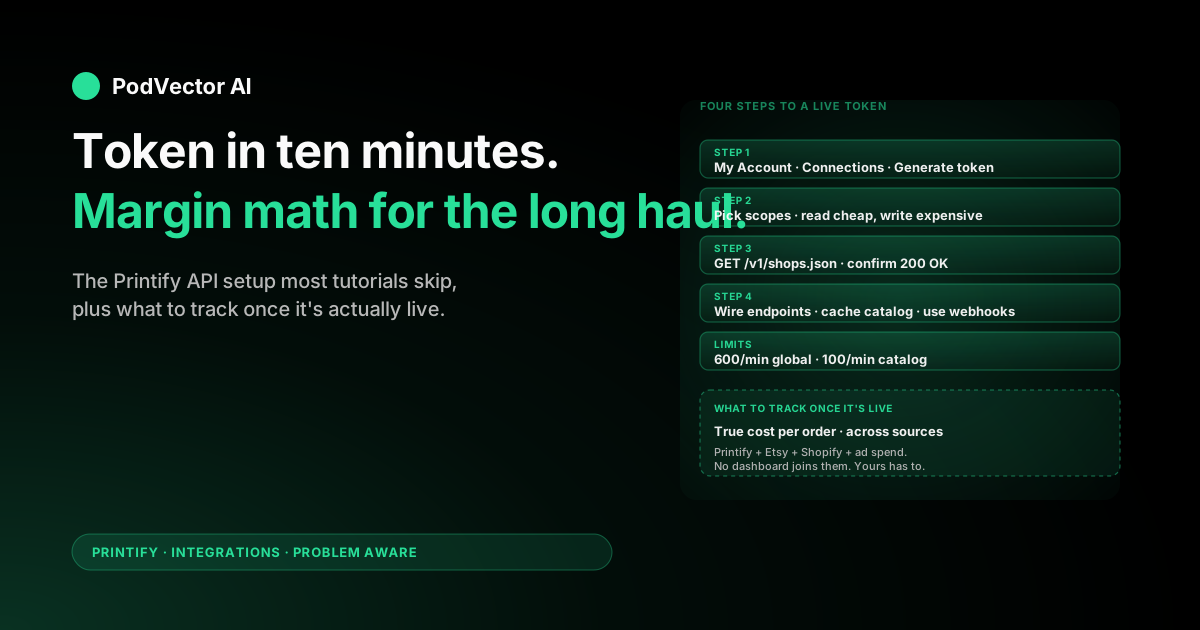
Setup takes about ten minutes: generate a Personal Access Token in your Printify account, pick the right scopes, store the token somewhere safe, and make a first GET /v1/shops.json call to confirm it works.
This guide walks the full setup, then covers what most POD-API tutorials skip — which endpoints actually matter day to day, what to monitor once the integration is live, and where the rate limits will bite you first.
What the Printify API actually does
The Printify API is a REST interface that exposes the same actions you'd take in the Printify dashboard — but as HTTP calls your code can run. You can list shops, create products from a blueprint, upload artwork, submit orders, fetch order status, and listen for webhook events.
What it doesn't do: marketing, customer support, ad management, or design generation. Those live elsewhere. The API moves data between Printify and your system of record. Nothing more.
For most POD sellers, the API replaces three painful manual loops: bulk product creation (uploading the same design to fifty variants), order monitoring (refreshing the orders page every hour during a launch), and cost reconciliation (matching every Printify charge back to the Etsy or Shopify order that triggered it).
Do you actually need the API?
The honest answer: probably not yet, if you have one storefront and under a hundred orders a month. Printify's native integrations with Etsy, Shopify, eBay, Square, and others handle the order routing for you with zero code. The dashboard handles product creation fine at small scale.
You start needing the API when one of these gets painful:
- Bulk product creation. You want to push the same design across forty t-shirt variants, ten mug styles, and twenty poster sizes — without clicking each one.
- Multi-store routing. You run several Printify shops (one per brand, region, or marketplace) and need a single system that decides which shop fulfills which order.
- Cost reconciliation. You want every Printify charge automatically matched to the Etsy or Shopify order that triggered it, so you can compute true margin per SKU.
- Custom CRM or ERP integration. You sync orders into NetSuite, HubSpot, or a custom warehouse, and need Printify data flowing into that system.
If none of those apply, skip the API for now and use the dashboard. If one or more does, keep reading.
Step 1: Generate a Personal Access Token
Log in to your Printify account. In the top-right, open My Account → Connections. Scroll to the API tokens section.
Click Generate. Name the token something descriptive — "production-sync" or "internal-dashboard" — so you can revoke the right one later if it leaks. Add a contact email so Printify can reach you about token-related issues.
Select the scopes you actually need (covered in the next section). Hit Generate token. Printify shows the token exactly once. Copy it immediately into a secrets manager — a password vault, environment variable, or your platform's secret store. If you lose it, you generate a new one; there's no recovery.
Treat this token like a database password. Anyone who has it can create products, submit orders that charge your card, and pull customer data from your shop. Never commit it to a git repo. Never paste it into a screenshot or a Slack channel.
Step 2: Pick the right scopes
Scopes are the permissions your token carries. The Printify API uses granular, per-resource scopes — give the token only what your integration needs. For most POD use cases, you'll want some combination of:
shops.read— list the shops in your accountcatalog.read— browse blueprints, print providers, and variantsproducts.readandproducts.write— view and create productsorders.readandorders.write— pull orders, submit new onesuploads.readanduploads.write— manage artwork fileswebhooks.readandwebhooks.write— register and manage event callbacks
The rule of thumb: read scopes are cheap, write scopes are expensive. A read-only token that gets leaked exposes data. A write-token that gets leaked can ring up real production charges on your card. Generate separate tokens for read-only dashboards and write-capable order pipelines.
Step 3: Make your first API call
Confirm the token works before you write anything more complex. The smallest useful call is the shops list. From a terminal:
curl -X GET "https://api.printify.com/v1/shops.json" \
  -H "Authorization: Bearer YOUR_TOKEN_HERE"
A successful response returns a JSON array of your shops, each with an id and title. Note the id values — you'll plug them into nearly every subsequent endpoint as {shop_id}.
If you get 401 Unauthorized, the token is wrong, expired, or missing the Bearer prefix. If you get 403 Forbidden, the token is valid but lacks the shops.read scope. If you get 429, you've hit a rate limit — wait a minute and retry.
From here, the same pattern works for every endpoint: prepend https://api.printify.com, attach the Bearer token, and use the shop ID where the path needs it.
The endpoints that matter most
Printify exposes dozens of endpoints. For most POD operators, five do the real work.
Catalog (v2)
GET /v2/catalog/blueprints lists every product blueprint Printify offers — t-shirts, mugs, posters, hoodies, and everything else. Each blueprint links to GET /v2/catalog/blueprints/{id}/print_providers, which lists the print providers that can fulfill it, with their variant sets and shipping zones.
You hit this once per design when you're building a product. Cache aggressively — the catalog changes slowly and these endpoints share a tighter 100-requests-per-minute rate limit than the rest of the API.
Products
POST /v1/shops/{shop_id}/products.json creates a product. The body specifies the blueprint, the print provider, the variants you want enabled, the artwork placements, and the title/description/tags. PUT /v1/shops/{shop_id}/products/{product_id}.json updates an existing one. POST /v1/shops/{shop_id}/products/{product_id}/publish.json pushes it to the connected marketplace (Etsy, Shopify, etc.).
This is the endpoint that unlocks real bulk creation. Treat it as your primary write target.
Uploads
POST /v1/uploads/images.json uploads artwork — either by passing a base64 file body or by handing Printify a URL it fetches itself. URLs are easier; you keep the artwork on your own S3 bucket or CDN and Printify pulls it.
You'll call this before every product creation that uses a new file. Existing files are addressed by an upload ID that comes back in this response.
Orders
POST /v1/shops/{shop_id}/orders.json submits an order for production. Useful when you sell through a channel Printify doesn't natively integrate (a custom site, a wholesale buyer, a sample request). GET /v1/shops/{shop_id}/orders.json lists existing orders with pagination — most of your reporting code lives here.
Webhooks
POST /v1/shops/{shop_id}/webhooks.json registers a callback URL that Printify hits when something happens — order placed, production started, shipped, canceled. Webhooks beat polling for any near-real-time use case. Pair them with GET calls for backfill.
Personal Access Token vs OAuth 2.0
Personal Access Tokens are the simple path: one token, one Printify account, no consent flow. Use them for internal integrations — your own dashboard, your own bulk creator, your own warehouse loader.
OAuth 2.0 is the platform path: your app asks each Printify merchant to authorize you, and you get a separate token per merchant. Use it only if you're building a product that other Printify sellers will install — a shipping app, a design marketplace, a portfolio of brands managed by separate accounts.
OAuth requires Printify to provision client credentials for you. Personal Access Tokens you generate yourself in minutes. Ninety percent of POD operators want the Personal Access Token.
Rate limits and when they hurt
Two limits apply globally:
- 600 requests per minute across all endpoints in your account.
- 100 requests per minute on catalog endpoints specifically (
/v2/catalog/...).
The first limit rarely bites unless you're polling orders every few seconds across many shops. The second one bites fast during initial product seeding — pulling blueprints and provider variants for every product type you sell can blow through 100 calls quickly.
Mitigations: cache catalog responses (they change rarely), batch your product creation jobs overnight, and add exponential backoff on any 429 response. Printify returns standard rate-limit headers — read them and respect them.
What to track once it's live
The API gives you the data. What you do with it decides whether the integration earns its keep.
The single highest-leverage metric is true cost per order: Printify production cost, plus shipping, plus your storefront fees, plus the share of ad spend attributable to that order. None of those numbers live in the same dashboard by default. The API lets you pull production cost; you have to bring the rest.
Practical signals to wire up first:
- Order failure rate. Orders that returned a non-200 response from the orders endpoint or got canceled by the print provider. A failure rate above 1% is almost always a data problem in your product setup (bad variant ID, missing print area, expired artwork URL).
- Production time by provider. Time from order submission to shipment label, grouped by print provider. Helps you spot when a provider's queue is backing up before Etsy reviews start dropping.
- Cost variance. Production cost per SKU over time. Print providers raise base costs without much warning — see our Printify mug base cost breakdown and Printify monthly cost breakdown for the categories most likely to drift.
- Webhook latency. Time between Printify webhook fire and your system acknowledging it. Anything above a few seconds means your callback handler is the bottleneck, not Printify.
If you don't want to build the data pipeline yourself, and your store runs on Shopify, an AI employee like Victor can connect to your Printify account, join the orders and itemized cost data with your Shopify orders and Meta/Google ad spend in one live view, and then act on what it finds — pausing a losing variant, repricing a SKU, or flagging an ad creative that's fatiguing — with your approval before each move.
Common setup mistakes
Token committed to a public repo
Number-one source of leaked Printify accounts. Use a .env file, add it to .gitignore, and rotate the token immediately if it ever shows up in a git history. Never paste a token into ChatGPT, Claude, or any external service to "debug" it.
Polling instead of webhooks
A common pattern is hitting GET /orders every minute to check for new orders. It works at small scale and breaks at high scale — you'll hit the rate limit and miss orders. Register a webhook for order:created and let Printify push to you.
Hard-coding shop IDs
Looks fine until you add a second shop. Pull shop IDs from /v1/shops.json at startup and key your config off shop name, not ID.
Skipping the test order
The dashboard order flow and the API order flow validate slightly differently. The dashboard catches missing print areas before submission; the API will accept the order and reject it at the print provider. Always submit a real test order (to yourself, with the cheapest variant) before going live.
Wrong scopes on a write token
A token with orders.read but not orders.write will return a confusing 403 only when you try to submit. Audit token scopes against the endpoints you actually call.
FAQs
Is the Printify API free?
Yes. There's no charge for API usage itself. You only pay for orders you submit through it — same per-order cost as the dashboard. Rate limits apply equally to all accounts regardless of plan.
Do I need a paid Printify plan to use the API?
No. The free Printify plan supports API access. Premium and Enterprise plans don't unlock additional endpoints — they unlock per-unit discounts on production.
Can I use the API to import existing products into Printify?
Not directly. The API creates new products from blueprints; it doesn't import finished products from another platform. If you're migrating from Printful or another POD, you rebuild the catalog using Printify's blueprints and providers.
What languages have official Printify SDKs?
Printify doesn't ship official SDKs. Community-maintained Node.js, Python, and PHP libraries exist on GitHub, but quality and currency vary — read the source before relying on one. The REST API is simple enough that most teams just use their HTTP client directly.
How long until orders sync after a webhook fires?
Webhooks fire within a few seconds of the underlying event. Sync delay is almost always on your side — slow callback handlers, retry queues, or batch processors. Printify's own delivery is reliable.
Does the API let me change the production partner on a live product?
Yes — you can update a product's print provider via PUT /v1/shops/{shop_id}/products/{product_id}.json, but the variant set may change because different providers carry different SKUs. See our guide to changing production partners for the variant-mapping gotchas.
Can I run Printify on Etsy with the API instead of the native integration?
You can, but you usually shouldn't. The native Etsy integration handles OAuth, listing publish, order routing, and tracking sync for free. The API only wins for Etsy when you're doing bulk operations the dashboard doesn't support — see our walkthroughs of Printify on Etsy and Printify personalization on Etsy for the native flow.
Where do I report API bugs or get developer support?
Email developer support via the contact form on developers.printify.com. Response times are typically a few business days. For production-blocking issues, file a separate ticket in your Printify account so it gets routed through merchant support too.
What's the difference between v1 and v2 endpoints?
v1 covers shops, products, orders, uploads, and webhooks — the operational stuff. v2 covers catalog (blueprints, print providers, variants) with richer filtering and pagination. You'll use both. Don't try to translate v2 calls into v1 paths; the resources are genuinely different.
For broader context on how API integrations fit alongside Printify's other connection options, browse the full Printify integrations hub or the Printify topic hub.
Let Victor run your Printify ops, not just read them
Generating an API token is step one. Step two is using the data to actually run the business — and that's where most POD operators stall.
Victor is an AI employee that connects to your Printify account (plus Shopify, Meta Ads, and Google Ads) through the same APIs you'd use yourself. He reconciles every Printify charge against the Shopify order that triggered it, flags margin drift before it eats a launch, and proposes profit moves on the Shopify side — he reads your ad data but never touches your ad accounts, and he asks for your approval before any listing change, price move, or refund decision.
Try Victor free