
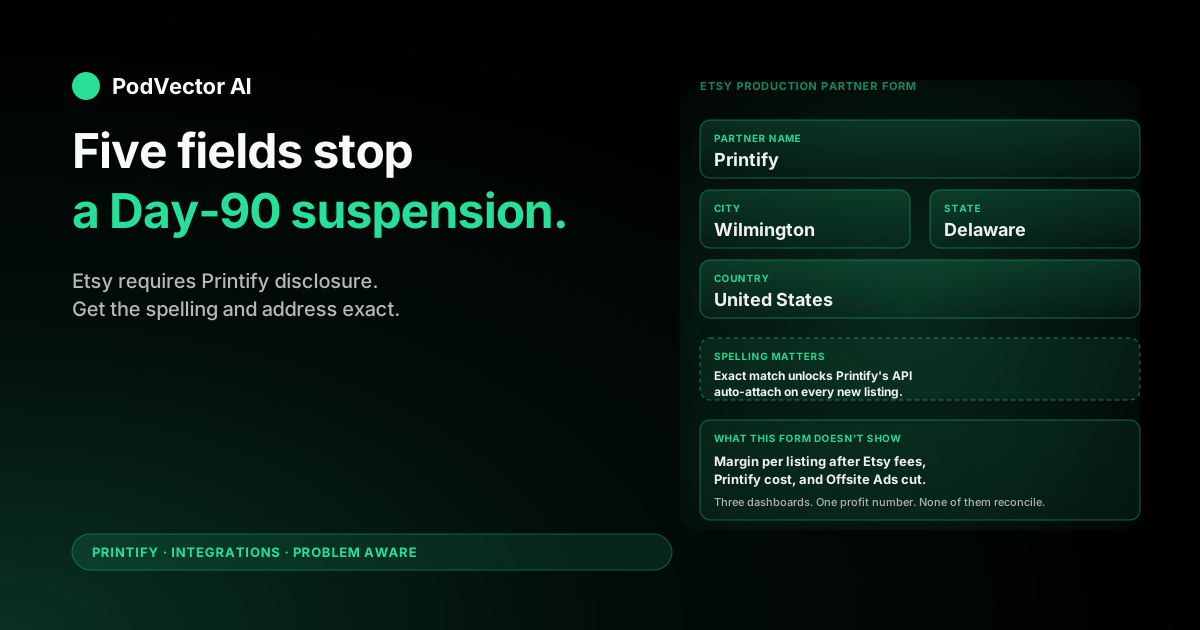
Quick Answer: Open Etsy Shop Manager → Settings → Production partners → Add a new production partner. Name the partner Printify, set the location to Wilmington, DE, United States, write a one-sentence explanation of how Printify fulfills your designs, and save.
This is required disclosure under Etsy's Creative Standards policy. If you skip it, Etsy can suspend the shop the first time a buyer or competitor reports it — the most common reason new POD shops go down in their first 90 days.
This guide covers the exact form fields Etsy expects, why the name string has to match Printify's API record character-for-character, and the cost questions to answer once the partner is wired up and orders start landing.
Why Etsy Requires the Disclosure
Etsy's marketplace policy treats anything you didn't make yourself as a partnered product. That includes any print-on-demand fulfillment — Printify, Printful, Gelato, anyone.
The disclosure rule lives inside Etsy's Working with Production Partners policy. Sellers using outside production must list the partner inside Shop Manager and may need to disclose the partnership in the listing description as well.
Enforcement is uneven but real. Etsy's Trust & Safety team responds to buyer reports and to mass-flagging from competitors. A shop with 200 active POD listings and no production partner declared is a near-guaranteed suspension when reported.
The fix is a five-minute form. Doing it before your first listing publishes is cheaper than doing it after a reinstatement appeal.
Before You Add the Partner
You don't need anything fancy here, but skip these and the form rejects you.
- A fully opened Etsy shop. Not a draft. Currency picked, payment method on file, identity verified, About section filled, shop officially opened. If you can't see the Settings menu inside Shop Manager, your shop isn't open yet.
- Etsy Payments active. The Production partners menu lives under the same Settings tree that requires a payment-enabled shop.
- A Printify account (free is fine). You don't need the integration connected yet to add the partner record. Most sellers do this in the opposite order — connect Printify first, then realize the disclosure is missing.
- Five minutes. One form, five fields, no review queue. The partner shows up immediately on your About page.
Add Printify as a Production Partner: The 7-Step Flow
Open Etsy Shop Manager and walk through it.
- Click your shop name → Settings. Bottom of the left sidebar in Shop Manager.
- Click "Production partners." Inside the Settings section. If you don't see it, scroll — Etsy buries it under About your shop on smaller screens.
- Click "Add a new production partner." A modal opens with the partner form.
- Fill in the form. Exact values in the next section.
- Choose visibility. Etsy lets you show or hide the partner name on the public About page. Showing it is the safer choice — buyers who care about handmade-vs-printed already know what Printify is, and hiding it can read as evasive if a buyer asks.
- Review the preview. Etsy shows you exactly how the entry will display in your shop's About section. Confirm spelling.
- Click "Save partner." The record is live immediately.
You can repeat the flow to add additional partners — useful if you also use Printful, Gelato, or a local screen-printer for one product line. The disclosure rule is Etsy-specific; the equivalent integrations for Printify on Amazon and Printify on Shopify use different compliance models and don't require this same form.
The Exact Field Values Etsy Expects
Etsy's form has five fields. Printify's API expects a specific spelling and location to match its production partner record. Mismatches don't error — they just create a duplicate partner on your About page that looks unprofessional.
| Field | Value |
|---|---|
| Production partner name | Printify (exactly — capital P, no other characters) |
| Where is your production partner located? | United States |
| City | Wilmington |
| State / Region | Delaware |
| About this production partner | Short paragraph — example below |
Wilmington, DE is Printify's US corporate address. Your actual order may print in California, Texas, Latvia, or the UK depending on which print provider Printify routes it to. The Etsy disclosure is about the production partner, not the specific print facility.
The About paragraph is open-ended. Etsy gives you 700 characters. Keep it short, factual, and on-brand:
"Printify is my print-on-demand production partner. I design every product in my shop, and Printify's network of print facilities produces and ships each order on my behalf after the customer places it."
That paragraph does three jobs: declares the partnership, makes clear the design work is yours, and explains the made-to-order nature of POD. Don't oversell — Etsy buyers responding to handmade marketing don't want to feel tricked when they read the About page.
How Printify Auto-Assigns the Partner to New Listings
Once a production partner named exactly Printify exists in your Etsy account, Printify's API auto-attaches that partner to every new listing it publishes. You don't have to pick it manually per product.
This is why the spelling matters. If you named the partner "Printify POD" or "Printify Inc.", Printify's API can't find it and falls back to publishing without a partner assigned — which is exactly the disclosure gap the form was meant to close.
The order to do things in, if you're starting fresh:
- Open the Etsy shop (currency, payments, About, first free listing).
- Add Printify as a production partner using the field values above.
- Connect Printify to Etsy via the Printify-to-Etsy OAuth flow.
- Publish your first design from Printify. The partner is auto-attached on the way in.
If you already did step 3 first, the partner backfill below handles it.
Backfill: Adding the Partner to Listings You Already Published
Listings that published before you added the partner record don't get the disclosure retroactively. Etsy treats this as your problem to fix, not Printify's.
The backfill is a per-listing edit:
- Open the listing in Etsy Shop Manager → Listings.
- Scroll to Production partners in the listing editor.
- Check the box next to Printify.
- Save the listing.
If you have more than 30 or 40 listings, do it in batches. Etsy's editor doesn't let you bulk-apply a production partner across listings — you have to open each one. The keyboard shortcut is to open Listings in a tab and middle-click each row to spawn editor tabs, then walk through them.
One more thing to check on backfilled listings: the description. Etsy's policy suggests (but doesn't strictly require for all categories) that POD partnerships also be mentioned in the listing description. A one-line note like "Designed by [your shop], produced and shipped by my print-on-demand partner" covers it.
After Disclosure: The Costs the Partner Setup Doesn't Surface
Disclosure handles the compliance side. It doesn't surface the costs that actually decide whether a Printify-on-Etsy shop makes money.
Once your first sales start landing, you have at least four moving cost lines per order — and none of the three dashboards (Etsy seller, Printify, your card statement) reconciles them for you:
- Etsy fees: 6.5% transaction fee on item + shipping + gift wrap, plus 3% + $0.25 processing fee on the gross via Etsy Payments, plus the $0.20 listing fee at publish and again every 4 months on auto-renew.
- Printify production cost: the blank cost plus print cost plus any premium-fabric upcharge, charged to your card per order. Varies by print provider — the same t-shirt SKU can cost $9.83 from one provider and $11.40 from another.
- Printify shipping cost: billed separately on the same charge. Different per destination country and per provider — and Etsy buyers see your Etsy-side shipping rate, not Printify's.
- Offsite Ads, if enabled: 12% or 15% of the order total when Etsy's outside-ads engine generated the sale. Optional for shops under $10K trailing 12-month sales, mandatory above.
The math problem is per-order. A $24 shirt sale looks like a winner in Etsy's dashboard, looks like an $11 production cost in Printify, and only when you stitch them together does the actual margin show up — often $3–$5 after every fee line clears.
Most POD operators we talk to don't have this number per listing. They have it per month, aggregated, after a manual spreadsheet pull. The decision-grade question — "which of my 120 listings is actually unprofitable after Offsite Ads attribution and provider variance?" — isn't answerable from any one dashboard.
This is the gap a connected Printify integration setup closes for you. Once Printify, Etsy, and your ad accounts all push into a single warehouse, the per-listing profit-after-everything number is just a query. We dig into the cost lines themselves in the Printify pricing plan breakdown and the deeper cost-by-plan analysis — both sit inside our broader Printify topic hub.
Common Errors and What They Mean
"Production partners" option doesn't appear in Settings
Your Etsy shop isn't fully opened. The menu hides until you've completed currency, payments, identity, About, and the first listing. Finish opening the shop, refresh, and the menu appears.
I named the partner "Printify POD" / "Printify Inc" / "Printify Wilmington" and now Printify created a duplicate on my About page
Delete the misspelled partner inside Etsy Shop Manager. Then re-add it with the exact name Printify. The duplicate clears from your About page on save. Existing listings tagged to the misspelled name need to be re-edited to point at the corrected partner.
Etsy keeps prompting me to add a production partner even though I added one
You added the partner record but didn't check the partner box on the individual listing. Etsy's compliance check is per-listing, not shop-wide. Open the listing, scroll to Production partners, check Printify, save.
My partner is visible on my About page and I don't want it there
Edit the partner inside Settings → Production partners. Toggle the visibility option from Show this partner on my About page to hidden. The disclosure still counts internally for Etsy compliance — you've made the declaration, you just chose not to display it publicly. Some buyers will spot this and ask; have an honest answer ready.
Etsy suspended my shop and cited "undisclosed production partner"
Add the partner now using the exact fields above. Then file a reinstatement appeal through Etsy's case form, explain the partner is now declared, and link the About page in your appeal. Suspensions for first-offense disclosure gaps are usually reversed within 7–14 days when the seller fixes the disclosure proactively.
FAQs
Do I have to disclose Printify as a production partner on Etsy?
Yes. Etsy's Creative Standards policy requires sellers to disclose any outside production partner, and print-on-demand fulfillment counts. Skipping the disclosure is the most common reason new POD shops get suspended in their first 90 days.
What name and address should I use for the Printify partner?
Name: Printify (exact spelling, capital P, no suffix). Location: Wilmington, Delaware, United States. That matches Printify's API record so the integration can auto-attach the partner to every new listing it publishes.
Will buyers see that I use Printify?
Only if you choose to display the partner publicly. Etsy gives you a toggle. Showing the partner is generally the safer choice — buyers who'd object already know what POD shops look like, and hiding it can read as evasive on the rare occasion someone asks directly.
Does adding the partner cost anything?
No. The partner form is free, doesn't require any plan upgrade on Etsy or Printify, and has no listing fee impact. The $0.20 Etsy listing fee and the 6.5% + processing transaction fees are separate and unrelated to partner disclosure.
Do I need to add the partner to every listing or is it shop-wide?
It's per-listing, not shop-wide. New listings published from Printify auto-attach the partner if the spelling matches. Listings you published before adding the partner record need a manual edit per listing — there's no bulk-apply tool in Etsy's editor.
What's the difference between "Printify" and "Printify Inc."?
For Etsy's compliance check, nothing — both declare a production partner. For Printify's auto-attach API, everything — only the exact string Printify matches the API record. Misspelled partner names create a second partner on your About page when the integration publishes a listing, which looks unprofessional and signals to repeat buyers that the shop isn't tidy.
Can I add multiple production partners?
Yes. Add one per partner, with exact names matching each platform's API record. Many POD sellers use Printify for apparel and Printful or Gelato for accessories — each gets a separate Production partner entry inside Etsy Shop Manager.
Where can I read Etsy's full policy?
Etsy publishes its full Production Partners policy at help.etsy.com. It's worth reading once if your shop is your main income — the disclosure requirement, the design-ownership clauses, and the customer-facing description guidance are all in there.
Once the partner is live, hand the cost math to Victor
Disclosure is the compliance win. The harder problem is what comes next: the per-listing profit number that lives across Etsy fees, Printify production costs, shipping, and Offsite Ads attribution.
Victor is an AI employee that runs the cross-platform work — pulling Etsy, Printify, and ad-account data into one live warehouse, then making reallocation, pricing, and listing decisions with your approval. He doesn't just chart the numbers; he proposes the next action and waits for your yes.
Try Victor free