
Quick Answer: The 2026 Shopify Google Shopping strategy for a print-on-demand store isn't a setup checklist — it's a sequence of strategic decisions: which campaign type to launch first, how to budget against a $14–$18 contribution-margin product, when to graduate from Standard Shopping to Performance Max, and what kill criteria stop the spend before the supplier invoice arrives. This guide runs that decision tree in order, gated to Printify/Printful economics, with the conversion-tracking and feed-quality preconditions built in. The setup mechanics live in our integration and feed-quality guides; this piece focuses on the strategic moves a POD operator has to get right after the wiring is done.
Why Google Shopping is the highest-leverage paid channel for Shopify POD
For a Shopify print-on-demand store with a catalog of 30–300 designs and a contribution margin of $12–$22 per unit, Google Shopping is structurally the right paid-acquisition channel before Meta, before TikTok, and before YouTube. Three reasons, all economic.
Buyer intent is pre-qualified. A Shopping ad shows on a product-noun query — "nurse graduation t-shirt", "sourdough starter mug", "fly fishing dad hoodie". The shopper has typed a thing they want to buy.
POD competes badly on display channels where the seller has to manufacture intent, because the cost stack (blank + print + shipping + Shopify fee + ad spend) leaves little room to fund top-of-funnel discovery. Search intent does the funnel work for free.
Furthermore, the product feed is the ad creative. Shopping ads display the product image, title, and price directly from your Merchant Center feed. There's no copywriting tax, no creative-fatigue cycle, no "we need three more video variations" cost overhead. For a solo POD operator, the feed is the unit of work that pays back ten ways — it powers Shopping, Performance Max, free product listings, and the new agentic-shopping standard Google and Shopify announced earlier this year.
Finally, attribution is cleaner than any social platform. Google Shopping conversions flow through Google Ads' first-party tracking, Enhanced Conversions, and Shopify's Customer Events API. The "did this click cause this sale" question, which Meta has turned into a vibes-based debate post-iOS 17, is still answerable on Google Shopping with reasonable precision — provided the conversion-tracking precondition is wired (more on that in the preconditions section). For a POD operator who has to reconcile blank cost, shipping cost, and ad spend into a contribution-per-design number every week, clean attribution isn't a nice-to-have; it's the whole job.
The strategy this guide develops sits inside the broader Google Ads picture for POD. For the channel-mix view across Search, Shopping, Performance Max, and Demand Gen, see the complete Google Ads playbook for print-on-demand sellers.
For the Shopping-and-Shopify integration architecture — how the feed gets from Shopify to Merchant Center to the auction — see the Shopping-Shopify integration strategy. This article picks up where those leave off: now that the wiring works, what do you actually do with it.
The POD economics layer Google Shopping defaults ignore
Every general-ecommerce Google Shopping guide you'll read in 2026 assumes a wholesale-retail margin structure: 2× to 4× markup over a per-SKU warehouse cost. POD violates that assumption in three ways that change strategy mechanically, not just philosophically.
Cost-of-goods is per-unit, not per-order, and includes shipping. A $32 t-shirt fulfilled via Printify might cost $14.50 (blank + print + shipping). Your contribution per sale is $17.50, not $32 minus a vague "20% COGS" line.
Google's default Smart Bidding optimizes for "conversion value" — gross order total — which means it'll happily bid up to your blank-plus-shipping cost on every sale unless you teach the auction what your real margin is. The teaching mechanism is target ROAS gated to contribution, not revenue. That single calibration is the difference between a Shopping account that funds growth and one that funds Printify.
Variant matrices multiply the feed without multiplying margin. One design times five colors times four sizes is twenty SKUs in Merchant Center, but the design earns one contribution stream. PMax's bidding will treat each variant as an independent product fighting its own auction, which is fine for the auction but useless for measurement: you cannot decide whether a design is profitable by looking at a feed-grouped report that bins it across twenty rows of variant cost. The strategic move is to push design-level grouping into the feed via the item_group_id field and to mirror it in your reporting, so that "design X earned $84 contribution this week" is a query you can actually run.
GTINs are mostly absent and that's fine. Most general-ecommerce guides treat missing GTINs as a feed-quality crisis. For POD, your custom-design products genuinely don't have manufacturer barcodes — they're not Bella+Canvas 3001 blanks, they're "[your store]'s 'Sourdough Starter Pack' on a Bella+Canvas 3001".
The correct setting is identifier_exists: false at the product level, plus a strong, specific product title and the brand field set to your store name. Google's broad-match Shopping engine indexes off your title; a well-built title with the GTIN explicitly opted out outranks a half-built listing with a GTIN borrowed from the blank in 2026's auction. The Shopify-side mechanics for handling this correctly are covered in the Shopping-Shopify integration strategy.
Two formulas should be on a sticky note before you set a single bid. First, the per-design contribution margin:
contribution = retail price − supplier cost − shipping − Shopify processing feeFor a $32 t-shirt at Printify cost $11.50 + $4.50 shipping + ~$1.20 Shopify processing, that's $14.80. Second, the break-even target ROAS at the contribution level:
break-even tROAS = retail price ÷ contribution
                  = $32 ÷ $14.80
                  = 216%
Any tROAS target you set in Google Ads below 216% on this product is asking the auction to spend more than the contribution can fund. Smart Bidding cannot rescue you from a tROAS target that's mathematically below cost.
Most POD Shopping accounts that bleed money are running a 100% tROAS that the operator thought was "break-even" because it equaled gross revenue. It does not equal contribution. The single most leveraged thing you can change tonight is to recompute that number for every product type your store sells.
Strategic preconditions: feed quality and conversion accuracy
No campaign-architecture decision matters until two preconditions are true: the feed approves, and the conversions are accurate. If either is broken, every decision downstream is making the spend worse.
Feed approval is binary, but feed quality is graded. Approval means your products show; quality determines how often. Google's Merchant Center now reports a per-product "product opportunities" score that explicitly downweights products with thin titles, missing attributes, low-resolution images, or stale inventory. For POD specifically, the scoring punishes:
- Product titles that are mostly the design name without a product noun (your "Cottagecore Mushroom Friends" needs to be "Cottagecore Mushroom Friends T-Shirt" or it loses to a competitor's longer title every auction).
- Image backgrounds that include props, lifestyle context, or watermarks. Google Shopping's organic-product graph wants pure product-on-white. Lifestyle images are valid for the additional images field, but the primary image needs to be the bare product.
- Mockup images that haven't been refreshed since the design was created. Google's image-similarity model now flags mockups it's seen on multiple competing stores' feeds — common for sellers using the default Printify mockup generator without modification. Custom mockups, even minimally branded, score measurably better.
Conversion accuracy is where most POD Shopping accounts secretly lose money. Two failures are common. Shopify's standard pixel reports a conversion at the moment the order is placed, but Google Ads' attribution model is a 30-day click window: a conversion firing at minute zero with no Enhanced Conversions match is a conversion the auction can't learn from.
Enhanced Conversions sends hashed first-party data (email, phone) at order-placed time, which Google uses to match the conversion back to the original click. Without it, your CPA looks lower and your auction signal is weaker than it should be.
The second failure is value mismatch. Shopify's pixel reports order total — revenue.
If your tROAS target is set against revenue, and the auction is bidding to that target, the auction will overpay relative to your contribution by exactly the gap between revenue and contribution. The correct fix is to send a custom conversion value that already reflects contribution, computed at order time using a Shopify Customer Events API listener that subtracts blank cost and shipping from the order total. The setup mechanics for doing this on a Shopify-Printify stack are covered in the Shopping setup guide for Shopify POD; the strategic point here is that the value you send to Google is the value Google bids against.
Send revenue, get bid against revenue. Send contribution, get bid against contribution.
Until both preconditions are green, treat every Shopping campaign as a research vehicle, not a profit vehicle. Cap daily budgets at 1× your average order's contribution dollars and don't optimize. Once the preconditions are green — usually 7–14 days of work for a fresh Shopify POD store — the strategic decisions below start to matter.
Decision 1 — Standard Shopping or Performance Max as the launch campaign
This is the most common place a POD operator gets nudged into the wrong call by general-ecommerce advice. The advice you'll see most often in 2026 is "just launch Performance Max." That advice is correct for established brands with 200+ orders/month and 60+ days of clean conversion data. It is wrong for the median Shopify POD store at month one.
Performance Max is a black box that allocates spend across Search, Shopping, YouTube, Gmail, and Discover, and trains a per-account bidding model on your conversion data. With insufficient conversion volume, PMax's training is unstable: the model picks up noise as signal, allocates spend toward whichever placement converted yesterday, and produces wildly variable CPAs.
Most POD operators learning Google Ads at month one mistake this for "PMax is broken" and quit. PMax isn't broken; it's underfed.
The correct launch sequence for a POD store with no historical Google Ads conversion data:
- Week 1–2: Launch a Standard Shopping campaign covering your full feed, on Manual CPC, with a daily budget equal to roughly 8× your CPC ceiling. The campaign exists to gather first-party conversion signal at predictable cost. Don't optimize; let it run.
- Week 3–4: Move Standard Shopping to Maximize Conversion Value with no tROAS target. The auction self-discovers your CPC range. Conversions accumulate.
- Week 5–6: Once Standard Shopping has 30+ conversions in the prior 30 days, layer in a tROAS target equal to your break-even contribution tROAS (216% in the earlier example). The campaign now bids profitably or starves — either is fine for the strategy.
- Week 7+: If Standard Shopping is profitable at break-even contribution tROAS, then launch a Performance Max campaign with the same feed and audience signals. PMax will inherit the conversion data Standard Shopping built. Don't pause Standard Shopping; let them coexist with negative-keyword and feed-rule separation (covered in Decision 4).
The shape of this sequence is "Standard Shopping is the data factory; Performance Max is the data consumer." Skipping the data-factory phase is the most expensive lesson new POD operators learn on Google Ads, and the lesson costs $1,500–$4,000 in burned budget before the conversion signal stabilizes enough to matter. Standard Shopping, used right, builds the same conversion signal at a quarter of that cost.
The PMax-specific mechanics — asset groups, audience signals, brand exclusions — are covered in Shopify Performance Max campaigns explained. Get there second, not first.
Decision 2 — Budget allocation against contribution margin, not revenue
Most general-ecommerce Shopping guides recommend setting a daily budget at "10× your target CPA" or "1% of your monthly revenue target." Both rules of thumb are revenue-anchored, both are wrong for POD.
For POD, the right budget anchor is contribution dollars at risk per day. The math:
daily budget = (target weekly contribution dollars × 7÷weekly orders)
              ÷ (target tROAS expressed as decimal − 1)
That's denser than it has to be. Concrete example: you want $700/week in contribution dollars from Google Shopping, you sell ~30 orders/week from the channel, and your break-even contribution tROAS is 216% (so target tROAS as decimal is 2.16, target tROAS minus 1 = 1.16). Daily ad spend = ($700 × 7 / 30) / 1.16 = $140 / day at the campaign portfolio level.
The reason the formula matters: it forces you to think in contribution-dollar terms, which is the only currency that matches what Printify and Printful are taking off the top of your revenue every order. A "$50/day Shopping budget" sounds reasonable until you realize at a 216% tROAS it's earmarked to produce $58 of contribution — less than two days' Shopify subscription. Most "Shopping isn't working" complaints are budget-floor problems: the daily spend is below the threshold needed to produce statistical signal, the auction never trains, and the operator concludes the channel is broken.
The corollary is that splitting one $140/day campaign into seven $20/day campaigns is almost always a mistake at the Shopping-strategy level for POD stores under $30K/month in ad spend. Each sub-campaign needs its own conversion volume to train; seven small campaigns produce seven undertrained models, while one campaign produces one well-trained model. Save segmentation for when you have enough volume that each segment hits its own training floor (typically 30+ conversions per 30 days per campaign).
Decision 3 — Bidding stage by stage as data accumulates
The bidding-strategy choice is not a one-time decision; it's a four-stage progression. Skipping a stage costs money. Lingering in an early stage past its expiration costs money. Here's the progression for a Shopify POD Shopping campaign:
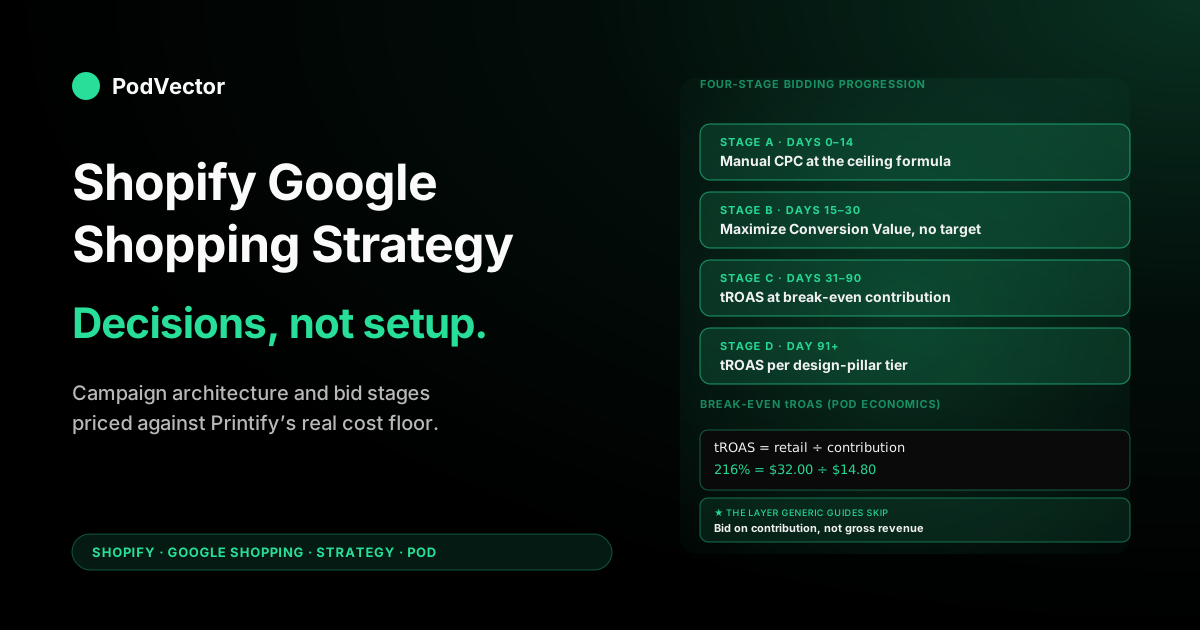
Stage A — Manual CPC (days 0–14, ~10–30 conversions). Set Max CPC at 75–90% of your CPC ceiling from the contribution math. The campaign is collecting click-and-conversion samples; the bid model is your formula.
Don't expect efficient ROAS yet. The success metric is feed-coverage and conversion-volume, not ROAS. Adwisely's 2026 Shopify Shopping bidding-progression framework walks through the same Manual-CPC-to-tROAS sequence for general ecommerce; the POD-specific twist is that every stage is gated to contribution-margin tROAS rather than revenue tROAS.
Stage B — Maximize Conversion Value with no target (days 15–30, 30–60 conversions). Google's Smart Bidding takes over with no constraint, learning your account's conversion patterns. Daily spend will be more variable, ROAS will spike high or low depending on the day's auction.
Don't intervene. The 14–30 day window is when Smart Bidding does its initial learning; pausing or restructuring during this window resets the learning state.
Stage C — tROAS at break-even contribution (days 31–90, 60+ conversions). Layer a target ROAS equal to your break-even contribution tROAS (216% in the running example). The campaign now bids only when expected ROAS ≥ 216%.
Smart Bidding will compress impression volume to the auctions where this is achievable. Spend may drop sharply for 1–2 weeks while the model recalibrates — this is normal. After recalibration, ROAS sits stably at or near the target.
Stage D — tROAS above break-even, set per design pillar (day 91+). By month four you have enough segmented conversion data that you can split the campaign by design pillar (identity / aesthetic / occasion / humor / niche-craft) and assign a different tROAS target per pillar. High-margin pillars (premium hoodies, two-piece sets) bid at 180–200% tROAS for volume.
Low-margin pillars (graphic tees, mugs) bid at 240–280% tROAS for profit-per-click. This stage is where Google Shopping moves from "channel that pays for itself" to "channel that funds growth." Most POD operators never get here because they never stabilize through Stage C.
The cardinal rule across all four stages: do not change the bidding strategy more than once every 14 days. Smart Bidding's learning state is empirical, not declarative; every change resets the clock.
Strategy thrash is the second-most-common cause of Shopping accounts that "don't work" — the first being feed-quality preconditions. Pick a stage, give it 14 days, then evaluate.
Decision 4 — Campaign segmentation that prevents auction self-cannibalization
Once you have Standard Shopping working at Stage C and you launch Performance Max alongside it, the two campaigns are bidding into the same auctions on the same products from the same feed. Without explicit separation, they compete with themselves and inflate your CPC. Three separation mechanisms, ranked by leverage:
Mechanism 1: Campaign priority and inventory filter. Standard Shopping has three priority levels: low, medium, high. Performance Max effectively runs at "highest" priority by default.
Set Standard Shopping to low priority and configure inventory filters so it covers a deliberately narrower slice of your feed than PMax does — for example, only your tested high-margin designs. PMax handles the long tail; Standard handles the proven winners. The two campaigns now bid on different inventory slices, not the same one.
Mechanism 2: Custom labels for tROAS segmentation. Tag every product in your feed with a custom_label_0 indicating its margin tier (e.g., tier_high for $20+ contribution, tier_mid for $12–$20, tier_low for <$12). In Standard Shopping, create separate ad groups per tier with tROAS targets calibrated to each tier's break-even.
In PMax, create separate asset groups per tier. Result: a $32 hoodie at $24 contribution doesn't get bid against the same target as a $14 mug at $4 contribution. The auction sees three distinct economic profiles instead of one averaged blob.
Mechanism 3: Brand exclusions. If your store has any meaningful organic search volume on its own brand name, exclude branded queries from PMax via the brand-exclusions list. Otherwise PMax will spend a non-trivial portion of its budget capturing clicks that would have arrived organically — cannibalizing free traffic with paid traffic.
Standard Shopping is less prone to this because it doesn't run on Search placements; PMax is the offender. Even at modest organic search volume (~50 branded queries/month), this exclusion typically saves 8–15% of PMax spend with zero conversion drop.
The compound effect of all three mechanisms: a Shopping account portfolio that bids three different prices for three different margin tiers, doesn't compete with itself, and routes the long tail to the campaign type best at handling long-tail discovery (PMax). Most POD Shopping accounts in the wild have none of these three set up. Setting them up is a one-afternoon job that typically lifts portfolio ROAS by 30–60%.
Scaling sequence: when to add PMax, audience signals, and search
The strategic order of operations after the launch sequence is cumulative, not parallel. Add channels one at a time, and only after the previous channel has stabilized.
Month 0–2: Standard Shopping only. Build the conversion-data foundation as described in Decision 1. The single campaign carries the full feed at low priority on Manual CPC, then Maximize Conversion Value, then break-even contribution tROAS. Daily budget rises in step with conversion volume. Don't add other campaign types.
Month 3: Add Performance Max for inventory not in Standard Shopping. Standard Shopping holds the proven-winner inventory at low priority; PMax picks up the long tail with audience signals built from your Shopify Customer Match list (existing buyers + cart abandoners). PMax launches with a tROAS at 1.2× your break-even contribution tROAS — a slight buffer because PMax's mixed-placement attribution is noisier than Shopping's single-placement attribution.
Month 4–5: Add Standard Search on top buying-intent themes. The 8–12 highest-margin keyword themes from your Google Ads keyword research framework become a Search campaign with broad-match seeds and the negative-keyword spine. Search captures intent that Shopping misses (the buyer who types "gift for a fly fisherman" rather than "fly fishing dad t-shirt"). Search budget sits at roughly 25% of Shopping budget at this stage.
Month 6+: Add Demand Gen for mid-funnel exploration themes. Demand Gen pushes the design pillars onto YouTube Shorts, Discover feed, and Gmail promotions tabs against the audience signals you've built. This is awareness spend and earns its place only after Shopping and Search are profitable; otherwise you're funding discovery for a store that hasn't proven its conversion economics work.
The compounding logic: each channel you add increases auction coverage, but only after the previous channel has confirmed the underlying offer (design + product + price) actually converts. POD operators who launch all four channels at month one have no diagnostic capacity when one underperforms — the answer is always "I don't know, somewhere in the Google Ads black box." Sequenced launch produces a clean answer at every step: this design pillar works on Shopping but not on Search, this audience signal lifts PMax by 14%, this Demand Gen creative lifts cart-add rate from 0.8% to 1.3%. The diagnostics are the strategy.
Kill criteria: when to pause, restructure, or refund
Most Shopping-strategy guides talk only about scale-up. The harder strategic skill is knowing when to stop. Three kill criteria, applied at the campaign level every Monday:
Kill 1 — tROAS sub-break-even for 14 consecutive days at >100 conversions in window. If a campaign has logged 100+ conversions in a 14-day window and still cannot achieve break-even contribution tROAS, the offer-fit problem is not a bidding problem — it's a product, price, or feed-quality problem. Pause the campaign, fix the underlying offer (better mockup, higher price, narrower targeting), and relaunch. Don't keep bidding on a structurally unprofitable offer hoping Smart Bidding will save you.
Kill 2 — CPC trending up >30% with no conversion-rate lift. A CPC that climbs without conversion-rate compensation means the auction is repricing your inventory upward (more competition, seasonality, brand confusion), and your budget is being silently rebalanced toward less-profitable clicks. Restructure the campaign — tighten the inventory filter, raise tROAS, or split into segments — before the budget consumes itself.
Kill 3 — product-level CPA > product-level contribution for 30 consecutive days. This is the per-product version of Kill 1. Some products in your catalog will never be profitable on Shopping — usually the ones with thinnest margins, broadest titles, or most-saturated niches.
Identify them at the product level and set inventory filters to exclude them. Most Shopping accounts I've seen carry 15–30% of their feed as products that have never paid back — cleaning the feed of these products typically lifts portfolio ROAS by 10–25% with no other change.
Kill criteria are a habit, not a one-time audit. The Monday morning review — campaign tROAS, CPC trend, product-level profitability — is the operating discipline that separates POD operators who scale Shopping into a $50K/month profitable channel from operators who plateau at $5K/month and conclude the channel is rigged. The auction isn't rigged; the operator just hasn't institutionalized the kill criteria.
Measuring strategy success in contribution dollars per ad dollar
The success metric for the entire Shopping strategy described above is one number: weekly contribution dollars per dollar of Google Shopping ad spend, measured after every Printify or Printful blank, every shipping charge, every Shopify processing fee, and every refund is netted out.
This is the metric Google Ads can't show you. Google Ads' "conversion value / cost" reports against gross order total, not contribution.
Shopify's reports show gross revenue. Printify's reports show supplier cost. The reconciliation lives outside any single tool, and reconciling weekly across hundreds of orders, sliced by campaign and design pillar, is the work most POD operators give up on by month two.
Without that reconciliation, every strategic decision in this guide is being made on incomplete data. You can't pick the right tROAS if you don't know your true contribution.
You can't apply Kill 1 if you don't know which campaigns are sub-break-even on contribution. You can't sequence channels (Shopping → PMax → Search → Demand Gen) if you can't see which is actually paying back.
That's the gap Victor, PodVector AI's AI employee, fills. Victor connects to your Shopify, Google Ads, and Printify or Printful data, and answers questions like "which Shopping campaigns earned positive contribution last week, after blank and shipping?" in plain English.
The strategy stays the same whether you do that reconciliation by hand or ask an agent — the decisive variable is whether you do it weekly. Stage C and Stage D bidding decisions, the kill criteria, and the channel-sequencing timing all depend on the same weekly contribution number. The operators who run that number scale Shopping; the ones who don't, don't.
For the broader integration architecture — how Shopify, Merchant Center, and Google Ads share data such that this measurement is even possible — see the Shopping-Shopify integration strategy. For the campaign-type catalog this Shopping strategy fits inside, see the complete guide to Google ad types for POD sellers. And the Ad Types cluster hub indexes every other tactical guide in this cluster, plus the Google Ads topic hub for the channel-mix view across Shopping, Search, PMax, and Demand Gen.
FAQs
Should a Shopify POD store launch Performance Max or Standard Shopping first?
Standard Shopping for the first 4–6 weeks. PMax needs 30+ conversions in a 30-day window to train its bidding model; Standard Shopping is the cheapest, most predictable way to build that conversion-data foundation. Once Standard Shopping is profitable at break-even contribution tROAS, layer PMax on top with the same feed.
What's a healthy break-even target ROAS for POD Shopping?
Compute it as retail price ÷ contribution. For a $32 t-shirt at $14.80 contribution that's 216%. Most general-ecommerce guides will recommend setting tROAS at 100–150%; for POD, that range is sub-break-even and will lose money on every sale. Run the formula per product type your store sells.
Do POD products need GTINs in the Merchant Center feed?
No — set identifier_exists: false on custom designs. The blank's GTIN is the manufacturer's, not yours, and using it can trigger Google's product-matching to surface your design alongside cheaper third-party listings of the same blank. The right substitute is a strong product title with the design name, audience word, and product noun, plus the brand field set to your store name.
How much should a Shopify POD store budget on Google Shopping per day at launch?
Anchor to contribution dollars, not revenue. For a store targeting $700/week in Shopping contribution at 30 orders/week and a 216% break-even tROAS, daily ad spend lands around $140. Budgets below ~$50/day at launch typically don't generate enough conversion volume for Smart Bidding to train, regardless of feed quality.
How long does it take Google Shopping to become profitable for a new POD store?
30–60 days assuming the feed-quality and conversion-tracking preconditions are green at launch. Days 0–14 are Manual CPC data collection, days 15–30 are Smart Bidding learning, days 31–60 are tROAS calibration. Stores that skip the preconditions or thrash bidding strategy mid-window typically take 90–120 days to stabilize, sometimes never.
Should I run Standard Shopping and Performance Max at the same time?
Yes — after Standard Shopping has stabilized. Use campaign priority (Standard at low, PMax at default high) plus inventory filters so they cover different feed slices. Standard Shopping carries proven-winner products; PMax handles long-tail and discovery. Don't run them on identical inventory or they'll bid against each other and inflate your CPC.
How do I measure Google Shopping ROAS in contribution terms instead of revenue?
Two options. Manual: every Monday, pull Google Ads cost, Shopify gross revenue, Printify/Printful supplier cost, and Shopify processing fees, reconcile by campaign in a spreadsheet.
Victor connects your Shopify, Google Ads, and Printify or Printful data and works out your weekly contribution per campaign for you. The math is the same as doing it by hand; the difference is whether your weekly review takes 90 minutes or five minutes.
What's the most common mistake POD operators make on Google Shopping?
Setting tROAS targets against gross revenue instead of contribution. The auction bids to whatever value you send it; sending revenue means it overbids relative to what your contribution can actually sustain. Either send a custom contribution-adjusted conversion value via Shopify Customer Events, or set the tROAS target at the break-even contribution level (typically 200–250% on POD apparel, not the 100–150% generic guides recommend).
Does the Shopify Performance Max campaign type differ from a regular PMax for POD?
Functionally they're the same campaign type — "PMax for retail" — but the Shopify integration auto-syncs the feed and conversion events, removing two of the most common setup-error vectors. The strategic decisions (when to launch, how to budget, how to segment) are identical. The Shopify-specific PMax mechanics are covered in Shopify Performance Max campaigns explained.
Run Monday's Shopping review without the spreadsheet
Every strategic decision in this guide — bid stage, kill criteria, channel sequencing — depends on the same weekly question: which Shopping campaigns earned positive contribution last week, after Printify or Printful blank, shipping, and Shopify fees? Victor brings together your Shopify, Google Ads, and supplier data and answers in plain English, so the review takes five minutes instead of ninety.
Try Victor free