
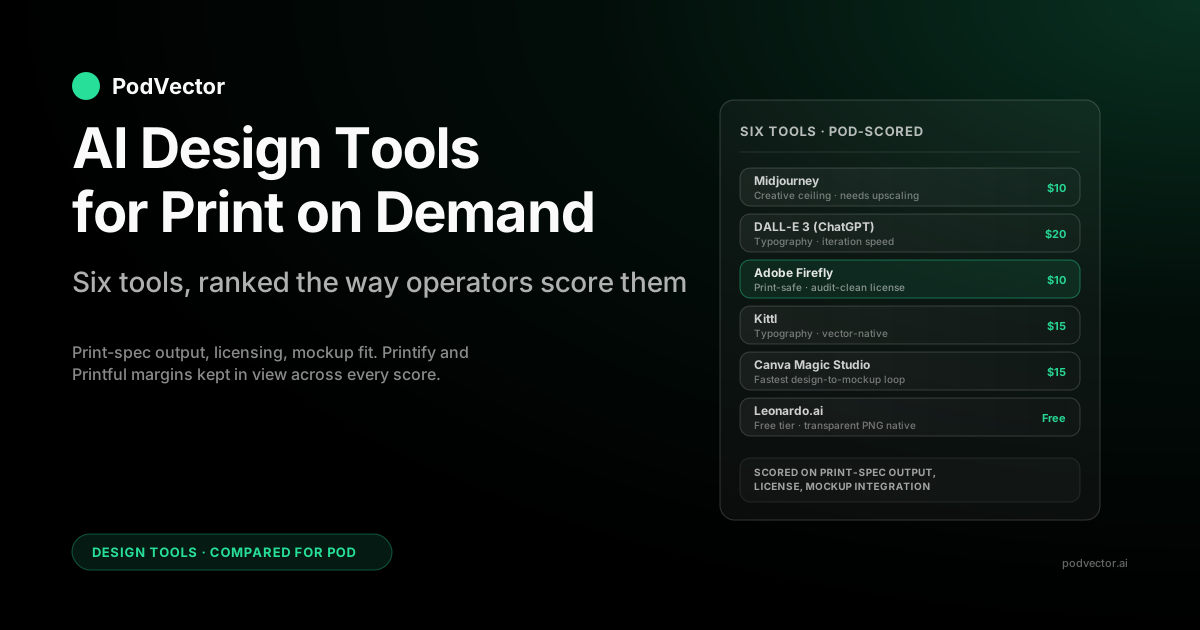
Quick Answer: For print-on-demand in 2026, no single AI design tool wins end-to-end — the question is which tools survive contact with the actual print pipeline. According to Podbase's 2026 AI tools guide, the best tools cover four jobs: design (Canva, Adobe Firefly, Kittl), mockups (Placeit, Mockey, Mockuuups), workflow (Printful, Printify), and copy/SEO (Jasper, Surfer, Writesonic). The design generators that hold up best for POD specifically: Midjourney (highest creative ceiling, needs upscaling), DALL-E 3 via ChatGPT (best for fast iteration and concept work), Adobe Firefly (the print-safe pick — commercial-clean training data, native vector output), Kittl (best for typography-heavy apparel and posters), Canva Magic Studio (fastest design-to-mockup loop with native Printify integration), and Leonardo.ai (strongest free tier with native transparent-background output). Beyond those six, Ideogram leads on text rendering and Recraft leads for vector-native sticker and icon work.
The trap most "best AI design tools" lists fall into is ranking on raw image quality. For POD specifically, the bottleneck isn't generating a beautiful image — it's getting a print-ready, commercial-licensed file onto a Printify or Printful template without three rounds of cleanup. As MyDesigns' 2026 comparison frames it, the right approach is to use broad AI tools for ideation and rough asset creation, then a POD-specific workflow for formatting, mockups, listing prep, and publishing — "that split is where the speed lives." This guide ranks tools on print-spec output, commercial licensing, mockup integration, and cost vs. supplier margin — the four axes that actually decide whether an AI design tool earns its seat in a POD stack.
Why "Best AI Design Tool" Means Something Different for POD
If you sell with your own studio, "best AI design tool" usually means: which one produces the most original, brand-aligned art for the lowest monthly cost. That's the question most roundups answer when you search for AI design tools for print on demand.
They list Midjourney, DALL-E, Canva, Kittl, sometimes Adobe Firefly, sometimes Leonardo. They rank on visual output and ease of use. None of them are wrong about the tools — they're just answering the wrong question for someone running a POD store at scale.
A POD operator has constraints a generic designer doesn't. The file has to land at print-shop spec or it gets rejected, scaled badly, or printed muddy: 300 DPI, sufficient pixels for the placement size, a transparent or color-matched background, the right color profile, no embedded watermarks, and a commercial license that survives audit. According to Podbase's 2026 AI tools guide, for the sharpest printed result you should "submit your final artwork in high resolution and the CMYK color space" — a step most generators don't handle automatically.
The tool doesn't just need to be good; it needs to be good at producing that file. According to Mockey.ai's 2026 seller roundup, "AI tools do not always handle these properly" — sellers still need the right image size, proper DPI, transparent PNG files, and correct scaling, and Photoshop frequently steps in to fix what AI generators leave broken. Half the AI design tools on the most-listed roundups quietly fail one of those production tests.
Then there's the back-end question that no design tool answers: of the designs you generated this month, which ones are responsible for the majority of revenue, and what was the AI subscription cost per profitable design? You can't decide whether Midjourney or Adobe Firefly is actually paying for itself without that data. That's a margin-analytics problem, not a generator problem — and it's where most roundups stop being useful.
As MyDesigns' 2026 comparison notes, the move is to use broad AI tools for ideation and rough asset creation, then a dedicated POD workflow for "formatting, mockups, listing prep, and publishing." The design tool is only one node in that workflow. This guide covers the design subset — six primary tools and a set of strong runners-up, ranked the way a Printify or Printful operator should think about them.
The Scorecard: AI Design Tools Ranked for POD
Scores out of 10. POD-specific axes — a tool that wins on raw image quality but ships at low resolution with a watermark scores lower here than a tool that wins at print-ready output.
| Tool | Starting price | Print-spec output | Commercial license | Mockup integration | Best for |
|---|---|---|---|---|---|
| Midjourney | $10/mo | 7 (needs upscaling) | 9 (Standard+) | External | Apparel art, wall art |
| DALL-E 3 (ChatGPT) | $20/mo | 7 | 9 | External | Typography, iteration |
| Adobe Firefly | $9.99/mo | 10 (vector + 2K) | 10 (audit-clean) | Adobe Express native | Print-safe production |
| Kittl | $15/mo | 9 (vector exports) | 10 | Native templates | Typography apparel, posters |
| Canva Magic Studio | $15/mo | 8 | 9 | Native (Printify/Printful integrations) | Fast iteration, mockups |
| Leonardo.ai | Free / $12/mo | 8 (transparent PNG native) | 8 (Pro+) | External | Volume testing, small budgets |
The picks below cover what each tool is genuinely best at and where it loses. None of them is a complete POD design solution on its own — every working operator stack pairs at least two.
Midjourney — The Creative Ceiling
Pricing: $10/mo Basic, $30/mo Standard (recommended for POD), $60/mo Pro, $120/mo Mega.
Output: Up to 2,048×2,048 at current model versions, upscalable through native upscale or external tools (Topaz Gigapixel, Magnific).
Commercial license: Standard plan and above grant full commercial rights.
Midjourney is what every other text-to-image tool gets benchmarked against. According to Mockey.ai's 2026 seller roundup, sellers "love Midjourney for design ideas" and real sellers still treat it as the primary tool when the design itself is the product — illustrative graphics, painterly portraits, surreal compositions, vintage poster aesthetics. It produces output the others don't for high-concept apparel and wall-art designs.
A shirt that sells on Etsy isn't selling on functional design; it's selling on a look that someone wants on their body. Midjourney is the cheapest way to access that level of creative quality at scale.
The POD-specific catches are real, though. Default output still tops out near 2K, which is below the pixel spec for a standard t-shirt placement. You'll need to upscale — Magnific and Topaz Gigapixel both handle this cleanly — and the upscaling pass adds a step to the workflow that compounds when you're producing volume. According to Mockey.ai's 2026 roundup, AI tools can also produce "weird fingers, broken outlines, strange faces, or odd textures" that require a Photoshop cleanup pass before a design is product-ready.
According to MyDesigns' 2026 toolkit comparison, Midjourney "is strongest for originality" but it asks for more cleanup before a design becomes product-ready. That's the honest frame for where it sits in a POD stack.
Where Midjourney lands in a POD stack: creative ceiling for hero designs, paired with Adobe Firefly or Kittl for variations and supporting product art. Don't run your whole catalog through it — the time-per-design cost isn't worth it at volume.
DALL-E 3 — The Conversational Generator
Pricing: $20/mo (ChatGPT Plus, which includes unlimited DALL-E 3 access). Free via Bing Image Creator with daily limits.
Output: 1,024×1,024, 1,024×1,792, or 1,792×1,024.
Commercial license: You own what you generate; commercial use permitted.
DALL-E 3 inside ChatGPT Plus is the easiest entry point for any POD operator who already pays for ChatGPT. According to Mockey.ai's 2026 roundup, sellers use ChatGPT "to find POD niche ideas, explore product concepts, write better listings, and plan their store strategy" — meaning it earns its cost on pre- and post-design work as much as on the generation itself. According to dodropshipping.com's 2026 roundup, it's rated best for ease of use, letting users "generate diverse print-ready images from simple prompts with minimal learning curve."
The advantages over Midjourney for POD specifically: it handles text-inside-images better (relevant for slogan tees, mug designs, stickers with words), and the iteration speed is faster because you stay in one conversational interface. The output ceiling is the trade-off — native max is below print spec for anything bigger than a postcard. You'll upscale through the same tools you'd use for Midjourney (Magnific, Topaz, or Adobe's built-in Super Resolution).
Style range is wider than Midjourney but less distinctive — DALL-E will produce more generic imagery if you don't push the prompt, where Midjourney produces a recognizable aesthetic almost in spite of the prompt.
Where DALL-E lands in a POD stack: typography-heavy designs and rapid concept iteration, then handed off to Adobe Firefly or Kittl for vectorization and final production. If you only sell on platforms where the long-tail design dominates (Etsy slogan tees, Redbubble stickers), DALL-E plus a print-side cleanup tool can be your entire design pipeline.
Adobe Firefly — The Print-Safe Pick
Pricing: $9.99/mo standalone, included with Creative Cloud.
Output: Up to 2,048×2,048 raster; native vector export through Adobe Illustrator integration.
Commercial license: Trained exclusively on Adobe Stock and licensed/public-domain content. Audit-clean for commercial POD use, including platforms with stricter IP review (Amazon Merch, large licensors).
Firefly is the AI design tool that takes the print-shop side of the workflow seriously. The training-data provenance matters more for POD than most operators realize: if you're selling on Amazon Merch, Walmart, or licensed-IP marketplaces, every design needs a defensible commercial license trail. Firefly's model trained only on Adobe Stock and Creative Commons / public domain content is the only major generator that gives you that paper trail without ambiguity.
According to dodropshipping.com's 2026 roundup, Firefly is rated best for Adobe users, "seamlessly blend[ing] AI visuals with Adobe tools, enhancing workflow for experienced designers." According to Podbase's 2026 AI tools guide, Canva, Adobe Firefly, and Kittl are the core tools helping POD operators generate art, text effects, and clean edits fast — and Firefly's integration with Photoshop for raster cleanup, Illustrator for vector work, and Adobe Express for fast mockup placement gives it the deepest production workflow of any generator on this list. The integration with the rest of Adobe's stack means a designer who already pays for Creative Cloud essentially gets Firefly as part of the bundle.
The catch: raw creative output isn't quite at Midjourney's level for stylized illustration. Firefly is best at clean, commercial, brand-safe imagery — exactly what most POD apparel and home-goods designs actually need, but not where you'd go for a wild artistic concept. Pair it with Midjourney or Leonardo for hero pieces and let Firefly handle production volume.
Where Firefly lands in a POD stack: production workhorse — the tool you run the majority of your designs through once you've got a winning concept, especially if you sell on platforms with audit risk.
Kittl — The Typography Specialist
Pricing: Free with watermarks; $15/mo Pro; $30/mo Expert.
Output: Vector-native; raster export at any resolution.
Commercial license: Pro+ plans grant full commercial rights.
Kittl is the AI design tool optimized for the design styles that disproportionately move t-shirts, mugs, and posters: typography-driven graphics, vintage badges, illustrated lettering, retro logos. According to MyDesigns' 2026 comparison, "Canva and Kittl are easier for editable layouts" — and if your top sellers all look like tour-merch typography or retro slogan tees, Kittl is the tool whose output most closely matches what's already working.
The vector-native output is the structural advantage. Where Midjourney and DALL-E ship raster files you upscale and pray, Kittl exports vector — meaning the same design scales to a large t-shirt placement or a wide-format poster without any quality loss or upscaling step. For typography especially, vector is the only correct format; raster typography shows pixelation at print scale that vector doesn't.
The catch is that Kittl is more of a guided template editor than a free-form generator. If you want a pure-prompt tool — type a description, get an image — Kittl will frustrate you. Its strength is taking a typography concept and giving you many variations on the same idea fast, with elements you can swap and recombine. Operators who treat it as "the tool I use when I know I need a typography design" get the most out of it.
Where Kittl lands in a POD stack: specialist for apparel typography and poster designs, run alongside a free-form generator for everything else.
Canva Magic Studio — The Fastest Loop
Pricing: Free tier; $15/mo Pro; $30/mo Teams.
Output: Up to 4K raster, vector export on Pro+.
Commercial license: Pro plans grant commercial rights to AI-generated content.
Canva is the tool most working POD operators already have open in another tab, and Magic Studio bundles a credible suite of AI features into the workflow they're already using. According to Podbase's 2026 guide, Magic Studio includes Text to Graphic, Magic Morph (transform shapes and patterns), Magic Resize (adapt designs to different product sizes instantly), and Background Remover — making it straightforward to create custom designs for t-shirts, mugs, and phone cases without graphic design experience. According to dodropshipping.com's 2026 roundup, it's rated best for image editing, enabling "precise editing and resizing of AI-generated images for branded merchandise or stores."
None of the individual generators beat Midjourney or Firefly on raw output quality, but the integration is the point — you generate, edit, resize, drop into a mockup template, and export to a Printify integration without leaving Canva. For POD specifically, the killer feature is Magic Resize. A single design auto-scaled to t-shirt placement, mug wrap, poster, sticker sheet, and tote bag layout in one click is the closest any tool gets to solving the multi-product variant problem. The Printify and Printful Canva integrations mean the export step is also collapsed — design in Canva, push to Printify, sync to Etsy or Shopify.
The catches: Canva's Magic Media output ceiling is below Midjourney for hero art, and the vector tools are limited compared to Illustrator. If your designs are typography-driven, Kittl is better. If they're hero illustration, Midjourney is better. If they're production-volume design-to-mockup, Canva wins on speed.
Where Canva lands in a POD stack: hub of the workflow for early-stage operators — the tool you build the catalog inside, with specialist generators slotted in upstream when you need their specific output.
Leonardo.ai — The Free-Tier Workhorse
Pricing: Free (150 daily tokens); $12/mo Apprentice; $30/mo Artisan.
Output: Up to 1,536×1,536 native, with upscale options.
Commercial license: Apprentice (Pro) plan and above grant commercial rights.
Leonardo is the AI design tool that wins on free-tier generosity and transparent-background handling. The 150-token daily free allowance is enough to test multiple designs a day at no cost, which matters when you're in the volume-test phase of a new niche and don't want to commit to another monthly subscription. The free tier has commercial limits — for actual POD selling, you need the Apprentice tier — but it's a real entry point, not a glorified trial.
The technical advantage: Leonardo handles transparent backgrounds natively, which most general-purpose generators don't. For POD apparel specifically, transparent-background output is the difference between a clean shirt placement and a visible white box around your design. According to Mockey.ai's 2026 roundup, getting "transparent PNG files" right is one of the non-negotiable requirements for print-ready AI output — and most tools require a separate background-removal step that degrades fine edges. Leonardo also runs multiple model checkpoints, which means style variation per prompt is wider than single-model tools.
The catch is workflow integration. Leonardo doesn't natively plug into Printify, Printful, or Canva — you generate, download, then drop into your design pipeline manually. For a small operator that's fine; for a high-volume operator the friction adds up.
Where Leonardo lands in a POD stack: volume testing and the niches where transparency matters, especially for operators on tight subscription budgets.
Runners-Up: Stable Diffusion, Ideogram, Recraft, Freepik AI
Four other tools are worth knowing about even if they don't crack the top six for most POD operators.
Stable Diffusion (self-hosted): Free if you run it on your own GPU, or available by the hour on cloud GPU instances (RunPod, Vast.ai). Highest possible flexibility — fine-tune on your own brand style, run any community checkpoint, no per-image cost. Highest possible setup and maintenance overhead. Worth it for operators who treat design generation as a competitive moat and have either a gaming PC or a willingness to learn ComfyUI. Not worth it for anyone who wants a managed tool they can onboard in an afternoon.
Ideogram 2.0: The strongest text-rendering generator on the market as of mid-2026. According to WearView's 2026 AI design guide, generators like Ideogram, Canva, and Adobe Express "can design for mugs, stickers, posters, and more" beyond just apparel. If your POD niche is slogan-driven — motivational quotes, fan-niche text designs, religious or political messaging — and DALL-E's text isn't crisp enough, Ideogram's typography output is the alternative. Priced at $7/mo for the Basic plan; commercial rights included.
Recraft: Vector-native generator with strong icon and brand-mark output. Useful for POD operators who sell sticker packs, planner inserts, or any product where vector format is structurally required. The Pro tier sits around $12/mo.
Freepik AI Suite: Bundled access to multiple models (Flux, Mystic, Imagen) plus Freepik's stock library. According to Podbase's 2026 guide, Freepik AI is among the tools POD sellers are using alongside Canva and Firefly for design generation. The entry tier gives meaningful access across generators for operators who don't want to commit to one platform yet.
MyDesigns: Less a generator than a production-and-publishing layer — it bundles AI generation, background removal, upscaling, mockups, and bulk listing to Etsy and Shopify into one workflow. According to MyDesigns' own 2026 comparison, their platform is "strongest for turning designs into product-ready listings fast." It shows up consistently at or near the top of current roundups because it's optimized for the handoff steps where pure generators stop, not for raw image quality. Worth a look for operators whose bottleneck is the design-to-live-listing pipeline rather than the design itself.
The adjacent category: AI mockups and on-model product photography
According to WearView's 2026 guide, AI now handles two distinct jobs in the POD workflow: generating the artwork that goes on the product, and producing the photos that show that product on a real-looking person. Both matter for conversion — original artwork keeps you out of the saturated template pool, and on-model imagery makes a blank-mockup listing look like a real brand.
Printful's AI mockup generator and Printify's mockup engine both produce high-resolution on-product previews automatically once your design is placed, which collapses the listing-image step you'd otherwise do in Photoshop. Standalone mockup tools — Placeit by Envato, Mockey, and Mockuuups Studio — are flagged on current "AI for POD" roundups as the faster way to get a library of template-based product shots without a supplier account. According to Podbase's 2026 guide, "Placeit, Mockey, and Mockuuups Studio create realistic product visuals in minutes." According to WearView's 2026 AI design guide, WearView is "focused on fashion and apparel" and lets you put your product image on AI-generated models with a short description of the model and setting — though some finishing in an editor still helps for final print-ready files. The catch is the same one that runs through this guide: these tools make the listing look good, but they don't tell you which listings are worth the effort.
The adjacent category: AI listing copy and SEO tools
The other addition to the latest roundups isn't a design tool at all — it's the AI copy layer that writes the title, bullets, and tags around the design. According to Podbase's 2026 guide, "Jasper, Surfer SEO, and Writesonic produce on-brand product copy and optimize content for search." These are genuinely useful for the listing-volume problem, but they sit on the same blind spot as the generators: they help you produce and describe more listings, not decide which listings deserve the effort. The copy is downstream of the design, and both are upstream of the only question that pays the bills — which products are actually profitable.
Where AI Design Tools Break the Print Pipeline
Three categories of failure show up consistently when AI-generated designs hit the actual print queue. Most generic AI design roundups don't surface these because they're testing visual output, not production output. Knowing where the breaks happen tells you which tools to pair and which steps to leave space for.
Resolution and DPI failures
Print-on-demand suppliers expect 300 DPI at the placement size. Most AI generators ship below that natively. According to Mockey.ai's 2026 roundup, sellers need "the right image size, proper DPI, transparent PNG files, and correct scaling" — and AI tools do not always handle these automatically, requiring Photoshop to fix what generators leave incomplete.
If you upload raw AI output to Printify or Printful, the print engine will scale up, the design will print soft and pixelated, customers will return it, and you'll eat the cost. The fix is upscaling — Magnific, Topaz Gigapixel, or Adobe Photoshop's built-in Super Resolution all work. Adobe Express bundles Super Resolution into Firefly's workflow natively — the structural advantage of Firefly + Creative Cloud.
The 2026 update worth knowing: the POD platforms themselves now generate and upscale. According to dodropshipping.com's 2026 roundup, Printify "bundles AI design tools with a full print on demand platform including fulfillment and mockups" and is rated best for an integrated POD solution — its built-in AI Image Generator resizes and upscales generated artwork to placement spec automatically. Printful's AI tools do the same on their side. For an operator who generates a concept elsewhere but wants the upscaling and product-fitting step collapsed, running the final pass inside the platform removes the separate upscaler subscription — at the cost of less control than a dedicated tool like Magnific gives you over how the upscale interprets fine detail and text edges.
Transparent-background failures
Most AI generators don't handle transparency natively. The output ships with a white or off-white background that you have to remove before placement on a colored t-shirt. Background-removal tools (Adobe's Remove Background, Canva's Background Remover, Photoroom, Removal.ai) handle simple cases fine but botch designs with fine detail — drop shadows, hair, anti-aliased edges around text. The cleaner solution is using a generator that handles transparency natively (Leonardo, Adobe Firefly with the right settings, Stable Diffusion with transparency LoRAs) or generating with an intentional flat color background you can color-match in your design tool.
Color profile mismatches
AI generators output in sRGB; print suppliers expect either sRGB or CMYK depending on the substrate. According to Podbase's 2026 AI tools guide, for the sharpest printed result you should "submit your final artwork in high resolution and the CMYK color space." The difference is invisible on screen and obvious on the printed garment — colors come out muddy or shifted. The fix is converting to the supplier's expected profile in Photoshop, Affinity, or Canva's color management. Printify's design rules and Printful's design guidelines both publish their expected profiles; check before you upload.
Licensing audit risk
Etsy, Shopify, and small-platform stores rarely audit AI-design provenance, but Amazon Merch on Demand, Walmart Marketplace, Redbubble (intermittently), and large licensor partnerships do. The safest tools for these channels are the ones with clean training-data provenance: Adobe Firefly (Adobe Stock + Creative Commons), and to a lesser extent Getty's iStock generator. Midjourney, DALL-E, and Stable Diffusion derivatives have complicated training-data histories that haven't fully resolved in court yet. For most operators this is theoretical risk; for anyone selling on Amazon Merch or pursuing licensed-IP partnerships, it's a real underwriting question.
The workflow gap: design-to-listing handoff
A pattern that's emerged clearly in 2026 roundups is the "design handoff" gap — the friction between generating a design and getting it live on a product listing. According to Podbase's 2026 guide, AI now "collapses the whole launch pipeline" so that sellers "no longer have to order samples, organize photo shoots, and extend your product launch by weeks." Tools like MyDesigns, Printify's native AI generator, and Canva's Printify integration all attack this gap from different angles. For operators running Shopify stores, consider how your broader POD strategy and automation setup can reduce the manual steps between a finalized design and a live, priced listing.
Three POD Design Stacks by Store Stage
What you should actually pay for depends on store stage. The right stack at $2K/month in revenue is wrong at $50K/month and vice versa.
Stack 1 — Side hustle / first 100 designs ($0–$30/mo)
Generator: Leonardo.ai free tier + DALL-E 3 (already paying for ChatGPT Plus).
Editing/mockups: Canva free tier with Printify integration.
Total cost: $0–$20/mo.
Trade-off: You're slower and less polished than competitors with paid tools, but you're spending zero before product-market fit. Once a niche is validated, upgrade. At this stage, your fulfillment choice matters as much as your design tool — understanding your net profit margin benchmarks helps you set realistic expectations before you start scaling design spend.
Stack 2 — Profitable side store ($30–$80/mo)
Generator: Midjourney Standard + DALL-E 3 (ChatGPT Plus).
Editing/mockups: Canva Pro.
Upscaling: Magnific or rely on Canva's built-in resize for now.
Total cost: $65–$105/mo.
Trade-off: You've moved from generic to distinctive design output and bought enough volume that cost-per-design drops. At this stage you're likely running paid traffic — the Facebook Ads vs. Google Ads comparison for POD sellers is the right starting point for deciding where to spend first.
Stack 3 — Scaled operator ($150–$250/mo)
Generator: Midjourney Pro + Adobe Creative Cloud All Apps with Firefly + Kittl Pro for typography.
Editing/mockups: Adobe Express + Photoshop (already in CC) + Canva Teams for collab if needed.
Upscaling: Built into Adobe stack via Super Resolution.
Total cost: $135–$200/mo.
Trade-off: You've added Firefly's audit-clean licensing for any platform that needs it, vector capability via Kittl and Illustrator, and removed "open three tools to ship one design" friction. At this stage you're also running real ad budgets — understanding data-driven attribution on Google Ads for POD sellers and how to run CRO techniques on your store matters as much as the design stack. And once designs are live, you'll want to increase average order value with AI to extract more margin from the traffic you're already buying.
The Question No Design Tool Answers: Which Designs Actually Sell?
Spend two months with any of these tools and a different problem shows up. You've generated 40, 80, 200 designs. They're live on Etsy or Shopify. Some are selling, most aren't. Which ones are actually profitable, and what was your AI subscription cost per profitable design?
None of the design tools answer this. They're upstream of the question.
Even Canva, Adobe, and Kittl — the tools with the deepest integrations — stop at the design-to-product handoff. After that the data lives in Shopify (sales), Printify or Printful (variable supplier cost per SKU), Meta and Google (ad spend per design page), and your bank account (the only number that matters). Stitching those together is where most operators stop and start guessing.
As MyDesigns' 2026 comparison puts it, the move is to use broad AI tools for ideation and a POD-specific workflow for "formatting, mockups, listing prep, and publishing" — but even doing all of that right, you're still flying blind on which of your live designs are actually margin-positive after supplier cost, ad spend, and refunds. Understanding your checkout completion rate and your net profit margin benchmarks adds important context, but you still need live data to know which designs are driving those numbers.
This is the gap Victor by PodVector AI closes. Victor is an AI employee who reads your Shopify, Printify, Printful, Meta Ads, and Google Ads data together, so he can answer plain-English questions like: "Which designs from the last 30 days have the highest gross margin per unit, and what's my cost per acquisition for the listings they're on?" He gives you the answer in seconds, using your real numbers, not a stale export. That's what turns "I generated 200 designs" into "these 14 designs made money, these 186 didn't — here's what they have in common."
Victor also proposes and executes Shopify-side actions — like repricing a product to a target margin, creating a discount, or adjusting a free-shipping threshold — with your approval before anything runs. The design tool is upstream of all of that. The tools in this guide produce the inventory; Victor tells you which inventory is actually working, and helps you act on that signal. For a deeper look at how margin analytics fits into a POD stack, see the PodVector AI POD strategy guide — because once you know which designs earn, the next question is how to deploy that margin intelligently.
FAQs
What's the best AI design tool for print on demand in 2026?
There isn't one — the right answer is a paired stack. For most operators: Midjourney or DALL-E for hero/illustrative designs, Adobe Firefly or Kittl for production-clean and vector output, and Canva as the integration hub that connects everything to Printify or Printful. According to MyDesigns' 2026 comparison, "Midjourney is strongest for originality, Canva and Kittl are easier for editable layouts." If you're forced to pick one tool and one tool only, Adobe Firefly inside Creative Cloud is the most defensible pick because it covers generation, vectorization, upscaling, and mockup placement with audit-clean licensing.
Can I sell AI-generated designs on print on demand platforms legally?
Yes, on most platforms, with caveats. Etsy, Shopify-hosted stores, Redbubble, and TeePublic generally accept AI-generated designs provided you have commercial rights from the generator's plan. Amazon Merch on Demand has tightened its review process and has rejected designs flagged as AI-generated; using Adobe Firefly (audit-clean training data) reduces that risk. Always check the platform's current AI-content policy before scaling — it's the fastest-changing variable in the industry.
Do I need to upscale Midjourney or DALL-E images for POD?
Yes, almost always. Both generators output below the pixel spec needed for a standard t-shirt placement at 300 DPI. According to Mockey.ai's 2026 roundup, sellers need "the right image size, proper DPI, transparent PNG files, and correct scaling" — and raw AI output rarely satisfies all four without at least one cleanup pass. Magnific, Topaz Gigapixel, or Adobe Photoshop's Super Resolution (included with Creative Cloud) all handle this cleanly. Skipping upscaling is the most common cause of return-rate spikes on AI-designed POD products.
Which AI design tool has the best commercial license for POD?
Adobe Firefly. It's the only major generator trained exclusively on Adobe Stock and licensed/public-domain content, which gives you the cleanest legal trail for commercial sale. Midjourney (Standard plan and above) and DALL-E 3 also grant commercial rights, but their training data has unresolved legal questions in some jurisdictions. For Etsy and Shopify selling, any of them is fine. For Amazon Merch, Walmart Marketplace, or licensed-IP partnerships, Firefly is the safer choice.
Can Canva replace Midjourney for POD design?
For most use cases, no — Canva's Magic Media output ceiling is below Midjourney's for hero illustrative work. For typography, basic graphic design, and especially for the design-to-mockup-to-Printify workflow, Canva is faster and integrated enough that it can be the only tool you use. The honest answer for most operators: use both. Generate hero pieces in Midjourney, finish and mockup in Canva.
What about free AI design tools for print on demand?
Leonardo.ai's free tier (150 daily tokens) is the most generous for actual usable output, but commercial rights require the paid Apprentice plan. Bing Image Creator gives you free DALL-E 3 access with daily limits and personal-use rights. Canva's free tier includes basic Magic Media credits. Stable Diffusion is free if you self-host — real cost is GPU time and setup. Realistic answer: free tiers are for validation, not for running a business. Once you're past your first few sales, the paid tiers pay back quickly.
What about AI mockup and on-model product photography tools?
They're a fast-growing adjacent category, separate from the generators. According to WearView's 2026 AI design guide, "AI now handles two distinct jobs in that workflow: generating the artwork that goes on the product, and producing the photos that show that product on a real-looking person" — and both matter for conversion. Printful's AI mockup generator and Printify's mockup engine create high-resolution on-product previews automatically. According to Podbase's 2026 guide, "Placeit, Mockey, and Mockuuups Studio create realistic product visuals in minutes." WearView puts apparel on AI-generated models for lifestyle listing shots, with the caveat that it is "focused on fashion and apparel, so it fits clothing POD best rather than non-wearable products." They lift listing conversion, but they're downstream of the only decision that matters: which designs are worth listing in the first place.
What's the difference between Ideogram and DALL-E for text-heavy POD designs?
Ideogram 2.0 is the stronger choice for text-rendering accuracy — if your designs depend on crisp, legible typography inside the image itself (slogan tees, quote mugs, religious or motivational messaging), Ideogram produces cleaner letterforms at print scale. DALL-E 3 has improved on text but still introduces errors in longer strings. For pure typography layouts — where the type is the design — Kittl (vector-native) remains the most reliable option for POD because the file format guarantees print-clean edges at any resolution.
How do I know if my AI design tools are paying for themselves?
The math: total monthly subscription cost ÷ number of designs that produced positive gross margin = cost per profitable design. Pulling the data manually is painful — it lives across Shopify, Printify or Printful, and your subscription invoices. Victor by PodVector AI reads your Shopify, Printify, Printful, Meta Ads, and Google Ads data and answers "which designs were profitable" in plain English, so you know which subscriptions are worth keeping. If you're also thinking about moving from Etsy to Shopify, Victor can tell you which designs are worth migrating before you spend on the move.
Generate the designs. Know which ones actually sell.
The AI design tools in this guide handle the upstream work — they put inventory in your store. The question that decides whether you scale or stall is which of those designs are actually profitable after Printify or Printful supplier cost, ad spend, and refunds. Victor by PodVector AI connects directly to Shopify, Printify, Printful, Meta Ads, and Google Ads — reads live order-level data across all of them — and answers margin questions in plain English so you can make subscription and design decisions on real numbers, not gut feel.
Try Victor free