
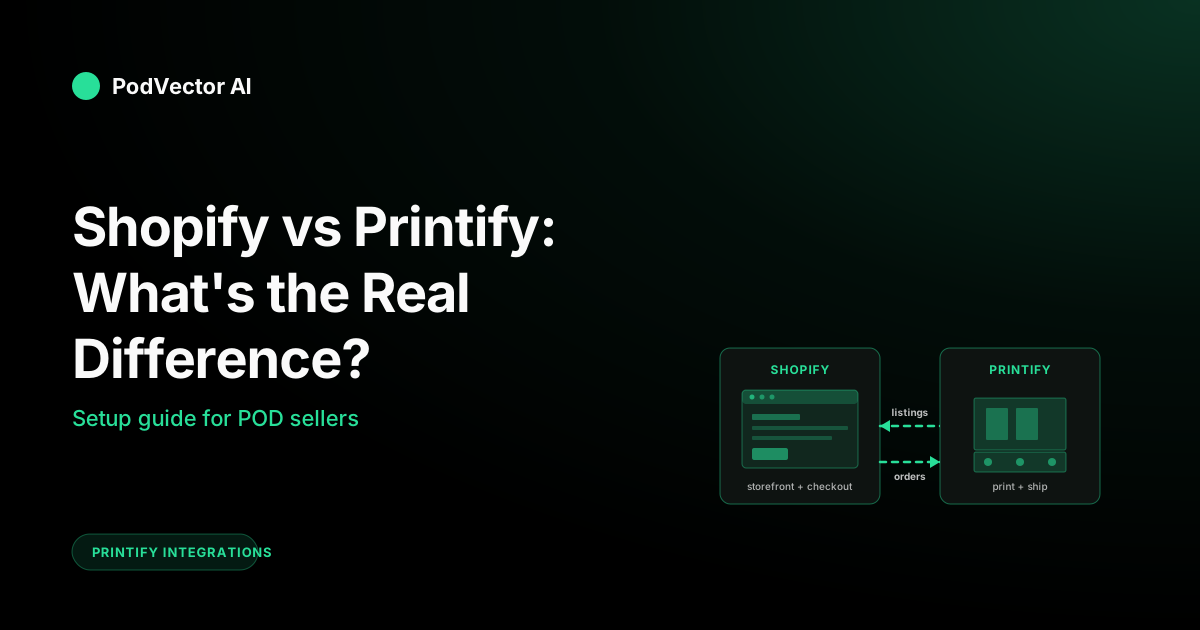
Quick Answer: Shopify is your storefront. Printify is your factory. Shopify hosts the website, runs checkout, and owns the customer relationship. Printify holds the product catalog, prints each item after sale, and ships it directly to the buyer.
They are not competitors. The vast majority of Shopify-Printify sellers run both — Shopify on the front, Printify on the back, connected through Printify's free app on the Shopify App Store.
The harder question — and the one this guide actually answers — is the blended monthly cost, where margin actually leaks, and the exact setup steps to wire the two together.
The Core Difference in One Sentence
Shopify is an e-commerce platform. Printify is a print-on-demand supplier.
That single distinction explains every downstream difference — pricing model, who holds inventory, who talks to the customer, who handles shipping. If you understand the storefront-vs-factory split, the rest of this comparison is just detail.
The trap most new sellers fall into is treating them as alternatives. They are not. A Shopify store with no supplier sells nothing. A Printify account with no storefront has nowhere to send buyers. The real decision is rarely "Shopify or Printify" — it's "Shopify-only," "Printify-only via Pop-Up," or "both together." We cover all three below.
What Shopify Does vs. What Printify Does
Both platforms try to be friendly to beginners, which makes their marketing pages blur into each other. Here's what each one actually owns.
What Shopify owns
- The website. Themes, pages, navigation, blog, custom domain.
- Checkout. Cart, shipping calculation, payment processing, tax collection.
- Customer accounts. Login, order history, email marketing identity.
- Apps and integrations. 8,000+ apps in the Shopify App Store — reviews, upsells, abandoned cart, loyalty.
- Sales channels. Push the same catalog to Facebook Shop, Instagram, TikTok Shop, Google Shopping, Amazon, eBay.
What Shopify does not own: the physical product. No factory, no warehouse, no shipping label. Shopify is the brain — it routes orders to whoever fulfills them.
What Printify owns
- The product catalog. 900+ blank products across apparel, mugs, posters, phone cases, home goods.
- The print provider network. 100+ third-party print shops Printify routes orders to based on geography and stock.
- Production. Once an order hits, Printify queues it, the chosen provider prints it, packs it, and ships it.
- Tracking sync. Tracking numbers flow back from the provider to Printify to Shopify automatically.
What Printify does not own: the storefront, the customer, the brand. Printify never appears on the order. The buyer thinks the product came from your store.
Think of it this way: Shopify is the front of the restaurant — the menu, the host, the table, the bill. Printify is the kitchen no diner ever sees. Both have to work for the customer to get fed.
Side-by-Side: 9 Real Differences
Marketing pages love to compare features. Most of those comparisons are noise. Here are the nine differences that actually change how you run the business.
| Dimension | Shopify | Printify |
|---|---|---|
| Core function | Storefront + checkout | Production + fulfillment |
| Pricing model | Monthly subscription ($5–$2,300+) | Free + per-item production cost |
| Transaction fees | 2.9% + 30¢ (Shopify Payments) or 0.5–2% extra on external gateways | None — production cost is the cost |
| Inventory | You manage (or rely on supplier feed) | None — each item made after sale |
| Storefront customization | Full control: themes, code, domain, brand | Pop-Up Store: one page, Printify-branded URL |
| Customer relationship | Owned by you (email list, accounts) | Zero — Printify never contacts buyer |
| Support burden | You handle all customer service | You handle customer-facing; Printify handles print defects |
| Best for | Brand-builders, multi-product stores, ad-driven growth | Anyone selling custom merch — even alongside Etsy or eBay |
| Learning curve | Moderate — themes, apps, settings to configure | Low — sign up, upload a design, publish |
The pattern: Shopify makes you do more work up front and gives you more leverage later. Printify makes you do almost no work up front but caps how far you can go on its own pop-up store.
The Blended Cost: Shopify + Printify Per Month
Most comparison articles give you Shopify's pricing in one section and Printify's in another. That's misleading. If you're going to run both — which 90% of POD sellers do — the only number that matters is the blended monthly bill.
Here's the math, broken out so you can see exactly where the dollars go.
Shopify side (fixed monthly)
- Basic Shopify: $39/month. Most POD sellers start here.
- Shopify: $105/month. Drops transaction fees and adds lower card rates.
- Advanced Shopify: $399/month. Mostly relevant once you cross $300K/year.
- Starter: $5/month. No real storefront — just a link-in-bio checkout. Skip unless you're selling through DMs.
Shopify also runs introductory deals that drop the first three months to $1 total. The full monthly rate kicks in afterward.
Shopify side (per-order)
- Shopify Payments: 2.9% + 30¢ per transaction on Basic. Lower at higher tiers.
- External gateway (PayPal, Stripe, Amazon Pay): Add 2.0% on Basic, 1.0% on Shopify, 0.5% on Advanced.
- Apps: Most POD stores end up with $20–$80/month in app subscriptions (reviews, upsells, email).
Printify side (per-item)
- Free plan: $0/month. Every product carries its base production cost — typically $7–$14 for a t-shirt, $5–$8 for a mug.
- Premium: $29/month. Knocks 20% off the production cost on every item. Break-even is around $150/month in production cost — roughly 20 t-shirt sales.
- Enterprise: Custom — only relevant past 10,000+ orders/month.
Worked example: 50 t-shirts/month at $25 retail
Assume a $10 base production cost on a midweight unisex tee, $4 shipping cost to the customer, $25 retail with $5 shipping charged.
- Gross revenue: 50 × $30 ($25 + $5 shipping) = $1,500
- Production + shipping (Printify Free): 50 × $14 = $700
- Shopify Basic: $39
- Shopify Payments fees: 2.9% × $1,500 + 50 × $0.30 = $58.50
- Apps (modest): $30
- Net before ads: $672.50
Switch to Printify Premium: production drops to $11.20 per shirt (20% off the $10 base + $4 shipping unchanged). Savings: $40/month. Premium costs $29. Net gain: $11. At 50 shirts you're at the break-even tipping point. Above 70 shirts/month, Premium becomes the obvious call.
The number that bites most new sellers isn't Shopify's $39 — it's the combination of card fees, apps, and ad spend stacked against per-unit production cost they didn't itemize. Build the spreadsheet before you scale.
Printify Pop-Up Store vs. Shopify: When You Can Skip Shopify
Printify offers a free Pop-Up Store — a one-page storefront on a printify.me URL. No monthly fee. No Shopify required.
It works. It also has a hard ceiling.
What the Pop-Up Store does well
- Zero monthly cost. Period.
- Setup in under 10 minutes — upload design, set price, share link.
- Printify handles checkout, payment, and fulfillment.
- Great for one-off campaigns, friends-and-family launches, or testing whether a design has any pull at all.
What it can't do
- No custom domain. URLs look like
yourname.printify.me, which kills perceived legitimacy for paid ads. - No real customization. One template, one layout, no themes.
- No app ecosystem. No upsells, no abandoned cart, no email automation.
- No customer accounts. Repeat buyers re-enter shipping every time.
- No Meta or Google Shopping integration. You can drive traffic by sharing the link, but you can't run a proper paid catalog.
The Pop-Up Store is the right tool when you want to find out if a design sells before committing to monthly fees. Once a design proves out, move it to Shopify so you can build a brand around it.
The 6-Step Setup to Connect Them
The Shopify-Printify integration is a Printify-side install. You build your Shopify store first, then add Printify as the supplier. Here are the six steps that actually matter.
Step 1: Stand up the Shopify store
Sign up at shopify.com. Pick a theme — Dawn is the free default and works fine for POD. Set up your domain (or keep the .myshopify.com URL temporarily). Configure Shopify Payments and add a shipping zone covering at least the countries you're willing to fulfill to.
Do not skip the shipping zone step. Printify pushes shipping rates based on your Shopify zones — if a country isn't listed, customers there can't check out even though Printify could ship there.
Step 2: Install the Printify app from the Shopify App Store
In Shopify admin, click Apps → Visit Shopify App Store. Search "Printify." The official app is the one made by Printify with thousands of reviews — install that one. Click Add app and approve the permissions Shopify requests.
Step 3: Approve the connection on Printify's side
You'll be redirected to Printify. If you already have a Printify account, sign in. If not, create one (free is fine — Premium can be added later). Printify will show your Shopify store name and confirm the connection.
Step 4: Build a product
Inside Printify, click Catalog, pick a blank product (e.g., a Bella+Canvas 3001 unisex tee), pick a print provider, upload your design to each variant, set a retail price for each size and color, and write the listing copy. This is where you spend your time — the design and the listing are 80% of whether the product converts.
Step 5: Publish to Shopify
From the product page, click Publish → choose your Shopify store → confirm. Printify pushes the listing into Shopify as a draft product. Open it in Shopify admin, double-check images, descriptions, and SEO fields, then set it to Active.
Step 6: Place a test order
This step trips up more sellers than any other. Run a real order — through your own Shopify checkout — for one unit, shipped to your home address. Pay full price. Let Printify produce and ship it. The test order proves four things:
- Checkout works on the live site.
- Shopify Payments captures correctly.
- Printify receives the order via the integration.
- The actual product matches the mockup quality you expected.
The $14 you spend on a test order is the cheapest insurance you'll ever buy. Refund yourself in Shopify after the package arrives.
What to Track Once Orders Are Live
This is the part every Shopify-vs-Printify comparison skips. The platforms are easy to set up. Running the business across both is where margin disappears quietly.
The hard truth: Shopify's analytics show revenue. Printify's show production cost. Neither shows you blended profit per order, per design, or per ad campaign. You have to assemble that view yourself — or hand it off.
The numbers worth watching weekly:
- True margin per product. Retail price minus Printify production cost, minus shipping, minus Shopify card fees, minus an allocated share of monthly app costs and ad spend. Some products look profitable on the listing and bleed money once you back out fees.
- Ad spend by SKU. Meta and Google attribution doesn't naturally tie back to Printify cost. Without a unified view, you can scale ad spend on a design that loses money per unit.
- Inventory routing changes. Printify reroutes orders when a print provider runs short. The new provider may have higher cost or longer ship time, which silently changes your margin and review velocity.
- Refund rate by product. Hard to see across two dashboards. Worth surfacing — a single design with a 5% refund rate destroys what looks like a winning P&L.
This is the operator problem PodVector exists to solve. Victor is an AI employee who plugs into your Shopify and Printify (and Meta and Google), holds your live data warehouse as the single source of truth, and actively runs the business — reallocating ad spend across campaigns, updating Shopify product pages, pausing losing SKUs, all with your approval before each material action. The dashboards are a side effect; the action is the product. See what Victor does for Shopify+Printify sellers.
Common Mistakes That Cost Margin
Setting one global retail price for every variant
A 2XL costs more to produce than a Small on every Printify catalog item. Pricing both at the same retail point means 2XLs lose money. Set variant-level pricing in Printify before you publish.
Ignoring the Premium break-even point
Premium pays for itself at around $150/month in production cost. Sellers who stay on the free plan past that point are voluntarily giving up 20% margin on every unit. Re-check the math monthly.
Treating Printify shipping as free
Printify charges shipping per item to you. Your Shopify shipping charges to the customer rarely cover it cleanly, especially on multi-item orders. Build a shipping cost model — flat rate, free-over-threshold, or variant-specific — that doesn't leak.
Running ads without a unified view
Meta says one campaign drove revenue. Google says another. Shopify shows blended attribution. Printify shows production cost. Without a single source of truth, you'll scale spend on whichever platform claims credit loudest — even when the unit economics are negative.
Skipping the test order
You will be surprised how often print quality, color accuracy, or shipping speed differs from what the mockup suggested. Burn $14 to find out before a customer does.
FAQs
Do I need Shopify to use Printify?
No. Printify integrates with Etsy, eBay, Walmart, Wix, Squarespace, and others. You can also use the free Pop-Up Store with no storefront at all. Shopify is the most powerful option for brand-building and paid ads, but not the only one.
Do I need Printify to use Shopify?
No. Shopify can sell anything — physical goods you ship yourself, digital products, services, dropshipped items from other suppliers. Printify is just one of many supplier options for POD specifically.
Is Printify free with Shopify?
The Printify app on Shopify is free to install. The Printify Free plan is free monthly. You pay only the production cost of each item when it's sold. Premium ($29/month) is optional and discounts production cost by 20%.
Can I switch from Printify Pop-Up to Shopify later?
Yes. Products you built in Printify can be republished to a new Shopify store with two clicks. You'd lose Pop-Up Store traffic and orders during the migration, but the catalog itself ports cleanly.
Which is cheaper to start, Shopify or Printify?
Printify Pop-Up is $0 forever. Shopify is $39/month minimum (after the intro trial). If your goal is to test whether a design sells with zero risk, start on Printify Pop-Up. If your goal is to build a brand, Shopify is the floor.
Can I sell on both at the same time?
Yes — many sellers run Printify-powered listings on Shopify, Etsy, and eBay simultaneously. Printify syncs orders from each storefront into one production queue. Just watch your inventory routing — the same design can quietly get fulfilled by different print providers across channels.
Who handles customer service, Shopify or Printify?
You do. Shopify provides the platform for support (email, customer accounts, order history), but every refund decision, shipping question, and product complaint comes to you. Printify handles defect-replacement disputes internally but never talks to your customer directly.
For more depth on the two platforms specifically, see the Bootstrapping Ecommerce comparison, which walks through a real $1,000-month case study.
Related Reading
- Connecting Printify to Etsy: the same setup pattern, different storefront
- Printify + eBay integration walkthrough
- Printify on eBay: setup specifics
- All Printify integration guides
- Printify Free plan: full cost breakdown
- Printify Free plan features in detail
- The full Printify topic hub
Let Victor run your Shopify + Printify stack
Shopify shows you revenue. Printify shows you production cost. Neither tells you which design is actually making money once ads, fees, and shipping are stacked.
Victor does. He plugs into Shopify, Printify, Meta, and Google, holds the unified data warehouse, and acts — reallocating spend, updating listings, pausing losers — with your approval before each move.
Try Victor free