
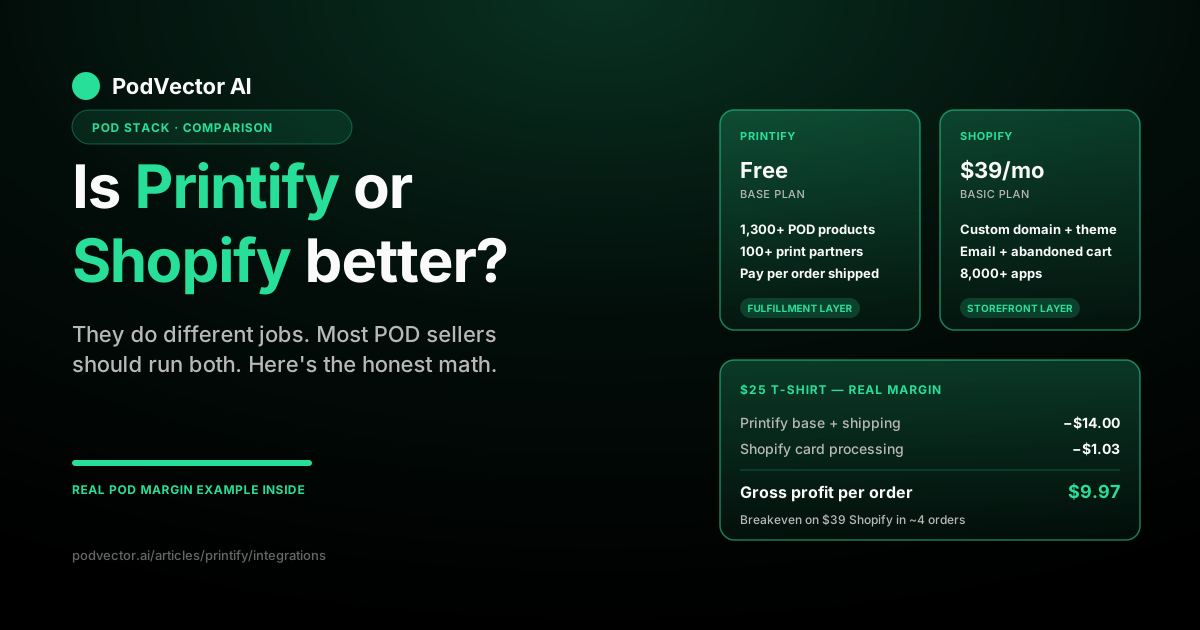
Quick Answer: Printify and Shopify aren't really competitors. Printify is a print-on-demand (POD) supplier — it manufactures and ships your products. Shopify is the storefront customers buy from.
If you only sell POD merch and want the cheapest possible start, Printify's own Pop-Up Store is fine. If you want a real brand, custom domain, multichannel sales, and room to grow, Shopify plus Printify together is the standard setup most serious POD sellers run.
The real question isn't "which one" — it's "do I need both?" For most POD operators, yes.
They Do Different Jobs
Most "Printify vs Shopify" articles bury the real answer. Here it is: these are two different categories of product.
Printify is a print-on-demand supplier. You design a t-shirt or mug, list it in your store, and when a customer orders, Printify prints it at one of their partner factories and ships it directly to the buyer. You never touch inventory.
Shopify is an e-commerce platform. It's the website customers shop on, the checkout that takes their card, the dashboard you run your store from. It doesn't make any products. It runs the store.
Asking which is better is like asking whether a printer or a website is better. They solve different problems.
That said — Printify does include a basic free storefront called Pop-Up Store, and Shopify has its own apps and themes for selling physical products you stock yourself. So there is a small overlap. We'll cover when each one is enough on its own.
When Printify Alone Is Enough
You can run a tiny POD business using only Printify, with no Shopify subscription. The path is their free Pop-Up Store.
This is genuinely fine if you fit a narrow profile:
- You're testing whether anyone wants the product at all
- You only need a handful of SKUs, not a full catalog
- You're selling to friends, a small community, or a single Instagram audience
- You don't care about a custom domain like
yourbrand.com - You don't need email capture, abandoned-cart flows, or analytics
Pop-Up Store is essentially a hosted landing page on a Printify subdomain. You drop products on it, share the link, and Printify handles checkout and fulfillment. Zero monthly cost.
The ceiling is low. You can't customize much, you don't own the customer email, and there's no real growth runway. But for a first $500 in sales? It works.
When Shopify Alone Is Enough
You can also run Shopify without Printify — if your products aren't print-on-demand.
If you're sourcing inventory from a wholesaler, dropshipping from AliExpress via DSers, manufacturing your own products, or selling digital goods, Shopify alone makes sense. Printify only enters the picture when you want POD as your fulfillment model.
Some sellers also use Shopify with a different POD supplier — Printful, Gelato, SPOD, or Apliiq — instead of Printify. Same role in the stack, different vendor. That's still a Shopify store with a POD app, just not Printify's app.
When You Need Both (Most POD Sellers)
For sellers who want a real brand and meaningful revenue from POD, the standard stack is Shopify as the storefront and Printify (or an alternative POD supplier) as the fulfillment layer.
You get:
- Your own domain.
yourbrand.com, notyourbrand.printify.me. - Full theme customization. Brand the site to match your audience.
- Email capture and marketing. Newsletters, abandoned carts, win-backs.
- Multichannel selling. Push the same catalog to TikTok Shop, Instagram, Google Shopping, and more.
- A real analytics stack. Conversion tracking, customer LTV, attribution.
- Apps for everything. Reviews, upsells, subscriptions, taxes, shipping rules — there's a Shopify app for it.
Printify, meanwhile, keeps doing what it does best: catalog, printing, shipping. The two systems talk to each other automatically once you install the Printify app inside Shopify.
This is the setup most serious POD operators use. It's the default for a reason.
Real Pricing Side By Side
Cost is where the comparison gets concrete. Here's what each one charges in 2026:
Printify pricing
- Free plan — $0/month. Up to 5 stores per account. No bulk discounts.
- Premium — $29/month (or $24.99/month billed annually). Up to 10 stores. Up to 20% discount on most products.
- Enterprise — Custom pricing for sellers doing 10,000+ orders per day.
You pay Printify the product's base cost (the wholesale price they charge the factory plus their margin) every time an order is placed. Premium reduces that base cost, which raises your margin per sale.
For the full breakdown of what Premium actually saves you, see our Printify Premium subscription cost breakdown and the Premium coupon breakdown for current promo timing.
Shopify pricing
- Starter — $5/month. Sell via social media links and chat, no full storefront.
- Basic — $39/month ($29/month annual). Full storefront. 2.9% + 30¢ credit card fees.
- Shopify — $105/month ($79/month annual). Lower card fees, better reporting.
- Advanced — $399/month ($299/month annual). Lowest card fees, advanced reporting.
- Plus — Starts around $2,300/month. Enterprise tier.
Shopify also charges a transaction fee (currently 2% on Basic, dropping to 0.5% on Advanced) if you don't use Shopify Payments. If you do use Shopify Payments, that fee goes away.
A POD Margin Example
Theoretical pricing is one thing. What does it actually look like on a real order?
Say you sell a $25 t-shirt. The Printify base cost is $9, and shipping to the customer is $5. That's $14 to Printify.
If your storefront is Shopify Basic ($39/month) with Shopify Payments, the card processing on a $25 order is roughly $1.03 (2.9% + 30¢). No extra transaction fee.
Order math:
- Revenue: $25.00
- Printify base + shipping: $14.00
- Shopify card processing: $1.03
- Gross profit per order: $9.97
Your monthly fixed costs are $39 (Shopify) + $0 (Printify free) = $39. You hit breakeven on fixed costs after roughly 4 orders.
If you add Printify Premium ($29/month) to drop your base cost by 20%, that saves about $1.80 per t-shirt — meaning Premium pays for itself once you do about 17 t-shirts per month. Below that, stay on Free. Above that, upgrade.
This is the math nobody surfaces in a generic "Printify vs Shopify" comparison: the answer depends on your volume, and a working business needs to track it per SKU per month, not guess.
Features Compared
A feature-by-feature breakdown of what each platform actually does:
| Feature | Printify | Shopify |
|---|---|---|
| Product manufacturing | Yes — 1,300+ POD products | No |
| Order fulfillment | Yes — via 100+ print partners | No (unless you fulfill yourself) |
| Custom storefront | Basic Pop-Up Store only | Full themed storefront |
| Custom domain | No | Yes |
| Checkout | Yes (Pop-Up Store) | Yes (more payment options) |
| Email marketing | No | Yes (Shopify Email + apps) |
| Abandoned cart recovery | No | Yes |
| Multichannel selling | Limited — needs integrations | Yes — TikTok, Instagram, Google, Amazon |
| App ecosystem | No | Yes — 8,000+ apps |
| Analytics | Basic order data | Full sales and customer analytics |
| Inventory for non-POD goods | No | Yes |
The pattern is clear: Printify wins on manufacturing and fulfillment, Shopify wins on everything store-side. There's almost no real feature overlap.
Integrations and Ecosystem
Printify connects to Shopify via an official app — install it in your Shopify admin, link your Printify account, and your Printify products sync into your Shopify catalog. When a Shopify customer buys, the order flows back to Printify, which prints and ships.
Printify also integrates with Etsy, eBay, WooCommerce, Wix, Squarespace, BigCommerce, Walmart, TikTok Shop, and others. So Shopify is not your only option — but it has the deepest app ecosystem of any storefront platform Printify connects to.
For the technical side of wiring it all up, see our walkthrough on Printify API integration setup and the broader Printify API setup guide. If you're going the lighter route, our Printify + Big Cartel integration guide covers a lower-cost storefront alternative to Shopify.
Shopify's app store has direct integrations with most marketing tools, accounting platforms, shipping calculators, and analytics dashboards. Printify by itself does not — you'd add those by using Shopify as the storefront layer.
A Simple Decision Framework
Skip the agonizing. Answer these three questions:
1. Are you selling print-on-demand products? If yes, you need Printify (or a similar POD supplier). If no, skip Printify entirely.
2. Do you want a real branded store with your own domain? If yes, you need Shopify (or a comparable storefront). If no — and you're just testing — Printify's Pop-Up Store can launch you for free.
3. Are you serious about scaling past $1,000/month in revenue? If yes, run both. The combined cost of $29-$39/month is trivial compared to the conversion lift you get from a real branded store with email capture and multichannel reach.
That's it. There's no third path for most sellers.
For a deeper read on the underlying decision, the team at Style Factory Productions runs through the same comparison from a non-POD-specific angle if you want a second perspective.
What Happens After You Decide
Picking the stack is the easy part. The hard part is everything that comes after.
Once your Shopify + Printify setup is live, you'll be running ads (Meta, Google, TikTok), reviewing winning vs losing SKUs, deciding which designs to promote, fielding customer complaints about print quality, managing returns, and trying to keep your margin from getting eaten alive by ad spend.
None of that is in Printify or Shopify. Those tools handle the fulfillment and the storefront. They don't tell you which ad campaign to pause, which product to feature, or whether to keep paying for Premium next month.
This is where a POD operator needs more than dashboards. You need either a lot of time to manually run things — or an AI employee that runs them with your approval.
Most "Printify vs Shopify" guides stop at "use both." That's correct, but it's only half the answer. The other half is what you do once both are running.
FAQs
Is Printify cheaper than Shopify?
Yes — Printify has a free plan, Shopify does not. But the comparison is misleading because they do different jobs. Printify only charges the product base cost when you sell something. Shopify charges a monthly subscription regardless of sales.
Can I sell on Printify without Shopify?
Yes. Printify's free Pop-Up Store lets you sell directly without any other platform. The trade-off is limited customization, no custom domain, and no real growth features.
Can I use Shopify without Printify?
Yes. Shopify works with any inventory model — your own stock, a different POD supplier (Printful, Gelato, SPOD), dropshipping, or digital goods. Printify is only one option for fulfillment.
Which has lower fees on each sale?
Printify's "fee" is the base cost of the product plus shipping. Shopify's per-sale fee is the credit card processing (2.9% + 30¢ on Basic with Shopify Payments) plus optionally a transaction fee if you use a third-party gateway. They're different fee structures for different services.
Do I need Printify Premium if I'm just starting?
Probably not. Premium costs $29/month and saves around 20% on product base costs. It pays for itself once you hit roughly 15-20 sales per month, depending on the product. Stay on Free until your volume justifies the upgrade.
Which integrates better with Etsy?
Printify integrates directly with Etsy — you can list Printify products to your Etsy shop without a separate storefront. Shopify can also connect to Etsy for multichannel selling, but Etsy is the storefront in that case, not Shopify. If Etsy is your only sales channel, you can skip Shopify entirely.
Can I switch from Printify Pop-Up Store to Shopify later?
Yes. Most sellers do exactly that. You start free with Pop-Up Store to validate demand, then move to a Shopify store once you're seeing repeat orders and want a real brand presence. Printify products migrate via the Shopify app.
Which one is better for beginners?
Printify alone is the lower-friction start — free, no monthly cost, and it handles fulfillment without you setting up a real store. Shopify is more powerful but requires you to learn the platform, design a theme, and pay monthly before your first sale. For a true beginner with no money to spend, start with Printify Pop-Up Store. Upgrade to Shopify when sales justify it.
Browse more Printify integration guides or our full Printify topic hub for related comparisons and setup walkthroughs.
Let Victor run the ops behind your Shopify + Printify stack
Once both platforms are wired up, the real work begins: ad spend, SKU decisions, refund handling, margin tracking. Victor is an AI employee that runs your Meta and Google ads, updates your Shopify catalog, and approves Printify fulfillment edge cases — all with your approval before any material action.
He pulls every signal into a single live data warehouse, then decides what to actually do — pause this ad, raise that price, push this winning SKU harder. You approve the call. He executes.
Try Victor free