
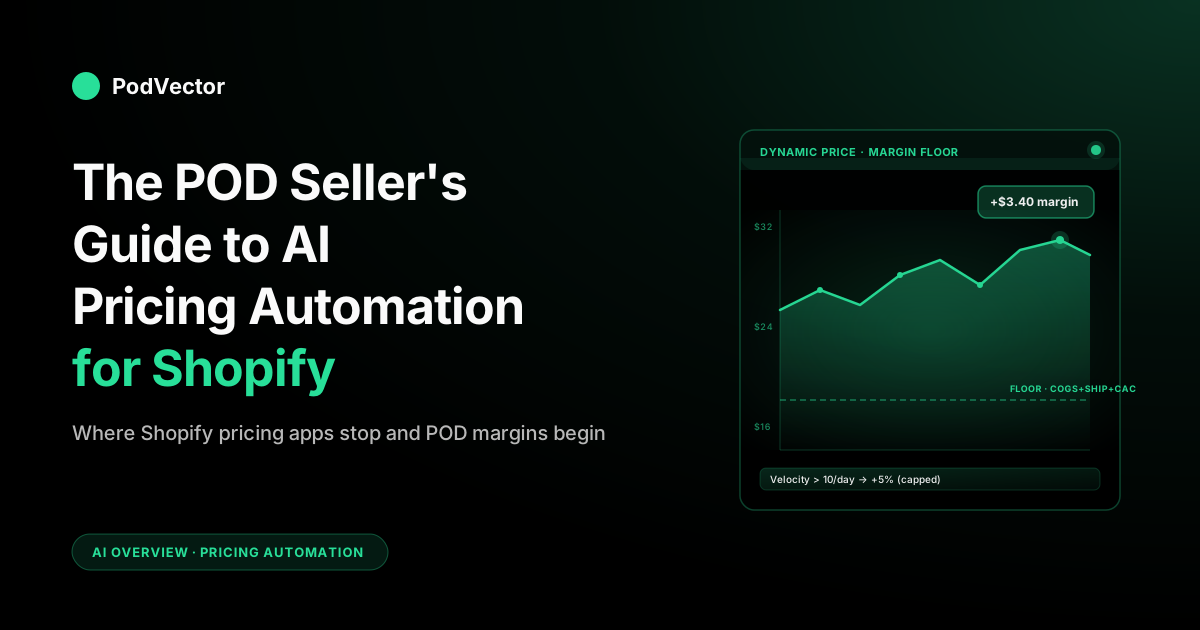
Quick Answer: AI pricing automation for Shopify means rules-based bulk pricing (Pricing.AI), demand-based dynamic pricing (Inventory Pricing), and competitor-matching repricers (Intelis, Prisync, DynamicPricing AI). Each moves prices automatically using a different signal: schedules and tags, order velocity, or live competitor data. For POD sellers, none of them know what each item costs you to fulfill on Printify or Printful — so a "smart" discount can silently ship below cost. This guide covers what each tool does, where it stops short for POD, and the COGS layer your pricing stack needs when your real cost lives in another system.
What "AI pricing automation for Shopify" actually means
"AI pricing automation" is one of those phrases that gets used to describe four different things at once. Before you compare apps, it helps to be precise about what you're trying to automate.
In the Shopify ecosystem in 2026, the phrase usually points to one of these:
- Bulk and scheduled price changes — moving a large catalog by a set percentage on a specific date, then reverting. The "AI" here is mostly rule-based scheduling with smart filtering by tag, collection, or inventory status.
- Demand-based dynamic pricing — raising prices on fast-movers and discounting slow-movers automatically based on order velocity and inventory levels. According to CommercePundit, these tools use demand modeling and price elasticity analysis to find the optimal price for each product at a given moment.
- Competitor-based repricing — scraping Google Shopping and direct competitor URLs, then matching or undercutting their prices within rules you define. Prisync's SmartPrice, for instance, analyzes competitor data, your costs, and target margins to suggest or automatically apply optimal prices, and its AI-powered product-matching automatically links your SKUs to competitor listings.
- Margin-aware repricing — adjusting prices to hit a target margin given changing inputs (supplier cost, ad cost, return rate). This is the hardest category and the one general-purpose tools handle worst.
For a print-on-demand store running on Printify, Printful, or another supplier, the first three are well-served by the existing Shopify app ecosystem. The fourth — margin-aware repricing — is structurally broken for POD because Shopify doesn't see your real cost of goods. Every margin-aware feature in a Shopify app is using whatever number sits in the "Cost per item" field on the product, which for most POD catalogs is either blank, stale, or wrong by a shipping tier.
This guide is organized around that distinction. The first half walks through the apps that genuinely work; the second half explains the COGS gap and how to close it.
The three layers of AI pricing automation
Most Shopify stores end up running one or two pricing automations side by side. Knowing which layer you're operating at keeps you from buying the same capability twice.
Layer 1 — Rules and schedules
This is the simplest and most useful layer for a POD store. You're not asking AI to invent a price; you're asking it to apply a price change to a large catalog at a specific time, with conditions. "Discount every hoodie tagged 'winter' by a set percentage from November 28 to December 2, then revert." A Shopify catalog of hundreds of design variants would otherwise take a full day of manual editing. Tools like Pricing.AI Dynamic Pricing exist almost entirely to make this kind of bulk change a fast operation.
For a POD seller, this layer pays for itself the first time you run a Black Friday sale. The AI label is generous — most of the value is rule design, scheduling, and instant revert — but the time savings are real. As CommercePundit notes, AI pricing tools work best with clear guardrails around profitability floors established before any automated rule is turned on.
Layer 2 — Demand-based dynamic pricing
This layer reads order velocity and inventory levels and adjusts price automatically. A design that's selling briskly with no advertising bump can sustain a higher price; a design with no sales in a week may need a nudge downward.
Tools like Inventory Pricing (a sister app to Pricing.AI) operationalize this with rules: if a SKU sells above a threshold in a given window, raise the price up to a ceiling; if it stalls, lower it toward a floor.
For traditional retail, this is high-leverage. For POD it has a quirk worth flagging: print-on-demand has no inventory in the traditional sense. Every sale is fulfilled on demand by Printify or Printful from supplier-side capacity, not from your shelf. So "inventory levels" as a pricing signal is meaningless — you can't run out. What's left is order velocity, which is still useful, but it's only half the picture without margin data.
Layer 3 — Competitor repricing
This layer monitors competitor URLs and Google Shopping listings, then adjusts your prices to match, beat, or stay within a band. Intelis AI Dynamic Pricing is one of the most established options in this category on Shopify. According to Cybernews, Prisync integrates natively with Shopify, Magento, and BigCommerce, letting merchants sync products and pricing directly — and offers a robust API for custom-built stores as well.
For POD, competitor repricing is a mixed bag. The whole point of a strong POD brand is that the design is unique — there is no like-for-like competitor SKU to match against. Competitor repricing works for the commodity end of POD (basic logo tees, generic phone cases) but rarely for the design-driven end where pricing is set by perceived creative value, not by Google Shopping comparisons. Most successful POD stores running on Shopify use this layer sparingly or not at all.
The Shopify apps in the category
A short tour of what's actually available as of September 2026, with the angle that matters for POD.
Pricing.AI Dynamic Pricing
The default for bulk and scheduled price changes. A free tier covers a limited number of changes per month; paid tiers unlock unlimited changes. Check the current App Store listing for up-to-date plan prices, as they update periodically.
The app is fast, the UI is clean, and the revert/copy features mean you can run a Black Friday or anniversary sale across hundreds of variants without spreadsheet pain. POD-specific limitation: it doesn't know your COGS, so any "discount" rule you set is a flat percentage off MSRP, not a margin-aware floor. Don't let it discount you below your supplier cost.
Inventory Pricing (Pricing.AI)
Same publisher, demand-based pricing layer. Works as advertised for inventory-backed catalogs. For POD, the inventory-level signal is moot, but the velocity-based rules can still be useful — particularly for limiting price elasticity tests on hot designs.
Intelis AI Dynamic Pricing
Strong competitor-matching tool with Google Shopping crawl and price-band rules. Most POD brands won't get the value because their designs aren't being directly priced against. Worth a look if you're running a commoditized POD niche (think generic gym shirts) where you sit alongside dozens of near-identical competitors. According to Polar Analytics, it's listed among the top AI tools for enabling dynamic pricing on Shopify stores.
Prisync
According to Cybernews, Prisync delivers AI-driven price automation and competitor monitoring, and retailers use it to monitor competing brands, enforce MAP policies, and adjust prices in real time. Its SmartPrice feature analyzes competitor data, your costs, and target margins to suggest or automatically apply optimal prices. For POD sellers, the same caveat applies as with all competitor repricers: if your designs are unique, there's no like-for-like listing for it to compare against.
DynamicPricing AI and the long tail
DynamicPricing AI pushes the autonomous angle hardest — it reprices continuously off real-time store data and competitive signals. Aimerce and others each own a niche: multi-currency repricing, MAP-monitored brands, marketplace cross-listing.
None of them solves the POD COGS problem. They're built on the storefront price as ground truth, so they're solving a different problem than the one that costs you margin.
Shopify Magic and Sidekick (native)
According to Polar Analytics, Shopify Magic covers tasks like creating product descriptions, editing product images, and responding to customer queries, and any merchant using Shopify can access it for free. Sidekick can answer pricing questions and bulk-update prices on instruction, but it's a conversational layer over the Shopify admin, not a continuous repricing engine. As eDesk notes, Shopify continues investing heavily in AI development, with merchants on the platform benefiting from regular feature updates at no additional cost. Useful for ad-hoc moves but not the right tool for ongoing automation.
What about learning-based price testers?
A newer sub-category of pricing apps — sometimes called conversion-rate optimizers — tests prices within a min/max range you set, learns which price points convert better by time of day or audience segment, and optimizes within your guardrails rather than just applying rules. These differ from rule-based schedulers because they use observed conversion data to inform the next price move rather than a fixed condition you write. For POD, the same COGS caveat applies: without an accurate cost floor, the optimizer can converge on a price that converts well but earns little. Set a hard floor grounded in real COGS before activating any conversion-testing layer.
AI product descriptions and catalog updates
A subtopic the top-ranking guides on this subject now cover prominently: AI-driven product description generation and bulk catalog updates are increasingly bundled into or adjacent to pricing automation stacks. Understanding where they fit — and where they don't — matters for POD sellers evaluating a full AI automation suite.
What's available in 2026
Writing unique descriptions for hundreds of products is a week of work; updating them seasonally doubles it. According to CodeWords, AI tools now automate this at scale by pulling product data from the store API, generating descriptions to a brand voice and keyword brief, and pushing updates via API. On Shopify specifically, Shopify Magic generates product descriptions directly in the admin. According to Polar Analytics, third-party apps like AI SEO Optimizer & SEO Booster and StoreSEO handle bulk SEO metadata generation — from improving technical SEO to bulk-generating SEO metadata. Platforms like CodeWords connect store data to an AI layer that produces descriptions per product, formatted for each channel, and logs the output.
The POD angle
For print-on-demand sellers, AI product descriptions are high-value precisely because a large catalog of design variants — each a slight variation — is exactly the kind of repetitive task these tools are built for. According to CodeWords, the practical constraint is input quality: AI description tools need product specs, target keywords, brand voice guidelines, and examples to produce good output; without those inputs the output is generic. The output also still requires a review pass, at least until you've calibrated the prompt.
Critically, no AI product description tool can generate the design itself — the print-ready image, mockup, or creative. That remains a manual or design-tool workflow. AI handles the words around the product; the visual asset still comes from you or a designer. For a look at how AI image generation fits into a POD workflow, see best AI art generator for print-on-demand: Shopify workflow and profit impact.
Where descriptions connect to pricing
Better product descriptions improve conversion rates, which directly affects the velocity signal that demand-based pricing tools read. A design that converts poorly partly because of weak copy will look like a low-demand SKU — and a dynamic pricing tool may push the price down on a product that actually has demand but a copy problem. Fixing descriptions before activating velocity-based pricing rules avoids this false signal. For a broader look at how on-page elements connect to checkout performance, see one-click checkout conversion rate impact for POD sellers.
Where every general-purpose tool falls short for POD
Every tool above shares the same limitation when it meets a Printify or Printful catalog: it has no idea what each order actually costs you. That gap shows up in three places.
1. Supplier price tier changes
Printify Premium and Printful's discount tiers shift your true COGS the moment they're activated. A shirt that costs one amount to fulfill on a free Printify plan might cost materially less on Premium or Enterprise.
None of the Shopify pricing apps know which tier you're on, when it activated, or whether it applies to that specific SKU. They're working off the static "Cost per item" field, which most POD sellers either left blank, set once months ago, or copied from a Printify mockup that didn't account for shipping or print upcharges.
2. Per-order shipping cost variance
Print-on-demand shipping is rarely flat. The same product shipped domestically versus internationally routes through a different fulfillment center and can cost meaningfully more — a difference that stomps on your margin when a promo applies globally.
AI pricing apps see only the storefront price you charge, not what your supplier will bill you for that specific order's shipping zone. Margin-aware features built on top of "Cost per item" miss this entirely. A POD seller running a substantial discount can easily ship orders that cost more to fulfill than the discounted revenue covers — the dynamic pricing tool happily applied the rule because, on paper, the margin still looked positive.
3. Ad cost attribution
If you're running Meta or Google Ads on POD products, your true unit economics include ad spend per acquired order. None of the pricing apps know your blended customer acquisition cost, your funnel ROAS, or how it varies by design.
So a "smart" rule that drops price on a slow-mover can deepen losses if that slow-mover is also your most ad-subsidized SKU. Profit-aware pricing has to see ad spend; Shopify pricing tools don't. For a deeper look at how ad cost attribution connects to store performance, see the Google Ads data-driven attribution guide for POD sellers and the Shopify Google Ads conversion strategy for print-on-demand.
This is the same architectural gap covered in the POD seller's guide to AI for ecommerce startups and the POD seller's guide to AI for your Shopify website — Shopify-native AI tools answer what happened on Shopify, but the data needed for accurate POD decisions lives elsewhere. Pricing automation is just the version of that gap that costs you money fastest.
The pricing variables that are unique to print-on-demand
Knowing what generic tools miss is the first half of the answer. The second half is naming the variables a POD-aware pricing system actually needs to track.
- Per-SKU supplier cost, refreshed regularly. Printify and Printful change base prices and tier discounts more often than POD sellers realize. A weekly sync is the floor; daily is better.
- Shipping zone matrix. The same product has distinct shipping costs depending on destination. Pricing rules need to be aware of this so a global discount doesn't become a global loss-leader.
- Premium tier status and ROI. If you're paying for Printify Premium, the pricing engine should know — and should know whether your monthly volume actually earns the discount back.
- Design-level ad spend. Pricing decisions on advertised SKUs need ad cost in the loop. Demand signals lie when ad spend is what's driving demand. Ad fatigue compounds this — the Shopify Google Ads conversion strategy for POD covers the context that matters when interpreting velocity data on ad-supported designs.
- Return and chargeback rate by design. A design with an elevated return rate (a sizing or print-quality issue) carries a hidden margin tax. Pricing rules should account for it; storefront-only tools can't see it.
- Royalty and licensing fees, if you're using brand-licensed art. Some POD stores pay a percentage per sale to the IP holder. That's a margin hit no Shopify pricing app will model.
- Refund-pending orders. Pricing decisions made on revenue that's about to be refunded look great in the dashboard and lose money in reality.
- Tariff exposure on overseas-sourced goods. US tariff rates on overseas-manufactured goods continue to evolve through 2026. For POD sellers with material exposure, production routing and pricing floors both need to account for current published rates — a variable no static pricing rule can anticipate on its own.
- Product description quality as a conversion input. As covered in the section above, weak copy suppresses conversion rates and distorts the velocity signal that demand-based pricing rules read. Before activating any velocity-based automation, ensure descriptions are optimized — otherwise the tool may price down a product that has a copy problem, not a demand problem.
None of these variables are exotic — every working POD store has them. The reason general-purpose Shopify pricing apps don't surface them is that the apps are built for a typical retail data model where Shopify is the source of truth. For POD, Shopify is one input, the supplier is another, and the ad platform is a third.
The pricing stack a POD store actually needs
The realistic 2026 stack for a serious POD store on Shopify has two parts.
Part 1 — Storefront price execution
You still need a tool that physically updates prices on Shopify. For most POD sellers, that's Pricing.AI's free or entry-level tier, used for bulk and scheduled changes. It's cheap, fast, and reliable. If you're commodity-positioned, layer Intelis or Prisync on for competitor matching. Most design-led POD brands don't need it.
Part 2 — Margin and decision intelligence
This is the part of the system that knows your true product costs, your ad spend, your return rate, and your supplier pricing tier. It feeds the decisions that the pricing tool then carries out. In practice, this means pulling together your Shopify orders, your Printify and Printful costs, and your ad spend, then doing the math your storefront alone can't.
Victor — the AI employee from PodVector AI — is built around this split. Victor looks at your Shopify, Meta Ads, Google Ads, Printify, and Printful data all together, proposes moves, and — once you approve — makes the changes in Shopify, Google Ads, or Meta Ads.
On pricing specifically, Victor works off the costs the storefront tools can't see: which designs sustain a healthy margin, which are losing money once shipping and ads are reconciled, which supplier tier changes have shifted the floor on a product line. He flags the SKUs bleeding margin and tells you the move that fixes them — grounded in your live data, not a stale "Cost per item" field.
The loop he's closing: Victor proposes a price move, you approve, and he executes the Shopify-side change through your storefront — the same approval gate he uses for discounts, collection organization, or shipping threshold adjustments. Once the math underneath is right, the price change itself is the easy part.
For how the Google Ads read surface connects to pricing decisions, Victor reads Google Ads data and proposes moves based on it — but Shopify-side price moves informed by that Google Ads data are what Victor executes. See Shopify Google Merchant Center product feed strategy for print-on-demand for how feed quality upstream affects the data quality Victor reads. For context on how a Shopify AI assistant fits into broader store operations, see the POD seller's guide to Shopify AI assistant.
How to set up AI pricing on Shopify, step by step
A practical order of operations for a POD store new to pricing automation.
Step 1 — Get accurate "Cost per item" on every SKU
Before any AI tool can do anything useful, the COGS field in Shopify needs a real number. For a POD store this is non-trivial because Printify and Printful prices change.
The simplest workable approach: average your last 30 days of supplier invoices for each SKU (base cost plus average shipping) and write that number into Shopify's product cost field. Re-run quarterly. Tools that integrate Printify or Printful invoices directly can automate this; without one, the manual sync is still better than leaving the field blank.
Step 2 — Optimize product descriptions before activating velocity rules
AI pricing rules that use order velocity as a signal will mis-read demand if your product listings have weak copy. Run Shopify Magic or a dedicated SEO description tool on your catalog before you let any demand-based pricing rule go live. This removes copy quality as a variable in the velocity signal, so when the rule sees low sales on a design, it's actually low demand — not a conversion problem from a bad description.
Step 3 — Install Pricing.AI for bulk/scheduled changes
Free tier first. Use it to schedule your next sale. The point is not to optimize anything — it's to remove the manual labor of touching every SKU when you run a promotion.
Step 4 — Set margin floors before any dynamic rule runs
Every AI pricing rule needs a floor. For a POD store, the floor is supplier cost plus average shipping plus ad cost per acquired order plus a margin buffer. If you don't know that number, don't let any tool reduce prices automatically. Manual sales are safer than a pricing engine that can drag you below cost.
Step 5 — Add demand-based or competitor rules selectively
For most POD stores, the high-leverage automation is bulk scheduling, not continuous dynamic pricing. Add demand-based rules only on SKUs you've validated have predictable velocity. Add competitor matching only on commodity SKUs where direct comparison applies.
Step 6 — Layer in margin-aware analytics for decisions
The pricing tool moves the price; the hard part is knowing when. For POD, that means pulling in your Printify and Printful costs and your ad spend alongside your Shopify orders, then showing you the profit on each design, down to the variant. This is where Victor and similar POD-native tools differ from the general-purpose Shopify pricing stack — same surface, different numbers underneath.
Step 7 — Review weekly, not daily
AI pricing rules amplify both signal and noise. A daily review tempts you to chase noise — a short-window velocity dip on one SKU is rarely worth a price change. Weekly review of margin-by-design and ad-fed conversion lets the rules do their work without panicking the system. Victor's Weekly Health Report, which analyzes the prior week's data across Shopify, ad platforms, and suppliers, is designed to anchor exactly this cadence.
Mistakes to avoid
1. Trusting "Cost per item" without verifying it
The single most expensive mistake a POD seller can make with AI pricing is letting an automation use an outdated COGS value. Pricing.AI doesn't know your number is wrong. It just applies the rule. If the COGS field is stale by even a few dollars, every "smart" discount is borrowing from your margin.
2. Running global discount rules across mixed shipping zones
A sitewide discount looks identical to the pricing engine across domestic and international customers. The supplier cost does not. If your international shipping is materially higher than domestic shipping, your "global" promo is silently more aggressive in those markets — sometimes below break-even. Either segment by zone or model the worst-case zone in your floor.
3. Treating velocity as the sole demand signal
Velocity is correlated with demand and ad spend. Without separating the two, dynamic pricing rules can punish a high-margin design that has natural demand and reward an ad-subsidized one that has none. Bring ad cost into the analysis before letting velocity rules run unattended. For the connection between ad spend efficiency and store performance, see Shopify Google Ads conversion strategy for print-on-demand.
4. Activating velocity-based rules before fixing product descriptions
A design with weak copy converts poorly and looks like low demand to any velocity-based pricing tool. The tool pushes the price down. The lower price still doesn't fix the copy problem, so conversion stays low. You've discounted your margin away chasing a false signal. Fix descriptions first — see one-click checkout conversion rate impact for a broader on-page audit framework.
5. Buying competitor repricing for design-led catalogs
Competitor matching makes sense for commodities. For design-driven POD, the "competitor" is your previous best-seller, not another store's price. Don't pay for a tool whose primary value doesn't apply to your business model.
6. Skipping the floor
Every dynamic pricing rule needs a hard floor. A floor is not a guess — it's COGS plus shipping (worst-case zone) plus ad cost (worst-case CAC) plus a margin buffer. Without it, the AI is allowed to lose money on your behalf, and it will.
FAQs
Does Shopify have a built-in AI pricing tool?
Not as a continuous automation engine. According to Polar Analytics, Shopify Magic can generate product descriptions and handle some pricing tasks, and Sidekick can change prices on instruction (including bulk changes), but neither runs as a continuous dynamic pricing rule against your live order velocity or competitor data. For continuous automation you still need a third-party app.
Can AI tools also update product descriptions automatically?
Yes. Shopify Magic handles in-admin description generation for free. Third-party apps like AI SEO Optimizer & SEO Booster and StoreSEO handle bulk metadata and description generation for larger catalogs. For POD sellers with hundreds of design variants, AI description generation is one of the highest-ROI automations available — it scales what would otherwise be weeks of manual copy work. According to CodeWords, the important caveat is that AI description tools need good inputs (brand voice, keywords, product specs) to produce good output, and a first-batch review is always worth doing.
Will AI pricing apps work with Printify or Printful products?
The price-changing part works fine — they update Shopify prices on whatever SKU you point them at, regardless of supplier. The margin-aware part is where it breaks. Printify and Printful don't sync their per-order true cost back to Shopify's "Cost per item" field automatically, so any margin or floor logic in the pricing app is using whatever value happens to be there. Treat that as the constraint, not a bug.
What's the cheapest way to start with AI pricing on Shopify?
Pricing.AI's free tier covers most small POD stores' bulk scheduling needs. Start there before paying anything. Layer paid tiers or competitor tools on only when the volume or use case demands it.
Should I use AI pricing to discount slow-moving designs?
With a margin-aware floor, yes. Without one, no. Slow-moving designs are often the lowest-margin ones to begin with, and discounting them further can push you into loss territory. Verify true unit economics before letting an automation cut prices on a slow-mover.
How does AI pricing automation handle international stores?
Most of the apps support multi-currency and Shopify Markets natively for the price-update part. The shipping cost variance across zones is rarely modeled — you have to set rules per market or use the worst-case zone as your floor. Stores selling globally should expect to invest more upfront in margin modeling than domestic-only stores.
Can AI pricing replace a margin analyst?
Not in 2026, and not for a POD-specific catalog. AI pricing executes price changes well; deciding which changes to make still requires margin intelligence the storefront tools don't have. The realistic split is: a pricing app for execution, a POD-aware analytics tool for decisions, and a human reviewing the loop weekly. The agentic pattern is automation handing back proposed actions for human approval, not full autonomy — which is exactly how Victor's approval gate works.
Does Pricing.AI or Intelis show profit per design?
No. Both show price-change history, competitor positioning (Intelis), and rule performance. Neither connects to your Printify or Printful costs, so neither can show you true profit per design at the variant level. That number has to come from a tool like Victor, which pulls your supplier costs in directly, before you even sell anything.
What happens to AI pricing during a Black Friday sale?
Two failure modes are worth flagging. First, demand-based rules can interpret BFCM order spikes as a signal to raise prices mid-sale, which destroys promo math — disable velocity rules during scheduled sales. Second, competitor repricers can race competitors to the bottom on commodity SKUs faster than you intended; set a hard floor before BFCM week, not during it.
Is competitor repricing worth it for a POD brand?
Usually not. Design-led POD brands don't compete on price against a directly comparable SKU. The exceptions are commodity niches (basic gym shirts, generic phone cases) and stores that sell licensed designs against other licensed-design sellers. For everyone else, the spend is better invested in margin analytics.
Will Victor automate pricing changes directly?
Victor reads your Shopify, Meta Ads, Google Ads, Printify, and Printful data together, identifies which designs are bleeding margin once true COGS, shipping, and ad cost are reconciled, and proposes a specific price move with the reasoning shown. You approve or reject. When you approve, Victor executes the Shopify-side price change.
The value over a generic repricer is that the proposed move accounts for real supplier costs and ad spend instead of a stale "Cost per item" field — and every change requires your explicit sign-off before it ships. Try Victor free to see margin-grounded pricing proposals on your actual catalog.
Make pricing decisions on real POD margins
AI pricing apps move prices fast — but only if the margin underneath is right. Victor reads your Shopify, Meta Ads, Google Ads, Printify, and Printful data together, proposes the price move that protects your margin, and executes the Shopify-side change only after you approve.
Try Victor free