
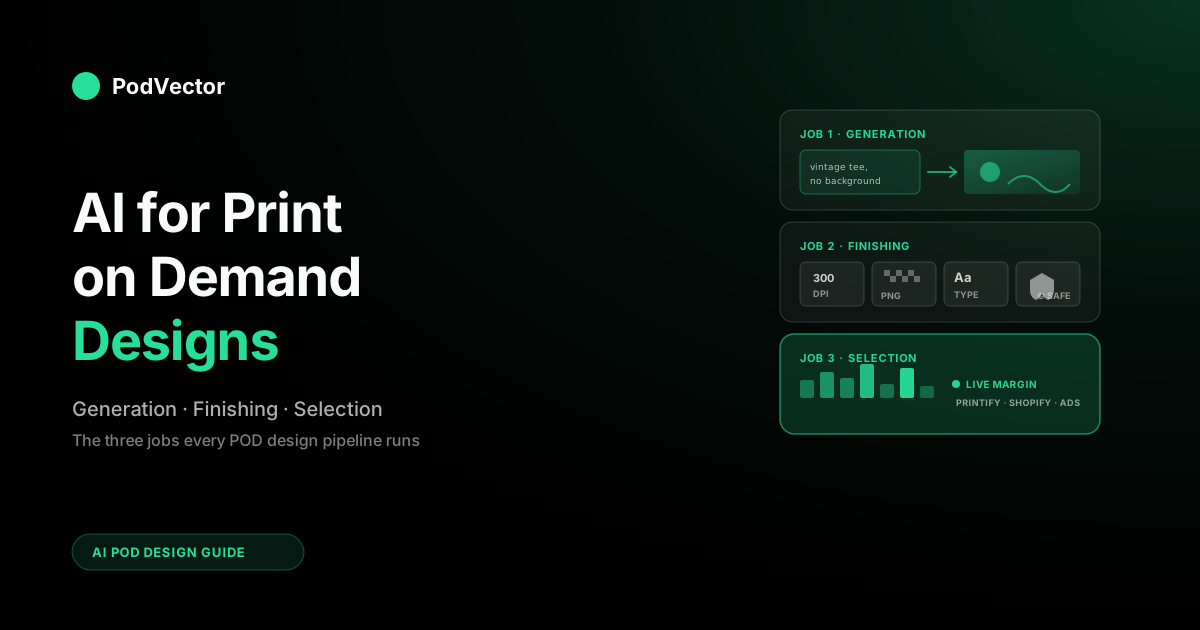
Quick Answer: AI for print-on-demand designs splits into three jobs, not one: generation (Midjourney, Ideogram, DALL-E 3, Adobe Firefly, Leonardo, Kittl), finishing (background removal, upscaling, vectorizing, text overlay in Canva or Photoshop), and selection (figuring out which of the designs you generated will actually sell after Printify cost, ad spend, and shipping). Most 2026 guides cover the first job exhaustively, the second job in passing, and the third job not at all.
For a real POD store running on 20–30% margins, the technical floor — 300 DPI, transparent PNGs, readable text, commercial license — matters more than which generator you pick, and the selection layer matters more than both. This guide covers all three.
What "AI for print on demand designs" actually means in 2026
Two years ago, "AI for POD designs" almost always meant one thing: opening Midjourney or DALL-E and typing a prompt to generate a t-shirt graphic. The phrase has quietly stretched. In 2026 it covers four overlapping product surfaces — generative image models, integrated design platforms (Canva Magic Studio, Kittl), POD-platform-native generators (Printify's AI Image Generator, Printful's Design Maker), and the post-generation finishing tools that turn raw AI output into something a printer can actually use.
The roundups on the first page of Google handle the tool-naming part well. Podbase's 2026 tool roundup covers generators, mockups, and workflow side by side. Do Dropshipping's eight-tool comparison walks each generator through pricing and free-tier limits. Printify's own how-to walks through their in-platform generator. None of them are wrong.
They're just answering a different question than the one POD sellers actually need answered: which of these tools, used in what sequence, produces designs that print cleanly and sell? The first half is craft.
The second half is data. Most guides only handle the first half.
What changed in the last 12 months
Three shifts matter for design specifically. First, transparent backgrounds are now native in more tools — Ideogram v3 ships transparent PNGs out of the box, DALL-E 3 inside ChatGPT supports it via a flag, Adobe Firefly added it in late 2025.
Two years ago, every AI-generated apparel design needed a background-removal pass. Today the cleanest tools skip that step entirely — though "native transparent PNG" still isn't "print-ready transparent PNG." Detailed or hairy subjects (fur, foliage, frizzy hair) frequently come back with halo edges or faint background fringe that only shows up against a dark shirt, so a quick edge-cleanup pass in Photoshop or Canva is still worth budgeting for on anything intricate.
Second, in-image text rendering crossed a usability threshold: Ideogram and Adobe Firefly now produce slogan tees with readable typography about 80–90% of the time, where 2024 generators produced gibberish 60% of the time. Third, the POD platforms themselves shipped native generators — Printify launched theirs in 2024, Printful followed — which removed the import-export friction for sellers who don't want a separate creative stack.
What didn't change: the operator-side question of which designs to actually publish. AI made generation a thousand times faster. Selection got harder, not easier, because there's now a thousand times more raw output to triage.
The three jobs AI does for POD designs
The cleanest way to think about AI for POD designs is to split it into three sequential jobs. Most "best AI tool" lists conflate them, which is why they end up recommending tools that look great on paper and produce designs that don't actually print or sell. The three jobs:
Job 1: Generation (concept → image)
The headline-grabbing part. You type a prompt; the model returns one or more images. This is where Midjourney, DALL-E 3, Ideogram, Stable Diffusion, Adobe Firefly, Leonardo, and Bing Image Creator live. Success metric: images that match your concept on the first or second iteration, at a resolution and style suitable for the product surface. Common failure: beautiful screen images that don't print at 300 DPI, or text that looks fine on a thumbnail and turns into mush at 4 inches.
Job 2: Finishing (image → printable file)
The unglamorous middle step that 80% of "AI for POD" guides skip past. You take the raw generation and turn it into something Printify or Printful will actually accept: transparent PNG at the printed size, clean edges, vectorized if your niche needs scalability (sticker shops especially), text added or cleaned up, color profiles correct. Tools here include Canva Magic Studio, Kittl, Adobe Photoshop's generative fill, Vectorizer.AI, Topaz Gigapixel, and the background-removal tools built into most newer generators. Success metric: files that pass Printify's print-quality validator on the first upload. Common failure: "300 DPI upscaled" output that's actually a JPEG artifact masquerading as resolution.
Job 3: Selection (printable design → profitable design)
The job nobody markets a tool for, even though it's the one that actually decides whether your store makes money. You can publish 200 AI-generated designs in a week.
The question is which 20 of them will clear margin once you account for Printify's cost, your ad spend, your Shopify fees, and shipping. This isn't a generator question — every design "passed" the generator. It's a data question, and it lives in your live Printify, Printful, Shopify, and ad-platform numbers. Success metric: a sell-through rate above your bloat threshold (usually 15–25% of new designs producing 80% of revenue). Common failure: a 1,200-design catalog where 90% of the items have never sold, dragging on hosting, navigation UX, and (on some platforms) algorithmic ranking. The Complete Guide to AI Analytics for Print-on-Demand covers the data architecture this job requires.
A POD seller who only invests in Job 1 ends up with a fast generation pipeline and a bloated, unprofitable catalog. A seller who invests in Jobs 1 and 2 has clean, printable designs and a bloated, unprofitable catalog. A seller who builds all three has the only setup that actually scales.
Tools by design job (the practical map)
Rather than another generic "best AI tools for POD" list, here's how the most commonly recommended tools actually map to the three jobs. A tool that's strong in Job 1 is rarely strong in Job 2, and almost no Job 1 or Job 2 tool addresses Job 3 at all.
| Tool | Job 1 (generation) | Job 2 (finishing) | Job 3 (selection) | Best for POD |
|---|---|---|---|---|
| Midjourney | Strong (artistic, illustrative) | Weak (no transparency, no upscale to 300 DPI natively) | None | Wall art, posters, illustrative apparel |
| Ideogram | Strong (text rendering) | Native transparent PNG (v3) | None | Slogan tees, sticker packs, mug graphics |
| DALL-E 3 | Strong (concept iteration) | Transparent PNG with flag; weak upscale | None | Beginners, fast iteration |
| Adobe Firefly | Strong | Strong (Photoshop integration) | None | Sellers who already pay for Creative Cloud |
| Kittl | Decent (template-driven) | Strong (POD-shaped output) | None | End-to-end POD design without leaving one app |
| Canva Magic Studio | Decent (Magic Media) | Strong (resize, background remove) | None | Mockup variations, multi-product resize |
| Printify AI Image Generator | Decent (free, in-platform) | Auto-applied to Printify catalog | None | Sellers staying inside Printify's editor |
| Vectorizer.AI / Topaz Gigapixel | None | Strong (specifically for finishing) | None | Sticker shops, large-format printing |
For a side-by-side scoring of generators on POD-specific criteria, our Best AI Art Generator for Print on Demand comparison goes deeper on each.
The technical floor every POD design has to clear
Before any tool comparison matters, every AI-generated design has to clear five technical requirements that "AI image quality" reviews on YouTube don't measure. If your design fails any of these, it doesn't matter how good the prompt was — the design either won't print, will print badly, or will print and then get returned.
1. Resolution at the printed size, not the screen size
Most platforms ask for 300 DPI at the actual printed dimensions. A poster printed at 24×36 inches needs roughly 7,200 × 10,800 pixels.
A standard t-shirt chest print at 12×16 inches needs 3,600 × 4,800. Most generators output at 1,024 × 1,024 by default, which is a 3.4-inch print at 300 DPI — fine for a sticker, useless for a poster. The fix is either generating at a larger native resolution (Midjourney's "high quality" runs and Adobe Firefly handle this best) or running output through a dedicated upscaler like Topaz Gigapixel rather than relying on the AI's built-in upscale, which often hallucinates artifacts at print scale.
2. Transparent backgrounds for printed-on-color products
A t-shirt design generated on a white background prints as a literal white box on a black or colored shirt. Mugs, hats, stickers, hoodies, tote bags — anything that isn't the same color as your generated background — needs a transparent PNG.
Two years ago this required a Photoshop or Remove.bg pass on every file. Today, Ideogram v3, DALL-E 3 (with the flag), and Adobe Firefly all ship transparent PNGs natively. If the generator you're using doesn't, you're paying a 30-second tax on every design. One caveat the tool reviews skip: native transparency is reliable on simple, hard-edged subjects and gets fragile on detailed ones — zoom to 200% and check the edges against a dark background before you publish, because halo fringe is invisible on the white preview and obvious on a black hoodie.
3. Text that survives the print
Slogan and quote tees are roughly half the POD apparel market. AI-generated text below a certain point size still gets mangled — letters merge, kerning collapses, descenders disappear.
Ideogram is currently the cleanest performer for in-image text. The safer pattern for any other generator is to skip the text in the prompt entirely, generate the visual element only, then add typography in Canva, Kittl, or Adobe Express. Cleaner result, more readable type, and you keep the option to localize the text without re-generating the design.
4. Vectorization for stickers and large formats
If you're selling stickers, large posters, or anything that might get scaled up later, raster output (PNG, JPG) hits a quality wall. Vector output (SVG, AI) doesn't.
Most AI generators output raster only. Vectorizer.AI, Adobe Illustrator's image trace, and Recraft's vector mode handle the conversion. For a shop that sells stickers in multiple sizes, this is mandatory; for a shop that only sells fixed-size apparel, it's overkill.
5. Commercial-use clarity
Some tools ship explicit "you own the output, sell it freely" terms (Adobe Firefly is the strongest here, since it trains on licensed content). Others train on copyrighted material and quietly disclaim liability — meaning if Etsy, Amazon Merch, or Printify's compliance system flags your design, you're the one in the takedown queue.
Ideogram, DALL-E, Midjourney, and Stable Diffusion all sit in the murkier middle. The practical move for sellers shipping at volume: keep the receipts (which prompt produced which file, and on which platform) so a takedown dispute has documentation.
Prompt patterns that produce sellable POD designs
Most AI-art prompt guides are optimized for "wow, that's a beautiful image." POD prompts should be optimized for "that prints cleanly and matches what people search and buy in this niche." Five patterns that consistently produce sellable POD output, regardless of which generator you're using:
Pattern 1: Style + subject + format + background
The four-part skeleton. Example: vintage 1970s screen-print style, golden retriever face portrait, t-shirt design, transparent background, no text, high contrast for dark fabric printing.
Each clause does work — style gives the aesthetic, subject anchors the concept, format tells the model what kind of image (t-shirt design vs. illustration vs. icon), and background flag forces the transparency hint. Skip any one of the four and you'll get pretty output that doesn't fit POD.
Pattern 2: Reference the print medium explicitly
Prompts that include phrases like screen print, halftone, vector illustration, flat colors, no gradients, single color, two-color separation bias the model toward output that prints well. "Photorealistic" and "intricate detail" usually don't — they bias toward output that looks great on a 1080p monitor and falls apart on cotton.
Pattern 3: Niche-specific style anchors
Each POD niche has a visual vocabulary that converts. Cottagecore: watercolor, soft pastel, mushroom and herb illustration, hand-drawn.
Outdoor/adventure: linocut, retro national parks poster, two-color, flat composition. Fitness/motivation: bold sans-serif typography, distressed texture, single accent color.
Pet niches: line art, minimalist portrait, white background. Plug your niche's vocabulary into the style clause; the rest of the prompt structure stays the same.
Pattern 4: Negative prompts (where supported)
Stable Diffusion, Leonardo, and a few other generators support explicit negative prompts. For POD: negative: blurry, low resolution, watermark, signature, photo background, busy background, gradient background. Cuts out about 60% of the most common rejections in one shot.
Pattern 5: Series prompts for catalog consistency
Profitable POD shops aren't 200 random designs; they're a niche aesthetic repeated across 200 products. Use seed re-use (Midjourney's --seed flag, DALL-E reference images) and a fixed style clause to keep an aesthetic locked across an entire collection. The shop's "look" is the moat. AI lets you express it faster, not abandon it.
Matching the generator to your niche
Different niches demand different generators. The POD operators who get the most out of AI tend to pick one or two tools and learn them deeply rather than spreading thin across all eight. Rough niche-to-tool map for 2026:
- Slogan tees, mug quotes, sticker packs (text-driven): Ideogram primary, Adobe Firefly secondary. Anything else means a Canva typography pass.
- Wall art, posters, illustrative apparel (artistic): Midjourney primary, Leonardo or DALL-E secondary. Upscale through Topaz or Magnific.
- Vintage, retro, screen-print apparel: Midjourney with explicit period style anchors. Kittl for finishing if you want one-app workflow.
- Niche pet, hobby, occupation portraits: Ideogram or DALL-E for text-friendly, Midjourney for purely illustrative.
- Stickers (small, scalable, often-vector): DALL-E or Ideogram for raster, Vectorizer.AI or Recraft for the vector pass.
- Large-format home décor (canvas, framed prints): Midjourney high-quality runs, Topaz upscale, Adobe Firefly for commercial-license safety.
The over-correction to avoid: subscribing to all eight tools "because each is best at something." A real POD shop runs through hundreds of designs a month. The cost-per-design math (covered in our generator comparison) makes it clear that two well-chosen subscriptions almost always beats six casual ones.
A weekly AI design workflow
The compressed-cost world demands a different cadence than the pre-AI POD playbook. Generating one design at a time and publishing it the same day is now operationally backwards. The workflow that scales:
- Monday — niche research (30 minutes). Pull what's selling on Etsy, Amazon Merch, Pinterest in your niche. Pull your own top sellers from the last 30 days. Note style anchors and themes.
- Monday — prompt batching (60 minutes). Write 20–30 prompt variants in your generator. Generate 4 images per prompt. Keep the 30–40 strongest at thumbnail review. This is the new "design session" — it replaces the four-hour Photoshop block, not the 30-minute one.
- Tuesday — finishing pass (60 minutes). Background removal, typography overlay, vector conversion as needed. Run the printability check (300 DPI at print size, transparent where required, commercial-license-safe).
- Tuesday — mockup generation (30 minutes). Push designs through Canva Magic Studio, Smartmockups, or Placeit for product photography. Two to four mockups per design.
- Wednesday — list and tag (60 minutes). Push to Printify or Printful. Use AI for the listing copy (ChatGPT or Jasper), but write the title and primary tags yourself — that's where keyword strategy lives. At volume, this is the step where bulk-publishing tools (MyDesigns, PODURL, and the listing managers built into Kittl and Canva) earn their keep: applying one design across every product type and pushing dozens of listings in a batch instead of one-by-one. Automating the publish does not automate the keyword and pricing decisions — it just removes the clicking.
- Friday — selection review (30 minutes). Look at the 30-day sell-through on every batch you've published. Kill or unpublish the bottom 50%. Promote the top 10% to ad spend. This is the step almost no AI design guide mentions and the one that actually compounds.
The whole loop is roughly 4.5 hours a week. A pre-AI version of the same volume would have been 15–20.
The selection problem AI design tools don't solve
Every AI design guide on the first page of Google ends with "and there you have it — now you can scale your POD store." None of them mention what scaling actually exposes: the selection problem.
When you generate 5 designs a week, every one gets attention. You watch its performance, iterate, kill the dud.
When you generate 200 designs a week, no human can track that. The catalog bloats.
The dashboard becomes useless. You have a vague sense that "some of these are selling and most aren't" and no way to map ad spend, Printify cost, and Shopify fees back to specific designs to know which ones clear margin.
This is the operator-side AI category. It doesn't generate anything. It reads your live Printify, Printful, Shopify, and ad-platform data and answers the questions a designer can't answer in a prompt: which of these 200 designs cleared margin last week, which ones are profitable only on certain product types, which ones are dragging on impressions because they're not converting. The broader POD Seller's Guide to AI for Print on Demand walks through how this stack fits alongside the design tools, and our guide to generative AI for ecommerce covers the cross-channel angle.
Victor by PodVector AI is built specifically for this question. You connect your stores and ad accounts, and Victor reads them live to answer profitability and attribution questions in plain English.
The design generation tools above handle the creation half. Victor handles the selection half — and the employee roadmap means tomorrow it goes from "answers questions" to "takes the actions you'd take based on the answer." For now, the integration is conceptual: pick your generator, do the weekly workflow above, and use Victor to run the Friday selection review on actual margin numbers rather than vibes.
Copyright and commercial use in 2026
The legal landscape for AI-generated POD designs has clarified somewhat in the last 12 months, but it's still not clean. Three things to know:
The output you generate is generally commercially usable on tools that say so explicitly. Adobe Firefly trains on licensed Adobe Stock content and offers an indemnification clause for paid users. Ideogram, DALL-E (via OpenAI's commercial license for ChatGPT Plus and API), and Midjourney (paid tiers) all permit commercial use of output. The murky territory is style mimicry — generating "in the style of [living artist]" is generally inadvisable regardless of which tool you use.
Marketplaces have their own rules. Etsy now requires sellers to disclose AI involvement in listings. Amazon Merch's review process flags certain AI-tell signatures. Printify's compliance system rejects designs that match a registered IP. These are platform rules, not legal rules — and they change quarterly.
The trademark trap is more dangerous than the copyright trap. AI generators happily produce text and imagery that infringes on existing trademarks (sports teams, brands, characters). The model doesn't know what it's allowed to depict.
The seller does. Run every design through a quick trademark search if it includes any text, logo-like element, or recognizable character — the takedown letter is more expensive than the search.
Mistakes POD sellers make with AI design
Mistake 1: Treating generation as the goal
The most common AI-design failure mode is mistaking volume for progress. Generating 500 designs a month feels productive. If sell-through is 2%, you've manufactured 490 unsold SKUs and made yourself harder to manage. The goal isn't "more designs." It's "more profitable designs," and that's a selection problem, not a generation problem.
Mistake 2: Skipping the technical floor
The five technical requirements above (300 DPI, transparency, readable text, vectorization where needed, commercial license) sound boring. They're the difference between a design that prints cleanly and a design that prints, gets returned, and costs you the Printify fulfillment fee plus the customer-service time. Build the printability check into the workflow before the design goes anywhere near a product page.
Mistake 3: Subscribing to every tool
Tool stacking is expensive and slow. Two tools learned deeply almost always outperforms six tools used casually. Pick one generator that fits your niche, one finishing tool, one mockup tool, and stay there for at least three months before re-evaluating.
Mistake 4: Ignoring the niche-style match
Midjourney is a great generator. It's also the wrong generator for slogan tees — Ideogram beats it on text by a wide margin. DALL-E is great for fast iteration; it's the wrong generator for vintage screen-print posters. The "best AI generator" is a tool-by-niche question, not a leaderboard question.
Mistake 5: Publishing without measuring
If you don't know which designs are profitable after Printify cost, ad spend, and Shopify fees, you're not running a POD business — you're running a design hobby with revenue. AI makes this mistake more expensive because the catalog grows faster. The fix is a real analytics layer that reads live store and ad data, not a monthly P&L spreadsheet.
FAQs
What's the best AI tool for print on demand designs in 2026?
There isn't one. Ideogram is the best for text-heavy designs (slogan tees, mug graphics).
Midjourney is the best for artistic designs (wall art, illustrative apparel). Adobe Firefly is the best for commercial-license safety.
Most operating POD shops use two of these together, plus a finishing tool like Canva or Kittl. Our side-by-side generator comparison scores them on the POD-specific criteria.
Can I sell AI-generated designs on Printify and Printful?
Yes, both platforms accept AI-generated designs. Printify even ships its own AI Image Generator inside the editor.
The constraint is that the design has to clear the platform's quality and IP checks: 300 DPI at print size, transparent PNG for printed-on-color products, and no copyrighted or trademarked elements. The tool you use doesn't matter to Printify's reviewers — the file does.
Is Printify's free AI Image Generator good enough?
For getting started and for sellers staying entirely inside Printify's editor, yes. It's powered by OpenAI's models and produces clean output for most apparel use cases.
The limit is volume (capped daily generations on free tier) and specialization — dedicated tools like Ideogram (text) and Midjourney (artistic) outperform on their respective specialties. Most sellers graduate from in-platform generators to dedicated tools by month three.
How do I make AI designs print at 300 DPI?
Either generate at a higher native resolution (Midjourney's high-quality settings, Adobe Firefly's max output, DALL-E 3's HD setting) or run the output through a dedicated upscaler like Topaz Gigapixel or Magnific.AI. The "AI upscale" buttons inside generators are convenience features, not print-quality upscalers — they often hallucinate artifacts at the size you actually need. For a 24×36 poster you need roughly 7,200 × 10,800 pixels at 300 DPI; do the math against the printed size, not the screen.
How do I get transparent backgrounds from AI generators?
Three options: use a generator that outputs transparent PNGs natively (Ideogram v3, DALL-E 3 with the transparency flag, Adobe Firefly), use the background-removal tool inside Canva or Photoshop after generation, or use a dedicated tool like Remove.bg. For high-volume sellers, native transparency saves about 30 seconds per design and is worth picking the generator that supports it.
Will AI replace POD designers?
It hasn't and probably won't. What AI replaces is the production work — sketching, vectorizing, building 12 mockup variations, writing 200-character product descriptions.
What it doesn't replace is taste, niche knowledge, and the judgment of which trends are worth chasing. The most successful POD operations in 2026 are running smaller design teams that produce more output by using AI for production while keeping humans on direction.
How many AI designs should I publish per week?
The right answer is "as many as you can measure." If you have a real analytics layer that tells you which designs clear margin, scale generation up — your bottleneck is creative throughput. If you don't, the right number is whatever you can manually inspect for sell-through, which is usually 20–40 a week, not 200. Generation capacity outruns selection capacity at almost every shop, and that's where catalog bloat starts.
How does AI for POD designs differ from AI for general ecommerce?
Most "AI for ecommerce" tools assume held inventory and a fixed catalog. POD breaks both — your "inventory" is a Printify or Printful relationship, your catalog churns weekly. POD-specific design tools have to handle the per-product technical floor (DPI, transparency, color profile per product type) and the selection question against itemized supplier costs. The POD Seller's Guide to AI for Ecommerce walks through the broader picture.
Generate faster. Then figure out which designs actually sell.
AI made design generation a thousand times faster. It also made selection a thousand times harder, because there's now a thousand times more raw output to triage. Victor reads your live Shopify, Printify, Printful, and ad-platform data and answers margin and attribution questions in plain English — so the Friday selection review runs on real numbers, not vibes.
Try Victor free