
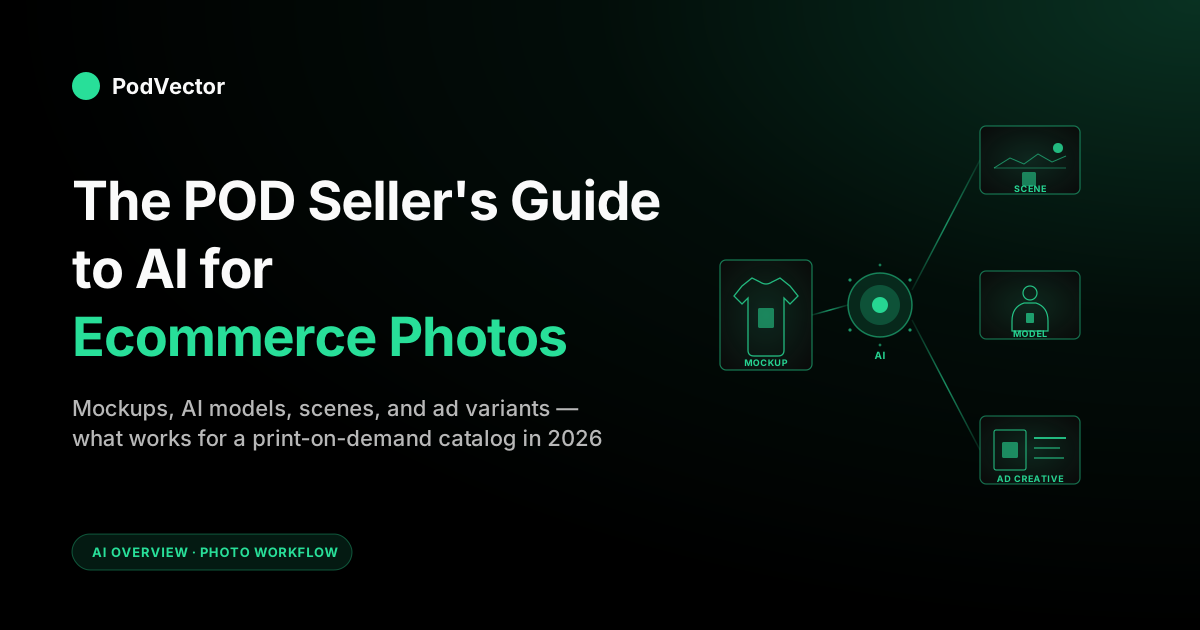
Quick Answer: AI for ecommerce photos covers four useful capabilities for POD sellers: turning a flat Printify or Printful mockup into a lifestyle scene, swapping backgrounds at scale, generating AI models wearing your apparel, and producing ad-creative variants in minutes. The generic guides treat product photography as a batch problem for brands that own physical inventory.
POD sellers don't — the "product" is a mockup, and the photo problem is converting that mockup into a scene that earns a click. This guide walks through what works in 2026, which tools fit a POD workflow, the prompts that hold up across a thousand-design catalog, and the one test that tells you whether your AI photos are actually moving the conversion rate.
What AI for ecommerce photos means in 2026
Two years ago, "AI product photography" mostly meant a background remover dressed up with marketing copy. In 2026 it means something genuinely larger.
It means generative models that build a full lifestyle scene from a packshot. Diffusion models that put your t-shirt design on a photorealistic AI model in any pose, ethnicity, age, and setting.
Editors that swap a sky from overcast to golden hour without re-shooting. Workflow tools that take a Printify mockup and produce ten ad-ready variants in under five minutes. And — new in 2026 — tools that animate a still mockup into a short product video or a 360° spin, the capability the whole category is now racing toward.
The category has consolidated around a handful of patterns that actually ship: background generation, AI fashion models, virtual try-on, scene composition, packshot cleanup, prompt-driven scene swap, and short-form video. Every serious tool does some subset of these. The differences sit in fidelity, throughput, brand control, and how well the output holds up at the resolution Meta or Shopify expects when the ad goes live.
For POD sellers the stakes are particular. A wholesale brand pays for a one-time studio shoot, then re-uses those assets across a small catalog.
A POD seller has a thousand designs, each generating its own mockup, each needing its own lifestyle context to convert. The math only works if the photo pipeline is automated — and that's exactly the gap AI photo tools have closed in the last 18 months.
Why POD photo problems are different
If you read most "AI product photography" guides, you'll see workflows that assume you have a packshot — a product photographed against white in a real studio. That assumption breaks immediately for POD.
POD sellers don't take photos. They generate mockups. And the photo problem isn't "make this packshot prettier"; it's "make this flat mockup feel like a real product a real person owns."
Your "raw input" is already an AI render, not a photo
Printify and Printful produce mockups by compositing your design onto a base garment template. The resulting image is technically clean — it's also visibly a mockup.
The lighting is neutral, the model is stiff, the product floats in space. AI photo tools that assume you're starting from a real photograph behave differently when you feed them a mockup. The good ones know how to keep the design pixel-perfect (you cannot afford to let the algorithm "interpret" your artwork) while replacing everything around it with photographic context.
The design is the SKU, and there are thousands of them
A wholesale ecommerce brand might have 50 SKUs and shoot each one twice a year. A working POD store has hundreds or thousands of designs, each applied across a handful of product types.
That combinatorial explosion makes manual photography economically impossible — but it also means a $0.10-per-image AI workflow is the only model that scales. The unit economics rule out "do it right with a real photographer." They demand a different question: how do you get to "good enough that it converts" at a thousand-design scale?
Margins are thin, so creative cost has to be near zero
POD margins on a $25 t-shirt sit somewhere around $5–$8 after supplier cost, payment fees, and ad spend. There is no budget for a $400-per-design photoshoot.
The break-even on AI photo subscriptions is fast for the same reason — once a tool produces images that lift conversion even marginally on a few campaigns, the subscription is paid. But it has to be subscription-priced, not project-priced.
The photo lives inside an ad, not just a product page
Most ecommerce photo guides assume the image is going on a Shopify product detail page. For POD, the bigger weight sits in Meta Ads, TikTok, and Pinterest creative.
That changes what "good" looks like: less catalog-clean, more lifestyle-attention-grabbing, often vertical-format, often with a model. AI tools that think only about catalog photography miss the format that actually sells POD products.
For a fuller breakdown of how POD economics rewires every assumption in the generic ecommerce playbook, the POD seller's guide to AI for ecommerce walks through the categories beyond photos. The AI overview cluster collects the rest.
The five things AI can actually do for POD photos
Strip away the marketing pages and AI photo tools really do five things well in 2026. Each maps to a specific POD workflow problem, and each has different stakes for your conversion rate.
1. Mockup-to-lifestyle scene generation
You upload a Printify mockup of a hoodie. The tool keeps the design pixel-perfect on the garment, then builds a photorealistic scene around it — a coffee shop, a hiking trail, a bedroom, a city street — with appropriate lighting and shadow.
This is the highest-leverage capability for POD because it solves the "looks like a mockup" problem without manual editing. The best tools (Claid, SellerPic, Photoroom's AI scenes) preserve garment shape, fabric drape, and design fidelity. The bad ones distort the print, shift the colors, or warp the typography — which kills the listing on inspection.
2. AI model photography
You upload a t-shirt design. The tool generates a photorealistic human model wearing the shirt, in a chosen pose, ethnicity, age range, and setting.
This is the hardest category to do well because the model has to look real, the design has to stay correct on the fabric, the wrinkles and shadows have to behave like cloth, and the proportions can't tip into uncanny. SellerPic, WeShop, and Pebblely have the most defensible offerings here; the open-source diffusion alternatives are getting close but still wobble on text-heavy designs. A close cousin shipping in 2026 is virtual try-on — instead of generating a fresh model, the tool fits your garment onto an existing model photo, which holds pose and lighting more consistently across a batch. For POD, AI models are most valuable for ad creative — Meta and TikTok still index "real human wearing real product" higher than packshot.
3. Background removal and replacement
The 2022 capability — and still useful. POD mockups already come with neutral backgrounds, but if you want a lifestyle backdrop, a colored gradient, or a brand-consistent scene under a packshot, AI background tools (Photoroom, remove.bg, Claid) will do it in batch. Less differentiated than scene generation, but cheap and fast.
4. Packshot cleanup and enhancement
If you do shoot real product photos — a sample garment you ordered to verify quality, for instance — AI cleanup tools fix lighting, white-balance the white background, sharpen detail, and standardize the look across a batch. Useful for stores that mix POD products with curated drops or for the rare seller who shoots their own samples on real models. Adobe Firefly, Topaz Photo AI, and Luminar Neo cover this layer well.
5. Ad creative generation at variant scale
You upload one design. The tool produces twenty image variants for Meta Ads, TikTok, and Pinterest — different scenes, models, color treatments, copy overlays.
Tools like AdCreative.ai and Pebblely's batch endpoints are aimed at this problem. The value isn't producing one perfect ad; it's producing enough variants that A/B testing actually has signal. POD creative cycles are short. Variant volume matters more than per-image polish.
Best AI photo tools for POD workflows
The general "best AI product photography tools" lists optimize for tools that handle real packshots from real ecommerce brands. POD sellers need a narrower filter: does the tool preserve a print design pixel-perfect on a garment, does it batch, and does it cost something a $5K/month POD store can absorb. Five tools clear that bar in 2026.
1. Claid — best end-to-end pipeline
Claid covers background generation, scene replacement, packshot cleanup, and AI photoshoot in one workflow, with an API that batches against a catalog. The output preserves print fidelity well, the lighting consistency across batches is the best in the category, and the catalog-cleanup tooling fits POD's "thousand designs need same treatment" reality. Pricier than the small-store tools, but pays back fast once you cross a few hundred designs.
2. SellerPic — best AI fashion models for apparel POD
If your store is t-shirts, hoodies, sweatshirts, or any apparel category, SellerPic's AI fashion model output is the strongest of the dedicated tools. The garment fit looks plausible, the model variety is broad, and the print stays sharp. Less useful if your POD catalog is mostly mugs, posters, and accessories.
3. Pebblely — best for fast lifestyle backgrounds at low cost
Pebblely's pitch is upload a mockup, pick a theme, get a lifestyle scene in seconds. The free tier and low-priced subscription make it the right entry point for POD sellers who need volume more than fidelity. The output isn't always magazine-grade, but the speed-to-test-creative is unmatched, which is what matters when you're cycling designs weekly.
4. Photoroom — best mobile and listing-prep workflow
Photoroom is built for marketplace and DTC ecommerce listings, with a mobile app that handles background removal, scene generation, lighting cleanup, and export-ready cropping in a few taps. For POD sellers shipping to Etsy, Shopify, and Amazon Merch, Photoroom's listing-format export presets save real time. The AI scene generation is solid if not best-in-class; the workflow is the differentiator.
5. AdCreative.ai — best for ad-creative variant volume
If your bottleneck is "I need fifteen ad variants for Meta this week," AdCreative.ai is the most direct path. It batches scene composition, model variation, and copy-overlay templates against a single product input, and exports to the right aspect ratios for each platform. The scene quality lags Claid and SellerPic, but for paid-ads creative testing where you need volume more than perfection, the throughput wins.
Honorable mentions: Flair.ai (drag-and-drop scene composition that gives you more manual control over product placement than the preset tools — good when you want to art-direct a hero shot without leaving the browser), Adobe Firefly (best for sellers who already pay for Creative Cloud and want manual control), Midjourney (strong for hero shots when you can tolerate prompt-engineering time), LetsEnhance for upscaling and prompt-based edit recipes — their 20 prompts for ecommerce product photos is a solid reference for prompt patterns regardless of which tool you use. For a wider AI tool comparison aimed at POD specifically, see the complete guide to AI tools for POD sellers and the focused breakdown in best AI art generator for print on demand compared.
A POD-native workflow: mockup to listing in under 10 minutes
The right tool stack matters less than the workflow you wire it into. Here's the pattern that holds up across thousand-design POD operations in 2026.
Step 1: Generate the supplier mockup
Start from Printify's or Printful's product mockup. This is the source of truth for how the design lays on the garment, and it's also the only mockup that's guaranteed to match what the supplier actually produces. Don't replace this step — every downstream AI photo step should use the supplier mockup as input.
Step 2: Choose the photo intent before the tool
Two intents drive different tools. Listing photos need clean, catalog-friendly visuals — a model wearing the shirt, a hero shot in lifestyle, a packshot variant. Ad photos need attention-grabbing visuals — bolder scenes, pattern-disrupting compositions, format-correct aspect ratios. Decide which you're producing first; route the mockup to the right tool accordingly.
Step 3: Apply scene generation or AI model treatment
For apparel, this means SellerPic-style AI model output for one set and Pebblely or Claid scene generation for the other. For mugs, posters, and home goods, scene generation tools alone (Pebblely, Claid) cover the workflow. Generate three to five variants per design — scene volume gives Meta something to learn from, and you don't know in advance which scene a buyer responds to.
Step 4: Validate fidelity at full resolution
This is the step most sellers skip. Open the output at 100% zoom.
Check that the design is intact: no warping, no color shift, no smudged typography. AI photo tools occasionally re-render text or fine pattern detail in a way that looks fine at thumbnail and broken at full size. A 30-second visual check at full resolution catches the failures that would otherwise ship.
Step 5: Export to platform-specific aspect ratios
Shopify wants square or 4:5. Meta Ads use 1:1, 4:5, and 9:16.
TikTok is 9:16 only. Pinterest favors 2:3.
Most AI photo tools export to one ratio; you either crop in Photoshop, in Canva, or set up Photoroom or AdCreative.ai for batch export. Plan for this — a perfect image in the wrong ratio still gets rejected by ad platforms or rendered awkwardly on storefronts.
Step 6: Tag and track which scenes go to which campaigns
This is the link to your analytics layer. If you generate ten variants of a design and run them all in one ad set, you need to know per-image which one converted.
Most ad platforms support per-creative attribution; the AI photo tool needs to produce filenames or IDs you can later reconcile. Without this step, you're A/B testing without a feedback loop.
Prompts that hold up across a POD catalog
Most AI photo tools accept a text prompt that describes the scene. Generic prompts produce generic output. POD-specific prompts hold up better because they encode the constraints AI tools tend to forget: keep the design pixel-perfect, don't reinterpret the print, match real apparel physics. A small set of templates handles 80% of POD use cases.
Hero lifestyle shot for apparel
"Photorealistic image of a [age range] [ethnicity] person wearing the t-shirt shown in the input image, standing in a [setting: urban café, hiking trail, bedroom, city street], natural daylight, candid pose, eye contact with camera. The design on the shirt must remain identical to the input image — do not redraw, recolor, or reinterpret the print. Shallow depth of field, warm color grading, magazine quality."
Why this works: the explicit "do not redraw" instruction handles the most common AI failure mode for POD apparel — the model "interprets" the print and produces a similar-but-wrong design. Calling it out in the prompt doesn't fully prevent it, but reduces the failure rate enough to matter.
Lifestyle packshot for mugs and home goods
"Lifestyle photograph of the mug shown in the input image on a wooden desk, with a partially open notebook, a pair of glasses, and natural window light. The design on the mug must remain identical to the input image. Soft morning light, golden hour, cozy atmosphere, professional product photography style."
Pattern-disrupt ad creative
"Bold ad creative featuring the product shown in the input image as the focal point, set against a saturated colored background (deep teal or burnt orange), studio lighting, dynamic composition with the product slightly off-center. Negative space on the right for ad copy overlay. The design must remain pixel-perfect. Aspect ratio 4:5."
Pinterest-format vertical lifestyle
"Vertical 2:3 lifestyle photograph showing the product shown in the input image used naturally in a [setting]. Aesthetic Pinterest-style composition with soft pastel color palette, shallow depth of field, single human hand or partial figure interacting with the product. Design preserved exactly as input."
Seasonal variant for ad rotation
"Seasonal lifestyle photograph: same product as input, scene refreshed for [spring / summer / fall / holiday season]. Use natural seasonal cues — cherry blossoms for spring, beach light for summer, autumn leaves for fall, soft snow and string lights for holiday. Design preserved exactly as input image."
These templates are starting points; the value is having a consistent prompt structure across a thousand designs so the output stays brand-coherent. Saving prompts as named templates inside whichever tool you use (Pebblely, Claid, Midjourney) takes the per-design prompting time from minutes to seconds.
Where AI photos still fall short for POD
The category is good in 2026, not perfect. The failure modes are predictable, and knowing them in advance saves you from shipping bad creative.
Fine typography on dense designs
If your design has small text, intricate logos, or fine pattern detail, AI tools occasionally re-render it. The output looks similar at thumbnail but reads as gibberish at full resolution. The fix is the validate-at-full-resolution step, plus avoiding tools that aggressively "enhance" the source image.
Brand-consistent model variety
A single design can produce a great AI model photo. Producing 30 photos with consistent brand aesthetic, lighting, and tonal palette across 30 different designs is harder. Tools that support batch with a fixed style template (Claid's brand-consistency mode, AdCreative.ai's templates) help; ad-hoc per-design prompting drifts visually.
Unusual product types
AI fashion models work well for t-shirts, hoodies, and sweatshirts. They struggle on hats, socks, leggings, swimsuits, and other niche apparel — fewer training examples in the model. For mugs, posters, phone cases, and home goods, scene generation works fine. For weirder POD products (pet products, niche accessories), AI photo tools require more prompt iteration to land good output.
Photoreal hands and faces holding products
Hands holding a mug, faces near a t-shirt design, fingers near typography — these are the historical weakness of diffusion models, and they still appear in 2026 output. The fix is generating multiple variants and selecting; the failure rate has dropped, but it's not zero.
Legal exposure on AI-generated likenesses
AI-generated models look real, but they're synthetic. The legal landscape on commercial use of AI-generated human likenesses is moving — most platforms allow it, some advertising rules require disclosure. If you're scaling AI model photos in paid ads, check Meta's and TikTok's current AI content policies; both have updated their disclosure requirements multiple times since 2024.
How to know if your AI photos actually convert
This is the question almost no AI photo guide answers. You can produce beautiful AI scenes all day. None of it matters if you can't tell which scenes are converting on which designs in which campaigns.
The pattern that works: every image variant gets a tag, every ad creative is reported on per-creative, and your analytics layer reconciles ad spend, click-through rate, conversion rate, and itemized fulfillment cost back to the original design and image variant. Without this loop, AI photo tooling is a creative-side investment with no measurement on the operations side.
For POD specifically, the question is sharper than "did it convert." It's "did it convert at a contribution margin that justified the ad spend after Printify cost, payment fees, and platform cut." A scene with a 4% conversion rate on $20 t-shirts can lose money if the design is cheap to print but the ads are expensive. A scene with a 1.5% conversion rate on $40 hoodies can be the most profitable image in your account. Vanity metrics (CTR, ROAS) lie about which is which.
This is the layer where Victor sits. Victor reads your itemized Printify and Printful supplier costs, reconciles them against Shopify orders and Meta or Google ad spend, and answers questions like "which of the AI image variants on Design X had the highest contribution margin in April?" against live data.
Victor answers your questions and acts on those answers — pausing the losers, scaling the winners — with your approval. He's built from the ground up to work this way with your store's live data, so turning on these actions doesn't take any extra setup or rework.
For the longer view on what that looks like, the complete guide to AI analytics for print-on-demand covers the full reconciliation framework. The AI analytics topic hub indexes the rest.
Mistakes POD sellers make with AI photos
Producing one variant per design instead of three to five
If you ship one AI image per design, you don't have a creative test — you have a single bet. The point of cheap AI image generation is variant volume.
Three to five lifestyle variants per design lets the ad platform learn which composition, model, and setting wins for that audience. One variant doesn't give the algorithm or your test framework anything to work with.
Not validating at full resolution
The single most common AI photo failure for POD: shipping an image where the design is subtly broken at high zoom. It looks fine on the listing thumbnail and obvious on the product detail page. The 30-second full-resolution review prevents the customer-service tickets and the chargebacks.
Stacking image tools instead of integrating one workflow
Pebblely for backgrounds, SellerPic for models, Photoroom for cleanup, AdCreative.ai for ad variants, Midjourney for hero shots. By the time you're using all five, your per-design throughput is worse than if you had picked one good batch tool. Add a tool only when the existing stack has a measurable gap. Sprawl kills POD photo workflows.
Treating AI photos as final, not as raw input
The best POD photo workflows treat AI output as 90% of the work, with a fast human review pass. The worst workflows pipe AI output straight into listings and Meta ads with no review.
The 30-second audit catches typography issues, brand-tone misalignment, and the occasional surreal artifact. Skipping it shows up later as a refund pattern or a chargeback spike.
Ignoring per-image attribution in the ad account
If your reporting only goes to the campaign level — total ROAS, total spend — you have no idea which image variants are doing the work. Set up per-creative reporting in Meta Ads Manager and TikTok Ads Manager. Attribute orders back to image IDs in your analytics layer. Without this, you'll keep producing creative without ever learning what works.
Forgetting that the photo lives in the listing economy too
Most attention on AI photos goes to ad creative — but the listing photo on Etsy, Amazon Merch, or your Shopify store also moves conversion rate. Generating one ad-ready scene and forgetting to update the storefront listing photo wastes half the value. The same AI tool can usually do both; the workflow has to require it.
FAQs
What is AI for ecommerce photos in plain English?
It's software that takes a product image — a Printify mockup, a packshot, a flat product photo — and produces a more sellable version: with a lifestyle scene, a model wearing it, a different background, a different lighting setup, or a batch of ad-creative variants. For POD sellers, the most useful versions take a flat supplier mockup and turn it into something that looks like a real product owned by a real person.
Can AI replace product photographers for POD?
Yes for most use cases, no for the highest-end ones. AI photos are the right call for catalog scale, ad creative variant testing, and any POD store where the unit economics rule out studio photography.
They fall short for hero campaigns where you want a specific human model with a specific brand identity, or for niche apparel categories where the AI training data is thin. Most POD sellers don't need the studio version.
Will AI photos preserve my design exactly?
The good tools preserve it well; all tools occasionally fail. The mitigation is two-step: pick tools that explicitly support "preserve input image" mode (Claid, SellerPic, Photoroom in their packshot modes), and check every output at full resolution before publishing. The 30-second review at 100% zoom catches almost every print fidelity issue.
How much do AI ecommerce photo tools cost?
Range is wide. Pebblely starts at $19/month for entry-tier scene generation.
Photoroom Pro is around $13/month. SellerPic and Claid sit in the $30–$100/month band depending on volume.
AdCreative.ai for ad variants is $20–$100/month. Most POD sellers running under 200 designs/month can cover the photo layer for under $100/month total. Stores producing thousands of new images monthly might pay $200–$500.
Do I need to know how to write prompts?
Less and less. Most modern tools (Pebblely, Photoroom, Claid) work from preset themes — pick a scene, click generate. Prompt-driven tools (Midjourney, Adobe Firefly) reward prompt skill. For POD, save 5–10 prompt templates that match your brand and reuse them across designs. The templates in this guide are a starting point.
Can I use AI photos for paid ads on Meta and TikTok?
Yes, with disclosure where required. Meta and TikTok both updated their AI content policies in 2024–2025 to require disclosure on certain categories of AI-generated content (notably political and social-issue ads). Product creative is generally fine. Verify the current policy in each platform's ad guidelines before scaling, especially if your store touches a regulated vertical.
Will AI photos hurt my Shopify or Etsy listings?
No, as long as the images accurately represent the product. Both platforms care about misrepresentation, not generation method.
An AI lifestyle scene of your real product (with the design preserved correctly) is fine. An AI image showing features the product doesn't have is a violation. Etsy in particular has been tightening its representation policies — the rule is "the photo has to honestly represent what arrives in the box."
What's the right balance of AI photos vs real photos?
Most POD stores in 2026 run 90%+ AI images for catalog and ads, with 0–10% real samples for hero shots or social proof. The exception is sellers who order their own physical samples for quality verification — those photos are useful as trust-builders on the Shopify product page even when AI variants drive the ad spend. Pure AI works; real-photo accents help on conversion-critical pages.
Where is AI for ecommerce photos heading next?
Video already arrived; agentic workflows are next. As of mid-2026, Claid, Omi, CreatorKit and others ship short product-video and 360°-spin generation from a single mockup — the capability is real but still rough, with the same fidelity caveats stills had at the start of 2024 (text and fine pattern detail drift more in motion than in a still frame).
By 2027, expect ad-ready short video variants to be as routine and reliable as stills are today — generated from a single Printify mockup with the same workflow. On the agentic side, expect tools where you say "produce 30 ad variants for this design, route each into a 4:5 and 9:16, set them up in a Meta ad set with $50 daily budget" and the agent handles the chain. The photo step becomes one node in a much longer automated pipeline. The POD seller's guide to generative AI for ecommerce covers the broader generative shift across ads, copy, and design.
Get the per-image conversion answer your AI photo workflow needs
Victor reads your Shopify orders, itemized Printify and Printful costs, and Meta or Google ad spend per creative. Ask in plain English which of your AI image variants converted at the highest contribution margin in April, and get the answer against live data — not a guess.
Try Victor free