
yourstorename.printify.me link, and when a customer buys, Printify's print provider makes the item and ships it directly to them — deducting production and shipping costs so you keep the margin via Stripe. There are no monthly fees, listing fees, setup costs, or hosting charges; your only cost is the product base cost when a sale happens — plus a platform fee on each transaction.
If you want to sell print-on-demand merch without building a website, the Pop-Up Store is the fastest on-ramp Printify offers. This guide walks the whole flow end to end — the setup, the fulfillment, the payout, and, most importantly, the math on what you actually keep. That last part is where most guides go quiet.
What the Printify Pop-Up Store actually is
According to Printify, the Pop-Up Store is "a completely free, hosted storefront that lets you sell products without a separate eCommerce platform or monthly fees." You do not connect Shopify, Etsy, or any other platform — the store lives on a yourstorename.printify.me address that Printify creates for you.
It is a "pop-up" in the sense that it is quick to stand up and lightweight to run. You get a catalog, a checkout, and a shareable link. As one independent reviewer notes, setting up the Pop-Up Store takes less than ten minutes — you are sacrificing some design polish for speed: it is functional but not Shopify-level.
Printify confirms there are no monthly fees, setup costs, listing fees, or hosting charges. You only pay the product's base cost (and a platform fee per transaction) when an order comes in.
The real cost structure: what Printify takes per order
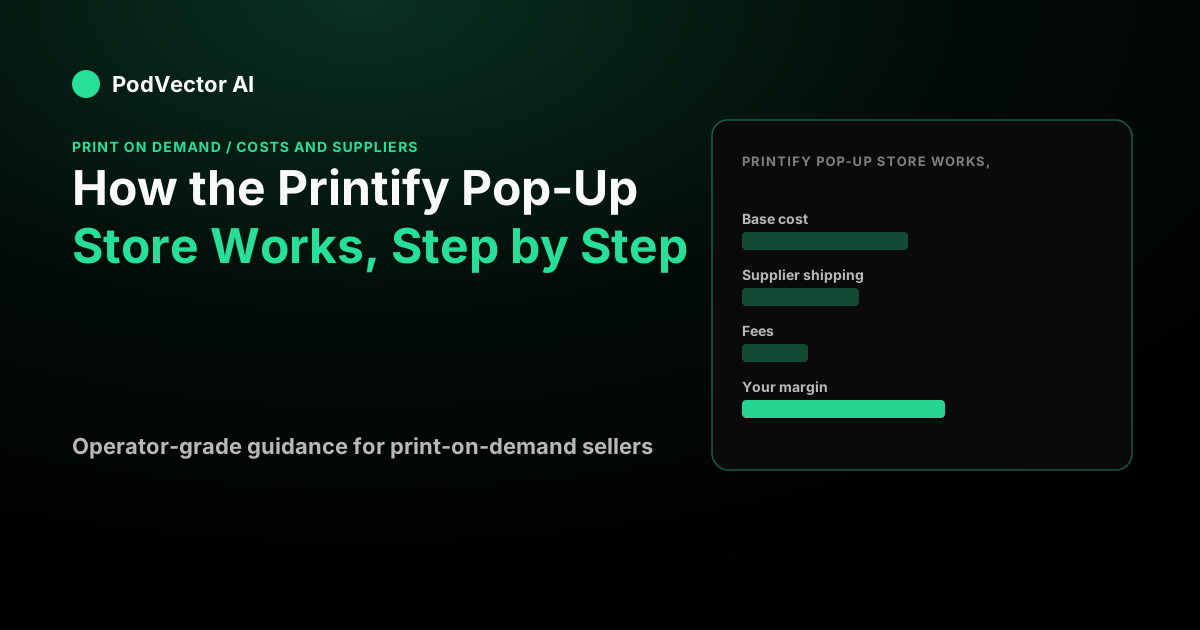
One thing the Pop-Up Store's "free" framing underplays: there is a platform fee on each sale. Our full Pop-Up Store cost breakdown covers this in detail, but the short version is:
- Product base cost — the wholesale cost of the item (check your Printify dashboard for live rates per provider).
- Supplier shipping — billed per order, varies by product and region.
- Platform fee — per our breakdown of Printify's Pop-Up Store fee structure, Printify charges a percentage of each order as a platform fee; this is the single biggest difference between "free to open" and "free to operate."
- Payment processing — Printify Payments (via Stripe) handles this automatically.
- Taxes — Printify's help center warns: "When setting up retail prices for your Pop-Up Store, make sure to account for any taxes Printify may charge on your orders." If your margin cannot cover applicable taxes, the order is canceled and auto-refunded.
Your real profit per order: (retail price + shipping charged) − (base cost + supplier shipping + platform fee + processing + taxes). Offer "free shipping" and the supplier shipping cost comes straight out of your pocket.
What's new: recent feature updates
Printify's feature guide highlights several improvements now live in the dashboard:
- Product personalization: customers can add names, dates, and custom messages directly in your store, with live design previews before they buy — Printify handles fulfillment automatically with no manual file editing on your end.
- Analytics dashboard: as one reviewer confirmed, you get views, clicks, and conversion rate data — "decent performance tracking for MVP launches," but no UTM tracking or source attribution.
- Improved Store Builder: a drag-and-drop builder with rich text editing, custom banners, product reordering, and logo/social link controls.
- Custom domain support: connect your own domain directly from the dashboard for stronger brand recognition.
- IP Registry: Printify notes its IP Registry "helps safeguard your intellectual property, so the artwork you sell stays yours" — useful if you are protecting original designs.
- Post-delivery reviews: Printify's help center confirms customers receive a post-delivery email inviting them to rate products on a 1–5 scale, with low-rated orders flagged to the support team.
Printify notes the personalization feature can command higher margins, since customers pay more for personalized items. If you sell to gift-buyers or niche communities, this is worth enabling early.
How it works, step by step
The flow is short. Here is the full path from empty account to first sale.
1. Create a free Printify account
Sign up and open the Pop-Up Store as a sales channel inside your dashboard. No plan upgrade is required — Printify confirms the store is completely free to launch. Pick a store name and theme in the same step.
2. Complete Stripe verification
Printify's verification guide explains that to start receiving earnings, you must complete the Stripe verification process — "this step is essential to enable bank transfer payouts directly to your account." Do it early so it is not a blocker when your first sale lands. Note: Pop-Up Store access is limited by country — if your country is not on the eligible list, you cannot create a store at this time.
3. Design your products
Pick a blank from the catalog, upload your artwork in the Product Creator, and position the print. Printify generates a realistic mockup you can use as your product image. According to one independent reviewer, you still get access to the same network of print providers that Printify offers for Shopify or Etsy users — the backend quality is identical.
4. Build the storefront
Printify's Store Builder lets you upload a logo, add a custom banner, select a theme, and add social links — but keep in mind that, as one reviewer notes, "there are no templates, no themes, and barely any layout control" beyond those basics. Keep your first product lineup tight — fewer products make the store easier to promote and generate cleaner early data. You can rearrange product order to guide customer attention.
5. Set your retail prices
This is the step that decides whether you make money. You choose the retail price for each product; Printify shows you the base cost so you can see your margin before you publish. Factor in the platform fee, supplier shipping, and applicable taxes — not just the base cost — before you set a number. More on getting this right below.
6. Publish and share
Your store goes live at its printify.me link. Per the independent review, Printify provides no built-in traffic the way Etsy does — you market it yourself via social posts, a link in bio, community drops, or email. The store is mobile-friendly, which matters for Instagram Reels and TikTok link-in-bio traffic.
7. Fulfillment happens automatically
When someone buys, Printify routes the order to a print provider that produces and ships it directly to your customer. According to Printify's billing help page, "Printify handles payment processing, printing, shipping, and customer support" on your behalf — you never touch inventory or a shipping label.
How you get paid
Printify's payment guide explains: "Printify collects the total payment from the customer. Printify pays for production and shipping automatically. Your profit is transferred to your bank account via Stripe." Printify's payout help page confirms you must complete Stripe verification before you can receive earnings.
Printify's help center confirms the store supports payments by credit or debit card, Google Pay, Apple Pay, and other regional methods — which reduces checkout friction. One reviewer reported seeing a payout hit their account within a week of their first sale.
Printify's payout help page also notes you are the Merchant of Record, meaning you are responsible for all tax obligations related to your Pop-Up Store sales — Printify does not withhold income taxes from your earnings.
One practical note: payout availability is region-dependent, so check that your country is supported before you build. You can view your transactions by navigating to Wallet → Pop-Up Transactions in your Printify dashboard.
The part other guides skip: what you actually keep
Most articles stop at "you keep the difference." That is technically true and practically misleading, because the "difference" has more than one cost hiding in it. Your real profit looks like this:
Profit = (retail price + shipping you charge) − (base cost + supplier shipping + platform fee + payment processing + taxes).
The key insight is how far real profit sits below the naive "retail price minus base cost" math. Our full cost breakdown works through the exact per-order math, including the crossover point where moving to Shopify stops being a cost and starts being a saving.
For international sellers: per our Pop-Up Store cost analysis, currency conversion via Stripe FX eats into cross-currency orders, and for international-first stores, Shopify with local payment gateways often pencils out better past low volumes.
Why bundles change everything
When the same buyer adds a second item, supplier shipping on the additional item is a fraction of the first-item rate. This means your margin per item improves significantly on multi-item orders. This is why average order value — not base-cost shaving — is the real lever in print-on-demand.
Refunds: the detail most guides miss
Per Printify's billing documentation: "If there is an issue with the customer's order and we issue a refund, please note that you will also need to refund the customer through your sales channel. The refund provided by Printify is sent only to you, the merchant, and not directly to the customer." Factor this into your customer service workflow — you are responsible for issuing the customer-facing refund manually.
Order editing and cancellations
One operational detail that many guides miss: according to Printify's help center, Pop-Up Store orders cannot be edited after submission except for personalized products. If a customer wants to make changes, the order must be canceled and placed again. Factor this into your customer service workflow before you scale.
Where the Pop-Up Store fits — and where it stops
The Pop-Up Store is built for speed, not scale. It is the right tool when you want to validate a design, run a quick merch drop, or share a store link today without paying for anything.
Its limits show up as you grow. The independent review puts it plainly: analytics are basic — views, clicks, and conversion rates, but no UTM tracking or source attribution. Branding control is limited. And you start on a shared printify.me subdomain — though you can attach a custom domain to your Pop-Up Store to look more professional.
If you want to understand how Printify fits into a broader fulfillment strategy, see our PodVector AI POD strategy guide. If you are weighing Printify against a competitor platform, our Zazzle vs Printify comparison and our Printful vs Printify comparison cover the trade-offs in detail.
Once you are running real ad spend and want the analytics and app ecosystem that come with it, sellers often graduate to Shopify. At that stage, understanding your true per-order profit becomes critical — because paid traffic makes every margin assumption visible fast. Our guide to making money with Printify covers the scaling playbook in full.
Keeping your profit honest as you scale
Here is the trap. The Pop-Up Store shows you a base cost, but the moment you add paid traffic, your true per-order profit depends on ad cost, supplier shipping, platform fees, and processing fees all at once — and those numbers live in different places. The Pop-Up Store's basic analytics dashboard cannot close that gap.
That is the gap PodVector AI closes once you move to Shopify. PodVector AI connects to Shopify, Meta Ads, Google Ads, Printify, and Printful. It pulls your orders, ad spend and supplier costs together, so Victor, its AI employee, can see your true profit on every order. Victor looks at that data, finds a specific move, and makes the change in Shopify, or in your Meta Ads or Google Ads account.
What Victor can do today on the Shopify side: reprice your worst-margin SKUs, bulk-update prices, set up a buy-one-get-one discount, raise your free-shipping threshold, create customer-specific discounts, and organize your collections. He also reads your Meta Ads and Google Ads data to guide those changes — and can draft and schedule Klaviyo email campaigns or build an abandoned-cart flow. PodVector AI is not a dashboard; it is an AI employee that works your numbers for you. For a full picture of what Victor can do, see our PodVector AI overview.
Connect your store to PodVector AI when you are ready to see true profit per order.
FAQs
Is the Printify Pop-Up Store really free?
Yes — to open. Printify confirms there are no monthly fees, setup costs, listing fees, or hosting charges. However, each sale carries a platform fee on top of the product base cost and supplier shipping. You only pay when a customer actually buys, so an idle store costs you nothing — but factor all per-order fees into your pricing before you publish. See our full Pop-Up Store cost breakdown for the exact per-order math.
How do I get paid from a Printify Pop-Up Store?
According to Printify's payment documentation, the customer pays your retail price at checkout; Printify deducts production and shipping costs and transfers your profit to your bank account via Stripe. You must complete Stripe verification before receiving earnings. One reviewer reported a payout hitting their account within a week of their first sale. Availability depends on your country being supported.
What payment methods does the Pop-Up Store accept?
According to Printify, the Pop-Up Store accepts credit or debit card, Apple Pay, Google Pay, and other regional payment methods — covering all the major checkout options customers expect.
How long does shipping take?
Orders are produced and shipped by a print provider. One reviewer reported an average fulfillment time of around 2.8 days with their chosen providers (Monster Digital and Print Geek), plus transit time. Timing varies by product and by which provider fulfills the order — check the specific provider's estimated times in your Printify dashboard.
Can I use my own domain instead of the printify.me link?
Yes — Printify now supports custom domain connection directly from the dashboard for stronger brand recognition. Your store starts on a yourstorename.printify.me address, and connecting a custom domain is a much lighter process than building a website.
Can customers personalize products in my Pop-Up Store?
Yes — Printify's personalization feature lets customers add names, dates, and custom messages with a live design preview before purchase. Fulfillment is still fully automated. This is built into the free store with no plugins required, and Printify notes customers pay more for personalized items, which improves your margins.
Can I edit an order after it's placed?
According to Printify, Pop-Up Store orders cannot be edited after submission (except for personalized products). If a customer wants changes, the order must be canceled and placed again. Also note: if Printify issues a refund due to an order issue, the refund goes to you as the merchant — you are then responsible for refunding the customer through your own channel.
Who handles customer support?
Printify's billing documentation states that Printify handles payment processing, printing, shipping, and customer support on your behalf. However, you as the Merchant of Record remain responsible for tax obligations and for issuing customer-facing refunds when required.
How much profit will I make per sale?
It depends entirely on your retail price versus the base cost, supplier shipping, platform fee, processing, and applicable taxes. Printify shows you the base cost for each product before you publish so you can calculate margin in advance — but make sure to account for all fees, not just the base cost. Multi-item orders yield proportionally more because additional-item shipping is a fraction of the first-item rate. See our Printify Premium breakdown to understand when the discount plan changes the math.
Is the Pop-Up Store better than a full Shopify store?
For speed and zero upfront cost, the Pop-Up Store wins. For branding, analytics, apps, and scale, Shopify wins. As the independent reviewer concludes: "It's perfect for fast launches, not full ecommerce branding." A common path is to launch on the Pop-Up Store to validate designs, then migrate to Shopify once orders and ad spend justify the extra control. When you do make that move, our guide to making money with Printify on Shopify and our Printful vs Printify comparison are useful next reads. And if you want to understand the Google Ads side of scaling POD on Shopify, see our Google Ads strategy for print-on-demand.