
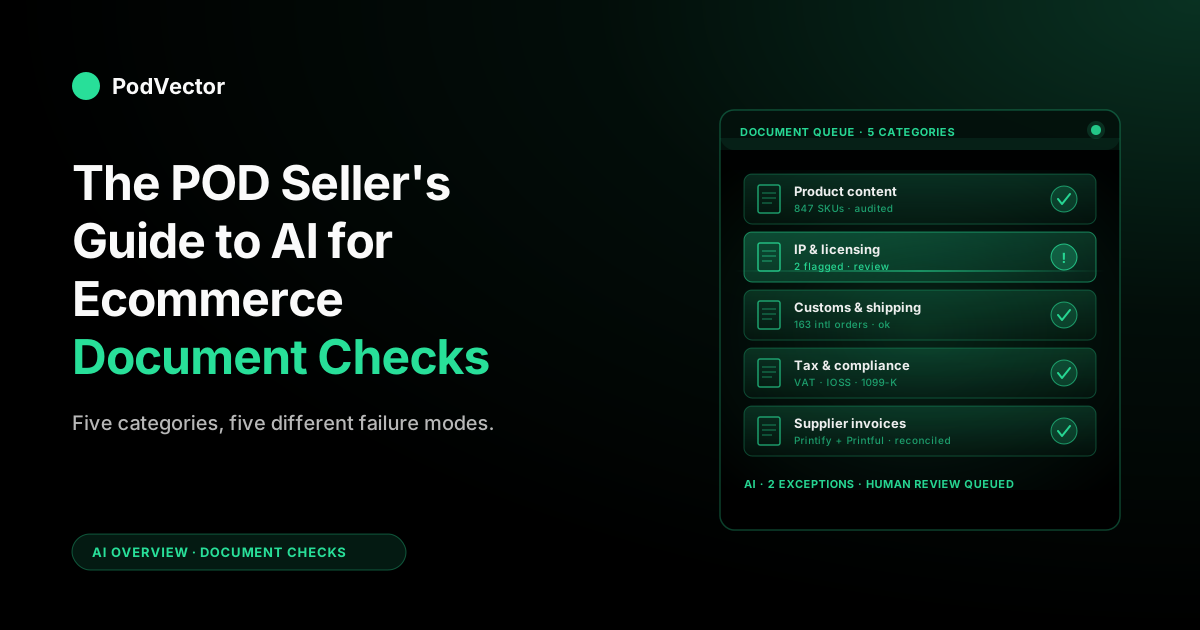
Quick Answer: "AI for ecommerce document checks" covers five distinct workflows for a print-on-demand store: product content audits (titles, descriptions, claims), design IP and licensing verification, customs and shipping paperwork, tax and compliance forms (1099-K, VAT, IOSS), and supplier invoice reconciliation against Printify/Printful orders. Each needs a different tool and a different rule set.
Most general-purpose ecommerce audit tools cover the first one well and the other four poorly. This guide walks through what each check looks like, how AI actually performs it in 2026, and the POD-specific traps to avoid before you let an automation touch a single document.
What "ecommerce document checks" actually means
The phrase "AI for ecommerce document checks" gets used to describe at least three different things in the ecommerce SaaS market, and almost none of the existing coverage is written with print-on-demand in mind. Before you compare tools, it helps to be precise about which check you're trying to automate.
Three interpretations dominate the SERP. The first is product content auditing (verifying titles, descriptions, claims, and brand-voice consistency across a catalog). The second is identity and document verification — the KYC-style "AI document check" sold by tools like Mitek, ADVANCE.AI, and signmadeasy that reads an ID, a business license, or a proof-of-address and validates it's authentic. The third is document review automation (vendor agreements, compliance gates, approval workflows). All three are real. None covers the full surface area of a POD store, where a single $24 hoodie can touch a product description, a design license, a customs declaration, a tax document, and a supplier invoice — five separate document checks tied to one sale. The KYC interpretation does touch POD at the edges — marketplace seller verification and payment-processor onboarding both make you pass an AI document check before you can sell — but that's a one-time gate, not the daily workflow this guide is about.
This guide treats document checks as the broader category they really are for POD: any AI workflow that reads a document, validates it against a rule, and either approves it, flags it, or routes it for human review. That includes product copy, but also IP screening, customs forms, tax filings, and Printify/Printful invoice reconciliation. A POD store running on a stack of AI tools for ecommerce generally needs at least three of these checks running, not one. (For an overview of how the broader AI category fits together for POD, see the AI overview cluster.)
The five document categories every POD store deals with
If you're running a print-on-demand business in 2026, your operation produces or consumes documents in these five categories on a daily basis. AI can audit each one — but the tools, rules, and failure modes are different for every category.
- Product content — titles, descriptions, variant copy, alt text, FAQ blocks, marketing pages.
- Design IP and licensing — DMCA risk on uploaded artwork, trademark conflicts on text-based designs, license terms on stock or AI-generated assets.
- Customs and shipping paperwork — customs declarations, HS codes, country-of-origin labels, restricted-product flags on global Printify/Printful orders.
- Tax and compliance forms — sales tax nexus filings, 1099-K reconciliations, EU VAT and IOSS submissions, GST returns.
- Supplier invoices — Printify and Printful per-order charges versus the corresponding Shopify orders, including base cost, shipping, and surcharges.
The first two are catalog-side checks (running over your storefront content). The next two are order-side checks (running on each transaction). The fifth is a reconciliation check — comparing what suppliers charged you against what your Shopify orders predicted you'd be charged. A complete document-check setup touches all three sides.
Category 1 — Product content audits
This is the category most ecommerce content tools (Describely, Shopify Magic, Auditstore.ai) target. AI reads each product page and audits it against a checklist: required fields filled, factual claims supportable, brand voice consistent, banned-keywords list respected, SEO title and meta within character limits.
For a POD catalog, the AI check is high-value because a single design template often spawns 10–40 variant SKUs (sizes, colors, garment types). That's 10–40 product pages with copy that should be consistent in voice, accurate to the variant, and SEO-aware. Manual audits don't scale past 50 SKUs. AI audits do.
What a good AI product content check actually validates on a POD store:
- Variant accuracy — the description for a "white men's tee" doesn't accidentally say "ladies' v-neck" because it was templated from a base design.
- Material claims — if you're saying "100% organic cotton," it matches the supplier's actual blend on the corresponding Printify or Printful blueprint.
- Care instructions — present, supplier-correct, and consistent across variants.
- Restricted-keyword compliance — POD stores selling on Etsy and Amazon need to flag and remove protected trademark phrases before sync.
- SEO hygiene — meta description present, title within 60 characters, alt text on every product image.
- Structured-data validity — the JSON-LD product schema on each page is present and correct: SKU, GTIN, color, size, price, and stock availability all populated. This is the check the 2026 "AI audit" tools (Yotpo, Auditstore.ai) now lead with, because malformed or missing schema is what keeps a POD listing out of AI shopping answers.
- AI readability — the product copy and reviews are crawlable (not trapped behind lazy-load buttons or scripts) and phrased so ChatGPT, Perplexity, and Google AI Overviews can quote them accurately. An AI-visibility audit is just a document check pointed at how machines, not shoppers, read the page.
- Brand voice — the tone of an AI-generated description matches your established voice instead of reading like default ChatGPT output.
Tools that handle this layer well include Describely (POD-friendly, integrates with Shopify and WooCommerce), Shopify Magic (limited but native), Auditstore.ai's product-content checks, and the newer AI-visibility auditors like Yotpo Discover that score how well your schema and copy surface inside AI shopping answers. None of them know what your supplier's actual product attributes are unless you connect a Printify or Printful sync — which is the gap that POD-aware analytics tools fill on the back end. The POD seller's guide to AI for ecommerce products goes deeper on the catalog-side stack.
Category 2 — Design IP and licensing checks
This is the category POD sellers feel most acutely and that general ecommerce audit tools ignore entirely. Every design uploaded to a POD storefront is a potential IP exposure: a trademarked phrase, a copyrighted character, a stock asset used outside its license terms, or AI-generated artwork that traces too closely to a copyrighted reference.
AI document checks for IP and licensing typically run two passes:
- Trademark and DMCA pre-screen — the design (image and embedded text) is run against a database of registered trademarks, common DMCA-flagged terms, and known character/likeness libraries. Anything matching above a threshold is flagged for human review before the listing goes live.
- License-terms validation — for designs that use licensed stock, AI-generated, or commercial-use-restricted assets, the AI verifies that the license document on file actually permits the use case (commercial, derivative, no-attribution, POD-specific).
Tools in this category include Trademarkia's screening API, Sentry MBA's POD-specific checks, and the screening features built into Printify and Printful's content review pipelines. Most successful POD stores layer at least two of these — a pre-upload screen on their own side, plus the supplier's review pipeline as a backstop.
The failure mode to know about: the supplier-side review (Printify, Printful, Redbubble, Etsy) is your last line of defense, not your first. A design that gets pulled by a supplier post-upload still leaves you with refunds, chargebacks, and brand damage.
Front-loading the IP check before listing — even with a basic AI screen — is the high-leverage move. It also fits cleanly into the broader pattern of letting AI handle ecommerce checks before they become problems.
Category 3 — Customs and shipping paperwork
If your POD store ships internationally — and most do, because Printify and Printful both have global supplier networks — every order generates customs paperwork: a commercial invoice, a customs declaration, an HS code, a country-of-origin label, and (depending on destination) restricted-product flags.
The supplier prints most of this for you. The risk for the seller is when something is wrong on the document and the parcel gets held at the destination. Common failure cases on POD orders:
- HS code mismatch — a hoodie shipped under the wrong textile classification can be held by EU customs for weeks.
- Country-of-origin error — Printify and Printful fulfill from multiple regional facilities; a UK customer expecting a UK-fulfilled order might receive one from the US, with US-origin paperwork that triggers VAT recalculation.
- Restricted-design flags — certain designs (anything resembling military insignia, country flags in conflict zones, age-restricted imagery) cause customs holds in specific markets.
- Value declaration mismatch — when the declared customs value doesn't match the order amount the customer paid, refunds and disputes follow.
AI checks at this layer are still maturing. The most useful patterns in 2026 are AI-assisted HS code suggestion (matching a product description to a correct customs classification), restricted-product screening before the order is sent to the supplier, and post-fulfillment audits that scan supplier-issued shipping documents for anomalies. Nothing in the category is plug-and-play for POD yet — most stores roll their own check by feeding Printify/Printful order documents into an AI extractor and validating against a rule set.
Category 4 — Tax and compliance forms
Sales tax, 1099-K reconciliation, EU VAT, IOSS submissions, GST returns. These are the documents most POD sellers procrastinate on until quarterly or annual deadlines, and they're the ones where AI document checks have matured fastest in 2026.
What AI does well here:
- 1099-K reconciliation — read the form Shopify (or a payment processor) issued, compare to your transaction log, surface discrepancies before you file.
- VAT and IOSS automation — pull EU orders, compute VAT due by member state, generate the IOSS submission file, flag anomalies (zero-rated orders, refunds that need credit notes).
- Sales tax nexus monitoring — track which US states you've crossed economic nexus thresholds in based on rolling 12-month order data, then surface required filing actions.
- Marketplace facilitator reconciliation — for sellers running on both their own Shopify and on Etsy/Amazon, reconcile what the marketplace already collected against what you owe directly.
Tools in this category include TaxJar (now Stripe), Avalara, Quaderno, and the built-in tax tooling inside Shopify Tax. Most are not "AI" in the deep-learning sense — they're rules engines with AI-flavored UX layers. The genuine AI-leaning tools (Quaderno's anomaly detection, Avalara's classification suggestions) are useful but rarely standalone — they live inside the broader compliance stack.
The POD-specific consideration: when you're selling globally with multiple suppliers fulfilling from multiple countries, your tax document trail is more fragmented than a single-warehouse retailer's. An AI document check that ties Shopify orders to the actual fulfillment country (and therefore the correct VAT treatment) is more useful than one that assumes everything ships from a single origin.
Category 5 — Supplier invoice reconciliation
This is the category nobody on the SERP covers and the one that quietly bleeds the most margin from a POD store. Every Printify or Printful order generates a supplier-side charge — base cost, shipping, sometimes surcharges or sample fees — that gets billed to your card, your wallet, or your invoice account days or weeks after the original Shopify sale. Reconciling those charges against the corresponding orders is where errors compound.
The document check looks like this:
- Pull the Printify or Printful invoice for a given period.
- Pull the Shopify orders that should have triggered each line item.
- Match them on order ID, line item, and timestamp.
- Flag mismatches: surcharges you weren't expecting, double charges, missing credits for cancelled orders, shipping tier changes, supplier price increases mid-period.
- Compute true profit per design at the variant level, accounting for the actual supplier cost rather than a stale "Cost per item" field on the Shopify product.
AI helps here in two ways. First, document extraction — OCR plus an LLM parsing layer that reads PDF invoices or CSV exports from Printify/Printful, pulls out per-line base cost, shipping, and surcharges, and structures them for matching. (This is the same OCR-and-extract pipeline that generic AI document-check vendors market for vendor onboarding; the POD-specific work is the matching rule set, not the extraction.) Second, anomaly detection — surfacing the 2% of line items that look off (a $14 shipping charge on a $9 base cost SKU, a duplicate fulfillment charge, a missing refund) without making you scroll through 800 line items.
This is also the category where Victor sits on the POD-native side of the market. Victor matches your Printify and Printful invoices against your Shopify orders all the time, not just once in a while. Then he can answer your margin and profit questions right away, using that matched-up data — the same kind of question a manual document check would answer weeks later at quarter-end, but live and design by design. The complete guide to AI analytics for print-on-demand goes deeper on the analytics side, and the broader AI analytics topic hub indexes everything in this category; this guide just notes the document-check role: invoice reconciliation is where pricing decisions stop being theoretical.
The tools in the category
A short tour of what's actually available, organized by document category. None of these is a single source of truth — most POD stores end up running two or three.
Describely
Best-of-category for product content audits. Reads the catalog, runs claims and brand-voice checks, supports Shopify and WooCommerce. Strong if your bottleneck is variant copy quality across a large POD catalog.
Auditstore.ai (formerly AuditYourStore)
Free entry-level audit tool plus paid tiers, 500+ research-backed CRO and content rules. Useful as a one-shot snapshot of your storefront's document and content gaps. Not designed for continuous catalog audits.
Shopify Magic and Sidekick
Native Shopify AI for product content generation and audit prompts. Limited as a standalone audit tool but useful for ad-hoc queries ("which products are missing meta descriptions?"). Covered in more depth in the Shopify Magic AI features guide.
Trademarkia, Sentry, Markify
IP and trademark screening APIs. Most useful as a pre-upload check in the POD design pipeline. Pricing is per-screen or by API volume.
TaxJar (Stripe), Avalara, Quaderno
Tax document reconciliation and submission. AI-flavored anomaly detection layered on top of rules engines. Quaderno is the most POD-friendly for global sellers because of its IOSS support out of the box.
Arahi AI and similar workflow builders
Generic document review automation tools. Strong if your bottleneck is custom workflows (vendor approvals, content gates) rather than ecommerce-native content audits.
Victor (PodVector AI)
POD-native analytics that performs continuous supplier-invoice reconciliation against Shopify orders, then answers profit and unit-economics questions on the reconciled data. Today it's a question-answering layer; the employee roadmap is to propose actions (refund this order, flag this SKU, raise this design's price) for approval. Sits in the supplier-invoice and margin-document layer rather than the product-content layer.
A 6-step setup for AI document checks on a POD store
If you're starting from zero, this is the order to build the document-check stack in.
Step 1 — Audit your current document trail
Before adding any tool, list the documents your store already produces or receives in a typical week: product pages, customs declarations on each international order, supplier invoices, tax filings due in the next quarter, IP screens. Most POD operators discover at this step that one or two categories aren't being checked at all.
Step 2 — Layer in product content audits first
This is the highest-leverage starting point because the storefront is what customers see, and AI tools in this category (Describely, Shopify Magic) are mature enough to deploy in days rather than months. Set rules for variant accuracy, claim consistency, and SEO hygiene; let the AI flag exceptions for human review.
Step 3 — Add IP screening to your design upload pipeline
If you're publishing more than five new designs a week, the IP-screen step has to be automated or it gets skipped. Use a screening API or a manual checklist with an AI assist on text-based designs. Keep the human approval step in the loop — these decisions are too consequential for full automation in 2026.
Step 4 — Reconcile supplier invoices monthly (then move to weekly)
Pull a month of Printify or Printful invoices, match them against the corresponding Shopify orders, and run an anomaly check. Most POD stores find at least 1-3% margin recovery in surcharges and missed credits the first time they do this. Once the workflow is set up, move from monthly to weekly cadence.
Step 5 — Automate tax and compliance filings
This is the last layer to add for most POD stores because the tools (TaxJar, Avalara, Quaderno) want a stable transaction history before they can model your nexus and VAT obligations correctly. Once you've been operating for 6+ months, layer this in.
Step 6 — Wire customs paperwork checks into the order flow
Customs is the hardest layer to automate because it lives partly in the supplier system (Printify/Printful generate the documents) and partly in your storefront. The realistic 2026 pattern is post-fulfillment audits — sample 5% of international orders, validate the customs paperwork the supplier generated, and flag systematic errors back to the supplier or to your own listing rules.
Mistakes to avoid
1. Treating "document check" as a single workflow
The biggest setup mistake POD operators make is buying one tool — usually a product content auditor — and assuming it covers their document-check needs. It covers one category of five. The other four still require either a separate tool or a deliberate manual process.
2. Letting AI auto-approve IP screens
AI trademark screens are good at flagging the obvious cases. They're bad at the edge cases that actually get a store sued. Keep a human in the loop on every IP flag above a confidence threshold, and never let the AI auto-publish a design that touches text-based or licensed content.
3. Skipping supplier invoice reconciliation
This is the most common margin leak in a POD store and the one that compounds the longest if ignored. A 2% surcharge error across 600 orders a month is real money. AI extraction makes the reconciliation cheap; the cost of skipping it is high.
4. Trusting Shopify's "Cost per item" field as truth
Cost per item is the field most POD content tools read when they need a "cost" number. It's almost always stale or wrong because Printify and Printful don't sync per-order true cost back to it. Any document check that uses this field for margin or pricing decisions is using fiction. Reconcile to the supplier invoice instead.
5. Building the customs check before the basics
Customs checks are the lowest-leverage layer for most stores until you're shipping >100 international orders a month. Don't burn engineering time on this until product content, IP, and supplier reconciliation are running cleanly.
6. Buying a "compliance suite" without scoping the categories
Most generic ecommerce compliance suites are content-heavy and reconciliation-light. They'll audit your product pages but not your Printify invoices. Map the tool's capabilities to the five document categories before you sign anything.
FAQs
What's the difference between an ecommerce document check and an ecommerce content audit?
A content audit is one type of document check — specifically, the one that runs over your storefront product pages and marketing content. Document checks are the broader category that also includes IP screening, customs paperwork, tax forms, and supplier invoice reconciliation. Most coverage on the SERP collapses the two terms together; for a POD store, the distinction matters because the broader category is where most of the margin risk sits.
Is "AI document verification" (the ID and KYC kind) relevant to POD sellers?
Partly. Tools like Mitek, ADVANCE.AI, and signmadeasy sell AI document verification — reading an ID, business license, or proof-of-address and confirming it's authentic. For a POD seller, that shows up in two one-time places: passing identity and business-document checks when a marketplace (Etsy, Amazon, TikTok Shop) onboards you as a seller, and clearing payment-processor KYC (Shopify Payments, Stripe) before payouts release. Those are gates you pass once, not the recurring document checks — product content, IP, customs, tax, supplier invoices — that decide your margin every week. This guide focuses on the recurring five because that's where the ongoing work and the money are.
Can ChatGPT or Claude do document checks for my POD store?
For one-off checks, yes — both are good at reading a single Printify invoice or a single product page and surfacing issues. For continuous, rule-based checks across hundreds of documents, you want a purpose-built tool with the rules engine and integrations baked in. The general LLMs are great prototyping tools and bad production pipelines for this work.
How do AI document checks handle Printify and Printful integrations?
Most product content tools don't integrate with Printify or Printful directly — they read your Shopify catalog and treat the supplier as invisible. That's fine for content audits but limiting for anything that needs supplier-side data (cost, fulfillment country, restricted designs). For the supplier-side checks, you either need a POD-native tool that integrates upstream of Shopify or you build the connection yourself with the Printify and Printful APIs.
What's the cheapest way to start with AI document checks on a POD store?
Start with Shopify Magic (free, native) for basic product content audits and a manual monthly Printify or Printful invoice review for supplier reconciliation. Total cost: zero. This covers the two highest-leverage categories. Layer paid tools on only when the volume or the gap in coverage justifies it.
Are AI document checks reliable enough for compliance filings?
For the data-extraction and anomaly-flagging part, yes — the tools in TaxJar, Avalara, and Quaderno's stack are stable in 2026. For the actual filing decision, treat AI output as a draft, not a submission. A human (you, your bookkeeper, or your accountant) should approve the final filing, especially for VAT and IOSS, where errors compound across borders.
How often should I run document checks on a POD store?
Product content: continuously, with a weekly review of the AI-flagged exceptions. IP screens: at every design upload.
Customs: post-fulfillment sampling at 5% of international orders. Tax: per filing cadence (monthly for VAT, quarterly for sales tax).
Supplier invoices: weekly once you've established the baseline, monthly minimum. The supplier reconciliation is the cadence that gets stretched and shouldn't be — the longer you let it slip, the harder the catch-up.
Will AI document checks replace bookkeepers and tax accountants for POD?
Not in 2026. The tools handle extraction, reconciliation, and flagging well.
They don't handle judgment calls — which deductions to take, how to structure the entity, how to handle a state that just changed nexus rules. The realistic split is AI for the document grunt work, accountant for the decisions, with the AI shrinking the accountant's hours rather than replacing them.
Does Victor do document checks?
Victor's role in the document-check stack is supplier invoice reconciliation and the margin layer that sits on top of it. Today, Victor reconciles Printify and Printful invoices against Shopify orders continuously and answers questions like "which designs lost money last week after true supplier cost?" or "why did my margin drop on the hoodie line?" The employee roadmap is to propose actions on the reconciled data — flag a refund, suggest a price change, route an exception for human approval — but the value today is making sure the numbers feeding every other downstream check (pricing, marketing, tax) are grounded in real supplier costs rather than stale storefront fields.
What document checks does Etsy or Amazon do for me on POD listings?
Etsy and Amazon both run their own IP screens and content reviews on listings synced via Printify or Printful. Treat these as a backstop, not a replacement for your own checks.
A listing that gets flagged or pulled by the marketplace post-publish costs you the listing slot, the SEO history, and often the design entirely. Front-loading the screen on your side is cheaper.
Reconcile every supplier invoice without spreadsheet pain
Most AI document-check tools never see your Printify or Printful invoices — and that's where POD margins quietly leak. Victor reconciles supplier invoices against Shopify orders continuously, surfaces the line items that don't match, and answers the profit-per-design questions a content-only audit can't.
Try Victor free