
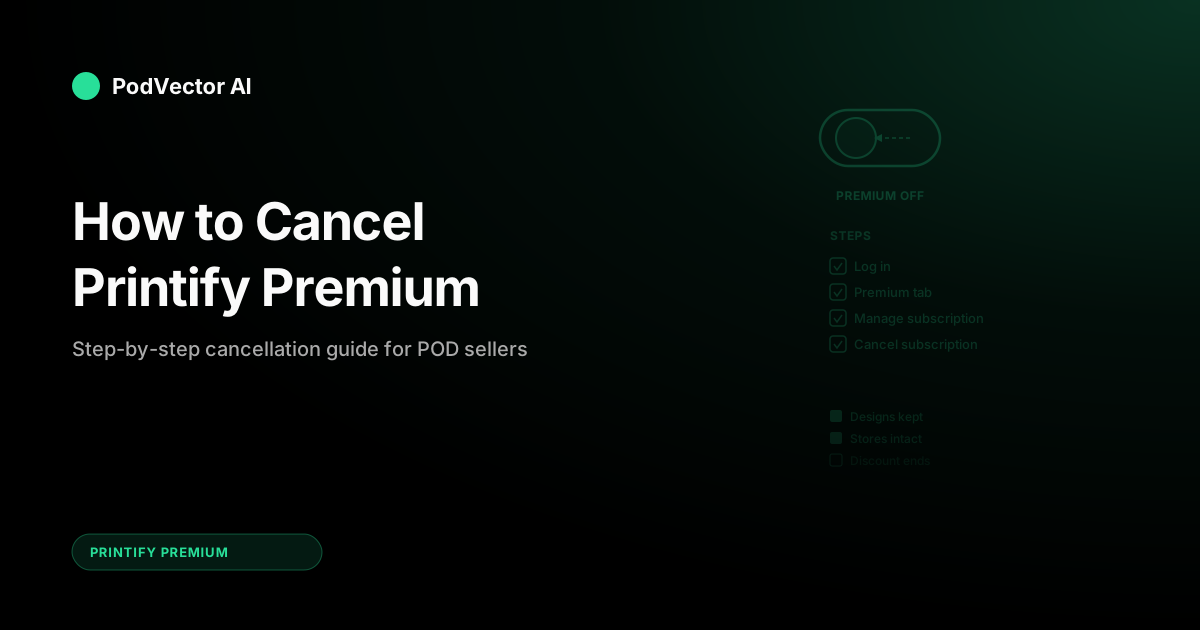
Quick Answer: To cancel Printify Premium, go to Premium in the left sidebar of your Printify dashboard, click Manage subscription, then select Cancel subscription. Your Premium benefits stay active until the end of your current billing cycle.
If you subscribed through the Shopify app, uninstalling the Printify app cancels Premium automatically. Either way, your stores, designs, and catalog stay intact after cancellation.
How to Cancel on Printify.com (Step-by-Step)
If you signed up for Premium directly on Printify's website, the cancellation takes about two minutes. Here's the process:
- Log in to your Printify account at printify.com.
- Click Premium in the left sidebar navigation.
- Click the Manage subscription button.
- Select Cancel subscription (for monthly plans) or Cancel renewal (for annual plans).
- Confirm the cancellation when prompted.
If you don't see a "Cancel subscription" option, your Premium subscription has already been cancelled. No further charges will be applied.
Printify may show you a retention offer or discount before completing the cancellation. You can accept it or skip straight to confirming.
How to Cancel via the Shopify App
Sellers who subscribed to Printify Premium through the Shopify App Store follow a different path. Shopify manages the billing, so the cancellation happens on Shopify's side.
Option 1 — Uninstall the app: Removing the Printify app from your Shopify store automatically cancels the Premium subscription. Your Printify account and designs remain intact, but the Shopify integration disconnects.
Option 2 — Downgrade from Shopify: In your Shopify admin, go to Settings → Apps and sales channels → Printify, then manage the subscription from there. This lets you cancel Premium without uninstalling the entire app.
Whichever option you pick, Shopify stops billing you at the end of the current cycle. Check your Shopify billing history to confirm no further charges are scheduled.
What Happens After You Cancel
Cancellation doesn't delete anything. Your account reverts to the Free plan once the current billing period ends. Here's what changes — and what stays the same.
What you keep
- All your product designs and listings
- Your Printify account and order history
- Access to the full product catalog
- Up to 5 connected stores (Free plan limit)
What you lose
- Product discounts — the up-to-33% discount on base production costs reverts to standard pricing
- Extra store connections — if you had 6–10 stores connected, you'll need to disconnect some to get back under the Free plan's 5-store cap
- Printify Connect — you'll handle order issues directly with print providers instead of Printify's support team
- Sellers Club PRO — bundled with Premium since early 2026, this access ends when your subscription lapses
Your existing published listings keep working. Orders placed after cancellation just cost more per unit because the Premium discount no longer applies. For a full breakdown of what Premium includes and what the discount actually saves, see our Printify Premium benefits analysis.
Can You Get a Refund?
Printify Premium subscriptions are non-refundable. This applies to both monthly and annual plans.
If you cancel mid-cycle, you keep Premium benefits until the billing period ends, but you won't receive a prorated refund for the unused portion. That's why timing matters — cancel right after a renewal and you've already paid for another full period.
The best practice: set a reminder a few days before your renewal date. If you're on the fence, cancel before renewal to avoid the charge. You can always resubscribe later without penalty.
How to Reactivate Premium Later
Changed your mind? If your billing period hasn't ended yet, you can restore your subscription immediately.
- Go to Premium in the left sidebar.
- Click Restore the subscription.
Your billing schedule picks up where it left off — no new charges, no gap in coverage. If your billing period has already ended and you're back on the Free plan, you'll need to subscribe again as a new Premium signup at the current rate ($39/month or $299/year).
There's no penalty or waiting period for re-subscribing. The discount kicks in immediately on your next order.
Before You Cancel: Check Your Actual Numbers
Most sellers who cancel Premium do it because the subscription feels expensive — not because they've checked whether it's actually costing them more than it saves. Before you hit cancel, run a quick check on your real numbers.
The break-even math is straightforward. Divide your monthly subscription cost by the average per-unit discount you're getting. On monthly billing ($39/month) with a typical $2.30 per-unit discount, break-even is about 17 orders per month. On annual billing ($24.99/month), it drops to about 11 orders.
If you're consistently above those thresholds, cancelling Premium actually costs you money. Every order above break-even is pure margin that goes back in your pocket. For the full math on different product types, our Printify Premium worth-it analysis breaks down break-even by product category.
Where it gets tricky is product mix. A seller moving 15 hoodies a month saves more on Premium than one selling 25 mugs, because hoodies carry a larger absolute discount ($3–5 vs. $0.80–1.20 per unit). Don't just count orders — count what you're selling.
If tracking all this manually sounds tedious, that's the exact problem an AI employee like Victor solves. Victor pulls your live Printify and Shopify data, computes your actual per-unit savings, and tells you whether Premium is net-positive or net-negative for your specific store. No spreadsheets, no guesswork.
The Seasonal Cancel-and-Resubscribe Strategy
If you're a seasonal seller — heavy in Q4, quiet in Q1 and Q3 — monthly billing gives you a useful lever. Cancel during slow months when your order volume drops below break-even, and resubscribe when volume picks back up.
Printify doesn't penalize this. Your designs, stores, and catalog survive cancellation. The only downside is that you lose the per-unit discount during the gap, so any orders placed while you're on the Free plan cost more.
Here's the math on a seasonal example. Say you sell 30 t-shirts per month in Q4 but drop to 8 per month in Q1. At $2.30 average discount per unit, Q4 saves you $69/month minus the $39 subscription — a $30/month net gain. Q1 saves only $18.40 against a $39 fee — a $20.60/month net loss.
Cancelling for January through March saves you $61.80 in net subscription losses. That's real money for a small POD operation. For more on whether Printify Premium's plan structure works for you, we break down the monthly vs. annual decision.
The annual plan ($24.99/month) changes this calculus. The lower rate means you break even at just 11 orders, so even moderately slow months still pencil out. If your slow months stay above 11 orders, annual billing is the better move. If they drop below that, monthly-with-seasonal-cancellation wins.
When Cancelling Actually Makes Sense
Not every cancellation is a mistake. Here's when dropping Premium is the right call:
- You're consistently below break-even. If you've been under 11 orders/month (annual) or 17 orders/month (monthly) for 3+ months straight, the subscription is a net cost.
- You're switching to a competitor. If you're moving your fulfillment to another POD platform like Printful or Gelato, there's no reason to keep paying for Printify Premium.
- You're pausing your POD business. Life happens. If you're stepping away from selling for a few months, cancel and come back when you're ready.
- You only use one store. If you sell on a single platform and don't need the extra store connections, Printify Connect, or Sellers Club PRO, the discount alone may not justify the fee at your volume.
If none of those describe your situation, it's worth reviewing your actual savings before pulling the trigger. The SERP is full of "how to cancel" guides, but few of them mention that cancelling at the wrong time can cost you more than staying subscribed. Avada's Printify Premium review has a useful cost breakdown if you want a second opinion on the numbers.
And if you're exploring other sites like Printify, compare their pricing tiers side-by-side before you cancel. Some competitors offer similar discounts at lower subscription fees, while others charge more but include features Printify doesn't.
FAQs
Does cancelling Printify Premium delete my designs or listings?
No. All your product designs, published listings, and order history stay intact. Your account simply reverts to the Free plan with its limitations (5 stores, no product discount, no Printify Connect).
Can I cancel Printify Premium at any time?
Yes. There's no contract or early termination fee. Cancel whenever you want, and Premium benefits continue until the end of your current billing period.
What if I cancel and want to come back?
If your billing period is still active, click "Restore the subscription" under the Premium tab. If it's expired, sign up again at the current rate. There's no waiting period or penalty for re-subscribing.
Will I get a refund for the unused portion of my subscription?
No. Printify Premium plans — both monthly and annual — are non-refundable. You keep benefits until the end of the paid period, but there's no prorated refund.
How do I know if I should cancel or switch to annual billing instead?
If your order volume drops below 17 orders/month on monthly billing but stays above 11, switching to annual ($24.99/month) is a better move than cancelling. You'll still save on every order while paying a lower subscription rate. Check out our Printify Premium hub for more help deciding.
Does cancelling affect pending orders?
No. Orders already submitted continue processing at the Premium-discounted rate. Only new orders placed after your Premium period ends revert to standard pricing.
Not Sure Whether to Cancel? Let Victor Check Your Numbers
Victor pulls your live Printify and Shopify data, computes your actual per-unit savings, and tells you whether Premium is a net positive or a net loss for your store — no spreadsheets required.
Try Victor free