
If you sell print-on-demand, your cost of goods sold (COGS) is a moving target. The number you see in the Printify or Printful editor is only the starting point, and it changes more often than most sellers realize. This guide shows you exactly what to track per product, how to calculate it, and where the common shortcuts quietly eat your margin.
What "COGS per product" actually means in POD
COGS is what it costs you to deliver one sold item. In a traditional store you'd know that number upfront because you bought inventory. In POD you pay nothing until a customer orders, and the supplier bills you after the sale — so your per-product cost is whatever the supplier's invoice says on the day the order ships.
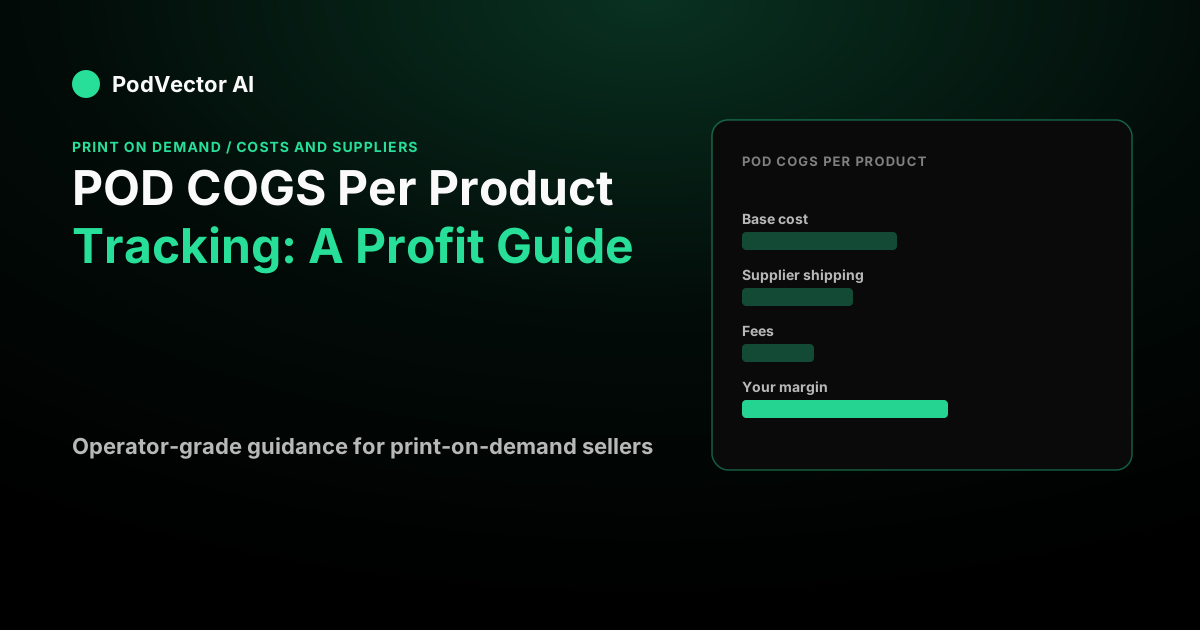
That invoice has three parts, not one:
- Base cost — the blank product plus the print or embroidery. This is the per-variant figure shown in your product editor.
- Supplier shipping — what the print provider charges you to send that order to your customer. It varies by destination and by provider.
- Supplier tax — sales tax or VAT the platform charges you on the fulfillment transaction, depending on your tax location and whether you have a resale certificate on file.
So your real formula is full supplier invoice = base cost + supplier shipping + supplier tax. Miss the last two lines and your "COGS" is understated on every single order.
Why the Shopify "cost per item" field falls short
Shopify's native profit reports start from the Cost per item value stored on each product or variant. It's a good baseline, but for POD it has three blind spots.
First, it's a single static number. It captures base cost but not the supplier shipping and tax that land on the real invoice. Second, it doesn't update itself when your supplier reprices. Third, it ignores payment processing fees and any ads you're running to sell that specific product.
The result is a report that looks precise and is consistently optimistic. For a deeper walk-through of the full cost stack, see our POD cost economics hub, which breaks down every line that belongs in a per-product cost.
The price-drift problem no static field survives
Here's the part most COGS guides skip: supplier prices don't hold still. Both major platforms adjust pricing during the year — sometimes on a single SKU, sometimes across a catalog.
Printify raised its Premium plan's monthly price and reworked its discount structure in early 2026, and its live pricing page now advertises "up to 33% discount on products and custom branding" for Premium, though the everyday effective discount most sellers plan around is closer to 20% (printify.com/pricing). Printful consolidated its plans and moved to a Free and Growth structure, where Growth advertises up to 33% off product pricing and becomes free once a store reaches a set annual sales threshold (printful.com/pricing).
Shipping reprices too. Printify applied a small per-order holiday shipping surcharge on US-destination orders during the 2025 season, on top of normal rates (sellersclub.printify.com). A base cost you typed into Shopify in January is almost guaranteed to be wrong by spring — which is why per-product COGS tracking has to be a live process, not a one-time data entry chore.
A worked per-order example
Numbers make this concrete. Say you sell a Bella+Canvas tee. Base costs in this range come from provider catalog figures (help.printify.com); the retail and fee lines below are illustrative assumptions so you can follow the arithmetic.
| Line | Amount |
|---|---|
| Retail price | $24.99 |
| Shipping charged to customer | $5.99 |
| Customer pays | $30.98 |
| Base cost (mid-range tee) | −$9.04 |
| Supplier shipping (first US apparel item) | −$3.99 |
| Supplier tax (resale cert on file) | −$0.00 |
| Payment processing (assume ~2.9% + $0.30) | −$1.20 |
| Your profit | ≈ $16.76 |
Now watch what one extra unit does. The customer adds a second tee, and the supplier charges a reduced rate on the additional item because it ships in the same parcel:
Retail 2 × $24.99 = $49.98, plus one flat $5.99 shipping charge = $55.97 collected. Costs: base 2 × $9.04 = $18.08, supplier shipping $3.99 + ~$2.00 = $5.99, processing ~$1.92. Profit ≈ $29.98.
The second unit added about $13 of profit on roughly $16 of retail, because the additional-item shipping rate sits far below the first-item rate (printify.com/shipping-rates). That's the single most useful thing per-product tracking reveals: your margin per unit rises with order size, so average order value and bundling move profit more than shaving a few cents off base cost.
The costs beginners leave out
If you take one rule from this guide, make it this: never calculate profit as retail − base cost. That skips three real costs and one lever.
- Supplier shipping is a cost on every order. Our breakdown of shipping margin on Shopify shows how the gap between what you charge and what the supplier bills becomes a margin lever you control.
- Payment fees take a percentage plus a flat amount from every transaction.
- Supplier tax applies unless you've filed a resale or exemption certificate.
- Customer-paid shipping is revenue you decide on. Offering free shipping means you absorb the supplier's shipping cost, so it has to be priced into the product.
There's also the drop-ship or per-order fee some setups add on top; our guide to the POD drop-ship fee covers when that applies.
How to track COGS per product accurately
A workable system has four moving pieces:
1. Record the true landed cost, not just base cost. For each variant, log base cost + typical supplier shipping to your main market. This is your per-product COGS floor.
2. Re-check it on a schedule. Because suppliers reprice, revisit your best sellers' costs at least quarterly, and always before you change prices or launch ads. The authoritative figure always lives in your own product editor at order time.
3. Choose your provider on total cost, not the lowest base cost. The same blueprint can cost different amounts across Printify providers because of base cost, shipping origin, and print method (help.printify.com). A cheaper but distant provider can raise shipping and slow delivery, and refunds or reprints are pure loss. Cost is an optimization across base + shipping + speed + quality, evaluated per destination.
4. Attach ad spend and fees at the product level. If a product only sells with paid traffic, that spend is a real cost of that product. Rolling ad cost into per-unit economics is where "profitable-looking" catalogs reveal their money-losers.
For a live comparison of how these levers play out on one item, our Printful beanie cost vs Printify breakdown runs the full landed-cost math on a single product across both platforms.
Set retail price from tracked COGS, not guesswork
Once you know true landed cost, pricing stops being a vibe. You set a markup that clears base cost, supplier shipping, tax, and fees with margin left over — the mechanics are in our guide to markup on Shopify. The point of tracking COGS per product is to make every price defensible with a number behind it.
Where an AI employee fits
Doing all of this by hand across a full catalog is where it breaks down — the costs change, ad spend shifts daily, and payment fees vary by order. This is the gap PodVector AI was built for.
PodVector AI connects your Shopify, Meta Ads, Google Ads, Printify, and Printful accounts, and works out your true profit on every order — the product cost, supplier shipping, ad spend, and fees, all per order, without you keeping a spreadsheet. Victor, its AI employee, looks at that data and makes changes in Shopify, Google Ads, and Meta Ads to boost your profit. Victor is not a dashboard — he does the work for you.
See your true per-order profit with PodVector AI
FAQs
What is COGS per product in print on demand?
It's the full cost to deliver one sold item: the supplier's base cost for the blank plus decoration, the supplier's shipping charge for that order, and any supplier tax. It is not the single "cost per item" number you type into Shopify, because that figure usually omits shipping and tax.
Does Shopify track POD COGS accurately on its own?
Only partially. Shopify's profit reports use the static Cost per item field, which captures base cost but not supplier shipping, supplier tax, payment fees, or product-level ad spend. Treat it as a baseline and reconcile it against your actual supplier invoices before making pricing decisions.
Why does my supplier charge more than the price shown in the editor?
Because the editor shows base cost only. The real invoice adds supplier shipping — which follows a full first-item rate plus a reduced additional-item rate — and sometimes tax (printify.com/shipping-rates). Your landed cost is always higher than the per-variant price you see.
How often should I update my POD COGS?
At least quarterly, and always before changing prices or starting ads. Suppliers reprice through the year on individual SKUs and across catalogs, and both Printify and Printful have adjusted plan pricing and discounts recently (printify.com/pricing, printful.com/pricing).
Is the cheapest provider always the best for COGS?
No. The lowest base cost can come with higher shipping, slower delivery, or lower print quality, and refunds or reprints cost far more than a few cents saved. Evaluate total landed cost, speed, and reliability per destination — not base cost alone.
Do international orders change my per-product COGS?
Yes. Cross-border shipping costs more, and the US ended its low-value import duty exemption in 2025, so US imports now face duties regardless of value (merchone.com). For US customers, fulfilling from a US-based provider usually keeps landed cost lower.