
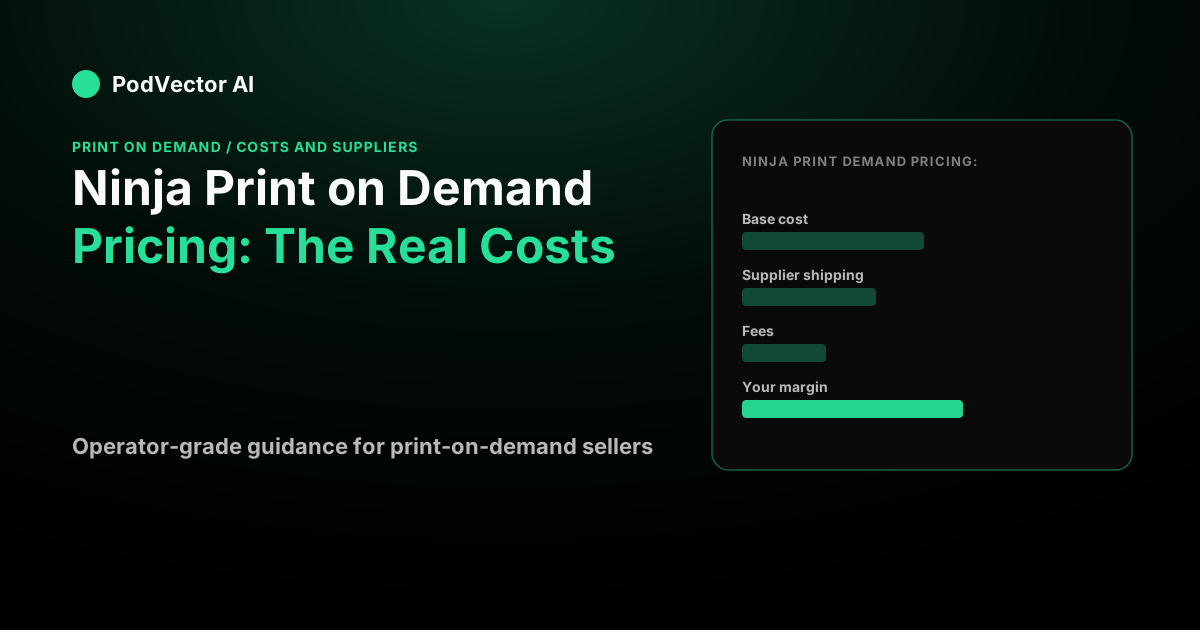
What Ninja Print on Demand actually charges
There are really only two pricing questions with Ninja POD, and the first one is easy. It has no monthly plan, no listing fees, and no minimums — you only pay when you make a sale, according to the Ninja Print on Demand site. The app is free to install.
The second question is the one that matters: what does each order cost you? Ninja doesn't publish a single flat price list, because the cost depends on the exact product and where it ships. Per its site, "fulfillment cost is the price of the product and one print location" — shipping, taxes, and other fees are not included in that figure, per the Ninja POD homepage. You are charged once your fulfillment requests are accepted, according to the Ninja POD FAQ.
That makes Ninja's pricing structurally similar to marketplace-style providers. The key difference from a subscription tool is that your entire cost lives inside each order, so you have to model the order, not the plan.
Ninja is a Direct-to-Film (DTF) print shop rather than a mixed catalog. It prints exclusively via DTF and advertises prints that last over 100 washes, per its Shopify App Store listing. Reviewers note it carries over 3,000 products, skewed toward apparel, per the Shopify App Store reviews. The catalog includes premium branded blanks such as Nike, New Era, and Carhartt alongside generic blanks, according to the Ninja POD testimonials page.
What's new in Ninja POD: 2026 updates
Ninja has shipped several meaningful updates since early 2026 that affect how sellers operate and price:
- Automatic fulfillment. Ninja POD now supports automatic fulfillment regardless of Shopify plan, per its What's New blog. This removes a manual step that previously added friction to high-volume stores.
- Amazon Ground shipping at no extra charge. As of March 2026, Ninja offers faster shipping and weekend deliveries via Amazon Ground at no additional charge, per the same What's New blog. This is a notable fulfillment-speed upgrade for sellers who compete on delivery time.
- Background processing system. Ninja migrated to a background processing system in early 2026, improving reliability for larger order volumes, per its What's New blog.
- Smarter image syncing. Product image syncing to Shopify was improved in late 2025, reducing manual cleanup after product setup, per the same source.
These updates collectively make Ninja a more hands-off operation than it was at launch — automatic fulfillment in particular shifts it from a semi-manual workflow to one that runs closer to Printify or Printful in day-to-day automation.
The three parts of a Ninja POD invoice
Beginner POD content loves to say "profit = retail price minus base cost." That's wrong, and it's the single most common margin mistake. Your supplier invoice on a real order has three lines, not one.
Base cost (production). What Ninja charges to make the item — the blank garment plus the DTF print. Per its site, this is "the price of the product and one print location," per the Ninja POD homepage.
Supplier shipping. What Ninja bills you to ship that order to your customer. Ninja offers "standard flat-rate shipping which includes tracking," and the structure follows a first-item / additional-item model — the first item in each category carries the "First Item" price, and any additional items of the same category incur a lower "Additional Items" price, per the Ninja POD FAQ.
Supplier tax, where it applies. Sales tax on the fulfillment transaction, depending on your tax location and whether you have a resale certificate on file.
So your real math is: retail price plus the shipping your customer pays, minus base cost, minus supplier shipping, minus tax, minus payment-processor fees. Skip any of those and your "profit" is fiction.
A worked per-order profit example
Numbers below are illustrative assumptions, not quoted Ninja prices — plug your own from the product editor. Say you sell a DTF-printed tee.
You price the shirt at $26.99 and charge $5.99 for shipping, so the customer pays $32.98. Assume the production cost is $9.00 and Ninja's first-item shipping is $4.50. Payment processing varies by plan and provider — according to ConnectBooks' 2026 Shopify fee breakdown, Shopify Payments runs between 2.4% and 2.9% plus $0.30 per transaction depending on plan, so budget a processing fee for that order and check your own Shopify plan's current schedule before locking in a margin target.
The structural point holds regardless of exact processor rate: add it up as retail minus production cost, minus supplier shipping, minus your actual processor fee — and you'll arrive at your true per-order profit. Leave out the processing line and you'll consistently overestimate margin.
Now watch what a second shirt does. The customer adds another tee, doubling the retail but only adding the lower "Additional Items" shipping rate, per the Ninja POD FAQ. Because that additional-item shipping rate is far below the first-item rate, the second shirt contributes disproportionately more profit than the first. This is why average order value and bundling move POD margins more than shaving a few cents off base cost.
Ninja POD pricing vs Printify and Printful
The honest comparison isn't "which base cost is lowest" — it's how the fee model shapes your economics. Ninja and Printify both start free and bury their margin inside per-order production cost. Printful gates discounts behind a paid tier.
Printify's Free plan is $0 a month, while its Premium plan runs from $39 a month, or about $24.99 a month billed yearly, per Printify's pricing page. Printful's Growth plan is $24.99 a month and becomes free once your store passes $12,000 a year in sales, according to Printful's pricing page. Reviewers on the Shopify App Store note that Ninja's prices are "pretty comparable to Printify, but they do have some less expensive options," per the Shopify App Store reviews.
Here's the trap with paid tiers: they're a volume bet, not a free upgrade. If a plan saves you a fixed amount per order, you need enough monthly orders to break even on the subscription before you see real savings. Below that volume, the free plan wins — and Ninja's no-subscription model sidesteps that calculation entirely.
For a deeper feel of how base cost, discounts, and shipping interact across providers, the walk-through of how PodVector AI's approach to POD strategy works shows the same mechanics. The net profit margin benchmark for POD sellers gives you a target to measure your Ninja economics against.
Where the real margin hides: shipping and AOV
Shipping shows up twice in your numbers — once as a cost Ninja bills you, and once as the price you choose to charge the customer. The gap between those two amounts is called your shipping spread, and it's real profit you can control.
If Ninja's first-item shipping exceeds what you charge the customer for shipping, you're absorbing the difference out of margin. Offer "free shipping" and you're absorbing the full supplier shipping cost, which has to be baked into the product price or your margin evaporates. Free shipping is never free — you just hid the cost inside the sticker. Raising your free-shipping threshold is one of the Shopify-side levers that directly protects margin; see how to increase AOV with AI for tactics that stack on top of this.
Because additional-item shipping is so much cheaper than first-item shipping, per the Ninja POD FAQ, multi-item orders are structurally your most profitable orders. Bundles, "buy two," and cross-sells raise average order value and amortize that expensive first-item rate. If your Ninja products ship heavy — hoodies, for instance — that first-item premium is larger, so the AOV lever matters even more.
DTF-specific note: because Ninja presses transfers rather than dyeing garments, cost scales mostly with the blank and the print size, so a big front-and-back design can cost more to produce than a small chest logo. Configure the actual print you'll sell before trusting any margin estimate.
For a structured way to think about checkout conversion as another margin lever — getting the orders you already have to complete — see the average checkout completion rate benchmarks for e-commerce.
Ninja POD's DTF quality and catalog depth
Ninja is backed by Ninja Transfers, a large-format DTF facility. Its introducing Ninja POD page describes its production setup as 100,000 sq. ft. of production capacity. White-label shipping uses your store name as the return address, per the Ninja POD homepage, so the brand experience is your own from box to customer.
Production and shipping turnaround is 2–4 business days, per the Ninja POD FAQ. The March 2026 addition of Amazon Ground shipping at no extra charge, per the What's New blog, extends delivery coverage to weekends — a meaningful advantage for sellers running weekend ad campaigns who need fast fulfillment to support their conversion rate optimization work (see CRO techniques for POD sellers).
The catalog skews heavily toward apparel — shirts, sweatshirts, jackets, hats, and bags — and includes premium branded blanks, per the Ninja POD testimonials page. It is not a broad general catalog; wall art, ceramics, and home goods are outside its scope.
Is Ninja POD's pricing right for you?
If you're a low- or mid-volume Shopify seller who wants durable DTF apparel without a subscription, Ninja's pay-as-you-sell model is a clean fit — there's no plan to break even on. It holds a rating of 4.3 out of 5 across 54 reviews on the Shopify App Store, with the majority being five stars, per the Shopify App Store reviews page.
The tradeoff is that Ninja is apparel-and-DTF focused. If you want ceramics, wall art, or a broad catalog, you'll need a different provider. For sellers thinking about sustainability positioning, see the eco-friendly print-on-demand guide for POD sellers for how to frame your product sourcing around that angle regardless of supplier.
Whichever provider you choose, the pricing page only tells you the base cost. Your actual profit depends on shipping, ad spend, and fees stacking up per order — and that's exactly what most sellers never see clearly. If you're running Google Ads alongside POD and want to make sure your tracking is attributing correctly, see the Google Ads tracking ID Shopify strategy for print-on-demand — misattributed data makes every margin calculation downstream less reliable.
Ninja POD isn't one of the print providers PodVector AI connects to today — it connects Shopify, Meta Ads, Google Ads, Printify, and Printful — but if you run Printify or Printful alongside paid ads, PodVector AI computes your true per-order profit across all of them. Victor, its AI employee, reads that live data and makes Shopify-side moves — repricing your worst-margin SKUs, adjusting your free-shipping threshold, or organizing your collections. He's not a dashboard; he's an employee that acts on the numbers. For more on how that works end to end, see PodVector AI's POD strategy approach.
FAQs
Does Ninja Print on Demand have a monthly fee?
No. Ninja POD has no monthly subscription, no setup fees, and no minimums — the app is free to install and you only pay when you make a sale, per the Ninja Print on Demand site. Your entire cost lives inside each order as production plus shipping.
How does Ninja POD billing actually work?
You are charged once your fulfillment requests are accepted, according to the Ninja POD FAQ. Fulfillment cost is "the price of the product and one print location" — shipping, taxes, and other fees are not included in that base figure, per the Ninja POD homepage. You set your own retail price; the customer pays that, and Ninja charges you its production and shipping cost once the order is placed.
How much does a Ninja POD t-shirt cost?
Ninja doesn't publish one flat price, because the cost depends on the exact blank and the DTF print you configure, plus destination shipping. The authoritative figure always lives in the product editor at the moment you set the item up — treat any number you read elsewhere as a rough range, not a quote.
Is Ninja POD's pricing cheaper than Printify or Printful?
It depends on the product and volume. Reviewers describe Ninja's prices as comparable to Printify, with some less expensive options for certain products, per the Shopify App Store reviews. Printify and Ninja both start free and price their margin into each order, while Printful gates lower per-unit costs behind its $24.99-a-month Growth plan, per Printful's pricing page. For low volume, a no-subscription provider like Ninja avoids the break-even math a paid plan forces on you.
What print method does Ninja POD use?
Ninja prints exclusively with Direct-to-Film (DTF), and advertises transfers that last over 100 washes, per its Shopify App Store listing. DTF presses a printed film onto the garment, which affects both cost and hand-feel compared with direct-to-garment printing.
How fast does Ninja POD ship?
Most orders are produced and shipped within 2 to 4 business days, per the Ninja POD FAQ. As of March 2026, Ninja also offers weekend deliveries via Amazon Ground at no additional charge, per the What's New blog.
Does Ninja POD support automatic fulfillment?
Yes. Ninja POD added automatic fulfillment in December 2025, and it works regardless of your Shopify plan, per the What's New blog. This means orders route to production without manual intervention once you enable it.
Why is my profit lower than retail minus base cost?
Because that formula ignores three real costs: supplier shipping, supplier tax, and payment-processor fees. According to ConnectBooks' 2026 Shopify fee breakdown, Shopify Payments processing alone runs between 2.4% and 2.9% plus $0.30 per transaction depending on your plan. Model the full invoice — retail plus customer-paid shipping, minus base cost, supplier shipping, tax, and fees — or you'll consistently overestimate your margin. For a deeper look at how those numbers translate to a defensible net margin target, see the net profit margin benchmark for POD sellers.