
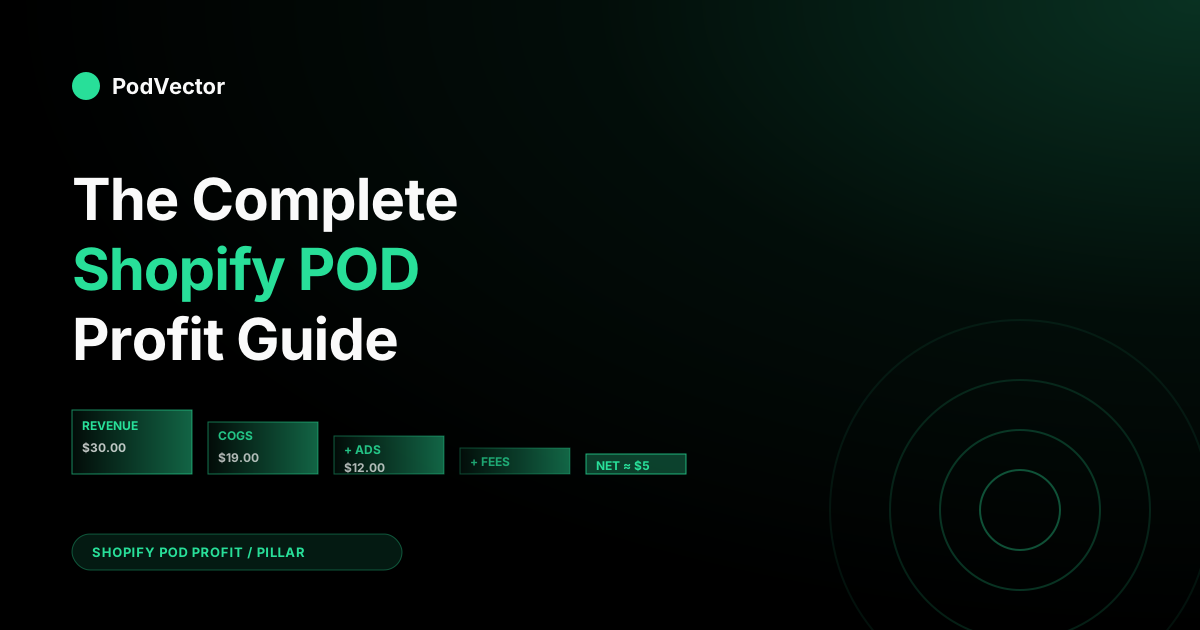
Quick Answer: Profit on a Shopify print-on-demand store is revenue minus five cost layers most operators blend into one: product COGS (blank + print + provider shipping), Shopify and payment fees, paid ad spend, app and subscription overhead, and refund-after-fulfillment losses. Realistic benchmarks for a mixed-provider Shopify POD store in 2026: 35–50% gross margin, 15–25% contribution margin, 8–15% net profit margin.
Getting there requires disciplined pricing (not 40%-margin wishful thinking), accurate COGS per order, profit-aware ad reporting, and a weekly analysis cadence. This pillar ties together the whole Shopify POD profit problem — and the four supporting guides go deeper on break-even, COGS, tracking, and profitability analysis.
This is the pillar hub for the Shopify POD Profit cluster on PodVector AI. It's written for operators who already run a Shopify print-on-demand store (or are about to) and want to understand what profitability actually looks like on this specific stack — Shopify as the storefront, Printify or Printful as the fulfillment layer, Meta and Google as the demand layer.
The deep-dives live in the supporting articles: break-even analysis, COGS tracking, profit tracking, and the profit analysis playbook. They all sit under the Shopify POD profit cluster, part of the wider Shopify POD Profit topic hub. For a lens from outside the Shopify context, Printify's Profit Navigator is a useful reference.
Why Shopify POD Profit Is a Specific Problem
Generic ecommerce profit advice doesn't translate cleanly to print on demand, and generic POD advice doesn't translate cleanly to Shopify. The overlap — Shopify stores fulfilled by on-demand providers — has its own unit economics, its own failure modes, and its own reporting gaps. Three things make it distinct:
- Unit COGS is higher and variable. A Bella+Canvas 3001 costs ~$11 all-in to produce before provider shipping. A drop-shipped generic from AliExpress costs $3. The 40%+ gross margins you see quoted in ecommerce benchmarks don't apply — POD's structural ceiling on apparel sits closer to 50%, with most stores clustering at 35–45%.
- Cost per order shifts on every order. Blank prices, provider routing, shipping destination, and print-method upsells change the actual COGS order-to-order. Shopify's static "Cost per Item" field in Products → Inventory is always wrong by the time the order ships.
- Shopify's native profit reports don't know about POD. Shopify Profit by Product ignores paid-ad spend, refund-after-fulfillment, app subscriptions, and the real Printify/Printful charges. On a POD store running paid traffic, the Shopify "profit" figure can overstate the actual bank-deposit number by 20–40%.
Every topic in this pillar exists because those three facts compound. If you don't track variable COGS, your margin number is wrong.
If your margin number is wrong, your pricing is wrong. If your pricing is wrong, your ads are burning money at a ROAS you think is fine. And if your reporting stack is Shopify's native tooling plus a spreadsheet, the lag between a decision going bad and you noticing is measured in weeks.
The Unit Economics of a Shopify POD Order
Start with one order. A Bella+Canvas 3001 t-shirt sold at $29.99 with standard shipping to a US customer, fulfilled by Printify via Monster Digital, paid for with a Meta ad.
| Line | Amount | Running net |
|---|---|---|
| Gross sale (product) | +$29.99 | +$29.99 |
| Shipping collected | +$4.99 | +$34.98 |
| Printify product (blank + print) | −$10.91 | +$24.07 |
| Printify shipping (single item) | −$4.99 | +$19.08 |
| Shopify Basic transaction fee (2.9% + $0.30) | −$1.31 | +$17.77 |
| Allocated ad spend (at 2.5× ROAS) | −$12.00 | +$5.77 |
| Allocated app/subscription stack (per-order) | −$0.40 | +$5.37 |
| Allocated refund-after-fulfillment risk (2%) | −$0.30 | +$5.07 |
The order nets $5.07 — a 16.9% net margin on a $29.99 product. That's a healthy POD order, not an exceptional one.
Change any one line and the picture shifts: at 2.0× ROAS the order nets −$0.23 (losing). At 3.0× ROAS it nets $9.77.
Pull $2 out of the Printify cost by switching to a cheaper provider and the order nets $7.07. Drop the sell price to $24.99 and you're underwater at −$0.23 even at 2.5× ROAS.
This is why the single-order view matters. When you look at month-end aggregate "profit," every one of these levers is averaged together and the sensitivity disappears. An order-level model shows which lever is actually moving net profit. The profit analysis playbook covers the five levers in depth.
The Five Cost Layers Shopify Won't Show You
Shopify's Home dashboard shows revenue, orders, and conversion rate. The Finance Summary shows gross sales, refunds, shipping, and taxes. Profit by Product shows a gross-margin number calculated against the static "Cost per Item" field. None of those surface the real profit on a POD order. Five cost layers are structurally invisible in native Shopify:
Layer 1: Provider COGS (blank + print + provider shipping)
Shopify stores one number per variant in the "Cost per Item" field. Printify and Printful charge the actual cost at the moment the order is routed, which varies by the selected print provider, the print method, the destination country, and the current blank price.
That number can drift 5–15% from the Shopify static value on any given order. Getting this right is the first job of Shopify COGS tracking.
Layer 2: Paid ad spend allocated to orders
Meta and Google don't push spend into Shopify. Shopify doesn't pull it in.
If you're running paid traffic and looking at Shopify's profit number, ad spend is not subtracted — which means Shopify's "profit" is actually gross profit minus payment fees, and it ignores the biggest variable cost on the P&L. Allocated ad spend on a per-order basis is the second-largest cost line after COGS and usually the one that decides whether a store is profitable or not.
Layer 3: Refund-after-fulfillment losses
When a customer refunds an order that hasn't shipped yet, the loss is a few cents of payment processing. When they refund an order that Printify has already printed and shipped, the loss is the full COGS — you're out ~$16 on a $30 t-shirt.
Shopify's refund report blends pre- and post-fulfillment refunds into one number. On a POD store with 2–3% post-fulfillment refund rate, this layer quietly eats 4–8% of net profit.
Layer 4: App and subscription overhead
The Shopify app ecosystem is optimized for per-month MRR pricing. A typical Shopify POD app stack — Shopify Basic ($39), theme ($0–$200/yr), email tool ($20–$100), upsell/bundle ($20–$50), reviews ($10–$30), inventory/SKU manager ($20–$50), maybe a profit-tracking app ($20–$100) — lands in the $150–$400/month range.
Spread across orders, that's $0.30–$1.50 per order depending on volume. Shopify's profit reports exclude this.
Layer 5: Payment processor and platform fees
Shopify Basic is 2.9% + $0.30 per transaction when using Shopify Payments. If you use an external gateway (PayPal, Stripe direct), add a 2% Shopify third-party fee on top.
On a $30 order, that's $1.19–$1.79 that never hits gross profit in Shopify's UI. It's accounted for in Finance → Payouts but not in Profit by Product.
Sum of the five layers on a typical Shopify POD order: roughly $14–$20 on a $30 sale, vs the $11 COGS that Shopify alone tells you about. The delta is why "my Shopify shows 60% gross margin but my bank balance barely grows" is the most common operator complaint in POD forums.
Realistic Profit Benchmarks for Shopify POD in 2026
The benchmark you've probably seen — "aim for 40% profit margin" — is a top-of-funnel marketing number from POD suppliers. It blurs gross, contribution, and net into a single aspirational figure, and it's usually quoted without specifying which margin layer it's talking about.
For planning purposes, use these layered benchmarks instead. They reflect real steady-state Shopify POD stores at $10K–$500K/month revenue.
| Layer | Healthy range | Strong | What's below healthy means |
|---|---|---|---|
| Gross margin | 35–50% | 50–60% | Pricing or product selection is wrong |
| Contribution margin (after ads) | 15–25% | 25–35% | Ad efficiency or price |
| Operating margin (after fixed costs) | 10–18% | 18–25% | Volume too low for app stack, or app stack too bloated |
| Net profit margin | 8–15% | 15–20% | A leak in one of the above, usually refunds or COGS drift |
| Refund rate (apparel) | 1–3% | < 1% | Sizing/quality signal missed |
| ROAS (break-even or better) | 2.0–3.0× | 3.0×+ | Ad creative or targeting is off |
| POAS (profit on ad spend) | > 1.0 | > 1.5 | The campaign is burning contribution |
| AOV (single-item cart) | $35–$55 | $55+ | Pricing or shipping strategy |
The important nuance: a store can hit any single benchmark and still be unprofitable overall, because the layers compound. A 45% gross margin with a 3.5× ROAS looks great until you realize the store is doing 80 orders/month against $300 of app subscriptions — operating margin is negative before net margin gets a chance to be positive. Deep treatment of each benchmark: break-even analysis for Shopify POD.
Pricing: The Highest-Leverage Lever
Price changes are the single most leveraged operator decision in POD. Move price up by $2 on a product with $15 COGS and you've lifted gross margin by ~7 percentage points — at the cost of some conversion rate, which you can measure.
Move COGS down by $2 via provider switch and you've lifted gross margin by the same amount, but the switch takes 4–6 weeks of production transition. Price moves in a single Shopify admin edit.
Three pricing heuristics that apply cleanly to Shopify POD:
- Price for a target contribution margin, not a target markup. Work backwards from the contribution margin you need (say, 20%) given your expected ROAS (say, 2.5×) and your COGS. A 20% contribution margin at 2.5× ROAS on an $11 COGS product means selling price needs to be at least $27.50. Mark-up percentages ignore the ad-spend line and land you short.
- Test in $1–$2 increments with a two-week hold. Move price, watch conversion rate. If CVR drops less than ~10% relative, keep the new price and test the next bump. Real POD stores typically find 2–4 rounds of $1–$2 moves before conversion meaningfully breaks.
- Price to destination, not globally. Shopify Markets supports region-specific pricing. International orders often have higher shipping costs and lower ad efficiency — a flat global price that works for US traffic loses money on AU/EU orders. The fix is region-specific pricing or targeted shipping surcharges, not restricting the store to US-only.
Printify vs Printful: Where Profit Hides
The provider decision is usually made on Day 1 and never revisited. It's often the second-largest source of reclaimed margin once an operator starts measuring carefully.
Printify is a marketplace — you select from multiple print providers per product (Monster Digital, SwiftPOD, Dimona, etc.). Printful is a single vertically integrated supplier. Gelato is the global-network third option that most provider comparisons now include. The trade-offs:
- Printify typically comes in $2–$4 cheaper per unit on apparel, but quality and production speed vary by provider. Monster Digital is fast and cheap but lower print quality; SwiftPOD is higher quality and more consistent at slightly higher cost. Premium subscription ($29/mo) gets up to 20% off base prices — breaks even around 60–80 orders/month.
- Printful is more expensive but more consistent. Production speed is predictable, quality is steady, branding options (inside labels, pack-ins) are richer. Stores that compete on quality or have premium pricing lean Printful; stores competing on price lean Printify.
- Gelato runs production hubs in 30+ countries, so an EU, UK, or AU order prints near the customer instead of crossing a border. That mostly buys back shipping cost and transit time, not unit price — for a US-only store it rarely beats Printify on COGS, but for a geographically spread audience it reclaims the cross-border shipping margin that centralized routing burns.
- Shipping is where real dollars move. Printify's shipping-to-USD routing through domestic providers is usually cheaper than Printful's Latvia-routed international orders. For an EU-heavy audience, Printful's European facility or Gelato's local hubs reverse that.
The actionable move: measure your last 100 orders' actual provider cost against your static Shopify "Cost per Item" value. If the actual cost is consistently lower, you're underpricing; if consistently higher, you're undercharging. The COGS tracking guide walks the measurement: Shopify COGS tracking for POD.
Paid Ads and Profit: ROAS vs POAS
Most POD stores run on Meta + Google. Most track ROAS (Return on Ad Spend — revenue ÷ ad spend) as their primary ad health metric.
ROAS is the number the ads manager shows, but it doesn't know anything about COGS, payment fees, or refund risk. A 3.0× ROAS on a $25 product that costs $17 to fulfill is a losing order.
POAS — Profit on Ad Spend — is the right metric. It's net profit generated by a campaign divided by the spend on that campaign. POAS > 1.0 means the campaign is making money; POAS < 1.0 means it's bleeding.
Break-even ROAS depends on your contribution margin. Quick math:
- At 40% gross margin, break-even ROAS = 1 / 0.40 = 2.5×
- At 35% gross margin, break-even ROAS = 1 / 0.35 = 2.86×
- At 50% gross margin, break-even ROAS = 1 / 0.50 = 2.0×
If your actual gross margin is 35% but you're scaling to a 2.5× ROAS target, every marginal order loses money. This is the mechanism by which stores "scale into unprofitability" — the aggregate dashboard looks fine because older, organic orders subsidize the losing ad cohort.
When the subsidy runs out, the store falls off a cliff in a single month. Longer treatment: Break-even ROAS in POD.
Refunds, Chargebacks, and the Hidden Leak
Refunds are the cost line operators most often under-track, because Shopify's refund report treats all refunds identically. The economics are not identical:
- Pre-fulfillment refund: order was refunded before Printify/Printful routed it to a press. Cost to you: payment processing fees only (~$1 on a $30 order). Not a meaningful leak.
- Post-fulfillment refund: order was already printed and shipped. Cost to you: full COGS (~$16 on a $30 order) plus payment fees plus optionally return shipping. This is the real leak.
A store with a 3% total refund rate where 70% are post-fulfillment is losing ~$340 of COGS per 1,000 orders to refund-after-fulfillment. On a 10% net margin that's the equivalent of $3,400 of revenue evaporated. It's worth tracking separately and acting on:
- Sizing guide clarity is the single biggest pre-emptive fix for apparel refunds.
- Product photography that shows fit on multiple body types reduces "didn't look like the picture" returns.
- For chronic returners, Shopify apps can flag the customer and block POD routing pre-fulfillment — refund before it goes to press.
App Stack, Fixed Costs, and Operating Margin
Every Shopify POD store accumulates an app stack. Reviews, upsells, email, analytics, inventory, profit tracking, customer service — each feels small at $20/month until the total bill hits $300–$400. On a store doing 500 orders/month, that's $0.60–$0.80 per order in fixed cost.
Two operating-margin heuristics:
- Audit the stack quarterly. Uninstall any app you haven't opened in 60 days. Apps you installed to solve a one-time problem stay subscribed indefinitely.
- Fixed costs are forgivable past 500–1,500 orders/month. Below that, every $100/month app is a material fraction of operating margin. Above that, the same app is rounding error. Scale changes which apps are worth the cost.
Detailed guidance: Best Shopify apps to track profitability in POD.
Cash vs Paper Profit on Shopify Payouts
The order-level view above ends at "net profit." There's a sixth layer that only matters once you're scaling: the cash-timing gap between when you pay Printify/Printful and when Shopify deposits your sales into your bank.
- Printify and Printful charge your card at the moment the order is routed (usually within hours of the customer's purchase).
- Shopify Payments deposits on a T+2 to T+5 schedule depending on your payout frequency.
- Meta and Google charge on their own billing cycles (typically weekly or at a spend threshold).
At steady state this is a wash. During growth phases it becomes a cash trap: a store doubling month-over-month will have the next month's COGS and ad spend running before the current month's payouts land.
Stores can be profitable on paper and out of working capital at the same time. The cash-margin layer in the profit analysis playbook covers the fix (line of credit, payout acceleration, timing calendars).
The Operating System: Track, Analyze, Decide
Profit on a Shopify POD store is the output of a three-stage operating system: track the numbers, analyze them on cadence, decide based on the analysis. Each stage has its own discipline and its own failure mode.
Track
The capture layer. Every order, every COGS line item (blank + print + provider shipping, actual not static), every ad dollar, every refund, every app subscription.
Done correctly, this is fully automated — Shopify + Printify/Printful APIs + ad platform APIs all feed a single dataset. Done incorrectly, it's a weekly spreadsheet update that gets skipped for three weeks at a time. Detailed walkthrough: profit tracking for Shopify POD stores.
Analyze
The interpretation layer. Daily scan of net profit and POAS (5–10 min).
Weekly review of all five profit layers, per-SKU and per-country slices, ad cohort performance (45–60 min). Monthly strategic reset — provider audit, app audit, cash-margin check, cohort review (90 min).
Anything slower than weekly is too slow for POD's cost volatility. The analysis playbook walks the cadence and the diagnostic queries.
Decide
The action layer. Every analysis should produce a decision: raise price on the Gildan 5000 by $2, pause the cold-lookalike-3% campaign, cut the AU market until shipping economics change, switch the hoodie to SwiftPOD.
Analysis without decisions is a reporting hobby. A useful discipline is keeping a decision log — each week, write down the three decisions made from that week's analysis and the expected impact. Two months later, check which ones moved the number.
Tools: Native Shopify, Apps, and PodVector AI
Three tiers of tooling show up in Shopify POD stores. Each has a ceiling.
Native Shopify (free with your plan)
Shopify Finance Summary, Profit by Product, and Live View are free and fine for a store under ~10 orders/day with no paid ads. Past that, the gap between Shopify's "profit" figure and your bank-deposit number grows too wide — Shopify doesn't subtract ad spend, doesn't separate refund-after-fulfillment, uses the static Cost per Item field, and excludes app subscriptions.
The ceiling is low. Use it for conversion, traffic, and order-level dashboards; don't use it for profit decisions.
Profit tracking apps ($20–$100/mo)
A category of Shopify apps (TrueProfit, BeProfit, Lifetimely, SimplyCost, Sobol, etc.) address the Shopify reporting gap. They pull ad spend, compute COGS per order, and surface real net profit.
Generic — not POD-specific — so they'll reconcile against Printify/Printful line items as "supplier cost" but won't itemize blank vs print vs shipping. Good enough for most stores up to mid-six-figure revenue. Comparison: Best POD profit tracking apps in 2025.
PodVector AI (POD-specific, agent-native)
PodVector AI connects your Shopify store, Printify, Printful, Meta Ads, and Google Ads together. Victor pulls in the blank cost, print cost, and shipping cost for every size, color, and supplier on every order, so you always know the real cost behind each sale.
Every ad dollar is allocated to orders. Every refund is classified pre- vs post-fulfillment.
Sitting on top of that warehouse is Victor — an AI employee who runs the store, not a dashboard you read. Ask in plain English ("what's my real net margin on Bella+Canvas 3001 across Meta last month?") and he answers against live data in seconds.
But the answer is the start, not the end. Victor moves on what the numbers say — raising a price, pausing a losing ad cohort, switching a SKU's provider — and asks for your approval before each material action. The decision gets executed, not just reported.
FAQs
What's a realistic profit margin for a Shopify POD store?
Net profit margin of 8–15% is healthy at steady state. 15–20% is strong. Gross margin typically 35–50% depending on product mix. The commonly quoted "40% profit margin" from Printify and Printful marketing is a blended aspirational number and isn't tied to a specific profit layer — treat it as a ceiling on gross margin for apparel, not a realistic net target.
Why does Shopify's profit number not match my bank balance?
Because Shopify's Profit by Product report ignores ad spend, excludes app subscriptions, blends pre- and post-fulfillment refunds, and uses a static Cost per Item value that drifts from actual provider charges. On a store running paid traffic, Shopify's number typically overstates real net profit by 20–40%.
Is Printify or Printful more profitable for Shopify POD?
Printify usually has lower per-unit cost ($2–$4 on apparel, more on hoodies) and more flexible provider selection. Printful has more consistent quality and production speed.
Printify is typically more profitable on US-skewed stores competing on price; Printful is typically more profitable on EU-heavy stores or premium brands where consistency and branding matter. The accurate way to answer is to run the same product through both for 100 orders and compare net margin — most operators run one and assume without measuring.
What's break-even ROAS for a Shopify POD store?
Depends on gross margin. At 40% gross margin, break-even ROAS is 2.5×. At 35%, it's 2.86×. At 50%, it's 2.0×. If you don't know your actual gross margin (including real provider cost, not the Shopify static value), you don't know your break-even ROAS. Detail: break-even ROAS in POD.
How do I track COGS accurately on a Shopify POD store?
Not through Shopify's Cost per Item field — that's static and always drifts from actual provider charges. Either pull Printify/Printful order data via API and match to Shopify orders, use a profit tracking app that integrates with both, or use a POD-specific warehouse (like PodVector AI) that itemizes blank + print + shipping per order automatically. Full walkthrough: Shopify COGS tracking for POD.
Should I worry about refunds on a Shopify POD store?
Worry about refund-after-fulfillment specifically. Pre-fulfillment refunds cost only payment processing (~$1).
Post-fulfillment refunds cost full COGS (~$16 on a $30 t-shirt). At 2–3% post-fulfillment rate, that layer alone consumes 4–8% of net profit. Shopify blends them in its refund report; you have to separate them manually (or use a tracker that does).
How often should I analyze profit on my Shopify POD store?
Daily for a 5–10 minute scan (net profit, POAS, any anomalies). Weekly for a 45–60 minute deep review (all five profit layers, per-SKU and per-country slices, ad cohort).
Monthly for a 90-minute strategic reset (provider audit, app audit, cohort review, cash margin). Anything slower than weekly misses profit-killing trends — POD costs move fast enough that a 14-day lag can scale a losing cohort into real money.
At what order volume does a profit tracking tool become worth the cost?
Around 10 orders/day is the inflection point — below that, manual spreadsheet reconciliation is tolerable. Above that, the time cost of manual tracking exceeds the $20–$50/month app subscription, and more importantly the data latency starts costing real profit decisions. POD-specific tools pay back faster than generic ones because they itemize provider-level costs correctly.
Does ad efficiency matter more than pricing for Shopify POD profit?
Pricing is higher leverage at the margin, but ad efficiency is what determines whether you have a business at scale. A 7% price increase on a 35% gross margin product lifts gross margin to ~42% — a 20% jump in per-order profit.
The same 20% jump via ad efficiency would require moving ROAS from 2.5× to 3.0×, which is harder and slower. Pricing first, ad efficiency second, COGS third.
What's the single biggest profit mistake Shopify POD sellers make?
Using Shopify's native "profit" number as the decision input. Because it ignores ad spend and uses a static COGS, it systematically overstates real net profit on any store running paid traffic.
Scaling decisions made against that number scale losing cohorts into catastrophic losses. The fix is a tracking layer that reflects actual bank-deposit profit — which this pillar and its supporting articles walk through end-to-end.
Run Your Shopify POD Store Like Victor Is Watching
PodVector AI connects your Shopify store, Printify, Printful, Meta Ads, and Google Ads together. Victor tracks the real cost of every order, how much ad spend helped make the sale, and any refunds, so you see true profit by product and by supplier. Ask Victor plain questions like "what's my real net margin on Bella+Canvas 3001 across Meta last month?" and get an answer in seconds. Victor answers. Victor acts on those answers with your approval.
Try Victor Free