
If you priced a $9 item at $24 and your tool reports a 167% markup, that number is real — but it is not your profit. High markup is the most misread figure in print-on-demand, because it flatters the healthy stores and the fragile ones in exactly the same way. This guide shows you why the number runs high, and how to tell whether yours is genuine margin or an accounting mirage.
Markup vs. margin: why the number looks so big
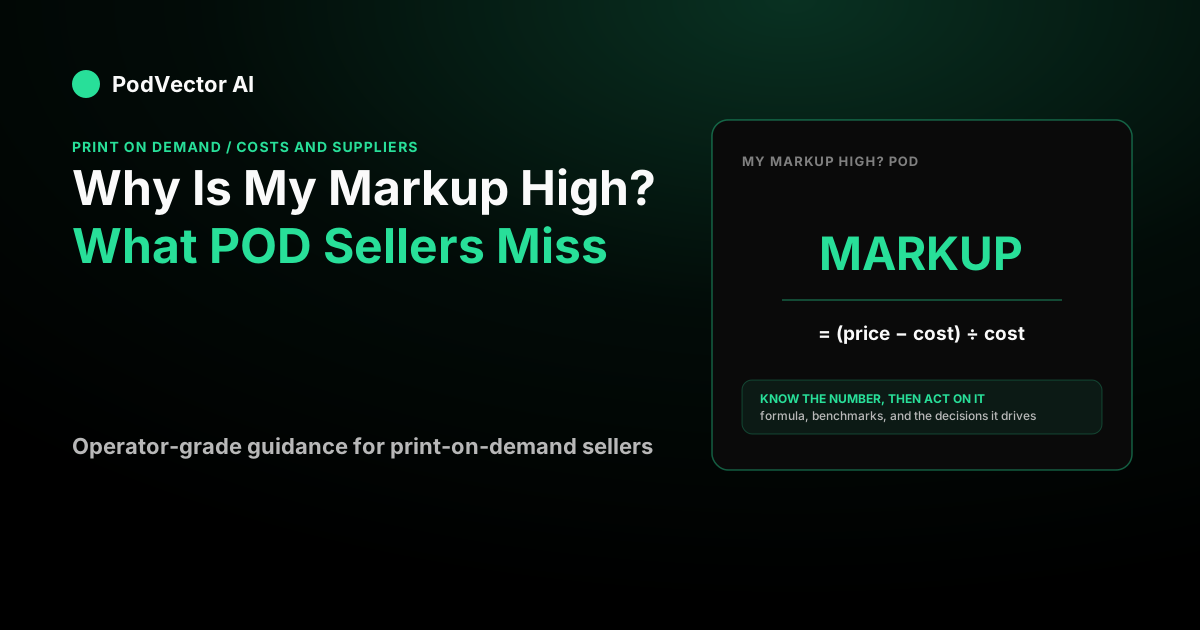
Markup and margin describe the same dollars from two different starting points. Markup is profit divided by cost; margin is profit divided by the selling price. Because your cost is always smaller than your price, the markup percentage is always the bigger of the two.
The gap is wide, and it grows fast. According to Shopify's markup vs. margin guide, a 100% markup — doubling your cost — is only a 50% margin, and a 50% markup works out to roughly a 33% margin.
So a "high" markup is partly an optical effect. A shirt that costs you $9 and sells for $24 carries a 167% markup, but the same trade is only a 62% gross margin — before a single shipping label or processing fee is paid. If you have been comparing your markup to other sellers' margins, you are comparing two different rulers.
Why print-on-demand markups look especially high
In POD, the number you multiply against is deceptively small. The base cost shown in your Printify or Printful editor is only the first line of the real invoice, which also includes supplier shipping and, in some cases, supplier tax. Your true landed cost is higher than the figure your markup was calculated from.
That matters because the supplier bills you to ship every order. A representative US apparel rate is around $3.99 for the first item, per ecommerceceo's Printful pricing breakdown (captured 2026). When your markup is calculated off a bare $9 base cost, it ignores that $4 — inflating the percentage against a cost that was never complete.
Payment processing does the same thing from the other end. Whatever your processor charges per transaction comes out of the sale, not the base cost, so it never touches the markup figure at all. The result is a headline markup that can sit far above your actual take-home margin.
If your markup looks low instead and you want the mirror-image explanation, our companion piece on why your markup might be running low walks through the same mechanics in reverse.
A worked example: high markup, real profit
Numbers make this concrete. Say you sell a tee for $24.99, charge $5.99 shipping, and pay a $9.04 base cost. On base cost alone, that's a markup of ($24.99 − $9.04) ÷ $9.04 = 176% — which sounds spectacular.
Now add the costs the markup skipped. Supplier shipping is $3.99 for the first item, and say your processor takes about 2.9% + $0.30 on the $30.98 the customer actually pays, or roughly $1.20.
| Line | Amount |
|---|---|
| Customer pays (product + shipping) | $30.98 |
| Base cost | −$9.04 |
| Supplier shipping (first item) | −$3.99 |
| Payment processing (~2.9% + $0.30) | −$1.20 |
| Profit | $16.75 |
That $16.75 on $30.98 collected is a 54% margin — genuinely healthy, but a long way below the 176% the markup advertised. The markup wasn't lying; it was answering a different question. Read the margin to know what you actually keep.
The multi-item version
Here's where a high markup becomes real money instead of just a big percentage. Add a second identical tee. The customer pays one shipping fee, but the supplier charges only a reduced additional-item rate — commonly around $2.00 on apparel, per the same Printful rate breakdown.
| Line | Amount |
|---|---|
| Customer pays (2 tees + one $5.99 shipping) | $55.97 |
| Base cost (2 × $9.04) | −$18.08 |
| Supplier shipping ($3.99 + ~$2.00) | −$5.99 |
| Payment processing (~2.9% + $0.30) | −$1.92 |
| Profit | $29.98 |
The second unit added about $13 of profit on $16 of extra retail, because that additional-item shipping rate is far below the first. This is why average order value and bundling move POD margins more than shaving base cost ever will — a lever we unpack in the cluster's cost-economics hub.
When a high markup is healthy — and when it's a warning
A high markup is good when it survives the full-cost translation into a solid margin. Printful's profit-margin guide puts a healthy POD range at roughly 20% to 40% margin, with about 30% treated as an ideal balance of profit and competitiveness. If your big markup lands inside or above that band after shipping and fees, it's doing its job.
It's a warning sign in three situations. First, if the markup is high only because you're measuring against an incomplete base cost — strip in supplier shipping and fees and the margin collapses. Second, if the high markup pushes your retail price well above competitors, you may win margin per order but lose the sale entirely.
Third, watch the markup that's high because your base cost is unusually low from a distant or budget provider. A cheaper blank that ships slower or reprints more often trades a headline number for refunds and lost reviews — pure-loss costs in POD. Picking the lowest base cost is rarely the same as picking the most profitable one.
How to check whether your markup is real
Convert it. Take one recent order, subtract base cost, supplier shipping, supplier tax, and processing fees from everything the customer paid, then divide the result by that total. That percentage — your real margin — is the number that pays you.
The trouble is that those four costs live in four different places: the product editor, the supplier invoice, your tax settings, and your payment processor's statement. Stitching them together per order, by hand, is where most sellers give up and just trust the markup number instead.
That's the gap PodVector is built to close. It connects Shopify, Meta Ads, Google Ads, Printify, and Printful, then computes your true per-order profit — base cost, supplier shipping, fees, and ad spend netted out — so the "high markup, thin margin" trap stops hiding in a spreadsheet. Victor, its AI employee, analyzes that live data and proposes Shopify-side moves you approve; he reads your ad data but does not touch your ad account. It is not a dashboard you have to read — it's an employee that reads the numbers for you.
Once you can see the real margin, the next questions are practical: how to lift it deliberately (covered in how to improve your markup), whether your shipping spread is quietly padding it (see why your shipping margin might be high), and which supplier actually leaves more per unit — the exact trade-off in our Printful vs. Printify polo cost comparison.
FAQs
Does a high markup mean I'm making good profit?
Not on its own. Markup is measured against cost, so it always looks larger than your margin, and in POD it's usually calculated off an incomplete base cost that ignores supplier shipping and payment fees. Convert it to a margin against everything the customer paid — that's the number that tells you what you actually keep.
What's the difference between markup and margin again?
Markup is profit ÷ cost; margin is profit ÷ selling price. Since your cost is smaller than your price, markup is always the bigger percentage — Shopify notes a 100% markup is only a 50% margin. They describe the same dollars from different reference points.
Why is my POD markup higher than a normal retail store's?
Because your base cost per unit is low relative to a niche-priced custom product, so the percentage on top looks large. Traditional retailers carry warehousing, inventory, and staff costs baked into their cost of goods, which shrinks the apparent markup. POD strips those upfront costs out — but shifts real cost into per-order shipping and fees instead.
Is a 30% margin good for print-on-demand?
It's a reasonable target. Printful's guide frames a healthy POD margin as roughly 20% to 40%, with about 30% as an ideal balance between profit and staying price-competitive. Where you land inside that range depends on niche, product, and how much you spend acquiring the customer.
How do I turn my markup into an accurate profit number?
Start from what the customer paid — product price plus any shipping they were charged — then subtract base cost, supplier shipping, supplier tax, and processing fees. Divide the remainder by the total collected for your real margin. Doing this per order across suppliers and platforms is exactly what a connected profit tool automates, so you're not reconciling four statements by hand.