
If you already run a store, you have scrolled the Printify catalog a hundred times. The question that actually moves your P&L is not "what products exist?" — it is "which of these clear money after everything comes out?" This article maps the list, then shows you how to read it the way a profit-focused operator does.
For the full operational workflow around this catalog — publishing, order approval, provider switching — see the Printify operations guide.
What's actually on the Printify products list
Printify is a marketplace catalog, not a single factory. Each listing is a blueprint (a garment or item model) that one or more independent print providers can make. Printify's own product guide puts the catalog at 2,000+ products, though several third-party reviews quote a lower blueprint count because the higher figure counts the same blueprint offered by multiple providers. Either way, the practical answer is: more products than you will ever test, so selection discipline matters more than breadth.
The six core categories
Per Printify's product guide, the catalog is organized into six main categories:
- Men's clothing — T-shirts, hoodies, sweatshirts, long sleeves, tank tops, sportswear, bottoms, and shoes.
- Women's clothing — T-shirts, hoodies, sweatshirts, long sleeves, tank tops, skirts and dresses, sportswear, swimwear, shoes, and bottoms.
- Kids' clothing — T-shirts, sweatshirts, long sleeves, and baby clothing.
- Accessories — phone cases, bags, socks, underwear, hats, mouse pads, baby accessories, and more.
- Home and living — mugs, bottles and tumblers, canvas, posters, journals, home decor, towels, blankets, pillows, pet items, and kitchen accessories.
- AOP (all-over-print) clothing — sublimation items like leggings, joggers, swimwear, and jackets printed edge to edge.
Featured and seasonal shelves
On top of the six categories, Printify surfaces merchandising shelves — Bestsellers, New Arrivals, Seasonal Picks, and Eco-Friendly — to steer you toward what's moving. These are useful as a starting filter, but treat them as a demand signal, not a buy order. A shelf tells you a product sells somewhere; it says nothing about whether it sells at your price, with your ad costs.
The best-selling products (and why that list lies to you)
Printify's guide names the usual winners: tote bags, phone cases, t-shirts, socks, hoodies, notebooks, stickers, hats, and posters. That list is real, but it is a popularity list, not a profit list — and the two diverge hard once you account for cost structure.
A $9 sticker and a $45 hoodie can both be "best sellers." The sticker has a tiny absolute margin and burns the same ad click as the hoodie. The hoodie carries real dollars per order but a higher base cost and heavier shipping. Volume rankings flatten all of that into one misleading line. So the best-seller shelf is where you start a test — not where you decide what to scale.
The products list that actually matters: ranked by margin
Here is the version of the Printify products list a profit-focused operator keeps: each live SKU, with its true per-order profit next to it.
Say you run a store doing 340 orders a month at a $31 average order value, spending $2,800 a month on Meta ads. Your blended customer-acquisition cost per order is $2,800 ÷ 340 = $8.24. Now take one product — a tee you retail at $31:
- Retail price: $31.00
- Printify base cost (provider-dependent): $11.00
- Shipping charged to you: $4.75
- Payment processing (roughly 2.9% + $0.30): $1.20
- Ad cost allocated per order: $8.24
Per-order profit = 31.00 − 11.00 − 4.75 − 1.20 − 8.24 = $5.81. That tee clears $5.81. Now run the same math on a $12 mug with a $5 base cost and the same $8.24 ad load, and you are barely above water. Same catalog, same best-seller shelf — wildly different outcomes.
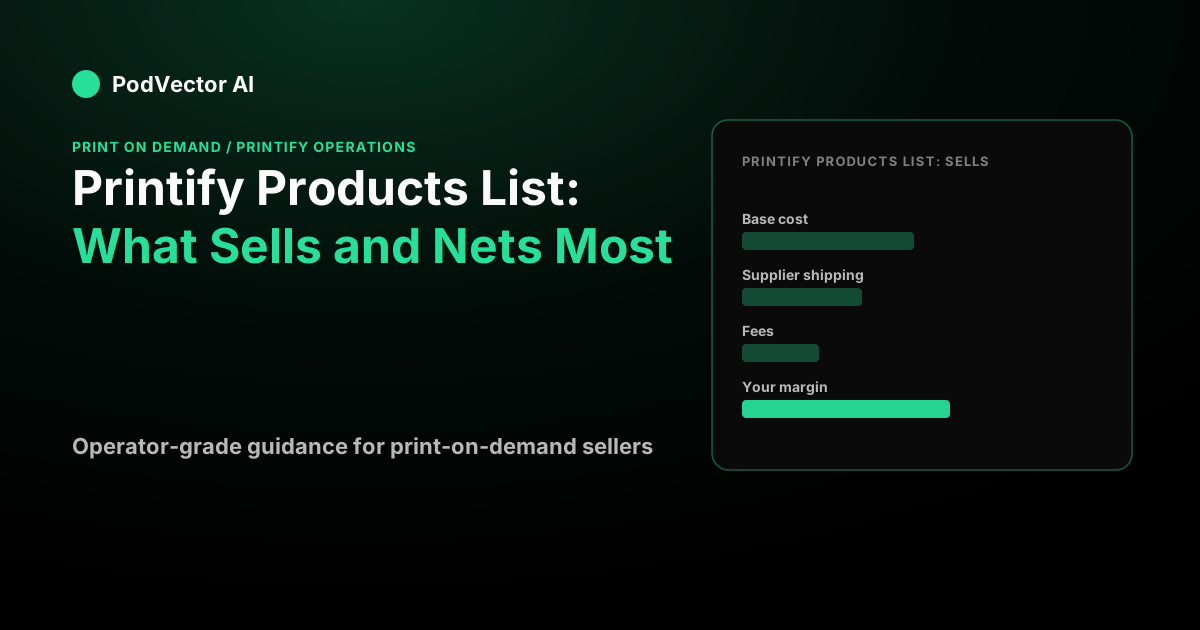
The point: a Printify products list without base cost, fees, and ad load attached is just a menu. The operating version attaches those numbers to every SKU so you can see which products deserve budget and which quietly drain it. That is the difference between a catalog and a decision.
How provider choice rewrites the list
The same blueprint can appear at several base costs because each print provider sets its own pricing, shipping table, and production speed. Choosing a cheaper provider in a distant hub can erase the savings through higher shipping and slower delivery — and slow delivery costs you conversion and support tickets, not just goodwill.
Printify cites typical production of 2–7 business days, then US shipping of 2–5 business days and international of 5–20 depending on destination. If you let Printify Choice auto-route orders, note the published surcharges: Choice adds $3.50 to European countries and extra transit days to Alaska, Hawaii, and US territories. Those are real line items that move a SKU's margin by destination — which means the "best" product on your list can change depending on where your customers are.
Once a product is live, switching providers is a routine operation that preserves your listing URL and history — the mechanics are covered in the operations guide. When you want to move products into your storefront in the first place, follow the step-by-step in how to add products from Printify to Shopify.
Pulling and managing your live products list
Your real products list is not the Printify catalog — it is the subset you have published to your store. Keep it tight. Every live SKU is a design to maintain, a mockup to protect on republish, and a margin to watch as base costs drift.
A few operating habits worth building:
- Re-rank by profit quarterly, especially before Q4. Base costs and provider performance scores change.
- Protect custom mockups when you republish — leaving the Mockups box checked reverts your photography to Printify defaults.
- Match the product to the channel. If your traffic is Shopify-driven, your tightest integration matters more than catalog breadth — see the Printify and Shopify integration guide.
If you are expanding beyond apparel, Printify's consumer-packaged-goods lines open adjacent niches — the mechanics of dropping a themed catalog into your store look a lot like the bagged coffee product workflow or the Roastify coffee catalog build-out.
How Victor keeps your products list profitable
Reading a products list by true profit is exactly the repetitive operator work PodVector AI's AI employee, Victor, takes off your plate. Victor connects to Printify and runs the full workflow — he creates and publishes products, switches print providers, and approves or cancels orders. Because product costs from Printify, Printful, and Gelato are known before the first sale, Victor knows each SKU's base cost from the moment it goes live.
Victor sees every order, every ad dollar across Meta and Google Ads, and every supplier cost together, so he computes the true per-order profit on each product — the $5.81-vs-barely-breakeven call above, made automatically across your whole catalog. He reprices thin-margin SKUs in Shopify, pauses the ad sets feeding your money-losing products, and delivers the profit report to your Google Drive. The products list stops being a menu you squint at and becomes a ranked, acted-on decision.
Want your Printify catalog read by profit instead of popularity? Hire Victor and put an AI employee on it.
FAQs
How many products are on the Printify products list?
Printify's own product guide states the catalog holds 2,000+ products, spread across six core categories plus AOP and seasonal shelves. Some third-party reviews quote a lower number because they count unique blueprints rather than every provider-specific listing. For an operator, the exact count barely matters — what matters is the handful of SKUs that clear real margin at your price and ad load.
What are the best-selling products on Printify?
Printify names tote bags, phone cases, t-shirts, socks, hoodies, notebooks, stickers, hats, and posters among its best sellers. Use that as a starting filter for testing, not a scaling decision — popularity and profit are different lists. A high-volume low-ticket item can lose money once you add the ad cost per order.
Why do the same products show different prices on Printify?
Because each blueprint can be fulfilled by multiple independent print providers, and every provider sets its own base cost, shipping table, and production speed. A cheaper base cost from a distant hub can cost more net of shipping and slower delivery, so compare providers per product and per destination rather than picking the lowest sticker price.
How do I know which Printify products are actually profitable?
Attach four numbers to every SKU: base cost, fulfillment and shipping, payment-processing fees, and the ad spend it takes to sell one unit. Subtract all four from your retail price. Do it for your whole live list and rank by the result — that ranking, not the category view, is the products list worth acting on.
Does the Printify catalog include non-apparel products?
Yes. Alongside clothing, the home-and-living category covers mugs, tumblers, canvas, posters, blankets, pillows, pet items, and kitchen accessories, and Printify has added consumer-packaged-goods lines. Treat each new category as its own margin test — home goods and apparel carry very different base costs and shipping weights.