
If you already run a store doing real order volume on Etsy with Printful fulfillment, you are not evaluating whether to start — you are trying to run the operation from wherever you are without missing a hold, a stockout, or a thinning margin. This guide covers what the app genuinely does, how the Etsy integration sits underneath it, and the profit math that lives outside both. For the full connection walkthrough, the sibling guide on how to connect Printful and Etsy is the companion to this one.
What the Printful mobile app actually does (and doesn't)
The Printful app exists for iOS and Android and is built around notifications and order tracking, not store building. Printful describes its app as a way to keep tabs on orders, and its iOS launch announcement frames order confirmation and editing as features rolled out after launch rather than the original scope.
So think of the app as your on-the-go monitor. You see new orders land, watch statuses change, and get pushed a notification when something needs your attention — an order going on hold, for example.
What the app is not is where the Etsy connection gets made. The integration itself is created and managed from the Printful dashboard, and your product-to-variant mapping, print files, and retail prices are set there too. The app rides on top of a connection that already exists.
That distinction matters operationally. If an order is stuck because a listing was never mapped to a Printful product, no amount of refreshing the app fixes it — you fix the sync on the desktop side, then watch it clear on your phone.
How the Printful–Etsy integration connects
The connection is API-based and set up once. In the Printful dashboard you go to Stores, choose Etsy as the platform, authorize access to your Etsy account, and the two systems start talking. Printful's own Android app announcement confirms the app spans multiple connected stores and platforms, Etsy included.
Older guidance had sellers routing Etsy through ShipStation as a middleman. That intermediary step is gone — Printful connects to Etsy directly, as the walkthroughs covering how to connect Printful to Etsy now reflect.
Once connected, the flow is hands-off by design. A buyer pays on Etsy, the order imports to Printful, Printful produces and ships it under your branding, and tracking flows back to the Etsy order. Your job shifts from order entry to exception handling.
The same prerequisite that governs the Shopify integration governs this one: only properly synced products fulfill. A listing whose variants aren't mapped to a Printful product with a print file will stall the order until you fix it. If you also run Shopify, the mechanics are nearly identical and covered in the guide on how Printful integrates with Shopify.
The order lifecycle you'll watch from your phone
The statuses you'll see in the app are the same ones the desktop dashboard uses, and reading them precisely saves support tickets. Here is the practical map.
- Waiting for fulfillment — paid and queued. This is your edit-and-cancel window; the clock hasn't started at a facility yet.
- Being fulfilled — in production. You can no longer edit the product or variants, only the delivery address and shipping method.
- On hold — Printful needs input (a file problem, a stockout, or a bad address). The notification tells you what's wrong.
- Fulfilled / shipped — produced and handed to the carrier; issues now go through a claim.
A common misread is treating "waiting for fulfillment" as a problem. It's the normal queued state, and the time spent there counts inside Printful's published fulfillment estimate of two to five business days, per Printful's shipping page — it is not extra time stacked on top.
The status that genuinely needs you is on hold, which is exactly the kind of event the app's notifications are good at surfacing. Clear the self-serviceable ones (there's often a "Remove hold" button), or fix the order and reply to the hold notice for review.
On delivery issues, your protection window is the claim: damaged, defective, misprinted, or lost-in-transit orders qualify for a free reshipment or refund within thirty days of delivery, per Printful's return policy. Address errors, by contrast, are on you — the parcel comes back and you pay reshipment. For stores running volume, batching and validating those exceptions is the whole game; the guide on handling Printful bulk orders goes deeper on that.
The number the app never shows you: per-order profit
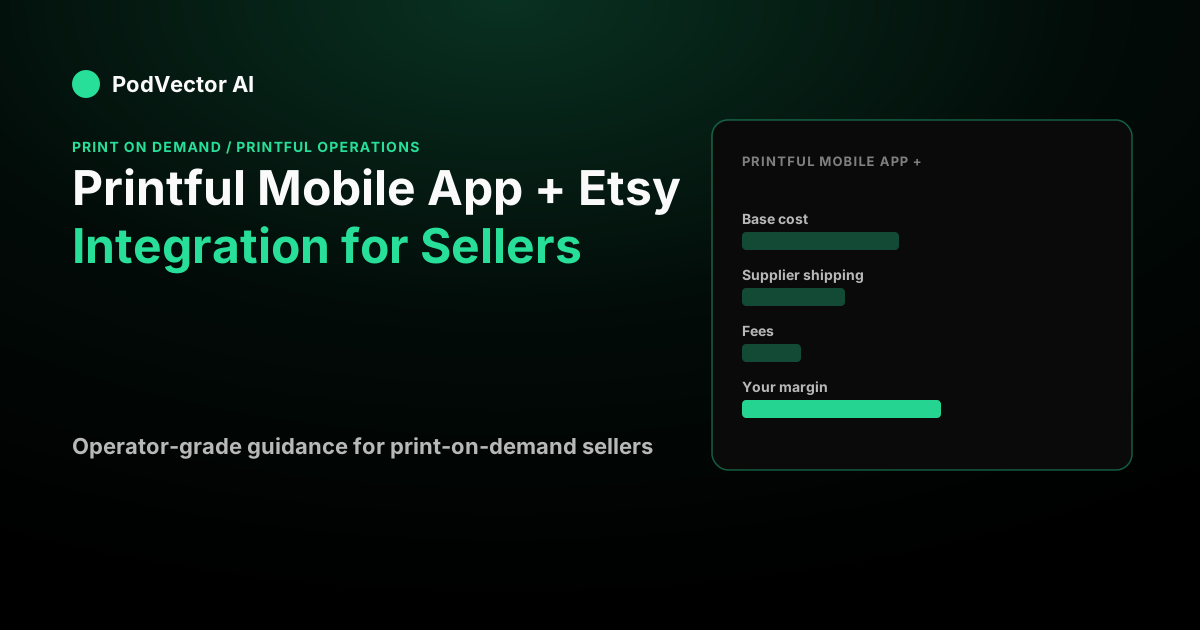
Here's the gap no mobile app closes. The Printful app shows your base cost and the order status. Etsy shows your sale price and its fees. Neither screen puts them in one place, so "I got an order" quietly becomes "I'm not sure that order made money."
Walk a real-looking order. Say you run a store doing 310 Etsy orders a month at a $27 average sale price, and this particular order is a DTG tee.
- Sale price: $27.00
- Printful base cost (say): $12.95
- Printful shipping (say): $4.69
- Etsy and payment fees on this order (say): $4.20
Net: 27.00 − 12.95 − 4.69 − 4.20 = $5.16 per order. At 310 orders that's about $1,600 a month in contribution — before a single advertising dollar.
Now layer in ads. Say you spend $2,400 a month driving traffic to that store. 2,400 ÷ 310 = $7.74 of ad cost per order — which is more than the $5.16 the order earned. On those numbers the store is selling at a loss and the app will still cheerfully show every order as "fulfilled."
That's the trap of monitoring status instead of margin. The app tells you the order shipped; it can't tell you the order shouldn't have been acquired at that cost.
Where an AI employee changes the math
This is the problem PodVector AI's Victor exists for. Victor is an AI employee for store owners who connects to Printful, Shopify, Meta Ads, Google Ads, and Klaviyo, and computes true per-order profit by seeing every order, every ad dollar, and every supplier cost together — the exact three numbers the Printful app and Etsy keep on separate screens.
Victor works with your Printful products, mockups, and orders directly, so your supplier cost is known before the first sale rather than reconstructed afterward. On the Shopify storefronts he operates, Victor pauses the ad set that's spending $7.74 to earn $5.16, reprices the thin-margin SKUs, and builds the Klaviyo flow that lifts repeat revenue — and delivers the profit report to your Google Drive.
For an Etsy-first seller, the honest read is this: the Printful app is a solid monitor, but margin control lives where orders, cost, and ad spend meet. If you add or already run a Shopify storefront alongside Etsy, that's where Victor turns status-watching into profit decisions. Put Victor on your store and let the per-order math run itself.
When to reach for the app vs. the desktop dashboard
Use the mobile app for what it's built for: a quick status check, a notification you can act on, and peace of mind when you're away from the desk. Catching a hold within the hour instead of the next morning is a real, shipped-faster win.
Use the desktop dashboard for anything structural — mapping a new listing to a Printful product, fixing an unsynced variant, adjusting print files, or editing an order inside the waiting-for-fulfillment window. The phone is for watching; the desktop is for changing.
And use a profit view — not either Printful screen — for the decision the whole operation hinges on: which products and which ad campaigns are actually making you money. If you're weighing another storefront to run that math across, the comparison in the Printful Squarespace integration guide is a useful next read, and the Printful operations hub ties the full workflow together.
FAQs
Can I connect Printful to Etsy from the mobile app?
No. The integration is created in the Printful desktop dashboard under Stores by selecting Etsy and authorizing your account. The app shows you the orders and statuses that flow through that connection once it exists, but it isn't where you build or manage the sync itself.
Does the Printful app let me edit or cancel an Etsy order?
Printful's iOS launch note framed order confirming and editing as features added after the app's debut, so capability varies by app version. Regardless of screen, the hard rule holds: an order can only be edited or canceled while it's in "waiting for fulfillment" — once it's "being fulfilled," only the address and shipping method can change.
How long until an Etsy order is fulfilled through Printful?
Printful's published estimate is two to five business days for production, per its shipping page, and shipping time is added on top of that. Quote the sum on your listings — fulfillment plus shipping — never the shipping leg alone, or you'll generate "where's my order" messages.
Why did an Etsy order go on hold instead of fulfilling?
Holds come from a specific problem: a print-file issue, a variant that's out of stock, a bad delivery address, or missing info. The hold notice names the cause; minor ones clear with a "Remove hold" button, and the app's notifications are good at flagging them fast so you fix them the same day.
Does the app tell me if an order was profitable?
No — and neither does Etsy on its own. The app shows base cost and status; Etsy shows sale price and fees; your advertising cost lives somewhere else entirely. Seeing all three together is what Victor does when he computes true per-order profit for the stores he operates, so the "did this order make money" question has a real answer instead of a guess.